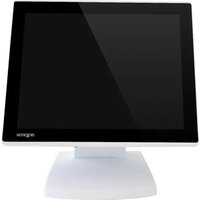
appTPV01WHND - Cash register Approx - Free user manual and instructions
Find the device manual for free appTPV01WHND Approx in PDF.


Pick your language and provide your email: we'll send you a specifically translated version.
| Product Type | Cash Register |
| Brand | Approx |
| Model | appTPV01WHND |
| Dimensions (approx.) | 300 x 300 x 100 mm (11.8 x 11.8 x 3.9 in) |
| Weight (approx.) | 2.0 kg (4.4 lbs) |
| Power Supply | AC 100-240V, 50/60 Hz |
| Display | Alphanumeric LCD, user and customer side |
| Printing | Thermal receipt printer, paper width 57 mm |
| Cash Drawer | Included, lockable |
| Key Functions | Product registration, PLU management, sales reports, tax calculation |
| Connectivity | USB, RS232 |
| Memory Backup | Internal battery for data retention |
| Barcode Scanner Support | Optional external scanner |
| Material | ABS plastic |
| Operating Temperature | 0°C to 40°C (32°F to 104°F) |
| Storage Temperature | -10°C to 50°C (14°F to 122°F) |
| Certifications | CE, FCC |
| Warranty | 1 year |
| Included Accessories | Power cord, paper roll, cash drawer key, user manual |
Frequently Asked Questions - appTPV01WHND Approx
How do I set up the cash register for the first time?
Unpack the register and place it on a stable surface. Connect the power cord and turn on the unit. Follow the on-screen prompts for date, time, and initial programming. Refer to the user manual for detailed steps.
How do I load the receipt paper?
Open the printer cover by pressing the release button. Insert the thermal paper roll with the shiny side facing the print head. Close the cover and press the paper feed button to advance the paper until it exits cleanly.
How can I program PLUs (Price Look Up) items?
Access the programming mode by entering the manager password (default 0000). Navigate to the PLU menu, enter the item code, description, and price. Save the entry. You can program up to 300 items.
How do I generate a sales report?
Press the 'X' or 'Total' key, or access the report menu. You can print a daily total, period report, or detailed sales breakdown. Use the paper feed button to advance the report after printing.
How do I clear a mistake during entry?
If you enter the wrong amount, press the 'Clear' or 'Cancel' key before finalizing the transaction. Once finalized, you need to perform a refund or void transaction via the manager menu.
What should I do if the printer is not printing?
Check that the paper roll is installed correctly and that the printer cover is fully closed. Ensure there is power to the register. If still not working, try a paper feed test. If the issue persists, contact customer support.
How do I reset the manager password?
Factory default password is 0000. If you changed it and forgot, perform a hard reset: turn off the register, press and hold the MODE key while turning on, then follow prompts to reset to defaults.
Can I connect a barcode scanner?
Yes, the register has a USB or RS232 port for connecting an external barcode scanner. Enable scanner input in the programming menu. The scanner must be configured for keyboard wedge mode.
How do I clean the thermal print head?
Power off the register. Open the printer cover and remove the paper. Use a cotton swab lightly moistened with isopropyl alcohol to gently wipe the print head. Allow it to dry completely before reloading paper.
What do I do if the cash drawer does not open?
First check that the drawer is unlocked. Try using the manual release lever (usually underneath the drawer). If it still doesn't open, the solenoid may be faulty. Contact Approx support for repair.
User questions about appTPV01WHND Approx
0 question about this device. Answer the ones you know or ask your own.
Ask a new question about this device
No questions yet. Be the first to ask one.
Download the instructions for your Cash register in PDF format for free! Find your manual appTPV01WHND - Approx and take your electronic device back in hand. On this page are published all the documents necessary for the use of your device. appTPV01WHND by Approx.
USER MANUAL appTPV01WHND Approx



Manual assistant
Powered by Anthropic
Waiting for your message
Product information
Brand : Approx
Model : appTPV01WHND
Category : Cash register