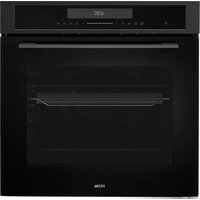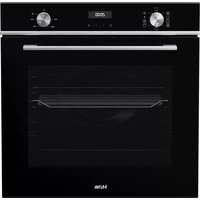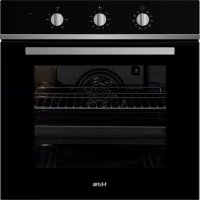
OM165ZT - Oven ETNA - Free user manual and instructions
Find the device manual for free OM165ZT ETNA in PDF.


User questions about OM165ZT ETNA
0 question about this device. Answer the ones you know or ask your own.
Ask a new question about this device
Download the instructions for your Oven in PDF format for free! Find your manual OM165ZT - ETNA and take your electronic device back in hand. On this page are published all the documents necessary for the use of your device. OM165ZT by ETNA.
USER MANUAL OM165ZT ETNA
natural_image
Simple 3D illustration of a rectangular tray or container with no text or symbols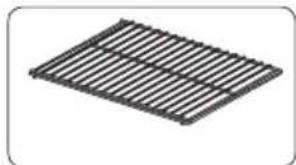
natural_image
Isometric view of a rectangular metal grate or rack structure (no text or symbols)natural_image
Technical line drawing of an oven with internal structure and a magnified inset showing internal components (no text or symbols)Bedieningspaneel
text_image
01 02 03 04 °C 25V 20V 15V 10V 5V 0V -5V -10V -15V -20V -25V -30V -35V -40V -45V -50V -55V -60V -65V -70V -75V -80V -85V -90V -95V -100Vtext_image
Three circular temperature adjustment knobs showing different ranges and settings for a device, with icons indicating thermal monitoring.De oven gebruiken
text_image
Diagram illustrating the step-by-step installation of an oven, showing angle measurement and component positioning.natural_image
Diagram of an oven interior showing internal components and a circular component with rotation arrow (no text or symbols)
natural_image
Symbol of a trash bin crossed with a diagonal line, no text or numbers presentnatural_image
Two technical illustrations: a square plate and a grid-patterned rack (no text or symbols)natural_image
Technical line drawing of a microwave oven with internal structure and close-up view of the interior panel (no text or symbols)Panneau de commande
text_image
01 02 03 04 °C °Ctext_image
Three analog kitchen control knobs showing temperature readings: 120°C, 105°C, and 75°C with corresponding icons for lighting and heating.Utiliser le four
text_image
Diagram illustrating the step-by-step assembly of an oven, showing angle measurement and component positioning.natural_image
Diagram of an oven interior with a circular component and a rotation arrow indicating clockwise motion (no text or symbols)
natural_image
Symbol of a trash bin crossed with a diagonal line, no text or numbers presenttext_image
1 2 3 4 5 Riverau 5 Riverau 4 Riverau 3 Riverau 2 Riverau 1natural_image
Two technical illustrations: top shows a rectangular plate with a flat surface, bottom shows a black slatted grid pattern (no text or symbols)natural_image
Technical line drawing of an oven with internal structure and a magnified inset showing internal components (no text or symbols)Bedienfeld
text_image
01 02 03 04 15 -45 79 20+ - 10A 20+ - 10A °C °Ctext_image
Three analog kitchen control knobs showing temperature and humidity settings with icons for lighting, air, and color.Den Ofen benutzen
text_image
Diagram illustrating the step-by-step installation of an oven, showing angle measurement and component positioning.natural_image
Diagram of an oven interior with a circular component and rotation arrow indicating clockwise motion (no text or symbols)
natural_image
Symbol of a trash bin crossed with a diagonal line, no text or numbers present| Introduction | 4 | |
| Description | 5 | |
| Guide rails 6 | ||
| Control panel 6 | ||
| Oven functions table 7 | ||
| First use 9 | ||
| Use | ||
| Controls | 10 | |
| Using the auto shut-off timer 11 | ||
| Cleaning | ||
| Cleaning the appliance 12 | ||
| Removing the oven door 12 | ||
| Replacing the oven light bulb 13 | ||
| Troubleshooting | ||
| General | 14 | |
Technical specifications 16
Your oven and the environment
Disposal of the appliance and packaging 18
Introduction
Congratulations on choosing this Etna oven. This product is designed with simple operation and optimum comfort in mind. The oven has a wide range of settings enabling you to select the correct cooking method every time.
This manual shows how you can best use this oven. In addition to information about operating the oven, you will also find background information that may be useful when using the appliance.

Read the separate safety instructions before using the appliance!
Read this manual before using the appliance and keep it in a safe place for future use.
Installation instructions are supplied separately.
Description
text_image
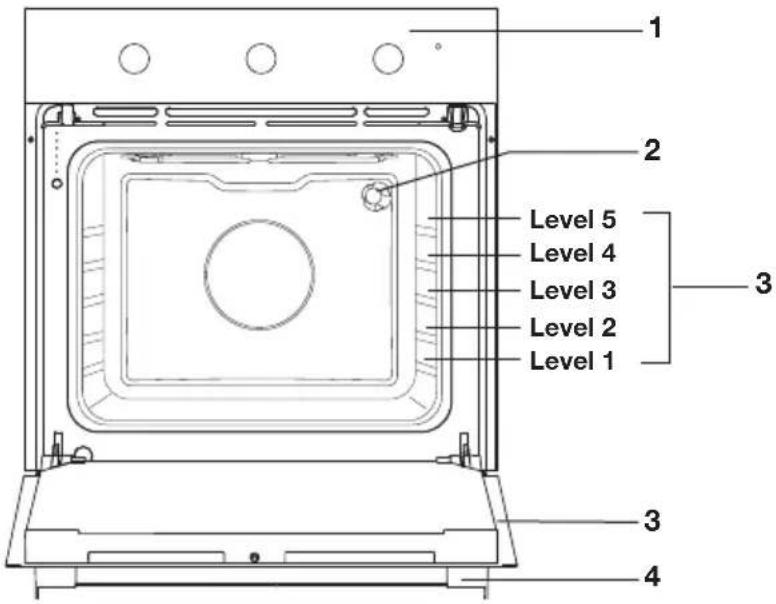
Level 1 Level 2 Level 3 Level 4 Level 5 Level 1- Control panel
- Lighting
- Shelf levels
- Door
- Door handle
natural_image
Simple line drawing of a rectangular tray or container (no text or symbols)The following accessories come with your oven:
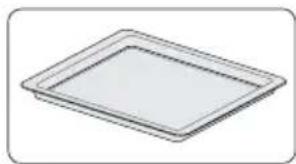
- Baking tray; used for pastries and cakes.
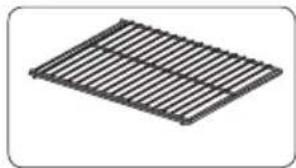
- Oven rack; primarily used for grilling. A dish or pan with food can also be placed on the oven rack.
natural_image
Simple 3D diagram of a rectangular grid structure with no text or symbolsGuide rails
- The oven has 5 shelf levels. Level 1 is mainly used in combination with bottom heat. Levels 4 and 5 are used mainly for the grill function.
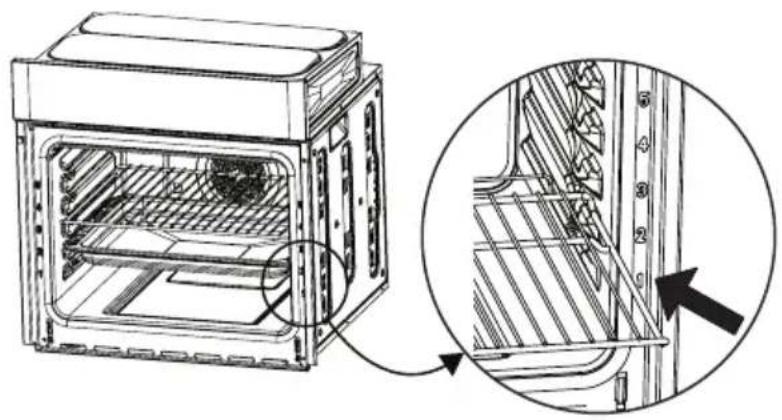
natural_image
Technical line drawing of an oven with internal structure and a magnified inset showing internal components (no text or symbols)Control panel
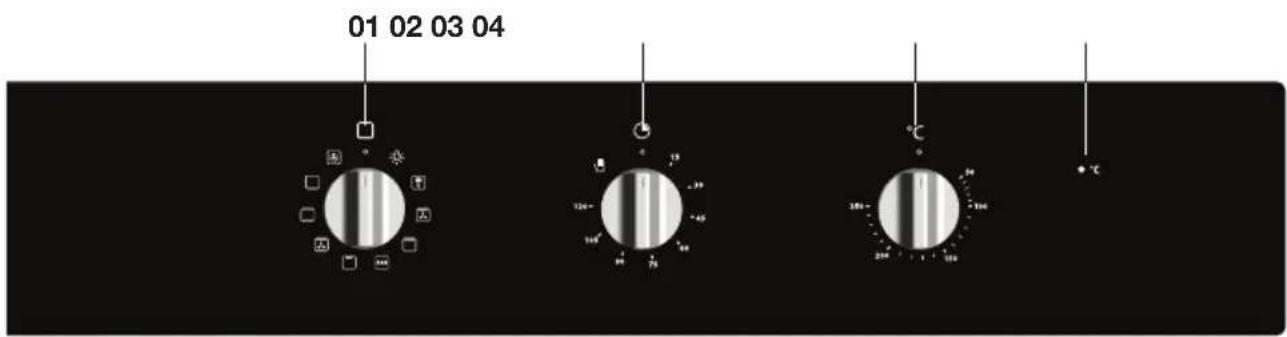
text_image
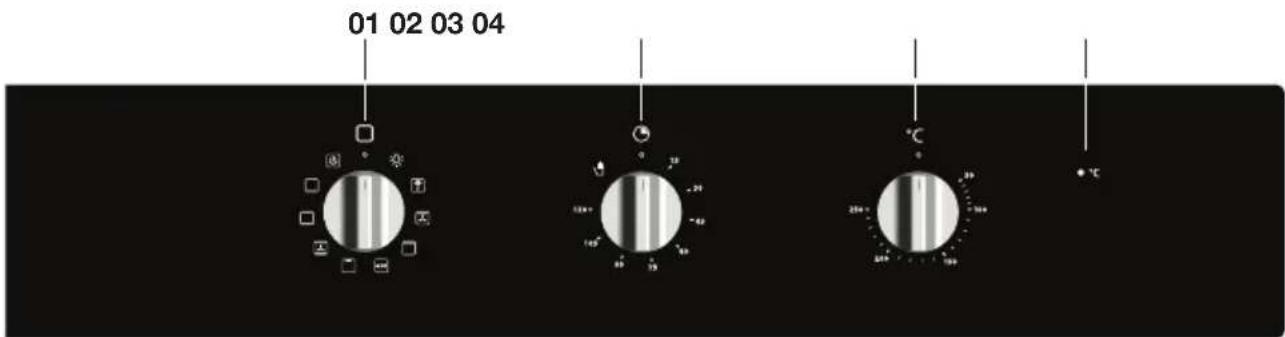
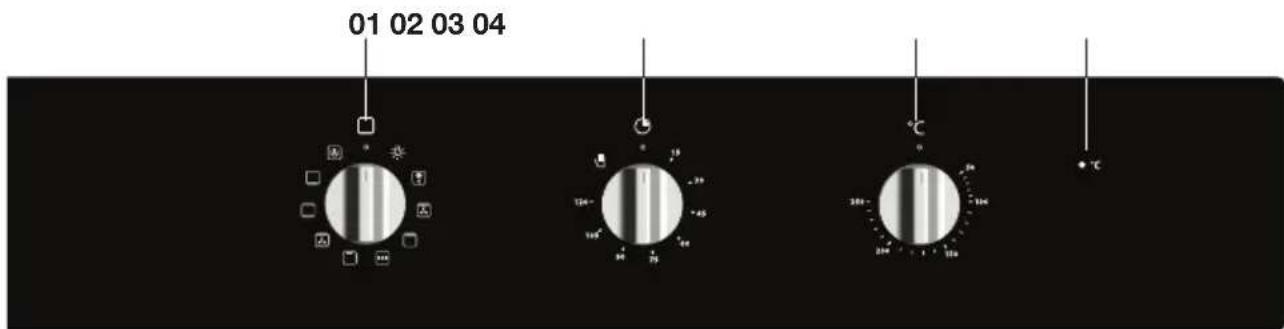
01 02 03 04 120- -39 150° -48 180° -56 210° -64 + ℃- Oven function / dial/‘off’ position
- Auto shut-off timer
- Temperaturedial
- Oven thermostat indicator light
Oven functions table
Consult the table below to choose the correct function. Also read the preparation instructions on the food packaging.

Only use oven dishes that can withstand a temperature of 250^ .
| Function Description | ||
 | Oven lightingSetting for cleaning the oven.The light will stay on at any oven function except for the ECO function. | |
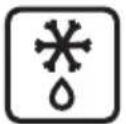 | DefrostThis function circulates air by means of a fan.The air is heated to a temperature of 30°C.Use this function to defrost frozen food. | |
 | Large Grill + FanHeating by means of the top heating element.The fan distributes this heat.You can use this setting for grilling meat, fish and vegetables.Place the oven rack on level 4/5 and the baking tray on level 2.Regularly keep an eye on the cooking process.At high temperatures, the dish can burn quickly. | 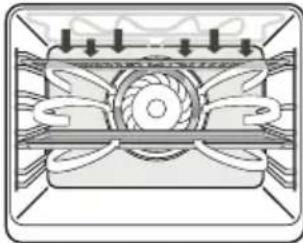 42 42 |
 | Large GrillHeating by means of the top heating element and the grill element.This setting is particularly useful for dishes and baked food that require a real bottom crust or browning. Use this just before the end of the baking or roasting time.Place the oven rack on level 4/5 and the baking tray on level 2.Regularly keep an eye on the cooking process.At high temperatures, the dish can burn quickly. | 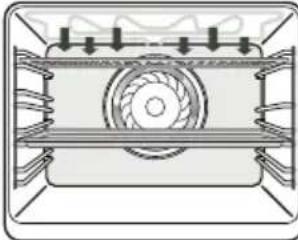 42 42 |
| Function | Description | |
 | EcoHeating using the top and bottom heating elements. The heat is distributed by the fan.For the preparation of dishes in your oven with minimum energy consumption.Switching the elements on and off more often makes optimum use of the residual heat of the oven. However, the temperature in the oven will vary slightly more.Suitable for fish dishes and a wide variety of meat dishes. | AW682 |
 | GrillHeating by means of the grill element.This function can be used to grill sandwiches and sausages and to toast bread.Place the oven rack on level 4/5 and the baking tray on level 2.Regularly keep an eye on the cooking process. At high temperatures, the dish can burn quickly. | 3W5442 |
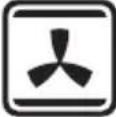 | Top Heat + Bottom Heat + FanHeating by means of the upper and lower heating elements. The fan distributes this heat.This setting can be used to bake leavened pastry and to preserve fruit and vegetables.Place a baking tray that is not too high on level 2, so that hot air can also circulate over the top of the food. | H7D42 |
 | Top Heat + Bottom HeatHeating by means of the upper and lower heating elements.This setting is used for traditional baking and roasting.Place the baking tray or oven rack at level 2.Preheating is recommended. | YXAY2 |
 | Bottom HeatHeating by means of the lowest heating element.This setting is particularly useful for dishes and baked food that require a real bottom crust or browning.Place the baking tray or oven rack at level 2.Use this just before the end of the baking or roasting time. | C6YC2 |
| Function Description | ||
 | Hot AirHeating by means of hot air from the back of the oven.This setting makes use of even heating and is ideal for baking.Place the baking tray or oven rack at level 2.Preheating is recommended. | 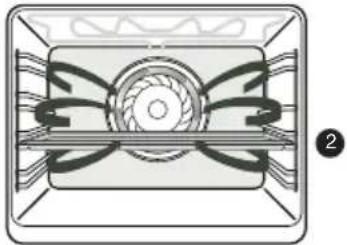 |
First use
- Open the door, remove all the packaging and check the oven for damage. Don't install the oven if it is damaged, but contact your supplier.
- Remove the protective film from the casing.
- Clean the oven interior and accessories with a damp cloth. Do not use any abrasive cleaner or strong-smelling cleaning products.
- Connect the oven to the mains.
Remarks
- When heating the oven for the first time, you will notice a 'new-oven smell'. This is normal.
- The temperature can be changed during cooking.
- Cooking times are rough estimates and can vary depending on a number of conditions.
- For certain dishes, the oven should be preheated.
- If you use baking paper, this should be able to withstand high temperatures.
- A lot of steam is released when cooking larger pieces of meat or dishes using dough, such as pies. This can cause condensation on the oven door. This is a normal occurrence and does not influence the functioning of the appliance. When the cooking process has ended, dry the door and the glass.
- Prevent condensation from forming and do not allow hot food to cool in a closed oven.
Controls
text_image
Three analog kitchen control knobs showing temperature readings: 120°C, 185°C, and 250°C with corresponding icons for lighting and usage.Using the oven
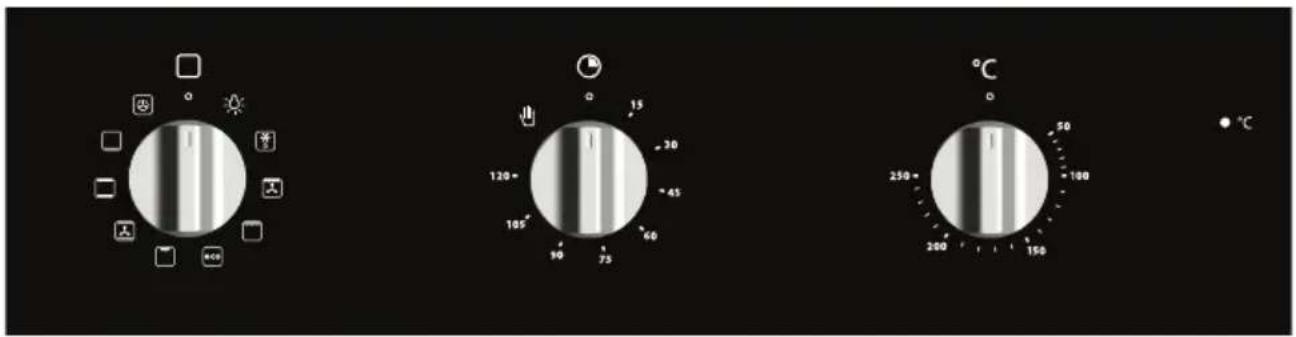
The oven has 9 oven functions. Consult ‘Oven functions table’ to select the correct oven function to cook the dish.
-
Turn the oven function knob to select an oven function (consult the Oven functions table).
-
Select a temperature with the temperature knob.
-
Use the timer to set an end time, if desired (see 'Using the Auto shut-off timer').
The oven switches on.

Note: for some dishes, the oven must be preheated first! Consult the information about the dish.
Cancelling an oven function
- You can stop or cancel a running program by setting the oven function knob to the '0' setting.
Using the Auto shut-off timer
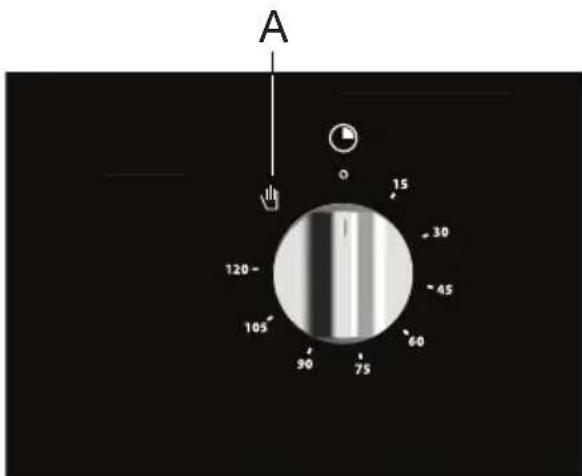
Use the shut-off timer to switch off the oven as soon as the set time has elapsed.
text_image
A 15 30 45 60 75 90 105 120 OManual operation
- Turn the shut-off timer to 'Manual operation' (A)
- Set an oven temperature and an oven function.
- Switch the oven off by turning the oven knobs to the '0' setting.
Using the shut-off timer
Switches the oven off at a time set previously.
- Set an oven temperature and an oven function.
- Turn the shut-off timer to the '120 minutes' setting and then back to the desired shut-off time.
- When the set cooking time has elapsed, a signal will sound and the oven will switch off automatically.
- Switch the oven off by turning the oven knobs to the '0' setting.
Cleaning the appliance
Clean your appliance regularly to prevent a build-up of grease and food particles, especially on interior and exterior surfaces, the door and door gasket.
- Clean the exterior surfaces with a soft cloth and soapy warm water.
- Wipe afterwards with a clean, damp cloth and dry the surfaces.
- Remove splashes and stains on the interior surfaces with a soapy cloth.
- Wipe afterwards with a clean, damp cloth and dry the surfaces.

Take care that no water enters the vents.
Never use abrasive cleaning agents or chemical solvents.
Ensure that the door gasket is always clean. This will prevent a build-up of dirt so that the door can close properly.
Removing the oven door

Keep your fingers away from the hinges of the oven door. The hinges are spring loaded and can cause injury if they spring back. Make sure that the hinge latches are applied correctly to lock the hinges.
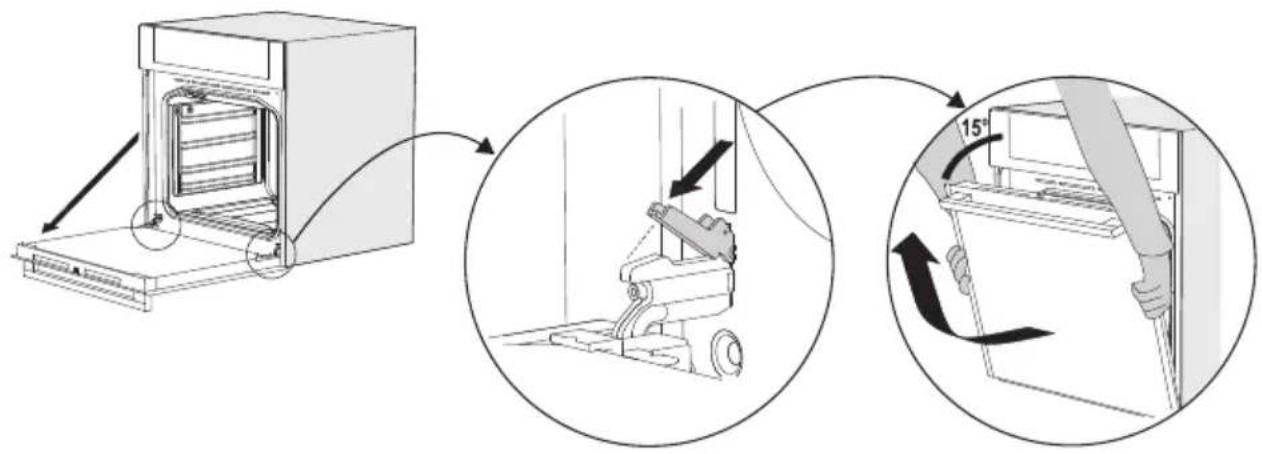
- First, fully open the door (as far as it will go).
- Rotate the stoppers back by 90^ .
- Slowly close the door until the stoppers are aligned with the hinge beds. At the angle of 15^ (relative to the closed door position), slightly lift the door and pull it out from both hinge beds on the appliance.
text_image
Diagram illustrating a door oven operation with angle measurement and directional arrows, showing step-by-step assembly.To replace the door repeat these actions in reverse. If the door does not open or close properly, make sure the hinges are positioned correctly in their slots.
Replacing the oven light bulb

The light bulb is a consumer item and therefore does not fall under the guarantee. Before replacing the light bulb, disconnect the appliance from electricity by unplugging it or switching off the fuse in the circuit breaker box!
The light bulb in this household appliance is designed exclusively for lighting this appliance. The light bulb is not suitable for lighting a household area.
Replacing the light bulb
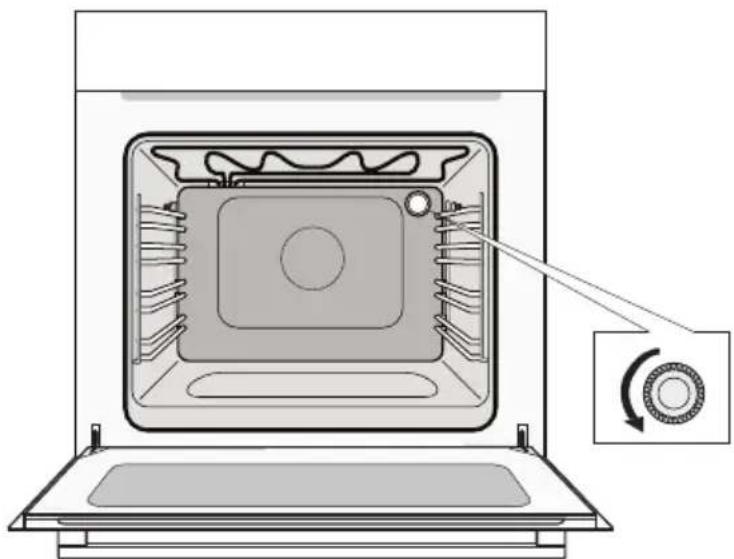
- Turn the cover to the left to remove it.
- Unscrew the faulty bulb from the fitting and replace it with a new original bulb.
natural_image
Diagram of an oven interior showing internal components and a circular component with rotation arrow (no text or symbols)
Please note: the light bulb can be very hot! Use protection to remove the light bulb.
General
Try the solutions below if you have problems with your oven. You could save yourself the time and effort of an unnecessary phone call to customer services.
The food stays raw.
- Check whether the timer has been set correctly.
- Check that the door is properly closed.
- Check that the electricity is working properly (fuse in the circuit breaker box/ plug in the socket).
The food is overcooked or undercooked.
- Check whether the correct oven function and temperature have been selected.
- Check that the correct cooking time has been set.
The touch keys don't respond; the display is locked.
- Disconnect the appliance from the power supply for a few minutes (unscrew the fuse or switch off the mains), then reconnect the appliance and switch it on.
- Set the time again.
Condensation appears inside the oven.
- This is normal. Wipe the oven clean after use.
The fan continues to operate after the oven has been switched off.
- This is normal. The fan will keep working for a while after the oven has been switched off.
Air flow is detected around the door and outer casing.
- This is normal.
Light is reflected around the door and the exterior of the appliance.
- This is normal.
Steam escapes from around the door or vents.
- This is normal.
A clicking sound occurs while the oven is operating, especially in defrosting mode.
- This is normal.
The main fuse in your home trips often.
- Consult a service technician.
The display shows an error code.
- There is a fault in the electronic module. Disconnect the appliance from the power supply for a few minutes. Then reconnect it and set the current time.
- Consult a service technician if the error persists.
Storing and repairing the oven.
- Repairs should only be performed by a qualified service technician. If maintenance is required, take the plug from the socket and contact the Etna customer service.
Have the following information at hand when you call:
- The model number and serial number (stated on the inside of the oven door)
- Warranty details
• A clear description of the problem

Choose a clean, dry place if you have to store the oven temporarily, as dust and moisture can damage the appliance.
| Model OM165ZT | |
| Power source 220-240 V ~ 50 Hz | |
| Energy consumption | |
| Maximum power | 2950 W |
| Grill function (small) | 2000 W |
| Grill function (large) | 2950 W |
| Top heat | 950 W |
| Bottom heat | 1100 W |
| Hot air | 2000 W |
| Cooling method Motor cooling fan | |
| Dimensions | |
| Appliance dimensions: | W 595 x H 595 x D 575 mm |
| Built-in dimensions: | W 560 x H 600 x D 555 mm |
| Volume 65 L |
Data determined according to standard EN 60350-1 and Commission Regulations (EU) No 65/2014 and (EU) No 66/2014.
| ETNA | |
| Model identification OM165ZT | |
| Energy Efficiency Index per cavity (EEI cavity) 94.0 | |
| Energy Efficiency Class per cavity A | |
| Energie consumption required to heat a standardised load in a cavity of an electric heated oven during a cycle in conventional mode per cavity (electric final energie / EC electric cavity | 0.99 kWh/cycle |
| Energie consumption required to heat a standardised load in a cavity of an electric heated oven during a cycle in fan-forced mode per cavity (electric final energie / EC electric cavity | 0.77 kWh/cycle |
| Number of cavities 1 | |
| Heat source per cavity Electricity | |
| Volume per cavity (V) 65 L | |
| Energy saving tipsDuring cooking, the oven door should remain closed except for turning food over.Do not open the door frequently during cooking to maintain the oven temperature and to save energy.If cooking time is more than 30 minutes, the oven may be switched off 5-10 minutes before the end of the cooking time to save energy. The residual heat will complete the cooking process.Plan oven use to avoid turning the oven off between cooking one item and the next to save energy and reduce the time for re-heating the oven.Wherever possible, cook more than one item at a time. | |
Disposal of the appliance and packaging
This product is made from sustainable materials. However, the appliance must be disposed of responsibly at the end of its useful life. The government can provide you with information about this.
The appliance packaging can be recycled. The following materials have been used:
- cardboard
• polyethylene wrap (PE)
• CFC-free polystyrene (hard PS foam)
Dispose of these materials responsibly in accordance with legal provisions.
natural_image
Symbol of a trash bin crossed with diagonal lines, no text or numbers presentThe product has a pictogram of a crossed-out waste container. This indicates that household appliances must be disposed of separately. This means that the appliance may not be processed via the regular waste flow at the end of its useful life. You should take it to a special municipal waste depot or a sales outlet that offers to do this for you.
Collecting household equipment separately prevents harm to the environment and public health. The materials used in manufacturing this appliance can be recycled, which provides considerable savings in energy and raw materials.
CE
Declaration of conformity
We hereby declare that our products comply with the relevant European directives, standards and regulations as well as all requirements referred to in the standards.

The appliance identification card is located on the inside of the appliance.
When contacting the service department,
have the complete type number to hand.
You will find the addresses and phone numbers of the service organisation on the guarantee card.
text_image
Barcode image with vertical black and white bars, no visible text or symbols beyond the pattern798735