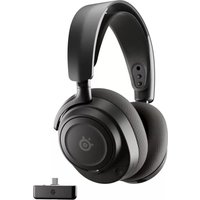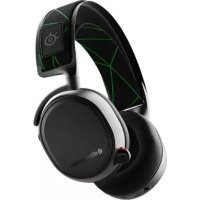
Arctis 9X - Headphones STEELSERIES - Free user manual and instructions
Find the device manual for free Arctis 9X STEELSERIES in PDF.



User questions about Arctis 9X STEELSERIES
0 question about this device. Answer the ones you know or ask your own.
Ask a new question about this device
Download the instructions for your Headphones in PDF format for free! Find your manual Arctis 9X - STEELSERIES and take your electronic device back in hand. On this page are published all the documents necessary for the use of your device. Arctis 9X by STEELSERIES.
USER MANUAL Arctis 9X STEELSERIES
PRODUCT INFORMATION GUIDE
CONTENTS
Welcome 2
SteelSeries Engine 3
Product overview 5-6
Setup
Hardware installation 7
Configuring weight system 8
Calibration of lift off sensor 9
Translations
Espanol 13
简体中文15
繁體中文 17
日本語 19
韩国兒 21
Deutsch 23
Pycckn 25
Francais 27
Italiano 29
Portugues 31
Regulatory
33
WELCOME TO ARCTIS
Your new headset is the result of taking everything amazing about the Arctis line and bringing it to the Xbox for the first time. Enjoy the award-winning audio, the best mic in gaming, and of course true Xbox Wireless. Congrats on your gaming audio upgrade!
STEELSERIES ENGINE
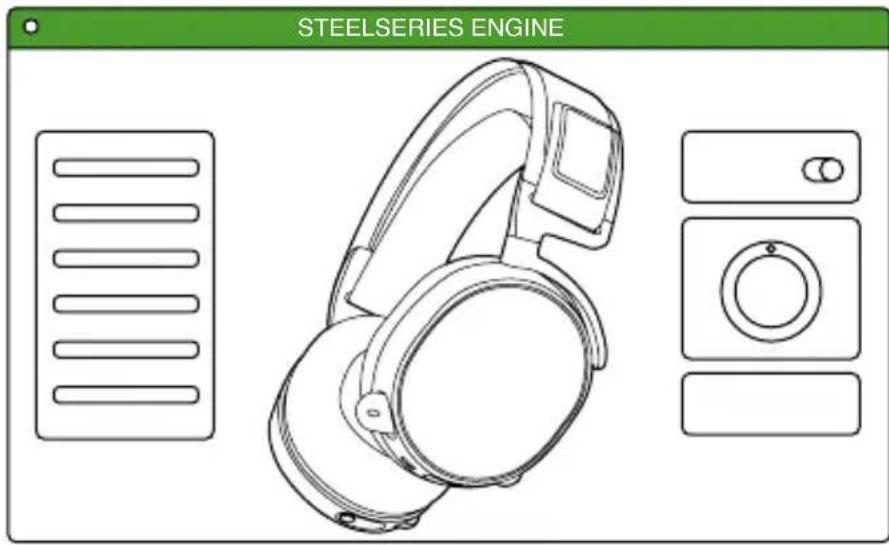
Download SteelSeries Engine to customize your audio settings
and check for firmware updates:
steelseries.com/engine
PACKAGE CONTENTS
Arctis 9X Headset
USB Charging Cable
SYSTEM REQUIREMENTS // COMPATIBILITY
Xbox One
Windows 10*
*requires PC with built-in Xbox Wireless support or external Xbox Wireless adapter (sold separately)
PRODUCT OVERVIEW
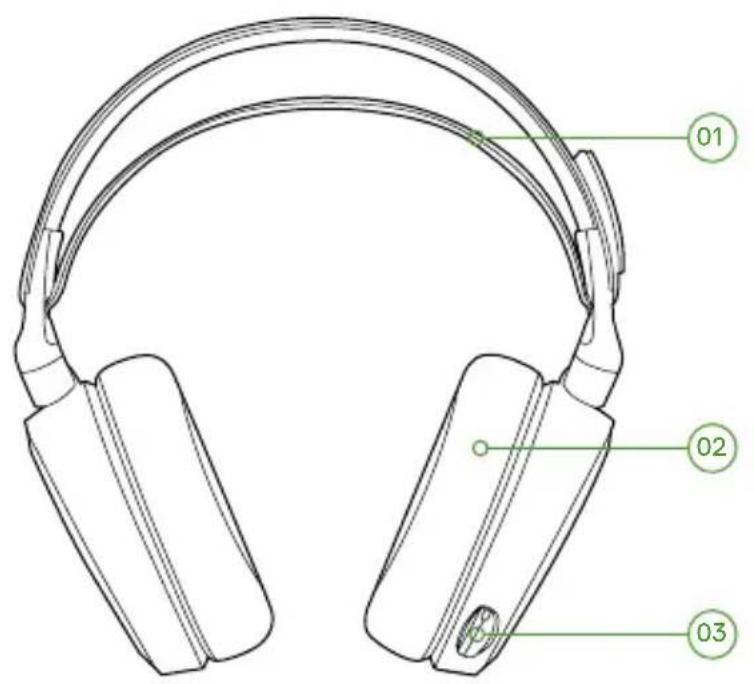
01 Ski goggle headband
02 Airweave ear cushions
03 ClearCast microphone
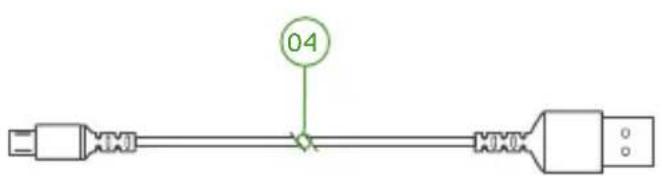
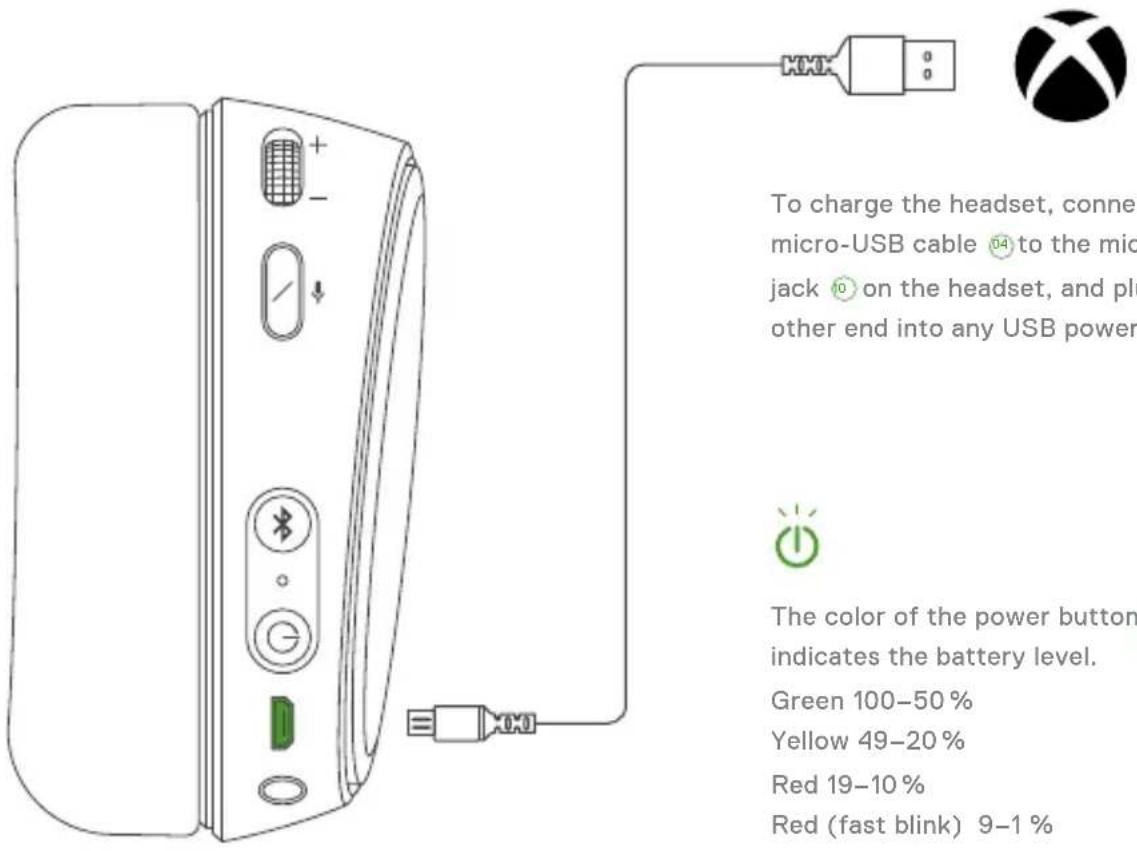
04 USB charging cable
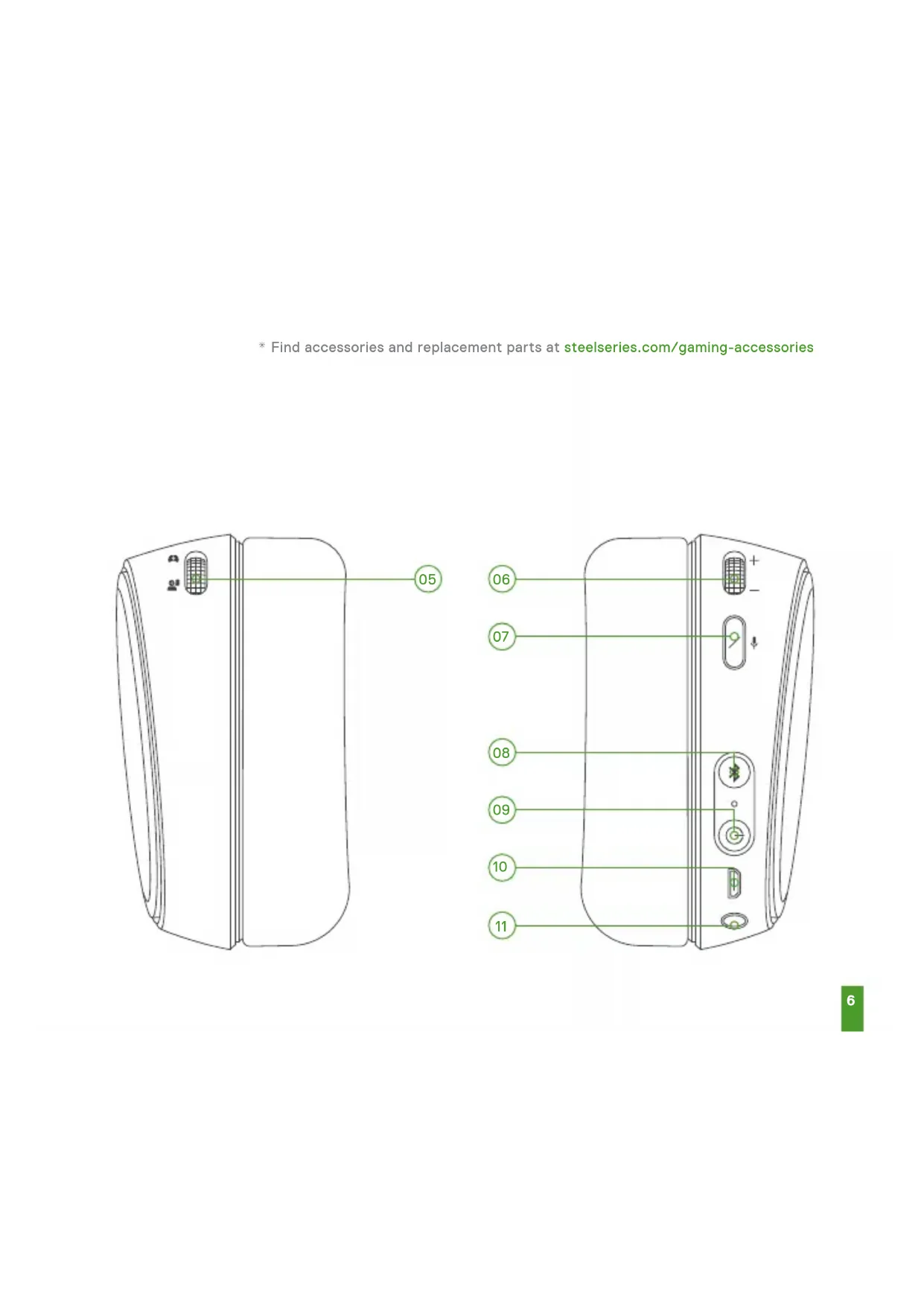
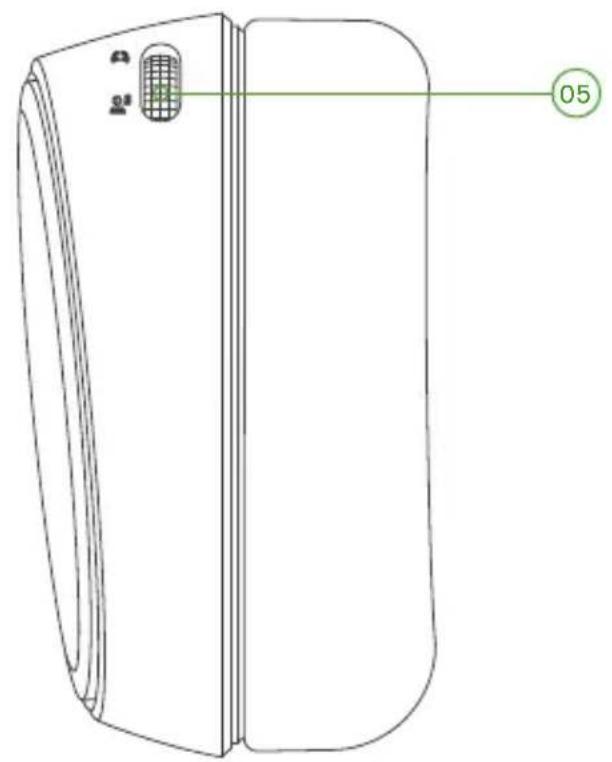
05 ChatMix dial
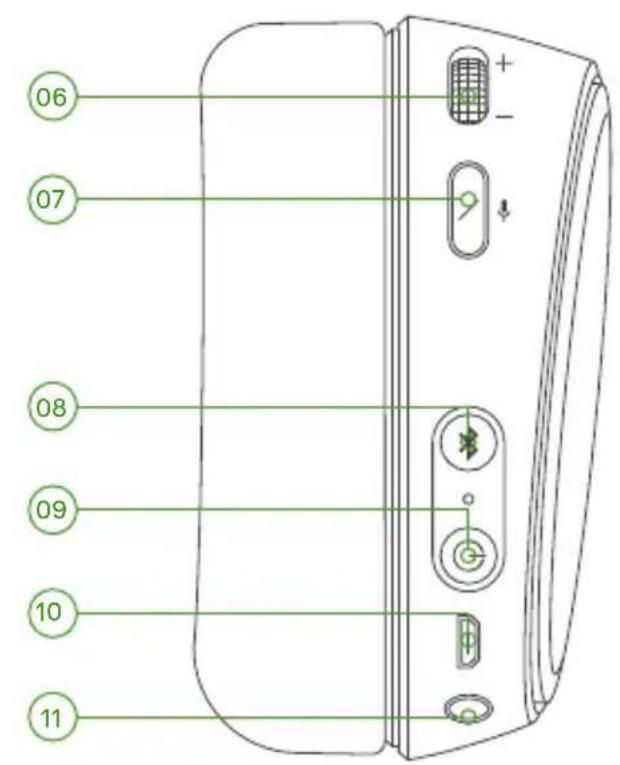
06 Volume control
07 Microphone mute button
08 Bluetooth button
09 Power button
10 Micro-USB jack (for charging & firmware updates)
11 Headphone share jack
- Find accessories and replacement parts at steelseries.com/gaming-accessories
SETUP
XBOX ONE
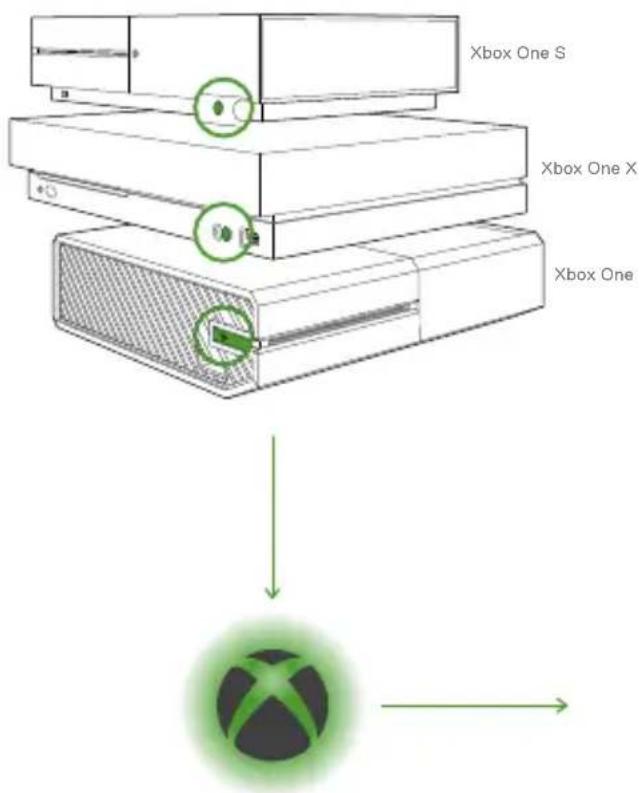
01 Press and release the connect button on your Xbox One. The button is located on the left side of the console. If you have an 'S' or 'X' version, the button is on the front in the lower right corner.
02 The Xbox logo on the console will begin blinking
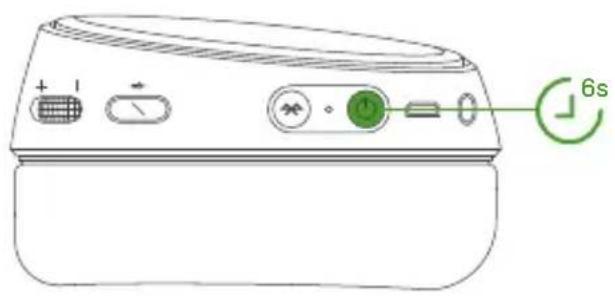
03 With the headset off, press and hold the Arctis 9X power button for 6 seconds. It will connect to the Xbox and you will see a 'Headset Assigned' message on the screen.
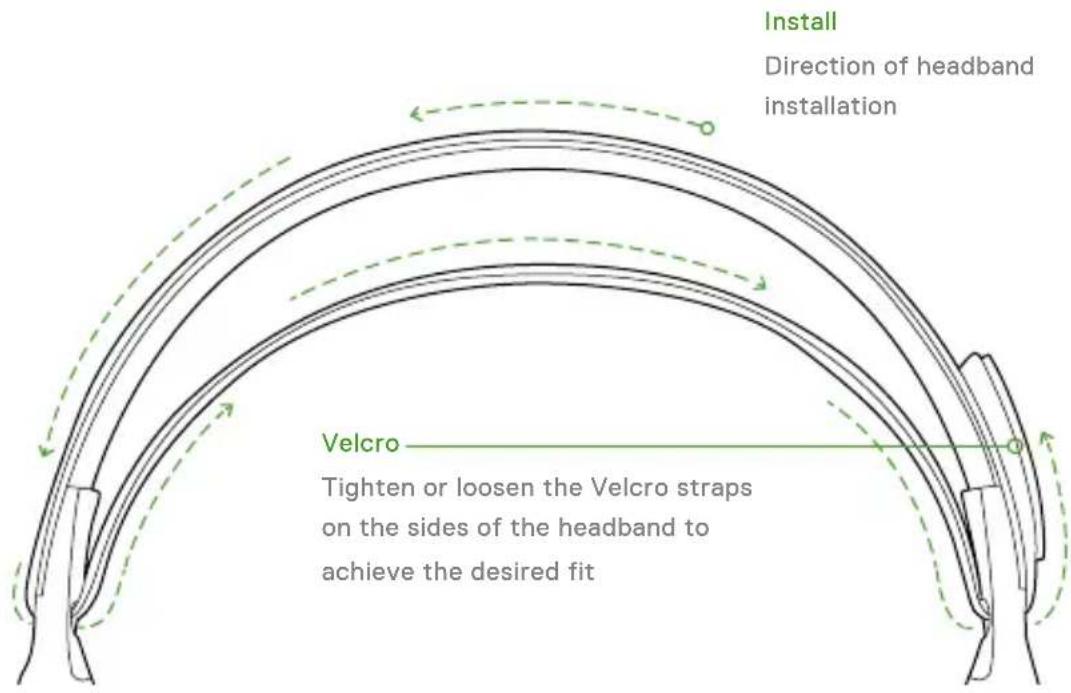
SKI GOGGLE HEADBAND
accessory headbands available at steelseries.com
POWER ON/OFF
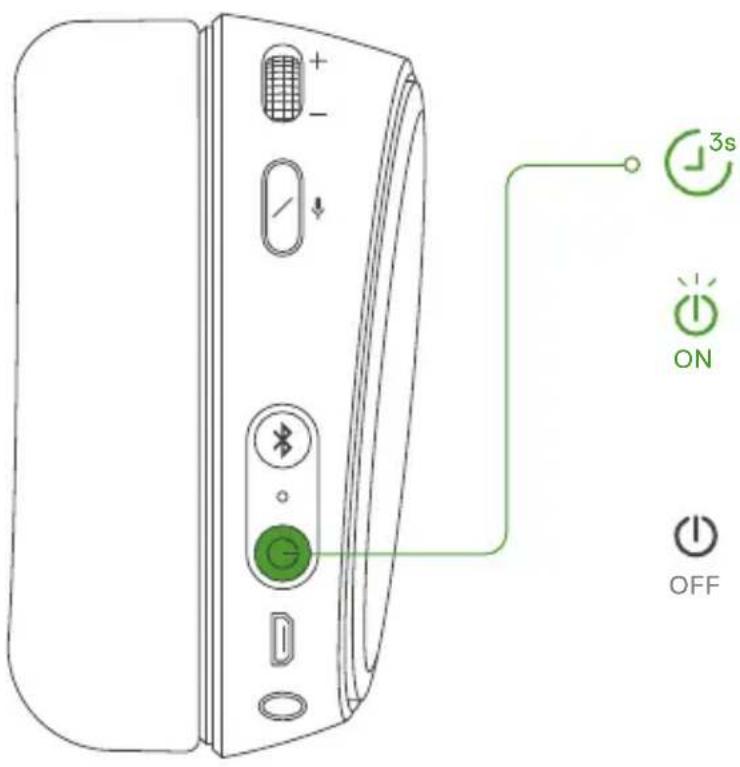
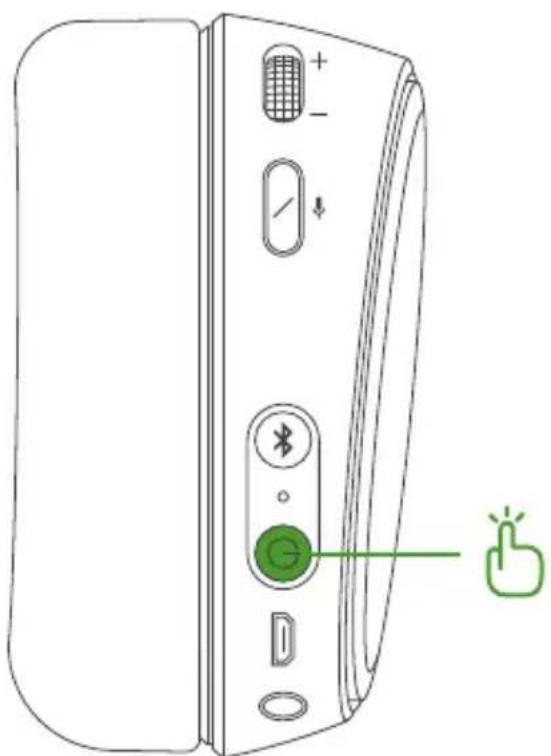
To power on the headset press and hold the power button for at least 3 seconds. You will hear a tone, and the power button will illuminate.
To power off the headset press and hold the power button for at least 3 seconds.
BLUETOOTH
PAIRING
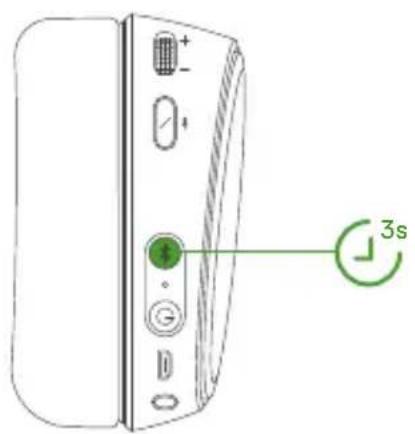
01 With the headset powered on, press and hold the Bluetooth button for 6 seconds. The headset LED will rapidly blink blue.
02 In your device's Bluetooth settings, scan for available devices and select 'Arctis 9X'
CONTROL

Answer/end voice call single - press Bluetooth button

Play/pause music single·pressBluetooth button

Next track double...pressBluetooth button

Previous track triple...pressBluetooth button
CHARGING
EQ
To toggle between EQ presets, press and release the power button. You will hear a series of tones indicating the selected preset number.
1beep Flat
2 beeps Bass Boost
3 beeps Smiley
4 beeps Focus
ESPANOL
KPATKNE CBEDEHNA O NPODAyKTE
01OrJIOBBeH3MaTePnaIaOB JJIbIXKbIXMaCOK
02 Am6yuhopbl Airweave*
03 MmKpofoh ClearCast
04 3apänHy USB-ka6eNb
05 BbHocHo nylbT ChatMix
06 PeryjTOp rPomKoCTn
07 Khonka otKloueHn 3Byka MmKpOHa
08 Khonka Bluetooth
09 Khonka nItaHn
10 Pa3bem MmKpo-USB (ДяЗардки n 6HOBLeHnB BCTpoEHnHO I0)
11 Pa3bem nIyHayuHnKOB
*Для побopa akceccsyapOBи 3anacbIX чacterи nocetinte ctrpaHnucy steelseries.com/gaming-accessories.
ПОДКЛЮЧЕНЕ И HACTPOДKA XBOX ONE
01 HaKmTe n OTnyctnte KhoNky NODKnIoueHnHa CBoem Xbox One. Khonka pacnoLoKeHa Ha neBoi cTopoHe KOhCoJn. B BepCnn S nJn X KhoNka pacnoLoKeHa B npabOM HnKHeM yrJy nepedHe naHeli.
02IorotunXboxHaKoHcOJIuHaunHaet MURaTb.
03 HaKmTe n ydepKnBaIte KhoNky NHTaHnHa BbIKNoeHHoR rapHnTpe Arctis 9X B TeueHne 6 cekyH. Ppi noKnUoyehnn K Xbox Ha ekpahe NoBnTcra coo6uHne Headset Assigned (rarpHnTpya Ha3NayeHa).
OFOIOBbE N3 MATEPNAIOB JJIaJIbIXHbIX MACOK
PerynipoBka Yka3aHn no perynipOBke orolobb
Linyuka
IpynpOBKn OOrObBy ocna6bTe nn 3aTnHTe KnaNaHbHa NnyKax.
ДононтеловьеВариHTI OROLOBьМоЖнО npno6peTuHa steelseries.com
BKNIOUeyE/BbIKIOUeyHNE NITAHN
ДяВКнluЧeHЯ rapHnTpybI HaKmTe n ydePknBaIte KhoNky nIITaHnY 9KaM mHmym 3 cekyHdbI. BbyycbluHTe 3ByKOBOI cnHaI, 3arOpNTc KhoNka nITaHnY 09
IyBbIKIOeHnraPHTpybHaXMMTe N ydepKnBaIte KHOINKy nITaHnKa KAKMHmym3cekyHdbI.
BLUETOOTH
ПОДКЛЮЧЕНЕ
01 HaKMnte n ydepKnBaTe KhoNky NITaHnHa BkIIOueHHoRapHNType Arctis 9X B TeueHne 6 cekyH. CBeToNDnBn INHdkaTOp Ha rapHNType NaHHTe 6bICTpo MmraTb cnHm.
02 B hacptpoKax Baawero yctpoicTba Bluetooth BbinoHnTe nonck DocTynhbx ycptpoiCTB n Bb6epnTe Arctis 9X.
YIPABJIEHNE
OTBeT/3aBepWeHne pa3roBopa OdnapHy·HaKmTe KHonky Bluetooth 08
Bocnpo3BeHne My3bKn/nay3a OdnapHy·HaKmTe KhoNky Bluetooth 88
CneIyUoJn TpeK DBOHNo·HaXmTe KhONKy Bluetooth 08
Ipebduyn Tpek TpoHnO·HaKmTe KhONky Bluetooth 98
3APRAKA
ДляЗарядкн rapнтурь NOДКЛIOUHTe Ka6eNB MnKpo-USB 04 K rHe3dY MnKpo-USB HayshNKOB 10, a npyro erO KOHec - K IIO6omy USB-nCTOCHNY nITaHnI.
LcBET KHONKn nHTaHnra [09] yKa3bBaet Ha ypoBeHb 3apJa 6aTapei.
3eHb1 100-50%
KeIbI 49-20%
Kpacn19-10%
KpacbHb(6bICtpoMnraeT)9-1%
FRANÇAIS
CONTENU DE L'EMBALLAGE
Casque Arctis 9 X
Cable de charge USB
CONFIGURATION SYSTème REQUISE // COMPATIBILITÉ
Xbox One
Windows 10*
VUE D'ENSEMBLE DU PRODUIT
Europe - EU Declaration of Conformity
Hereby, SteelSeries ApS. declares that the equipment which is compliance with directive RoHS 2.0 (2015/863/EU), R.E.D (2014/53/EU), EMC Directive (2014/30/EU), and LVD (2014/35/EU) which are issued by the Commission of the European Community.
The full text of the EU declaration of conformity is available at the following internet address: https://steelseries.com/
SteelSeries ApS. hereby confirms, to date, based on the feedback from our suppliers indicates that our products shipping to the EU territory comply with REACH (Registration, Evaluation, Authorization, and Restriction of Chemicals - (EC) 1907/2006) compliance program. We are fully committed to offering REACH compliance on the products and posting accurate REACH compliance status for the all of products.
Frequency bands and Powers
a. Frequency band(s) in which the radio equipment operates:
BT and WIF: 2.400 - 2.4835 GHz; 5.180 - 5.825 GHz
b. Maximum radio-frequency power transmitted in the frequency band(s) in which the radio equipment operates:
BT:QPSK:9.85dBm
-WIFI:HT20:8.67dBm(2.400-2.4835GHz)
-WIFI:HT20:11.40dBm(5.180-5.825GHz)
c. Software Version: R00010
Operations in the 5.18 - 5.825 GHz band are restricted to indoor usage only.
Operating Temperature: 0 to +40 °C.
WEEE
This product must not be disposed of with your other household waste or treat them in compliance with the local regulations or contact your local city office, your household waste disposal service or the shop where you purchased the product.
Safety Guideline for Lithium Battery
This battery must not be disposed of with your other household waste or treat them in compliance with the local regulations or contact your local city office, your household waste disposal service or the shop where you purchased the product.
"CAUTION!" Risk of explosion if battery pack is not replace by same type as specified by the manufacturer.
Please keep follow all listed important warnings and cautions below while using this battery pack to avoid any damage
or hazard.
- The battery polarity (+) and (-) shall not be connected and charged reversely. Risk of explosion if the battery polarity (+) and (-) is reversed.
- Please keep this battery pack away from fire and high heat sources due to explosion might happen. Do not place your battery pack close to any heater or hot location.
- This battery pack shall not be hit or impacted. This battery pack shall not be dealt with any sharp or keen objects either.
- This battery pack shall not be exposed to moisture, dripping or splashing.
- If any electrolyte flow out of this battery pack when touch the user's eyes and skin, please seek medical advice immediately.
| Regions Contact Information | ||
| Europe | SteelSeries ApS. Dirch Passers Allé 27, 5 Sal., 2000 Frederiksberg Denmark | +45 702-500-75 |

Federal Communication Commission Interference Statement
This device complies with Part 15 of the FCC Rules. Operation is subject to the following two conditions: (1) This device may not cause harmful interference, and (2) this device must accept any interference received, including interference that may cause undesired operation.
This equipment has been tested and found to comply with the limits for a Class B digital device, pursuant to Part 15 of the FCC Rules. These limits are designed to provide reasonable protection against harmful interference in a residential installation. This equipment generates, uses and can radiate radio frequency energy and, if not installed and used in accordance with the instructions, may cause harmful interference to radio communications. However, there is no guarantee that interference will not occur in a particular installation. If this equipment does cause harmful interference to radio or television reception, which can be determined by turning the equipment off and on, the user is encouraged to try to correct the interference by one of the following measures:
Reorient or relocate the receiving antenna.
Increase the separation between the equipment and receiver.
Connect the equipment into an outlet on a circuit different from that to which the receiver is connected.
- Consult the dealer or an experienced radio/TV technician for help.
FCC Caution:
Any changes or modifications not expressly approved by the party responsible for compliance could void the user's authority to operate this equipment.
This transmitter must not be co-located or operating in conjunction with any other antenna or transmitter.
Headset FCC ID: ZHK-HS00019
| Regions Contact Information | ||
| USA | SteelSeries ApS. 656 W Randolph St., Suite 3E Chica- go, IL 60661, USA | +1-312-258-9467 |
More information and support at steeleries.com
Industry Canada Statement:
This device complies with Industry Canada license-exempt RSS standard(s). Operation is subject to the following two conditions:
1) this device may not cause interference, and
2) this device must accept any interference, including interference that may cause undesired operation of the device.
This Class B digital apparatus complies with Canadian ICES-003.
This device and its antenna(s) must not be co-located or operating in conjunction with any other antenna or transmitter, except tested built-in radios.
The County Code Selection feature is disabled for products marketed in the US/ Canada.
ACMA Compliance (Australia/ New-Zealand)

Direct Current
Product Name: Headset
Model No.
HS-00019
Rated:
5V=500mA
Made in China

learn more at steeleries.com