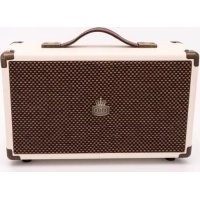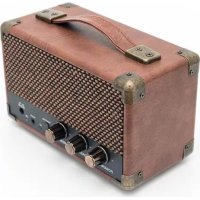
Westwood Mini - Speaker GPO - Free user manual and instructions
Find the device manual for free Westwood Mini GPO in PDF.



User questions about Westwood Mini GPO
0 question about this device. Answer the ones you know or ask your own.
Ask a new question about this device
Download the instructions for your Speaker in PDF format for free! Find your manual Westwood Mini - GPO and take your electronic device back in hand. On this page are published all the documents necessary for the use of your device. Westwood Mini by GPO.
USER MANUAL Westwood Mini GPO
natural_image
Black and white photo of a compact hard-shell device with a grid-patterned cover, no visible text or symbols.USER MANUAL
Content
English 3
German....13
French 23
Dutch 33
Spanish....43
text_image
English 3 GPO_Westwood_Mini_EU_Manual.indd 3 14/09/2016 12:29
natural_image
Color palette bar with grayscale shades and a central crosshair symbol (no text or labels)

4


natural_image
Color palette bar with grayscale swatches and a central crosshair symbol (no text or labels)Introduction
Thanks for purchasing the GPO Westwood Mini Bluetooth Speaker. This portable, battery-powered speaker system will connect to any of your Bluetooth-enabled playback devices, allowing you to enjoy music in any location.



natural_image
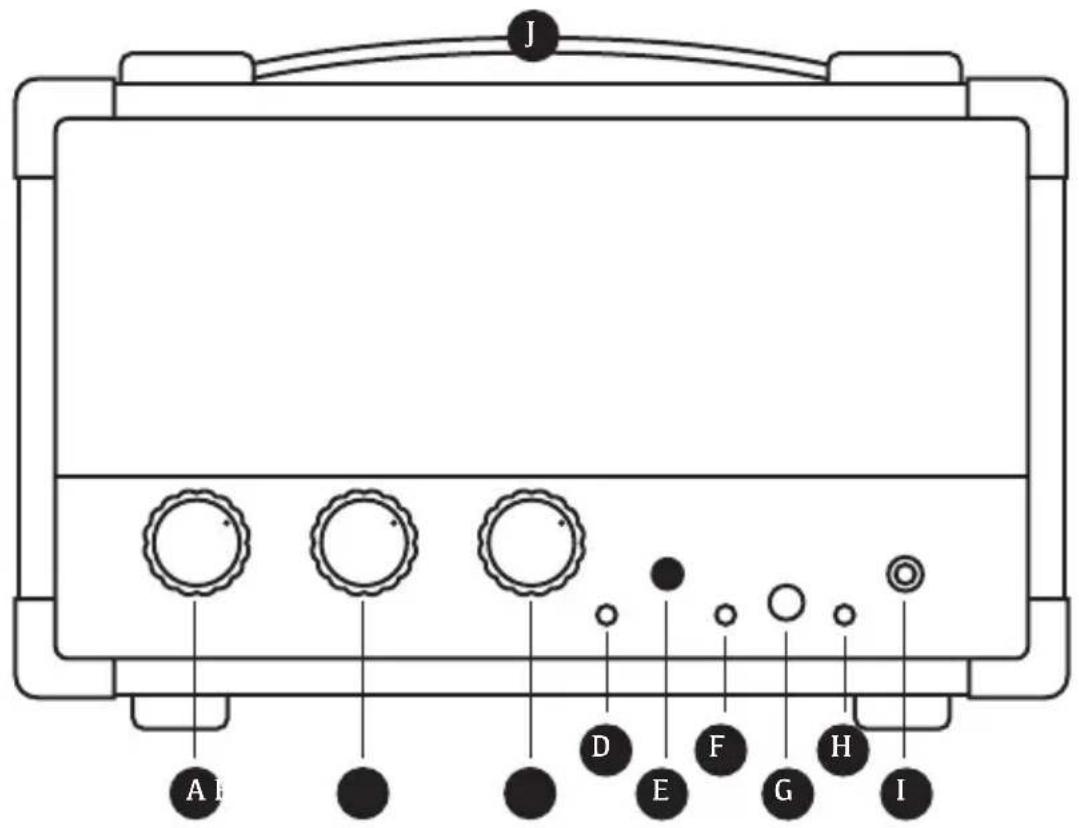
Color palette bar with grayscale swatches and a central crosshair symbol (no text or labels)Location of Controls
text_image
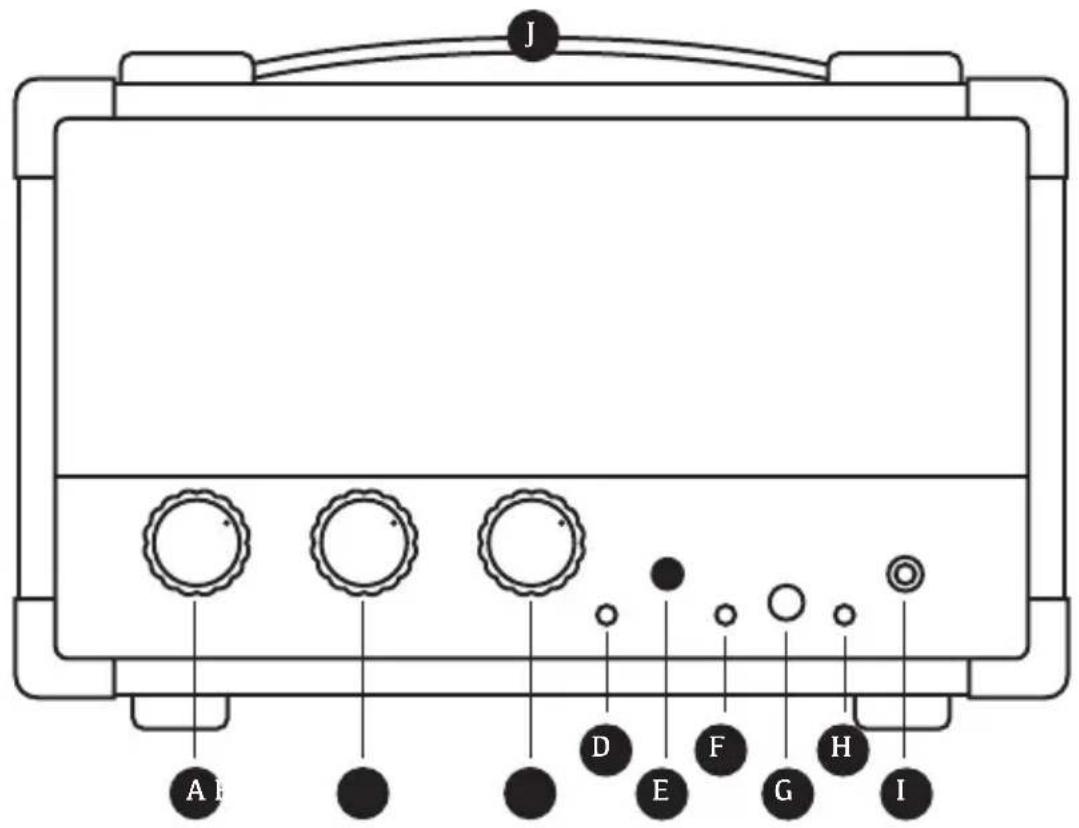
J A B ● ● ● D E F G H IA Power/Volume Button
B Bass Knob
C Treble Knob
D AUX LED Indicator
E Function button
F Bluetooth LED Indicator
G AUX IN Jack
H Charging LED Indicator
I 9V DC Jack
J Carry Handle
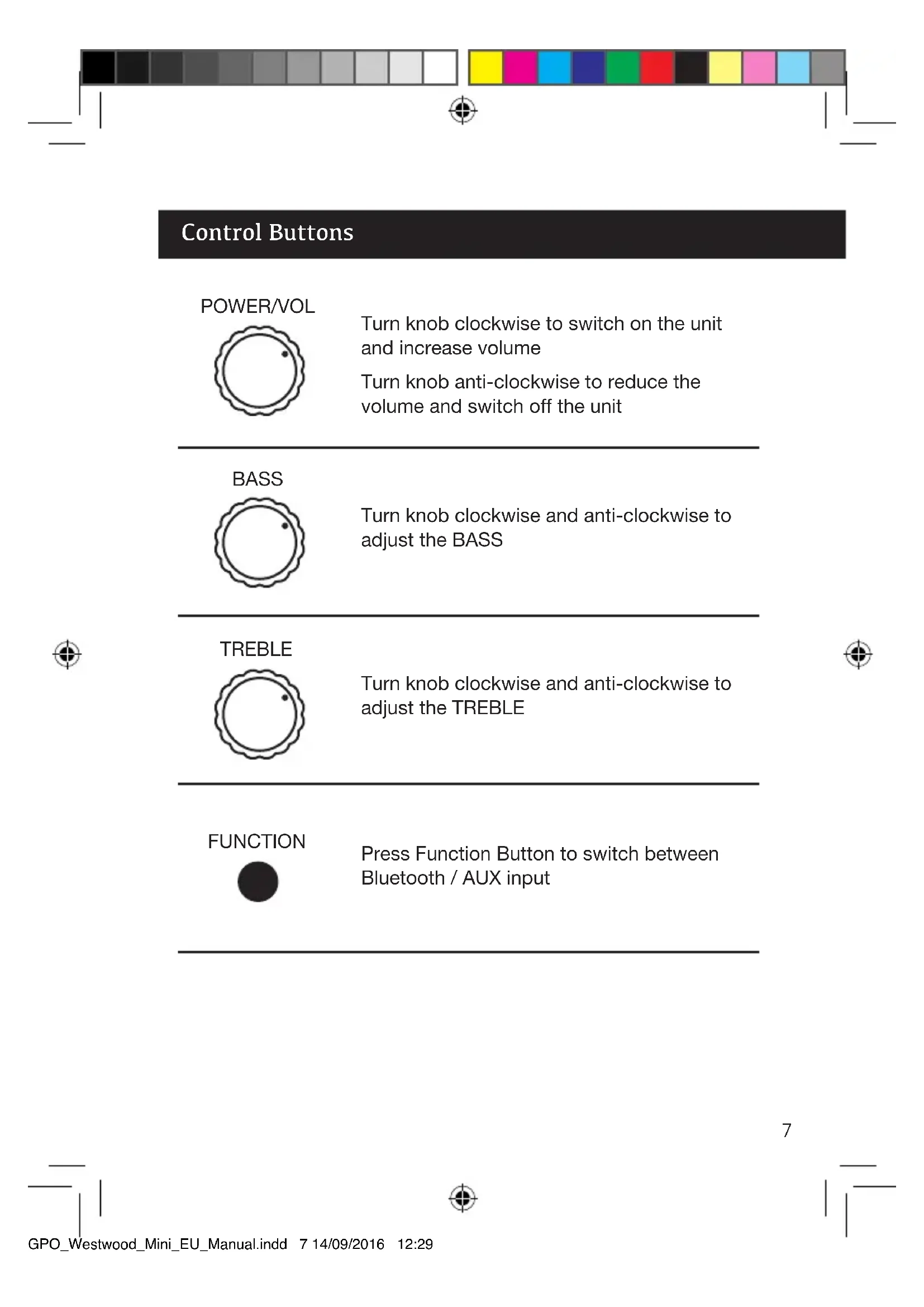
Control Buttons
POWER/VOL

Turn knob clockwise to switch on the unit and increase volume
Turn knob anti-clockwise to reduce the volume and switch off the unit
BASS

Turn knob clockwise and anti-clockwise to adjust the BASS
TREBLE

Turn knob clockwise and anti-clockwise to adjust the TREBLE
FUNCTION

Press Function Button to switch between Bluetooth / AUX input
Unit Power Supply
The speaker is powered by a built-in rechargeable battery. Please ensure that the battery is fully charged before use.
Please note: All rechargeable batteries have a limited lifespan. Battery life and the number of charge cycles vary according to usage and settings.
Recharging the battery
1 Connect the AC adaptor to the DC jack of the unit
2 Connect the AC adaptor to a wall socket and turn the socket on
3 The Charging LED Indicator will now illuminate. While the battery is charging, the indicator will be red. Once charging is complete, the indicator will turn green.
Once the Charging LED Indicator turns green, the battery is fully charged and the unit is ready for use.
Bluetooth Operation
To turn the unit on, rotate the Power/Volume Knob clockwise.
Press the Function button repeatedly until the Bluetooth LED indicator is illuminated. Your speaker is now ready to connect to a Bluetooth device
Connecting a Bluetooth Device
1 Ensure that the speaker is turned on and in Bluetooth mode by following the steps above
2 On your device, enable Bluetooth and search for Bluetooth devices
3 When ‘GPO Mini’ is displayed on your device, select it to form the connection
4 If necessary, enter the password 0000
5 When the speaker has successfully connected to your device, you will hear a beep and the Bluetooth LED indicator will turn solid blue
6 You can now play audio from your device through the speaker
Disconnecting a Bluetooth Device
To disconnect your device, either:
a) Disable Bluetooth on your device; or
b) Move the device out of communication range. The speaker will beep and the Bluetooth LED indicator will flash blue
Reconnecting a Bluetooth Device
The next time the speaker is set to Bluetooth mode, it will automatically reconnect to the last device you connected, as long as it is in range.
If not, follow the steps above to reconnect your device.
Please Note:
- Please ensure that your Bluetooth enabled device is compatible with audio speakers by checking the product manual.
- Ensure that your Bluetooth enabled device has Bluetooth enabled and visible to all other devices.
- Obstacles between your device and your speaker can reduce the operational range from the unit's maximum range of 10 metres.
- Other electronic devices may cause interference.
If you wish to connect a device using the AUX IN jack, use an audio in cable to connect the speaker and the device, then press the Function button until the AUX LED indicator is lit.
Speaker Operation
Rotate the Power/Volume knob clockwise to increase the volume or anti-clockwise to decrease the volume.
To increase the bass volume, turn the Bass knob clockwise. Turning the knob anti-clockwise reduces the bass volume.
To increase the treble volume, turn the Treble knob clockwise.
Turning the knob anti-clockwise reduces the treble volume.
To turn the speaker off, turn the Power/Volume knob anti-clockwise until it will not turn any further.
Troubleshooting
Q) The unit will not turn on
A) Ensure that the batteries are fully charged and installed correctly.
Product Support
For more advice or assistance, please visit www.gporetro.com, or call our support team on 0845 521 4095.
Please note, for your personal safety you SHOULD NOT attempt to open the unit's casing. Opening the casing voids your warranty, and no user serviceable parts are contained inside


text_image
GPO_Westwood_Mini_EU_Manual.indd 12 14/09/2016 12:29
text_image
German 13 GPO_Westwood_Mini_EU_Manual.indd 13 14/09/2016 12:29
natural_image
Color palette bar with grayscale shades and a central crosshair symbol (no text or labels)


natural_image
Color bar with grayscale gradient and a central crosshair symbol (no text or labels)Einleitung
natural_image
Color palette bar with grayscale swatches and a central crosshair symbol (no text or labels)text_image
J A B ● ● ● D E F G H Inatural_image
Color palette bar with grayscale shades and a central crosshair symbol (no text or labels)

24


natural_image
Color bar with grayscale gradient and a central crosshair symbol (no text or labels)Introduction
natural_image
Color palette bar with grayscale swatches and a central crosshair symbol (no text or labels)text_image
J A I D E F G H Inatural_image
Color palette bar with grayscale shades and a central crosshair symbol (no text or labels)


natural_image
Color bar with grayscale gradient and a central crosshair symbol (no text or labels)Inleiding
natural_image
Color palette bar with grayscale swatches and a central crosshair symbol (no text or labels)Wat zit waar?
text_image
J A D E F G H Inatural_image
Color palette bar with grayscale shades and a central crosshair symbol (no text or labels)


natural_image
Color bar with grayscale gradient and a central crosshair symbol (no text or labels)Introducción
natural_image
Color palette bar with grayscale swatches and a central crosshair symbol (no text or labels)text_image
J A I D E F G H Inatural_image
Color calibration bar with grayscale and RGB color swatches, no text or symbols present
text_image
GPOwww.gporetro.com