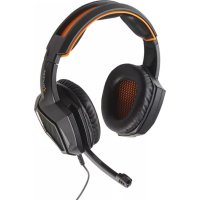
XH3 - Earphones X Rocker - Free user manual and instructions
Find the device manual for free XH3 X Rocker in PDF.



| Product type | Gaming headset |
| Brand | X Rocker |
| Model | XH3 |
| Connection type | Wired (3.5mm jack) |
| Microphone | Built-in with mute function (switch) |
| Controls | Volume and mute |
| Compatibility | PS4, Xbox One, Nintendo Switch, PC, smartphones |
| Weight | ~250 g |
| Cable length | ~1.2 m |
| Material | Plastic and metal |
| Warranty | 90 days |
| Cleaning | Soft dry cloth |
| Safety | Do not expose to moisture; temperature 0-40°C |
| Included accessories | Headset, cable, manual |
| Repairability | Do not open; contact customer support |
| Functions | Stereo audio, directional microphone |
| Usage | Gaming, voice chat |
| Maintenance | Avoid liquids; clean stains |
Frequently Asked Questions - XH3 X Rocker
User questions about XH3 X Rocker
0 question about this device. Answer the ones you know or ask your own.
Ask a new question about this device
Download the instructions for your Earphones in PDF format for free! Find your manual XH3 - X Rocker and take your electronic device back in hand. On this page are published all the documents necessary for the use of your device. XH3 by X Rocker.
USER MANUAL XH3 X Rocker
XROCKER XH3 HEADSET INSTRUCTIONS MANUAL
MANUEL D'UTILISATION DU CASQUE X ROCKER XH3
3 - English
9 - French
15 - German
21 - Spanish
27 - Dutch
ENGLISH
SAFETY GUIDELINES
- Should you have trouble operating the device and reminder does not work, go to service@acecasual.com for support. Do not attempt to fix it yourself at anytime.
- Keep your device away from liquid, humidity or moisture. Operate your device within the specified temperature range of 0° (32°F) to 40°C (104°F).
- Do not take apart the device or change the original accessories (doing so will void your warranty) and do not attempt to operate it under abnormal current loads.
- In order to take good care of your hearing, we recommend that you reduce the volume to a comfortable level when listening for prolonged periods of time.
- Spot clean only.
EXCLUSIVE OF WARRANTY
- All our current products have a 90 day warranty period beginning from the purchase date.
- In case of defect, return the product to your reseller with failure description, proof of purchase and all accessories.
- During the warranty period, you will receive a replacement product from the reseller if available.
- For missing accessories such as manual, software or other items, contact our Service Center from local distributors.
- Warranty will be void in case of opened products, physical damage, misuse, modification, repaired by unauthorised persons, carelessness and using the product for another purpose than its intended use.
WARRANTY TERMS
• Damage caused by accidents or disasters, such as fire, flood, earthquake, war, vandalism, theft or acts of God.
- Incompatibility with other hardware/software not defined as minimum system requirements.
• Accessories such as batteries and fuses.
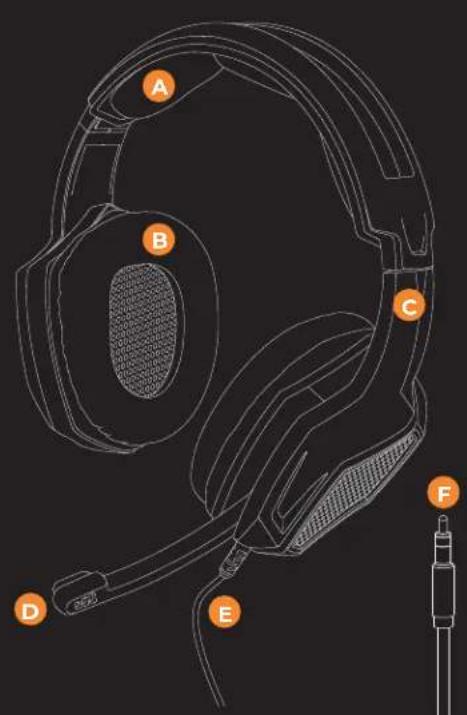
DEVICE LAYOUT
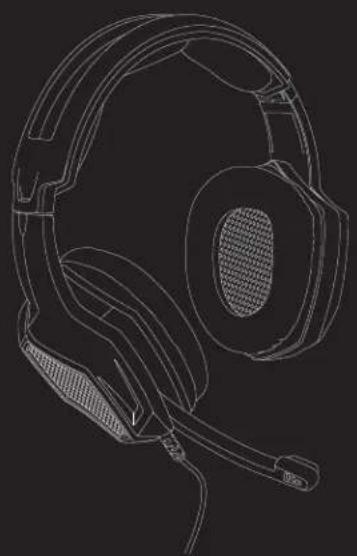
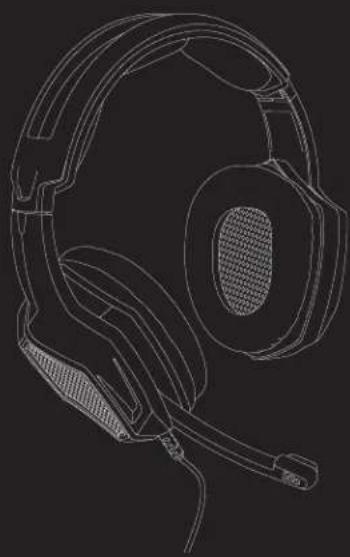
A - Headband
B - Earmuff
C - Stretching Part
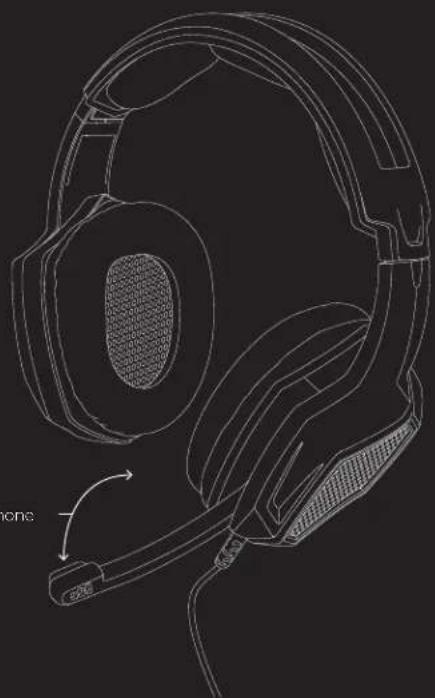
D - Microphone
E - Headset Cable
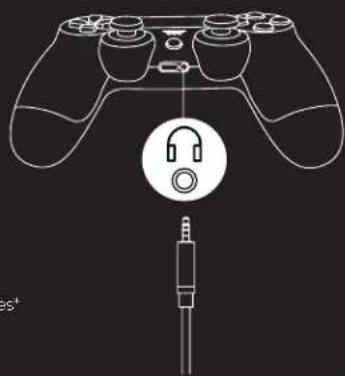
F - 3.5mm Audio Connection*
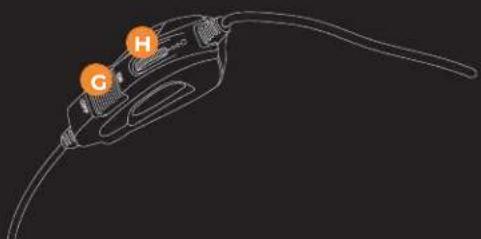
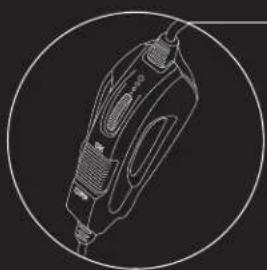
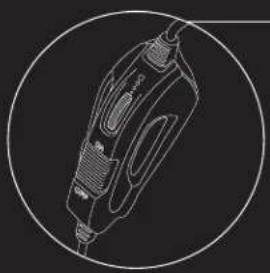
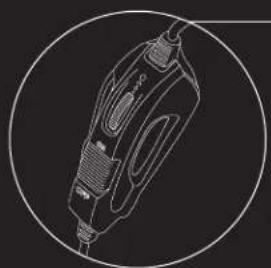
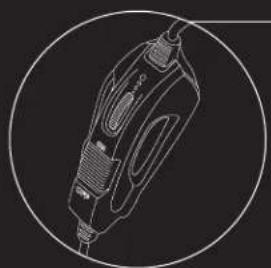
G - Microphone Mute Switch
H - Headset Volume Controls
* If your control or does not feature the built in 3.5mm audio jack, then a headset adapter (purchased separately) will be required.
natural_image
Line drawing of a fuel pump with labeled components H and G (no text or symbols beyond labels)USING THE XH3 HEADSET
natural_image
Line drawing of a handheld electric shaver with a circular outline (no text or symbols)Adjust the volume
controller to turn
the volume up or down
FIRST TIME USE:
We recommend stretching the headset gently apart before placing it over your head to minimize headband stress.
However, please avoid overstretching the headset beyond its structural limits.
natural_image
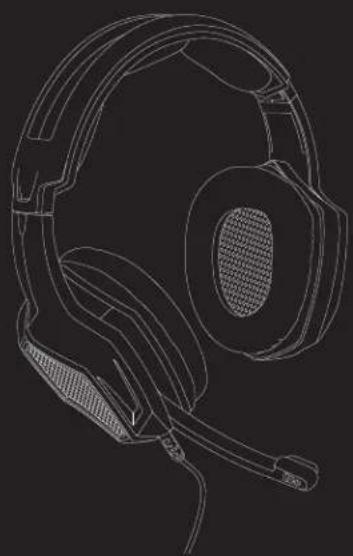
Line drawing of a headset with ear and antenna, showing mechanical components (no text or symbols)Flexible microphone
PS4
natural_image
Line drawing of a headset with microphone and ear (no text or symbols)From the PS4 Settings Menu, Select:

- Settings

- Devices

- Audio Devices

- Output to Headphones* [All Audio]
* If using with an X Rocker Gaming chair, set the headset to Chat Audio to use the X Rocker Gaming Chair audio.
natural_image
Line drawing of a game controller with headset icon and connector (no text or symbols)XBOX ONE
From the Xbox One Settings Menu, Select:
natural_image
Line drawing of a headset with front and side views (no text or symbols)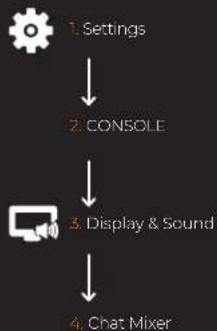
flowchart
graph TD
    A["Settings"] --> B["CONSOLE"]
    B --> C["Display & Sound"]
    C --> D["Chat Mixer"]
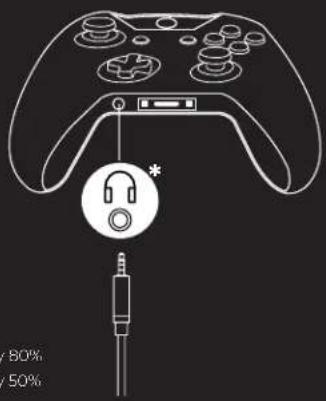
- Mute all other sounds
- Reduce the volume of other sounds by 80%
- Reduce the volume of other sounds by 50%
- Do nothing
* An additional headset adapter (Solo Seperately) will be required if your controller does not feature a headset socket.
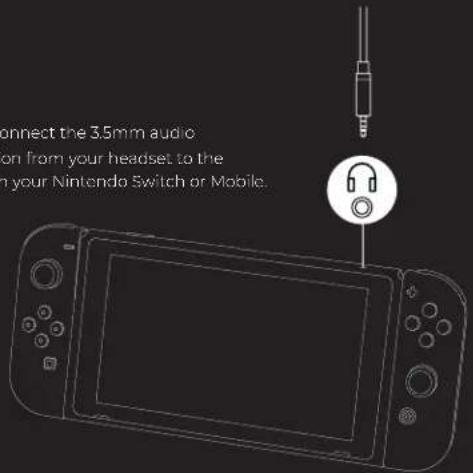
NINTENDO SWITCH / MOBILE
natural_image
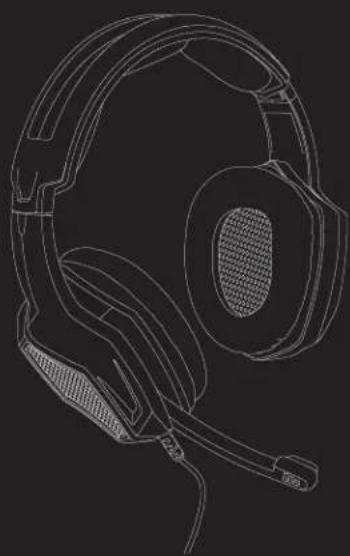
Line drawing of a headset with head and neck components (no text or symbols)Simply connect the 3.5mm audio connection from your headset to the socket on your Nintendo Switch or Mobile.
FRENCH
CONSIGNES DE SÉCURITÉ
natural_image
Line drawing of a fuel pump with labeled ports G and H (no text or symbols beyond labels)UTILISATION DU CASQUE XH3
natural_image
Line drawing of a handheld electric shaver with a circular outline (no text or symbols)PS4
natural_image
Line drawing of a headset with head and ear components (no text or symbols)
1 Paramètres

- Périphériques

- Périphériques audio

natural_image
Line drawing of a game controller with an earphone icon and connector pin (no text or symbols)natural_image
Line drawing of a headset with head and ear components (no text or symbols)NINTENDO SWITCH / PORTABLE
natural_image
Line drawing of a headset with front and side views (no text or symbols)natural_image
Line drawing of a fuel nozzle with labeled ports G and H (no text or symbols beyond labels)DAS XH3 HEADSET VERWENDEN
natural_image
Line drawing of a handheld electric shaver with a circular outline (no text or symbols)Mit dem
natural_image
Line drawing of a headset with front and side views (no text or symbols)natural_image
Line drawing of a game controller with headset icon and connector (no text or symbols)natural_image
Line drawing of a headset with head and ear components (no text or symbols)natural_image
Line drawing of a headset with microphone and ear (no text or symbols)natural_image
Line drawing of a plug with labeled ports G and H, no text or symbols presentCÓMO USAR LOS AURICULARES XH3
natural_image
Line drawing of a handheld electric shaver with a circular outline (no text or symbols)natural_image
Line drawing of a headset with head and ear components (no text or symbols)natural_image
Line drawing of a game controller with an earphone icon and microphone connector (no text or symbols)natural_image
Line drawing of a headset with head and ear components (no text or symbols)natural_image
Line drawing of a headset with microphone and ear (no text or symbols)LAY-OUT VAN HET APPARAAT
natural_image
Line drawing of a fuel pump with labeled components H and G (no text or symbols beyond labels)DE XH3-HEADSET GEBRUIKEN
natural_image
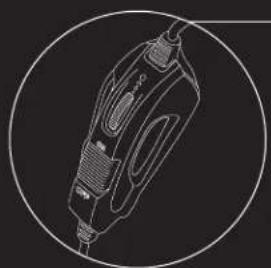
Line drawing of a handheld electric shaver with a circular outline (no text or symbols)Pas de volumeregeling
aan om het volume
hoger of lager te zetten
EERSTE INCEBRUIKNAME:
natural_image
Line drawing of a headset with head and ear components (no text or symbols)natural_image
Line drawing of a game controller with an audio jack icon (no text or symbols)natural_image
Line drawing of a headset with head and ear components (no text or symbols)natural_image
Line drawing of a headset with head and ear components (no text or symbols)



- XROCKER XH3 HEADSET INSTRUCTIONS MANUAL
- SAFETY GUIDELINES
- EXCLUSIVE OF WARRANTY
- WARRANTY TERMS
- DEVICE LAYOUT
- USING THE XH3 HEADSET
- XBOX ONE
- NINTENDO SWITCH / MOBILE
- CONSIGNES DE SÉCURITÉ
- UTILISATION DU CASQUE XH3
- NINTENDO SWITCH / PORTABLE
- DAS XH3 HEADSET VERWENDEN
- CÓMO USAR LOS AURICULARES XH3
- LAY-OUT VAN HET APPARAAT
- DE XH3-HEADSET GEBRUIKEN
- EERSTE INCEBRUIKNAME:
Brand : X Rocker
Model : XH3
Category : Earphones