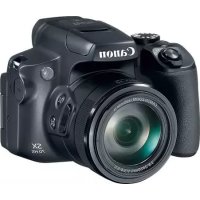
CANON PowerShot SX70 HS - Camera

PowerShot SX70 HS - Camera CANON - Free user manual and instructions

Find the device manual for free PowerShot SX70 HS CANON in PDF.

📄 289 pages English EN Download 💬 AI Question 11 questions ⚙️ Specs
Notice CANON PowerShot SX70 HS - page 280
View the manual : Français FR English EN
Pick your language and provide your email: we'll send you a specifically translated version.
Product Type Bridge camera
Brand Canon
Model PowerShot SX70 HS
Dimensions (L x H x D) 127.1 x 90.9 x 116.6 mm
Weight (with battery and card) Approx. 610 g
Power Supply Lithium-ion battery NB-13L, charger CB-2LH
Optical Zoom 65x
Screen Vari-angle LCD 7.5 cm (3 inches), approx. 922,000 dots
Viewfinder Electronic, approx. 2,360,000 dots
Wireless Connectivity Wi-Fi 802.11 b/g/n, Bluetooth 4.1
Maximum Resolution 20.3 megapixels (5184 x 3888)
Video Recording 4K UHD 3840 x 2160 at 29.97 fps, Full HD 1920 x 1080 up to 59.94 fps
Image Stabilization Optical, Intelligent IS
Shooting Modes Auto, Hybrid Auto, Panorama, Sports, Special Scene, Creative Filters, Program AE, Shutter Priority, Aperture Priority, Manual, Video
Maintenance and Cleaning Clean the exterior with a dry soft cloth. Do not use solvents. Clean the lens with a specific cloth.
Safety Do not expose to water, shocks, extreme temperatures. Use only recommended accessories. Keep out of reach of children.
Spare Parts and Repairability Battery NB-13L, charger CB-2LH, USB cable, strap, lens cap available. Repair by Canon authorized service center.
General Information Manual available in 289 pages (FR). Warranty according to manufacturer's conditions.

Frequently Asked Questions - PowerShot SX70 HS CANON

How to charge the battery of the Canon PowerShot SX70 HS?
Insert the NB-13L battery into the provided CB-2LH charger. Plug the charger into a power outlet. The orange indicator shows charging, green when full. Remove the battery once charged.
How to transfer photos to a smartphone?
Use the Canon Camera Connect app. Turn on Wi-Fi on the camera (button (p)), then connect your smartphone to the camera's Wi-Fi network. Follow the app instructions to import images.
Which memory card should I use?
Use SD, SDHC or SDXC cards (UHS-I recommended for 4K video). For 4K video recording, choose a card with UHS Speed Class 3.
How to manually focus?
Press the Macro/MF button until MF appears on the screen. Use the ▲▼ buttons to adjust focus. For increased accuracy, press INFO to enlarge the image.
Can I use a tripod with this camera?
Yes, the camera has a standard tripod socket (1/4 inch) on the bottom. Screw it onto a compatible tripod.
How to reset to default settings?
Go to the Function settings menu (button MENU), then select Reset camera default settings. Confirm with OK.
What to do if the screen stays black?
Check that the battery is charged and inserted correctly. Turn on the camera with the ON/OFF button. If the screen stays black, remove and reinsert the battery. If the problem persists, contact a Canon service center.
How to record time-lapse videos?
Select Video mode (mode dial), then go to the menu: Time-lapse Video > Time-lapse > Scene. Set the interval and duration, then press the shutter button to start recording.
Does the camera heat up normally?
Yes, prolonged use may cause the camera to warm up. This is normal and does not affect images. If the [1] icon appears, turn off the camera and let it cool down.
How to clean the lens?
Use a soft lens cloth (microfiber) to gently wipe the lens. For stubborn stains, lightly moisten the cloth with a specific optical cleaner. Do not use solvents.

User questions about PowerShot SX70 HS CANON

1 question about this device. Answer the ones you know or ask your own.

Ask a new question about this device

The email remains private: it is only used to notify you if someone responds to your question.

Where is the internal battery to save the time and date on the Canon PowerShot SX70 HS?
Frequently Asked Questions - 22/03/2026
Response Notice-Facile

The Canon PowerShot SX70 HS does not have a separate internal battery for saving the time and date. Unlike some DSLR or hybrid cameras that use a dedicated button cell (RTC battery), this compact model manages the clock solely through its main rechargeable battery.

How the time and date backup works: The date and time information you set when starting the device is retained in memory thanks to the continuous power supplied by the main battery. This data is used to timestamp your photos and videos during shooting.

Risks of losing settings: If the battery completely discharges or if you remove it for an extended period (several weeks or months), the camera may lose the date and time settings. Upon the next power-up, the [Date/Time/Zone] screen will automatically appear to prompt you to reset these parameters.

How to keep your settings: To avoid having to reset the time and date, always keep the battery sufficiently charged. If you do not plan to use the device for a long time, charge the battery before storing it. If you need to remove the battery, try to minimize the downtime or connect the device to an external power source (via the charger) to maintain the internal settings.

Practical tip: Charge your battery regularly, even if the device has not been used. The battery of the Canon PowerShot SX70 HS discharges gradually over time. We recommend charging the battery on the day of use or the day before, and recharging it once a year if the device remains unused for several months.

Respond (be the first)

Download the instructions for your Camera in PDF format for free! Find your manual PowerShot SX70 HS - CANON and take your electronic device back in hand. On this page are published all the documents necessary for the use of your device. PowerShot SX70 HS by CANON.

USER MANUAL PowerShot SX70 HS CANON

Q (agrandissement) / (index)

3 [WPS (mode PBC)] [OK]

CANON PowerShot SX70 HS - 1

1 [Perform. affichage]

1 [Afficher logo certification]

  • Batterie lithium-ion rechargeable

Pare-soileil LH-DC90

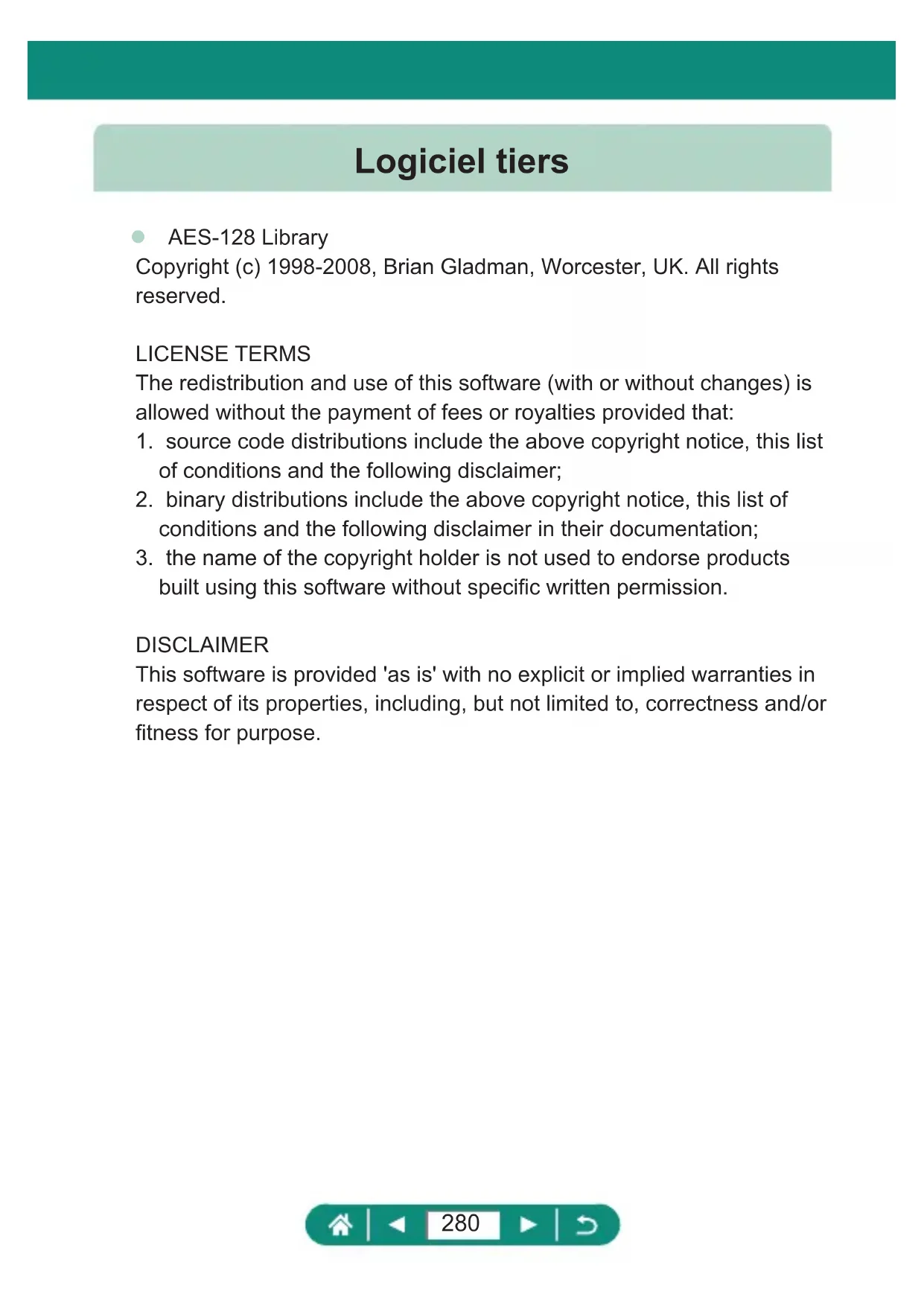
Copyright (c) 1998-2008, Brian Gladman, Worcester, UK. All rights reserved.

LICENSE TERMS

The redistribution and use of this software (with or without changes) is allowed without the payment of fees or royalties provided that:

  1. source code distributions include the above copyright notice, this list of conditions and the following disclaimer;
  2. binary distributions include the above copyright notice, this list of conditions and the following disclaimer in their documentation;
  3. the name of the copyright holder is not used to endorse products built using this software without specific written permission.

DISCLAIMER

This software is provided 'as is' with no explicit or implied warranties in respect of its properties, including, but not limited to, correctness and/or fitness for purpose.

CMSIS Core header files

Copyright (C) 2009-2015 ARM Limited.

All rights reserved.

Redistribution and use in source and binary forms, with or without modification, are permitted provided that the following conditions are met:

  • Redistributions of source code must retain the above copyright notice, this list of conditions and the following disclaimer.
  • Redistributions in binary form must reproduce the above copyright notice, this list of conditions and the following disclaimer in the documentation and/or other materials provided with the distribution.
  • Neither the name of ARM nor the names of its contributors may be used to endorse or promote products derived from this software without specific prior written permission.

THIS SOFTWARE IS PROVIDED BY THE COPYRIGHT HOLDERS AND Contributors "AS IS" AND ANY EXPRESS OR IMPLIED WARRANTY, INCLUDING, BUT NOT LIMITED TO, THE IMPLIED WARRANTY OF MERCHANTABILITY AND FITNESS FOR A PARTICULAR PURPOSE ARE DISCLAIMED. IN NO EVENT SHALL COPYRIGHT HOLDERS AND Contributors BE LIABLE FOR ANY DIRECT, INDIRECT, INCIDENTAL, SPECIAL, EXEMPLARY, OR CONSEQUENTIAL DAMAGES (INCLUDING, BUT NOT LIMITED TO, PROCEDURE OF SUBSTITUTE GOODS OR SERVICES; LOSS OF USE, DATA, OR PROFITS; OR BUSINESS INTERRUPTION) HOWEVER CAUSED AND ON ANY THEORY OF LIABILITY, WHETHER IN CONTRACT, STRICT LIABILITY, OR TORT (INCLUDING NEGLIGENCE OR OTHERWISE) ARISING IN ANY WAY OUT OF THE USE OF THIS SOFTWARE, EVEN IF ADVISED OF THE POSSIBILITY OF SUCH DAMAGE.

KSDK Peripheral Drivers, Flash / NVM, KSDK H/W Abstraction Layer (HAL)

(c) Copyright 2010-2015 Freescale Semiconductor, Inc. ALL RIGHTS RESERVED.

Redistribution and use in source and binary forms, with or without modification, are permitted provided that the following conditions are met:

  • Redistributions of source code must retain the above copyright notice, this list of conditions and the following disclaimer.
  • Redistributions in binary form must reproduce the above copyright notice, this list of conditions and the following disclaimer in the documentation and/or other materials provided with the distribution.
  • Neither the name of the nor the names of its contributors may be used to endorse or promote products derived from this software without specific prior written permission.

THIS SOFTWARE IS PROVIDED BY THE COPYRIGHT HOLDERS AND Contributors "AS IS" AND ANY EXPRESS OR IMPLIED WARRANTY, INCLUDING, BUT NOT LIMITED TO, THE IMPLIED WARRANTY OF MERCHANTABILITY AND FITNESS FOR A PARTICULAR PURPOSE ARE DISCLAIMED. IN NO EVENT SHALL BE LIABLE FOR ANY DIRECT, INDIRECT, INCIDENTAL, SPECIAL, EXEMPLARY, OR CONSEQUENTIAL DAMAGES (INCLUDING, BUT NOT LIMITED TO, PROCEDURE OF SUBSTITUTE GOODSOR SERVICES;LOSS OF USE,DATA,OR PROFITS;OR BUSINESS INTERRUIPTION)HOWEVERCAUSED AND ON ANY THEORY OF LIABILITY,WHETHERINCONTRACT, STRICTLIABILITY,OR TORT (INCLUDING NEGLIGENCEOR OTHERWISE)ARISING IN ANYWAYOUT OF THEUSEOF THIS SOFTWARE,EVENIFADVISEDOFTHEPOSSIBILITYOFSUCH DAMAGE.

Camera Connect 156, 260

CANON iMAGE GATEWAY 174,262

Carte 231

Cartes mémoire 24

Charge 23, 230

services Web 174, 262

Quadrillage 200, 265

Zoom 30, 52, 71, 242

Table of contents Click a title to access it
Manual assistant
Powered by Anthropic
Waiting for your message
Product information

Brand : CANON

Model : PowerShot SX70 HS

Category : Camera