
PowerShot ELPH 330 HS - Camera CANON - Free user manual and instructions
Find the device manual for free PowerShot ELPH 330 HS CANON in PDF.


Pick your language and provide your email: we'll send you a specifically translated version.
| Product Type | Compact Digital Camera |
| Brand | Canon |
| Model | PowerShot ELPH 330 HS |
| Effective Pixels | 12.1 Megapixels |
| Image Sensor | 1/2.3-inch CMOS |
| Optical Zoom | 10x (24-240mm equivalent) |
| Digital Zoom | 4x |
| Maximum Aperture | f/3.0 to f/6.9 |
| Display | 3.0-inch TFT LCD, approx. 461,000 dots |
| Video Recording | Full HD 1080p at 30 fps |
| Wireless Connectivity | Wi-Fi (IEEE 802.11b/g/n) |
| Storage Media | SD / SDHC / SDXC memory cards |
| Power Source | Rechargeable lithium-ion battery NB-11L |
| Dimensions (W x H x D) | Approx. 96.9 x 56.6 x 22.8 mm |
| Weight | Approx. 145 g (with battery and memory card) |
| Main Functions | Smart Auto, Creative Filters, Hybrid Auto, Wi-Fi sharing |
| Maintenance and Cleaning | Clean with a soft dry cloth; do not use solvents |
| Safety Precautions | Keep away from water; do not disassemble; avoid dropping |
| Spare Parts and Repairability | Battery, charger, memory card; service center available |
| General Information | Manual available in PDF; 178 pages |
| Included Accessories | Battery pack NB-11L, wrist strap, USB cable |
Frequently Asked Questions - PowerShot ELPH 330 HS CANON
How do I transfer photos to my smartphone?
Use the built-in Wi-Fi feature to connect to your smartphone. Install the Canon Camera Connect app, then select the image and send it wirelessly.
What type of memory card does the PowerShot ELPH 330 HS support?
It supports SD, SDHC, and SDXC memory cards. For best performance, use a card with a speed class of at least Class 6 for video recording.
How long does the battery last?
The NB-11L rechargeable battery provides approximately 220 shots per charge when using the screen and 290 shots in Eco mode, depending on usage.
Can I charge the battery in the camera?
Yes, you can charge the battery in the camera via the USB port using the supplied AC adapter. You can also charge the battery externally with the included battery charger.
How do I reset the camera to factory settings?
Go to the Setup menu and choose Reset All. Confirm the reset to restore the camera to its default settings.
What is the optical zoom range?
The camera has a 10x optical zoom covering a focal range of 24-240mm (35mm equivalent), making it versatile for wide-angle and telephoto shots.
Does the camera have image stabilization?
Yes, it features Intelligent IS (Image Stabilization), which automatically selects the optimal stabilization mode for the shooting situation to reduce blur.
How do I clean the lens?
Use a soft, dry cloth or lens cleaning paper. Gently wipe the lens in a circular motion. Avoid using liquids or compressed air, as they may damage the optics.
Can I use the camera while charging?
It is not recommended to use the camera while charging via USB. For safety and uninterrupted operation, charge the battery first or use the AC adapter kit.
What is the maximum video resolution?
The camera records Full HD 1080p video at 30 frames per second, delivering sharp, smooth footage with stereo sound.
User questions about PowerShot ELPH 330 HS CANON
0 question about this device. Answer the ones you know or ask your own.
Ask a new question about this device
No questions yet. Be the first to ask one.
Download the instructions for your Camera in PDF format for free! Find your manual PowerShot ELPH 330 HS - CANON and take your electronic device back in hand. On this page are published all the documents necessary for the use of your device. PowerShot ELPH 330 HS by CANON.
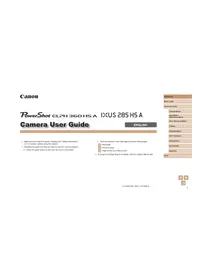
USER MANUAL PowerShot ELPH 330 HS CANON
Manual assistant
Powered by Anthropic
Waiting for your message
Product information
Brand : CANON
Model : PowerShot ELPH 330 HS
Category : Camera