LeapReader Junior - Tablet LEAPFROG - Free user manual and instructions
Find the device manual for free LeapReader Junior LEAPFROG in PDF.


| Product Type | Interactive educational tablet |
| Brand | LEAPFROG |
| Model | LeapReader Junior |
| Recommended Age | 1 to 3 years |
| Power Supply | 2 AA batteries (not included) |
| Connection | USB port (cable included) |
| Main Functions | Interactive learning, story reading, educational games, music |
| Care and Cleaning | Clean with a soft, dry cloth. Do not immerse in water. |
| Safety | Adult supervision required. Do not use with damaged batteries. Keep away from heat sources. |
| Limited Warranty | 3 months |
| Number of pages in the manual | 6 |
| Available Languages | French, English, and other languages upon request |
| Manufacturer Reference | 605-12023-A |
| Dimensions (estimated) | Approximately 20 x 15 x 2 cm |
| Weight (estimated) | Approximately 300 g |
Frequently Asked Questions - LeapReader Junior LEAPFROG
User questions about LeapReader Junior LEAPFROG
0 question about this device. Answer the ones you know or ask your own.
Ask a new question about this device
Download the instructions for your Tablet in PDF format for free! Find your manual LeapReader Junior - LEAPFROG and take your electronic device back in hand. On this page are published all the documents necessary for the use of your device. LeapReader Junior by LEAPFROG.
USER MANUAL LeapReader Junior LEAPFROG
Parent Guide & Instructions
This guide contains important information. Please keep it for future reference.

LeapReader ^™ Junior
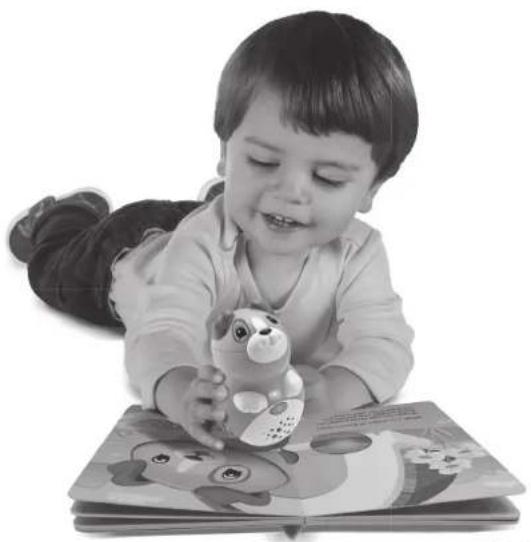
Take your first steps to reading with LEAPREADER Junior.
natural_image
Black-and-white photo of a smiling baby lying on the floor while reading a book with cartoon animal illustrations (no text visible)1-3 years
Included LeapReader Junior book may vary.

Learning Path™
Discover your custom learning roadmap!
- Learning solutions to help kids reach their potential.
- Activities and printables for every age and stage.
•Educational insights for parents and kids.
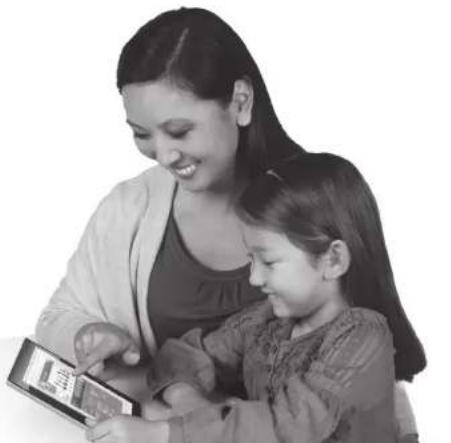
See your child's play and learning with the LeapFrog® Learning Path. When you connect any LEAPREADER® system, you can see how long your child spent with each book, skills explored and more. Tailored insights help you reward your child's successes and encourage their passions.
natural_image
Black-and-white photo of a woman and a child looking at a smartphone together (no visible text or symbols)Visit leapfrog.com/learningpath
The LeapFrog ^® Learning Path is not available in all countries.
Getting Started
natural_image
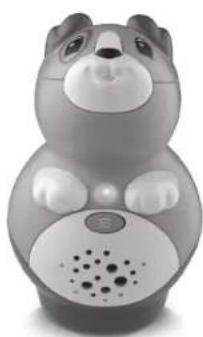
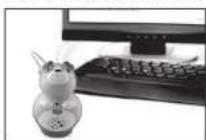
Gray cartoon bear-shaped robot toy with sound waves and perforated mouth (no text or symbols visible)Battery Installation
- To remove the battery cover, loosen the screw on the battery compartment with a screwdriver, coin or other household tool.
- Push tab in the direction of the arrow to move battery guard and provide clearance to install batteries.
- Hold tab and insert 2 new AAA (called LR03 in some countries) alkaline batteries as shown in the polarity (+/-) diagram inside the battery compartment (positive sides "down").
- Release tab so the guard moves back in place, then replace battery door securely and tighten the screw.

WARNING: Batteries are small objects and are a choking hazard. With battery or removed, batteries and USB connection are exposed. Children should not have ss to product when cover is removed. Only an adult should install batteries or pect product to computer.

To Play with Your Included Board Book:
- Press the On/Off button. The green power light will shine when the LEAPREADER Junior Book Pal is on.
- Touch the base of the LEAPREADER Junior Book Pal to images or words in the included board book.
- Touch the LEAPREADER Junior Book Pal to any part of any page to hear the story read aloud, listen to characters speak or launch an activity.
Installing the LEAPFROG® Connect Application\*
LEAPFROG Connect enables parents to download audio for LEAPREADER™ books and explore the LEAPFROG® Learning Path to see their children's developing skills, get tailored learning ideas and more.
To Install:
- Open a web browser and go to leapfrog.com/connect
- Download the LEAPREADER Junior LEAPFROG Connect Application to your PC or Mac® computer.
- Run the installation program. On-screen instructions will guide you through the full installation process.
Note: Before installation, be sure to configure your firewall or parental block software to allow the LEAPFROG Connect Application access to the Internet.
Personalize/Personalise LEAPREADER Junior with Your Child's Name!
The LEAPREADER Junior Book Pal can greet your child by name and say good-bye when it turns on and off. The LEAPFROG Connect Application provides thousands of names to search. Choose your child's name or a nickname in the Personalize My LEAPREADER Junior screen and download it directly to the LEAPREADER Junior Book Pal.
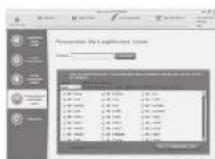
Download your child's name or a nickname to the book pal. Some names may not be available.
Downloading Audio for Other LEAPREADER Junior Books
Once you have installed the LEAPFROG Connect Application, you can download audio for any LEAPREADER Junior book quickly and easily. Simply sign in to the LEAPREADER Junior view of the LEAPFROG Connect Application and go to the Audio Download screen to download audio for all of your LEAPREADER Junior books onto your computer.
*If you already have the LEAPFROG Connect Application installed for another device, you must still download and install the application to access the LEAPREADER Junior book audio.
Getting Started
The LEAPREADER™ Junior book pal can store audio for up to five books at a time. To load or change the book audio on the book pal:
- Remove the battery cover to access the USB port and connect the LEAPREADER Junior book pal to your computer using the included USB cable.
- Go to the On My LEAPREADER Junior screen and follow the on-screen instructions.
- Once the transfer is complete, disconnect the LEAPREADER Junior book pal from your computer. The book pal will automatically turn off. Then, remove the USB cable and reinstall the battery cover.
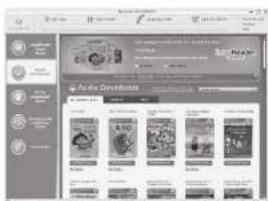
text_image
Screenshot of a mobile app interface displaying 'Auto Downloads' with multiple video thumbnails and menu options.Download audio for LEAPREADER Junior books to your computer.
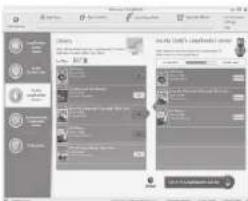
text_image
Screenshot of a mobile app interface showing user profile and content feed with icons and text blocksSave audio to the LEAPREADER Junior book pa
To begin playing, turn on the LEAPREADER Junior book pal by pressing the On/Off button, then touch the base of the book pal to images or words in your LEAPREADER™ Junior board book.
Note: The LEAPREADER Junior book pal will automatically turn off after a period of inactivity. Wake it up again by pressing the power button.
Touch Any Part of Any Page
Every LEAPREADER Junior board book is fully interactive. Each time your child touches the LEAPREADER Junior book pal on the characters, words or pictures, fun sound effects and other audio surprises will play. Playful activities throughout the book introduce letters, numbers and early vocabulary.

natural_image
Illustration of two cartoon animals, one sitting and one standing, with no visible text or symbols.Activities Introduce Preschool Skills
When your child touches certain images, she will hear questions that reinforce the book's curriculum and encourage her to explore the book further, for example, by looking on other pages for favorite/favourite animals or finding items that are the same color/colour.
Screenshots and other images featured throughout this guide are for illustrative purposes only. Actual screenshots, products and book pages may vary.
Develop reading basics and preschool skills with every book!
Get Ready to Read Series
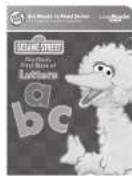
15-210 S###
LETTERS
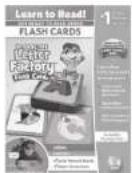
=320 Inpling Enterprise, or

[Unreadable]

S. 2016 NEW YORK
NUMBERS

TM6-2025 Source: Webpage
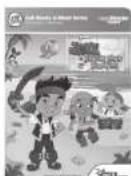
C 01s→t
EARLY VOCABULARY

102P Siburn (Chenst I and

[1]

[Unreadable]
See the full library at leapfrog.com/leapreaderjunior
LEAPREADER Junior books sold separately and may not be available in all countries. Cover art may vary.
Inspire a Lifelong Love of Reading
The LEAPFROG® Learning Path
The Learning Path provides insights into specific skills your child is exploring and recommendations to expand the learning, including links to articles from our LeapFrog Parents site. Each time your child plays with the LEAPREADER ^™ Junior book pal, the book pal remembers how long your child explored each book, the time spent on favorite/favourite pages and samples of the activity questions your child answered. You can see all of this and more by simply connecting the book pal to your computer, clicking the Parents tab in your LEAPFROG ^® Connect Application and creating a LEAPFROG LearningPath for your child online. We recommend connecting weekly to keep your child's Learning Path up to date.

Learning Path
Troubleshooting
| SymptomTry This | |
| Book pal does not turn on or does not respond | Make sure batteries are correctly installedMake sure battery cover is securely attachedRemove batteries and put them back inClean battery contacts by rubbing with a soft eraser and then wiping with a clean clothInstall new batteriesIf USB cable is connected, remove it and reinstall battery cover |
| Book pal operates erratically or makes loud noises | Turn book pal off and install new batteries |
| Book pal does not read book | Download audio for your book from the LEAPFROG Connect Application |
For a detailed list of troubleshooting hints and other information, go to leapfrog.com/support
Important Information
Caring for the LEAPREADER ^™ Junior Book Pal
For indoor, dry-location use only. Keep food and beverages away from product. Do not spill liquid of any kind on this product as it may render it inoperative. Avoid prolonged exposure to extreme temperatures and direct sunlight. Avoid dropping the unit. Never try to dismantle it.
Cleaning the LEAPREADER Junior Book Pal
Disconnect from USB cable before cleaning. The optical reader is in the opening at the base of the unit. If the optical reader surface requires cleaning, use a cotton swab. Do not use a solvent; do not get liquid inside the unit. Clean the external body of the unit with a slightly damp cloth (cold water). Do not use soap, detergent or other chemicals. Never submerge the unit in water. Allow to dry before reuse.
Battery Information
Requires 2 AAA (called LR03 in some countries) alkaline batteries. Replace batteries when notified by the "Time to change the batteries!" audio indicator.
Battery Removal and Installation Instructions
- Open the battery door with a screwdriver, coin or other tool.
- To remove used or spent batteries, push the tab in the direction of the arrow to move the battery guard, then pull up on one end of each battery.
- Hold the tab and insert new batteries as shown in the polarity (+/-) diagram inside the battery compartment (positive sides "down").
- Release tab so the guard moves back in place, then replace battery door securely and tighten the screw.
Battery Safety
Batteries are small objects. Batteries must be replaced by an adult. Follow the polarity (+/-) diagram in the battery compartment. Promptly remove dead batteries from the product. Dispose of used batteries properly. Remove batteries for prolonged storage. Only batteries of the same or equivalent type as recommended are to be used.
DO NOT incinerate used batteries.
DO NOT dispose of batteries in fire, as batteries may explode or leak.
DO NOT mix old and new batteries or types of batteries (e.g., alkaline/standard).
DO NOT recharge non-rechargeable batteries.
DO NOT use rechargeable batteries. The product may not operate properly and may not function at all.
DO NOT short-circuit the supply terminals.
Use only the USB cable provided by LeapFrog Enterprises, Inc. Using any other cable may exceed FCC and other regulatory emissions limits. The product must be used only with the recommended USB connection. The USB cable is not a toy. Disconnect the product from the USB connection before cleaning. USB connectors and cable used with the product must be regularly examined for damage to the cord, plug and other parts and, in the event of such damage, the cable must not be used until the damage has been repaired. Cable provided is a shorter model to provide additional protection against strangulation. Only adults should connect the product to this cable.
WARNING: The USB cord could be a strangulation hazard. Keep out of reach of children under 3 years of age. Children pulling on the USB cable could cause the computer monitor, TV or other equipment to which the device is connected to fall with the possibility of property damage, serious personal injury or death. Child should only play with product when USB cable is disconnected and battery cover is securely in place.
Câble USB
Protect Your Child's Hearing
Long-term exposure to loud sounds, at high volume, may result in permanent hearing loss. Set the volume while in a quiet environment; turn the volume down if user cannot hear people speaking nearby. Limit the listening time to 90 minutes, followed by a quiet period. The louder the volume, the less time required before user's hearing may be affected. If user experiences ringing in his/her ears or hears muffled speech, stop listening and have hearing checked. Do not hold or place product near the ears.
CAUTION: Routinely check this product for proper and safe condition. If there is any damage or broken parts, remove product from use.
CAUTION: Adult supervision is required at all times while child is using this product. Only an adult should open product to install batteries or connect USB cable.
Minimum System Requirements
PC Requirements:
Internet connection (high-speed connection recommended) Pentium ^® 4 or equivalent (2 GHz processor or faster recommended) Windows ^® XP, Windows Vista ^® , Windows ^® 7, or Windows ^® 8 operating system with latest service pack
Important Information Important In
Monitor resolution of 1024 x 768
Available USB port
1 GB of RAM
300 MB free disk space
Latest version of Adobe® Flash® Player
Mac Computer Requirements:
Internet connection (high-speed connection recommended)
Intel®-based Apple computer (1 GHz processor or faster recommended)
Mac OS X 10.6+ operating system software
Monitor resolution of 1024 x 768
Available USB port
1 GB of RAM
300 MB free disk space
Latest version of Adobe® Flash® Player
MAC, APPLE and MAC OS are trademarks of Apple Inc., registered in the U.S. and other countries.
U.S. Consumer Service Contact: Visit our Consumer Support website at
www.leapfrog.com/support 24 hours a day.
Canada Consumer Service Contact: Visit our Consumer Support website at
www.leapfrog.ca/support (24 hours a day).
U.K. Consumer Service Contact: Visit our Consumer Support website at
www.leapfrog.co.uk/support (24 hours a day).
Australia Consumer Service Contact: Please submit questions to our distributor's support
staff via email at info@funstastic.com.au
FCC Notice: This device complies with Part 15 of the FCC rules. Operation is subject to the following two conditions:
-
This device may not cause harmful interference, and
-
This device must accept any interference received, including interference that may cause undesired operation.
NOTE: This equipment has been tested and found to comply with the limits for a Class B digital device, pursuant to part 15 of the FCC Rules. These limits provide reasonable protection against harmful interference in a residential installation. This equipment generates, uses and can radiate radio frequency energy and, if not installed and used in accordance with the instructions, may cause harmful interference to radio communications.
However, there is no guarantee that interference will not occur in a particular installation. If this equipment does cause harmful interference to radio or television reception, which can be determined by turning the equipment off and on, the user is encouraged to try to correct the interference by one or more of the following measures:
tion
• Reorient or relocate the receiving antenna.
- Increase the separation between the equipment and receiver.
- Consult the dealer or an experienced radio/TV technician for help.
NOTE: Changes or modifications to this unit not expressly approved by LeapFrog Enterprises, Inc., could void the user's authority to operate the equipment. This Class B digital apparatus complies with Canadian ICES-003. Cet appareil numérique de la classe B est conforme à la norme NMB-003 du Canada.
Environmental Phenomena
- The unit may malfunction if subjected to radio-frequency interference. It should revert to normal operation when the interference stops. If not, it may become necessary to turn the power off and back on, or remove and reinstall the batteries.
- In the unlikely event of electrostatic discharge, the unit may lose memory, requiring the parent to reset the device by removing and reinstalling the batteries.
LIMITED WARRANTY: Subject to a limited three (3) month warranty. Visit our website at www.leapfrog.com for full details of the warranty provided in your country.
For information on how this product might be recycled, visit www.leapfrog.com/recycle or call (800) 701-5327
TM & © 2013 LeapFrog Enterprises, Inc. All rights reserved.
LEAPREADER Junior - Item numbers: 21201 & 21202
LeapFrog Enterprises, Inc., 6401 Hollis Street, Emeryville, CA 94608 USA leapfrog.com/tagjunior (800) 701-LEAP (5327)