
2.4 - Audio and/or video software Gimp - Free user manual and instructions
Find the device manual for free 2.4 Gimp in PDF.


| Product Type | Free and open-source image manipulation software |
| Brand | GIMP |
| Model | 2.4 |
| Category | Audio and/or video software (image processing) |
| Version | 2.4 |
| Supported platforms | GNU/Linux, Mac OS X (Darwin), Microsoft Windows, OpenBSD, NetBSD, FreeBSD, Solaris, SunOS, AIX, HP-UX, Tru64, Digital UNIX, OSF/1, IRIX, OS/2, BeOS |
| Available languages | Multilingual (including French, English, German, etc.) |
| Main features | Photo retouching, image composition and creation, drawing tools (brush, pencil, airbrush, clone), layer management, alpha channels, selections, Paths, Script-Fu, plugins, filters, animations |
| Supported file formats | GIF, JPEG, PNG, XPM, TIFF, TGA, MPEG, PS, PDF, PCX, BMP and many more |
| Color modes | RGB, Grayscale, Indexed |
| Color depth | 8 bits per channel (RGB + Alpha) |
| Minimum recommended RAM | 256 MB (depending on image size) |
| Required disk space | Approximately 200 MB for full installation |
| License | GNU General Public License (GPL) and GNU Free Documentation License (for the manual) |
| Maintenance and cleaning | Update regularly via the official website or package managers. No physical cleaning needed. |
| Security | Free and auditable software. No known malware. Use official sources. |
| Spare parts and repairability | Open source code modifiable by the user. Active community for plugins and scripts. |
| General information | GIMP is a complete image manipulation program, extensible via plugins and scripts, designed by the GIMP team. |
Frequently Asked Questions - 2.4 Gimp
User questions about 2.4 Gimp
0 question about this device. Answer the ones you know or ask your own.
Ask a new question about this device
Download the instructions for your Audio and/or video software in PDF format for free! Find your manual 2.4 - Gimp and take your electronic device back in hand. On this page are published all the documents necessary for the use of your device. 2.4 by Gimp.
USER MANUAL 2.4 Gimp
GNUImageManipulationProgram
GuideUtilisateur
Copyright©2002,2003,2004,2005,2006,2007TheGIMPDocumentationTeam
Droitslegaux
3.2.3.1 Barrederattachment
EQUATION8.5:Lafourmulcest:
EQUATION8.9:FormulcpourlemodecalqueLumiredure,M>128
$$ M \leq 1 2 8: E = \frac {I * M * 2}{2 5 6} $$
EQUATION8.11: Formulated mode-Ecran:
$$ E = \frac {((2 5 5 - I) * M * I) + (I * R _ {x})}{2 5 5} $$
$$ E = \min (M, I) $$
EQUATION8.18:FormulepourlemodeNoircirseulement
(let\*((theNum10))(set!theNum(+theNum\ theNum)))
(car'("first"2"third"))
quiest:
"first"
(cdr'( "first"2"third"))
returne:
(2"third")
tandisquecequisuit:
(cdr'( "oneandonly" ))
return:
()
Finally, since you invoke the Navigator de Procedures (Exts Navigator de Procedures), you're not sure how to apply this rule.
;createnewlayerforetheimage: (theLayer car (gimp-layer-new theImage theImageWidth theImageHeight RGB-IMAGE "layer1" 100 NORMAL )
)
);endofourlocalvariables
)
(theText);addearationforthetext ;wecreatelater (theBuffer);added
(theLayer
(car (gimp-layer-new theImage theImageWidth theImageHeight RGB-IMAGE "layer1" 100 NORMAL )
)
);endofourlocalvariables [Codehere]
<script-fu-register
    "script-fu-text-box"; funcname
    "TextBox"; menulabel
    "Createsasimpletextbox,sizetofit\ aroundtheuser'schoiceftext,\ font,fontsize,andcolor.";description
    "MichaelTerry";author
    "copyright1997,MichaelTerry";copyrightnotice
    "October27,1997";datecreated
    "",imagetypeaththescriptworkson
    SF-STRING"Text:"TextBox";astringvariable
    SF-FONT"Font:"Charter";afontvariable
    SF-ADJUSTMENT"Fontsize"('(501100011001)
        ;aspin-button
    SF-COLOR "Color:"('(000) ;colorvariable
    SF-ADJUSTMENT"Bufferamount""(35010011010)
        ;aslider
}
(set!theBuffer( \* theImageHeight(/inBufferAmount100))) (set!theImageHeight(+theImageHeighttheBuffertheBuffer)) (set!theImageWidth(+theImageWidththeBuffertheBuffer))
(gimp-layer-set-offsetstheTexttheBuffertheBuffer)
Ilyasixoutilsdeselection:
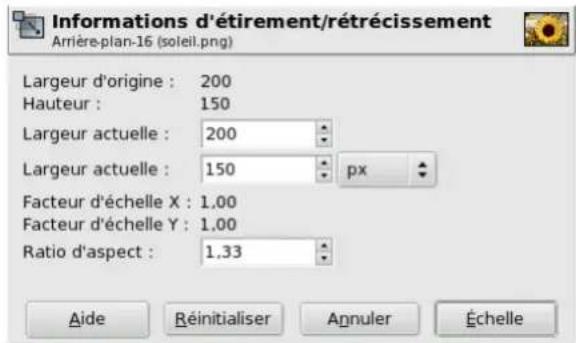
FIG.12.55-Informationd'Etirement/Retreicissement
13.2.2.2.3Gestiondescanaux
13.2.3Dialoguedeschemins
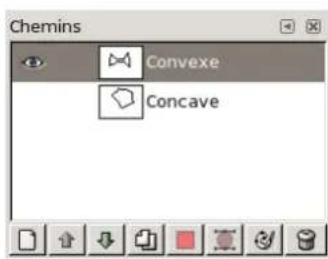
FIG.13.14-Ledialoguedeschemins
Ledialoguesdescheminssertagererleschemins:creation,suppression,enregistrement,conversionenselection...etc.
13.2.6Dialoguenavigation
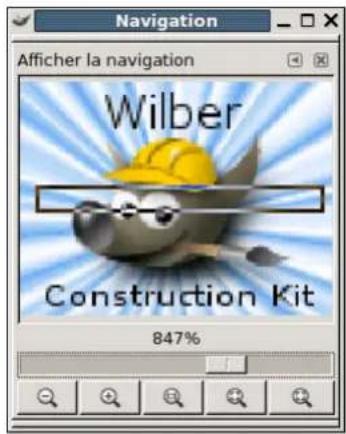
FIG.13.22-DialoguedeNavigation
Typedecoloriagepourlesegment/laselection
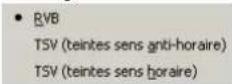
FIG.13.35-Lesous-menuTypedecoloriage
-ApartirdmenuImage:Dialogues→Palettes.
13.3.6Dialoguedespolices
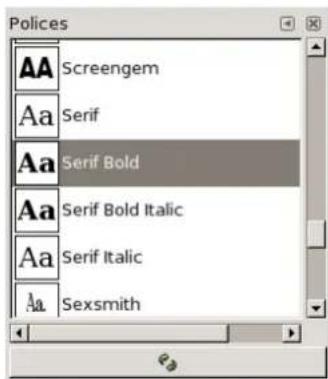
FIG.13.42-Ledialoguedespolices
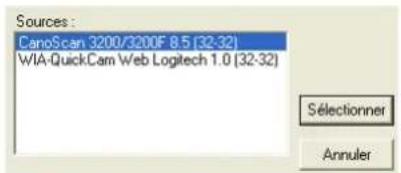
FIG.14.6-ScanneuretWeb-cam
InitialiserInitialiser:Re-initialiselacourbeactive.
OuvrOuvr:Permetderetrouveretdechargerunecourbe.
Transformationsdetexture
Majshift) ^+ TEtirerouRetreir
Majshift) ^+ SCisaillement
Majshift) ^+ PPerspective
Majshift) ^+ FReturner
TTexte
Majshift) ^+ BRemplissage(BucketRemplir)
LDégradé(bLend
NCrayon(peNcil)
PPinceau(Paintbrush
Majshift) ^+ EGomme(Eraser)
AAérograppe
KStylo-plume(inK)
CCloner
VGoutted'eau(conVolve)
SBarbouiller(Smudge)
Majshift) ^+ Declaicir/Assombrir(Dodge/Burn)

NOTE
Ctrl+ZAnnulerunecaction
Ctrl+YRefairel'action
PRESSE-PAPIER
Ctrl+CCopiclaselection
Majshift) ^+ Ctrl+AAucuneslection
Ctrl+InverserlaSelection
Majshift) ^+ Ctrl+LSelectionFlottante
Majshift) ^+ VCheminversSelection
16.9Greffons(Plug-ins)
Nom
Greffons(Plug-ins)-RaccourcispourlemmuGreffons(Plug-ins)
Greffons(Plug-ins)
$$ Y + V = Y + (R - Y) = Y - Y + R = R $$
$$ Y - B - R = (R + G + B) - B - R = G $$
Enoute, commel'xcilhumainaunemeilleurerésolutiondanslaluminancequedansscouleurs,beaucoupdesystemesbaséssurYUVenprofitentpourcomprimeresignaldeluminancepoureconomiserlabandepassantelorsdelatransmission.
PlusdétaillssurWikipedia[WKPD-YUV].
Chapitre18
Dictionnaire
FliptheLayerorSelection
Retournerlecalqueoulaselection
FractalExplorer
Exploratedefractales
FractalTrace
Fractaliser
FreeSelect
Sélectionàmainlevée
FuzzySelect
IntersectwithSelection
Intersectoraveclaselection
Invert
Inverser
IWarp
Déformationinteractive
J
Jigsaw
Puzzle
K
Keyboard
Clavier
L
Layer
Calque
LayerBoundarySize
Tailledesbordsducalque
LayerBottom
Calquetoutenbas
LayerstoImageSize
Calqueauxdimensionsdel'image
LayertoTop
Calquetoutenhaut
Levels
Niveaux
LightingEffects
Effetsd'éclairage
Line
Ligne
Location
Emplacement
M
Magnify
Loupe
MakeSeamless
RendreracCORDable
Map
Carte
MapObject
Plaquersurunobjet
Mask
Masque
MasktoSelection
MasqueversSélection
MaxRGB
MaxRVB
Maze
Labyrinththe
Measure
Mesure
MergeDown
Fusionnerverslebas
MergeVisibleLayers
Optimize(difference)
Optimiser(difference)
Optimize(forGIF)
Optimiser(pourGIF)
P
PaddingColor
[APOD01] Astronomy Picture of the Day (today), http://antwrp.gsfc.nasa.gov/apod/astropix.html.
[APOD02] Astronomy Picture of the Day - The Hubble Ultra Deep Field (2004 March 9), http://antwrp.gsfc.nasa.gov/apod/ap040309.html.
[APOD03] Astronomy Picture of the Day - M51: Cosmic Whirlpool (2002 July 10), http://antwrp.gsfc.nasa.gov/apod/ap020710.html.
[APOD04] Astronomy Picture of the Day - Saturn: Lord of the Rings (2002 February 15), http://antwrp.gsfc.nasa.gov/apod/ap020215.html.
[APOD05] Astronomy Picture of the Day - NGC 6369: The Little Ghost Nebula (2002 November 8), http://antwp.gsfc.nasa.gov/apod/ap021108.html.
[APOD06] Astronomy Picture of the Day - Disorder in Stephan's Quintet (2000 November 13), http://antwp.gsfc.nasa.gov/apod/ap001113.html.
[APOD07] Astronomy Picture of the Day - The Sharpest View of the Sun (2002 November 14), http://antwrp.gsfc.nasa.gov/apod/ap021114.html.
[BACH04] Michael Bach, Face in blocks, Copyright © 2004 Michael Bach, http://www.michaelbach.de/ot/fcs_mosaic/.
[BUGZILLA-GIMP] Bugzilla-GIMP, http://bugzilla.gnome.org/browse.cgi?product=GIMP.
[ DARWINORTS] Darwin Ports Package Manager for OS X, http://darwinports.org.
[FDL-TRANSLATION]InofficialtranslationoftheGNUFreeDocumentationLicense
[FINK] Fink Package Manager for OS X, http://fink.sf.net.
[FREETYPE] Freetype 2 home page, http://www.freetype.org/freetype2/index.html.
[GHOSTSCRIPT] Ghostscript project page on Sourceforge.net, http://sourceforge.net/projects/ghostscript.
[GIMP] GIMP - The GNU Image Manipulation Program, http://gimp.org.
[GIMP-DEV-PLUGIN] GIMP Plugin Development, http://developer.gimp.org/plug-ins.html.
[GIMP-DOCS] GIMP Documentation project page, http://docs.gimp.org/fr.
[GIMP-FONTS] Fonts in GIMP 2.0, http://gimp.org/linux/Fonts.html
[GIMP-REGISTRY] GIMP-Plugin Registry, http://registry.gimp.org.
[GIMP-WIKI01] GIMP-Wiki - How to compile for Windows, http://wiki.gimp.org/gimp/HowToCompileGimp/- MicrosoftWindows.
[GIMP-fr]LesiteGIMP-fr,GIMP-fr
[GQVIEW] Homepage of GQview, an image browser, http://gqvview.sourceforge.net.
[GROKKING01] Grokking the GIMP, http://www.linuxgraphic.org/grokking.
[GROKING02] Grokking the GIMP (9.2 Image de cartes cliquables), http://www.linuxgraphic.org/grokking/node81.html
[GTHUMB] gThumb - An Image Viewer and Browser for the GNOME Desktop , http://gthumb.sourceforge.net .
[GUM 1.0] Karin Kylander & Olof Kylander, The Gimp User Manual version 1.0, Copyright © 1997-1998 Karin Kylander-Olof Kylander,GUM1.0enfrangais.
[GUNTHER04] Gunther Dale, Making shapes in GIMP, Copyright © 2004 Dale (Gunther), http://gug.sunsite.dk/tutorials/gunther1.
[INKSCAPE] Inkscape is an Open Source vector graphics editor, http://www.inkscape.org.
[LeRadar] DidacticielGIMP,leradar.
[MSKB-294714] Microsoft Microsoft Knowledge Base Article 294714, http://support.microsoft.com/kb/294714.
[OPENCLIPART-GRADIENT] Open Clip - Gradients, http://openclipart.org/.
[PLGIN-EXIF] GIMP-Plugin Exif Browser, http://registry.gimp.org/plugin?id=4153;
[PLUGIN-FLAMES] GIMP-Plugin Flames, http://draves.org/gimp/flame.html; http://flam3.com/.
[PLUGIN-PLASMA2] GIMP-Plugin Plasma2 at the Registry, http://registry.gimp.org-plugin?id=501.
[PLGIN-REDEYE] A plugin to quickly remove "redeye" caused by camera flash, http://registry.gimp.org-plugin?id=4212.
[PLGIN-RESYNTH] Resynthesizer is a Gimp plug-in for texture synthesis, http://www.logarithmic.net/pfh/resynthesizer.
[PLGIN-SEPARATE] A plugin providing rudimentary CMYK support for The GIMP, http://www.blackfiveservices.co.uk/separate.shtml.
[SCRIBUS] Scribus :: Open Source Desktop Publishing, http://www.scribus.net/.
[Sylvie Alexandre] Didacticiel GIMP, http://www.aljacom.com/~gimp.
[WIKIPEDIA] Wikipedia Foundation, Wikipedia, Copyright © 2004 Wikipedia Foundation Inc., Wikipedia en français.
The purpose of this License is to make a manual, textbook, or other functional and useful document "free" in the sense of freedom: to assure everyone the effective freedom to copy and redistribute it, with or without modifying it, either commercially or noncommercially. Secondarily, this License preserves for the author and publisher a way to get credit for their work, while not being considered responsible for modificationsmade by others.
This License is a kind of "copyleft", which means that derivative works of the document must themselves be free in the same sense. It complements the GNU General Public License, which isacopyftlicenseddesignedfor freesoftware.
We have designed this License in order to use it for manuals for free software, because free software needs free documentation: a free program should come with manuals providing the same freedoms that the software does. But this License is not limited to software manuals; it can be used for any textual work, regardless of subject matter or whether it is published as a printed book. WerecommendthisLicenseprincipallyforworkswhosepurposeisinstructionorreference.
C.2APPLICABILITYANDDEFINITIONS
This License applies to any manual or other work, in any medium, that contains a notice placed by the copyright holder saying it can be distributed under the terms of this License. Such a notice grants a world-wide, royalty-free license, unlimited in duration, to use that work under the conditions stated herein. The "Document", below, refers to any such manual or work. Any member of the public is a licensee, and is addressed as "you". You accept the license if you copy, modify or distribute the work in a way requiring permission undercopyright law.
A "Modified Version" of the Document means any work containing the Document or a portion of it, either copied verbatim, or with modificationsand/or translated intoanotherlanguage.
A "Secondary Section" is a named appendix or a front-matter section of the Document that deals exclusively with the relationship of the publishers or authors of the Document to the Document's overall subject (or to related matters) and contains nothing that could fall directly within that overall subject. (Thus, if the Document is in part a textbook of mathematics, a Secondary Section may not explain any mathematics.) The relationship could be a matter of historical connection with the subject or with related matters, oroflegal, commercial, philosophical, ethical or political position regarding them.
The "Invariant Sections" are certain Secondary Sections whose titles are designated, as being those of Invariant Sections, in the notice that says that the Document is released under this License. If a section does not fit the above definition of Secondary then it is not allowed to be designated as Invariant. The Document may contain zero Invariant Sections. If the Document does not identify any InvariantSectionsthentherearenone.
The "Cover Texts" are certain short passages of text that are listed, as Front-Cover Texts or Back-Cover Texts, in the notice that says that the Document is released under this License. A Front-Cover Text may be at most 5 words, and a Back-Cover Text may beatmost25words.
A "Transparent" copy of the Document means a machine-readable copy, represented in a format whose specification is available to the general public, that is suitable for revising the document straightforwardly with generic text editors or (for images composed of pixels) generic paint programs or (for drawings) some widely available drawing editor, and that is suitable for input to text formatters or for automatic translation to a variety of formats suitable for input to text formatters. A copy made in an otherwise Transparent file format whose markup, or absence of markup, has been arranged to thwart or discourage subsequent modification by readers is not Transparent. An image format is not Transparent if used for any substantial amount of text. A copy that is not "Transparent" is called "Opaque".
Examples of suitable formats for Transparent copies include plain ASCII without markup, Texinfo input format, LaTeX input format, SGMLorXMLusingapubliclyavailableDTD, and standard-conformingsimpleHTML, PostScriptorPDFdesignedfor humanmodification. Examples of transparent image formats include PNG, XCFandJPG. Opaque formats include proprietary formats that can be easily provided by proprietary word processors, SGMLorXMLforwhichtheDTDand/or processing tools are not generally available, and the machine-generated HTML, PostScript or PDF produced by some word processors for output purposesonly.
The "Title Page" means, for a printed book, the title page itself, plus such following pages as are needed to hold, legibly, the material this License requires to appear in the title page. For works in formats which do not have any title page as such, "Title Page" means the text near the most prominent appearance of the work's title, preceding the beginning of the body of the text.
Asection "EntitledXYZ"meansanamedsubunitoftheDocumentwhosetitleeitherispreciselyXYZorcontainsXYZin parentheses following text that translates XYZ in another language. (Here XYZ stands for a specific section name mentioned below, such as "Acknowledgements", "Dedications", "Endorsements", or "History".) To "Preserve the Title" of such a section whenyoumodifytheDocumentmeansthatitremainsasection "EntitledXYZ"accordingtothisdefinition.
The Document may include Warranty Disclaimers next to the notice which states that this License applies to the Document. These Warranty Disclaimers are considered to be included by reference in this License, but only as regards disclaiming warranties: any other implicationthattheseWarrantyDisclaimersmayhaveisvoidandhasnoeffectonthemeaningofthisLicense.
C.3VERBATIMCOPYING
You may copy and distribute the Document in any medium, either commercially or noncommercially, provided that this License, the copyright notices, and the license notice saying this License applies to the Document are reproduced in all copies, and that you add no other conditions whatsoever to those of this License. You may not use technical measures to obstruct or control the reading or further copying of the copies you make or distribute. However, you may accept compensation in exchange for copies. If youdistribute alargeenoughnumberofcopiesyoumustalsofollowtheconditionsinsection3.
Youmayalsolendcopies,underthesameconditionsstatedabove,andyoumaypubliclydisplaycopies.
C.4COPYINGINQUANTITY
If you publish printed copies (or copies in media that commonly have printed covers) of the Document, numbering more than 100, and the Document's license notice requires Cover Texts, you must enclose the copies in covers that carry, clearly and legibly, all these Cover Texts: Front-Cover Texts on the front cover, and Back-Cover Texts on the back cover. Both covers must also clearly and legibly identify you as the publisher of these copies. The front cover must present the full title with all words of the title equally prominent and visible. You may add other material on the covers in addition. Copying with changes limited to the covers, as long as they preserve the title of the Document and satisfy these conditions, can be treated as verbatim copying in other respects.
If the required texts for either cover are too voluminous to fit legibly, you should put the first ones listed (as many as fit reasonably) ontheactualcover,andcontinuetherestontoadjacontpages.
If you publish distribute Opaque copies of the Document numbering more than 100, you must either include machine-readable Transparent copy along with each Opaque copy, or state in or with each Opaque copy a computer-network location from which the general network-using public has access to download using public-standard network protocols a complete Transparent
copy of the Document, free of added material. If you use the latter option, you must take reasonably prudent steps, when you begin distribution of Opaque copies in quantity, to ensure that this Transparent copy will remain thus accessible at the stated location until at least one year after the last time you distribute an Opaque copy (directly or through your agents or retailers) of thateditiontothepublic.
It is requested, but not required, that you contact the authors of the Document well before redistributing any large number of copies,togivethemachancetprovideyouwithanupdatedversionoftheDocument.
C.5MODIFICATIONS
You may copy and distribute a Modified Version of the Document under the conditions of sections 2 and 3 above, provided that you release the Modified Version under precisely this License, with the Modified Version filling the role of the Document, thus licensing distribution and modification of the Modified Version to whoever possesses a copy of it. In addition, you must do these things in the Modified Version:
A. Use in the Title Page (and on the covers, if any) a title distinct from that of the Document, and from those of previous versions (which should, if there were any, be listed in the History section of the Document). You may use the same title as a previous versioniftheoriginalpublisherofthatversiongivespermission.
B. List on the Title Page, as authors, one or more persons or entities responsible for authorship of the modifications in the Modified Version, together with at least five of the principal authors of the Document (all of its principal authors, if it has fewerthanfive),unlesstheyreleaseyoufromthisrequirement.
C.StateontheTitlepagethenameofthepublisheroftheModifiedVersion,asthepublisher.
D.Preserveallthecopyright noticesoftheDocument.
E.Addanappropriecopyrightforyourmodificationsadjacenttotheothercopyrightrights.
F. Include, immediately after the copyright notices, a license notice giving the public permission to use the Modified Version underthetermsofthisLicense,intheformshowninthe Addendumbelow.
G. Preserve in that license notice the full lists of Invariant Sections and required Cover Texts given in the Document's license notice.
H. IncludeanunalteredcopyofthisLicense.
I. Preserve the section Entitled "History", Preserve its Title, and add to it an item stating at least the title, year, new authors, and publisher of the Modified Version as given on the Title Page. If there is no section Entitled "History" in the Document, createonestatingthetitle,year,authors,andpublisheroftheDocumentasgivenonitsTitlePage,thenaddanitem describingtheModifiedVersionasstatedinthepreviousentence.
J. Preserve the network location, if any, given in the Document for public access to a Transparent copy of the Document, and likewisethenetetworklocationsgivenintheDocumentforpreviousversionsitwasbasedon.Thesemaybeplacedinthe "History"section.YoumayomitetworklocationforaworkthatwaspublishedatleastfouryearsbeforetheDocument itself,oriftheoriginalpublisheroftheversionitreferstogivespermission.
K.ForanysectionEntitled"Acknowledgements"or"Dedications",PreservetheTitleofthesection,andpreserveinthe sectionallthesubstanceandtoneofeachofthecontributoracknowledgementsand/ordedicationsgiventherein.
L. Preserve all the Invariant Sections of the Document, unaltered in their text and in their titles. Section numbers or the equivalent arenotconsidered partofthesectiontitles.
M 删除anysectionEntitled"Endorsements".SuchasectionmaynotbeincludedintheModifiedVersion.
N.DonotretitleanyexistingsectiontobeEntitled"Endorsements"ortoconflictintitlewithanyInvariantSection.
O.PreserveanyWarrantyDisclaimers.
If the Modified Version includes new front-matter sections or appendices that qualify as Secondary Sections and contain no material copied from the Document, you may at your option designate some or all of these sections as invariant. To do this, add their titles to the list of Invariant Sections in the Modified Version's license notice. These titles must be distinct from any other sectiontitles.
You may address the Endorsements, provided it contains nothing but endorsements of your Modified Version by various parties—for example, statements of peer review or that the text has been approved by an organization as the authoritative definition of fast standard.
You may add a passage of up to five words as a Front-Cover Text, and a passage of up to 25 words as a Back-Cover Text, to the end of the list of Cover Texts in the Modified Version. Only one passage of Front-Cover Text and one of Back-Cover Text may be added by (or through arrangements made by) any one entity. If the Document already includes a cover text for the same cover, previously added by you or by arrangement made by the same entity you are acting on behalf of, you may not add another; but you may replace the old done, on explicit permission from the previous publisher that added the old done.
The author(s) and publisher(s) of the Document do not by this License give permission to use their names for publicity for or to assertorimplyendorsementofanyModifiedVersion.
C.6COMBININGDOCUMENTS
You may combine the Document with other documents released under this License, under the terms defined in section 4 above for modified versions, provided that you include in the combination all of the Invariant Sections of all of the original documents, unmodified, and list them all as Invariant Sections of your combined work in its license notice, and that you preserve all their Warranty Disclaimers.
The combined work need only contain one copy of this License, and multiple identical Invariant Sections may be replaced with a single copy. If there are multiple Invariant Sections with the same name but different contents, make the title of each such section unique by adding at the end of it, in parentheses, the name of the original author or publisher of that section if known, or else a unique number. Make the same adjustment to the section titles in the list of Invariant Sections in the license notice of the combinedwork.
In the combination, you must combine any sections Entitled "History" in the various original documents, forming one section Entitled "History"; likewise combine any sections Entitled "Acknowledgements", and any sections Entitled "Dedications". You must delete all sections Entitled "Endorsements".
C.7COLLECTIONSOFDOCUMENTS
You may make a collection consisting of the Document and other documents released under this License, and replace the individual copies of this License in the various documents with a single copy that is included in the collection, provided that you followtherulesoftthisLicenseforverbatimcopyingofeachofthedocumentsinallotherrespects.
You may extract a single document from such a collection, and distribute it individually under this License, provided you insert a copy of this License into the extracted document, and follow this License in all other respects regarding verbatim copying of thatdocument.
C.8AGGREGATIONWITHINDEPENDENTWORKS
A compilation of the Document or its derivatives with other separate and independent documents or works, in or on a volume of a storage or distribution medium, is called an "aggregate" if the copyright resulting from the compilation is not used to limit the legal rights of the compilation's users beyond what the individual works permit. When the Document is included in an aggregate, this License does not apply to the other works in the aggregate which are not themselves derivative works of the Document.
If the Cover Text requirement of section 3 is applicable to these copies of the Document, then if the Document is less than one half of the entire aggregate, the Document's Cover Texts may be placed on covers that bracket the Document within the aggregate, or the electronic equivalent of covers if the Document is in electronic form. Otherwise they must appear on printed covers that bracket the whole aggregate.
C.9TRANSLATION
Translation is considered a kind of modification, so you may distribute translations of the Document under the terms of section 4. Replacing Invariant Sections with translations requires special permission from their copyright holders, but you may include translations of some or all Invariant Sections in addition to the original versions of these Invariant Sections. You may include
a translation of this License, and all the license notices in the Document, and any Warranty Disclaimers, provided that you also include the original English version of this License and the original versions of those notices and disclaimers. In case of a disagreement between the translation and the original version of this License or a notice or disclaimer, the original version will prevail.
If a section in the Document is Entitled "Acknowledgements", "Dedications", or "History", the requirement (section 4) to PreserveitsTitle section1 will typically require changing the actual title.
C.10TERMINATION
You may not copy, modify, sublicense, or distribute the Document except as expressly provided for under this License. Any other attempt to copy, modify, sublicense or distribute the Document is void, and will automatically terminate your rights under this License. However, parties who have received copies, or rights, from you under this License will not have their licenses terminated solongassuchpartesremaininfullcompliance.
C.11FUTUREREVISIONSOFTHISLICENSE
TheFreeSoftwareFoundationmaypublishnew,revisedversionsoftheGNUFreeDocumentationLicensefromtimetotime.
Such new versions will be similar in spirit to the present version, but may differ in detail to address new problems or concerns. Seehttp://www.gnu.org/copyleft/.
Each version of the License is given a distinguishing version number. If the Document specifies that a particular numbered version of this License "or any later version" applies to it, you have the option of following the terms and conditions either of that specified version or of any later version that has been published (not as a draft) by the Free Software Foundation. If the Document does not specify a version number of this License, you may choose any version ever published (not as a draft) by the FreeSoftwareFoundation.
C.12ADDENDUM:HowtousethisLicenseforyourdocuments
TousethisLicenseinadocumentyouhavewritten,includeacopyoftheLicenseinthedocumentandputthefollowing copyrightandlicensenoticesjustafterthetitlepage:
Copyright(c)YEAROURNAME.Permissionisgrantedtocopy,distributeand/ormodifythisdocumentunder thetermsoftheGNUFreeDocumentationLicense,Version1.2oranylaterversionpublishedbytheFreeSoftware Foundation;withnoInvariantSections,noFront-CoverTexts,andnoBack-CoverTexts.Acopyofthelicenseis includedinthesectionentitled"GNUFreeDocumentationLicense".
If you have Invariant Sections, Front-CoverTextsandBack-CoverTexts, replace the "with...Texts." linewiththis:
withtheInvariantSectionsbeingLISTTHEIRTITLES,withtheFront-CoverTextsbeingLIST,andwiththeBackCoverTextsbeingLIST.
If you have Invariant Sections without Cover Texts, or some other combination of the three, merge those two alternatives to suit the situation.
If your document contains nontrivial examples of program code, we recommend releasing these examples in parallel under your choiceoffreesoftwarelicense,suchastheGNUGeneralPublicLicense,topermittheiruseinfreesoftware.
AnnexeD
Eclairciseulement,106
Ecran,98
Écran: capture,301
Ecrand'accueil,126
Editeurdedegrade,255
Elémentpeignable,91
Éliminerl'InformationTexte,372
Eroder,483
EtendreTSV,385
Etendrelecontraste,384
Etinceler,497
ÉtirerouRétrécir,196
Oterlespixelschauds,447
A
Aerographe,176
Acquisition,301
Addition, 104
Adoucirbsbordsd'uneSelection,614
Affichage
Couleurderemplissageducanevas,354
Ajouteralaselection,390,394
AjouteruncanalAlpha>,392
Alphaversselection,393
Optimiserl'animation,603
Optionsd'animationGIF,58
Annuler,41,323
Anti-crénelage,621
Anti-parasites,470
Anti-trainees,471
Aperçu
AperçudeNavigation,35
Aperçudesfiltres,408
Optiondel'outilRotation,189
Tailledel'apercudenavigation,275
Tailledesapercusd'onglet,40
Aplatiramoiti,450
Aplatirl' image,366
Appliquelemasquedecalque,388
Balancedesblancs,381
Gérerlapiledecalques
Alignerlescalquesvisibles,401
Convertirelasquedecalqueenselection,390
Désactiver,389
Intersectiondumasquedecalqueaveclaselection, 391
Modifier,389
Soustrairelemasquedecalquedelaselection,391
Supprimer,389
Gérerescouleurs
Egaliser,381
Canalversselection,233
Commentaired image,316
Composer,359,442
Compositionfractale,571
Concepts,31
Conseildujour,311
Consoled'erreurs,294
Contour,464
Fenetresetonglets,36
Histogrammme,242,267
Historiqued'annulation,246
Historiquedesdocuments,268
Introduction,226
Lesous-menuDialoguesdanslaBoiteaOutils,303
Modles,269
Motifs,252
Outils,272
Paletteindexee,240
Palettes,259
Polices,263
Preférences,273
Affichage,283
Boiteaoutils,279
Dossiers,292
Ellipse:OutildeSelection,153
Enregister,318
EnregistrauformatGIF,58
EnregistrrauformatJPEG,58
Fenetresetonglets,36
Fermer,322
FermerGIMP,322
Fichier
Menu,313
Nouvelleimage,54
Fichiers,57
FiguresGéométrieques,594
Film,600
Filtre
Couleur
Couleurverstransparence,439
Rendu
Grille, 581
Texturesaleatoires,585
FiltreNL,472
Filtres,406
Amélioration
Anti-parasites,470
Anti-trainées, 471
Augmenterlescontrastes,474
Déscentrelacer,469
FiltreNL.472
Introduction,469
Renforcerlanettete,475
Animation
Introduction,602
Jouerl'animation,603
Optimiser,603
Artistique
Bandedessinée,526
Cubisme,527
Effetdetoile,524
GIMPressionist,529,535,536
Introduction,524
Lumieredouce,540
Peinturel'huile,537
Photocopie,538
Bruit
DispersionRVB,455
DispersionTSV,458
Introduction,453
Jeter,454
Mélanger,460
Piquer,457
Répandre,461
Carte
Carreler,557
Decaler,558
Déplacement,543
Fractaliser,545
Illusion,546
Introduction,541
Morceauxdepapier,555
PetitsRaccords,556
Plaquersurunobjet,548
RendreracCORDable,547
GIMPressionist,529,535,536
Glossaire,614
Gomme,174
Goutted'eau,183
Grain:Extraction,102
Grain:fusion,103
Greffons
Écrite,129
Definition,619
Installer,128
Introduction, 127
Navigateur,307
Grille
Afficher/Masquerlagrille,353
Alignersurlagrille,354
Configurer,369
Généralités,119
LefiltreGrille,581
Résolutional'impression,362
Tailled'impression,362
Tailleducanevas,360
Texte,110
Imagecliquable,604
Images
Types,52
Imprimer
Imprimervosphotos,118
LacommandeImprimer,321
Tailled'pressionetRésolution,362
indentation,223
Indexé,357
Indexation,620
Installation,26
Interface
Preférences,275
Interligne,223
IntersectionaveclsaSelection,395
Intersectionaveclaselection,391
Introduction,469
IntroductionaGIMP,32
Inverser,377
Inversiondelavaleur,452
J
Jeter,454
Jouerl'animation,603
JPEG,58,621
Justifier,223
L
LAB, 440,442
Labyrinth,582
Langues,25
Laplace,464,467
Lasso,155
Lentilleoptique,484
Lignedecommande
Arguments,26
Lignededetachment,299
Lignedroite,43,161
Dessinerunelignedroite,87
Lissage
Explication,621
Preserverl'anticrénelage,393
Logo
Script-Fupourlogo,131
Loupe,219
Lueurdouce,540
Lumièredouce, 101
Lumieredure,101
M
Mélanger,460
Masquecalque,229
MasqueRapide,69
Ajouteralaselection,390
Appliquer,388
Convertenselection,390
Désactiver,389
Généralités,94
Intersectionaveclaselection,391
Modifier,389
Soutrairedelaselection,391
Supprimer,389
Masquecedanal,234
Mesurerunedistance,220
Mesurerunesurface,220
Miroir,360
Miroirhorizontal(calque),396
Miroirvertical(calque),397
Mixeurdecanaux,434
Modèle
Editerlemodele,270
Enregistrercommemodele,321
Modles,269
Modesdecalque
Eclaircir,99
Eclaircireseulement,106
Ecran,98,99
Addition,104
Assombrir,100
Couleur,107
Difference,103
Dissoudre,96
Diviser.98
Extractiondegrain,102
Fusiondegrain,103
Lumireedouce,101
Lumièredure,101
Multiplier,97
Noicirseulement,105
Normal,96
Saturation,107
Soustraction,104
Teinte,106
Valeur, 107
Modesdecouleur
Indexé,357
Niveauxdegris,357
RVB,356
Sous-menudumenuImage,356
Apercudenavigation,35
BoutondeNavigation,36
Fenêtredenavigation,245
Tailledel'apercudenavigation,275
Niveaux,209
Niveauxdegris
Convertirenniveauxdegris,357
Généralités,622
Noicirseulement,105
NormalisationRetinex,449
Normaliser,383
NotationHTML,620
Nouveau,313
NouveauCalque,371
Nouvelleimage,313
Barrederattachment,37
BoutonAuto,38
Detacherl'onglet,40
Fermerl'onglet,40
Généralités,36
Menu,39
Menucontextfuel.40
Poinédeglisser-deposer,37
Plaquersurunobjet,548
Plasma,566
Pleinécran,344
PNG.60
Pointpourpoint,342
Pointillésmobiles,623
Polices
Ajouter,110
BoiteDeDialogue,263
Problèmes,111
Portrait/Paysage(mode),315
Posteriser,213
Potdepeinture,163
Preférences,273
Résolutional'impression,362
Regles
Afficher/Masquerlesregles,355
Selectionselonl'opacite,393
SelectionversChemin
Optionsavances,335
SoustrairedelaSelection,394
Soustrairelemasquecedcalquedelsection,391
Sphere,597
Stylo-plume,178
Supernova,499
Superposer,99
Superpositionselonprofondeur,598
Tailled'impression,362
TailledesBordsducalque,399
Tailleducanevas,360
Tampons
Collerennommant,265
Copierennommant,265
Couperennomnant,265