
Evol - Tablet i-Joy - Free user manual and instructions
Find the device manual for free Evol i-Joy in PDF.



| Brand | i-Joy |
| Model | Evol |
| Product type | Touchscreen tablet |
| Operating system | Android (version not specified) |
| Connectivity | Wi-Fi 802.11 b/g/n, 3.5 mm headphone jack, micro-USB port |
| Internal storage | Capacity not specified (partially used by the system) |
| External storage | microSD card (up to unspecified capacity) |
| Camera | Front and rear camera (resolution not specified) |
| Power | Rechargeable lithium-ion battery (capacity not specified) |
| Display | Capacitive touchscreen (size and resolution not specified) |
| Main functions | Internet browsing, multimedia playback, app installation via Google Play, photo and video capture, PC connection for file transfer |
| Care and cleaning | Use a soft, dry cloth; avoid abrasive products |
| Safety | Avoid exposure to water, shocks, and extreme temperatures |
| Spare parts and repairability | Contact i-Joy customer service for repairs; limited warranty for battery (6 months), dead pixels according to ISO 13406/02 standard |
| General information | Weight and dimensions not specified; manufacturer: i-Joy, C/ Mario Roso de Luna, 31, Madrid (Spain) |
Frequently Asked Questions - Evol i-Joy
User questions about Evol i-Joy
0 question about this device. Answer the ones you know or ask your own.
Ask a new question about this device
Download the instructions for your Tablet in PDF format for free! Find your manual Evol - i-Joy and take your electronic device back in hand. On this page are published all the documents necessary for the use of your device. Evol by i-Joy.
USER MANUAL Evol i-Joy
natural_image
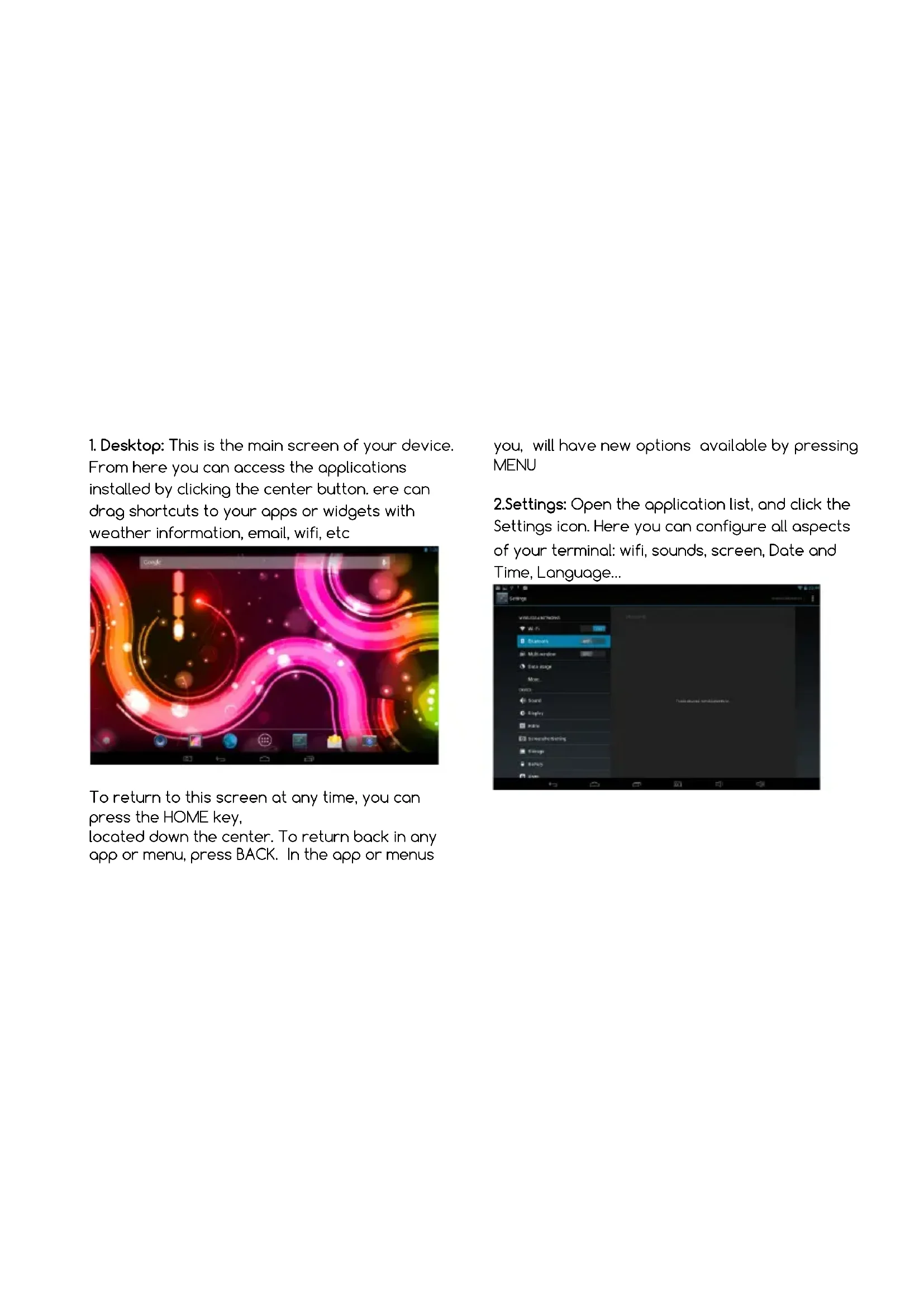
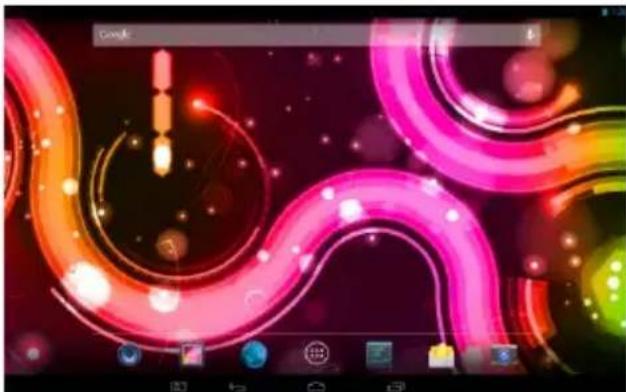
Digital game interface displaying glowing pink and orange spiral graphics on a dark background (no readable text or symbols)- Desktop: This is the main screen of your device. From here you can access the applications installed by clicking the center button. ere can drag shortcuts to your apps or widgets with weather information, email, wifi, etc
natural_image
Game interface screenshot showing glowing pink and orange spiral graphics with no readable text or symbolsTo return to this screen at any time, you can press the HOME key, located down the center. To return back in any app or menu, press BACK. In the app or menus
you, will have new options available by pressing MENU
2.Settings: Open the application list, and click the Settings icon. Here you can configure all aspects of your terminal: wifi, sounds, screen, Date and Time, Language...
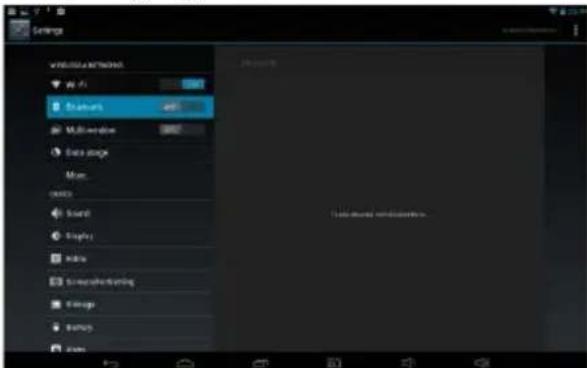
To connect to a wireless network, click the wireless section, and in the corner activator. The device will find wifi networks at your fingertips, and you can connect with You can turn on/off the WIFI by displaying the top bar notifications with your finger down. There you have quick controls to turn on/off the WIFI...
- Apps: To install applications you need to associate a Gmail account with your device to download from Google Play. The applications are installed in phone memory, being this limited
space. Delete unnecessary apps to save space.
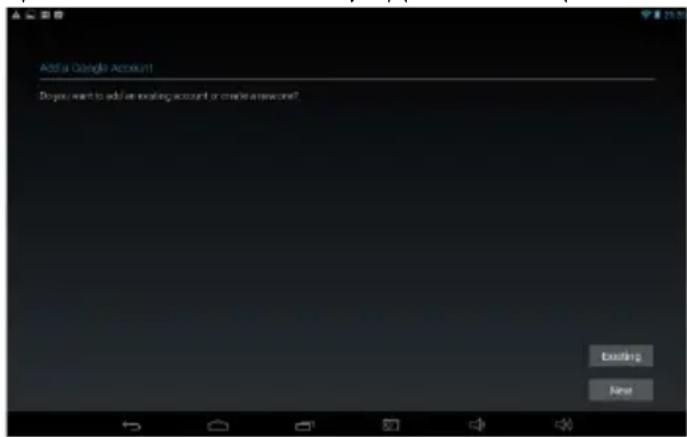
Note that you can find free and paid applications, settings also need a payment method for purchases.

- Camera: to take pictures or videos, you must tap the camera icon, choosing either the rear or front camera. You can make videos or take pictures, also setting different parameters such as quality, use flash or not, and other
parameters.
The photos and videos you take can be shared with other applications or edited, and may be viewed using the application called Gallery.
The default location is the internal memory of the phone. You can also set to be saved on micro SD card if you have one inserted.
- Computer connection: phone can be connected to your computer to transfer files to your PC or phone. To do this, connect the phone with USB cable to PC. On the phone screen will appear requesting the USB connection. Tap Turn on USB storage and you can access the folders on your phone to copy music, photos, documents, or any file. Note that the actual device space is less than stated in the specifications, because the Android operating system occupies part of this space for files system.
DECLARATION OF CONFORMITY
Name of supplier:
I-JOY EUROPE INTERNATIONAL SL
We declare, under our own exclusive responsibility, that the product to which this manual refers, is in compliance with the essential norms and standards of the Directive 1999/5/CE of the European Parliament and of the Council of March 9 ^th 1999.
Madrid, 28th July 2014
CE
Conditions of Guarantee
-
For the guarantee to be carried out, all products must be delivered to IJOY perfectly packed, preferably in its own original packing, with all accessories, user manuals and drivers that the packaging would originally contain. Otherwise, IJOY will not be held responsible for damages that might occur during transportation.
-
To be able to carry out the guarantee it will necessary to have a copy of the proof of purchase, preferably with a copy of the original bill.
-
The repair of the products will be carried out according to the problem reported by the client; therefore it is essential that the client indicates in a clear form and in the most specific way possible where the problem lies, to be able to solve it in the correct manner. In the case that there is not problem with the product a diagnosis
and transportation charge can be applied.
-
The client must have carried out a security copy of the data as during the reparation process there exists the possibility that such data may be lost and/or erased. In any case IJOY will not be held responsible for the loss of data contained in hard drives, as well as any other non-original accessory, might there be batteries, memory cards, CD's DVD's, etc.
-
In the case that there is no possibility of repair of the product, it can be replaced by another one of similar or superior characteristics, taking into consideration the state in which the product is received, such as usage marks, scratches, etc. In any case the product returned to the customer will have been tested to be functioning correctly.
-
The Guarantee will only cover errors caused by deficiencies in manufacturing, and does not therefore cover damage caused by mis-use,
modifications or damages caused by accidents of any nature of caused by the client. The guarantee does not cover: Accessories, pieces exposed to normal wear and tea. The Guarantee will not be valid when the product is not used for the purpose for which it was originally conceived.
-
The power supplies or chargers and batteries will have a guarantee limited to six months as long as they used within the established operating conditions for the correct usage have not been exposed to power surges.
-
It will be necessary that the equipment has a legible serial number, that the guarantee seal has not been manipulated and in perfect state; that the equipment has all original seals in all components so that the guarantee is valid.
-
The guarantee period starts in the moment of first purchase of the product. The reparation or substitution of the product will not imply an
extension of the guarantee period.
-
In the case that the product is not covered by the guarantee, a budget will be drawn up which has to be approved by the client. In the case that the budget is not approved by the client, the client must pay for the cost incurred in the transportation, manipulation and diagnosis of the product.
-
Once the product is repaired after notifying the client, the client will have a period of ten working days to pick up the product. After this period of time, a daily storage charge will be applicable depending on the volume of the product.
i-Joy
C/ Mario Roso de Luna, 31 · P.I. Fin de
Semana · 28022-Madrid (Spain)
Tel. +34 902 55 55 60
E-mail: rma@i-joy.es Web: www.i-joy.es
natural_image
Digital game interface with glowing pink and orange swirls over a dark background (no readable text or symbols)natural_image
Digital game interface displaying glowing pink and orange spiral graphics with UI elements at the bottom (no readable text or symbols)natural_image
Digital game interface displaying a glowing pink spiral path with glowing effects and UI elements (no readable text or symbols)DÉCLARATION DE CONFORMITÉ
Nom du Fournisseur:
I-JOY EUROPE INTERNATIONAL SL
CONDITIONS DE GARANTIES
natural_image
Digital game interface displaying glowing pink and orange swirling graphics on a dark background (no readable text or symbols)· 28022-Madrid (Spain)
Tel. +34 902 55 55 60 | e-mail: rma@i-joy.es
Web: www.i-joy.es
Brand : i-Joy
Model : Evol
Category : Tablet