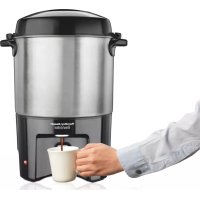
BrewStation 40540R - Coffee maker HAMILTON BEACH - Free user manual and instructions
Find the device manual for free BrewStation 40540R HAMILTON BEACH in PDF.


| Product Type | Percolation Coffee Maker |
| Brand | Hamilton Beach |
| Model | BrewStation 40540R |
| Capacity | 40 cups (max), 10 cups (min) |
| Power Supply | 120 V ~ 60 Hz |
| Coffee Type | Percolator grind or all-purpose |
| Main Functions | Brewing, automatic keep warm, reheating, water heating |
| Maintenance & Cleaning | Regular cleaning with soapy water, descaling with vinegar every 15-20 cycles |
| Safety | Polarized plug, automatic shut-off at end of cycle, hot surfaces, do not immerse |
| Available Spare Parts | Seal gasket, coffee basket, stem, lid, coffee tray |
| Warranty | 5 years (Canada), 1 year (USA) |
| Customer Service | Canada: 1.800.267.2826, USA: 1.800.851.8900 |
| Country of Manufacture | Not specified (likely China) |
| Dimensions (estimated) | Approximately 40 x 30 x 40 cm |
| Weight (estimated) | Approximately 5 kg |
Frequently Asked Questions - BrewStation 40540R HAMILTON BEACH
User questions about BrewStation 40540R HAMILTON BEACH
0 question about this device. Answer the ones you know or ask your own.
Ask a new question about this device
Download the instructions for your Coffee maker in PDF format for free! Find your manual BrewStation 40540R - HAMILTON BEACH and take your electronic device back in hand. On this page are published all the documents necessary for the use of your device. BrewStation 40540R by HAMILTON BEACH.
USER MANUAL BrewStation 40540R HAMILTON BEACH
Visit www.hamiltonbeach.com for our complete line of products and Use and Care Guides - as well as delicious recipes, tips, and to register your product online
Questions Please call us - our friendly associates are ready to help. USA:1.800.851.8900
When using electrical appliances, basic safety precautions should always be followed to reduce the risk of fire, electric shock, and/or injury to persons, including the following:
- Read all instructions.
- This appliance is not intended for use by persons (including children) with reduced physical, sensory, or mental capabilities, or lack of experience and knowledge, unless they are closely supervised and instructed concerning use of the appliance by a person responsible for their safety.
- Close supervision is necessary when any appliance is used by or near children. Children should be supervised to ensure that they do not play with the appliance.
- Do not touch hot surfaces. Use handles or knobs.
- To protect against fire, electric shock, and injury to persons, do not immerse cord, plug, or urn in water or other liquid.
- Unplug from outlet when not in use and before cleaning. Allow to cool before putting on or taking off parts and before cleaning the appliance.
- Coffee urn must be operated on a flat surface away from the edge of counter to prevent accidental tipping.
-
Do not operate any appliance with a damaged supply cord or plug, or after the appliance malfunctions or has been dropped or damaged in any manner. Supply cord replacement and repairs must be conducted by the manufacturer, its service agent, or similarly qualified persons in order to avoid a hazard. Call the provided customer service number for information on examination, repair, or adjustment.
-
The use of accessory attachments not recommended by the appliance manufacturer may result in fire, electrical shock, or personal injury.
- Do not use outdoors.
- To disconnect coffee urn, remove plug from wall outlet. To unplug, grasp the plug and pull from the outlet. Never pull from the power cord.
- Do not let cord hang over edge of table or counter or touch hot surfaces, including stove.
13.Be certain lid is securely in place during brew cycle and when serving coffee. - Scalding may occur if lid is removed during brew cycle.
- Do not place coffee urn on or near a hot gas or electric burner or in a heated oven.
- WARNING! To reduce the risk of fire or electric shock, do not remove the bottom cover. No user-serviceable parts are inside. Repair should be done by authorized service personnel only.
- Do not use appliance for other than intended use.
- Vessel may remain hot after unit is turned off.
SAVE THESE INSTRUCTIONS
Other Consumer Safety Information
This appliance is intended for household use.
WARNING Electrical Shock Hazard: This product is provided with either a polarized (one wide blade) or grounded (3-prong) plug to reduce the risk of electric shock. The plug fits only one way into a polarized or grounded outlet. Do not defeat the safety purpose of the plug by modifying the plug in any way or by using an adapter. If the plug does not fit fully into the outlet, reverse the plug. If it still does not fit, have an electrician replace the outlet.
The length of the cord used on this appliance was selected to reduce the hazards
of becoming tangled in or tripping over a longer cord. If a longer cord is necessary, an approved extension cord may be used. The electrical rating of the extension cord must be equal to or greater than the rating of the appliance. If the appliance is of the grounding type, the extension cord should be a grounding-type, 3-wire cord. Care must be taken to arrange the extension cord so that it will not drape over the countertop or tabletop where it can be pulled on by children or accidentally tripped over.
To avoid an electrical circuit overload, do not use another high-wattage appliance on the same circuit with this appliance.
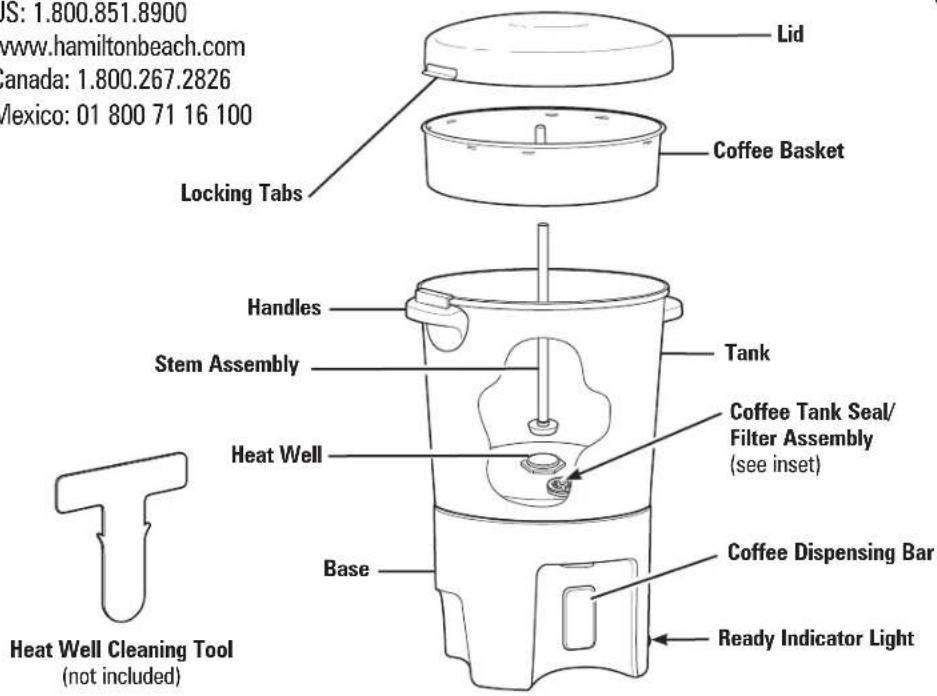
Parts and Features
To order parts:
US:1.800.851.8900
www.hamiltonbeach.com
Canada: 1.800.267.2826
Mexico: 01 800 71 16 100
Coffee Tank Seal/Filter Assembly
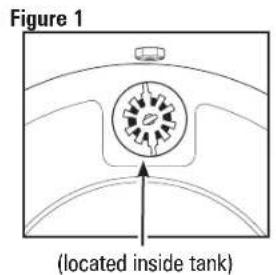
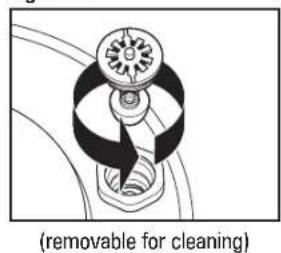
Figure 2
How to Make Coffee
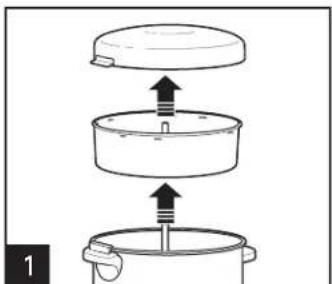
Remove lid, coffee basket, and stem assembly.
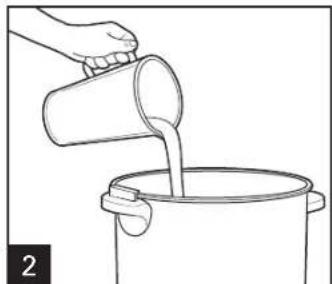
Fill urn to desired water level. You must brew a minimum of 10 cups. Do not fill urn above fill line.
BEFORE FIRST USE: Clean the urn by following the steps in "How To Clean."
NOTE: For best results, always use cold, fresh tap water.
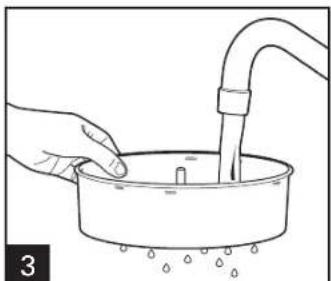
Wet coffee basket (to help keep small particles of ground coffee from sifting through).
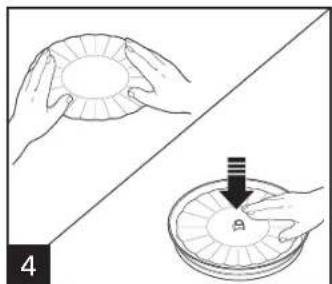
OPTIONAL: Place a flattened, paper filter in coffee basket.
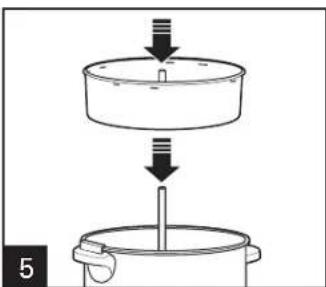
* Always keep water and coffee amounts between the minimum and maximum for your urn size.
Make sure stem assembly is properly seated in heat well in center or urn may not percolate.
| Water Level* | Amount of Ground Coffee* |
| 40 cups | 2-21/2 cups |
| 30 cups | 13/4-2 cups |
| 20 cups | 1-13/4 cups |
| 10 cups | 1/2 cup |
NOTE: We recommend using coffee that has been ground specifically for use in a percolator-type coffeemaker. However, coffee marked "For All Coffeemakers" is acceptable. If using a coffee grinder and whole beans, percolator coffee should be a coarse grind. Finely ground coffee may cause the basket to overflow and result in grounds in the coffee.
How to Make Coffee (cont.)
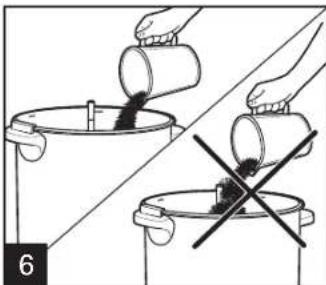
Do not spill coffee grounds in stem assembly.
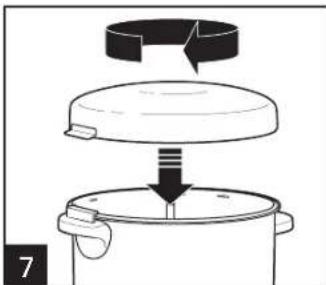
Replace lid.
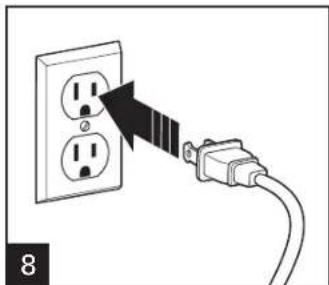
NOTICE: To avoid damage, do not plug in when there is no liquid inside.
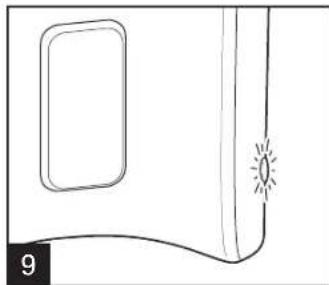
The coffee urn will stop automatically when the coffee has finished brewing, and the ready light will glow. Allow about 1 minute per cup for brewing time.
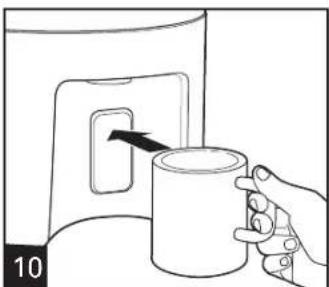
NOTE: To avoid clogging coffee tank seal/filter assembly with grounds, do not tip urn to dispense coffee.
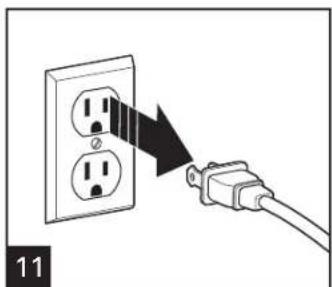
Unplug.
NOTES:
- Urn will automatically switch to Keep Warm and maintain fresh, hot coffee until unplugged. If keeping coffee warm for a long period, remove coffee basket and stem assembly when cycle is complete. This will prevent bitter oils in the grounds from affecting the flavor of the coffee.
WARNING Burn Hazard. The metal um parts will be hot. Use a pot holder or oven mitt to remove the lid.
To make additional coffee, rinse lid, coffee basket, stem assembly, and tank with cold water and repeat Steps 1 through 8.
To reheat coffee, remove coffee basket and stem assembly. Lock lid in place and plug in unit; then turn on for 20 to 60 minutes, depending on amount of coffee remaining. Do not reheat if less than 20 cups are left in the urn.
TO HEAT WATER:
(for instant coffee, hot cocoa, or tea)
1. Remove lid, coffee basket, and stem assembly. Fill um with cold water to desired level.
2. Place stem assembly and coffee basket into heating unit well.
3. Place lid onto coffee urn and turn to lock. Plug in urn and let it complete a perch cycle. Water is hot when the ready indicator light glows.
How to Clean
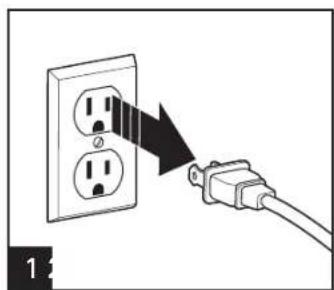
Unplug. WARNING Burn Hazard. Allow to cool before cleaning. The metal urn parts will be hot. Use a pot holder or oven mitt to remove the lid.
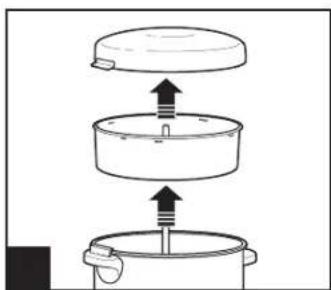
Remove stem assembly, coffee basket, and lid.
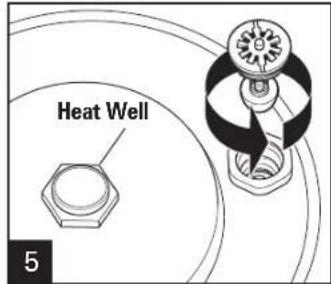
Unscrew coffee tank seal/filter assembly from inside tank. Wash in warm, soapy water. Replace assembly. Tighten to avoid leaking coffee. Periodically, clean the heat well located at the bottom of the urn with the optional heat well cleaning tool or a heavy duty scouring pad.
WARNING Electrical Shock Hazard.
Do not immerse the base or tank in water.
Periodically clean coffee urn with water and white vinegar solution. See "TO REMOVE MINERAL DEPOSITS AND BUILDUP" on next page.
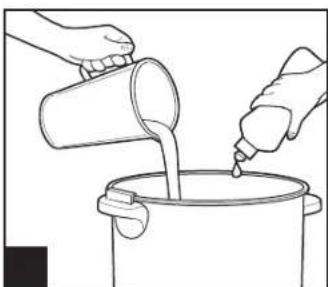
Clean inside of coffee urn with warm, soapy water.
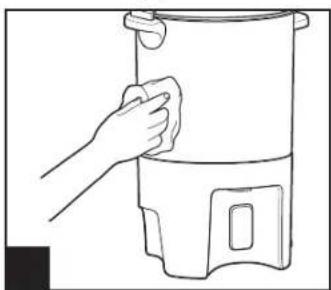
NOTICE: To avoid damage to the urn, do not use abrasive cleaners or pads on any part of the coffee urn.
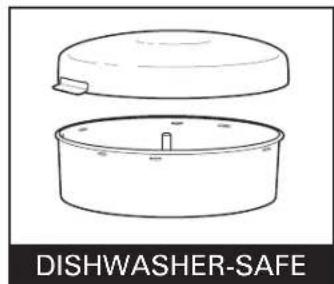
DO NOT use the "SANI" setting when washing in the dishwasher. "SANI" cycle temperatures could damage your product.
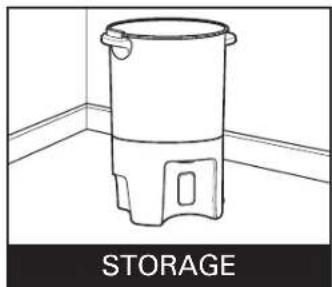
Turn lid upside down and place in urn for storage.
How to Clean Mineral Deposits and Buildup
Clean urn after every 15 to 20 cycles to remove mineral deposits and buildup, or more frequently in areas with hard water. Fill the urn with equal parts cold water and vinegar: 6 cups (1.4 L) each of cold water and white vinegar. Assemble urn with stem assembly, coffee basket, coffee basket lid, and twist-off lid. Plug into outlet. Let unit go through the brew cycle. When brewing has stopped, let sit another 15 minutes. Unplug and drain by using the coffee dispensing bar. This will clean both the urn and the tank/seal filter assembly. Let cool. Follow steps for "How to Clean."
How to Remove Discoloration
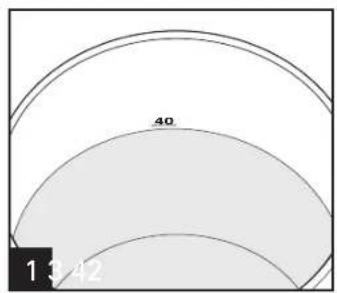
Add water to 40-cup fill line. Replace Repltaegtemaasstembly and
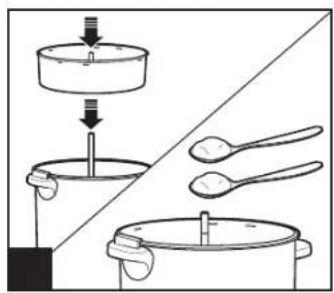
Rieplagtimaaslembly and coffee basket.Add 2 tablespoons (30 ml) cream of tartar.
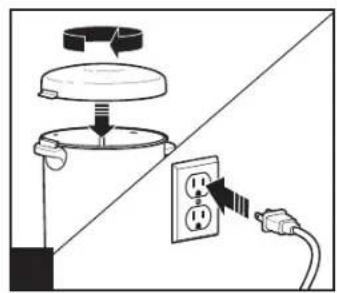
percolate one cycle.
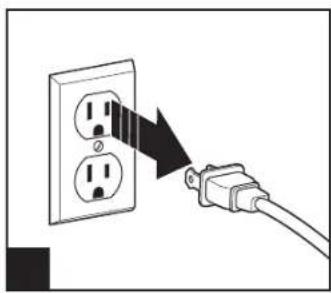
After one cycle, unplug and let sit 15 minutes. Drain liquid from urn. Let cool; then clean. See "How to Clean" section.
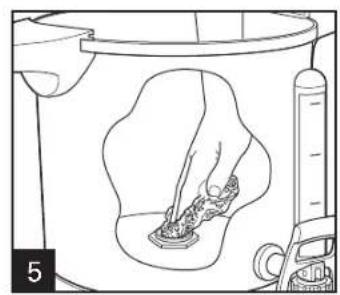
TO CLEAN HEAT WELL: Fill the urn half-full with hot water. Add a drop of liquid dishwashing detergent and wash the inside of the urn. Use the heat well cleaning tool or scouring pad, clean the inside of the heat well. This part must be properly cleaned to maintain the proper operation of the urn. Do not immerse in water.
Troubleshooting
PROBLEM
Coffee leaks from dispenser.
PROBABLE CAUSE/SOLUTION
- Residue trapped in coffee tank dispensing mechanism under coffee tank seal/ filter assembly. See "How to Clean."
- Remove tank seal/filter assembly for cleaning.
Make sure tank seal/filter assembly is tight.
Coffee not brewing/ coffee stops brewing/ unit will not turn on.
Mineral deposits have built up. Clean the urn following instructions in "How to Clean."
Water tank is empty.
Unit is unplugged.
Power outage.
- Power surge. Unplug and then plug the unit back in.
Stem assembly is not aligned with heat well.
- Flush coffee grounds from stem assembly.
Coffee difficult to dispense.
- Residue causing buildup around tank seal/filter assembly. Remove tank seal/filter assembly and clean with soapy water or clean entire unit with water and white vinegar solution. See "How to Clean Mineral Deposits and Buildup."
Notes
Limited Warranty
This warranty applies to products purchased and used in the U.S. and Canada. This is the only express warranty for this product and is in lieu of any other warranty or condition.
This product is warranted to be free from defects in material and workmanship for a period of five (5) years from the date of original purchase in Canada and one (1) year from the date of original purchase in the U.S. During this period, your exclusive remedy is repair or replacement of this product or any component found to be defective, at our option; however, you are responsible for all costs associated with returning the product to us and our returning a product or component under this warranty to you. If the product or component is no longer available, we will replace with a similar one of equal or greater value.
This warranty does not cover glass, filters, wear from normal use, use not in conformity with the printed directions, or damage to the product resulting from accident, alteration, abuse, or misuse. This warranty extends only to the original consumer purchaser or gift recipient. Keep the original sales receipt, as proof of purchase is required to make a warranty claim. This warranty is void if the product is used for other than single-family household use or subjected to any voltage and waveform other than as specified on the rating label (e.g., 120V 60Hz ).
We exclude all claims for special, incidental, and consequential damages caused by breach of express or implied warranty. All liability is limited to the amount of the purchase price. Every implied warranty, including any statutory warranty or condition of merchantability or fitness for a particular purpose, is disclaimed except to the extent prohibited by law, in which case such warranty or condition is limited to the duration of this written warranty. This warranty gives you specific legal rights. You may have other legal rights that vary depending on where you live. Some states or provinces do not allow limitations on implied warranties or special, incidental, or consequential damages, so the foregoing limitations may not apply to you.
To make a warranty claim, do not return this appliance to the store. Please call 1.800.851.8900 in the U.S. or 1.800.267.2826 in Canada or visit hamiltonbeach.com in the U.S. or hamiltonbeach.ca in Canada. For faster service, locate the model, type, and series numbers on your appliance.
PRECAUTIONS IMPORTANTES
CAUSE POSSIBLE/SOLUTION
Ruperto Martinez No.238 Ote
Centro MONTERRE, 64000 N.L.
Tel: 01 81 8343 6700
Jalisco
SERVICIOS DE MANTENIMIENTO CASTILLO
Garibaldi No. 1450
Ladrón de Guevara
GUADALAJARA 44660 Jal.
Tel: 01 33 3825 3480 • Fax: 01 33 3826 1914
Modelo:
40540
Tip:
A59
CharacteristicasElecricas:
120V\~ 60Hz 1090W

- SAVE THESE INSTRUCTIONS
- Other Consumer Safety Information
- This appliance is intended for household use.
- Parts and Features
- How to Make Coffee
- How to Make Coffee (cont.)
- NOTES:
- TO HEAT WATER:
- How to Clean
- WARNING Electrical Shock Hazard.
- How to Clean Mineral Deposits and Buildup
- How to Remove Discoloration
- Troubleshooting
- PROBLEM
- PROBABLE CAUSE/SOLUTION
- Limited Warranty
- PRECAUTIONS IMPORTANTES
- CAUSE POSSIBLE/SOLUTION
- Jalisco
Brand : HAMILTON BEACH
Model : BrewStation 40540R
Category : Coffee maker