
SBCSK303 - Headphones PHILIPS - Free user manual and instructions
Find the device manual for free SBCSK303 PHILIPS in PDF.


| Product Type | Wireless electrical control system |
| Brand | Philips |
| Model | SBC SK303 |
| Included components | On/Off switch SBC SP370, keychain remote control SBC SR312 |
| Maximum switched power | 1000 watts |
| Switch power supply | Mains (230V socket) |
| Remote control power supply | Philips 8LR932 battery (button cell) |
| Remote control range | Approximately 30 meters in open field |
| Radio frequency | 433 MHz (estimated) |
| House code | Selectable (A, B, C, etc.) |
| Unit code | Configurable (default 1) |
| Group function | Yes (ALL ON/ALL OFF) |
| Manual control | Yes, button on the switch |
| Switch dimensions | Approximately 5 x 5 x 5 cm |
| Switch weight | Approximately 100 g |
| Remote control dimensions | Approximately 3 x 5 x 1 cm (keychain) |
| Remote control weight | Approximately 20 g (with battery) |
| Maintenance | Replace the battery at least once a year |
| Safety | Do not exceed 1000 W; use original battery |
| Repairability | Spare part: 8LR932 battery |
Frequently Asked Questions - SBCSK303 PHILIPS
User questions about SBCSK303 PHILIPS
0 question about this device. Answer the ones you know or ask your own.
Ask a new question about this device
Download the instructions for your Headphones in PDF format for free! Find your manual SBCSK303 - PHILIPS and take your electronic device back in hand. On this page are published all the documents necessary for the use of your device. SBCSK303 by PHILIPS.
USER MANUAL SBCSK303 PHILIPS
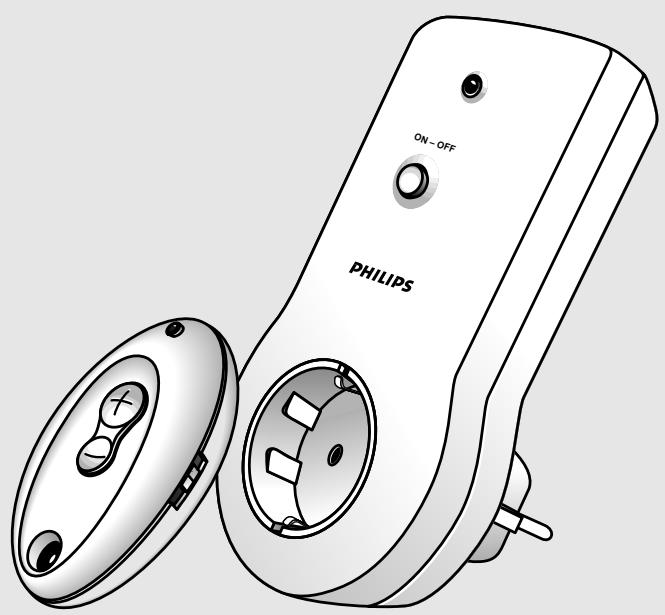
SBC SK 303 - Power Control System
Instructions for use
Mode d'emploi
Congratulations on your purchase of the Philips Power Control System (SBC SK303). This system contains one key-ring remote control (SBC SR312) and one Power switch (SBC SP370). With the Power Control System you can operate electrical appliances (e.g. lamps, coffee-maker etc.) with a power rating of up to 1000 Watts in and around your house via the key-ring remote control.
You can also use the key-ring remote control as a GROUP switch, allowing you to operate several Power switches simultaneously (All ON / All OFF).
Before connecting an appliance to the Power Control System, please read this document carefully.
2. QUICK REFERENCE
QUICK REFERENCE
- Connect the Power switch to a mains power outlet (fig. 2).
- Select the appliance, e.g. a lamp, you want to control, ensuring that its power rating does not exceed 1000 Watts, and plug it into the Power switch (fig. 2).
- If the selected appliance has its own ON/OFF switch, make sure it is switched on.
- Use the key-ring remote control to operate the appliance (fig. 3). When the (+) of the remote control button is pressed, the selected appliance switches on. When the (-) of the button is pressed, the selected appliance switches off again. The Power switch is set at unit code 1 by default.
3. INSTALLATION
INSTALLATION
Your appliance must be connected to the Power switch before you can control it with the key-ring remote control (fig. 2).
- Check that the mains voltage as indicated on the Power switch corresponds to your local mains voltage. If it does not, consult your dealer or service organisation.
- Select the appliance (e.g. lamp) you want to control, ensuring that its power rating does not exceed 1000 Watts, and plug it into the Power switch (fig. 2).
- If the selected appliance has its own ON/OFF switch, make sure it is switched on.
4. OPERATION
OPERATION
The connected appliance can now be operated via the key-ring remote control (fig.3).
- When the (+) of the button is pressed, the appliance switches on. When the (-) of the button is pressed, the appliance switches off again.
- The Power switch is set to unit code 1 by default.
With the key-ring remote control it is possible to operate more Power switches at the same time. When the GROUP switch on the key-ring remote is in the ON position, it will switch on and off every Power switch whose own GROUP switch is in the ON position.
- Set the GROUP switch of the key-ring remote control to the ON position.
- Set the GROUP switch on the rear of the Power switch to the ON position.
- Every Power switch whose GROUP switch is in the ON position will now respond to the key-ring remote control. When the (+) of the button is pressed, all appliances connected to these Power switches will switch on. When the (-) of the button is pressed, the appliances switch off again.
MANUAL OPERATION
The Power switch has a button for manual operation. This means that you can still switch on and off your appliance without the key-ring remote control.
- Press the button in front of the Power switch once.
- The Power switch switches on.
- Press the button in front of the Power switch once again.
- The Power switch switches off.
BATTERY REPLACEMENT
Install a battery in the key-ring remote control as follows (fig. 1):
- Unscrew the bottom cover of the key-ring remote control and remove.
- Insert the battery in the unit, checking carefully that the battery polarities (+ and -) match those inside the compartment.
- Place the bottom cover over the key-ring remote control, insert screws and tighten.
Notes:
- Remove the battery when the key-ring remote control is not going to be used for a long period of time.
- Replace the battery in the key-ring remote control at least once a year. If you notice that the transmission range of the key-ring remote control reduces drastically, replace the battery immediately.
- Use only an original PHILIPS 8LR932 battery when replacing the remote control battery.
CHANGING THE HOUSE CODE
The house code is designed to prevent interference with the Power Control System of your neighbour. It also enables you to use more key-ring remote controls for different applications in and around your house. The Power Control System will only respond to signals with the correct house code. To change the house code (fig. 4):
- Choose a house code (A, B, or C, etc.) from table 1, and turn the house code selection wheel at the rear of the Power switch to this house code.
- Unscrew the bottom cover of the key-ring remote control and remove.
- Set the dip-switches of the key-ring remote control to correspond to the chosen house code.
- Place the bottom cover over the key-ring remote control, insert screws and tighten.
Note:
The key-ring remote control cannot control the Power switch when the unit code is changed to a number other than 1. However, it is possible to activate more Power switches at the same time by selecting unit code 1 on each Power switch.
1. INTRODUCTION
MANUAL OPERATION


Brand : PHILIPS
Model : SBCSK303
Category : Headphones