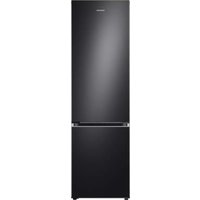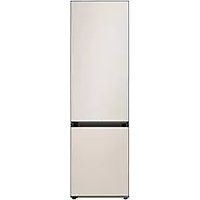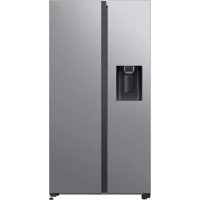
RS64DG53M3SL - Fridge SAMSUNG - Free user manual and instructions
Find the device manual for free RS64DG53M3SL SAMSUNG in PDF.



| Features | Details |
|---|---|
| Type of refrigerator | Combined refrigerator |
| Total capacity | 634 liters |
| Dimensions (HxWxD) | 1780 x 912 x 734 mm |
| Energy class | A+ |
| Cooling system | No Frost |
| Number of drawers | 3 drawers in the freezer |
| Additional features | Water dispenser, LED lighting |
| Weight | Approx. 130 kg |
| Usage | Refrigeration and freezing of food |
| Maintenance | Regular cleaning of surfaces and trays |
| Safety | Door locking system |
| Warranty | 2 years |
Frequently Asked Questions - RS64DG53M3SL SAMSUNG
User questions about RS64DG53M3SL SAMSUNG
0 question about this device. Answer the ones you know or ask your own.
Ask a new question about this device
Download the instructions for your Fridge in PDF format for free! Find your manual RS64DG53M3SL - SAMSUNG and take your electronic device back in hand. On this page are published all the documents necessary for the use of your device. RS64DG53M3SL by SAMSUNG.
USER MANUAL RS64DG53M3SL SAMSUNG
- For the most efficient use of energy, please keep the all inner fittings such as baskets, drawers, shelves and ice cube tray on the position supplied by manufacturer.
- This refrigerating appliance is not intended to be used as a built-in appliance.
Install Instruction
For refrigerating appliances with climate class
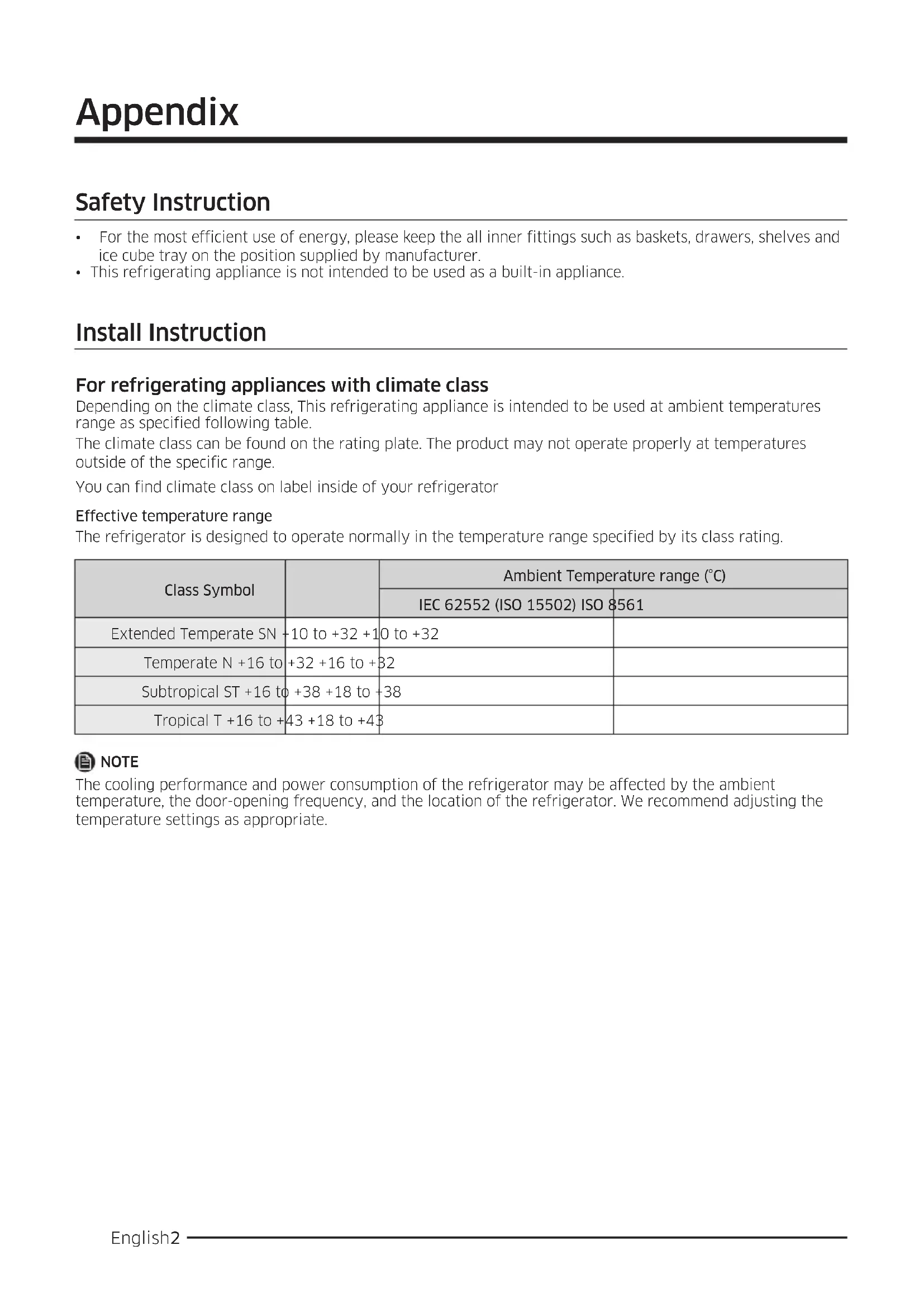
Depending on the climate class, This refrigerating appliance is intended to be used at ambient temperatures range as specified following table.
The climate class can be found on the rating plate. The product may not operate properly at temperatures outside of the specific range.
You can find climate class on label inside of your refrigerator
Effective temperature range
The refrigerator is designed to operate normally in the temperature range specified by its class rating.
| Class Symbol | Ambient Temperature range (°C) | ||
| IEC 62552 (ISO 15502) ISO 8561 | |||
| Extended Temperate SN | +10 to +32 +10 | to +32 | |
| Temperate N +16 to | +32 +16 to +32 | ||
| Subtropical ST +16 to | +38 +18 to +38 | ||
| Tropical T +16 to +43 +18 to +43 | |||

NOTE
The cooling performance and power consumption of the refrigerator may be affected by the ambient temperature, the door-opening frequency, and the location of the refrigerator. We recommend adjusting the temperature settings as appropriate.
Temperature Instruction
Recommended Temperature
The optimal temperature setting for food storage:
Fridge: 3^
Freezer: -19 °C
- Meat & Fish of FlexZone: 0^ C (only for RS65R568 & RS65R569 model)
- Beverage of FlexZone : 1 °C (only for RS65R568 & RS65R569 model)
- Fruit & Vegetable of FlexZone : 3 °C (only for RS65R568 & RS65R569 model)
- Fridge of Flex Zone: 3^ C (only for RS65R568 & RS65R569 model)
NOTE
The optimal temperature setting of each compartment depends on the ambient temperature. Above optimal temperature is based on the ambient temperature of 25^ .
Power Cool
Power Cool speeds up the cooling process at maximum fan speed. The fridge keeps running at full speed for two and a half hours and then returns to the previous temperature.
Power Freeze
Power Freeze speeds up the freezing process at maximum fan speed. The freezer keeps running at full speed for 50 hours and then returns to the previous temperature. To freeze large amounts of food, activate Power Freeze for at least 20 hours before putting food in the freezer.
NOTE
When you use this function the energy consumption of the refrigerator will increase. Remember to turn it off when you don't need it and return the freezer to your original temperature setting.
How to store for best preservation (applicable models only)
Cover foods to retain moisture and prevent them from picking up odors from other foods. A large pot of food like soup or stew should be divided into small portions and put in shallow containers before being refrigerated. A large cut of meat or whole poultry should be divided into smaller pieces or placed in shallow containers before refrigerating.
Placement of Foods
| Shelves Shelves should be adjustable to accommodate a variety of packages. | |
| Specialized compartment (applicable models only) | Sealed risper drawers provide an optimal storage environment for fruits and vegetables. Vegetables require higher humidity conditions while fruits require lower humidity conditions.Crispers are equipped with controls devices to control the humidity level. (‘Depending on model and options’) An adjustable temperature meat drawer maximizes the storage time of meats and cheeses. |
| Stored on the door | Don’t store perishable foods in the door. Eggs should be stored in the carton on a shelf. The temperature of the storage bins in the door fluctuate more than the temperature in the cabinet. Keep the door closed as much as possible. |
| Freezer Compartment | You can store frozen food, make ice cubes and freeze fresh food in the freezer compartment. |
NOTE
Freeze fresh, undamaged food only. Keep food which is to be frozen away from food which is already frozen. To prevent food from losing its flavour or drying out, place in airtight containers.
Refrigerator & Freezer Storage Chart
The freshness longevity depends on temperature and exposure to moisture. Since product dates aren't a guide for safe use of a product, consult this chart and follow these tips.
Milk products
| Product Refrigerator Freezer | |
| Milk 1 week 1 month | |
| Butter 2 weeks 12 months | |
| Ice cream - 2-3 weeks | |
| Natural cheese 1 month 4-6 months | |
| Cream cheese 2 weeks Not recommended | |
| Yogurt 1 month - |
Meat
| Product Refrigerator Freezer | ||
| Fresh roasts, steaks, chops | 3-4 days | 2-3 months |
| Fresh ground meat, stew meat | 1-2 days | 3-4 months |
| Bacon | 7 days | 1 month |
| Sausage, Raw from pork, beef, turkey | 1-2 days | 1-2 months |
Poultry / Eggs
| Product Refrigerator Freezer | ||
| Fresh poultry | 2 days | 6-8 months |
| Poultry salad | 1 day | - |
| Eggs, Fresh in shell | 2-4 weeks | Not recommended |
Fish / Seafood
| Product Refrigerator Freezer | ||
| Fresh fish | 1-2 days | 3-6 months |
| Cooked fish | 3-4 days | 1 month |
| Fish salad | 1 day | Not recommended |
| Dried or pickled fish | 3-4 weeks - | |
Fruits
| Product Refrigerator Freezer | |
| Apples 1 month - | |
| Peaches 2-3 weeks - | |
| Pineapple 1 week - | |
| Other fresh fruit 3-5 days 9-12 months |
Vegetables
| Product Refrigerator Freezer | |
| Asparagus 2-3 days - | |
| Broccoli, Brussels sprouts, green peas, mushrooms | 3-5 days - |
| Cabbage, cauliflower, celery, cucumbers, lettuce | 1 week - |
| Carrots, beets, radishes 2 weeks - |
Information for model and ordering spare parts
Model information
To access the EPREL registration of the model :
- Go to https://eprel.ec.europa.eu.
- Get the model identifier from the energy label of the product and type it in the search box.
- Energy Labelling information of the model is shown.
Part information
The minimum period during which spare parts, necessary for the repair of the appliance, are available
- 7 Years thermostats, temperature sensors, printed circuit boards and light sources, door handles, door hinges, trays, baskets (boxes or drawers)
10 Years door gaskets
- The minimum duration of the guarantee of the refrigerating appliance offered by the manufacturer 24 Months.
- Relevant information for ordering spare parts, directly or through other channels provided by the manufacturer, importer or authorized representative
You can find professional repair information on http://samsung.com/support.
You can find user servicing manual on http://samsung.com/support.
TocmaBHe Ha xpaHumeAnHu npogykuMu
| РафмоВе Рафмовeme мрябВа | ga ce pezyлар, maka che ga nomecmam pa3лчни ВugoВe nakemu. |
| Спесuaцурано омгеленue (само за пулочим могelu) | Чек megжема Crisper ocuурьam onmumalna crega 3a сьханение на пlogоьe u 3elenvуц. 3elenvуцime ce hyжgam'm om no-вucoka влажносm, gokamo nlangoьeme uzuckBam no-huckska влажносm. Oмгеленая Crisper ca obopygBaHc c konmpoanlu ycmpoosmba 3a уnpa8lenue ha nuBomo ha влажносm. (*В завсumsмом могELA u onuzimme)Чек megжема 3a месо c Бзможнoscm 3a pezyларе на memnépopуама уBELUaBAВретимо 3a сьхаление на месуcaupeña. |
| Сыхсаньа се на Вoramama | He sbxpanьайme 6ьрзорazьалцu se xpaHи habрама.Яцama мрябВam 8 kapmonehama onakobka ha paФm. Temnépopуама на konmeиерUME 3a сьхалениe 6ьВ Вoramama e B no-20ал gamana3OH na koLБанue срразу мemnépopуама 8 ochOBhama yapcm Ha ypega.Дрьжм Вoramama 3amВорега колkomo e 6ьзможно noBeche. |
| Фрузэрно омгеленue | ВьВ Фрузэрно омгеленue можeme ga sbxpanьаме замраз�ena xpha, ga nocmaЯme Boga 3a kvychema leg u ga 3amprazьаме посянхаха. |

BEAEKKA
3ampa3Baume camo CBeka, HenapaHe h xpaHa. Dpbkme xpaHama, kmo mpe6Ba ga 6bge 3ampa3eHa, ha pa3cmohue om xpaHama, koMo Bce e 3ampa3eHa. 3a ga npegomBpamume 3ay6ama Ha Bkyca uU u3cyuhaHemo Ha xpaHama, nocmaBeme R B xepMemuecku 3amBapau ce cbgoBe.
Dua2pama 3a cbxpaHeneH 8 xIaguAnHuk u φpu3ep
OcuzypaBHaMo Ha no-gbAompaHcBeKecm Ha npogykmu 3aBucu om memnepamypama u 3aa2aHemo Ha Baaa. Tbu kamo nocoHe m 6bpx npogykmu kpaHc poko8e 3a gonycmuma ynompe6a Ha npogkma He ca kamezopuHc yc0Bue 3a 6e3onacHomo My u3no3BaHe, npugbPkaIme ce kbMa3u guaPama U clegBaIme nocoHe m B He rcbemu.
MaeHu npogyku