NORDMÄRKE 504.765.33 - Phone charger IKEA - Free user manual and instructions
Find the device manual for free NORDMÄRKE 504.765.33 IKEA in PDF.
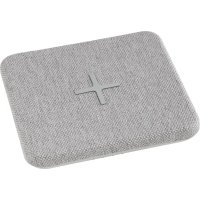



| Product Type | Portable phone charger with built-in battery and Qi wireless charging |
| Brand | IKEA |
| Model | NORDMÄRKE 504.765.33 |
| Battery Capacity | 6500 mAh / 24.0 Wh (Li-ion) |
| Charge Input | 5.0 V DC, 2.0 A, 10 W via USB Type-C |
| Wireless Output | Up to 10 W (Qi 1.2.4 BPP) |
| Operating Frequency | 112 to 148 KHz |
| Radio Frequency Output Power | -2 dBμA/m at 10 m |
| Usage | Indoor only |
| Operating Temperature | 0 °C to 40 °C |
| Storage Temperature | -20 °C to 25 °C |
| LED Indicators | Battery status indicator and wireless charging indicator |
| Wireless Charging | For Qi-certified devices |
| Included Accessories | None (USB adapter and USB-C cable sold separately) |
| Care and Cleaning | Wipe with a damp cloth; do not immerse |
| Safety | Do not open, modify, or expose to heat (>60°C); use only undamaged cables |
| Spare Parts and Repairability | Not user repairable; standard USB-C cable and adapter available separately |
| General Information | Compliant with Qi standard; Qi logo is a registered trademark of the Wireless Power Consortium |
Frequently Asked Questions - NORDMÄRKE 504.765.33 IKEA
User questions about NORDMÄRKE 504.765.33 IKEA
0 question about this device. Answer the ones you know or ask your own.
Ask a new question about this device
Download the instructions for your Phone charger in PDF format for free! Find your manual NORDMÄRKE 504.765.33 - IKEA and take your electronic device back in hand. On this page are published all the documents necessary for the use of your device. NORDMÄRKE 504.765.33 by IKEA.
USER MANUAL NORDMÄRKE 504.765.33 IKEA
- Wirelessly charges Qi-certified devices, both when connected to mains and as a power bank.
- Certified according to Qi 1.2.4 BPP specification.
- Temperature and power monitor for safety.
- LED status indicator.
- USB power adapter (5.0V, 2.0A) and USB Type-C cable sold separately.
Instructions for use
- To charge NORDMÄRKE: Connect the USB-C cable to the power adapter and to NORDMÄRKE. Plug it into the wall socket. The battery LED indicators will indicate charging status.
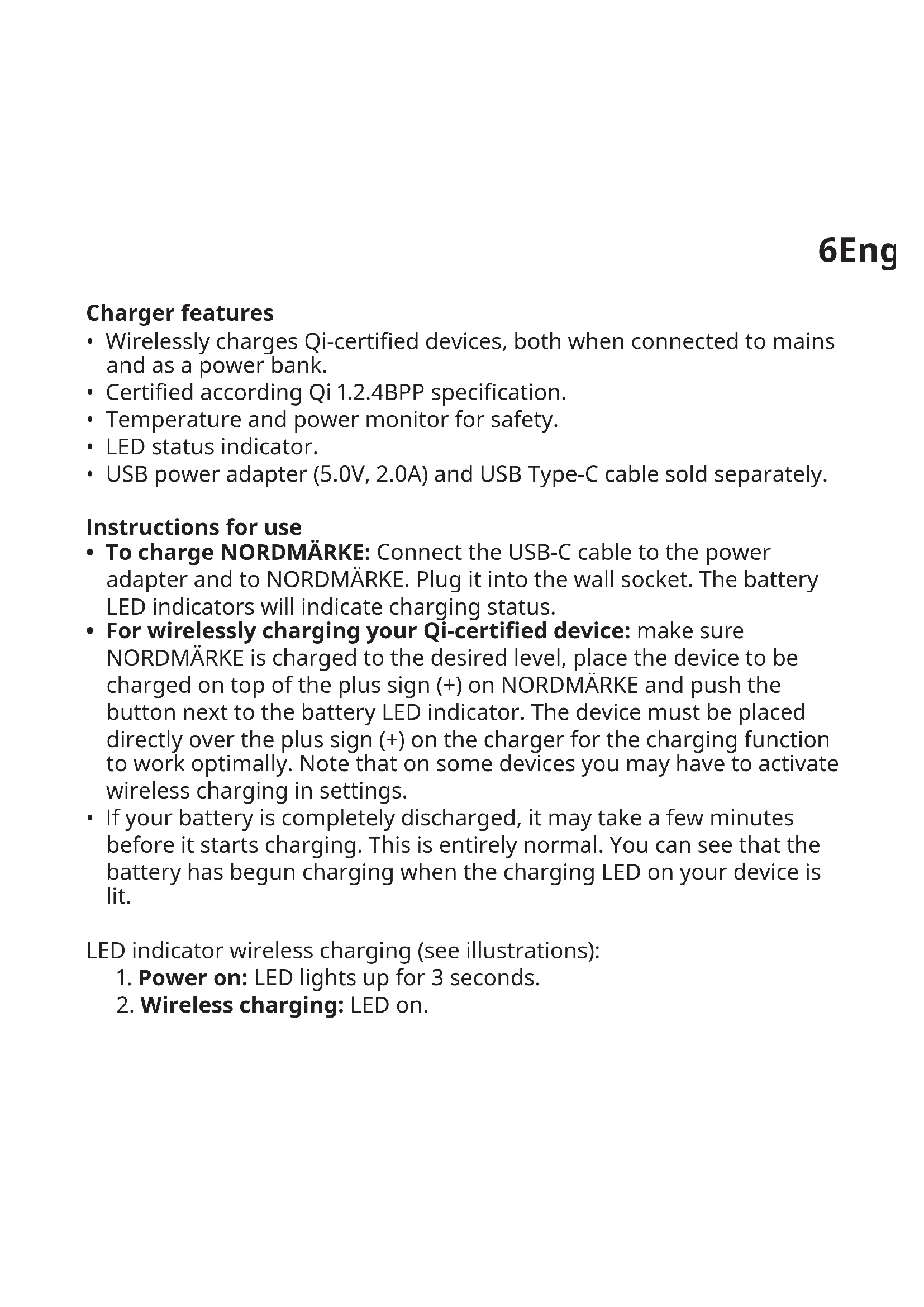
- For wirelessly charging your Qi-certified device: make sure NORDMÄRKE is charged to the desired level, place the device to be charged on top of the plus sign (+) on NORDMÄRKE and push the button next to the battery LED indicator. The device must be placed directly over the plus sign (+) on the charger for the charging function to work optimally. Note that on some devices you may have to activate wireless charging in settings.
- If your battery is completely discharged, it may take a few minutes before it starts charging. This is entirely normal. You can see that the battery has begun charging when the charging LED on your device is lit.
LED indicator wireless charging (see illustrations):
- Power on: LED lights up for 3 seconds.
- Wireless charging: LED on.
- Wireless charging completed: LED off.
- Error: LED flashes.
Battery LED indicator (see illustrations):
- USB-C connected for charging: Lights up according to remaining battery charge.
- USB-C disconnected: Lights up according to remaining battery charge and goes off after 5 sec.
- Charging complete: LED off.
- Button pressed without USB-C connected: Lights up according to remaining battery charge and goes OFF after 5 sec.
- Wireless charging ON: LED off.
- Low battery while wireless charging is on, without USB-C connected: LED blinking.
Good to know
- USB cable length and quality influences charging speed and performance.
- Devices may get warm during charging; this is completely normal and they will gradually cool down again after they are fully charged.
- Charging time may vary based on the device's battery capacity, charge level, the age of the battery and the temperature in the surrounding area.
- Charger storage temperature: -20°C to 25°C.
- Charger operating temperature: 0°C to 40°C.
- Unplug the charger from the power source before cleaning and when it is not in use.
- To clean the charger, wipe with a moist cloth. Never submerge the charger in water.
- It is normal for the battery to become hot during charging and it will gradually cool down after charging.
- Disconnect the battery from the power outlet before cleaning or when it is not used.
- Battery should not be left discharged for a longer period.
- Battery should not be charged while in contact with flammable material like textiles.
Recommended precautionary measures and technical data: see the back of the charger.
Save these instructions for future use.
WARNING:
- Only charge devices that are Qi-certified.
- Only use in dry locations.
- Children should be supervised to ensure they do not play with the product.
- Never use a damage or faulty USB cable for charging, since this can damage the product and harm your device.
- Do not modify, disassemble, open, drop, crush, puncture, or shred product.
9
- Risk of fires and burns. Do not open, crush, heat above 140°F (60°C), or incinerate.
- Do not subject the product to wet, moist or excessively dusty environments since this can cause damage to the unit.
- Keep the product away from open flame or sunlight to prevent heat buildup.
- Keep the product away from high voltage devices.
- In the event of a cell leaking, do not allow the liquid to come in contact with the skin or eyes.
Product servicing
Do not attempt to repair this product yourself, as opening or removing covers may expose you to dangerous voltage points or other risks.
RF EXPOSURE INFORMATION
According to RF exposure regulations, under normal operations the end user shall refrain from being closer than 10 cm from the device.
Technical data
Type: E2008 NORDMÄRKE
Battery capacity: 6500 mAh/24.0 Wh, Li-ion
Input: 5.0V DC, 2.0A, 10W USB Type-C
Indoor use only
Operating frequency: 112 - 148 KHz
Output power: -2 dBμA/m at 10 m
Manufacturer: IKEA of Sweden AB
Address: Box 702 SE-343 81 Ålmhult SWEDEN
The 'Qi' symbol is a trademark of the Wireless Power Consortium
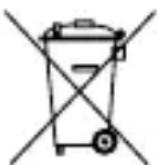
The crossed-out wheeled bin symbol indicates that the item should be disposed of separately from household waste. The item should be handed in for recycling in accordance with local environmental regulations for waste disposal. By separating a marked item from household waste, you will help reduce the volume of waste sent to incinerators or land-fill and minimize any potential negative impact on human health and the environment. For more information, please contact your IKEA store.
PRODUCT REPAIR
Manufacturer: IKEA of Sweden AB
Address: Box 702, SE-343 81 Ålmhult, SWEDEN
Input: 5.0 V DC, 2.0 A, 10 W USB Type-C
Manufacturer: IKEA of Sweden AB
Address: Box 702 SE-343 81 Almhult SWEDEN
Input: 5.0 V DC, 2.0 A, 10 W USB Type-C
For indoor use only
Operating frequency: 112 - 148 KHz
Output: -2 dBμA/m at 10 m
Manufacturer: IKEA of Sweden AB
Address: Box 702 SE-343 81 Almhult SWEDEN
Manufacturer: IKEA of Sweden AB
Address: Box 702, SE-343 81 Almhult, SWEDEN
Input: 5.0 V DC, 2.0 A, 10 W USB-C
Manufacturer: IKEA of Sweden AB
Address: Box 702 SE-343 81 Almhult SWEDEN
Manufacturer: IKEA of Sweden AB
Address: Box 702 SE-343 81 Almhult SWEDEN
Power: 5.0 V DC, 2.0 A, 10 W USB Type-C
For indoor use only
Manufacturer: IKEA of Sweden AB
Address: Box 702 SE-343 81 Almhult SWEDEN
Manufacturer: IKEA of Sweden AB
Address: Box 702 SE-343 81 Almhult SWEDEN
The "Qi" symbol is a registered trademark of the Wireless Power Consortium.
The crossed-out wheeled bin symbol indicates that this product must be disposed of separately from regular household waste. The product should be handed in for recycling in accordance with local waste management regulations. By separating the marked product from municipal waste, you help reduce the volume of waste sent to incinerators or landfills and minimize any potential negative impact on human health and the environment. For more information, please contact your IKEA store.
Wireless charger
- Wireless charging of Qi-certified devices, both when connected to the electrical outlet and as a charging bank.
- Certified according to Qi 1.2.4 BPP.
- Temperature and power monitoring for safety.
- LED indicator for charging status.
- USB charging adapter (5.0V, 2.0A) and USB Type-C cable sold separately.
Instructions for use
To charge NORDMÄRKE: Connect the USB-C cable to the charging adapter and to NORDMÄRKE. Plug it into the outlet. The battery LED indicators will show the charging status. For wireless charging of your Qi-certified device: Make sure NORDMÄRKE is charged to a sufficient level, place the device to charge on the plus (+) symbol on NORDMÄRKE and press the button until the battery LED indicator lights up. The device must be placed directly on the plus (+) symbol of the charging unit for optimal charging performance. Note that some devices may need to have wireless charging activated in their settings. - If the battery is completely drained, it may take a few minutes before charging starts. This is completely normal. You can see that the battery has started charging when the device's charging LED lights up.
LED indicator for wireless charging (see illustrations):
- Power on: The LED lights up for 1 second. 2. Wireless charging: The LED is on. 3. Wireless charging complete: The LED is off.
- Error: The LED flashes.
Battery LED indicator (see illustrations):
- USB-C connected: The light indicator remains on while charging.
- USB-C disconnected: The light indicator remains on for 5 seconds after charging.
- Charging is complete: The light indicator turns off.
- Button pressed, without USB-C connected: The light indicator remains on for 5 seconds.
- Safe charging is enabled: The light indicator turns off.
- Low battery level, while safe charging is enabled, without USB-C connected: The light indicator blinks.
Additional information
- The length and quality of the USB cable affect the charging speed and performance.
- The device may heat up during charging; this is normal and it will cool down after charging is complete. Charging time may vary depending on
the battery capacity of the device, the charge level, the battery temperature, and the ambient temperature.
- Storage temperature of the charging device: -20°C to 25°C. Operating temperature of the charging device: 0°C to 40°C.
- Disconnect the device from the power source when not in use and during cleaning. To clean the charging device, wipe it with a damp cloth. Never immerse the charging device in water.
- It is normal for the battery to heat up during charging and to cool down gradually after charging.
- Disconnect the battery from the contact before cleaning or when not in use.
- The battery should not be left discharged for extended periods.
- The device does not need to be charged until it is in contact with the charging material, such as textiles.
The recommended operating and technical data are indicated in the section on the charging device.
Keep these instructions for future use.
WARNINGS:
Charge only devices that are certified. - Use only in dry places. - Children should be supervised to ensure they do not play with the product. - Never use a damaged or defective USB cable for
charging, as this may damage the product and harm the device.
Do not disassemble, do not crush, do not throw away, do not drop, do not wet, do not puncture, and do not cut the product. - Risk of fire and burns. Do not throw, do not hit, do not expose to temperatures above 140°F (60°C) or burn. Do not expose the product to moisture, humidity, or excessively wet environments, as this may cause damage. - Keep the product away from open flames and direct sunlight to prevent overheating. - Keep the product away from high-voltage devices. If liquid enters the product, do not allow the liquid to come into contact with the skin or eyes.
Product repair
Do not attempt to repair this product yourself, as opening or closing the cover may expose you to dangerous voltage or other risks.
Radio equipment information
According to radio frequency exposure regulations, normal operation should not be closer than 10 cm from the device.
Technical data
Type: E2008 NORDMÄRKE
Battery capacity: 6500 mAh/24.0 Wh, Li-ion
Charging: 5.0V DC, 2.0A, 10W USB Type-C
Use only in closed
Operating frequency: 112 - 148 kHz
Output power: -2 dBμA/m at 10 m
Manufacturer: IKEA of Sweden AB
Address: Box 702, S-343 81 Älmhult
The Qi symbol is a registered trademark of the Wireless Power Consortium.
The symbol with the crossed-out wheeled bin indicates that the article should be disposed of separately from household waste. The article must be recycled in accordance with local waste disposal regulations. By separating marked articles from household waste, you help reduce the amount of waste sent to incinerators or landfills, and minimize potential negative effects on human health and the environment. For more information, please contact your IKEA store.
Charger features
- Wirelessly charges Qi-certified devices when connected to a power source or portable battery.
- Certified according to Qi 1.2.4 BPP specification.
- Safe thanks to temperature and power monitoring.
- LED status indicator.
- USB power adapter (5.0 V, 2.0 A) and USB Type-C cable sold separately.
Instructions for use
- Charging the NORDMÄRKE charger: Connect the USB-C cable to the power adapter and the NORDMÄRKE charger. Plug it into a wall outlet. The LED battery indicator shows the charging status.
- For wireless charging of devices with Qi certification: check that the NORDMÄRKE charger is charged to the desired level, place the device to be charged on top of the plus sign (+) of the NORDMÄRKE charger and press the button next to the battery LED indicator. The device must be placed directly on the plus sign (+) on the charger for the charging function to work optimally. Note that on some devices, the wireless charging function may need to be manually activated in settings.
- If the battery is completely discharged, it may take a few minutes before charging begins, which is completely normal. You can see that the battery has started charging by the charging LED being on.
Power supply: 5.0 V DC, 2.0 A, 10 W USB Type C
For indoor use only
Operating frequency: 112 - 148 kHz
Output power: -2 dBμA/m at 10 m
RF EXPOSURE INFORMATION
Input: 5.0 V DC, 2.0 A, 10 W USB-C
Manufacturer: IKEA of Sweden AB
Address: Box 702, 343 81, Älmhult, Sweden

The "Qi" symbol is a trademark of the Wireless Power Consortium.
The symbol with a crossed-out wheeled bin indicates that this product must be disposed of separately from household waste. The product must be handed in for recycling in accordance with local regulations. Proper recycling helps reduce waste and minimizes negative impact on human health and the environment. For more information, contact your local IKEA store.
Charging device characteristics
- Wireless charging of devices certified for the Qi standard, both for connection to the mains and as a portable charging device.
- Certified for Qi 1.2.4 BPP.
- MoHITOp Tempepatyn I nOtuXHoCTi dIy 6e3neKn. CbitIoOHN iHdkaTOp cTaHy.
- USB-aДаптер ХИВLEння (5,0 B, 2,0 A) i USB-ka6eь тиу C npodaHTbca OkpeMo.
IHCTpyKzii 3 BnKOpncTaHHa
- Μιο6 зарядити писстрий NORDMÄRKE, виконайтeti Taki Д.
- Підключіть ka6ь USB-C до щадпета кИВленгЯ ТА до писстpoю NORDMÄRKE. Підключіть щадпетер до розтук. Стан заряджанни рokedуватимтусbitлodiodhi indиkaTopи akумлаятора. -Дя6e3dpoTOBOrO 3apJxHnH npncTPOU,ceTpNcIKoBAHo r3a cTaHdaptom Qi,BVKohaiTe taki i:pepeKoHaItecA,io npncTpii NORDMARKE 3apJxHeo do noTpi6Horo pIBn, noklaITb npncTpii, knnnoTpi6Ho 3apJntu,Ha 3NaK «Plloc» (+) npncTPOU NORDMARKE Ta HATNCHTb KhoNkY nopuy 3i CBiTIOIDHM iHNkAtopom akymyIaTopa. 5o6 3apJxHnH npoxOAnlo ONTMalbHo, npncTpii Heo6xIdNo KnaCTn 6e3nocepEnbO Ha 3NaK «Plloc» (+) 3apJdHoro npncTPOU. 3BepHtB yBaIy, 5o Ha DeayKnx npncTpoAx 6e3dpoToBe 3apJxAHnH, MoKJIbBO, noTpi6Ho aKTINByBaTN B HalaSTyBaHHax. -ЯкwoakymyIaTOp NOBHicTIO pO3pJxKeHO,MOxe MInHyTu KJIbKa XbUlnH, nepu HIX BIn NOUHe 3apJxKATnC. Ue ciIkom HopMaJIbHo. 3po3ymiTu, uO akymyIaTOp NocAB 3apJxKATnC, MOxHa 3a CBITLOIDIOHNM iHdNkATOpOM 3apJxKaHHa Ha npICtPoI, UO 3apJxKaETbcra, — BiH MaE CBITNTnCra.
CbitIOiOHN iHnKaTOp 6e3dpoTOBOrO 3apJxHaHHIpaIooTaKIM YINOM (INB. iInocTpaui).
- YbIMKHeHHa: cBITIOIO3aIopEeTbcHa 3 ceKHydN. 2.БeЗдротове заряжаннaya: CBITLOДIOД CBITNTSCY. 3.БeЗдpoToBe 3apЯЖаHЯ 3aBepseHo:cBITLOJIOd 3raCaε.
- Помлka: cblnoio6nmae.
CbITIOIOHN iHnKaTOp akymyTAToPa npaTOe TaKIM YHOM (INB. iNocTpaui).
- Ka6eIb USB-C nIDKIIuOHeNo dJa 3apJxKaHnJa: 3aRopTbcB ViDIOBIDHO do 3aIINsKy 3apAky akymyIaTopa.
- Ka6eIb USB-C BiДКЛЮЧЕно: 3aRopЯETbCByiDnOBiIDNo Do 3aIINsKy 3apAky aKymyTopa Ta 3racae uepe3 5 c.
- 3apjkaHnHaBepseHo: cBiTIOIOd 3raCaE.
- Khonky HaTnchyTo, Koln Ka6eJb USB-C He NiDKnHoyeHo: 3aIopraTbcR BIDIOBIDHO Do 3aJIuShKy 3apA dy aKymyIaTopa Ta 3racaE YpeE3 5 c. 5.Пдчac6e3dpoToBOrOЗapJxKaHЯ:CbITIOIoAHe rOpNTb.
- Hn3bkn 3apad akymyIaTopa niD yac 6e3dpoTOBoro 3apJxahHЯ, kOJI KabeLb USB-C He nIcklOHeHo: cBiTIOIoD 6IImaE.
KopncHa iHΦopmaця
Input: 5.0 V DC, 2.0 A, 10 W USB Type-C
INFORMATION ABOUT RF RADIATION
In accordance with RF radiation regulations, during normal operation the end user should keep at least 10 cm away from the device.
Technical data
Type: E2008 NORDMARKE
Battery capacity: 6500 mAh/24.0 Wh, Li-ion
Input: 5.0 V DC, 2.0 A, 10 W USB Type-C
Indoor use only
Operating frequency: (112-148) kHz
Output power: -2 dBμA/m at 10 m
Battery capacity: 6500 mAh/24.0 Wh, Lithium-ion
Input: 5.0V DC, 2.0A, 10W USB Type-C
E2008 NORDMÄRKE:
J 24.0/6500:8 C glln USB 10 2.0 J5.0
148-112:J
10 10 10
\bar{f} \equiv \frac{\partial f}{\partial t} \cdot \left[ \frac{\partial f}{\partial x} + \frac{\partial f}{\partial y} \right]
150
IKEA of Sweden AB:
Address: Box 702 SE-343 81 Almhult SWEDEN :


- INSTRUCTIONS FOR USE
- GOOD TO KNOW
- SAVE THESE INSTRUCTIONS FOR FUTURE USE
- WARNING
- PRODUCT SERVICING
- RF EXPOSURE INFORMATION
- TECHNICAL DATA
- PRODUCT REPAIR
- WIRELESS CHARGER
- ADDITIONAL INFORMATION
- KEEP THESE INSTRUCTIONS FOR FUTURE USE
- WARNINGS
- RADIO EQUIPMENT INFORMATION
- CHARGER FEATURES
- CHARGING DEVICE CHARACTERISTICS
- IHCTPYKZII 3 BNKOPNCTAHHA
- KOPNCHA IHΦOPMAЦЯ
- INFORMATION ABOUT RF RADIATION
Brand : IKEA
Model : NORDMÄRKE 504.765.33
Category : Phone charger