ManualGo.com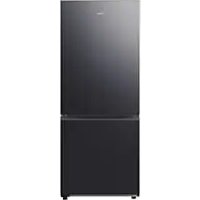
RB50DG602EB1 - Fridge SAMSUNG - Free user manual and instructions
Find the device manual for free RB50DG602EB1 SAMSUNG in PDF.



Frequently Asked Questions - RB50DG602EB1 SAMSUNG
Download the instructions for your Fridge in PDF format for free! Find your manual RB50DG602EB1 - SAMSUNG and take your electronic device back in hand. On this page are published all the documents necessary for the use of your device. RB50DG602EB1 by SAMSUNG.
USER MANUAL RB50DG602EB1 SAMSUNG
- In order to save valuable resources, we are reducing paper manuals and providing electronic user manuals that you can check on your smartphone or a website.
- For the instructions of how to use the product, please refer to the user manuals provided as QR code or the Samsung Electronics’ website (http:/www.samsung.com/sec/).
- For more information about the following things, visit the Samsung website (http://www.samsung.com), go to the Support section, and then search your model name. - How to minimize the energy consumption, additional tips for proper usage, operations, maintenance, refrigerator type, specifications (dimensions). Viewing the user manuals
1. Launch a QR code reader app and then scan the QR image attached to the product.
2. Select a menu from the product registration, viewing the manuals, or connecting a service. When you
select a manual, you can view the manual of your purchased product. Simple_BMF_RB6000D_DA68-04780Q-01_EN.indd 1 2024-01-25 9:09:56Contents2 English Contents Safety information 3 Important safety precautions 4 Instructions about the WEEE 8 Safety Guide 8 Installation 10 Refrigerator at a glance 10 Clearance 11 Step-by-step installation 12 Operations 14 SmartThings 14 Maintenance 16 Cleaning 16
- R-600a or R-134a is used as a refrigerant. Check the compressor label on the rear of the appliance or the rating label inside the fridge to see which refrigerant is used for your appliance. When this product contains flammable gas (Refrigerant R-600a), contact your local authority in regard to safe disposal of this product.
- In order to avoid the creation of a flammable gas-air mixture if a leak in the refrigerating circuit occurs, the size of the room in which the appliance may be sited depends on the amount of refrigerant used.
- Never start up an appliance showing any signs of damage. If in doubt, consult your dealer. The room must be 1 m
in size for every 8 g of R-600a refrigerant inside the appliance.
- To avoid contamination of food, please respect the following instructions: – Opening the door for long periods can cause a significant increase of the temperature in the compartments of the appliance. – Clean regularly surfaces that can come in contact with food and accessible drainage systems. – Clean water tanks if they have not been used for 48 h; flush the water system connected to a water supply if water has not been drawn for 5 days. – Store raw meat and fish in suitable containers in the refrigerator, so that it is not in contact with or drip onto other food. Simple_BMF_RB6000D_DA68-04780Q-01_EN.indd 3 2024-01-25 9:09:56Safety information4 English – Two-star frozen-food compartments are suitable for storing pre-frozen food, storing or making icecream and making ice cubes. – One-, two- and three-star compartments are not suitable for the freezing of fresh food. – If the refrigerating appliance is left empty for long periods, switch off, defrost, clean, dry, and leave the door open to prevent mould developing within the appliance. Important safety precautions WARNING; Risk of fire / flammable materials WARNING
- When positioning the appliance, ensure the supply cord is not trapped or damaged.
- Do not locate multiple portable socket-outlets or portable power supplies at the rear of the appliance.
- Fill with potable water only.
- Connect to potable water supply only.
- Keep ventilation openings, in the appliance enclosure or in the built-in structure, clear of obstruction.
- Do not use mechanical devices or any other means to accelerate the defrosting process, other than those recommended by the manufacturer.
- Do not damage the refrigerant circuit.
- Do not use electrical appliances inside the food storage compartments of the appliance, unless they are of the type recommended by the manufacturer.
- This appliance is not intended for use by persons (including children) with reduced physical, sensory, or mental capabilities, or those who lack experience and knowledge, unless they have been given supervision or instruction concerning the use of the appliance by a person responsible for their safety. Simple_BMF_RB6000D_DA68-04780Q-01_EN.indd 4 2024-01-25 9:09:575Safety information English
- This appliance can be used by children aged from 8 years and above and persons with reduced physical, sensory or mental capabilities or lack of experience and knowledge if they have been given supervision or instruction concerning use of the appliance in a safe way and understand the hazards involved. Children shall not play with the appliance. Cleaning and user maintenance shall not be made by children without supervision. Children aged from 3 to 8 years are allowed to load and unload refrigerating appliances.
- If the supply cord is damaged, it must be replaced by the manufacturer, its service agent or similarly qualified persons in order to avoid a hazard.
- The socket must be easily accessible so that the appliance can be quickly disconnected from the supply in an emergency. – It must be outside the area of the rear of the appliance.
- Do not store explosive substances such as aerosol cans with a flammable propellant in this appliance.
- If the product is equipped with LED lamps, do not disassemble the Lamp Covers and LED lamps yourself. – Contact a Samsung service center. – Use only the LED Lamps provided by the manufacturer or its service agents.
- New hose-sets supplied with the appliance are to be used and old hose-sets should not be reused.
- Have the refrigerator’s water supply connected only to a potable water supply. To operate the ice maker properly, water pressure of 206-861 kPa (30-125 psi) is required.
- For the most efficient use of energy, please keep the all inner fittings such as baskets, drawers, shelves on the position supplied by manufacturer. Simple_BMF_RB6000D_DA68-04780Q-01_EN.indd 5 2024-01-25 9:09:57Safety information6 English
- To get the best energy efficiency of this product, please leave all shelves, drawers and baskets on their original position. This appliance is intended to be used in household and similar applications such as – staff kitchen areas in shops, offices and other working environments; – farm houses and by clients in hotels, motels and other residential type environments; – bed and breakfast type environments; – catering and similar non- retail applications. WARNING
- This appliance contains a small amount of isobutane refrigerant (R-600a), a natural gas with high environmental compatibility that is, however, also combustible. When transporting and installing the appliance, care should be taken to ensure that no parts of the refrigerating circuit are damaged.
- Do not keep volatile or flammable objects or substances (benzene, thinner, propane gas, alcohol, ether, LP gas, and other such products) in the refrigerator. – This refrigerator is for storing food only. – This may result in fire or explosion.
- Fill the water tank, ice tray and water cubes only with potable water (mineral water or purified water). – Do not fill the tank with tea, juice or sports drink, this may damage the refrigerator. Simple_BMF_RB6000D_DA68-04780Q-01_EN.indd 6 2024-01-25 9:09:577Safety information English
- R-600a or R-134a is used as a refrigerant. Check the compressor label on the rear of the appliance or the rating label inside the fridge to see which refrigerant is used for your refrigerator. If this refrigerator contains flammable gas (Refrigerant R-600a), contact your local authority in regard to safe disposal of this product.
- When disposing of this refrigerator, remove the door/ door seals and door latch so that small children or animals cannot become trapped inside. Children should be supervised to ensure that they do not play with the appliance. If trapped inside, a child may get hurt or suffocate to death. – If trapped inside, the child may become injury and suffocate to death.
- Cyclopentane is used in the insulation. The gases in the insulation material require a special disposal procedure. Please contact your local authorities in regard to the environmentally safe disposal of this product.
- The temperature of two star section (sections) or compartment (compartments) which have two star symbol ( ) is slightly higher than other freezer compartment (compartments). The two star section (sections) or compartment (compartments) is (are) based on the instruction and/or the condition as delivered. Simple_BMF_RB6000D_DA68-04780Q-01_EN.indd 7 2024-01-25 9:09:57Safety information8 English Instructions about the WEEE Correct Disposal of This Product (Waste Electrical & Electronic Equipment) (Applicable in countries with separate collection systems) This marking on the product, accessories or literature indicates that the product and its electronic accessories (e.g. charger, headset, USB cable) should not be disposed of with other household waste at the end of their working life. To prevent possible harm to the environment or human health from uncontrolled waste disposal, please separate these items from other types of waste and recycle them responsibly to promote the sustainable reuse of material resources. Household users should contact either the retailer where they purchased this product, or their local government office, for details of where and how they can take these items for environmentally safe recycling. Business users should contact their supplier and check the terms and conditions of the purchase contract. This product and its electronic accessories should not be mixed with other commercial wastes for disposal. For information on Samsung’s environmental commitments and product regulatory obligations, e.g. REACH, WEEE or Batteries, visit our sustainability page available via www.samsung.com (For products sold in European countries and in the UK only) Safety Guide
READING ALL INSTRUCTIONS BEFORE USE
The following safety guidelines are intended to prevent unforesoon risks or damage from unsafe or incorrect operation of the appliance. The guidelines are separeted into ‘WARNING’ and ‘CAUTION’ as described below. Safety Messages This symbol is displayed to indicate matters and operations that can cause risk. Read the part with this symbol carefully and follow the instructions in order to avoid risk. WARNING This indicates that the failure to follow the instructions can cause serious injury or death. CAUTION This indicates that the failure to follow the instructions can cause the minor injury or damage to the product. WARNING To reduce the risk of explosion, fire, death, electric shock, injury or scalding to persons when using this product, follow basic precautions, including the folloing: Installation
- This appliance should only be transported by two or more people holding the appliance securely.
- Install the appliance on a firm and level floor.
- Do not install the appliance in a damp and dusty place. Do nit install or store the appliance in any outdoor area, or any area that is subject to weathering conditions such as direct sunlight, wind, rain, or temperatures below freezing.
- Do not place the appliance in direct sunlight or expose it to the heat from heating appliances such as stoves or heaters.
- Be careful not to expose the rear of the appliance when installing.
- Install the appliance in a place where it is easy to unplug the power plug of the appliance.
- Be careful not to let the appliance door fall during assembly or disassembly. Simple_BMF_RB6000D_DA68-04780Q-01_EN.indd 8 2024-01-25 9:09:589Safety information English
- Be careful not to pinch, crush, or damage the power cable during assembly or disassembly of the appliance door.
- Be careful not to point the power plug up or let the appliance lean against the power plug.
- Do not connect a plug adapter or other accessories to the power plug.
- Do not modify or extend the power cable.
- Ensure that the outlet socker is properly grounded, and that the earth pin on the power cord is not damaged or removed from the power plug. Fore more details on grounding, inquire at the Samsung Electronics service center.
- This appliance is equipped with a power cord having an equipment-grounding conductro and a grounding power plug. The power plug must be plugged into an appropriate outlet socket that is installed and grounded in accordance with all local codes and ordinances.
- Never start up an appliance showing any signs of damage. If in doubt, consult your dealer.
- Do no plug the appliance into a multi socket adapter which does not have a power cable (mounted).
- The appliance should be connected to a dedicated power line which is separetely fused.
- Do not use a multi socker outlet which is not properly grounded (portable). In case of using a properly-gounded multi socket outlet (portable), use the multi socket outlet with the current capacity of the power cord rating or higher and use the multi socker outlet only for the appliance.
- Dispose of all packaging materials (such as plastick bags and styroform) away from children. The packaging materials can cause suffocation. Operation
- Be careful of nearby children when you open or close the appliance door, The door may bump the child and cause injury.
- Avoid the danger of children getting trapped inside the appliance. A child trapped inside the appliance can cause suffocation. CAUTION To reduce the risk of minor injury to persons, malfunction, or damage to the product or preperty when using this product, follow basic precaution, including the folowing: Operation
- Do not touch frozen food or the metal parts in the freezer comparment with wet or damp hands. It may cause frostbite.
- Do not place glass containers, bottles or cans (especially those containing carbonated drinks) in the freezer compartment, shelves or ice bin that will be exposed to temperatures below freezing,
- The tempered glass on the front side of the applicance door or the selves can be damaged by an impact. If it is broken. Do not touch it with hands.
- Do not hang from the appliance doors, storage room, shelf or climb up into it.
- Do not store an excessive amount of water bottles or containers for side dishes on the door baskets.
- Do not open or close the appliance door with excessive force.
- If the hinge of the appliance door is damaged or operates improperly, stop using the appliance and contact an authorized service centre.
- Prevent animals from nibbling on the power cable or water hose.
- Never eat frozen foods immediately after they have been taken out in the freezer compartment.
- Make sure not to get a hand or foot stuck upon opening or closing the appliance door or door in door. Maintenance
- Do not clean glass shelves or covers with warm water when they are cold. They my shatter if exposed to sudden temperature changes.
- Do not insert the shelves upside down. The shelves may fall.
- To remove frost from the appliance, contact the Samsung Electronics service center.
- Dispose of the ice inside the ice bin in the freezer compartment during an extended power outage. Simple_BMF_RB6000D_DA68-04780Q-01_EN.indd 9 2024-01-25 9:09:58Installation10 English Installation Refrigerator at a glance The actual refrigerator and provided component parts of your refrigerator may differ from the illustrations in this manual, depending on the model and the country. Normal type Dispenser type
- applicable models only ** dispenser type models only NOTE
- For best energy efficiency, make sure all of shelves, drawers, and baskets are placed in their original position.
- To get more space, you can remove all the drawers and locate the ‘Freezer Shelf (applicable models only)’ on the bottom drawer in freezer, since it does not affect thermal and mechanical characteristics. A declared storage volume of frozen food storage compartment is calculated with these drawers removed. Simple_BMF_RB6000D_DA68-04780Q-01_EN.indd 10 2024-01-25 9:09:5911Installation English Clearance See the following figures and tables for installation space requirements.
Model RB45** RB50** RB53** Depth “A” 711 Width “B” 759 Overall Height “C”
(unit : mm) NOTE The measurements in the table above may differ slightly from the actual measurements, depending on the measuring and rounding method. Simple_BMF_RB6000D_DA68-04780Q-01_EN.indd 11 2024-01-25 9:09:59Installation12 English Step-by-step installation STEP 1 Spacing (applicable models only) NOTE The number of provided spacers varies on the model. Attach all the provided spacers.
1. Open the door and locate the provided spacer
2. Unpack the spacer and attach it to the rear
of the refrigerator as shown. They help ventilate air to the rear wall and save power consumption. STEP 2 Door bins Your refrigerator ships with door bins of different types and sizes. If the door bins for your refrigerator were packaged separately, assemble them in the correct position according to the figure. NOTE The actual refrigerator and provided component parts of your refrigerator may differ from the illustrations in this manual, depending on the model and the country. Simple_BMF_RB6000D_DA68-04780Q-01_EN.indd 12 2024-01-25 9:09:5913Installation English STEP 3 Adjust the levelling legs CAUTION
- The refrigerator must be levelled on a flat, solid floor. Failing to do so can cause damage to the refrigerator or physical injury.
- Levelling must be performed with an empty refrigerator. Make sure no food items remain inside the refrigerator.
- For safety reasons, adjust the front side a little higher than the rear side. The refrigerator can be levelled using the front legs that have a special screw (leveller) for levelling purposes. Use a flat-head screwdriver for levelling. To adjust the height of the left side: Insert a flat-head screwdriver into the leveller of the front left leg. Turn the leveller clockwise to raise, or turn it anticlockwise to lower. To adjust the height of the right side: Insert a flat-head screwdriver into the leveller of the front right leg. Turn the leveller clockwise to raise, or turn it anticlockwise to lower. Simple_BMF_RB6000D_DA68-04780Q-01_EN.indd 13 2024-01-25 9:10:00Operations14 English Operations SmartThings Installation Visit the Google Play Store, Galaxy Apps, or Apple App Store and search for “SmartThings”. Download and install the SmartThings app provided by Samsung Electronics to your smart device. NOTE
- The supporting software version of the SmartThings app is subject to change according to the OS supporting policy the manufacturer provides. In addition, as for the SmartThings app or the functions that the app supports, the new application update policy on the existing OS version can be suspended due to usability or security reasons.
- The SmartThings app is subject to change without notice to improve usability or performance. As the mobile phone OS version is updated every year, the SmartThings is also updated continually according to the latest OS. If you have enquiries regarding the items mentioned above, please contact us on st.service@samsung.com
- Recommended encryption systems include WPA/TKIP and WPA2/AES. Any newer or non-standard Wi-Fi authentication protocols are not supported.
- Wireless networks may be affected by the surrounding wireless communication environment.
- If your Internet service provider has registered the MAC address of your PC or modem for identification, your Samsung Smart Refrigerator may fail to connect to the Internet. If this happens, contact your Internet service provider for technical assistance.
- The firewall settings of your network system may prevent your Samsung Smart Refrigerator from accessing the Internet. Contact your Internet service provider for technical assistance. If this symptom continues, contact a local Samsung service center or retailer.
- To configure the wireless access point (AP) settings, see the user manual of the AP (router).
- Samsung Smart Refrigerators support both Wi-Fi 2.4 GHz with IEEE 802.11 b/g/n and Soft-AP protocols. (IEEE 802.11 n is recommended.)
- Unauthorized Wi-Fi wireless routers may fail to connect to applicable Samsung Smart Refrigerators. Simple_BMF_RB6000D_DA68-04780Q-01_EN.indd 14 2024-01-25 9:10:0015Operations English Samsung account You are required to register your Samsung account to use the app. If you don’t have a Samsung account, follow the app’s onscreen instructions to create a free Samsung account. Getting started Turn on the device you want to connect, open the SmartThings app on your phone, and then follow the instructions below. If a pop-up appears saying that a new device has been found, tap ADD NOW. If a pop-up doesn’t appear, tap the + button, and then select the device you want to connect from the list of available devices. If your device isn’t in the list of available devices, tap Supported Devices, select the device type (Refrigerator), and then select the specific device model. Follow the instructions in the app to set up your device. Once setup is complete, your refrigerator will appear as a “card” on your Devices screen. Refrigerator app Integrated control You can monitor and control your refrigerator at home and on the go.
- Tap the refrigerator icon on the SmartThings Dashboard or tap the Devices icon at the bottom of the Dashboard, and then tap the refrigerator “card” to open the Refrigerator page.
- Check the operation status or notifications related to your refrigerator, and then change options or settings if necessary. NOTE Some options or settings of the refrigerator may not be available for remote control. Simple_BMF_RB6000D_DA68-04780Q-01_EN.indd 15 2024-01-25 9:10:00Maintenance16 English Maintenance Cleaning Interior and exterior WARNING
- Do not use benzene, thinner, home/car detergent, or Clorox™ to clean the refrigerator. They may damage the surface of the refrigerator and cause a fire.
- Do not spray water onto the refrigerator. This may cause electric shock. Regularly use a dry cloth to remove all foreign substances such as dust or water from the power plug terminals and contact points.
towel to clean the refrigerator’s interior and exterior.
3. When done, use a dry cloth or paper towel to
4. Plug in the power cord.
Rubber seals If the rubber seals of a door become dirty, the door may not close properly and reducing refrigerator performance and efficiency. Use a mild detergent and damp cloth to clean the rubber seals. Then, dry well with a cloth. Rear panel To keep cords and exposed parts of the rear panel free of dirt, vacuum the panel once or twice a year. CAUTION Do not remove the rear panel cover. Electric shock may occur. LED Lamps To replace the lamps of the refrigerator, contact a local Samsung service center. WARNING The lamps are not user-serviceable. Do not attempt to replace a lamp yourself. This can cause electric shock. Lamp (Light Source) This product contains a light source of energy efficiency class <G>. The lamp(s) and/or control gear(s) are not user- serviceable. To replace the lamp(s) and/or control gear(s) in the product, contact a local Samsung service centre. For detailed instructions on replacing lamp(s) or control gear(s) in your product, visit the Samsung website (http://www.samsung.com), go to Support > Support home, and then enter the model name. For detailed instructions on dismantling lamp(s) and/or control gear(s), simply follow the replacement instruction reached as described above. Open Source Announcement The software included in this product contains open source software. You may obtain the complete corresponding source code for a period of three years after the last shipment of this product by contacting our support team via http:// opensource.samsung.com (Please use the “Inquiry” menu.) It is also possible to obtain the complete corresponding source code in a physical medium such as a CD-ROM; a minimal charge will be required. The following URL http://opensource.samsung. com/opensource/COMMON_TZ6_0/seq/0 leads to the open source license information as related to this product. This offer is valid to anyone in receipt of this information. Simple_BMF_RB6000D_DA68-04780Q-01_EN.indd 16 2024-01-25 9:10:0017Appendix English Appendix Safety Instruction
- For the most efficient use of energy, please keep the all inner fittings such as baskets, drawers, shelves and ice cube tray on the position supplied by manufacturer.
- This refrigerating appliance is not intended to be used as a built-in appliance. Install Instruction For refrigerating appliances with climate class Depending on the climate class, This refrigerating appliance is intended to be used at ambient temperatures range as specified following table. The climate class can be found on the rating plate. The product may not operate properly at temperatures outside of the specific range. You can find climate class on label inside of your refrigerator Effective temperature range The refrigerator is designed to operate normally in the temperature range specified by its class rating. Class Symbol Ambient Temperature range (°C)
IEC 62552 (ISO 15502) ISO 8561
Extended Temperate SN +10 to +32 +10 to +32 Temperate N +16 to +32 +16 to +32 Subtropical ST +16 to +38 +18 to +38 Tropical T +16 to +43 +18 to +43 NOTE The cooling performance and power consumption of the refrigerator may be affected by the ambient temperature, the door-opening frequency, and the location of the refrigerator. We recommend adjusting the temperature settings as appropriate. Temperature Instruction Recommended Temperature The optimal temperature setting for food storage:
- Freezer: -19 °C NOTE The optimal temperature setting of each compartment depends on the ambient temperature. Above optimal temperature is based on the ambient temperature of 25 °C. Simple_BMF_RB6000D_DA68-04780Q-01_EN.indd 17 2024-01-25 9:10:00Appendix18 English Power Cool Power Cool speeds up the cooling process at maximum fan speed. The fridge keeps running at full speed for two and a half hours and then returns to the previous temperature. Power Freeze Power Freeze speeds up the freezing process at maximum fan speed. The freezer keeps running at full speed for 50 hours and then returns to the previous temperature. To freeze large amounts of food, activate Power Freeze for at least 20 hours before putting food in the freezer. NOTE When you use this function the energy consumption of the refrigerator will increase. Remember to turn it off when you don’t need it and return the freezer to your original temperature setting. How to store for best preservation (applicable models only) Cover foods to retain moisture and prevent them from picking up odors from other foods. A large pot of food like soup or stew should be divided into small portions and put in shallow containers before being refrigerated. A large cut of meat or whole poultry should be divided into smaller pieces or placed in shallow containers before refrigerating. Placement of Foods Shelves Shelves should be adjustable to accommodate a variety of packages. Specialized compartment (applicable models only) Sealed crisper drawers provide an optimal storage environment for fruits and vegetables. Vegetables require higher humidity conditions while fruits require lower humidity conditions. Crispers are equipped with controls devices to control the humidity level. (*Depending on model and options) An adjustable temperature meat drawer maximizes the storage time of meats and cheeses. Stored on the door Don’t store perishable foods in the door. Eggs should be stored in the carton on a shelf. The temperature of the storage bins in the door fluctuate more than the temperature in the cabinet. Keep the door closed as much as possible. Freezer Compartment You can store frozen food, make ice cubes and freeze fresh food in the freezer compartment. NOTE Freeze fresh, undamaged food only. Keep food which is to be frozen away from food which is already frozen. To prevent food from losing its flavour or drying out, place in airtight containers. Simple_BMF_RB6000D_DA68-04780Q-01_EN.indd 18 2024-01-25 9:10:0119Appendix English Refrigerator & Freezer Storage Chart The freshness longevity depends on temperature and exposure to moisture. Since product dates aren’t a guide for safe use of a product, consult this chart and follow these tips. Product Refrigerator Freezer Milk products Milk 1 week 1 month Butter 2 weeks 12 months Cream cheese 2 weeks Not recommended Meat Fresh roasts, steaks, chops 3-4 days 2-3 months Sausage, Raw from pork, beef, turkey 1-2 days 1-2 months Poultry / Eggs Fresh poultry 2 days 6-8 months Eggs, Fresh in shell 2-4 weeks Not recommended Fish / Seafood Fresh fish 1-2 days 3-6 months Dried or pickled fish 3-4 weeks - Fruits Apples 1 month - Other fresh fruit 3-5 days 9-12 months Vegetables Asparagus 2-3 days - Broccoli, Brussels sprouts, green peas, mushrooms 3-5 days - Cabbage, cauliflower, celery, cucumbers, lettuce 1 week - Carrots, beets, radishes 2 weeks - Information for model and ordering spare parts Model information To access energy labelling information about this product on the European Product Registry for Energy Labelling (EPREL), scan QR-Code on the energy label. You can find QR-Code on the energy label in your product box. Part information
- The minimum period during which spare parts, necessary for the repair of the appliance, are available - 7 Years thermostats, temperature sensors, printed circuit boards and light sources, door handles, door hinges, trays, baskets (boxes or drawers) - 10 Years door gaskets
- The minimum duration of the guarantee of the refrigerating appliance offered by the manufacturer 24 Months.
- Relevant information for ordering spare parts, directly or through other channels provided by the manufacturer, importer or authorized representative
- You can find professional repair information on http://samsung.com/support. You can find user servicing manual on http://samsung.com/support. Simple_BMF_RB6000D_DA68-04780Q-01_EN.indd 19 2024-01-25 9:10:01NOTE Hereby, Samsung declares that this radio equipment is in compliance with Directive 2014/53/EU and with the relevant statutory requirements in the UK. The full text of the EU declaration of conformity and the UK declaration of conformity is available at the following internet address: The official Declaration of conformity may be found at http://www.samsung. com, go to Support > Search Product Support and enter the model name. Frequency range Transmitter power (Max) Wi-Fi 2412 - 2472 MHz 20 dBm Bluetooth 2402 - 2480 MHz 20 dBm Contact SAMSUNG WORLD WIDE If you have any questions or comments relating to Samsung products, please contact the SAMSUNG customer care centre. Country Contact Center Website FRANCE 01 48 63 00 00 www.samsung.com/fr/support GERMANY 06196 77 555 77 www.samsung.com/de/support LUXEMBURG 261 03 710 www.samsung.com/be_fr/support NETHERLANDS 088 90 90 100 www.samsung.com/nl/support