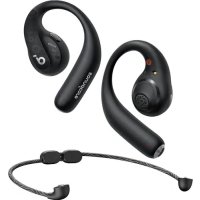
AeroFit Pro - Earphones soundcore - Free user manual and instructions
Find the device manual for free AeroFit Pro soundcore in PDF.



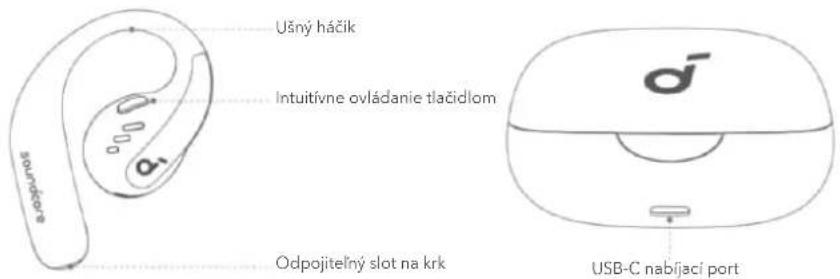
| Product Type | Open earphones with ear hooks and detachable neckband |
| Brand | Soundcore |
| Model | AeroFit Pro (A3871) |
| Bluetooth Version | 5.3 |
| Bluetooth Range | 10 m (33 ft) |
| Supported Audio Codec | LDAC (Android 8.0+) |
| Driver | 16.2 mm dynamic |
| Frequency Response | 20 Hz – 20 kHz |
| Impedance | 13.5 Ω |
| Maximum Volume | 89 dB |
| Battery Capacity (earphones) | 105 mAh × 2 |
| Battery Capacity (charging case) | 750 mAh |
| Charging Time (earphones) | 1 hour |
| Charging Time (charging case) | 2 hours |
| Charging Input | 5 V ⎓ 1.2 A |
| Charging Output (charging case) | 5 V ⎓ 0.5 A (0.25 A per port) |
| Water Resistance Rating (earphones) | IPX5 |
| Battery Life (earphones) | Approximately 14 hours (depending on usage) |
| Total Battery Life with Charging Case | Approximately 46 hours (depending on usage) |
| Weight (earphones) | Approximately 10 g each |
| Weight (charging case) | Approximately 50 g |
| Key Features | Spatial audio, LDAC, dual connection, touch controls, detachable neckband for sports |
| Maintenance and Cleaning | Dry completely before charging; clean with a soft, dry cloth |
| Safety | Use the recommended charger; do not expose to excessive moisture |
| Replacement Parts and Repairability | The earphones are not user-serviceable; contact Soundcore support |
Frequently Asked Questions - AeroFit Pro soundcore
User questions about AeroFit Pro soundcore
0 question about this device. Answer the ones you know or ask your own.
Ask a new question about this device
Download the instructions for your Earphones in PDF format for free! Find your manual AeroFit Pro - soundcore and take your electronic device back in hand. On this page are published all the documents necessary for the use of your device. AeroFit Pro by soundcore.
USER MANUAL AeroFit Pro soundcore
soundcore AeroFit Pro User Guide (A3871)
APP
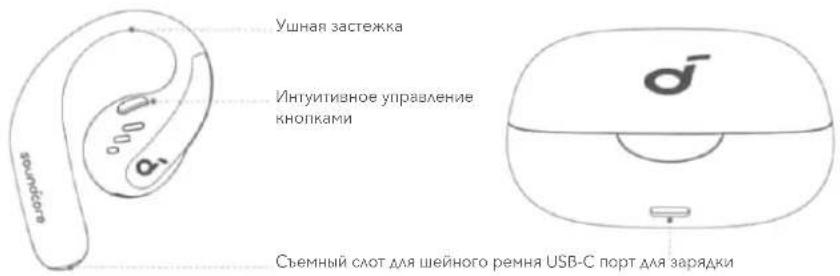
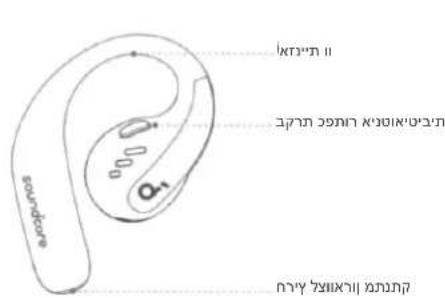
OVERVIEW
WEARING
CHARGING
POWERING ON & OFF
PAIRING
DUAL CONNECTIONS
BUTTON CONTROLS
LDAC
FIRMAWARE UPDATE
RESET
SPECS
APP

soundcore

Google Play and the Google Play乐园 are indebted to Google Inc.

Apple and the Apple logo are trademarks of

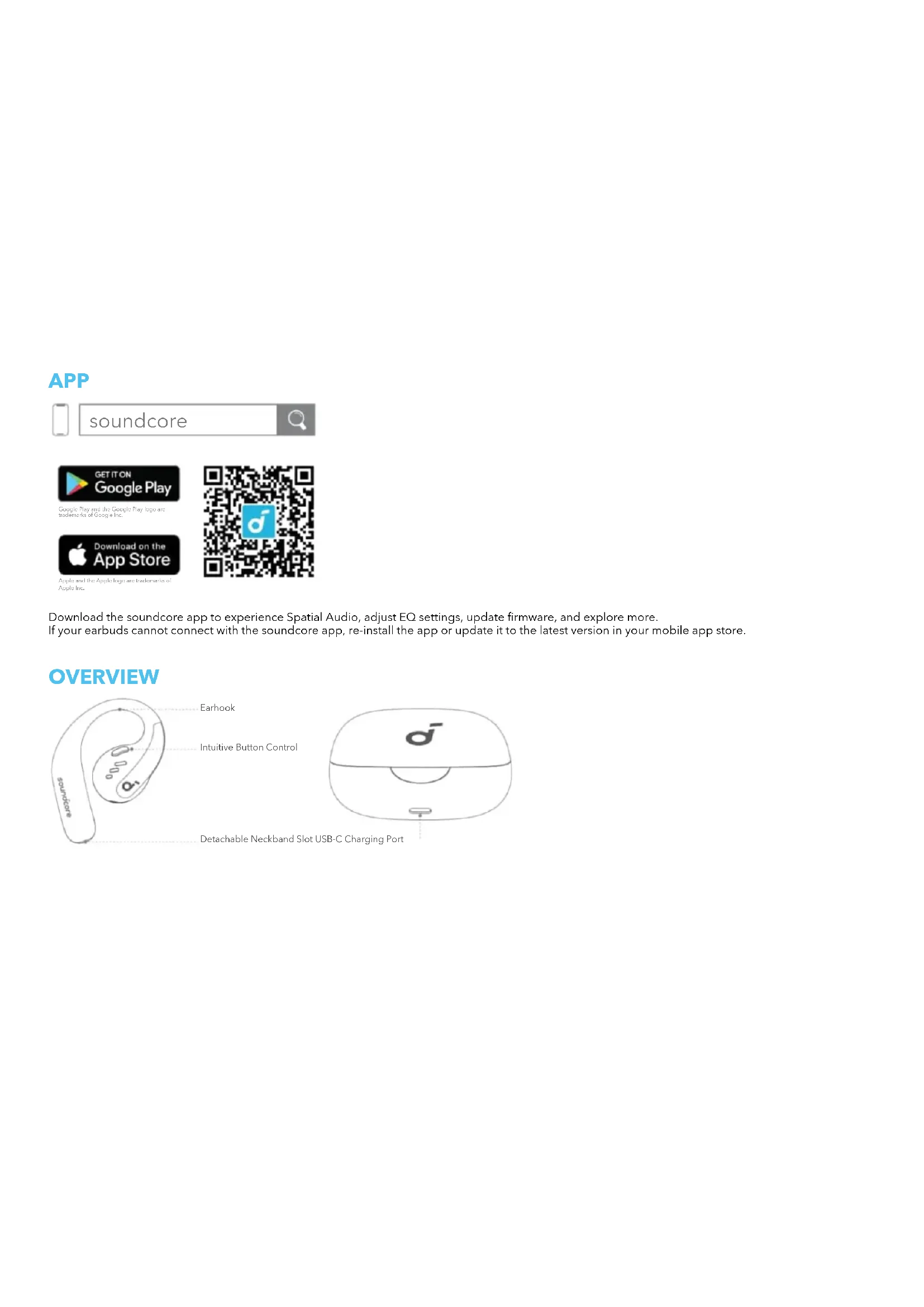
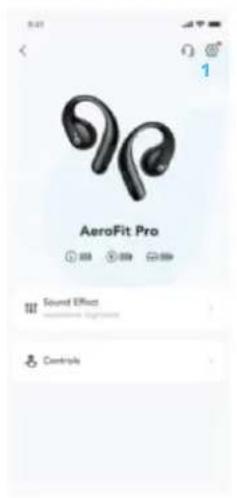
Download the soundcore app to experience Spatial Audio, adjust EQ settings, update firmware, and explore more. If your earbuds cannot connect with the soundcore app, re-install the app or update it to the latest version in your mobile app store.
OVERVIEW
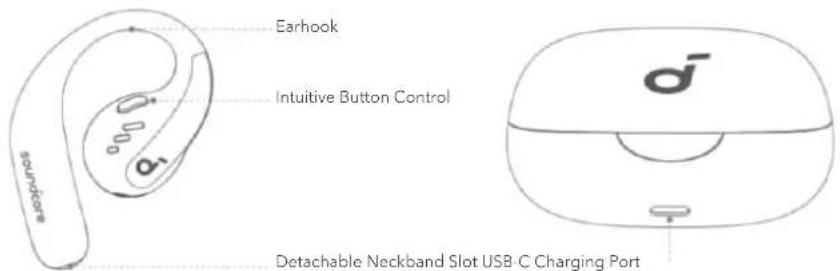
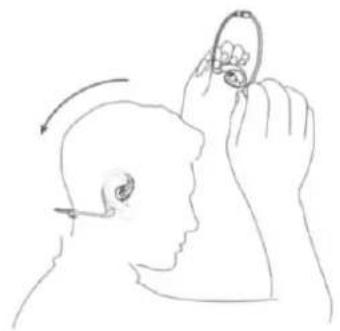
WEARING
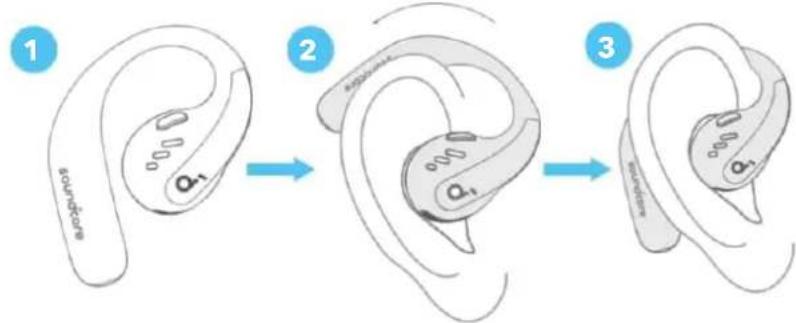
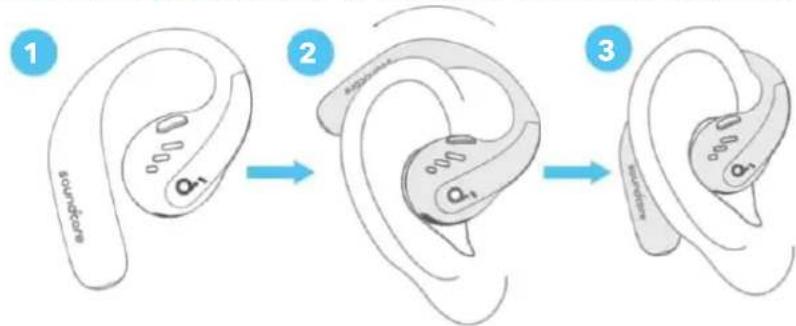
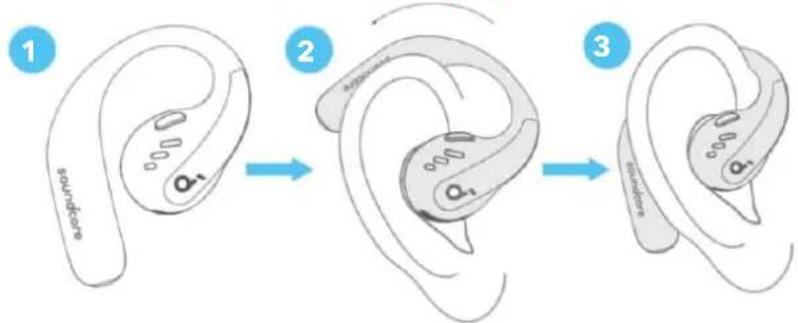
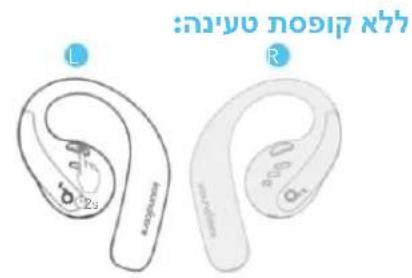
Without Detachable Neckband (Daily Use):
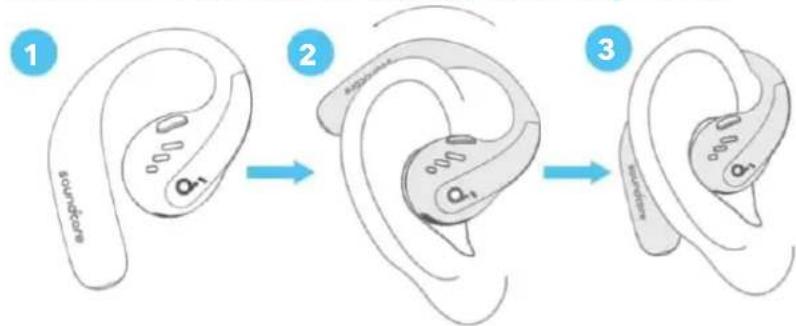
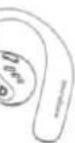
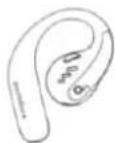
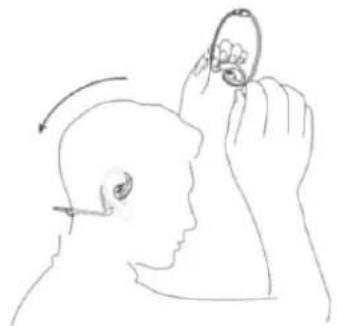
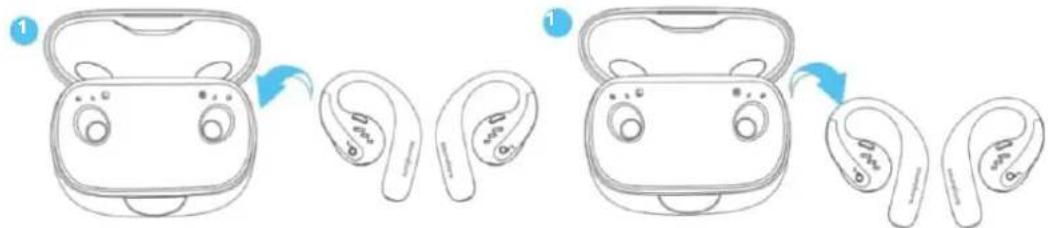
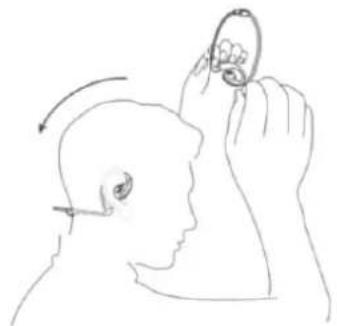
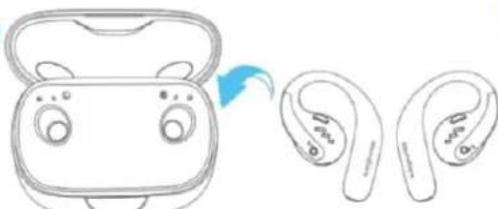
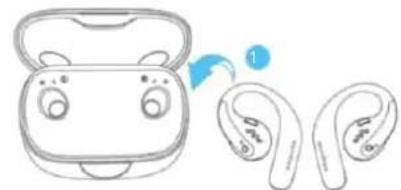
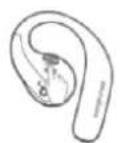
Pick up the earbuds from the charging case, then rotate the earhoks along the auricles of your ears to achieve proper positioning.
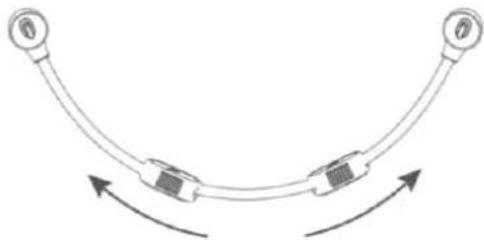
With Detachable Neckband (During Workout):
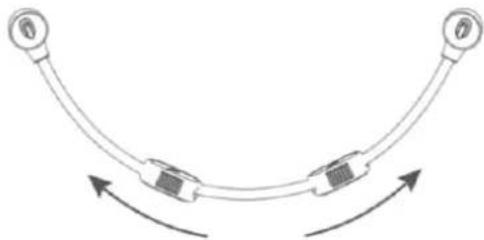
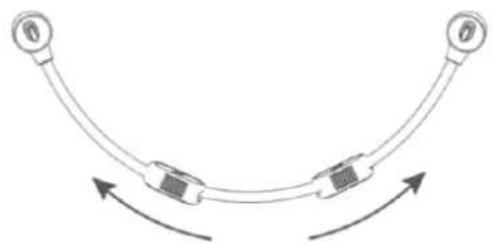
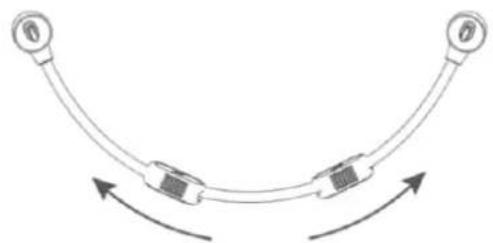
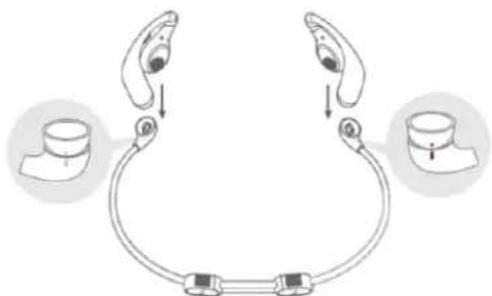
- Adjust the detachable neckband to an appropriate length.
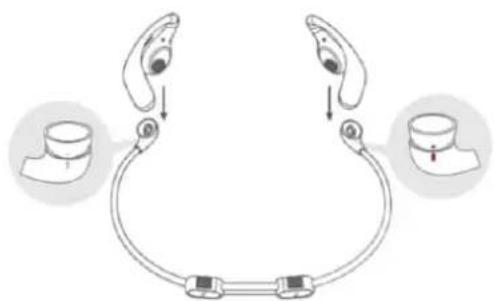
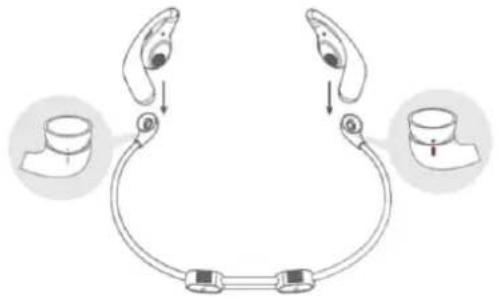
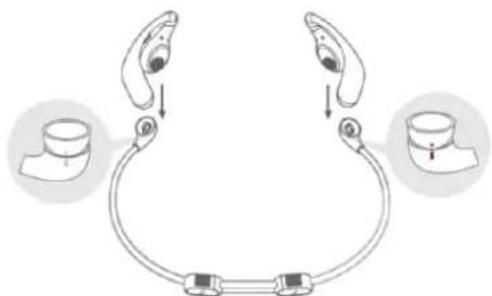
- Snap the earbuds onto the detachable neckband. Make sure the orientation is correct by aligning the marks on the earbuds and detachable neckband.
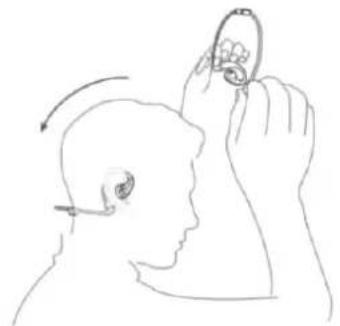
- Put on the detachable neckband behind your neck, and position the earhooks on your ears.
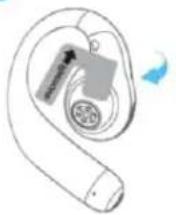
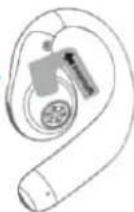
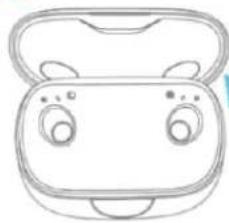
CHARGING
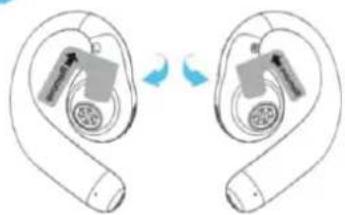
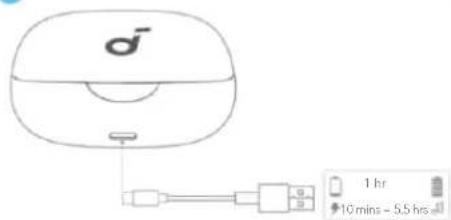
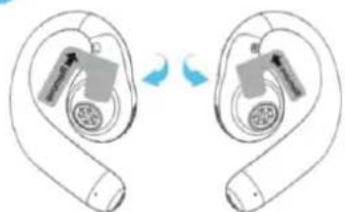
Remember to tear off the insulation stickers on the earbuds before first use.
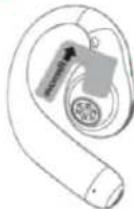
1

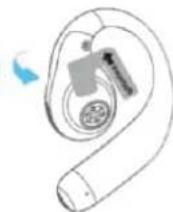
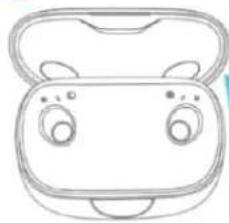
2
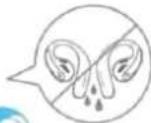
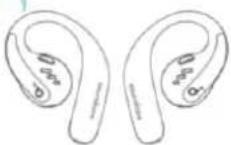
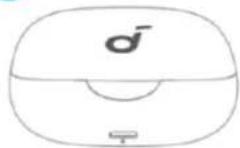
3
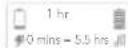
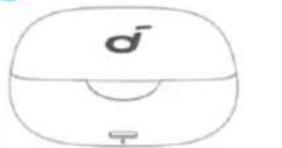
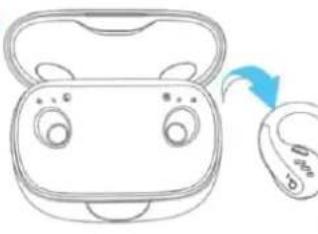
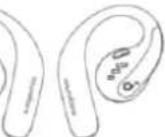
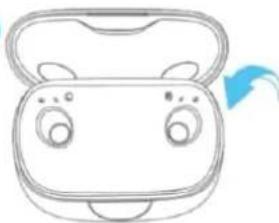
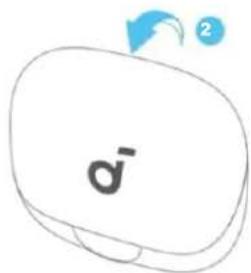
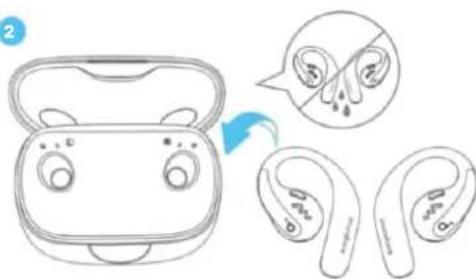
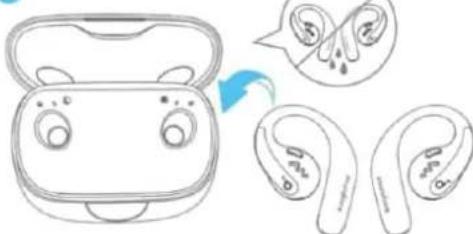
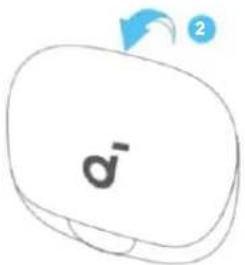
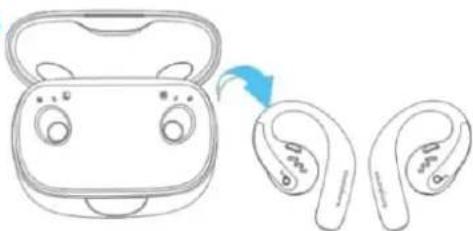
- Place the earbuds in the charging case and close it.
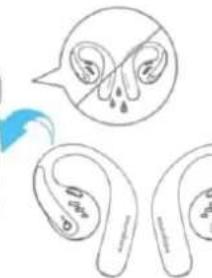
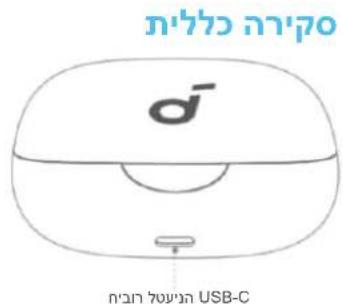
- Fully dry off the earbuds and the USB-C charging port before charging.
Low Battery Indication
Earbuds: You will hear a voice prompt of battery running low.
Charging case: The LED light strip glows in red.
POWERING ON & OFF
With the Charging Case:

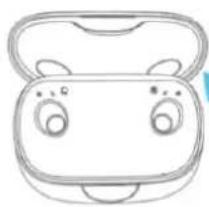
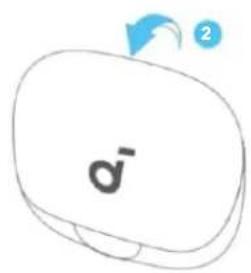
Press to open the charging case, the earbuds will automatically power on. To power off, return the earbuds to the charging case and close it.
Without the Charging Case:
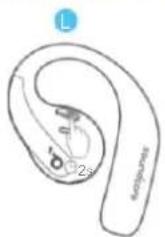
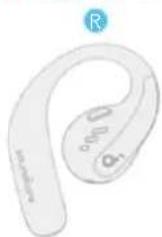
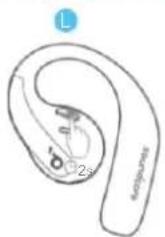
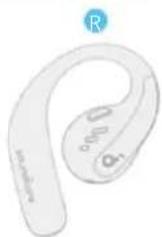
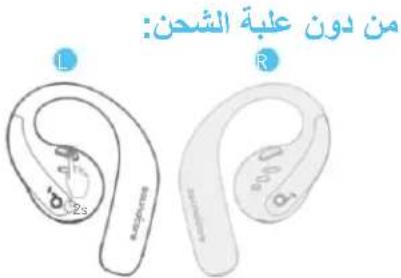
To power on a single earbud, press and hold the button of the corresponding earbud for 2 seconds. To power off both earbuds, press and hold the button of the left or right earbud for 2 seconds.
The earbuds will automatically power off after 30 minutes if they are not connected. The duration can be customized in the soundcore app.
PAIRING
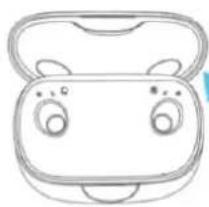
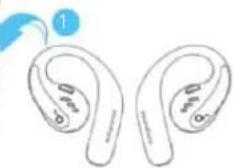
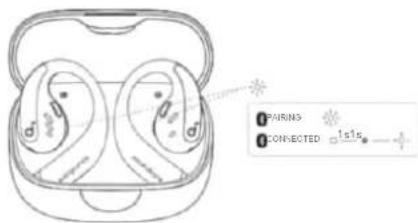
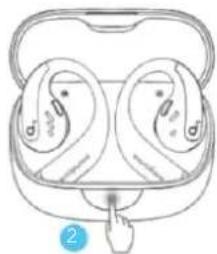
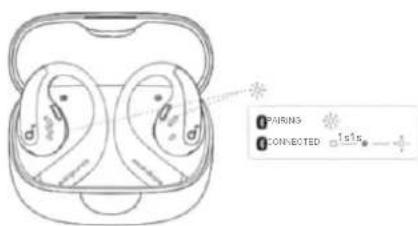
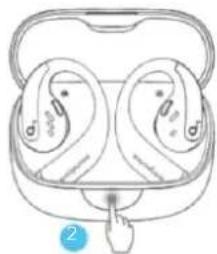
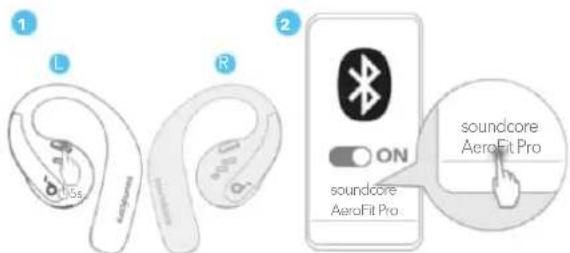
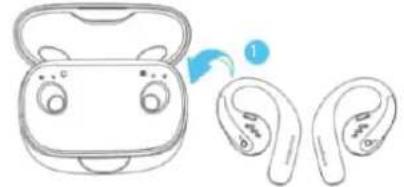
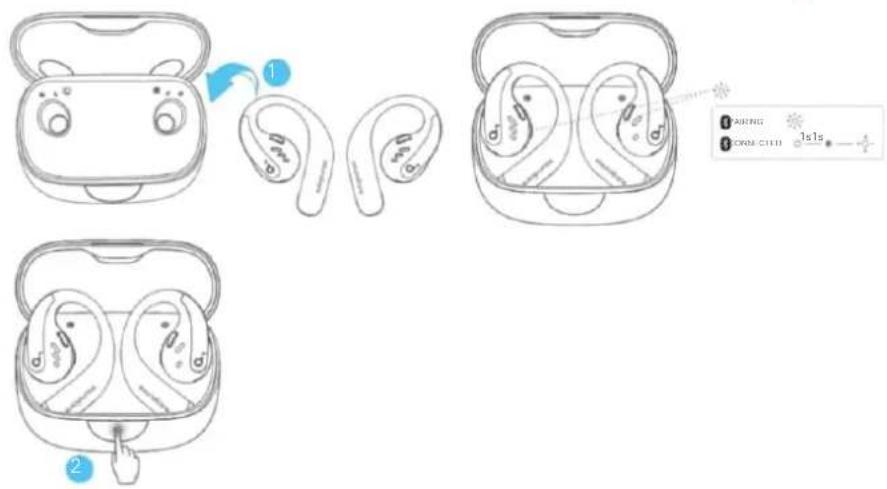
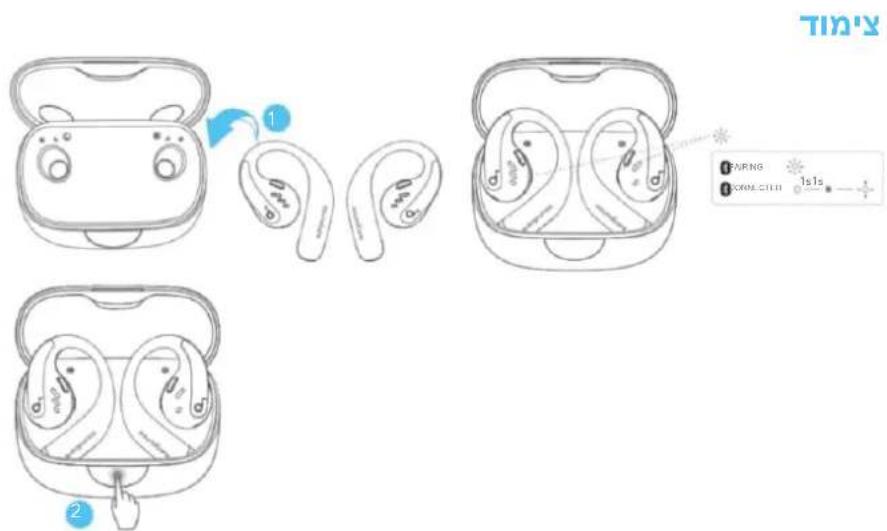
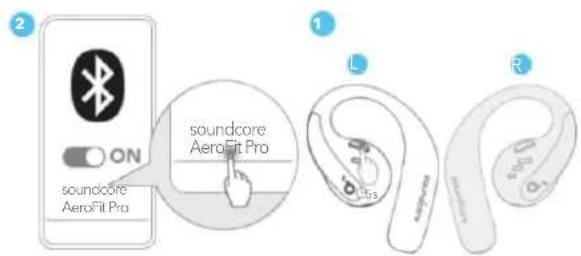
After removing the insulation stickers on the earbuds, return earbuds to the charging case, then press the button to activate Bluetooth pairing. Also, you can pair by closing and reopening the case lid once the earbuds are back in the case. The earbuds will automatically enter Bluetooth pairing mode when connecting for the first time. Select "soundcore AeroFit Pro" on your device's Bluetooth list to connect.
When pairing, the LED indicators inside the charging case will start flashing quickly. After the pairing is successful, the LED indicators inside the charging case will stay on for 1 second and go off. Then, they will start flashing slowly.
Once connected successfully, they'll automatically reconnect to your device every time you open the charging case, as long as you haven't deleted the pairing history from your device.
Manual Pairing
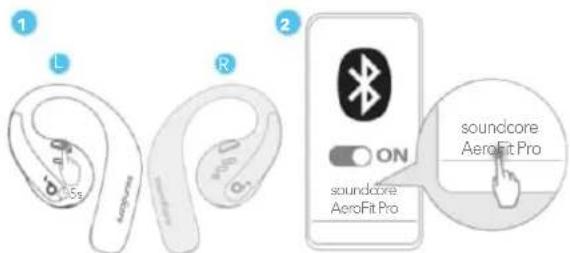
To connect to your device when the earbuds are turned off, press and hold the button on either earbud for 5 seconds to enter Bluetooth pairing mode.
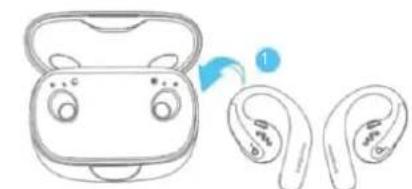

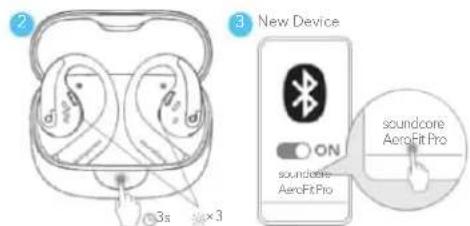
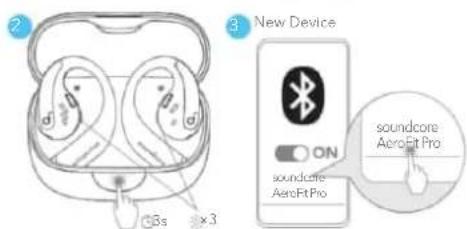
If you want to connect the earbuds to a new device in subsequent use, please follow the steps below:
1. Place the earbuds back into the charging case;
2. Press down the button on the charging case and hold for 3 seconds until the LED indicators inside the case flash three times;
3. Select "soundcore AeroFit Pro" on your new device's Bluetooth list to connect.
DUAL CONNECTIONS
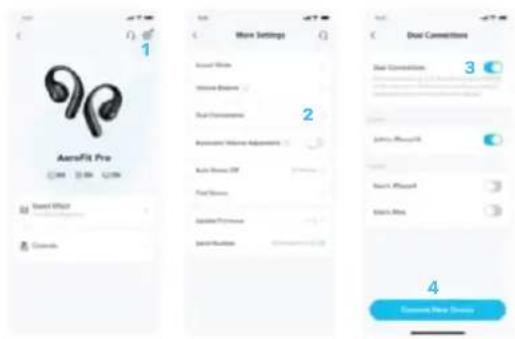
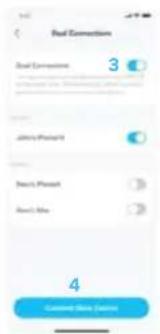
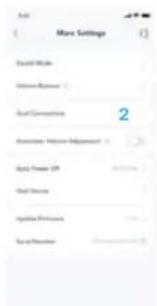
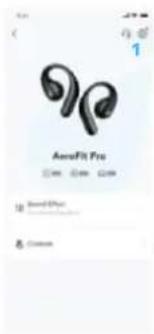
To connect the earbuds with two Bluetooth devices at the same time, open the soundcore app, go to settings and select Dual Connections > Enable Dual Connections > Connect New Device.
*This feature is turned off by default.
BUTTON CONTROLS
TWS
月
1
R>
2
1
x2
B
一、《方案》
1 + u7 = 70%
1
。
1,2,3 1,3,4 2,3,4 1,4,5 2,3,4 3,4 4,5
1
L/H
81
D
KOH
1
图
1
1
ON
B
m = 311
图1
1
⑥
OFF
m = 311
MONO
月
(2)
F
1
1x2
1
ON
C
1
A
OFF
| TWS mode | Mono mode | ||
| Play / Pause | Press twice (R) Press once | ||
| Previous track | / | / | |
| Next track | Press twice (L) Press twice | ||
| Volume up | Press once (R) / | ||
| Volume down | Press once (L) / | ||
| Answer a call | Press once (L/R) / | ||
| Hang up Press and hold | hold for 1 second (L/R) / | ||
| Reject a call Press and | hold for 1 second (L/R) | / | |
| Power on | L: Press and hold for 2 seconds R: Press and hold for 2 seconds | Press and hold for 2 seconds (L/R) | |
| Power off | Press and hold for 2 seconds (L/R) Press and hold for 2 seconds (L/R) | ||
LDAC
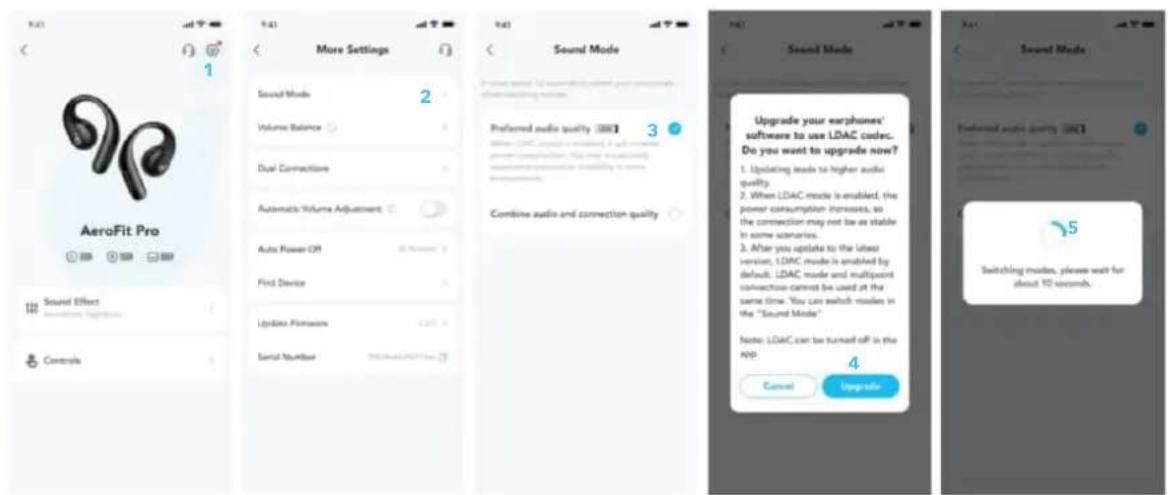
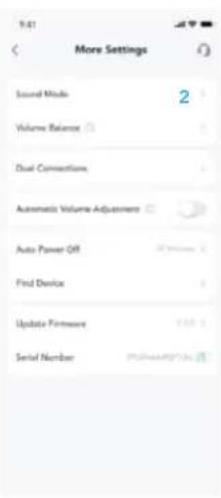
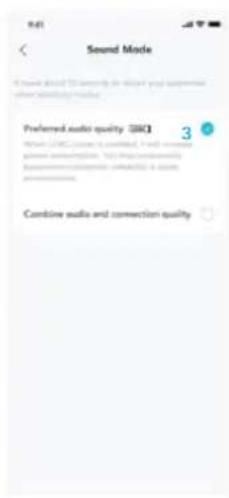
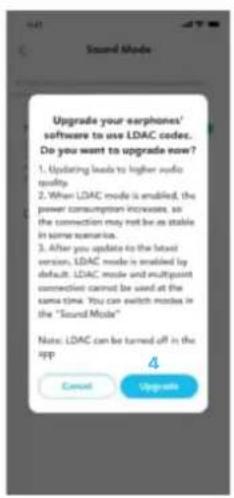
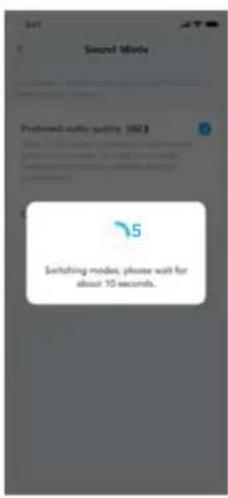
Enable LDAC in the soundcore app for higher-quality audio.
*Only available on devices powered by Android 8.0 or later.
FIRMWARE UPDATE
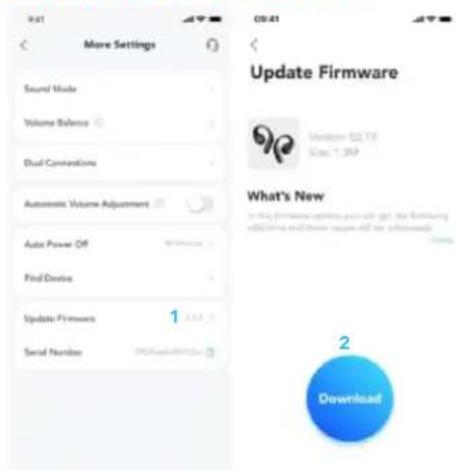
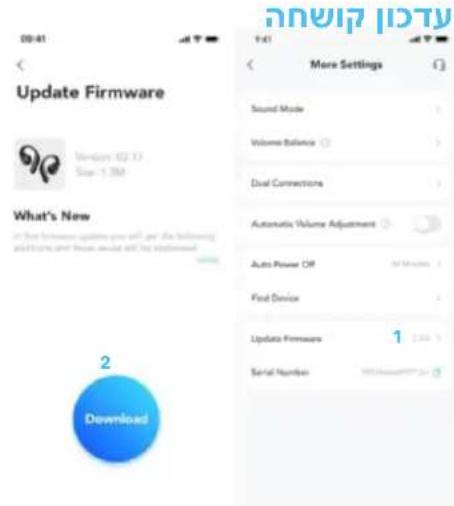
You will be informed once a new firmware version is detected when you connect the earbuds to the app. Ensure the earbuds are placed in the charging case and the case remains open until the firmware update is complete. During the update, ensure the earbuds are being charged and avoid any usage.
RESET
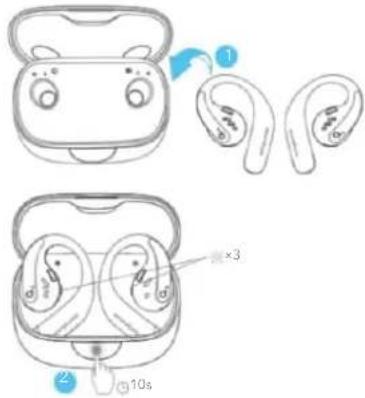
Reset if the earbuds have issues pairing with each other or with other devices.
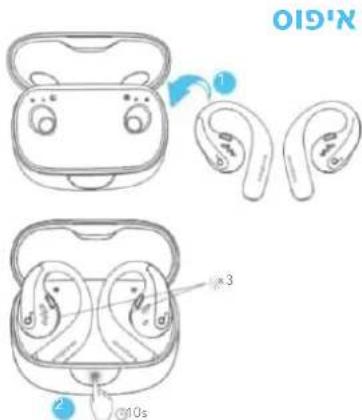
Delete the pairing history from your Bluetooth device first. Place the earbuds in the charging case and leave the case open. Press the charging case button all the way down and hold for 10 seconds until the LED indicators on the charging case flash three times.
SPECS
Specifications are subject to change without notice.
| Input 5V | \( = {1.2}\mathrm{\;A} \) |
| Output 5V | \( = {0.5}\mathrm{\;A}\left( {{0.25}\mathrm{\;A}\text{per port}}\right) \) |
| Battery capacity | 105mAh \( \times 2 \) (earbuds); 750mAh (charging case) |
| Charging time | 1 hour (earbuds); 2 hours (charging case) |
| Driver unit | 16.2mm dynamic driver |
| Frequency response \( {20}\mathrm{{Hz}} - {20}\mathrm{{kHz}} \) | |
| Impedance 13.5Ω | |
| Waterproof rating (earbuds) IPX5 | |
| Bluetooth version 5.3 | |
| Bluetooth range \( {10}\mathrm{\;m}/{33}\mathrm{{ft}} \) | |
| Maximum volume 89dB |
A3871 SGS Certification Mark

Performance Tested
Superelastic material
Aerospace grade titanium alloy material!
Google Playwall and the Google Playgram trademarks of Google Inc.

Apple and the Apple logo are trademarks of Apple Inc.

Google Playwall and the Google Playgram trademarks of Google Inc.

Apple and the Apple logo are trademarks of Apple Inc.

Download soundcore-appen for at opleve rumlig lyd, justere EQ-indstlinger, opdatere firmware og udforske mere. Hvis dine oretrelefoner icke kan oprette forbindelse til soundcore-appen, skal du geninstallere appen erler opdatere den til den nyeste version i din mobilenheds appstore.
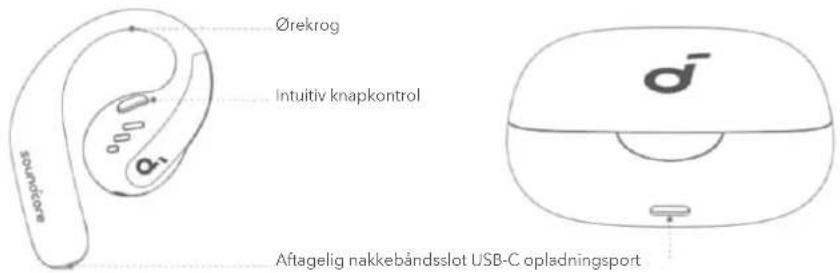
OVERBLIK
PLACERINGIØRET
Google Playwall and the Google Playmarket trademarks of Google Inc.

Apple and that Apple logo are trademarks of Apple Inc.

Apple and the Apple logo are trademarks of Apple Inc.

Katebdote nTv eapuoy soundcore ia va znoeTe Tnv eineipia Tou xwpikou hou,va npoapuoote Tc puoioeic 0ootaiotn,va evneepwote To uikooyko kai va eepuvnoe nepioootepa.
Eav ta akouotika aac dev unopov va ouvdeoov me tnv epapayn soundcore, enaveykataotntote tnveepoyn evnpoept n no npocpatn ekdoan oTo katdtnua epapuyov Tou kivtou theepovou ac.
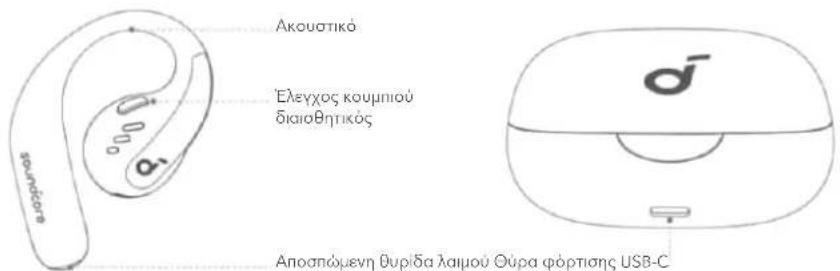
ENIISKONHsH
XPH2H
Xwpi gnawmevo stnpiya laipou (yia kaonepivxpon):
Znkwote Ta akouotika an To hkn opoptioc kal, otu ouvexieia, npiptpeyte ta yavzakia naov ota autid oc ia vntuxetoe wto tonoeton.
Me anoonwuevo otnpiyma laipou (otva kavete yuupvaotik):

Performance Tested
Superelastic material
Aerospace grade titanium alloy material
Google Playwall and the Google Playmarket trademarks of Google Inc.

Apple and that Apple logo are trademarks of Apple Inc.

m = 311
MONO
品
X
×2
1
ON
OFF
4s
MISE SOUS/HORS TENSION
APPAIRAGE
DOUBLE Connexion
BOUTONS DE COMMANDE
LDAC
MISE À JOUR DU MICROLOGICIEL
Réinitialisation
Specifications
APPLICATION

soundcore

Google Playwall and the Google Playmarket trademarks of Google Inc.

Apple and that Apple logo are trademarks of Apple Inc.

MISE SOUS/HORS TENSION
Marque de certification SGS A3871

Performance Tested
Superelastic material Aerospace grade titanium alloy material
Apple and that Apple logo are trademarks of Apple Inc.

Toltse le a soundcore alkalmazast a Spatial Audio megtapasztalasahoz, az EQ beallitasok modositasahoz, a firmware frissiteshez es meg Sok mas lehtoseg felfedezeshez.
m = 311
EC
12
/
/
ke
1 + u1 - 1 = ( 1 + u) u1 < 1 = u
1 + u1 - 1 = ( 1 + u) u1 < 1 = u
m = 311
m = 311
一
/
一
工
1
.
a
a
m = 311
-
Sa
n
1 + u7 = 70%
-
-
-
m = 311
一
π
一
11
1 + u1 - 1 = ( 1 + u) u1 < 1 = u
pono uzemmod
szer
szer
szer
1 + u7 = 70%
-
一
+
他
1
一
szer
szer
-
-
m = 311
一
szer
-
-
1
一
1 + u7 = 70%
-
一
+
他
- 实验原理
1
一
-
SZ
-
1 + u1 - 1 = ( 1 + u) u1 < 1 = u
1 + u7 = 70%
-
SZ
-
1 + u1 - 1 = ( 1 + u) u1 < 1 = u
1 + u7 = 70%
-
SZ
1 + u7 = 70%
- SZ
1 + u7 = 70%
1 + u7 = 70%
-
SZ
1 + u7 = 70%
SZ
- SZ
1 + u7 = 70%
SZ
SZ
1 + u7 = 70%
SZ
SZ
- SZ
1 + u7 = 70%
SZ
1 + u7 = 70%
SZ
1 + u7 = 70%
1 + u7 = 70%
SZ
SZ
-
SZ
SZ
- SZ
-
-
-
-
一
π
12x - 1 > 0
szer
LDAC
Google Playwall and the Google Playmarket trademarks of Google Inc.

Apple and that Apple logo are trademarks of Apple Inc.

m = 311
OFF
C
1/6
MONO
品
F
1
× 1 × 2
1
ON
VG
图
OFF
VS
12
F
Mo
Apple and the Appis logn are tradeaacks of Apple inc.

Google Playwall and the Google Playgram trademarks of Google Inc.

Apple and the Apple logo are trademarks of Apple Inc.

Google Playwall and the Google Playmarket trademarks of Google Inc.

Apple and that Apple logo are trademarks of Apple Inc.

m = 311
OFF
图
1/6
MONO
品
F
1
× 1 × 2
ON
6
V
A
L/P
R 02
图
⑤
X
1
2
Google Playwall and the Google Playgram trademarks of Google Inc.

Apple and the Apple logo are trademarks of Apple Inc.

m = 311
OFF
C
图
1/6
MONO
明
(2)
F
1×2
ON
√2
人
DFF
A
1
73
Google Playwall and the Google Playgram trademarks of Google Inc.

Apple and the Apple logo are trademarks of Apple Inc.

3arpynte npnloxehne soundcore, yTo6bl OuyTb npoctpaHCTBeHHoe aydno, n3MeHrTa HacTpOKn 3KbaAaIepa, o6HOBAtb BcTpoEHoe IO nCCAEoBaT b6oIbe yHKu.
Ean hayunkn He mory T noAIOHTbcra K npnloxehnIO soundcore, nepeyctahOBITE npnloxehne nn O6HOBInTe erO do nocAedHe Bercnn B maraAnHe Mo6nIbHbIX npnloxehn.
063OP
HOWEHNE
Bez 0rcoeHnreMo 0eHoro 06oDa (AJeEKeDHeBHO nCNoB3ObaHHa):
DocaHbTe HayuHKn 33apraHoro KeiCa, 3aTeM noBepHnTe HayuHbIe KpePHeHnB yuHbIx paKOBnHexAaOCTnKeHn yo6HoN nocaKn.
COTCOeAnHReMbIM weHbIM o6oDom (BO BpeMa 3aHrTna CnOPTOM):
- OTPeyIpyTe dIHy OTcoeAnHReMo rO weHOro 60da
2.ПпстerteНе hayшнки K OTcoeAnHReMOM yWeHOMy 6oody.Y6eAnTeCb B npabnAbHoCTn yCTaHOBKn,3HaKn Ha HayshNkax N OTcoeAnHReMOM weHOM 6oOde DOxKHe bIbT Ha OdHOn AHHm.
3.ПОLOЖNTe OTCOeHINHEmbI WeHbI OoBa H WeE OToOBy n pa3MeCTnTe HayHbIe KpePAnEHNHa yWax.
3APRAKA
IpeepnepBbIM nCNOa3ObaHne He 3a6yDbTe ydaanTb n3oAnpyouane CTNKebp C hayuHKnOB.
1

2
3

1br
- NomeCTIte HauWNKn B 3apAHy foTAp n 3akpoTe erO.
- POnHocTbIO BbCyUInTe HayUnHnKu 3apAHBn nopT USB-CpepeAkoJ.
HnHaKaun Hn3KOr npOBn 3apra6atapeu
Hayshnki: BlycAblnte roLoCBOe yBeOMaHneO H3KoM yPoBHe 3apda6aTapei.
3apAHyBKeC:BkmoaetcKpaCha CBETOHOHAR NOLOCKa.
BKAIOYEHNE IN BBKAIOYEHNE
C 3apraHbIM KeiCOM:
1
1

Haxmte, 06b0rKpBt3apnHkec.HayuHKn BkIOoATcABTomatueckn. ABy BkIOOeHnBepHneHayuHKn B3apnHnBzapnoTeero.
Бeз зарядно кeиca:
A B KIOUHHeN OHO HAYHNIKA HAKMITE N ydePKNBaTe KHNky COOTBETCTBYIOero HAYHNIKA B TeeHne 2 cekyHd. A BbIKoUeHnO obONx HayHNIKOB HAKMTe N ydePKNBaTe KHNky AeBOrO nn npaBOrO HAYHNIKA B TeeHne 2 cekyHd.
HayuHKn ABOMaTneCKn BbIKoUaTcR Hepe3 30 MHyT, cAn OHn He NOAKIOueHbl. AANTeBHOCTMoKHO HAcTPOHTB PpNIAOKeHN soundcore.
COINPRAXKHEN

Pn copjHn CBeTOAHOHe IHANKATOpb BHyTp3apJHO Kea HauHT MIRATb. Nocae yCneHoro cnpjHn CBeTOAHOHe IHANKATOpb BHyTPn 3apJHOKeiCA OCTAHCR BAIOUeHb Ha 1 cekyHdy n Norachyt. 3aTEM OHn HauHT MeAeHHO MIRATb.
Pocye ycnewHoro noKAnoueHn HayuHnKn ABTomatueckn 6yUT noKAnouaTcR K BaWeMy yctpoiCTBy KaKaBn pa3, Korda Bbl OTKpbBaTe 3apAHykKeN, noka Bbl He Ouyntte NCTOpNIO cOpiJKeHn Ha BaWeM yctpoiCTBe.
CoprajkeHne BpyHyu
AIOKHOHnK Bwemy yctpoCTBy npn BbIKoHHeHHx HayHnKax HaxmTe N ydepKnBaTe KhoNkHa IO6om n3 HayHnKOB TteHne 5 ckyHdAA BxoDA B pexm copJekHn Bluetooth.
Ean npn daIbHeWem nCIOaB0aHnn Bbl 3axOTnte NOAIAOHTb HayuHNKn K HOBOMy yCTpoCTBy, BblNOAHTE CLeDyIOUne DeiCTBNA:
- NomeCTIte HayuHnKn 6paTHo B3apAHyB Keic;
2.HaxMnte n ydepknBaIte KhoNkHa 3apAnHom KeIce B TeueHne 3 ckyH, cyToBcBtoAoNbHe IHNaKAtOpb BVHTpN KeiCa MmHpyTpn pa3a;
3.Bb6epune soundcore AeroFit Pro B cnncke Bluetooth-ycTpoNCTB Ha BaWEM HOBOM ycTPOINCTBE.
ПОДКАIOЧЕНЕ K ДБУМ YСТРОИCTВAM
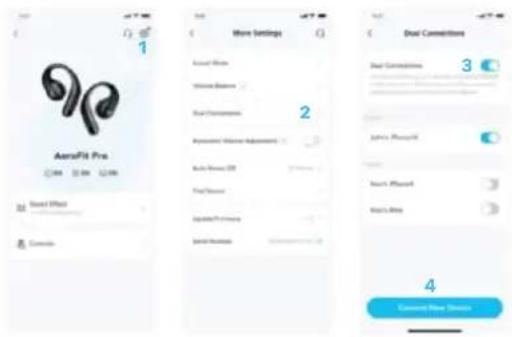
Aa noKaIOueHn HayuHKnOB K ABym yctpoIcTBam Bluetooth oHOBpeMeHHo OTKpOte npAoKeHne soundcore, nepeAnTe B HacTPOkN Bb6epnte ABOHoe NOAIOUeHne > BKAOHTb ABOHoe NOAIOUeHne > NOAIOHTb HOOE yCTPOcTBO.
*3Ta yHKnna No yMOaHaHbBikAnOeHa.
KHONKUYPABAEHNA
TWSI
是
R
B
1
L/R
R
ON
6
m = 311
OFF
C
1
MONO
品
F
/
× 1 × 2
1
1
× 1 × 2
1
0
VG
图
1
1
2.5
5
图
A
例
1
06
(1)
L
MoHOoHuecknpekm
Google Playwall and the Google Playmarket trademarks of Google Inc.

Apple and App are an inerms of

Stiahnite si applikaci soundcore a zaite priestorovy zvuk, upravte nastavenia ekvalizera, aktualizujte firmver a preskumajte dalsie funkcie.
Ak sluchadla nemozno pripoj t k aplikacii soundcore, preinstalujte aplikaciu alebo ju aktualizujte na najovsiu verziu prostrednictvom obchodus mobilnyi aplicaciami.
PREHLAD
NOSENIE
Google Playwall and the Google Playgram trademarks of Google Inc.

Apple and App are far from applics.

m = 311

Prekinit
一
isp
re in c
zite
1.56
KUN
D/
12
12
12
1

Vklop
Izklop
B
Priti
snite
in 2 s
eku
di
ržite
|
Pf
tishite
and
ite 2
sck
and
(√)
)
1
LDAC
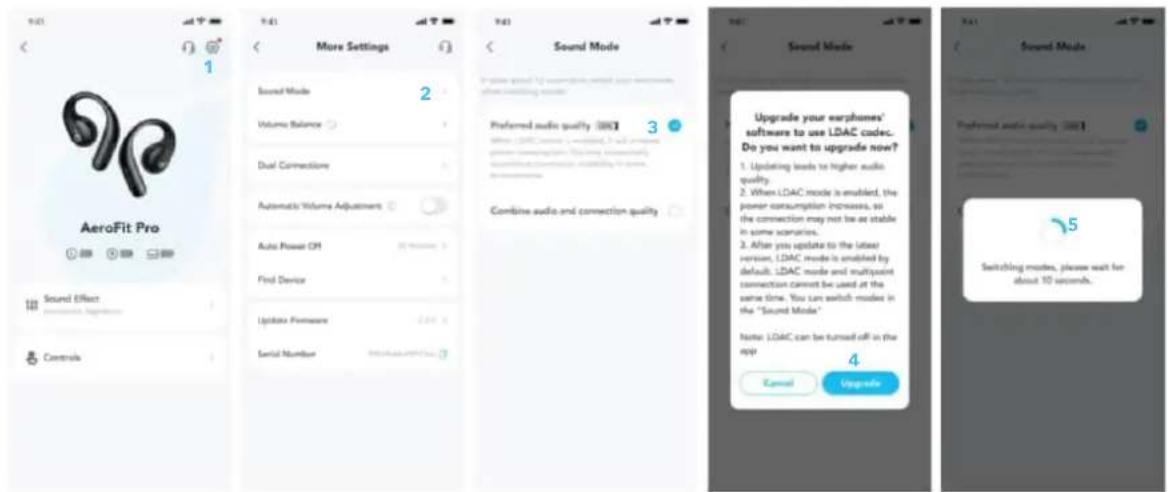
Omogocite LDAC v aplikaciji soundcore za boljs zi vok visoke kakovosti.
Google Playwall and the Google Playmarket trademarks of Google Inc.

Apple and App are an inerms of

Google Playwall and the Google Playgram trademarks of Google Inc.

Apple and App are an inerior

m = 311
OFF
C
1/6
MONO
品
F
1
× 1 × 2
ON
VG
13 × 14
1
OFF
A
1
2.02
Apple and the Apple logo are trademarks of Apple Inc.

IeHerbrtdKanEeDnDaRcHJiFJFJFJFJFJFJFJFJFJFJFJFJFJFJFJFJFJFJFJFJFJFJFJFJFJFJFJFJFJ
从T 3
叫
soundcore AeroFit Pro (A3871
APP
= 1 + 12
J 1
(1)
G
- jbj4 200
LDAC
yulilol
biàn lì 15
Google Play and the Google Play app are trademarks of Apple Inc.

Appis and the Appiicngs are tradnareles of Appis Inc.

jll jll jll jll jll jll 1
Jilll lll 10000000000000000000000000000000000000000000000
13

J 15

3
2
1
i j 1jll i j
y 1
1
i:ii.
g 1
aaii iiaaii aiee aeae eaeae aieae aieae aieae
30 30 soundcore
(1)
Google Play and the Google Play app are long-term partners in Japan.
App# and if App#ing are tran#er#s of App#i#

a 10000000000000000000000000000000000000000000000000000000000000
(naiin)nnnnnnnn
ninn nnn nn nnn nnn nnn nnn nnn nnn nnn nnn nnn nnn
(191111)n
nannnnnnnnnnnnnnnnnnnnnnnnnnnnnnnnnn
n nn nnnn nn nnnn nn nnnn nn nnnn nn nnnn nn nnnn nn nnnn nn nnnn nn nnnn nn nnnn nn nnnn nn nnnn nn nnnn nn nnnn nn nnnn nn nnnn nn nnnn nn nnnn nn nnnn nn nnnn nn nnnn nn nnnn nn nnnn nn nnnn nn nnnn nn nannn nn nannn nn nannn nn nannn nn nannn nn nannn nn
y 3
JINNINININININININININININININININININ
3
2
1
1
n nn nio n
nHnnnnnnnnnnnnnnnnnnnnnnnnnnnnnnnnnnnnnnnnnnnnnnnnnnnnnnnnnnnnnnnnnnnnnnnnnnnnnnnnnnnnnnnnnnnnnnnnnnnnnnnn
DINN09nNn:nuuN0917
1234567890
nuyu no917 ay
1
1
nniin noi nniin nn nnnn ninn ninn ninn ninn ninn
2 2n nn nnnn nn nnnn nn nnnnn nnnnn nnnnn nnnnn nnnnn nnnnn nnnnn nnnnn nnnnn nnnnn nnnnn nnnnn nnnnn nnnnn nnnnn nnnnn nnnnn nnnnn nnnnn nnnnn nnnnn nnnnn nnnnn nnnnn nnnnn nnnnn nnnnn nannn nn
nannn n 30nnn nn nnnn nn nnnn. soundcore nnnn nn nn nn nn nn
n 1000000000000000000000000000000000000000000000000000000
"soundcore AeroFit Pro" nn
nnnn nn nnnn nn nnnn nn nnnn nn nnnn nn nnnn nn nnnn nn nnnn nn nnnn nn nnnn nn nnnn nn nnnn nn nnnn nn nnnn nn nnnn nn nnnn nn nnnn nn nnnn nn nnnn nn nnnn nn nnnn nn nnnn nn nnnn nn nnnn nn nnnn nn nnnn nn
JUNAN
n nn nnnnnnnnnnnnnnnnnnnnnnnnnnnnnnnnnnnnnnnnnnnnnnnnnnnnnnnnnnnnnnnnnnnnnnnnnnnnnnnnnnnnnnnnnnnnnnnnnnnnnnnnnnnnn
TTINY
Bluetooth 5
x,011n7nnn7n7n7
nyn nojni nnn.1
jnuuunn nooyn nnnnny,nuu 3 ynuyn nooyn npn nn nonyn.2
"soundcore AeroFit Pro" n nn, ynnn ynnn Bluetooth nnnn 3
D193 D7nn
"vt n nn nnnn" < "n nn nn" < "n nn" soundcore nn nn nn, nnnn
n nn nnnn nn nnnn
TWS
是
P2
1
1
1
B
C
1/R
1/R
1
R×1
1
ON
⑤
1
4
(1)
0
OFF
0
L/R C
MONO
同
1
ON
OFF
L/F
n nn n nn no 8.0 by ynnnn
nnnn nnnn nn nnnn nn nnnn nn nnnn nn nnnn nn nnnn nn nnnn nn nnnn nn nnnn nn nnnn nn nnnn nn nnnn nn nnnn nn nnnn nn nnnn nn nnnn nn nnnn nn nnnn nn nnnn nn nnnn nn nnnn nn nnnn nn nnnn nn nnnn nn nnnn nn nnnn
018 111 111 111 111 111 111 111 111 111 111 111 111 111 111 1
yN 77 190
| 5V=1.2A | 077 |
| (10000000000000000000000000000000000000000000000000000000000000000000000000000000000000000000000000000 | |
| ; (n) 105mAh × 2 (n) 105mAh | |
| ; (n) 105mAh (n) 105mAh | |
| n" 16.2 mAh (n) 16.2 mAh | |
| y n 20 - y n 20 | |
| 13.5Ω | |
| IPX5 | (1000000000000000000000000000000000000000000000000000000000000000000000000000000000000000000000000 |
| 5.3 | Bluetooth non |
| y n 33 / y n 10 | Bluetooth non |
| 89dB | Bluetooth non |
Onnny SGS yA3871

Performance Tested
Superelastic material
Aerospace grade titanium
alloy material
- soundcore AeroFit Pro User Guide (A3871)
- APP
- OVERVIEW
- WEARING
- With Detachable Neckband (During Workout):
- CHARGING
- Low Battery Indication
- POWERING ON & OFF
- Without the Charging Case:
- PAIRING
- Manual Pairing
- DUAL CONNECTIONS
- BUTTON CONTROLS
- TWS
- MONO
- LDAC
- FIRMWARE UPDATE
- RESET
- SPECS
- A3871 SGS Certification Mark
- Performance Tested
- OVERBLIK
- PLACERINGIØRET
- ENIISKONHsH
- XPH2H
- APPLICATION
- MISE SOUS/HORS TENSION
- Marque de certification SGS A3871
- pono uzemmod
- + u7 = 70\%
- 12x - 1 > 0
- 063OP
- HOWEHNE
- COTCOeAnHReMbIM weHbIM o6oDom (BO BpeMa 3aHrTna CnOPTOM):
- 3APRAKA
- HnHaKaun Hn3KOr npOBn 3apra6atapeu
- BKAIOYEHNE IN BBKAIOYEHNE
- C 3apraHbIM KeiCOM:
- Бeз зарядно кeиca:
- COINPRAXKHEN
- CoprajkeHne BpyHyu
- ПОДКАIOЧЕНЕ K ДБУМ YСТРОИCTВAM
- KHONKUYPABAEHNA
- TWSI
- PREHLAD
- NOSENIE
- 叫
Brand : soundcore
Model : AeroFit Pro
Category : Earphones