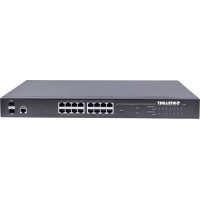
561341 - Switch Intellinet - Free user manual and instructions
Find the device manual for free 561341 Intellinet in PDF.


| Product type | Managed network switch |
| Brand | Intellinet |
| Model | 561341 |
| Category | Switch |
| Number of Ethernet ports | 8 Gigabit Ethernet ports |
| Supported network standards | IEEE 802.3, 802.3u, 802.3ab, 802.1D, 802.1Q, 802.1p |
| Management features | STP, MSTP, VLAN, QoS, IGMP snooping, ACL, CLI |
| Management interface | Console RS-232, Telnet, SSH, HTTP/HTTPS (Web) |
| Power supply | External power adapter 12V DC, 1A |
| Power consumption | 6 W maximum |
| Dimensions (W x D x H) | 200 x 120 x 30 mm |
| Weight | 0.5 kg |
| Operating temperature | 0 °C to 40 °C |
| Operating humidity | 10 % to 90 % (non-condensing) |
| Indicator LEDs | Power, link/activity per port, speed |
| Warranty | 2 years |
| Maintenance and cleaning | Clean with a soft, dry cloth. Do not use solvents or abrasive products. |
| Safety | Disconnect before cleaning. Do not expose to water. Use only the provided adapter. |
| Spare parts and repairability | Power adapter available separately. Device not user-serviceable. |
| General information | Compliant with CE and RoHS standards. Indoor use only. |
Frequently Asked Questions - 561341 Intellinet
User questions about 561341 Intellinet
0 question about this device. Answer the ones you know or ask your own.
Ask a new question about this device
Download the instructions for your Switch in PDF format for free! Find your manual 561341 - Intellinet and take your electronic device back in hand. On this page are published all the documents necessary for the use of your device. 561341 by Intellinet.
USER MANUAL 561341 Intellinet
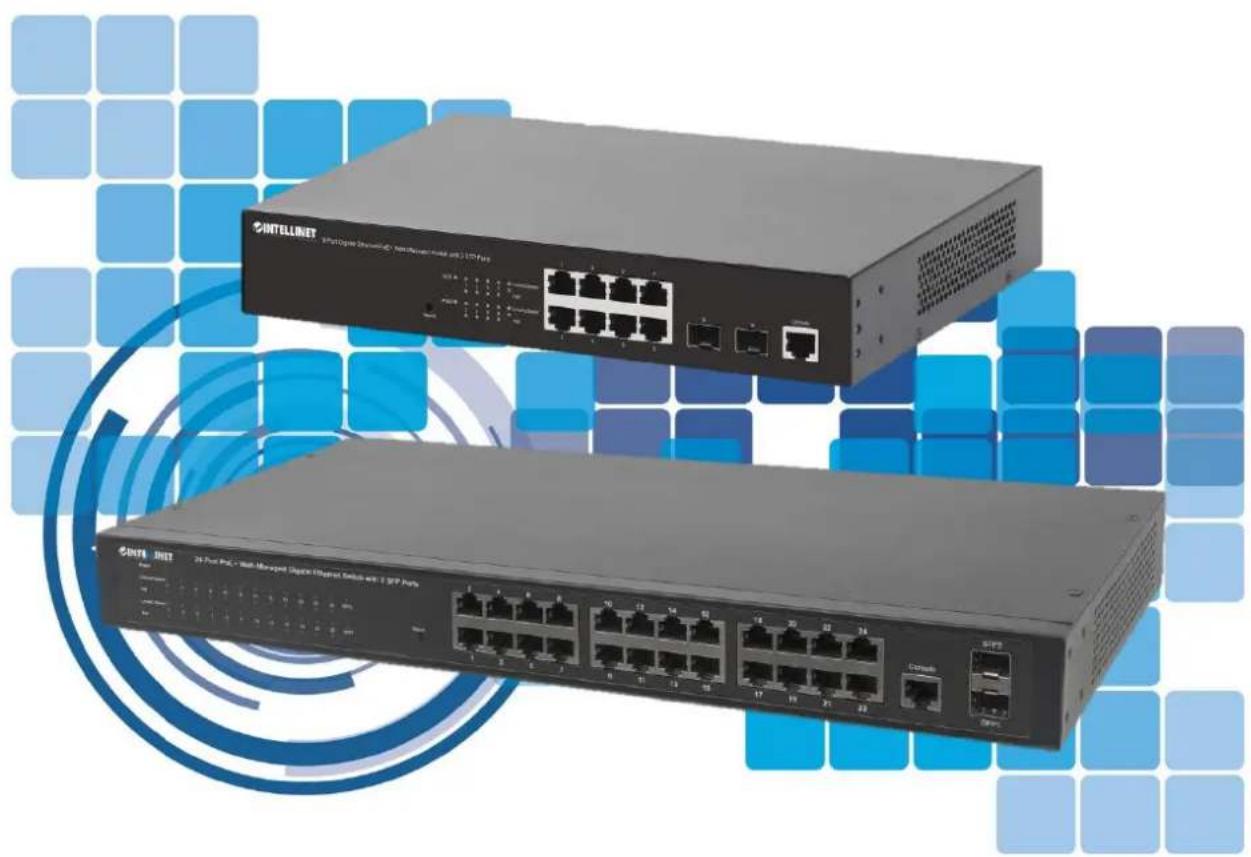
Console Reference Guide
Models 560559_v3, 561167_v3, 561198_v3, 561341_v3, 561426_v3, 508834

INTELLINET
NETWORK SOLUTIONS
intellinet-network.com
Contents
1. Access control list configuration command 39
2.QOS Configuration Command 50
1.1.access-list 39
1.2.access-listip-acl 39
1.3.no access-list. 41
1.4.access-list mac-acl 41
1.5.access-list hybrid-acl. 42
1.6. show access-list config 45
1.7. show access-list config statistic 45
1.8. show access-list runtime statistic 45
1.9. show access-list runtime 45
1.10. time-range 46
1.11. absolute 46
1.12. periodic 47
1.13.no time-range 47
1.14. show time-range 48
1.15.access-group 48
1.16.no access-group 49
2.1. rate-limit 50
2.2. two-rate-policer 51
2.3. traffic-redirect 51
2.4. traffic-copy-to-cpu 52
2.5. traffic-priority 53
2.6. traffic-statistic 54
2.7. clear traffic-statistic 54
2.8.mirrored-to 55
2.9. traffic-rewrite-vlan 56
2.10. traffic-insert-vlan 56
2.11. show two-rate-policer 57
2.12. show qos-info statistic 57
2.13. show qos-info traffic-copy-to-cpu 57
2.14. show qos-info all. 58
2.15. show qos-info mirrored-to 58
2.16. show qos-info traffic-priority 58
2.17. show qos-info traffic-redirect 58
2.18. show qos-info traffic-statistic 59
2.19. show qos-info traffic-insert-vlan 59
3. COS Configuration Command 59
3.1.queue-scheduler 59
3.2.queue-scheduler mode 59
3.3.no queue-scheduler mode 60
3.4.queue-scheduler cos-map 60
3.5. queue-scheduler dscp-map 61
3.6.queue-scheduler dscp-map 61
3.7. show queue-scheduler 61
3.8. show queue-scheduler cos-map 62
3.9. show queue-scheduler dscp-map 62
4. ARP Learning configuration command 63
4.1. arp
4.2. arp
4.3. arp aging-time 63
4.4. arp peer 64
4.5. arp bind dynamic 64
4.6.no arp 64
4.7. show arp 65
4.8. arp overwrite 65
4.9. gratuitous-arp 65
4.10. arp reply-repeat 66
4.11. arp reply-repeat [times] 66
4.12. show arp aging-time 66
4.13. show arp overwrite 66
4.14. show arp peer 67
4.15. show arp reply-repeat 67
- ARP Proxy configuration command 67
5.1. arp-proxy 67
5.2. arp-proxy broadcast.. 67
5.3. show arp-proxy 68
- IPv6ND Configuration command 68
6.1. ipv6 neighbor
6.2. ipv6 neighbor
6.3. ipv6 neighbors max-learning-num 69
6.4. show ipv6 neighbors max-learning-num 69
6.5. ipv6 nd reachable-time 69
6.6. ipv6 nd dad attempts 70
6.7. ipv6 nd ns retrans-time 70
6.8. ipv6 nd ra interval 70
6.9. ipv6 nd ra halt 71
6.10. ipv6 nd ra hop-limit 71
6.11. ipv6 nd ra prefix 71
6.12. ipv6 nd ra router-lifetime 72
6.13. show ipv6 nd dad attemps 72
6.14. show ipv6 nd reachable-time 72
6.15. show ipv6 nd ns retrans-time 72
6.16. show ipv6 nd ra halt. 73
6.17. show ipv6 nd ra hop-limit 73
6.18. show ipv6 nd ra interval 73
6.19. show ipv6 nd ra prefix 73
6.20. show ipv6 nd ra router-l lifetime 73
- Anti ARP spoofing configuration command 74
7.1. arp anti-spoofing 74
7.2. arp anti-spoofing action 74
7.3. arp anti-spoofing bind 74
7.4. arp anti-spoofing gateway-disguiser 75
7.5. arp anti-spoofing source-mac-check 75
7.6. arp anti-attack trust 75
7.7. show arp anti-spoofing 76
7.8. show arp anti-spoofing bind 76
7.9. show arp anti-attack 76
8. Anti ARP flood configuration command 76
8.1. arp anti-flood 76
8.2. arp anti-flood action 77
8.3. arp anti-flood rate-limit 77
8.4. arp anti-flood recover-time 77
8.5. arp anti-flood recover 78
8.6. arp anti-flood bind blackhole 78
8.7. show arp anti-flood 79
8.8. show arp anti-flood rate-limit 79
9. Anti Dos attack configuration command 79
9.1. anti-dos ip ttl 79
9.2. anti-dos ip fragment 79
9.3. anti-dos packets class 80
9.4. show anti-dos 81
10. Shutdown-Control Configuration Command 82
10.1. shutdown-control 82
10.2. shutdown-control-recover mode 82
10.3. shutdown-control-recover automatic-open-time 83
10.4. show shutdown-control interface 83
11. BPDU-CarConfiguration command 83
11.1. port-car320 83
11.2. port-car-rate 84
11.3. show port-car 84
12. CPU-Car Configuration Command 84
12.1.cpu-car 84
12.2.show cpu-car 85
12.3. show cpu-statistics 85
12.4. clear cpu-statistics 85
12.5. show cpu-classification 86
12.6. clear cpu-classification 86
12.7. show cpu-utilization 86
13. Discard-BPDU Configuration Command 87
13.1.discard-bpdu .87
13.2. show discard-bpdu .87
14. Anti DHCP configuration command 87
14.1.dhcp anti-attack 87
14.2.dhcp anti-attack action 87
14.3.dhcp anti-attack bind blackhole 88
14.4. dhcp anti-attack threshold 88
14.5. dhcp anti-attack recover-time 89
14.6.dhcp anti-attack recover .89
14.7.dhcp anti-attack trust 89
14.8. show dhcp anti-attack 90
14.9. show dhcp anti-attack interface 90
15. Two level password authentication configuration command 90
15.1. enable password 0. 90
15.2. enable password 7. 91
15.3. enable password level 91
16. DHCP-Snooping Configuration command 92
16.1.dhcp-snooping 92
16.2.dhcp-snooping trust 92
16.3. dhcp-snooping fast-remove 92
16.4.dhcp-snooping max-learn-num 92
16.5. show dhcp-snooping interface 93
16.6. show dhcp-snooping vlan 93
16.7. show dhcp-snooping clients 93
17. DHCP-Server Configuration Command 94
17.1.dhcp-server 94
17.2.dhcp-server ip-pool 94
17.3.gateway 95
17.4. section 95
17.5.forskitten-ip 95
17.6.domain-name 96
17.7. lease 96
17.8. option 96
17.9. unbind-client 97
17.10. router 97
17.11.dns-list 98
17.12. nbns-list 98
17.13.dhcp-clientbind .98
17.14.dhcp-clientunbind-assign 99
17.15.dhcp-server traps 99
17.16. show dhcp-server 99
17.17. show dhcp-server interface 100
17.18. show dhcp-server ip-pool 100
17.19. show dhcp-server clients 100
17.20. show dhcp-client bind 101
18. DHCP-Relay Configuration Command 101
18.1.dhcp-relay 101
18.2.dhcp-relay hide server-ip 102
18.3.dhcp-relay max-hops 102
18.4.dhcp-relay source-ip 102
18.5. show dhcp-relay 103
19. DHCP Option82 Configuration Command 103
19.1.dhcp-option82 103
19.2.dhcp-option82 device-id 103
19.3.dhcp-option82 format 104
19.4.dhcp-option82 format verbose 104
19.5. dhcp-option82 information format 104
19.6. dhcp-option82 strategy 104
19.7. dhcp-option82 circuit-id user-defined 105
19.8. dhcp-option82 remote-id user-defined 105
19.9.show dhcp-option82 106
20. DHCPv6-Snoopigng Configuration Command 106
20.1.dhcpv6-snooping 106
20.2. dhcpv6-snooping trust 107
20.3. dhcpv6-snooping port-down-action fast-remove 107
20.4. dhcpv6-snooping max-clients 107
20.5. show dhcpv6-snooping clients 108
20.6. show dhcpv6-snooping interface 108
20.7. show dhcpv6-snooping vlan 108
20.8. clear dhcpv6-snooping 108
21. DHCPv6 Option18 configuration command 110
21.1. dhcpv6-snooping information option 18 110
21.2. dhcpv6-snooping information interface-id 110
21.3. show dhcpv6-snooping information 111
22. DHCPv6 Option37 Configuration command 111
22.1. dhcpv6-snooping information option 37 111
22.2. dhcpv6-snooping information remote-id 111
22.3. show dhcpv6-snooping information 112
23. File download configuration command 112
23.1. load application xmodem 112
23.2. load application tftp 112
23.3. load application ftp 113
23.4. load whole-bootrom xmodem 113
23.5. load whole-bootrom tftp 114
23.6. load whole-bootrom ftp 114
23.7. load configuration xmodem 115
23.8. load configuration tftp 115
23.9. load configuration ftp 115
23.10. load keyfile private tftp 116
23.11. load keyfile private ftp 116
23.12. load keyfile public tftp 117
23.13. load keyfile public ftp 117
- file upload configuration command 118
24.1. upload application ftp 118
24.2. upload application tftp 118
24.3. upload logging ftp.. 119
24.4. upload logging tftp 119
24.5.copy running-config startup-config 120
24.6.upload configuration ftp 120
24.7. upload configuration tftp 120
24.8. upload automatically configuration ftp 121
24.9. upload automatically configuration tftp 121
24.10. upload keyfile private tftp 122
24.11. upload keyfile private ftp 122
24.12. upload keyfile public tftp 123
24.13. upload keyfile public ftp 123
- configuration management command 124
25.1. show running-config 124
25.2. show startup-config 124
25.3.copy startup-config running-config 125
25.4. clear startup-config 125
26.Active and standby file system configuration command 126
26.1. load secondary application tftp 126
26.2. load secondary application ftp 126
26.3. startup secondary application 127
- Port mirror configuration command 127
27.1.mirror source 127
27.2. mirror monitor ethernet 128
27.3.no mirror 128
27.4. show mirror 128
- Remote mirror configuration command 129
28.1.mirror source 129
28.2. mirror monitor ethernet 129
28.3. remote)mirror rspan local vlan 129
28.4.no remoteMirror rspan local 130
28.5. remoteMirror rspan middle vlan 130
28.6.no remoteMirror rspan midd le vlan 130
28.7. remoteMirror rspan target vlan 131
28.8.no remoteMirror rspan target vlan. 131
28.9. remoteMirror rspan parse vlan 131
28.10. no remoteMirror rspan parse vlan 132
28.11. show remoteMirror 132
- Configure flow mirror 132
29.1.mirrored-to 132
29.2.no mirrored-to 133
29.3. show qos-info mirrored-to 133
30.RMON configuration command. 133
30.1. rmon statistics 133
30.2.no rmon statistics 134
30.3. rmon history 134
30.4.no rmon history 134
30.5. show rmon statistics interface 135
30.6. show rmon history interface 135
30.7.rmon event 135
30.8.no rmon event 136
30.9. show rmon event 136
30.10. rmon alarm. 136
30.11.no rmon alarm 137
30.12. show rmon alarm 137
- Bandwidth-Control configuration command 138
31.1. bandwidth 138
31.2. show bandwidth 138
- MAC-address-management-configuration command 139
32.1.mac-address-table age-time 139
32.2.mac-address-table 139
32.3.mac-address-tableblackhole 140
32.4. mac-address-table learning 140
32.5.mac-address-tablemax-mac-count 141
32.6.no mac-address-table max-mac-count. 141
32.7. show mac-address max-mac-count 141
32.8. show mac-address-table age-time 142
32.9. show mac-address-table 142
32.10. show mac-address learning 143
32.11. show mac-address cpu 143
- DLF-Control configuration command 143
33.1. unknown-discard unicast 143
33.2. unknown-discard multicast vlan 144
33.3. unknown-discard multicast 144
33.4. show unknown-discard 144
- Local-Switch configuration command 145
34.1.local-switch 145
34.2. show local-switch 145
35.SLF-Control configuration command. 146
35.1. unknown-discard src-mac 146
35.2. show unknown-discard src-mac 146
- Flow-Control configuration command 147
36.1.flow-control 147
36.2. show flow-control interface 147
- Error packet statistics 147
37.1. show statistics interface ethernet 147
- IPv4 IF-Vlan Interface configuration command 148
38.1. interface vlan-interface 148
38.2.ipaddressipv4address 148
38.3. Ip address 149
38.4.ip address range 149
38.5.ipicmp host-unreachable send 150
38.6.ipicmpmask-requestreceive 150
38.7. description 150
38.8. show ip interface 151
- IPv4 SuperVlanInterface configuration command 151
39.1. interface supervlan-interface 151
39.2.subvlan 151
39.3.ipaddress 152
39.4. Ip address 152
39.5.ip address range 153
39.6.ipicmp host-unreachable send 153
39.7.ipicmpmask-requestreceive 153
39.8. description 154
39.9. show ip interface 154
-
IPv6 IF-VlanInterface configuration command 154
40.1. ipv6 address 154
40.2.ipv6 neighbors max-learning-num 155
40.3.ipv6 nd ns retrans-timer 155
40.4. ipv6 nd dad attempts value 156
40.5.ipv6 nd reachable-time 156
40.6.ipv6 pathmtu value 156
40.7. ipv6 nd ra halt 157
40.8. ipv6 nd ra hop-limit 157
40.9. ipv6 nd ra interval 157
40.10.ipv6 nd ra prefix 157
40.11.ipv6 nd ra router-lifetime 158
40.12. show ipv6 interface 158
40.13. show ipv6 neighbors 158
40.14. show ipv6 nd dad attems 159
40.15. show ipv6 nd ns retrans-time 159
40.16. show ipv6 nd reachable-time 159
40.17. show ipv6 route 159 -
IPv6 SuperVlanInterface configuration command 160
41.1. ipv6 address 160
41.2. ipv6 neighbors max-learning-num 160
41.3. ipv6 nd ns retrans-timer 161
41.4. ipv6 nd dad attempts value 161
41.5. ipv6 nd reachable-time 161
41.6.ipv6 pathmtu value 162
41.7. ipv6 nd ra halt 162
41.8. ipv6 nd ra hop-limit 162
41.9. ipv6 nd ra interval 162
41.10. ipv6 nd ra prefix 163
41.11.ipv6 nd ra router-lifetime 163
41.12. show ipv6 interface 164
41.13. show ipv6 neighbors 164
41.14. show ipv6 nd dad attems 164
41.15. show ipv6 nd ns retrans-time 165
41.16. show ipv6 nd reachable-time 165
41.17. show ipv6 route 165
42.GMRP Configuration command. 165
42.1.gmrp 165
42.2.garp permit multicast mac-address 166
42.3. show gmrp 166
42.4. show gmrp interface 166
42.5. show garp permit multicast 167
42.6. show multicast. 167
43. GMP-Snooping Configuration command 167
43.1. igmp-snooping 167
43.2. igmp-snooping host-aging-time 168
43.3.no igmp-snooping host-aging-time 168
43.4. igmp-snooping max-response-time 168
43.5.no igmp-snooping max-response-time 169
43.6. igmp-snooping fast-leave 169
43.7.no igmp-snooping fast-leave 169
43.8. igmp-snooping group-limit 169
43.9.no igmp-snooping group-limit 170
43.10. igmp-snooping overflow-replace 170
43.11. igmp-snooping enable-vlan 170
43.12. igmp-snooping [ permit | deny ] 171
43.13. igmp-snooping querier 171
43.14. igmp-snooping robust-count 171
43.15. igmp-snooping last-member-query-interval 172
43.16. igmp-snooping version 172
43.17. igmp-snooping querier-vlan 172
43.18. igmp-snooping query-interval 173
43.19. igmp-snoopig query-source 173
43.20. igmp-snooping router-port forward 173
43.21. igmp-snooping router-aging-time 174
43.22. igmp-snooping router-port vlan 174
43.23. igmp-snooping multicast vlan 174
43.24. igmp-snooping proxy 175
43.25. igmp-snooping proxy-source 175
43.26. igmp-snoopig query-proxy 175
43.27. igmp-snooping source-learning 176
43.28. igmp-snooping static-group 176
43.29. igmp-snooping static-group proxy 177
43.30. igmp-snooping drop 177
43.31. igmp-snooping preview 178
43.32. igmp-snooping preview group-ip 178
43.33. igmp-snooping preview times 178
43.34. igmp-snooping profile 179
43.35.profile limit 179
43.36.ip range 179
43.37. mac range 180
43.38. description 180
43.39. igmp-snooping profile refer 181
43.40. show igmp-snooping 181
43.41. show igmp-snooping router-dynamic 182
43.42. show igmp-snooping router-static 182
43.43. show igmp-snooping preview 182
43.44. show igmp-snooping preview status 183
43.45. show igmp-snooping profile 183
43.46. show multicast 183
- Static multicast configuration command 184
44.1. multicast 184
44.2. multicast proxy 184
44.3. multicast proxy-interval 185
44.4. show multicast. 185
- MLD-Snooping Configuration command 186
45.1.mld-snooping 186
45.2.mld-snooping host-aging-time time 186
45.3.mld-snooping max-response-time 186
45.4.mld-snooping fast-leave 187
45.5.mld-snooping group-limit 187
45.6.mld-snooping [permit | deny] 188
45.7.mld-snooping 188
45.8.mld-snoopingquerier 188
45.9.mld-snoopig query-interval 189
45.10.mld-snoopig query-max-respond 189
45.11.mld-snooping router-port forward 190
45.12.mld-snooping router-port-age 190
45.13.mld-snooping router-port vlan. 190
45.14.mld-snooping multicast vlan 191
45.15. show mld-snooping 191
45.16. show mld-snooping router-dynamic 192
45.17. show mld-snooping router-static 192
45.18. show multicast mld-snooping 192
46.12protocol-tunnel Configuration command 194
46.1. l2protocol-tunnel 194
46.2. I2protocol-tunnel user-protocol 194
46.3.12protocol-tunnel drop-threshold 195
46.4. show I2protocol-tunne interface 196
46.5. show I2protocol-tunnel drop-threshold 196
46.6. show I2protocol-tunnel tunnel-mac 196
47. LLDP Configuration Commands 197
47.1.Ildp. 197
47.2.Ildprx|tx|rxtx 197
47.3.Ildp hello-time 198
47.4.Ildp hold-times 198
47.5.Ildp trap 198
47.6.Ildp management-address 199
47.7.show lIdp 199
48.UDLD Configuration Command 200
48.1. udld 200
48.2. udd error-down 200
48.3. udld message-interval 201
48.4. udd reset 201
48.5. udd port shutdown 202
48.6. udld unidirectional-shutdown 202
48.7. udld work-mode 203
48.8. show uldld 203
49. Managing IP restricted configuration commands 204
49.1. login-access-list 204
49.2. login-access-list privilege-limit 204
49.3. show login-access-list 205
50. Managing timeout configuration command 205
50.1. timeout 205
51. SSH configuration command 206
51.1.ssh 206
51.2.ssh limit 206
51.3.ssh port 206
51.4.stop vty 207
51.5. crypto key zeroize rsa 207
51.6. crypto key refresh 207
51.7. crypto key generate rsa 208
51.8. load keyfile 208
51.9.uploadkeyfile 208
51.10. show keyfile 209
- Telnet-Client Configuration command 210
52.1. telnet . 210
- Telnet-Server/Telnetv6-ServerConfiguration Command 211
53.1. telnet enable 211
53.2. telnet disable 211
53.3. telnet limit 211
53.4. telnet port 212
53.5.stop telnet client 212
53.6. show telnet client 212
53.7. show telnet 213
- Web Management configuration command 213
54.1. http enable 213
54.2. http disable 213
54.3. http timeout 214
54.4. show http 214
- SNMP Management configuration command 215
55.1. snmp-server enable 215
55.2. snmp-server disable 215
55.3. snmp-server contact 215
55.4. snmp-server location 216
55.5. snmp-server name 216
55.6. snmp-server max-packet-length 216
55.7. snmp-server trap-source 217
55.8. snmp-server encrypt 217
55.9. snmp-server view 218
55.10. snmp-server community encrypt 218
55.11. snmp-server community md5 encrypt-communityname 219
55.12. snmp-server community 219
55.13. snmp-server group 220
55.14. snmp-server user 220
55.15. snmp-server enable
55.16. snmp-server host 222
55.17. show snmp-server community 223
55.18. show snmp-server contact 223
55.19. show snmp-server engineid 224
55.20. show snmp-server group 224
55.21. show snmp-server host 224
55.22. show snmp-server location 225
55.23. show snmp-server max-packet-length 225
55.24. show snmp-server mib 225
55.25. show snmp-server name 225
55.26. show snmp-server notify 226
55.27. show snmp-server user 226
55.28. show snmp-server view 226
56. User management configuration command 227
56.1. username <> 227
56.2. username change-password 227
56.3. username failmax 227
56.4. username online-max 228
56.5. username silent-time 228
56.6.stop<> 229
56.7. show users 229
56.8. show username silent 229
56.9. show username 230
57. Auto-Reboot Configuration command 230
57.1. auto-reboot 230
- System debug configuration command 231
58.1. ping 231
58.2. ping ipv6 231
58.3.tracert 232
58.4.tracert ipv6 232
- System information configuration and display command 233
59.1. show version 233
59.2. show system 233
59.3. show memory 233
59.4. show clock 233
59.5.hostname 234
- Bootrom Configuration command 234
60.1.Ctrl-B 234 - Telnetv6-Client Configuration command 235
61.1. telnet6235
62.EFM Configuration command 235
62.1.efm 235
62.2. efm mode 236
62.3.efm pdu-timeout 236
62.4. efm link-timeout 236
62.5. efm remote-response-timeout 237
62.6. efm remote-failure 237
62.7. efm link-monitor 237
62.8. efm link-monitor errored-symbol-period window 238
62.9. efm link-monitor errored-symbol-period threshold 238
62.10. efm link-monitor errored-frame window 239
62.11. efm link-monitor errored-frame threshold 239
62.12. efm link-monitor errored-frame-period window 240
62.13. efm link-monitor errored-frame-period threshold 240
62.14. efm link-monitor errored-frame-seconds window 241
62.15. efm link-monitor errored-frame-seconds threshold 241
62.16. efm remote-loopback 241
62.17. efm remote-loopback ignore 242
62.18. efm remote-loopback process 242
62.19. efm remote-loopback start|stop 242
62.20. efm variable-retrieval 243
62.21. show efm port 243
62.22. show efm remote-mib 243
62.23. show efm status interface 244
62.24. show efm summary 244
62.25. show efm discovery interface 244
62.26. show efm statistics interface 245
62.27. clear efm statistics interface 245
- CFM Configuration command 245
63.1.cfm md. 245
63.2.no cfm md 246
63.3. cfm md format none level 246
63.4. cfm md format 246
63.5.cfm ma 247
63.6.no cfm ma 247
63.7. cfm ma format 248
63.8. cfm MEP
63.9.cfm MEP id>state 249
63.10. cfm MEP
63.11.cfm rmep 249
63.12. cfm mip 250
63.13. cfm cc interval 250
63.14. cfm mep 250
63.15. cfm loopback MEP 251
63.16.cfm linktrace mep. 251
63.17. cfm eth-slm mep 252
63.18. cfm eth-2dm mep 252
63.19. clear cfm cc 253
63.20. clear cfm cc database 253
63.21. show cfm md 254
63.22. show cfm ma 254
63.23. show cfm mp local 254
63.24. show cfm mp remote 254
63.25. show cfm cc 255
63.26. show cfm cc database 255
63.27. show cfm errors 255
- POE Power supply configuration command 256
64.1. poe 256
64.2. poe max-power 256
64.3. poe max-power 256
64.4. poe standard 257
64.5. poe priority 257
64.6. poe status poll 257
64.7. poet traps 258
64.8. poe force power on 258
64.9. show poe 258
64.10. show poe auto-check 259
64.11. show poe power-on time-range 259
- Statistics configuration command 260
65.1. show statistics interface ethernet 260
65.2. clear interface 260
65.3. clear cpu-statistics 261
65.4. clear cpu-classification 261
65.5. port-rate-statistics interval 261
65.6. show statistics interface brief 262
65.7. show statistics dynamic 262
65.8. show utilization 262
65.9. show interface 263
65.10. show cpu-utilization 263
65.11. show cpu-statistic 263
65.12. show cpu-classification 264
65.13. show statistics eth-trunk 264
- Port loopback detection configuration command 265
66.1. loopback 265
66.2. loopback-detection action 265
66.3. loopback-detection interface 266
66.4. loopback-detection interval-time 266
66.5. loopback-detection recover-time 266
66.6. loopback-detection address-type 267
66.7.oopback-detection log 267
66.8. loopback-detection mode 267
66.9. loopback-detection trap 268
66.10. loopback-detection vlan 268
66.11. show loopback-detection 269
- VCT detection configuration command 269
67.1.vct run 269 - Port configuration commands 269
68.1. interface ethernet 269
68.2.duplex 270
68.3.speed 270
68.4. priority 271
68.5. shutdown 271
68.6. description 271
68.7. switchport 272
68.8. ingress filtering 272
68.9. switchport pvid 273
68.10. ingress acceptable-frame 273
68.11. switchport trunk allowed vlan 273
68.12. switchport hybrid untagged vlan 274
68.13. switchport hybrid tagged vlan 274
68.14. switchport link-type 275
68.15. show interface ethernet 275
68.16. show interface brief ethernet 276
68.17. show interface brief vlan-intf 1 276
68.18. show description ethernet 276
68.19. show ingress ethernet 277
- DDM detection 278
69.1. show sfp 278
- Flow control 278
70.1. flow-control 278
70.2. show flow-control 278
- Storm-Control Configuration Command 279
71.1. storm-suppression 279
71.2. storm-suppression mode 280
71.3.no storm-suppression 280
71.4. show storm-suppression 280
72.isolate-port Configuration command 281
72.1.no isolate-port uplink 281
72.2.isolate-portuplinkethernet 281
72.3. show isolate-port 281
- Port-security Configuration command 282
73.1. port-security enable|disable 282
73.2. port-security permit|deny mac-address 282
73.3. show port-security mac-address 282
73.4. port-security permit|deny ip-address 283
73.5. show port-security ip-address 283
73.6. port-security maximum 284
73.7. port-security permit mac-address sticky 284
73.8. port-security permit mac-address sticky 284
73.9. show port-security 285
73.10.no port-security all 285
73.11. show port-security active-address 285
73.12.no port-security active-address 285
73.13. port-security aging static 286
73.14. port-security aging time 286
73.15. port-security violation 286
73.16. port-security recovery 287
73.17. port-security recovery time 287
73.18. show port-security recovery 287
73.19. port-security violation log-interval 288
- PPPoE+ Configuration command 288
74.1. pppoeplus 288
74.2. pppoeplus trust 288
74.3. show pppoeplus interface 289
74.4. pppoeplus strategy 289
74.5. pppoeplus drop 290
74.6. pppoeplus type 290
74.7. pppoeplus format 290
74.8. pppoeplus delimiter 291
74.9. pppoeplus circuit-id 291
- IP-Source Configuration command 292
75.1.ip source 292
75.2. show ip source 292
75.3.ip source binding 292
75.4. show ip source binding 293
75.5.ip source vlan 293
75.6. show ip source vlan 293
75.7.ip source permit-igmp 294
75.8. show ip source permit-igmp 294
76. IPv6-Source Configuration Command 294
76.1. ipv6-source-guard 294
76.2. show ipv6-source-guard 295
76.3. ipv6-source-guard bind ip 295
76.4. show ipv6-source-guard bind 295
76.5. ipv6-source-guard vlan 296
76.6. show ipv6-source-guard vlan 296
77. 802.1X Configuration command. 296
77.1.dot1x 296
77.2. dot1x eap-relay enable|disable 297
77.3.dot1x port-method 297
77.4.dot1x port-control 297
77.5.dot1x re-authenticate 298
77.6.dot1x re-authentication 298
77.7.dot1x timeout re-authperiod 298
77.8.dot1x multicast-trigger 299
77.9.dot1x multicast-period 299
77.10.dot1x max-user-num 300
77.11.dot1xusercut 300
77.12. dot1x keepalive 300
77.13.dot1xkeepalipeperiod 301
77.14. dot1x timeout quiet-period 301
77.15. dot1x timeout server_timeout 301
77.16.dot1xtimeoutsupp-timeout 302
77.17. dot1x portbased host-mode 302
77.18.dot1x guest-vlan 303
77.19.dot1x guest-acl 303
77.20.dot1x max-authfail 303
77.21. dot1x default-active-vlan 304
77.22.dot1x eapol-relay 304
77.23. dot1x eapol-relay uplink 305
77.24.dot1x max req 305
77.25.dot1x max-reauth 305
77.26.dot1x critical-vlan 306
77.27. dot1x radius-acl-format 306
77.28.dot1x native-vlan-free 307
77.29.dot1xstation-move 307
77.30. dot1x syslog 307
77.31. show dot1x multicast-trigger 308
77.32. show dot1x interface 308
77.33. show dot1x users 308
77.34. show dot1x eapol-relay 309
77.35. show dot1x keepalive 309
77.36.showdot1xconfig-vlan 310
77.37. show dot1x port-auth 310
77.38.showdot1xttimeout 310
77.39.showdot1x 311
77.40.showdot1x guest-acl 311
77.41. show dot1x radius-acl 311
78. Radius Configuration command 312
78.1. radius host 312
78.2. primary-auth-ip 312
78.3. second-auth-ip 312
78.4. primary-acct-ip 313
78.5. second-acct-ip 313
78.6. auth-secret-key 314
78.7.acct-secret-key 314
78.8.nas-ipaddress 314
78.9. username-format 315
78.10.realtime-account 315
78.11.realtime-account interval 315
78.12.preemption-time 316
78.13.local-userusername 316
78.14. default domain-name 316
78.15.domain 317
78.16. scheme 317
78.17. radius host binding 317
78.18.access-limit 318
78.19.state 318
78.20. accounting-on 318
78.21.h3c-cams 319
78.22. radius accounting 319
78.23. radius server-disconnect drop 1x 319
78.24. radius 8021p 319
78.25. radius password-encryption 320
78.26. radius vlan enable 320
78.27. radius vlan-format 320
78.28. radius mac-address-number 320
78.29. radius config-attribute 321
78.30. radius attribute 321
78.31.dnrate-value 321
78.32.uprate-value 322
78.33. radius bandwidth-limit 322
78.34. show radius attribute 322
78.35. show radius config-attribute 322
78.36. show radius host 323
78.37. show rate-attribute-value 323
78.38. show domain 323
79.Pvlan Configuration command 324
79.1. private-vlan primary 324
79.2. private-vlan isolated 324
79.3. private-vlan community 324
79.4. private-vlan association 324
79.5. switchport private-vlan 325
79.6 show private-vlan 325
79.7. show private-vlan interface 325
80.Muser Configuration command 326
80.1.muser local 326
80.2.muser radius 326
80.3.aaa 326
80.4.musertacacs+ 327
80.5. show muser 327
80.6.tacacs+encrypt-key 327
80.7. tacacs+ authentication-type 327
80.8.tacacs+primary server 328
80.9. tacacs+ secondary server 328
80.10. tacacs+ preemption-time 329
80.11. show tacacs+ 329
81.Cpu-Alarm Command Manual 330
81.1.alarm cpu 330
81.2.alarm cpu threshold 330
81.3. show alarm cpu 330
- Port-Alarm configuration manual 331
82.1.alarm all-packets 331
82.2. show alarm all-packets 331
- Sylsgog configuration manual 332
83.1. logging 332
83.2. show logging 332
83.3. logging sequence-numbers 332
83.4. logging timestamps 333
83.5. logging monitor all | monitor-num 333
83.6. logging monitor all | monitor-num level-value | none | level-list 334
83.7. show logging filter monitor 334
83.8.no logging monitor all | monitor-num filter.. 334
83.9. logging buffered 335
83.10. logging buffered level-value | none | level-list 335
83.11. show logging filter buffered 336
83.12.no logging buffered filter 336
83.13. show logging buffered 336
83.14. logging flash 337
83.15. logging flash level-value | none | level-list 337
83.16. show logging filter flash 337
83.17.no logging flash filter 338
83.18. logging flash interval 338
83.19. logging flash msg-number 338
83.20. show logging flash 339
83.21. logging ip-address 339
83.22. logging host all | ip-address 340
83.23. logging host all | ip-address level-value | none | level-list.. 340
83.24.no logging host allip-address filter 341
83.25. logging facility 341
83.26. logging source 341
83.27. logging snmp-agent 342
83.28. logging snmp-agent level-value | none | level-list.. 342
83.29. show logging filter snmp-agent 343
83.30.no logging snmp-agent filter 343
83.31. debug 343
83.32. show debug 344
- STP/RSTP configuration command 344
84.1.stp 344
84.2.stp mode 344
84.3.stp hello-time 345
84.4.stp forward-time 345
84.5.stp max-age 345
84.6.stp pathcost-standard 345
84.7.stp priority 346
84.8.stp root-guard action 346
84.9.stp tc-protection 346
84.10.stp tc-protection interval 347
84.11.stp tc-protection threshold 347
84.12.stp time-factor 347
84.13.stp new-root-trap 348
84.14.stp topo-change-trap 348
84.15.stp bpdu-guard 348
84.16.stp bpdu-filter 348
84.17.stp cost 349
84.18.stp portfast 349
84.19.stp link-type 349
84.20.stp loop-guard 350
84.21.stp mcheck 350
84.22.stp port-priority 350
84.23.stp root-guard 350
84.24.stp tcn-restricted 351
84.25.stp transmit-limit 351
84.26. show stp interface 351
85.MSTP configuration manual 353
85.1.stp 353
85.2.stp mode 353
85.3.mstp hello-time 353
85.4.mstp forward-time 353
85.5.mstp max-age 354
85.6.mstp max-hops 354
85.7.mstp instance
85.8.mstp root-guard action 355
85.9.mstp tc-protection 355
85.10.mstp tc-protection interval 355
85.11.mstp tc-protection threshold 356
85.12.mstp time-factor 356
85.13.mstp bpdu-guard 356
85.14.mstp bpdu-filter 356
85.15.mstp instance
85.16.mstp region-name 357
85.17.mstp enable instance 357
85.18.mstp disable instance 358
85.19.mstp revision 358
85.20.mstp flap-guard 358
85.21.mstp external cost 358
85.22.mstp instance
85.23.mstp portfast 359
85.24.mstp link-type 359
85.25.mstp loop-guard 360
85.26.mstp root-guard 360
85.27.mstp mcheck 360
85.28.mstp instance
85.29.mstp config-digest-snooping 361
85.30. show mstp instance 361
85.31. show mstp disabled-instance 361
85.32. show mstp config-id 362
86.EAPS configuration manual 362
86.1.eaps 362
86.2.eapsdomain 362
86.3.control-vlan 362
86.4. fail-timer 363
86.5.hello-timer 363
86.6.preup-timer 363
86.7. ring 364
86.8.topo-collect 364
86.9.work-mode 364
86.10. show eaps 365
86.11. show eaps control-vlan 365
86.12. show eaps domain 365
86.13. show eaps statistics 365
86.14. show eaps topology 366
86.15. clear eaps 366
- ERPS configuration manual 366
87.1. erps 366
87.2. erps instance 367
87.3.control-vlan 367
87.4. guard-timer 367
87.5.wtr-timer 368
87.6.mel 368
87.7. protected-instance 368
87.8. port0 ethernet 368
87.9. port1 ethernet 369
87.10. ring 369
87.11. show erps 369
87.12. show erps control-vlan 370
87.13. show erps instance 370
87.14. show erps instance
87.15. show erps statistics 370
88.PVST/Rapid-PVST configuration manual 371
88.1.stp 371
88.2.stp mode 371
88.3.pvst hello-time 371
88.4.pvst forward-time 372
88.5.pvst max-age 372
88.6.pvst instance id>vlan 372
88.7. pvst instance
88.8. pvst bpdu-guard 373
88.9.pvst bpdu-filter 373
88.10. pvst loop-guard 373
88.11. pvst edge-port 374
88.12. pvst instance
88.13. pvst instance
88.14. show pvst instance brief 375
89. Eth-Trunk 配置命令 375
89.1. interface eth-trunk 375
89.2. link-aggregation load-balance 375
89.3. link-aggregation mode 376
89.4. link-aggregation members ethernet 376
89.5. link-aggregation eth-trunk 376
89.6.lacp mode 377
89.7.lacp period 377
89.8.lacp port-priority 377
89.9.lacp system-priority 378
89.10. show lacp local 378
89.11. show lacp sys-id 378
89.12. show lacp neighbor 378
- FlexLink configuration manual 379
90.1. flex-link group 379
90.2 master-port 379
90.3.slave-port 380
90.4.preemption mode 380
90.5.preemption delay 380
90.6.flex-link flush send 381
90.7. flex-link flush receive 381
90.8. show flex-link group 381
90.9. show flex-link flush 381
- MonitorLink configuration manual 382
91.1. monitor-link-group 382
91.2.uplinkinterface 382
91.3.downlinkinterface 382
91.4. show monitor-link-group 383
- Sntp-Client Configuration command 383
92.1. sntp client 383
92.2. sntp client mode 384
92.3. sntp client authenticate 384
92.4. sntp client authentication-key encrypt 384
92.5. sntp client authentication-key 385
92.6. sntp client broadcastdelay 385
92.7. sntp client poll-interval 385
92.8. sntp client retransmit 386
92.9. sntp client retransmit-interval 386
92.10. sntp client summer-time dayly 386
92.11. sntp client summer-time weekly 387
92.12. sntp client valid-server 387
92.13. sntp trusted-key 387
92.14. sntp server key 388
92.15. sntp server backup 388
92.16.sntp server 388
92.17. show sntp client 389
92.18. show sntp client summer-time 389
93. System time configuration command 389
93.1. clock set 389
93.2. clocktimezone 390
93.3. clock summer-time dayly 390
93.4. clock summer-time weekly 390
93.5. show clock 391
94. 1. Static route configuration commands 391
94.1. 1.1 ip route 391
94.2.1.2 show ip route 392
95. 2 IPv6 static route configuration command 392
95.1.2.1 ipv6 route 392
95.2. 2.2 show ipv6 route 393
96.802.1Q Configuration command 394
96.1.vlan 394
96.2. switchport 394
96.3. switchport pvid 394
96.4. switchport link-type 395
96.5. switchport trunk allowed vlan 395
96.6. switchport trunk tagged pvid 395
96.7. switchport hybrid untagged vlan 396
96.8. switchport hybrid tagged vlan 396
96.9. priority 396
96.10. ingress acceptable-frame 397
96.11. ingress filtering 397
96.12. interface vlan-interface 397
96.13. description 398
96.14. show interface vlan brief 398
- QINQ Configuration 398
97.1.qinq 398
97.2.qinq inner-tpid 399
97.3.qing mode 399
97.4.qing outer-tpid 399
97.5.vlan pass-through 400
97.6.no vlan pass-through 400
97.7. show qing 400
97.8. show vlan pass-through 401
97.9.no vlan insert 401
97.10.vlan insert 401
98.GVRP Configuration 402
98.1.gvrp 402
98.2.garp permit vlan 402
98.3.garp forbid vlan 402
98.4. show gvrp 403
98.5. show gvrp interface 403
98.6. show gvrp interface ethernet 403
- Vlan Swap Command 403
99.1.vlan swap 403
99.2. show vlan-swap 404
- Protocol-VLAN Configuration Command 404
100.1.vlan-protocol 404
100.2.vlan-protocol profile 405
100.3. show vlan-protocol interface 405
100.4. show vlan-protocol profile 405
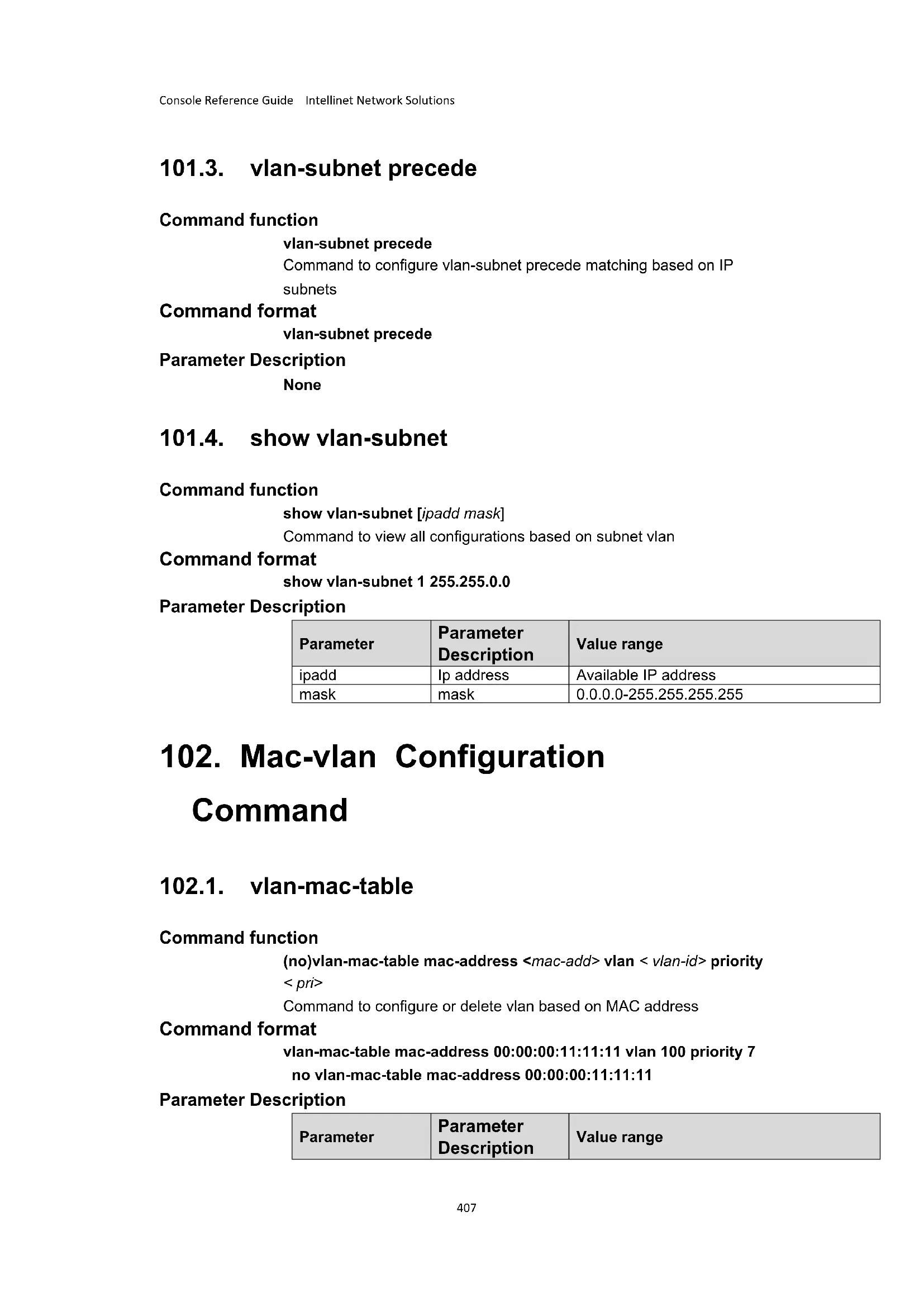
- vlan-subnet Configuration command 406
101.1.vlan-subnet 406
101.2.no vlan-subnet 406
101.3.vlan-subnet precede 407
101.4. show vlan-subnet 407
- Mac-vlan Configuration Command 407
102.1.vlan-mac-table 407
102.2.no vlan-mac-table 408
102.3. show vlan-mac-table 408
- Vlan-trunking Configuration Commands 408
103.1.vlan-trunking 408
103.2.vlan-trunk mode 409
103.3. show vlan-trunking 409
- Voice vlanConfiguration Commands 409
104.1. voice vlan 409
104.2. voice vlan aging 410
104.3. voice vlan oui-mac 410
104.4. voice vlan security 411
104.5. voice vlan enable | disable 411
104.6. voice vlan mode 412
104.7. voice vlan qos 412
104.8. show voice vlan 413
104.9. show voice vlan device 413
104.10. show voice vlan oui-mac 413
1. Access control list configuration command
1.1. access-list
Command Function
access-list num match-order [auto| config]Command configuration ACL matching order
Command Format
access-list 1999 match-order auto
Parameter Declaration
| Parameter | Parameter Declaration | Values |
| num | Access control list number | 1-2999 |
1.2. access-list ip-acl
Command Function
access-list ip-acl num [match-order [auto | config]]Command three layer access control list
{permit | deny} [ip-pro protocol] [established] {source-IPv4/v6/masklength | any | ipv6any} [source-port wildcard] {dest-IPv4/v6dest-wildcard | any | ipv6any} [dest-port wildcard] [icmp-type icmp-code] [igmp-type] [traffic-class traffic-class][precedence precedence] [tos tos] | [dscp dscp] [fragments] [time-range name] Command three layer access control list
Command Format
access-list ip-acl 1
permit any any
access-list 1 permit any any
Parameter Declaration
| Parameter | Parameter Declaration | Values |
| num | Three layer access control list number | 1-999 |
| protocol | The type of protocol hosted by IP | The range of time value is 0~255When expressed in a name, you can choose GRE、ICMP、IGMP、IPinIP、OSPF、TCP、UDP、ICMPv6。 |
| established | The SYN marker in TCP | SYN mark position 1 |
| { source-IPv4/v6/ masklength | any | ipv6any} | Source address information of the specified ACL rule | Source-IPv4/v6/ masklength is used to determine the source IP address (IPv4/v6) scope of the packet. The address of IPv4 is expressed in decimal notation; the IPv6 address is expressed in sixteen hexadecimal. Masklen is 32 when the host address is represented; Any| ipv6any represents an arbitrary source address. |
| { dest-IPv4/v6 / masklength | any | ipv6any} | Destination information for specifying the ACL rule | Dest-IPv4/v6 dest-wildcard is used to determine the destination IP address (IPv4/v6) range, IPv4 address is expressed in dot decimal notation, and IPv6 address is represented in sixteen hexadecimal. When masklength is 32, the host address is represented; Any| ipv6any represents an arbitrary destination address. |
| source-port/dest-port wildcard | TCP/UDP source and destination port number | Wildcard - counter - determine the range of port number |
| icmp-type icmp-code | The type of ICMP message | Only when the protocol is configured to be icmp/icmpv6 |
| igmp-type | IGMP protocol message type | Only when the protocol is configured to be IGMP |
| traffic-class | Ipv6headlinetraffic-class | Only valid for IPv6 message |
| precedence | precedence | IP priority range 0~7 |
| message priority | ||
| tos | Tos message priority | Range 0~15 |
| dscp | DSCP priority | Range0~63 |
| fragments | Presentation of a piecewise message | The definition rules are valid only for non-chip slices |
| time-range name | custom Time and name | Except? 1-32 characters outside |
1.3. no access-list
Command Function
no access-list [num | all | step]Command deletion based on digital ACL
Command Format
no access-list 1
Parameter Declaration
| Parameter | Parameter Declaration | Values |
| num | Access control list number | 1-2999 |
1.4. access-list mac-acl
Command Function
access-list num { permit | deny } [ mac-pro protocol ] [ cos vlan-pri ] [ source-mac-addr source-mac-wildcard ] [ any ] [ dest-mac-addr dest-mac-wildcard ] | any } [ time-range name ] Command two layer access control list
access-list num { permit | deny } [ mac-pro protocol ] [ cos vlan-pri ] ingress
{ [ inner-vid vid ] [start-vlan-id end-vlan-id ] [ source-mac-addr source-mac-wildcard ] [interface interface-num ] } | any } [time-range
name]Command two layer access control list
Command Format
access-list mac-acl 1000 match-order auto
permit any any
access-list 1000 permit any any
Parameter Declaration
| Parameter | Parameter Declaration | Values |
| num | Two layer access control list number | 1000-1999 |
| protocol | Protocol type of Ethernet frame load | In sixteen, the range is 0-FFFF. Optional ARP, IP, RARP |
| Cos | The priority of the Vlan label | 0-7 |
| Ingress | Direction of entry | / |
| inner-vid | The inner layer vid value of a double tag message | 1-4094 |
| start-vlan-id end-vlan-id | Used to represent the range of Vlan | If the dual tag message is the vid range of the outer tag, the single tag message is the vid range of the tag itself. |
| source-mac-addr source-mac-wildcard | Source MAC address options | Source-mac-wildcard can represent the source MAC range. |
| interface interface-num | Physical port number | Into ports and out ports |
| any | Any address | Into ports and out ports |
| time-range name | custom Time and name | Except? 1-32 characters outside |
1.5. access-list hybrid-acl
Command Function
access-list num { permit | deny } [ mac-pro protocol ] [ ip-pro protocol ] [ cos vlan-pri ] [ established ] { source-IPv4/v6/masklength | any | ipv6any } [source-port wildcard ] [ source-mac-addr source-mac-wildcard ] | any } { [dest-mac-addr dest-mac-wildcard ] | any } {dest-IPv4/v6 dest-wildcard | any | ipv6any } [dest-port wildcard ] [icmp-type icmp-code ] [igmp-type] [traffic-class traffic-class][precedence precedence ] [tos tos ] | [dscp dscp] [fragments ] [time-range name]
access-list num { permit | deny } [ mac-pro protocol ] [ ip-pro protocol ] [ cos vlan-pri ] [ established ] { source-IPv4/v6/masklength | any | ipv6any } [source-port wildcard] ingress { { [ inner-vid vid ] [start-vlan-id end-vlan-id ] [ source-mac-addr source-mac-wildcard ] [ interface interface-num ]} | any } [icmp-type icmp-code ] [igmp-type] [traffic-class traffic-class][precedence precedence ] [tos tos ] | [dscp dscp] [fragments] [time-range name ] Command configuration of a mixed access control list
Command Format
access-list 2000 permit anyip anyip access-lis 2000 permit anymac anymac
Parameter Declaration
| Parameter | Parameter Declaration | Values |
| num | Two layer access control list number | 2000-2999 |
| mac-pro protocol | Protocol type of Ethernet frame load | In sixteen, the range is 0-FFFF. Optional ARP, IP, RARP |
| Cos | The priority of the Vlan label | 0-7 |
| Ingress | Direction of entry | / |
| inner-vid | The inner layer vid value of a double tag message | 1-4094 |
| start-vlan-id end-vlan-id | Used to represent the range of Vlan | If the dual tag message is the vid range of the outer tag, the single tag message is the vid range of the tag itself. |
| source-mac-addr source-mac-wildcard | Source MAC address options | Source-mac-wildcard can represent the source MAC range |
| interface interface- | Physical port | Into ports and out ports |
| num | number | |
| any | Any address | Into ports and out ports |
| ip-pro protocol | The type of protocol hosted by IP | The range of time value is 1~255When names are used, you can select GRE, ICMP, IGMP, IPInIP, OSPF, TCP, UDP, ICMPv6. |
| established | The SYN marker in TCP | SYN mark position 1 |
| { source-IPv4/v6/ masklength | any | ipv6any} | Source address information of the specified ACL rule | Source-IPv4/v6/ masklength is used to determine the source IP address (IPv4/v6) scope of the packet. The address of IPv4 is expressed in decimal notation; the IPv6 address is expressed in sixteen hexadecimal. Masklen is 32 when the host address is represented; Any| ipv6any represents an arbitrary source address. |
| { dest-IPv4/v6 / masklength | any | ipv6any} | Destination information for specifying the ACL rule | Dest-IPv4/v6 dest-wildcard is used to determine the destination IP address (IPv4/v6) range, IPv4 address is expressed in dot decimal notation, and IPv6 address is represented in sixteen hexadecimal. When masklength is 32, the host address is represented; Any| ipv6any represents an arbitrary destination address. |
| source-port/ dest-port wildcard | TCP/UDP source and destination port number | Wildcard - counter - determine the range of port number |
| icmp-type icmp-code | The type of ICMP message | Only when the protocol is configured to be icmp/icmpv6 |
| igmp-type | IGMP protocol message type | Only when the protocol is configured to be IGMP |
| traffic-class | Ipv6 headers traffic-class | Only valid for IPv6 message |
| precedence | precedence message priority | IP priority range 0~7 |
| tos | tos message priority | Range0~15 |
| dscp | DSCP priority | Range0~63 |
| fragments | Presentation of a piecewise message | The definition rules are valid only for non - chip slices |
| time-range name | custom Time and name | Except? 1-32 characters outside |
1.6. show access-list config
Command Function
show access-list config num | all command view configuration access
control list information
Command Format
show access-list config 1
Parameter Declaration
| Parameter | Parameter Declaration | Values |
| num | Access control list number | 1-2999 |
1.7. show access-list config statistic
Command Function
show access-list config statisticCommand to view the number of access
control lists in the configuration
Command Format
show access-list config statistic
Parameter Declaration
/
1.8. show access-list runtime statistic
Command Function
show access-list runtime statisticCommand to see the number of
activated ACL statistics
Command Format
show access-list runtime statistic
Parameter Declaration
1
1.9. show access-list runtime
Command Function
show access-list runtime num |allCommand to view the run access
control list information
Command Format
show access-list runtime 1
Parameter Declaration
| Parameter | Parameter Declaration | Values |
| num | Access control list number | 1-2999 |
1.10. time-range
Command Function
time-range name command creates time and enters time configuration mode.
Command Format
time-range time1
Parameter Declaration
| Parameter | Parameter Declaration | Values |
| name | The name of the interval (the longest is 32 bytes, must start with [a-z, A-Z], not case sensitive). | 1-32character |
1.11. absolute
Command Function
(no)absolute [start start-time start-day [end end-time end-day]]Command configuration (delete) absolute time
Command Format
absolute start 1:1:1 2017/1/1 end 1:1:1 2017/12/1
no absolute start 1:1:1 2017/1/1 end 2:2:2 2017/12/1
Parameter Declaration
| Parameter | Parameter Declaration | Values |
| start-time | Start time | 00:00:00-23:59:59 |
| start-day | Start Year/Month/Date | 2000/01/01-2099/12/31 |
| end-time | End time | 00:00:00-23:59:59 |
| end-day | End Year/Month/Date | 2000/01/01-2099/12/31 |
1.12. periodic
Command Function
(no)periodic week start-time to end-time command configuration
(delete) relative time period
Command Format
periodic daily 1:1:1 to 2:2:2
no periodic daily 1:1:1 to 2:2:2
Parameter Declaration
| Parameter | Parameter Declaration | Values |
| week | A special week | Daily, fri, mon, sat, sun, thu, tue, wed, week days, weekend |
| start-time | Start time | 00:00:00-23:59:59 |
| end-time | End time | 00:00:00-23:59:59 |
1.13. no time-range
Command Function
no time-range [all | name name]Command deleting time
Command Format
no time-range all
Parameter Declaration
| Parameter | Parameter Declaration | Values |
| name | The name of the interval (the longest is 32 bytes, must start with [a-z, A-Z], not case sensitive). | 1-32character |
1.14. show time-range
Command Function
show time-range [name name |all |statistic]Command to view the run access control list information
Command Format
show time-range all
Parameter Declaration
| Parameter | Parameter Declaration | Values |
| name | The name of the time period (the longest is 32 bytes, must start with [a-z, A-Z], not case sensitive). | 1-32 |
1.15. access-group
Command Function
access-group [ip-acl ip-num] [mac-acl mac-num] [hybrid-acl hyb-num]
[ subitem sub-num] in Command activation access control list
Command Format
access-group mac-acl 1000 subitem 1 in
Parameter Declaration
| Parameter | Parameter Declaration | Values |
| ip-num | Three layer access control list number | 1-999 |
| mac-num | Two layer access control list number | 1000-1999 |
| hyb-num | Mixed access control list number | 2000-2999 |
| sub-num | The subitem number of the three, two, and mixed ACL list | 0-127 |
1.16. no access-group
Command Function
no access-group [all | ip-acl ip-num ] [mac-acl mac-num ] [hybrid-acl
hyb-num][subitem sub-num]inCommandtoactivatetheaccess
control list
Command Format
no access-group mac-acl 1000 subitem 1 in
Parameter Declaration
| Parameter | Parameter Declaration | Values |
| ip-num | Three layer access control list number | 1-999 |
| mac-num | Two layer access control list number | 1000-1999 |
| hyb-num | Mixed access control list number | 2000-2999 |
| sub-num | The subitem number of the three, two, and mixed ACL list | 0-127 |
2. QOS Configuration Command
2.1. rate-limit
Command Function
rate-limit input [ip-acl ip-num] | [mac-acl mac-num] | [hybrid-acl hybnum] [subitem sub-num] target-rate Command flow speed limit in global mode
rate-limit input [ip-acl ip-num] | [mac-acl mac-num] | [hybrid-acl hybnum] [subitem sub-num] two-rate-policer id Command configures dual speed three color application strategy in global mode
Command Format
rate-limit input ip-acl 1 64
rate-limit input ip-acl 1 two-rate-policer 1
Parameter Declaration
| Parameter | Parameter Declaration | Values |
| ip-num | Three layer access control list number | 1-999 |
| mac-num | Two layer access control list number | 1000-1999 |
| hyb-num | Mixed access control list number | 2000-2999 |
| sub-num | The subitem number of the three, two, and mixed ACL list | 0-127 |
| target-rate | The maximum rate (1000 bit per second) should be 64 times the integer. | 16-1000000 |
| id | Two rate policeman ID for input | 0-255 |
2.2. two-rate-policer
Command Function
two-rate-policer id cir
The command configures the parameters of two-rate-policer in global mode
Command Format
two-rate-policer 1 cir 16 cbs 64 pir 64 pbs 128
no two-rate-policer 1
Parameter Declaration
| Parameter | Parameter Declaration | Values |
| id | Two rate policeman ID for input | 0-255 |
| Cir-value | The Convention rate (bit per second) should be an integer multiple of 64. | 16-1000000 |
| cbs-value | For a burst size (KByte), the size of the target should be 4 times the power of 2. | 1-12800 |
| pir-value | Peak rate | 16-1000000 |
| pbs-value | Peak burst size | 1-12800 |
2.3. traffic-direct
Command Function
traffic-direct [ip-acl ip-num] | [mac-acl mac-num] | [hybrid-acl hyb-num]
[subitem sub-num] [interface [eth-trunk trunk-id | ethernet port-id]
cpu ] Command configuration message redirection
no traffic-direct [ip-acl ip-num] | [mac-acl mac-num] | [hybrid-acl hyb
num] [subitem sub-num] Command delete message redirection
Command Format
traffic-redirect ip-acl 1 interface ethernet 0/0/1
no traffic-directip-acl1subitem2 mac-acl 1000 subitem1
Parameter Declaration
| Parameter | Parameter Declaration | Values |
| ip-num | Three layer access control list number | 1-999 |
| mac-num | Two layer access control list number | 1000-1999 |
| hyb-num | Mixed access control list number | 2000-2999 |
| sub-num | The subitem number of the three, two, and mixed ACL list | 0-127 |
| trunk-id | Link convergence end number | 1-8 |
| port-id | Port number | According to the physical port of the switch, for example, the 28 switch: 0/0/1-0/1/4 |
2.4. traffic-copy-to-cpu
Command Function
traffic-copy-to-cpu [ip-acl ip-num] | [mac-acl mac-num] | [hybrid-acl hyb-
num] string [ subitem sub-num] The command configuration message is
copied to CPU
no traffic-copy-to-cpu [ip-acl ip-num] | [mac-acl mac-num] | [hybrid-acl
hyb-num] string [ subitem sub-num] Command delete message copy to CPU
Command Format
traffic-copy-to-cpu ip-acl 1
no traffic-copy-to-cpu ip-acl 1
Parameter Declaration
| Parameter | Parameter Declaration | Values |
| ip-num | Three layer access control list number | 1-999 |
| mac-num | Two layer access control list number | 1000-1999 |
| hyb-num | Mixed access control list number | 2000-2999 |
| string | Standard or extended access control list name | Except? Extras 1-32 characters |
| sub-num | The subitem number of the three, two, and mixed ACL list | 0-127 |
2.5. traffic-priority
Command Function
traffic-priority { [ip-acl ip-num[subitem subitem]] | { [mac-acl mac-num] [subitem subitem]]} | { [hybrid-acl hyb-num] [subitem subitem]]} { [dscp dscp-value ] [cos cos-value | precedence pre-value]} [local-precedence local-value] }Command configuration priority mark up no traffic-priority { [ip-acl ip-num[subitem subitem]] | { [mac-acl mac-num] [subitem subitem]]} | { [hybrid-acl hyb-num] [subitem subitem]]} Command delete priority markup
Command Format
traffic-priority mac-acl 1000 local-precedence 2 precedence 2 no traffic-priority ip-acl 1 subitem 21
Parameter Declaration
| Parameter | Parameter Declaration | Values |
| ip-num | Three layer access control list number | 1-999 |
| mac-num | Two layer access control list number | 1000-1999 |
| hyb-num | Mixed access control list number | 2000-2999 |
| subitem | The subitem number of the three, two, and mixed ACL list | 0-127 |
| dscp-value | Matching a specific DSCP value | 0-63 |
| cos-value | A message matching a p priority to a specific value | 0-7 |
| pre-value | A message with a specific IP priority | 0-7 |
| local-value | Setting up local | 0-7 |
| priority |
2.6. traffic-statistic
Command Function
traffic-statistic { [ ip-acl ip-num[ subitem subitem ] ] | { [ mac-acl mac-num] [ subitem subitem ]} } { [ hybrid-acl hyb-num] [ subitem subitem ] } [in | out]Command configuration traffic statisticsno traffic-statistic { [ ip-acl ip-num[ subitem subitem ] ] | { [ mac-acl mac-num] [ subitem subitem ] } } { [ hybrid-acl hyb-num] [ subitem subitem ] } [in | out]Command delete traffic statistics
Command Format
traffic-statistic hybrid-acl 2000 in no traffic-statistic hybrid-acl 2000 in
Parameter Declaration
| Parameter | Parameter Declaration | Values |
| ip-num | Three layer access control list number | 1-999 |
| mac-num | Two layer access control list number | 1000-1999 |
| hyb-num | Mixed access control list number | 2000-2999 |
| subitem | The subitem number of the three, two, and mixed ACL list | 0-127 |
2.7. clear traffic-statistic
Command Function
clear traffic-statistic {all | [ip-acl ip-num[subitem subitem]]|{[mac-acl mac-num][subitem subitem]}}|{[hybrid-acl hyb-num][subitem subitem]}\} [in | out]Command traffic statistics zero
Command Format
clear traffic-statistic hybrid-acl 2000 in
Parameter Declaration
| Parameter | Parameter Declaration | Values |
| ip-num | Three layer access control list number | 1-999 |
| mac-num | Two layer access control list number | 1000-1999 |
| hyb-num | Mixed access control list number | 2000-2999 |
| subitem | The subitem number of the three, two, and mixed ACL list | 0-127 |
2.8. mirrored-to
Command Function
mirrroded-to{[ip-acl ip-num[subitem subitem]][mac-acl mac-num]
[subitem subitem] |{[hybrid-acl hyb-num][subitem subitem]
[interface port-id]
Command configuration flow imageno mirrored-to { [ ip-acl ip-num] subitem
subitem] | {[ mac-acl mac-num] [ subitem subitem ]} | {[hybrid-acl hyb
num] [ subitem subitem ] }Command delete stream mirror
Command Format
mirrored-to ip-acl 1 subitem 2 interface ethernet 0/0/1
no mirrored-to ip-acl 1 subitem 2
Parameter Declaration
| Parameter | Parameter Declaration | Values |
| ip-num | Three layer access control list number | 1-999 |
| mac-num | Two layer access control list number | 1000-1999 |
| hyb-num | Mixed access control list number | 2000-2999 |
| subitem | The subitem number of the three, two, and mixed ACL list | 0-127 |
| port-id | Port number | According to the physical port of the switch, for example, the 28 switch: 0/0/1-0/1/4 |
2.9. traffic-rewrite-vlan
Command Function
traffic-rewrite-vlan{[ip-acl ip-num[subitem subitem] | {[mac-acl macnum][subitem subitem]}}|{[hybrid-acl hyb-num][subitem subitem]}}vlan-idCommand configuration message VLAN rewrite
no traffic-rewrite-vlan{[ip-acl ip-num[subitem subitem] | {[mac-acl mac-num][subitem subitem]}}|{[hybrid-acl hyb-num][subitem subitem]}}Command delete message VLAN rewrite
Command Format
traffic-rewrite-vlan ip-acl 1 subitem 2 2 no traffic-rewrite-vlan ip-acl 1 subitem 2
Parameter Declaration
| Parameter | Parameter Declaration | Values |
| ip-num | Three layer access control list number | 1-999 |
| mac-num | Two layer access control list number | 1000-1999 |
| hyb-num | Mixed access control list number | 2000-2999 |
| subitem | The subitem number of the three, two, and mixed ACL list | 0-127 |
| vlan-id | Rewrite VLAN ID | 1-4094 |
2.10. traffic-insert-vlan
Command Function
traffic-insert-vlan{[ip-acl ip-num[subitem subitem] {[mac-acl macnum][subitem subitem] |{[hybrid-acl hyb-num][subitem subitem] }vlan-idCommand configuration message VLAN insert
no traffic-insert-vlan{[ip-acl ip-num[subitem subitem] |{[mac-acl macnum][subitem subitem] |{[hybrid-acl hyb-num][subitem subitem] } Command delete message VLAN insert
Command Format
traffic-insert-vlan ip-acl 1 subItem 2 2 no traffic-insert-vlan ip-acl 1 subItem 2
Parameter Declaration
| Parameter | Parameter Declaration | Values |
| ip-num | Three layer access control list number | 1-999 |
| mac-num | Two layer access control list numbe | 1000-1999 |
| hyb-num | Mixed access control list number | 2000-2999 |
| subitem | The subitem number of the three, two, and mixed ACL list | 0-127 |
| vlan-id | Insert VLAN ID | 1-4094 |
2.11. show two-rate-policer
Command Function
show two-rate-policer Command to view double speed three color configuration information
Command Format
show two-rate-policer
Parameter Declaration
/
2.12. show qos-info statistic
Command Function
show qos-info statistic The command displays all QoS statistics
Command Format
show qos-info statistic
Parameter Declaration
/
2.13. show qos-info traffic-copy-to-cpu
Command Function
show qos-info traffic-copy-to-cpuThe command shows the parameter
settings of the message copied to the CPU
Command Format show qos-info traffic-copy-to-cpu Parameter Declaration
2.14. show qos-info all
Command Function show qos-info all Command displays all QoS parameter settings
Command Format show qos-info all
Parameter Declaration
2.15. show qos-info mirrored-to
Command Function show qos-info mirrored-to Parameter setting of a command display stream image
Command Format show qos-info mirrored-to
Parameter Declaration
2.16. show qos-info traffic-priority
Command Function show qos-info traffic-priority Command display priority tag parameter settings
Command Format show qos-info traffic-priority
Parameter Declaration
2.17. show qos-info traffic-redirect
Command Function show qos-info traffic redirect Command display parameter settings for redirection
Command Format show qos-info traffic redirect
Parameter Declaration
/
2.18. show qos-info traffic-statistic
Command Function show qos-info traffic-statistic Command display traffic statistics
Command Format show qos-info traffic-statistic
Parameter Declaration
2.19. show qos-info traffic-insert-vlan
Command Function show qos-info traffic-insert-vlan Command display VLAN insert parameter settings
Command Format show qos-info traffic-insert-vlan
Parameter Declaration
3. COS Configuration Command
3.1. queue-scheduler
Command Function (no) queue-scheduler Command to open (close) queue scheduling
Command Format queue-scheduler no queue-scheduler
Parameter Declaration
3.2. queue-scheduler mode
Command Function queue-scheduler mode[sp-wfq | sp-wrr | strict-priority | wfq | wrr] <queue
value>Command to configure queue scheduling mode
Command Format
queue-scheduler mode wrr 1 1 1 1 1 1 1
Parameter Declaration
| Parameter | Parameter Declaration | Values |
| sp-wfq | Strict priority + Weighted fair robin | |
| sp-wrr | Strict Priority + Weighted Round Robin | |
| strict-priority | Strict priority queue(default) | |
| wfq | Weighted fair queuing | |
| wrr | Weighted round robin | |
| queue value | Weight queue(%) | 0-128 |
3.3. no queue-scheduler mode
Command Function
no queue-scheduler modeCommand configuration queue mode to restore the default
Command Format
no queue-scheduler mode
Parameter Declaration
None
3.4. queue-scheduler cos-map
Command Function
queue-scheduler cos-map <802.1p priority>< Queue of Class>Command to configure cos-map queue
Command Format
queue-scheduler cos-map 0 1
Parameter Declaration
| Parameter | Parameter Declaration | Values |
| 802.1p priority | 0-7 | |
| Queue of Class | 0-7 |
3.5. queue-scheduler dscp-map
Command Function
(no)queue-scheduler dscp-map Command to open (close) dscp-map
Command Format
queue-scheduler dscp-map
Parameter Declaration
none
3.6. queue-scheduler dscp-map
Command Function
queue-scheduler dscp-map
configure the value of dscp-map
Command Format
queue-scheduler dscp-map 0 7
Parameter Declaration
| Parameter | Parameter Declaration | Values |
| value | DSCP value | 0-63 |
| 802.1p priority | 0-7 |
3.7. show queue-scheduler
Command Function
show queue-schedulerView queue scheduling configurationp
Command Format
show queue-scheduler
Parameter Declaration
none
3.8. show queue-scheduler cos-map
Command Function show queue-scheduler cos-map View cos-map queue scheduling configurationp
Command Format show queue-scheduler cos-map
Parameter Declaration none
3.9. show queue-scheduler dscp-map
Command Function show queue-scheduler dscp-map View dscp-map queue scheduling configurationp
Command Format show queue-scheduler dscp-map
Parameter Declaration none
4. ARP Learning configuration command
4.1. arp
Command function
Configure arp short static tables
Command format
$$ \mathbf {a r p} < i p > < m a c > $$
Parameter Description
| Parameter | Parameter Description | Value |
| ip | IP Address | |
| mac | Mac Address |
4.2. arp vlan
Command function
Configure arp long static tables
Command format
$$ \mathbf {a r p} < i p > < \text {m a c} > \text {v l a n} < \text {v l a n - i d} > [ \text {i n t e r f a c e e t h e r n e t} < \text {p o r t - i d} > ] $$
Parameter Description
| Parameter | Parameter Description | Value |
| ip | IP Address | |
| mac | Mac Address | |
| vlan-id | Vlan ID | |
| port-id | Port ID |
4.3. arp aging-time
Command function
Configuring arp aging-time
Command format
arp aging-time
no arp aging-time
Parameter Description
| Parameter | Parameter Description | Value |
| time | 3-2880 minutes |
4.4. arp peer
Command function
Configure arp peer
arp peer <ip> <mac> <ethernet <port-num>>
no arp peer
Parameter Description
| Parameter | Parameter Description | Value |
| ip | IP Address | |
| mac | Mac Address | |
| port-num | Port ID |
4.5. arp bind dynamic
Command function
Configure dynamic arp to static arp
Command format
arp bind dynamic
Parameter Description
| Parameter | Parameter Description | Value |
| ip | IP Address | |
| all | All dynamic arp |
4.6. no arp
Command function
Delete the arp table
Command format
no arp < dynamic | static | all | ip>
Parameter Description
| Parameter | Parameter Description | Value |
| ip | IP Address | |
| all | All arp | |
| dynamic | dynamic | |
| static | Static |
4.7. show arp
Command function
Show arp table
Command format
show arp < dynamic | static | all | ip|mac|vlan
ethernet
Parameter Description
| Parameter | Parameter Description | Value |
| ip | IP Address | |
| all | All arp | |
| dynamic | dynamic | |
| static | static | |
| mac | Mac Address | |
| vlan-id | Vlan-id | |
| port-num | port-num |
4.8. arp overwrite
Command function
Configure arp collision message under physical Interface
Command format
arp overwrite
no arp overwrite
Parameter Description
None
4.9. gratuitous-arp
Command function
Send free arp when configuration port is up under physical interface
Command format
gratuitous-arp
gratuitous-arp
Parameter Description
None
4.10. arp reply-repeat
Command function
Enable arp reply-repeat function under physical interface
Command format
arp reply-repeat
no arp reply-repeat
Parameter Description
None
4.11. arp reply-repeat [times]
Command function
Configure arp reply-repeat times per unit time globally
Command format
arp reply-repeat [times
no arp reply-repeat [times
Parameter Description
| Parameter | Parameter Description | Value |
| times | times | 1-3 |
| mseconds | ms | 10-1000ms |
4.12. show arp aging-time
Command function
View arp aging-time
Command format
show arp aging-time
Parameter Description
None
4.13. show arp overwrite
Command function
View arp aging time
Command format
show arp overwrite [interface ethernet < port-num>]
Parameter Description
None
4.14. show arp peer
Command function
View peer
Command format
show arp peer
Parameter Description
None
4.15. show arp reply-repeat
Command function
View arp reply-repeat
Command format
show arp reply-repeat [interface ethernet < port-num>]
Parameter Description
None
5. ARP Proxy configuration command
5.1. arp-proxy
Command function
Vlan enables arp-proxy function firstly
Command format
arp-proxy
no arp-proxy
Parameter Description
None
5.2. arp-proxy broadcast
Command function
Enable the arp-proxy broadcast function of this vlan
Command format
arp-proxy broadcast
no arp-proxy broadcast
Parameter Description
None
5.3. show arp-proxy
Command function
Show arp-proxy
Command format
show arp-proxy
Parameter Description
None
6. IPv6ND Configuration command
6.1. ipv6 neighbor
Command function
Configure nd Short Static Table
Command format
ipv6 neighbor
Parameter Description
| Parameter | Parameter Description | Value |
| ipv6 | IPv6 Address | |
| mac | Mac Address |
6.2. ipv6 neighbor
Command function
Configure the nd long static table
Command format
ipv6 neighbor
Parameter Description
| Parameter | Parameter Description | Value |
| ipv6 | IPv6 Address | |
| mac | Mac address | |
| vlan-id | Vlan id | |
| port-id | Port id |
6.3. ipv6 neighbors max-learning-num
Command function
Configure neighbors max-learning-num of port and neighbors max
learning-num globally.
Command format
ipv6 neighbors max-learning-num
no ipv6 neighbors max-learning-num
Parameter Description
| Parameter | Parameter Description | Value |
| num | 1-2000 |
6.4. show ipv6 neighbors max-learning-num
Command function
View the maximum number of accessible neighbors
Command format
show ipv6 neighbors max-learning-num
Parameter Description
None
6.5. ipv6 nd reachable-time
Command function
Configure reachable-time status aging time of L3 interface
configuration or reachable-time status aging time globally.
Command format
ipv6 nd reachable-time
no ipv6 nd reachable-time
Parameter Description
| Parameter | Parameter Description | Value |
| time | 1-3600 s |
6.6. ipv6 nd dad attempts
Command function
Configure send dad message times of L3 interface or send dad message times globally
Command format
ipv6 nd dad atemps
Parameter Description
| Parameter | Parameter Description | Value |
| times | 0-20 |
6.7. ipv6 nd ns retrans-time
Command function
Configure ipv6 nd ns retrans-time of L3 interface or ipv6 nd ns retrans-time globally.
Command format
ipv6 nd ns retrans-time
Parameter Description
| Parameter | Parameter Description | Value |
| seconds | 1-3600s |
6.8. ipv6 nd ra interval
Command function
- Configure ipv6 nd ra interval of L3 interface or ipv6 nd ra interval globally.
Command format
ipv6 nd ra interval
No
ipv6 nd ra interval
Parameter Description
| Parameter | Parameter Description | Value |
| max-seconds | Maximum interval | 4-1800 |
| min-seconds | Minimum interval | 3-1350 |
6.9. ipv6 nd ra halt
Command function
ipv6 nd ra halt of interface
Command format
ipv6 nd ra halt
no ipv6 nd ra interval
Parameter Description
none
6.10. ipv6 nd ra hop-limit
Command function
Configure sending ra message of hop-limits to L3 interface.
Command format
ipv6 nd ra hop-limit
no ipv6 nd ra hop-limit
Parameter Description
| Parameter | Parameter Description | Value |
| num | 0-255 |
6.11. ipv6 nd ra prefix
Command function
L3 Interface configuration for sending ra message prefix parameters
Command format
ipv6 nd ra prefix
[off-link][no-autoconfig]
no ipv6 nd ra prefix
Parameter Description
| Parameter | Parameter Description | Value |
| id | Prefix id | 1-32 |
| valid-l lifetime | valid-l lifetime | 0-4294967295s |
| preferred-l lifetime | preferred-l lifetime | 0-4294967295s |
| no-autoconfig | no-autoconfig | |
| off-link | Connection determination |
6.12. ipv6 nd ra router-l lifetime
Command function
Configure router-l lifetime of sending message to L3 interface
Command format
ipv6 nd ra router-l lifetime
ipv6 nd ra router-l lifetime
Parameter Description
| Parameter | Parameter Description | Value |
| second | 0-9000 |
6.13. show ipv6 nd dad attemps
Command function
Show sending times of dad
Command format
show ipv6 nd dad attempts
Parameter Description
None
6.14. show ipv6 nd reachable-time
Command function
Show reachable-time status time
Command format
show ipv6 nd reachable-time
Parameter Description
None
6.15. show ipv6 nd ns retrans-time
Command function
show ipv6 nd ns retrans-time
Command format
show ipv6 nd ns retrans-time
Parameter Description
None
6.16. show ipv6 nd ra halt
Command function
Show whether the L3 interface suppresses ra
Command formatshow ipv6 nd ra halt
Command format none
6.17. show ipv6 nd ra hop-limit
Command function Show the hop-limit of nd ra
Command formatshow ipv6 nd ra hop-limit
Command format none
6.18. show ipv6 nd ra interval
Command function show ipv6 nd ra interval
Command formatshow ipv6 nd ra interval
Command format none
6.19. show ipv6 nd ra prefix
Command function show ipv6 nd ra prefix
Command formatshow ipv6 nd ra interval
Command format none
6.20. show ipv6 nd ra router-l lifetime
Command function show ipv6 nd ra router-l lifetime
Command formatshow ipv6 nd ra router-lifetime
Command format none
7. Anti ARP spoofing configuration command
7.1. arp anti-spoofing
Command Function Opening arp anti-spoofing function
Command Format arp anti-spoofing no arp anti-spoofing
Parameter Declaration
7.2. arp anti-spoofing action
Command Function Processing of unknown ARP Command Format arp anti-spoofing action < < discard|flood> Parameter Declaration
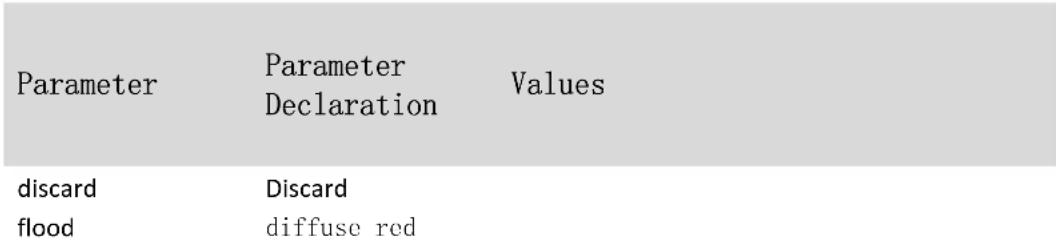
7.3. arp anti-spoofing bind
Command Function Configure the host protection function
Command Format arp anti-spoofing bind ip < ip> interface [ethernet < port-list>] no arp anti-spoofing bind ip < ip> interface [ethernet < port-list>]
Parameter Declaration
| Parameter | Parameter Declaration | Values |
| ip | Ip address | |
| port-list | Port list |
7.4. arp anti-spoofing gateway-disguiser
Command Function Three layer device configuration gateway anti deception function Command Format arp anti-spoofing gateway-disguiser no arp anti-spoofing gateway-disguiser
Parameter Declaration
7.5. arp anti-spoofing source-mac-check
Command Function ARP message source address consistency check Command Format arp anti-spoofing source-mac-check no arp anti-spoofing source-mac-checkr Parameter Declaration
7.6. arp anti-attack trust
Command Function Configuring the interface to a trust port under a physical interface Command Format arp anti-attack trust no arp anti-attack trust
Parameter Declaration
7.7. show arp anti-spoofing
Command Function View fraud prevention configuration Command Format show arp anti-spoofing Parameter Declaration
7.8. show arp anti-spoofing bind
Command Function View the protected host Command Format show arp anti-spoofing bind Parameter Declaration
7.9. show arp anti-attack
Command Function View the trust port Command Format show arp anti-attack [interface ethernet port-id] Parameter Declaration
8. Anti ARP flood configuration command
8.1. arp anti-flood
Command Function Opening arp anti-flood function
Command Format arp anti-flood no arp anti-flood Parameter Declaration
/
8.2. arp anti-flood action
Command Function
Processing of ARP attack message
Command Format
arp anti-flood action
Parameter Declaration
| Parameter | Parameter Declaration | Values |
| deny-all | Discarding all | |
| deny-arp | Discarding ARP |
8.3. arp anti-flood rate-limit
Command Function
Configuring the ARP rate threshold in a global or physical interface
Command Format
arp anti-flood rate-limit
no arp anti-flood rate-limit
Parameter Declaration
Parameter
Parameter
Declaration
Values
num
1-100 pps
8.4. arp anti-flood recover-time
Command Function
Configure prohibited user auto recovery time
Command Format
arp anti-flood recover-time
no arp anti-flood recover-time
Parameter Declaration
| Parameter | Parameter Declaration | Values |
| time | 0-1440 min |
8.5. arp anti-flood recover
Command Function
Manual recovery prohibition of users
Command Format
arp anti-flood recover
Parameter Declaration
| Parameter | Parameter Declaration | Values |
| all | All prohibition of users The MAC address corresponds to the user | |
| mac |
8.6. arp anti-flood bind blackhole
Command Function
The dynamic black hole generated by binding flood attacks is MAC static black hole MAC, and deny-all generates dynamic black hole Mac.
Command Format
arp anti-flood bind blackhole
Parameter Declaration
| Parameter | Parameter Declaration | Values |
| all | All dynamic black holes | |
| mac | MAC address |
8.7. show arp anti-flood
Command Function View the flood prevention configuration Command Format show arp anti-flood Parameter Declaration
8.8. show arp anti-flood rate-limit
Command Function View the port ARP threshold Command Format show arp anti-flood port-rate Parameter Declaration
9. Anti Dos attack configuration command
9.1. anti-dos ip ttl
Command Function Open the anti TTL attack mode
Command Format anti-dos ip ttl no anti-dos ip ttl
Parameter Declaration
9.2. anti-dos ip fragment
Command Function Open anti slice attack
Command Format
anti-dos ip fragment
no anti-dos ip fragment
Parameter Declaration
| Parameter | Parameter Declaration | Values |
| num | The maximum number of IP slices | 0-800 |
9.3. anti-dos packets class
Command Function
Open a message attack
Command Format
$$ \begin{array}{l} \text {a n t i - d o s p a k e t s c l a s s} < \text {t y p e 0} | \text {t y p e 1} | \text {t y p e 2} | \text {t y p e 3} | \text {t y p e 4} < i c m p v 4 - l e n > | \ \text {t y p e} 5 < \text {i c m p v} 6 - \text {l e n} > | \text {t y p e} 6 | \text {t y p e} 7 | \text {t y p e} 8 | \text {t y p e} 9 \ < t p y e 9 - l e n > | \text {t y p e 1 0} | \text {t y p e 1 1} | \text {t y p e 1 2} | \text {t y p e 1 3} | \ \text {t y p e 1 4} < \text {t c p - l e n} > > \ \end{array} $$
$$ \begin{array}{l} \text {n o a n t i - d o s p a k e t s c l a s s} < \text {t y p e 0} | \text {t y p e 1} | \text {t y p e 2} | \text {t y p e 3} | \text {t y p e 4} | \text {t y p e 5} | \ \text {t y p e 6} \mid \text {t y p e 7} \mid \text {t y p e 8} \mid \text {t y p e 9} \mid \text {t y p e 1 0} \mid \text {t y p e 1 1} \ \text {t y p e 1 2} \mid \text {t y p e 1 3} \mid \text {t y p e 1 4} > \ \end{array} $$
Parameter Declaration
| Parameter | Parameter Declaration | Values |
| type0 | Source object | |
| MAC equal | ||
| package | ||
| Source object | ||
| tpye1 | IP equal | |
| package | ||
| Source | ||
| tpye2 | destination UDP | |
| ports equal |
| tpye3 | Source destination TCP ports equal Greater than the specified length icmpv4 package | 0-16384 |
| tpye4 | ||
| icmpv4-len | icmpv4 specified length Greater than the specified length ICMPv6 package | 0-16384 |
| icmpv6-len | ICMPv6 specified length TCP control flag, TCP package with serial number 0 | 0-16384 |
| tpye7 | TCP SYN is 1, Source port number less than 1024, non slice If it is the first message of IP fragmentation, it is necessary to turn on the function to check the high level protocol field. Less than the specified length IPv6 fragment | 0-65535 |
| type9 | ||
| type9-len | ||
| type10 | Specified slice size | |
| type11 | Piecewise ICMP packages | |
| type12 | TCP fragments with offset 1 (*8) | |
| type13 | TCP's syn and fin set 1 | |
| type14 | A TCP with FIN, URG, and PSH bits, with a sequence of 0. The first package of TCP less than the specified TCP header length | 0-255 |
| tcp-len |
9.4. show anti-dos
Command Function
View the anti DOS configuration
Command Format
show anti-dos
Parameter Declaration
/
10. Shutdown-Control
Configuration
Command
10.1. shutdown-control
Command Function
Boot and configure shutdown rate in physical interface mode
Command Format
shutdown-control <broadcast |multicast|unicast> <rate> no shutdown-control <broadcast |multicast|unicast>
Parameter Declaration
Parameter
Parameter
Declaration
Values
broadcast
Radio broadcast
multicast
Multicast
unicast
unicast
rate
rate
1-32000000 pps
10.2. shutdown-control-recover mode
Command Function
Global configuration recovery method
Command Format
shutdown-control-recover mode < automatic | manual > no shutdown-control-recover mode
Parameter Declaration
Parameter
Parameter
Declaration
Values
automatic
Auto recovery
manual
Manual recovery
10.3. shutdown-control-recover automatic-open-time
Command Function
Global configuration auto recovery time
Command Format
shutdown-control-recover automatic-open-time < seconds>
no shutdown-control-recover automatic-open-time
Parameter Declaration
Parameter
Parameter
Declaration
Values
seconds
5-3600s
10.4. show shutdown-control interface
Command Function
Look at the shutdown-control configuration
Command Format
show shutdown-control interface [ethernet
Parameter Declaration
Parameter
Parameter
Declaration
Values
port-list
Port list
11. BPDU-Car Configuration command
11.1. port-car
Command Function
Global or under port switch
Command Format
port-car
no port-car
Parameter Declaration
11.2. port-car-rate
Command Function
The rate of sending CPU on the global or port configuration BPDU
Command Format
port-car-rate < rate>
no port-car-rate
Parameter Declaration
Parameter
Parameter
Declaration
Values
rate
1-128 PPS in port mode
1-3000 PPS in global mode
11.3. show port-car
Command Function
View configuration information
Command Format
show port-car
Parameter Declaration
/
12. CPU-Car Configuration Command
12.1. cpu-car
Command Function
The rate of sending CPU on the global configuration
Command Format
cpu-car
no cpu-car
Parameter Declaration
Parameter
Parameter
Declaration
Values
rate
1-1000 pps default: 800pps
12.2. show cpu-car
Command Function
View the running information
Command Format
show cpu-car
Parameter Declaration
/
12.3. show cpu-statistics
Command Function
Look at the CPU collection statistics
Command Format
show cpu-statistics |ethernet
Parameter Declaration
Parameter
Parameter
Declaration
Values
port-list
Port list
12.4. clear cpu-statistics
Command Function
Scavenging CPU collection statistics
Command Format
clear cpu-statistics
Parameter Declaration
/
12.5. show cpu-classification
Command Function View the CPU collection classification statistics Command Format show cpu-classification [interface ethernet <port-num>] Parameter Declaration Parameter Parameter Value port-num Port Number
12.6. clear cpu-classification
Command Function Scavenging CPU collection classification statistics Command Format clear cpu-classification [interface ethernetport-num>]
Parameter Declaration
Parameter Parameter Values
port-num Port Number
12.7. show cpu-utilization
Command Function Look at the CPU usage rate Command Format show cpu-utilization Parameter Declaration
13. Discard-BPDU Configuration Command
13.1. discard-bpdu
Command Function Global or port configuration discards BPDU messages Command Format discard-bpdu no discard-bpdu
Parameter Declaration
13.2. show discard-bpdu
Command Function View the running information
Command Format show discard-bpdu
Parameter Declaration
14. Anti DHCP configuration command
14.1. dhcp anti-attack
Command Function Anti attack function switch Command Format dhcp anti-attack no dhcp anti-attack Parameter Declaration
14.2. dhcp anti-attack action
Command Function
Configuration processing
Command Format
dhcp anti-attack action
Parameter Declaration
Parameter
Parameter
Declaration
Values
deny-all
Reject all
deny-dhcp
Refusing DHCP
14.3. dhcp anti-attack bind blackhole
Command Function
Binding black hole mac
Command Format
dhcp anti-attack bind blackhole < all |mac>
Parameter Declaration
| Parameter | Parameter Declaration | Values |
| all | A11 | |
| mac | Specific mac |
14.4. dhcp anti-attack threshold
Command Function
Global or port configuration rate threshold
Command Format
dhcp anti-attack threshold
no dhcp anti-attack threshold
Parameter Declaration
Parameter
Parameter
Declaration
Values
rate
1- 100 pps,default:16pps
14.5. dhcp anti-attack recover-time
Command Function Configure auto recovery time Command Format dhcp anti-attack recover-time < time> no dhcp anti-attack recover-time Parameter Declaration

14.6. dhcp anti-attack recover
Command Function Configure manual recovery Command Format dhcp anti-attack recover<all|mac> Parameter Declaration
14.7. dhcp anti-attack trust
Command Function Port configuration port is trust port Command Format dhcp anti-attack trust no dhcp anti-attack trust Parameter Declaration
14.8. show dhcp anti-attack
Command Function View the running information
Command Format show dhcp anti-attack
Parameter Declaration
14.9. show dhcp anti-attack interface
Command Function View port operation
Command Format show dhcp anti-attack interface [ethernet < port-num>] Parameter Declaration
15. Two level password authentication configuration command
15.1. enable password 0
Command Function Configure the enable password
Command Format enable password 0
Parameter Declaration
Parameter Parameter Declaration Values clear enable password STRING<1-32>
15.2. enable password 7
Command Function
Configuring encrypted password
Command Format
enable password 7 < encrypt
Parameter Declaration
| Parameter | Parameter Declaration | Values |
| encrypt | Encrypted cipher | STRING<1-32> |
15.3. enable password level
Command Function
Configuring passwords for different levels
Command Format
enable password level <id> <0 7>
no enable password level
Parameter Declaration
| Parameter | Parameter Declaration | Values |
| id | Level | 1-15 |
| 0 | Enable | |
| 7 | Encrypted | |
| string | Code | STRING<1-32> |
16. DHCP-Snooping Configuration command
16.1. dhcp-snooping
Command function
(no) dhcp-snooping The dhcp-snooping command is configured in global or VLAN mode (delete the dhcp-snooping function)
Command format
dhcp-snooping no dhcp-snooping
Parameter Description
None
16.2. dhcp-snooping trust
Command function
(no) dhcp-snooping trust Command to configure (delete) trust ports in VLAN or port mode
Command format
dhcp-snooping trust no dhcp-snooping trust
Parameter Description
None
16.3. dhcp-snooping fast-remove
Command function
(no) dhcp-snooping fast-remove Command to configure (delete) action of port while port links down
Command format
dhcp-snooping fast-remove no dhcp-snooping fast-remove
Parameter Description
None
16.4. dhcp-snooping max-learn-num
Command function
(no) dhcp-snooping max-learn-num value Command to configure
(restore) the maximum number of users allowed to connect in port or vlan mode
Command format
dhcp-snooping max-learn-num 10
Parameter Description
| Parameter | Parameter description | Value range |
| value | Maximum number of DHCP clients allowed | 0-2048 |
16.5. show dhcp-snooping interface
Command function
show dhcp-snooping interface [ethernet port-id]
Command format
show dhcp-snooping interface ethernet 0/0/1
Parameter Description
| Parameter | Parameter description | Value range |
| port-id | Port number | It depends on the physical port of switch, for example, 28 port switches: 0 / 0 / 1 / 0 / 1 / 4 |
16.6. show dhcp-snooping vlan
Command function
show dhcp-snooping vlan vlan-id
Command format
show dhcp-snooping vlan 2
Parameter Description
| Parameter | Parameter description | Value range |
| vlan-id | VLAN id | 1-4094 |
16.7. show dhcp-snooping clients
Command function
show dhcp-snooping client table items
Command format
show dhcp-snooping clients
Parameter Description
none
17. DHCP-Server Configuration Command
17.1. dhcp-server
Command function
(no) dhcp-server group-id ip-address
command creates and deletes the dhcp server
Command format
dhcp-server 1 192.168.1.1
no dhcp-server 1
Parameter Description
| Parameter | Parameter description | Value range |
| group-id | group number | INTEGER<1-256> |
| lp-address | dhcp server address | 32 bit binary number in format of X:X:X:X |
17.2. dhcp-server ip-pool
Command function
(no) dhcp-server ip-pool pool-name
command creates and deletes the ip pool and enters the ip pool configuration mode.
Command format
dhcp-server ip-pool aa
no dhcp-server ip-pool aa
Parameter Description
| Parameter | Parameter description | Value range |
| pool-name | IP pool name | 1-32 characters |
17.3. gateway
Command function
gateway ip-address mask mask
Command format
gateway 1.1.1.1 255.255.255.0
Parameter Description
| Parameter | Parameter description | Value range |
| ip-address | Configurable and effective IP addresses | 32 bit binary number, format is X:X:X:X |
| mask | Configure mask | 255.0.0.0-255.255.255.252 |
17.4. section
Command function
(no) section section-id start-ip end-ip
Command to configure (delete) allocatable addresses
Command format
| Parameter | Parameter description | Value range |
| section-id | IP address pool address number | 0-7 |
| start-ip | Configurable and effective IP address | 32 bit binary number, format is X:X:X:X |
| end-ip | Configurable and effective IP address | 32 bit binary number, format is X:X:X:X |
17.5. forbidden-ip
Command function
(no) forbidden-ip ip-address
command configure (delete) whether allow the ip address to be
assigned
Command format
| Parameter | Parameter description | Value range |
| ip-address | Configurable and effective IP addresses | 32 bit binary number, format is X:X:X:X |
17.6. domain-name
Command function
domain-name name
command is used to configure DNS domain suffixes assigned to
DHCP clients in ip-pool mode
Command format
domain-name test.com
no domain-name
Parameter Description
| Parameter | Parameter description | Value range |
| name | Domain name | STRING<1-32> |
17.7. lease
Command function
lease time
command is used to configure the lease expiration function
DHCP IP address in the server interface address pool
Command format
lease 10:00:00
no lease
Parameter Description
| Parameter | Parameter description | Value range |
| time | Lease time | format ddd:hh:mm, no more than 999 days |
17.8. option
Command function
option code [ sub-option sub-code ] {asciiascii-string | hex hex-string |
ip ip-address}
Custom options for configuring the DHCP address pool for the
current interface
Command format
option 22 sub-option 33 ip 1.1.1.1
no option 22 sub-option 33
Parameter Description
| Parameter | Parameter description | Value range |
| code | Option code | INTEGER<4-254> |
| sub-code | Sub-option code | INTEGER<1-254> |
| ascii-string | ASCII format string | STRING<1-128> |
| hex-string | HEX integer | HEX<0-FF> |
| ip-address | Ip address | 32 bit binary number in format of X:X:X:X |
17.9. unbind-client
Command function
unbind-client section section-id
configures unbound clients
Command format
unbind-client section 1
no unbind-client section
Parameter Description
| Parameter | Parameter description | Value range |
| section-id | Section id | INTEGER<0-7> |
17.10. router
Command function
(no) router ip-address
command to configure (delete) gateway allowed by DHCP Client
Command format
router 1.1.1.1
no router
Parameter Description
| Parameter | Parameter description | Value range |
| ip-address | Configurable and effective IP addresses | 32 bit binary number, format is X:X:X:X |
17.11.dns-list
Command function
(no)dns-list [primary-ip | second-ip | third-ip | fourth-ip] ip-address Command to configure (delete) the DNS server address assigned to the DHCP client
Command format
dns-list fourth-ip 1.1.1.1 no dns-list fourth-ip
Parameter Description
| Parameter | Parameter description | Value range |
| ip-address | Configurable valid IP address | 32 bit binary number, format is X:X:X:X |
17.12. nbns-list
Command function
(no) nbns-list [primary-ip | second-ip] ip-address Command to configure(delete) WINS server address assigned by the DHCP client
Command format
nbns-list second-ip 1.1.1.1 no nbns-list second-ip
Parameter Description
| Parameter | Parameter description | Value range |
| ip-address | Configurable valid IP address | 32 bit binary number, format is X:X:X:X |
17.13. dhcp-client bind
Command function
(no) dhcp-client bind ip-address mac-address vlan-id user-name Command to enable (disable) ip address allocation in static bind way.
Command format
dhcp-client bind 1.1.1.1 00:00:00:00:00:06 3
no dhcp-client bind 00:00:00:00:00:06 3
Parameter Description
| Parameter | Parameter description | Value range |
| ip-address | Configurable valid IP address | 32 bit binary number, format is X:X:X:X |
| mac-address | MAC address | 128 bit binary number, format is X:X:X:X |
| vlan-id | VLAN id | 1-4094 |
| user-name | user name | 1-32 chars |
17.14. dhcp-client unbind-assign
Command function
(no)dhcp-client unbind-assign
Command to enable (disable) whether allow allocate ip address
for unbound user
Command format
dhcp-client unbind-assign
Parameter Description
None
17.15. dhcp-server traps
Command function
dhcp-server traps
When the client gets IP address or releases IP address, trap
message is generated
Command format
dhcp-server traps
no dhcp-server traps
Parameter Description
none
17.16. show dhcp-server
Command function
show dhcp-server[group-id]
command to view dhcp server information
Command format
show dhcp-server
Parameter Description
| Parameter | Parameter description | Value range |
| group-id | group number | INTEGER<1-256> |
17.17. show dhcp-server interface
Command function
show dhcp-server interface [all|supervlan-interface supervlan-id|vlan-interface vlan-id] command to view dhcp server interface information
Command format
show dhcp-server interface all
Parameter Description
| Parameter | Parameter description | Value range |
| supervlan-id | Supervlan id | 1-128 |
| vlan-id | Vlan id | 1-4094 |
17.18. show dhcp-server ip-pool
Command function
show dhcp-server ip-pool [ brief | [ pool-name] section-id ] Command to view the configured ip pool
Command format
show dhcp-server ip-pool pool1 1
Parameter Description
| Parameter | Parameter description | Value range |
| pool-name | IP-pool name | 1-32 character |
| section-id | IP Address pool address number | 0-7 |
17.19. show dhcp-server clients
Command function
show dhcp-server clients [ip-address [mask] | pool-name | mac-address]
Command to view the ip address information obtained by the client
Command format show dhcp-server clients
Parameter Description
| Parameter | Parameter description | Value range |
| ip-address | Configurable and effective IP addresses | 32 bit binary number, format is X:X:X |
| mask | Configure mask | 255.0.0.0-255.255.255.252 |
| pool-name | IP-pool name | 1-32 characters |
| mac-address | MAC address | 128 bit binary number, format is X:X:X:X:X |
17.20. show dhcp-client bind
Command function
show dhcp-client bind [ ip-address | mac-address | all ]
Command to see if unbound users are allowed to assign ip addresses
Command format
show dhcp-client bind 00:00:00:00:00:06
Parameter Description
| Parameter | Parameter description | Value range |
| ip-address | Configurable valid IP address | 32 bit binary number, format is X:X:X:X |
| mac-address | MAC Address | 128 bit binary number, format is X:X:X:X:X |
18. DHCP-Relay Configuration Command
18.1. dhcp-relay
Command function
(no) dhcp-relay
command switch DHCP relay function
Command format
dhcp-relay
no dhcp-relay
Parameter Description
None
18.2. dhcp-relay hide server-ip
Command function
(no) dhcp-relay hide server-ip
Command to enable/disable) TP of Real DHCP Serve
Command format
dhcp-relay hide server-ip
no dhcp-relay hide server-ip
Parameter Description
None
18.3. dhcp-relay max-hops
Command function
(no) dhcp-relay max-hops hops-value
command to configure (delete) the maximum number of hops of the DHCP message
Command format
dhcp-relay max-hops 1
no dhcp-relay max-hops
Parameter Description
| Parameter | Parameter description | Value range |
| hops-value | default to 8 hops | 1-16 |
18.4. dhcp-relay source-ip
Command function
dhcp-relay source-ip [ egress | ingress ]
Command to configure the relay message using the source IP
Command format
dhcp-relay source-ip egress
Parameter Description
| Parameter | Parameter | Value range |
| description | ||
| egress | Server IP address egress | none |
| ingress | Server IP address ingress | none |
18.5. show dhcp-relay
Command function show dhcp-relay information
Command format show dhcp-relay
Parameter Description None
19. DHCP Option82 Configuration Command
19.1. dhcp-option82
Command function (no) dhcp-option82 Command global switch
Command format dhcp-option82
Parameter Description none
19.2. dhcp-option82 device-id
Command function (no) dhcp-option82 device-id Command to configure (Delete) whether Suboption has Device number information
Command format dhcp option82 device-id
Parameter Description None
19.3. dhcp-option82 format
Command function
dhcp-option82 format [normal | verbose| user-defined]
Command to configure (delete) DHCP option82 format.
Command format
dhcp-option82 format user-defined
Parameter Description
none
19.4. dhcp-option82 format verbose
Command function
dhcp-option82 format verbose [node-identifier[host-name|mac|user-defined defined -string]
Command to configure (delete)user-defined format of verbose format
Command format
dhcp-option82 format user-defined verbose node-identifier user-defined string
Parameter Description
| Parameter | Parameter description | Value range |
| defined -string | User-defined format number | 1-60 characters |
19.5. dhcp-option82 information format
Command function
dhcp-option82 information format [ascii | hex ]
command to configure(delete) encapsulation format of verbose
format
Command format
dhcp-option82 information format ASCII
no dhcp-option82 information format
Parameter Description
none
19.6. dhcp-option82 strategy
Command function
dhcp-option82 strategy [drop | keep | replace]
Command to configure (delete) process mode of DHCP messages
with Option 82 fields in port or VLAN mode
Command format
dhcp-option82 strategy replace
no dhcp-option82 strategy
Parameter Description
| Parameter | Parameter description | Value range |
| drop | Discard messages from DHCPoption 82 | none |
| keep | Keep the message for DHCP option 82 | none |
| replace | Replace messages with DHCPoption 82 | none |
19.7. dhcp-option82 circuit-id user-defined
Command function
dhcp-option82 circuit-id user-defined string
Command to configure (delete) user-defined circuit-id in port
or VLAN mode
Command format
dhcp-option82 circuit-id user-defined string
no dhcp-option82 circuit-id user-defined
Parameter Description
| Parameter | Parameter description | Value range |
| string | User-defined format number | 1-128 characters |
19.8. dhcp-option82 remote-id user-defined
Command function
dhcp-option82 remote-id user-defined string
Command to configure(delete) user-defined remote-id in port or
VLAN mode
Command format
dhcp-option82 remote-id user-defined string
no dhcp-option82 remote-id user-defined
19.9. show dhcp-option82
Command function
show dhcp option82 [ vlan [ vlan-id ] | interface ethernet port-id ]
Command format
show dhcp-option82 interface ethernet 0/0/1
Parameter Description
| Parameter | Parameter description | Value range |
| vlan-id | vlan id | 1-4094 |
| port-id | Port id | Depending on the physical port of the switch, for example, 28 port switch: 0 / 0 / 1 / -0 / 1 / 4 |
20. DHCPv6-Snooping Configuration Command
20.1. dhcpv6-snooping
Command function
(no) dhcpv6-snooping
Command format
dhcpv6-snooping
no dhcpv6-snooping
Parameter Description
None
20.2. dhcpv6-snooping trust
Command function
(no) dhcpv6-snooping trust
Command to configure (delete) trust port in VLAN or port mode.
Command format
dhcpv6-snooping trust
no dhcpv6-snooping trust
Parameter Description
None
20.3. dhcpv6-snooping port-down-action fast-remove
Command function
(no) dhcpv6-snooping port-down-action fast-remove
Command to configure (delete) action of port while it links down.
Command format
dhcpv6-snooping port-down-action fast-remove
no dhcpv6-snooping port-down-action fast-remove
Parameter Description
None
20.4. dhcpv6-snooping max-clients
Command function
(no) dhcpv6-snooping max-clients value
Command to configure (restore) the maximum number of users allowed to connect in port or vlan mode
Command format
dhcpv6-snooping max-clients 2
Parameter Description
| Parameter | Parameter description | Value range |
| value | Maximum number of DHCP clients allowed | 0-2048 |
20.5. show dhcpv6-snooping clients
Command function
show dhcpv6-snooping clients
Command to view dhcpv6-snooping client table entries
Command format
show dhcpv6-snooping clients
Parameter Description
None
20.6. show dhcpv6-snooping interface
Command function
show dhcpv6-snooping interface [ethernet port-id]
Command to view the DHCPV6-Snooping port configuration
Command format
show dhcpv6-snooping interface
Parameter Description
| Parameter | Parameter description | Value range |
| port-id | Port id | Depending on the physical port of the switch, for example, 28 port switches: 0 / 0 / 1 / -0 / 1 / 4 |
20.7. show dhcpv6-snooping vlan
Command function
show dhcpv6-snooping vlan vlan-id
Command format
show dhcpv6-snooping vlan 2
Parameter Description
| Parameter | Parameter description | Value range |
| vlan-id | VLAN id | 1-4094 |
20.8. clear dhcpv6-snooping
Command function
clear dhcpv6-snooping [ip ipv6-address|mac mac|vlan vid |
interface ethernet port-id]
Command to delete dynamic table entries from DHCPv6 Snooping records
Command format
clear dhcpv6-snooping ip 2::1
Parameter Description
| Parameter | Parameter description | Value range |
| Ipv6-address | a valid ipv6 address can be configured | 128-bit binary in X:X:X:X:X:X:X format |
| mac | Mac address | 48-bit binary in X:X:X:X:X format |
| vid | VLAN id | 1-4094 |
| port-id | Port id | Depending on the physical port of the switch, for example, 28 port switches: 0 / 0 / 1 / -0 / 1 / 4 |
21. DHCPv6 Option18 configuration command
21.1. dhcpv6-snooping information option 18
Command function
(no) dhcpv6-snooping information option 18
Command to enable (disable) DIICPV6 Option18
Command format
dhcpv6-snooping information option 18
no dhcpv6-snooping information option 18
Parameter Description
None
dhcpv6-snooping information interface-id
21.2. dhcpv6-snooping information interface-id
Command function
(no) dhcpv6-snooping information interface-id[hostname]ipv4-
address ipv4-address|ipv6-address ipv6-address|string string|user-
defined user-defined]
command is used to configure DHCPv6 format of Interface-ID
options in the message
Command format
dhcpv6-snooping information interface-id user-defined sysip
no dhcpv6-snooping information interface-id
Parameter Description
| Parameter | Parameter description | Value range |
| Ipv4-address | Ipv4 address | 32 bit binary number in format of X:X:X:X |
| Ipv6-address | a valid ipv6 address can be configured | 128 bit binary number in format of X:X::X:X |
| string | string | STRING<1-64> |
| User-defined | User defined | STRING<1-128> |
21.3. show dhcpv6-snooping information
Command function
show dhcpv6-snooping information
command to show DHCPv6 Option18
Command format
show dhcpv6-snooping information
Parameter Description
None
22. DHCPv6 Option37 Configuration command
22.1. dhcpv6-snooping information option 37
Command function
(no) dhcpv6-snooping information option 37
command to enable (disable) DHCPV6 Option37
Command format
dhcpv6-snooping information option 37
no dhcpv6-snooping information option 37
Parameter Description
None
22.2. dhcpv6-snooping information remote-id
Command function
(no) dhcpv6-snooping information remote-id [hostname | ipv4-
address ipv4-address| ipv6-address ipv6-address| string string |
user-defined user-defined] Command to enable (disable) DHCPv6
Remote ID content.
Command format
dhcpv6-snooping information remote-id ipv6-address 1::1
no dhcpv6-snooping information remote-id
Parameter Description
| Parameter | Parameter description | Value |
| hostname | hostname | none |
| ipv4-address | Configurable valid IP address | 32-bit binary in X:X:X:X format |
| lpv6-address | Configurable valid IPv6 address | 128-bit binary in X:X:X:X:X:X:X format |
| string | User-defined string | 1--64 Character |
| user-defined | Use-defined format alphabetic string | 1--128 Character |
22.3. show dhcpv6-snooping information
Command function
show dhcpv6-snooping information
Command to show DHCPv6 Option37
Command format
show dhcpv6-snooping information
Parameter Description
None
23. File download configuration command
23.1. load application xmodem
Command function
load application xmodem
Command to use xmodem to download the host program
Command format
load application xmodem
Parameter description
None
23.2. load application tftp
Command function
load application tftp inet[6] server-ip xxx.arj
Command to use tftp to download the host program
Command format
load application tftp inlet 1.1.1.1 host.arj
load application tftp inet6 2001::1 host.arj
Parameter description
| Parameter | Parameter description | Value |
| server-ip | Tftp server ip/ipv6 address | 32-bit binary number in the format X.X.X.X 128-bit binary number in the format X:X:X:X:X:X:X |
23.3. load application ftp
Command function
load application ftp inlet[6] server-ip xxx.arj username password
Command to use ftp to download the host program
Command format
load application ftp inet 1.1.1.1 host.arj admin admin
load application ftp inet6 2001::1 host.arj admin admin
Parameter description
| Parameter | Parameter description | Value |
| server-ip | ftp server ip/ipv6 address | 32-bit binary number in the format X.X.X.X 128-bit binary number in the format X:X:X:X:X:X:X |
| username | ftp server username | STRING<1-64> |
| password | ftp server password | STRING<1-32> |
23.4. load whole-bootrom xmodem
Command function
load whole-bootrom xmodem
Command to use xmodem to download the bootrom program
Command format
load whole-bootrom xmodem
Parameter description
None
23.5. load whole-bootrom tftp
Command function
load whole-bootrom tftp inlet[6] server-ip xxx.bin
Command to use tftp to download the bootrom program
Command format
load whole-bootrom tftp inlet 1.1.1.1 bootrom.bin
load whole-bootrom tftp inet6 2001::1 bootrom.bin
Parameter description
| Parameter | Parameter description | Value |
| server-ip | tftp server ip/ipv6 address | 32-bit binary number in the format X.X.X.X 128-bit binary number in the format X:X:X:X:X:X:X |
23.6. load whole-bootrom ftp
Command function
load whole-bootrom ftp inlet[6] server-ip xxx.bin username password Command to use ftp to download the bootrom program
Command format
load whole-bootrom ftp inlet 1.1.1.1 bootrom.bin admin admin load whole-bootrom ftp inlet6 2001::1 bootrom.bin admin admin
Parameter description
| Parameter | Parameter description | Value |
| server-ip | ftp server ip/ipv6 address | 32-bit binary number in the format X.X.X.X 128-bit binary number in the format X:X:X:X:X:X:X |
| username | ftp server username | STRING<1-64> |
| password | Ftp server password | STRING<1-32> |
23.7. load configuration xmodem
Command function
load configuration xmodem
Command to use xmodem to download configuration files
Command format
load configuration xmodem
Parameter description
None
23.8. load configuration tftp
Command function
load configuration tftp inlet[6] server-ip xxx
Command to use tftp to download configuration files
Command format
load configuration tftp inlet 1.1.1.1 config
load configuration tftp inlet6 2001::1 config
Parameter description
| Parameter | Parameter description | Value |
| server-ip | ftp server ip/ipv6 address | 32-bit binary number in the format X.X.X.X 128-bit binary number in the format X:X:X:X:X:X:X |
23.9. load configuration ftp
Command function
load configuration ftp inlet[6] server-ip xxx username password
Command to use ftp to download configuration files
Command format
load configuration ftp inlet 1.1.1.1 config admin admin load configuration ftp inlet6 2001::1 config admin admin
Parameter description
| Parameter | Parameter description | Value |
| server-ip | ftp server ip/ipv6 address | 32-bit binary number in the format X.X.X.X 128-bit binary number in the format X:X:X:X:X:X:X |
| username | ftp server username | STRING<1-64> |
| password | ftp server password | STRING<1-32> |
23.10. load keyfile private tftp
Command function
load keyfile private tftp inlet[6] server-ip private.txt
Command to use tftp for private key download
Command format
load keyfile private tftp inlet 1.1.1.1 private.txt
load keyfile private tftp inet6 2001::1 private.txt
Parameter description
| Parameter | Parameter description | Value |
| server-ip | tftp server ip/ipv6 address | 32-bit binary number in the format X.X.X.X 128-bit binary number in the format X:X:X:X:X:X:X |
23.11. load keyfile private ftp
Command function
load keyfile private ftp inlet[6] server-ip private.txt username password Command to use ftp for private key download
Command format
load keyfile private ftp inlet 1.1.1.1 private.txt admin admin load keyfile private ftp inlet6 2001::1 private.txt admin admin
Parameter description
| Parameter | Parameter description | Value |
| server-ip | ftp server ip/ipv6 address | 32-bit binary number in the format X.X.X.X 128-bit binary number in the format X:X:X:X:X:X:X |
| username | ftp server username | Any character available |
| password | ftp server password | Any character available |
23.12. load keyfile public tftp
Command function
load keyfile public tftp inlet[6] server-ip public.txt
Command to use tftp for public key download
Command format
load keyfile public tftp inet 1.1.1.1 public.txt
load keyfile public tftp inet6 2001::1 public.txt
Parameter description
| Parameter | Parameter description | Value |
| server-ip | tftp server ip/ipv6 address | 32-bit binary number in the format X.X.X.X128-bit binary number in the format X:X:X:X:X:X:X |
23.13. load keyfile public ftp
Command function
load keyfile public ftp inet[6] server-ip public.txt username password
Command to use ftp for public key download
Command format
load keyfile public ftp inlet 1.1.1.1 public.txt admin admin
load keyfile public ftp inlet6 2001::1 public.txt admin admin
Parameter description
| Parameter | Parameter | Value |
| description | ||
| server-ip | ftp server ip/ipv6 address | 32-bit binary number in the format X.X.X.X 128-bit binary number in the format X:X:X:X:X:X:X |
| username | ftp server username | STRING<1-64> |
| password | ftp server password | STRING<1-32> |
24. file upload configuration command
24.1. upload application ftp
Command function
upload application ftp inlet[6] server-ip xxx.arj username password Command to use ftp method for host program upload
Command format
upload application ftp inlet 1.1.1.1 host.arj admin admin upload application ftp inlet6 2001::1 host.arj admin admin
Parameter description
| Parameter | Parameter description | Value |
| server-ip | ftp server ip/ipv6 address | 32-bit binary number in the format X.X.X.X 128-bit binary number in the format X:X:X:X:X:X:X |
| username | ftp server username | STRING<1-64> |
| password | ftp server password | STRING<1-32> |
24.2. upload application tftp
Command function
upload application tftp inlet[6] server-ip xxx.arj Command to use tftp method for host program upload
Command format
upload application tftp inlet 1.1.1.1 host.arj upload application tftp inlet6 2001::1 host.arj
Parameter description
| Parameter | Parameter description | Value |
| server-ip | tftp server ip/ipv6 address | 32-bit binary number in the format X.X.X.X 128-bit binary number in the format X:X:X:X:X:X:X |
24.3. upload logging ftp
Command function
upload logging ftp inlet[6] server-ip log.txt username password
Command to use ftp method for log files upload
Command format
upload logging ftp inlet 1.1.1.1 log.txt admin admin
upload logging ftp inet6 2001::1 log.txt admin admin
Parameter description
| Parameter | Parameter description | Value |
| server-ip | ftp server ip/ipv6 address | 32-bit binary number in the format X.X.X.X 128-bit binary number in the format X:X:X:X:X:X:X |
| username | ftp server username | STRING<1-64> |
| password | ftp server password | STRING<1-32> |
24.4. upload logging tftp
Command function
upload logging tftp inlet[6] server-ip log.txt
Command to use tftp method for log files upload
Command format
upload logging tftp inlet 1.1.1.1 log.txt
upload logging tftp inet6 2001::1 log.txt
Parameter description
| Parameter | Parameter description | Value |
| server-ip | tftp server ip/ipv6 address | 32-bit binary number in the format X.X.X.X 128-bit binary number in the format X:X:X:X:X:X:X |
24.5. copy running-config startup-config
Command function
copy running-config startup-config
Command to save the current configuration to flash
Command format
copy running-config startup-config
Parameter description
None
24.6. upload configuration ftp
Command function
upload configuration ftp inlet[6] server-ip config.txt username password
Command to use ftp method for configuration files upload
Command format
upload configuration ftp inlet 1.1.1.1 config.txt admin admin
upload configuration ftp inlet6 2001::1 config.txt admin admin
Parameter description
| Parameter | Parameter description | Value |
| server-ip | ftp server ip/ipv6 address | 32-bit binary number in the format X.X.X.X 128-bit binary number in the format X:X:X:X:X:X:X |
| username | ftp server username | STRING<1-64> |
| password | ftp server password | STRING<1-32> |
24.7. upload configuration tftp
Command function
upload configuration tftp inlet[6] server-ip config.txt
Command to use tftp method for configuration files upload
Command format
upload configuration tftp inlet 1.1.1.1 config.txt
upload configuration tftp inlet6 2001::1 config.txt
Parameter description
| Parameter | Parameter description | Value |
| server-ip | tftp server ip/ipv6 address | 32-bit binary number in the format X.X.X.X 128-bit binary number in the format X:X:X:X:X:X:X |
24.8. upload automatically configuration ftp
Command function
upload automatically configuration ftp inlet[6] server-ip config.txt username password per hours hours-num minutes minutes -num Command to use ftp method for automatically configuration files upload Command format
upload automatically configuration ftp inlet 1.1.1.1 config.txt admin admin per hours 1 minutes 5 upload automatically configuration ftp inlet6 2001::1 config.txt admin admin per hours 1 minutes 5
Parameter description
| Parameter | Parameter description | Value |
| server-ip | ftp server ip/ipv6 address | 32-bit binary number in the format X.X.X.X 128-bit binary number in the format X:X:X:X:X:X:X |
| username | ftp server username | STRING<1-64> |
| password | ftp server password | STRING<1-32> |
| hours-num | Interval hour | 0-23 |
| minutes -num | Interval minutes | 5-59 |
24.9. upload automatically configuration tftp
Command function
upload automatically configuration tftp inlet[6] server-ip config.txt per hours
hours-num minutes minutes -num
Command to use tftp method for automatically configuration files
upload
Command format
upload automatically configuration tftp inlet 1.1.1.1 config.txt per hours 1
minutes 5
upload automatically configuration tftp inet6 2001::1 config.txt per hours 1
minutes 5
Parameter description
| Parameter | Parameter description | Value |
| server-ip | tftp server ip/ipv6 address | 32-bit binary number in the format X.X.X.X128-bit binary number in the format X:X:X:X:X:X:X |
| hours-num | Interval hour | 0-23 |
| minutes -num | Interval minutes | 5-59 |
24.10. upload keyfile private tftp
Command function
upload keyfile private tftp inlet[6] server-ip private.txt
Command to use tftp method for private key upload
Command format
upload keyfile private tftp inlet 1.1.1.1 private.txt
upload keyfile private tftp inlet6 2001::1 private.txt
Parameter description
| Parameter | Parameter description | Value |
| server-ip | tftp server ip/ipv6 address | 32-bit binary number in the format X.X.X.X 128-bit binary number in the format X:X:X:X:X:X:X |
24.11. upload keyfile private ftp
Command function
upload keyfile private ftp inlet[6] server-ip private.txt username password
Command to use ftp method for private key upload
Command format
upload keyfile private ftp inlet 1.1.1.1 private.txt admin admin upload keyfile private ftp inlet6 2001::1 private.txt admin admin
Parameter description
| Parameter | Parameter description | Value |
| server-ip | ftp server ip/ipv6 address | 32-bit binary number in the format X.X.X.X 128-bit binary number in the format X:X:X:X:X:X:X |
| username | ftp server username | STRING<1-64> |
| password | ftp server password | STRING<1-32> |
24.12. upload keyfile public tftp
Command function
upload keyfile public tftp inlet[6] server-ip public.txt Command to use tftp method for private key upload
Command format
upload keyfile public tftp inlet 1.1.1.1 public.txt
upload keyfile public tftp inlet6 2001::1 public.txt
Parameter description
| Parameter | Parameter description | Value |
| server-ip | tftp server ip/ipv6 address | 32-bit binary number in the format X.X.X.X 128-bit binary number in the format X:X:X:X:X:X:X |
24.13. upload keyfile public ftp
Command function
upload keyfile public ftp inlet[6] server-ip public.txt username password Command to use tftp method for public key upload
Command format
upload keyfile public ftp inlet 1.1.1.1 public.txt admin admin
upload keyfile public ftp inlet6 2001::1 public.txt admin admin
Parameter description
| Parameter | Parameter description | Value |
| server-ip | ftp server ip/ipv6 address | 32-bit binary number in the format X.X.X.X 128-bit binary number in the format X:X:X:X:X:X:X |
| username | ftp server username | STRING<1-64> |
| password | ftp server password | STRING<1-32> |
25. configuration management command
25.1. show running-config
Command function
show running-config [module | interface ethernet port-id|perlines lines]
Command to view the current configuration decomposition
Command format
show running-config if
show running-config interface ethernet 0/0/1
show running-config perlines 3
Parameter description
| Parameter | Parameter description | Value |
| module | Various business types | Determined according to the switch feature module |
| port-id | The port number | According to the physical port of the switch, for example, 28-port switch: 0/0/1-0/1/4 |
| lines | Display several lines at a time | 0-4096 |
25.2. show startup-config
Command function
show startup-config [module | perlines lines]
Command to view startup configuration
Command format
show startup-config if show startup-config perlines 3
Parameter description
| Parameter | Parameter description | Value |
| module | Various business types | Determined according to the switch feature module |
| lines | Display several lines at a time | 0-4096 |
25.3. copy startup-config running-config
Command function
copy startup-config running-config
Command line load startup configuration in privileged mode
Command format
copy startup-config running-config
Parameter description
None
25.4. clear startup-config
Command function
clear startup-config [ with user-info]
Command to clear startup configuration
Command format
clear startup-config
clear startup-config with user-info
Parameter description
None
26. Active and standby file system configuration command
26.1. load secondary application tftp
Command function
load secondary application tftp inlet[6] server-ip xxx.arj
Command to use tftp to download the host program
Command format
load secondary application tftp inlet 1.1.1.1 host.arj
load secondary application tftp inet6 2001::1 host.arj
Parameter description
| Parameter | Parameter description | Value |
| server-ip | tftp server ip/ipv6 address | 32-bit binary number in the format X.X.X.X 128-bit binary number in the format X:X:X:X:X:X:X |
26.2. load secondary application ftp
Command function
load secondary application ftp inlet[6] server-ip xxx.arj username password
Command to use ftp to download the host program
Command format
load secondary application ftp inlet 1.1.1.1 host.arj admin admin
load secondary application ftp inet6 2001::1 host.arj admin admin
Parameter description
| Parameter | Parameter description | Value |
| server-ip | ftp server ip/ipv6 | 32-bit binary number in the format X.X.X.X |
| address | 128-bit binary number in the format X:X:X:X:X:X:X | |
| username | ftp server username | Any character available |
| password | ftp server password | Any character available |
26.3. startup secondary application
Command function
startup secondary application
Command to enable standby host program
no startup secondary application
Command to resume enabling host program
Command format
startup secondary application
no startup secondary application
Parameter description
None
27. Port mirror configuration command
27.1. mirror source
Command function
mirror source [ethernet port-id | cpu ] [ingress | egress | both]
Command to configure mirror source
Command format
mirror source ethernet 0/0/1 both
Parameter Description
| Parameter | Parameter description | Value range |
| port-id | Port id | Depend on the physical port of the switch, for example, 28- port- switch: \( 0/0/1 - 0/1/4 \) |
27.2. mirror monitor ethernet
Command function
mirror monitor ethernet port-id Command to configure mirroring destination port
Command format mirror monitor ethernet 0/0/2
Parameter Description
| Parameter | Parameter description | Value range |
| port-id | Port-id | Depend on the physical port of the switch, for example, 28-port-switch: 0/0/1-0/1/4 |
27.3. no mirror
Command function
no mirror [all | monitor ethernet port-id | source [cpu | ethernet
port-id]
Command to configure delete mirroring groups
Command format
no mirror source ethernet 0/0/1
Parameter Description
| Parameter | Parameter description | Value range |
| port-id | Port id | Depend on the physical port of the switch, for example, 28-port-switch: 0/0/1-0/1/4 |
27.4. show mirror
Command function
show mirror
Command to view mirroring groups
Command format
show mirror
Parameter Description
None
28. Remote mirror configuration command
28.1. mirror source
Command function
mirror source [ethernet port-id | cpu ] [ingress | egress | both]
Command to configure mirror source
Command format
mirror source ethernet 0/0/1 both
Parameter Description
| Parameter | Parameter description | Value range |
| port-id | Port id | Depend on the physical port of the switch, for example, 28-port-switch: 0/0/1-0/1/4 |
28.2. mirror monitor ethernet
Command function
mirror monitor ethernet port-id
Command to configure Mirror destination port.
Command format
mirror monitor ethernet 0/0/2
Parameter Description
| Parameter | Parameter description | Value range |
| port-id | Port-id | Depend on the physical port of the switch, for example, 28-port-switch: 0/0/1-0/1/4 |
28.3. remote)mirror rspan local vlan
Command function
remoteMirror rspan local vlan vlan-id
Command to configure remote mirror on the local mirror destination
port mode
vlan
Command format
remoteMirror rspan local vlan 33
Parameter Description
| Parameter | Parameter description | Value range |
| vlan-id | Get vlan id | 1-4094 |
28.4. no remoteMirror rspan local
Command function
no remote)mirror rspan local vlan
Command to delete the remote mirror on the local mirror destination
port
Command format
no remote)mirror rspan local vlan
Parameter Description
| Parameter | Parameter description | Value range |
| vlan-id | Get vlan id | 1-4094 |
28.5. remoteMirror rspan middle vlan
Command function
remoteMirror lifespan middle vlan vlan-id
Command to configure remote mirror vlan for middle devices
Command format
remote)mirror rspan middle vlan 12
Parameter Description
| Parameter | Parameter description | Value range |
| vlan-id | Get vlan id | 1-4094 |
28.6. no remoteMirror lifespan midd le vlan
Command function
no remoteMirror lifespan middle vlan vlan-id
Command to delete the remote mirror vlan for the middle device.
Command format
no remoteMirror lifespan 12
Parameter Description
| Parameter | Parameter description | Value range |
| vlan-id | Get vlan id | 1-4094 |
28.7. remote)mirror rspan target vlan
Command function
remote)mirror rspan target vlan vlan-id
Command to configure the remote mirror vlan for the target device
Command format
remoteMirror rspan target vlan 12
Parameter Description
| Parameter | Parameter description | Value range |
| vlan-id | Get vlan id | 1-4094 |
28.8. no remoteMirror rspan target vlan
Command function
no remoteMirror rspan target vlan vlan-id
Command to remove the remote mirror vlan from the target device
Command format
no remoteMirror rspan target vlan 12
Parameter Description
| Parameter | Parameter description | Value range |
| vlan-id | Get vlan id | 1-4094 |
28.9. remote)mirror rspan parse vlan
Command function
remote)mirror rspan parse vlan vlan-id
Command to configure the remote mirror vlan for theparse device
Command format
remoteMirror rspan parse vlann 12
Parameter Description
| Parameter | Parameter description | Value range |
| vlan-id | Get vlan id | 1-4094 |
28.10. no remoteMirror rspan parse vlan
Command function
no remote)mirror rspan parse vlan vlan-id
Command to remove the remote mirror vlan from the parse device
Command format
no remoteMirror rspan parse vlan 12
Parameter Description
| Parameter | Parameter description | Value range |
| vlan-id | Get vlan id | 1-4094 |
28.11. show remoteMirror
Command function
show remoteMirror
Command to view remote mirror group
Command format
show remoteMirror
Parameter Description
None
29. Configure flow mirror
29.1. mirrored-to
Command function
mirroed-to [hybrid-acl <2000-2999> | ip-acl<1-999> | mac-acl<1000-
1999> ] [subitem < 0 - 127> |interface ethernet port-id]
Command to configure stream mirror
Command format
mirroed-to mac-acl 1000 subitem 2 interface ethernet 0/0/1
Parameter Description
| Parameter | Parameter description | Value range |
| port-id | Port-id | Depend on the physical port of the switch, for example, 28- port- switch: \( 0/0/1 - 0/1/4 \) |
29.2. no mirrored-to
Command function
no mirrored-to [hybrid-acl < 2000 - 2999> |ip-acl<1-999> macacl<1000-1999>] [subitem < 0 - 127> ] Command to delete flow mirror
Command format
no mirrored-to mac-acl 1000 subitem 2
Parameter Description
None
29.3. show qos-info mirrored-to
Command function
show qos-info mirrored-to Command to view flow mirror
Command format
show qos-info mirrored-to
Parameter Description None
30. RMON configuration command
30.1. rmon statistics
Command function
rmon statistics index [ owner string ] Command to create a statistics group in port mode
Command format
rmon statistics 1 owner 1
Parameter Description
| Parameter | Parameter description | Value range |
| index | Table index | 1-65535 |
| string | Description string | 1-127 character |
30.2. no rmon statistics
Command function
no rmon statistics [index]
Command to delete statistic group in port mode
Command format
no rmon statistics 1
Parameter Description
| Parameter | Parameter description | Value range |
| index | Table index | 1-65535 |
30.3. rmon history
Command function
rmon history index bucket bucket-num interval value [owner string]
Command to create a history group in port mode
Command format
rmon history 1 buckets 1 interval 1 owner string
Parameter Description
| Parameter | Parameter description | Value range |
| index | Table index | 1-65535 |
| bucket-num | Recorded number value | 1-65535 |
| value | Sample interval (seconds) | 1-3600 |
| string | Description string | 1-127 character |
30.4. no rmon history
Command function
no rmon history[index]
Command to delete a history group in port mode
Command format
no rmon history 1
Parameter Description
| Parameter | Parameter description | Value range |
| index | Table index | 1-65535 |
30.5. show rmon statistics interface
Command function
show rmon statistics interface [ethernet port-id]
Command to Statistic Group Information View
Command format
show rmon statistics interface ethernet 0/0/1
Parameter Description
| Parameter | Parameter description | Value range |
| port-id | Port id | Depend on the physical port of the switch, for example, 28-port-switch: 0/0/1-0/1/4 |
30.6. show rmon history interface
Command function
show rmon history interface [ethernet port-id]
Command to view history group information
Command format
show rmon history interface ethernet 0/0/1
Parameter Description
| Parameter | Parameter description | Value range |
| port-id | Port-id | Depend on the physical port of the switch, for example, 28-port-switch: 0/0/1-0/1/4 |
30.7. rmon event
Command function
rmon event index [ description string ] [ log | log-trap | trap | none ]
[owner string]
Command to Create event table item in global mode.
Command format
rmon event 1 description 2 log owner string
Parameter Description
| Parameter | Parameter description | Value range |
| index | Table index | 1-65535 |
| string | Description string | 1-127 character |
30.8. no rmon event
Command function
no rmon event [index] Command to delete event table items in global mode
Command format
no rmon event 1
Parameter Description
| Parameter | Parameter description | Value range |
| index | Table index | 1-65535 |
30.9. show rmon event
Command function
show rmon event [event | eventlog ] [index]
Command history group information view
Command format
show rmon eventlog 1
Parameter Description
| Parameter | Parameter description | Value range |
| index | Table index | 1-65535 |
30.10. rmon alarm
Command function
rmon alarm index mib-oid value [ absolute | delta ] rising threshold-value index falling threshold-value index [ owner string ] Command to create alarm groups in global mode
Command format
rmon alarm 1 1.3.6.1.2.1.16.1.1.1.5 1 absolute rising 3 2 falling 2 2
owner string
Parameter Description
| Parameter | Parameter | Value range |
| description | ||
| index | Table index | 1-65535 |
| mib-oid | MIB object identity (for example: 1.3.6.1.2.1.16.1.1 .1.5.1) | 1-127 character |
| value | Sample interval (seconds) | 1-3600 |
| threshold-value | Threshold value of sample statistics | 1-2147483647 |
| string | Description string | 1-127 character |
30.11. no rmon alarm
Command function
no rmon alarm [index]
Command to delete alarm groups in global mode
Command format
no rmon alarm 1
Parameter Description
| Parameter | Parameter description | Value range |
| index | Table index | 1-65535 |
30.12. show rmon alarm
Command function
show rmon alarm [index]
Command alarm Group Information View
Command format
show rmon alarm 1
Parameter Description
| Parameter | Parameter description | Value range |
| index | Table index | 1-65535 |
31. Bandwidth-Control configuration command
31.1. bandwidth
Command function
(no)bandwidth [ ingress [percentage value] [egress [percentage value]] rate
Command in port module Bandwidth limit for configuring or deleting
outgoing and incoming directions
Command format
bandwidth egress 64
bandwidth egress percentage 12
no bandwidth egress
Parameter description
| Parameter | Parameter Description | Value |
| value | Percentage of port | (1-99)% |
| rate | Specific bandwidth limit | 16-1000000 |
31.2. show bandwidth
Command function
show bandwidth [ ethernet port-id]
Command to view port bandwidth limit information
Command format
show bandwidth ethernet 0/0/2
show bandwidth
Parameter Description
| Parameter | Parameter Description | Value |
| port-id | The port number | According to the physical port of the switch, for example 28 ports: 0/0/1-0/1/4 |
32. MAC-address-management-configuration command
32.1. mac-address-table age-time
Command function
mac-address-table age-time [second| disable]
Command to configure or disable MAC address aging time
no mac-address-table age-time
Command to restore the default MAC address aging time
Command format
mac-address-table age-time 10
mac-address-table age-time disable
no mac-address-table age-time
Parameter Description
| Parameter | Parameter Description | Value |
| second | MAC address aging time in seconds. The default is 300s. | 10-1000000 |
32.2. mac-address-table
Command function
mac-address-table [static | permanent | dynamic] mac-add interface
ethernet port-id vlan
vlan-id
Command to manually add the MAC address table
no mac-address-table [static | permanent | dynamic] mac-add interface
ethernet port-id
vlan vlan-id
Manually delete the MAC address table
Command format
mac-address-table static 2:2:2:2:2 interface ethernet 0/0/1 vlan 2
no mac-address-table static 2:2:2:2:2 interface ethernet 0/0/1 vlan 2
Parameter Description
| Parameter | Parameter Description | Value |
| mac-add | MAC address | 48-bit binary number in the format X:X:X:X:X |
| port-id | The number port | According to the physical port of the switch, for example 28 ports: 0/0/1-0/1/4 |
| vlan-id | Set vlan id | 1-4094 |
32.3. mac-address-table blackhole
Command function
mac-address-table blackhole mac-add vlan vlan-id
Command to manually add the blackhole MAC address table
no mac-address-table blackhole mac-add vlan vlan-id
Command to manually delete the blackhole MAC address table
Command format
mac-address-table blackhole 2:2:2:2:2 vlan 1
no mac-address-table blackhole 2:2:2:2:2 vlan 1
Parameter Description
| Parameter | Parameter Description | Value |
| mac-add | MAC address | 48-bit binary number in the format X:X:X:X:X:X |
| vlan-id | Set vlan id | 1-4094 |
32.4. mac-address-table learning
Command function
(no) mac-address-table learning
Command to switch mac address learning globally or port
Command format
mac-address-table learning
no mac-address-table learning
Parameter Description
None
32.5. mac-address-table max-mac-count
Command function
mac-address-table max-mac-count count
Port or vlan mode configuration port learns the number of MAC
addresses
Command format
mac-address-table max-mac-count 1
Parameter Description
| Parameter | Parameter Description | Value |
| count | Number of MAC address | 1-8191 |
32.6. no mac-address-table max-mac-count
Command function
no mac-address-table max-mac-count
Port or vlan mode deletes the number of learned MAC addresses
Command format
no mac-address-table max-mac-count
Parameter Description
none
32.7. show mac-address max-mac-count
Command function
Show mac-address max-mac-count [interface ethernet port-id | vlan vlan-
id]
View the number of MACs that can be learned on the port, aggregation
group, or VLAN.
Command format
Show mac-address-table max-mac-count vlan 1
Show mac-address-table max-mac-count interface ethernet 0/0/2
Parameter Description
| Parameter | Parameter Description | Value |
| port-id | The number port | According of the physical port of the switch, for example 28-port switch: 0/0/1-0/1/4 |
| vlan-id | Set vlan id | 1-4094 |
32.8. show mac-address-table age-time
Command function
show mac-address-table age-time
Command to view the MAC address aging time
Command format
show mac-address-table age-time
Parameter Description
None
32.9. show mac-address-table
Command function
show mac-address-table [static | permanent | dynamic | blackhole | vlan]
mac-add interface [ethernet | eth-trunk] port-id vlan vlan-id
Command to view the MAC address table
Command format
show mac-address-table static interface ethernet 0/0/1 vlan 1
Parameter Description
| Parameter | Parameter Description | Value |
| mac-add | MAC address | 48-bit binary number in the format X:X:X:X:X |
| port-id | The number port | According to the physical port of the switch, for example, 28-port switch: 0/0/1-0/1/4 |
| vlan-id | Set vlan id | 1-4094 |
32.10. show mac-address learning
Command function
show mac-address learning interface [ethernet port-id]
Command to view the MAC address learning status, the default is open
Command format
show mac-address learning interface
show mac-address learning interface ethernet 0/0/1
Parameter Description
| Parameter | Parameter Description | Value |
| port-id | The number | According to the physical port of the switch, for example, 28-port switch: 0/0/1-0/1/4 |
32.11. show mac-address cpu
Command function
show mac-address cpu
Command to view cpu mac address
Command format
show mac-address cpu
Parameter Description
None
33. DLF-Control configuration command
33.1. unknown-discard unicast
Command function
(no)unknown-discard unicast
Command to switch the unknown unicast forwarding function in port
mode
Command format
unknown-discard unicast no unknown-discard unicast
Parameter Description
None
33.2. unknown-discard multicast vlan
Command function
(no)unknown-discard multicast vlan vlan-id [ethernet port-id]
Command to Switch Unknown Multicast Based on vlan and Port
Forwarding in Global Mode
Command format
unknown-discard multicast vlan 1 no unknown-discard multicast vlan 1
Parameter Description
| Parameter | Parameter Description | Value |
| port-id | The number port | According to the physical port of the switch, for example, 28-port switch: 0/0/1-0/1/4 |
| vlan-ID | Vlan | 1-4094 |
33.3. unknown-discard multicast
Command function
(no)unknown-discard multicast
Command to Switch Unknown Multicast Forwarding in Port Mode
Command format
unknown-discard multicast
no unknown-discard multicast
Parameter Description
None
33.4. show unknown-discard
Command function
show unknown-discard [ethernet|vlan vlan-id]
Command to view unknown unicast and multicast configurations
Command format
show unknown-discard ethernet 0/0/1
show unknown-discard vlan 1
Parameter Description
| Parameter | Parameter Description | Value |
| vlan-id | Set vlan id | 1-4094 |
34. Local-Switch configuration command
34.1. local-switch
Command function
(no)local-switch
Command to switch Local-switch under port
Command format
local-switch
no local-switch
Parameter Description
None
34.2. show local-switch
Command function
show local-switch [interface ethernet port-id]
Command view local-switch configuration
Command format
show local-switch
show local-switch interface ethernet 0/0/1
Parameter Description
| Parameter | Parameter | Value |
| Description | ||
| port-id | The number port | According to the physical port of the switch, for example, 28-port switch: 0/0/1-0/1/4 |
35. SLF-Control configuration command
35.1. unknown-discard src-mac
Command function
(no)unknown-discard src-mac
Command Switching Source Unknown Forwarding Function
Configuration Under Port
Command format
unknown-discard src-mac
no unknown-discard src-mac
Parameter Description
None
35.2. show unknown-discard src-mac
Command function
Show unknown-discard src-mac[ethernet port-id]
Command view source unknown forwarding configuration
Command format
show unknown-discard src-mac
show unknown-discard src-mac ethernet 0/0/1
Parameter Description
| Parameter | Parameter Description | Value |
| port-id | The number port | According to the physical port of the switch, for example, 28-port switch: 0/0/1-0/1/4 |
36. Flow-Control configuration command
36.1. flow-control
Command function
(no)flow-control
Command to switch flow control function in port mode
Command format
flow-control
no flow-control
Parameter Description
None
36.2. show flow-control interface
Command function
Show flow-control interface [ethernetport-id]
Command to view the port flow control configuration
Command format
Show flow-control interface
Show flow-control interface ethernet 0/0/1
Parameter Description
| Parameter | Parameter Description | Value |
| port-id | The number port | According to the physical port of the switch, for example, 28-port switch: 0/0/1-0/1/4 |
37. Error packet statistics
37.1. show statistics interface ethernet
Command function
show statistics interface ethernet port-id
Command to view all or single port error packet statistics
Command format
show statistics interface ethernet 0/0/1
show statistics interface
Parameter Description
| Parameter | Parameter Description | Value |
| port-id | The number port | According to the physical port of the switch, for example, 28-port switch: 0/0/1-0/1/4 |
38. IPv4 IF-Vlan Interface configuration command
38.1. interface vlan-interface
Command function
(no)interface vlan-interface vid Command to configure or delete a normal VLAN interface
Command format
interface vlan-interface 1 no interface vlan-interface 1
Parameter Description
| Parameter | Parameter description | Value range |
| vid | VLAN id | 1-4094 |
38.2. ip address ipv4 address
Command function
(no)ip address [ipaddress|primary] mask override Command to configure or delete the IP address of a normal VLAN interface
Command format
ip address 1.1.1.1 255.255.255.0
ip address 1.1.1.1 255.255.255.0 override
ip address primary 1.1.1.1
no ip address
no ip address 1.1.1.1 255.255.255.0
Parameter Description
| Parameter | Parameter description | Value range |
| ipaddress | Configurable valid IP address | 32-bit binary in X:X:X:X format |
| primary | Configure the IP address as the primary address | None |
| mask | Configure interface mask | 255.0.0.0-255.255.255.252 |
| override | Override the IP address of the main interface | None |
38.3. Ip address
Command function
(no)ip address [dhcp|bootp] Command to configure or delete the dynamic IP address of a common VLAN interface
Command format
ip address dhcp
ip address bootpip address primary 1.1.1.1
no ip address dhcp
no ip address bootp
Parameter Description
none
38.4. ip addres range
Command function
(no)ip addres range start-ipadd end-ipadd Command to configure or
delete the IP address range of a normal VLAN interface
Command format
ip address range 1.1.1.1 1.1.1.2
no ip address range
no ip address range 1.1.1.1 1.1.1.2
Parameter Description
| Parameter | Parameter | Value range |
| description | ||
| start-ipadd | Configurable valid IP address | 32-bit binary in X:X:X:X format |
| end-ipadd | Configurable valid IP address, end-ipadd>=start-ipadd | 32-bit binary in X:X:X:X format |
38.5. ip icmp host-unreachable send
Command function
ip icmp host-unreachable send
Command to configure or delete
icmp unreachable
Command format
ip icmp host-unreachable send enable
ip icmp host-unreachable send disable
Parameter Description
None
38.6. ip icmp mask-request receive
Command function
ip icmp mask-request receive
Command to configure or delete
icmp mask-request
Command format
ip icmp mask-request receive enable
ip icmp mask-request receive disable
Parameter Description
None
38.7. description
Command function
(no)description string Command to add or delete interface description
information
Command format
(no)description vlan1
Parameter Description
| Parameter | Parameter description | Value range |
| string | Description information | Any characters except ? , Space need to add double quotation marks |
38.8. show ip interface
Command function
show ip interface vlan-interface Command to view interface configuration IP address information
Command format
show ip interface vlan-interface 1
Parameter Description
| Parameter | Parameter description | Value range |
| vlan-interface | Vlan interface | 1-4094 |
39. IPv4 SuperVlanInterface
configuration command
39.1. interface supervlan-interface
Command function
(no)interface supervlan-interface vid Command to configure or delete a normal supervlan interface
Command format
interface supervlan-interface 1 no interface supervlan-interface 1
Parameter Description
| Parameter | Parameter description | Value range |
| vid | VLAN id | 1-128 |
39.2. subvlan
Command function
(no)subvlan [vid] vlan-list] Command to configure or delete an supervlan subordinate subvlan
Command format
subvlan 2,3,4-10
Parameter Description
| Parameter | Parameter description | Value range |
| vid | vlan-list | 1-4094 |
| vlan-list | VLAN id | Numeric string, case-insensitive, not support space, the length range is 1-128. String range is 1-4094 |
39.3. ip address
Command function
(no)ip address [ipaddress|primary] mask override Command to configure or delete the IP address of normal VLAN interface.
Command format
ip address 1.1.1.1 255.255.255.0
ip address 1.1.1.1 255.255.255.0 override
ip address primary 1.1.1.1
no ip address
no ip address 1.1.1.1 255.255.255.0
Parameter Description
| Parameter | Parameter description | Value range |
| ipaddress | Configurable valid IP address | 32-bit binary in X:X:X:X format |
| primary | Configure the IP address as the primary address | None |
| mask | Configure interface mask | 255.0.0.0-255.255.255.252 |
| override | Override the IP address of the main interface | None |
39.4. Ip address
Command function
(no)ip address [dhcp|bootp] Command to configure or delete the dynamic IP address of a common VLAN interface
Command format
ip address dhcp
ip address bootpip address primary 1.1.1.1
no ip address dhcp
no ip address bootp
Parameter Description
none
39.5. ip addresses range
Command function
(no)ip addres range start-ipadd end-ipadd Command to configure or delete the IP address range of a normal VLAN interface.
Command format
ip address range 1.1.1.1 1.1.1.2
no ip address range
no ip address range 1.1.1.1 1.1.1.2
Parameter Description
| Parameter | Parameter description | Value range |
| start-ipadd | Configurable valid IP address | 32-bit binary in X:X:X:X format |
| end-ipadd | Configurable valid IP address,end-ipadd>=start-ipadd | 32-bit binary in X:X:X:X format |
39.6. ip icmp host-unreachable send
Command function
ip icmp host-unreachable send Command to configure or delete icmp unreachable
Command format
ip icmp host-unreachable send enable
ip icmp host-unreachable send disable
Parameter Description
None
39.7. ip icmp mask-request receive
Command function
ip icmp mask-request receive Command to configure or delete icmp mask-request
Command format
ip icmp mask-request receive enable
ip icmp mask-request receive disable
Parameter Description
None
39.8. description
Command function
(no)description string Command to add or delete interface description information.
Command format
(no)description vlan1
Parameter Description
| Parameter | Parameter description | Value range |
| string | description information | Any characters except ? , Space need to add double quotation marks |
39.9. show ip interface
Command function
show ip interface
supervlan-interface Command to view interfaceconfiguration IP
address
Information.
Command format
show ip interface supernvlan-interface 1
Parameter Description
| Parameter | Parameter description | Value range |
| supervlan-interface | Supervlan interface | 1-128 |
40. IPv6 IF-VlanInterface configuration
command
40.1. ipv6 address
Command function
(no)ipv6 address [ipv6-address|prefix-length] eui-64 command to
configure or delete local and
global unicast addresses for configuration sites in EUI-64 format of
interface.
(no)ipv6 address [ipv6-address|prefix-length] Command to configure or
delete interface manual and global unicast addresses
(no)ipv6 address autoconfig command to configure or delete
interface Specify site local address and global unicast address
automatically.
(no)ipv6 address ipv6-address link-localCommand to configure or
delete manually specified link local addresses
Command format
ipv6 address 2001::1/64 eui-64
no ipv6 address 2001::1/64 eui-64
ipv6 address autoconfig
no ipv6 address autoconfig
ipv6 address fe91::11 link-local
no ipv6 address fe91::11 link-local
Parameter Description
| Parameter | Parameter description | Value range |
| ipv6address | Configurable valid IPv6 addresses | 128-bit binary in X:X:X:X:X:X:X format |
| prefix-length | IPv6 address mask | 1-128 |
40.2. ipv6 neighbors max-learning-num
Command function
(no)ipv6 neighbors max-learning-num number Command to
configure or delete the number of neighbor caches
Command format
ipv6 neighbors max-learning-num 2
no ipv6 neighbors max-learning-num
Parameter Description
| Parameter | Parameter description | Value |
| number | Neighbor cache number | 1-2000 |
40.3. ipv6 nd ns retrans-timer
Command function
(no)ipv6 nd ns retrans-timer value
Command format
ipv6 nd ns retrans-timer 20
no ipv6 nd ns retrans-timer
Parameter Description
| Parameter | Parameter description | Value |
| value | Retransmission interval | 1-3600 |
40.4. ipv6 nd dad attempts value
Command function
(no)ipv6 nd dad attempts value Command to configure or delete times of sending neighbor request message while repeat address detects.
Command format
ipv6 nd dad attempts 20
no ipv6 nd dad attempts
Parameter Description
| Parameter | Parameter description | Value |
| value | DAD times | 0-20 |
40.5. ipv6 nd reachable-time
Command function
(no)ipv6 nd reachable-time value Command to configure or delete the time to keep neighbor reachable
Command format
ipv6 nd reachable-time 2
no ipv6 nd reachable-time
Parameter Description
| Parameter | Parameter description | Value range |
| value | reachable time | 1-3600 |
40.6. ipv6 pathmtu value
Command function
(no)ipv6 pathmtu value command to configure or delete ipv6 pathmtu
Command format
ipv6 pathmtu 1280
no ipv6 pathmtu
Parameter Description
| Parameter | Parameter description | Value range |
| value | lpv6 pathmtu | 1280-1500 |
40.7. ipv6 nd ra halt
Command function
(no)ipv6 nd ra halt
Command format
ipv6 nd ra halt
Parameter Description
None
40.8. ipv6 nd ra hop-limit
Command function
(no)ipv6 nd ra hop-limit value
Command format
ipv6 nd ra hop-limit 2
Parameter Description
| Parameter | Parameter description | Value range |
| value | Number restriction | 0-255 |
40.9. ipv6 nd ra interval
Command function
(no)ipv6 nd ra interval max-interval min-interval
Command format
ipv6 nd ra interval 4 4
Parameter Description
| Parameter | Parameter description | Value range |
| max-interval | max-interval | 4-1800 |
| min-interval | min-interval | 3-1350 |
40.10. ipv6 nd ra prefix
Command function
(no)ipv6 nd ra prefix prefix-name ipv6-address valid-lifetime
preferred-lifetime [no-autoconfig | off-link ] Command ro configure or
delete router notification address prefix
Command format
ipv6 nd ra interval 4 4
Parameter Description
| Parameter | Parameter | Value range |
| description | ||
| prefix-nam | prefix-nam | 1-32 characters |
| ipv6address | ipv6address | 128-bit binary in X:X:X:X:X:X:X format |
| valid-l lifetime | valid-l lifetime | 0-4294967295 |
| preferred-l lifetime | Select time | 0-4294967295 |
| no-autoconfig | Affix cannot be used for automatic address configuration | none |
| off-link | Prefix cannot be used for detection on link | none |
40.11. ipv6 nd ra router-l lifetime
Command function
(no)ipv6 nd ra router-lifetime value
Command format
ipv6 nd ra router-l lifetime 4
Parameter Description
| Parameter | Parameter description | Value range |
| router-l lifetime | router-l lifetime | 0-9000 |
40.12. show ipv6 interface
Command function
show ipv6 interface [vlan-inter |supervlan-intelloopback-inter]
Command format
show ipv6 interface vlan-interface 1
show ipv6 interface supervlan-interface 1
show ipv6 interface loopback-interface 1
Parameter Description
| Parameter | Parameter description | Value range |
| supervlan-inter | Supervlan interface | 1-128 |
| loopback-inter | Loopback interface | 0-1 |
| vlan-inter | Vlan interface | 1-4094 |
40.13. show ipv6 neighbors
Command function
show ipv6 neighbors [ ipv6-add |all | dynamic| static|mac mac-add |
max-learning-num]
Command format
show ipv6 neighbors all
Parameter Description
| Parameter | Parameter description | Value range |
| mac-add | Configure port mac address | 48-bit binary in X:X:X:X:X format |
40.14. show ipv6 nd dad atemps
Command function
show ipv6 nd dad attemps
Command format
show ipv6 nd dad attemps
Parameter Description
None
40.15. show ipv6 nd ns retrans-time
Command function
show ipv6 nd ns retrans-time
Command format
show ipv6 nd ns retrans-time
Parameter Description
none
40.16. show ipv6 nd reachable-time
Command function
show ipv6 nd reachable-time
Command format
show ipv6 nd reachable-time
Parameter Description
None
40.17. show ipv6 route
Command function
show ipv6 route
Command format
show ipv6 route
Parameter Description
None
41. IPv6 SuperVlanInterface
configuration command
41.1. ipv6 address
Command function
(no)ipv6 address [ipv6-address|prefix-length] eui-64 Command to configure or delete the local address and global unicast addresses of configuration sites in EUI-64 format of interface.
(no)ipv6 address [ipv6-address|prefix-length] Command to configure or delete interface manual and global unicast addresses
(no)ipv6 address autoconfig command to configure or delete interface Specify site local address and global unicast address automatically.
(no)ipv6 address ipv6-address link-local Command to configure or delete manually specified link local addresses
Command format
ipv6 address 2001::1/64 eui-64
no ipv6 address 2001::1/64 eui-64
ipv6 address autoconfig
no ipv6 address autoconfig
ipv6 address fe91::11 link-local
no ipv6 address fe91::11 link-local
Parameter Description
| Parameter | Parameter description | Value range |
| ipv6address | Configurable valid ipv6 address | 128-bit binary in X:X:X:X:X:X:X format |
| prefix-length | IPv6 address mask | 1-128 |
41.2. ipv6 neighbors max-learning-num
Command function
(no)ipv6 neighbors max-learning-num number
Command format
ipv6 neighbors max-learning-num 2
no ipv6 neighbors max-learning-num
Parameter Description
| Parameter | Parameter description | Value range |
| number | Neighbor cache number | 1-2560 |
41.3. ipv6 nd ns retrans-timer
Command function
(no)ipv6 nd ns retrans-timer value
Command format
ipv6 nd ns retrans-timer 20
no ipv6 nd ns retrans-timer
Parameter Description
| Parameter | Parameter description | Value range |
| value | Retransmission interval | 1-3600 |
41.4. ipv6 nd dad attempts value
Command function
(no)ipv6 nd dad attempts value
Command format
ipv6 nd dad attempts 20
no ipv6 nd dad attempts
Parameter Description
| Parameter | Parameter description | Value range |
| value | DAD number of times | 0-20 |
41.5. ipv6 nd reachable-time
Command function
(no)ipv6 nd reachable-time value Command to configure or delete
the time to keep neighbor reachable
Command format
ipv6 nd reachable-time 2
no ipv6 nd reachable-time
Parameter Description
| Parameter | Parameter description | Value range |
| value | Reachable time | 1-3600 |
41.6. ipv6 pathmtu value
Command function
(no)ipv6 pathmtu value
Command format
ipv6 pathmtu 1280
no ipv6 pathmtu
Parameter Description
| Parameter | Parameter description | Value range |
| value | Maximum transmission unit value | 1280-1500 |
41.7. ipv6 nd ra halt
Command function
(no)ipv6 nd ra halt
Parameter Description
ipv6 nd ra halt
Parameter Description
None
41.8. ipv6 nd ra hop-limit
Command function
(no)ipv6 nd ra hop-limit value
Command format
ipv6 nd ra hop-limit 2
Parameter Description
| Parameter | Parameter description | Value range |
| value | Number restriction | 0-255 |
41.9. ipv6 nd ra interval
Command function
(no)ipv6 nd ra interval max-interval min-interval
Command format
ipv6 nd ra interval 4 4
Parameter Description
| Parameter | Parameter description | Value range |
| max-interval | max-interval | 4-1800 |
| min-interval | min-interval | 3-1350 |
41.10. ipv6 nd ra prefix
Command function
(no)ipv6 nd ra prefix prefix-name ipv6-address valid-l lifetime
preferred-lifetime [no-autoconfig | off-link] 命令配置删除路由器通告地
址前缀 Command to con figureleting router notification address prefix
Command format
ipv6 nd ra interval 4 4
Parameter Description
| Parameter | Parameter description | Value range |
| prefix-nam | Prefix identification name | 1-32 character |
| ipv6address | Configurable valid ipv6 address | 128-bit binary in X:X:X:X:X:X:X format |
| valid-l lifetime | Valid life time | 0-4294967295 |
| preferred-l lifetime | Select time | 0-4294967295 |
| no-autoconfig | Affix cannot be used for automatic address configuration | none |
| off-link | Prefix cannot be used for detection on link | none |
41.11. ipv6 nd ra router-l lifetime
Command function
(no)ipv6 nd ra router-l lifetime valueCommand to configure or delete
Router notification lifecycle.
Command format
ipv6 nd ra router-l lifetime 4
Parameter Description
| Parameter | Parameter description | Value range |
| router-l lifetime | Router time | 0-9000 |
41.12. show ipv6 interface
Command function
show ipv6 interface [vlan-inter |supervlan-intel/loopback-inter]
Command format
show ipv6 interface vlan-interface 1 show ipv6 interface supervlan-interface 1 show ipv6 interface loopback-interface 1
Parameter Description
| Parameter | Parameter description | Value range |
| supervlan-inter | Supervlan interface | 1-128 |
| loopback-inter | Loopback interface | 0-1 |
| vlan-inter | Vlan interface | 1-4094 |
41.13. show ipv6 neighbors
Command function
show ipv6 neighbors [ ipv6-add |all | dynamic| static|mac mac-add |
max-learning-num]
Command to view ipv6 interface neighbor table items
Command format
show ipv6 neighbors all
Parameter Description
| Parameter | Parameter description | Value range |
| mac-add | Configure port mac address | 48-bit binary in X:X:X:X:X format |
41.14. show ipv6 nd dad attemps
Command function
show ipv6 nd dad atemps command to view number of times of sending neighbor request message when repeat address detect
Command format
show ipv6 nd dad attemps
Parameter Description
none
41.15. show ipv6 nd ns retrans-time
Command function
show ipv6 nd ns retrans-time
Command format
show ipv6 nd ns retrans-time
Parameter Description
None
41.16. show ipv6 nd reachable-time
Command function
show ipv6 nd reachable-time Command to view the time that keep
neighborhood reachable state
Command format
show ipv6 nd reachable-time
Parameter Description
None
41.17. show ipv6 route
Command function
show ipv6 route Command to view the ipv6 routing table
Command format
show ipv6 route
Parameter Description
None
42. GMRP Configuration command
42.1. gmrp
Command function
(no)gmrp
Command to enable (disable) multicast registration protocol in
global or port mode
Command format
gmrp
no gmrp
Parameter Description
None
42.2. garp permit multicast mac-address
Command function
(no) garp permit multicast mac-address mac vlan vid
Command to configure (delete) multicast published by multicast
registration protocol
Command format
garp permit multicast mac-address 01:00:5e:00:01:01 vlan 12
no garp permit multicast mac-address 01:00:5e:00:01:01 vlan 12
Parameter Description
| Parameter | Parameter description | Value range |
| mac | 组播 MAC 地址 | 128 位二进制数,格式为 X:X:X:X:X:X |
| vid | VLAN id | 1-4094 |
42.3. show gmrp
Command function
show gmrp
Command to view the enable state of the global multicast
registry protocol
Command format
show gmrp
Parameter Description
None
42.4. show gmrp interface
Command function
Show gmrp interface [ethernet port-id]
Command to view the enable state of the port multicast registry
protocol
Command format
show gmrp interface ethernet 0/0/1
Parameter Description
| Parameter | Parameter description | Value range |
| port-id | Port id | Depend on the physical port of the switch, for example, 28-port-switch: 0/0/1-0/1/4 |
42.5. show garp permit multicast
Command function
show garp permit multicast
Command to view multicast registration protocol
Command format
show garp permit multicast
Parameter Description
None
42.6. show multicast
Command function
show multicast
Command to view local multicast group(Contains static and GMRP learning multicast groups)
Command format
show multicast
Parameter Description
None
43. GMP-Snooping Configuration command
43.1. igmp-snooping
Command function
(no)igmp-snooping
Command to enable (disable) Internet Group Management snooping Protocol
Command format
igmp-snooping
no igmp-snooping
Parameter Description
None
43.2. igmp-snooping host-aging-time
Command function
igmp-snooping host-aging-time time vlan vid
Command to configure dynamic multicast port member aging time
Command format
igmp-snooping host-aging-time 10 vlan 1
Parameter Description
| Parameter | Parameter description | Value range |
| time | Aging time (seconds) | 10-1000000 s |
| vid | VLAN list | 1-128 character |
43.3. no igmp-snooping host-aging-time
Command function
no igmp-snooping host-aging-time [vlan vid]
command to cancel the aging time of dynamic multicast port
members
Command format
no igmp-snooping host-aging-time vlan 1
Parameter Description
| Parameter | Parameter description | Value range |
| vid | VLAN List | 1-128 character |
43.4. igmp-snooping max-response-time
Command function
igmp-snooping max-response-time time
Command to configure the query maximum response time
Command format
igmp-snooping max-response-time 1
Parameter Description
| Parameter | Parameter description | Value range |
| time | Maximum | 1-100s |
| response time in seconds |
43.5. no igmp-snooping max-response-time
Command function
no igmp-snooping max-response-time
Command to cancel the query maximum response time
Command format
no igmp-snooping max-response-time
Parameter Description
None
43.6. igmp-snooping fast-leave
Command function
igmp-snooping fast-leave
Command to configure port fast-leave in port mode.
Command format
igmp-snooping fast-leave
Parameter Description
None
43.7. no igmp-snooping fast-leave
Command function
no igmp-snooping fast-leave
Command to cancel port fast-leave mode
Command format
no igmp-snooping fast-leave
Parameter Description
None
43.8. igmp-snooping group-limit
Command function
igmp-snoopingsgroup-limitnumber
Command to configure port max learning multicast number in port mode
Command format
igmp-snooping group-limit 1
Parameter Description
| Parameter | Parameter description | Value range |
| number | Multicast group number | 0-1020 |
43.9. no igmp-snooping group-limit
Command function
no igmp-snooping group-limit
Command cancels the maximum number of multicast that the port can learn
Command format
no igmp-snooping group-limit
Parameter Description
None
43.10. igmp-snooping overflow-replace
Command function
igmp-snooping overflow-replace
Command to action configuration for full Multicast Group in Ports
Command format
igmp-snooping overflow-replace
Parameter Description
None
43.11. igmp-snooping enable-vlan
Command function
(no)igmp-snooping enable-vlan [vlan-list]
Command to configure (delete) default learning rules for
multicast groups that are not on the black-and-white list
Command format
igmp-snooping enable-vlan 1
no igmp-snooping enable-vlan 1
Parameter Description
| Parameter | Parameter description | Value range |
| vlan-list | VLAN list | 1-128character |
43.12. igmp-snooping [permit | deny ]
Command function
(no)igmp-snooping [permit | deny] group mac vlan vid
igmp-snooping [permit | deny] group-range mac multi-count num vlan vid
Command to configure (delete) port multicast black-and-white
list
Command format
igmp-snooping deny group 01:00:5e:00:01:01 vlan 2
no igmp-snooping deny group 01:00:5e:00:01:01 vlan 2
igmp-snooping permit group-range 01:00:5e:00:01:01 multi-count 2 vlan 2
Parameter Description
| Parameter | Parameter description | Value range |
| mac | Multicast MAC address | 48-bit hexadecimal, in the form of X: X:X:X:X |
| num | Multicast address number | 1-64 |
| vid | VLAN id | 1-4094 |
43.13. igmp-snooping querier
Command function
(no)igmp-snooping querier Command to enable or disable the query
Command format
igmp-snooping querier no igmp-snooping querier
Parameter Description
None
43.14. igmp-snooping robust-count
Command function
(no)igmp-snooping robust-count [count] Command to configure or restore Multicast robust coefficients
Command format
igmp-snooping robust-count 2 no igmp-snooping robust-count
Parameter Description
| Parameter | Parameter description | Value range |
| count | Robust-count value, the default value is 2 | 1-5 |
43.15. igmp-snooping last-member-query-interval
Command function
(no)igmp-snooping last-member-query-interval value
Command to configure or restore multicast specific query send intervals
Command format
igmp-snooping last-member-query-interval 2
no igmp-snooping last-member-query-interval
Parameter Description
| Parameter | Parameter description | Value range |
| value | Interval time, default is 1 second | 1-5s |
43.16. igmp-snooping version
Command function
igmp-snooping version value
Command to configure the version of the query message
Command format
igmp-snooping version 2
Parameter Description
| Parameter | Parameter description | Value range |
| value | IGMP version number, default IGMPv2 | 2-3 |
43.17. igmp-snooping querier-vlan
Command function
(no)igmp-snooping querier-vlan vlan-id
Command to configure (delete) VLAN for general query messages
Command format
igmp-snooping querier-vlan 2
no igmp-snooping querier-vlan 2
Parameter Description
| Parameter | Parameter description | Value range |
| vlan-id | VLAN list | 1-128 character |
43.18. igmp-snooping query-interval
Command function
(no)igmp-snooping query-interval value
Command to configure (restore) the interval that general query
message is sent
Command format
igmp-snoopinq query-interval 2
no igmp-snooping query-interval
Parameter Description
| Parameter | Parameter description | Value range |
| value | Query message sending interval (seconds) | 1-30000s |
43.19. igmp-snooping query-source
Command function
(no)igmp-snooping query-source ipaddress
Command to configure (cancel) the source IP address that sends
the general query message
Command format
igmp-snoopinq query-source 1.1.1.1
no igmp-snooping query-source
Parameter Description
| Parameter | Parameter description | Value range |
| ipaddress | Configurable valid multicast IP address | 32 bit binary number in format of X:X:X:X |
43.20. igmp-snooping router-port forward
Command function
(no)igmp-snooping router-port forward
Command to configure ( Cancel ) Mixed Routing Port Features
Command format
igmp-snooping router-port forward no igmp-snooping router-port forward
Parameter Description
None
43.21. igmp-snooping router-aging-time
Command function
(no)igmp-snooping router-aging-time value Command to configure (restore) the aging time of dynamic route ports
Command format
igmp-snooping router-aging-time 10 no igmp-snooping router-aging-time
Parameter Description
| Parameter | Parameter description | Value range |
| value | Router port aging time range (seconds) | 10-1000000s |
43.22. igmp-snooping router-port vlan
Command function
(no)igmp-snooping router-port vlan vid interface [all | ethernet port-id] Command to configure (cancel) static router ports
Command format
igmp-snooping router-port vlan 10 interface ethernet 0/0/1
no igmp-snooping router-port vlan 10 interface ethernet 0/0/1
Parameter Description
| Parameter | Parameter description | Value range |
| vid | VLAN id | 1-4094 |
| port-id | Port-id | Depend on the physical port of the switch, for example, 28-port-switch: 0/0/1-0/1/4 |
43.23. igmp-snooping multicast vlan
Command function
(no)igmp-snooping multicast vlan vid Command to configure (cancel) multicast vlan of port.
Command format
igmp-snooping multicast vlan 1
no igmp-snooping multicast vlan
Parameter Description
| Parameter | Parameter description | Value range |
| vid | VLAN id | 1-4094 |
43.24. igmp-snooping proxy
Command function
(no)igmp-snooping proxy
Command to configure (cancel) Multicast message proxy
Command format
igmp-snooping proxy
no igmp-snooping proxy
Parameter Description
None
43.25. igmp-snooping proxy-source
Command function
(no)igmp-snooping proxy-source ipaddress
Command to configure (cancel) proxy source ip
Command format
igmp-snooping proxy-source 1.1.1.1
no igmp-snooping proxy-source
Parameter Description
| Parameter | Parameter description | Value range |
| ipaddress | Configurable valid multicast IP address | 32 bit binary number in format of X:X:X:X |
43.26. igmp-snooping query-proxy
Command function
(no)igmp-snooping query-proxy
Command to configure (cancel) query proxy
Command format
igmp-snoopinq query-proxy
no igmp-snooping query-proxy
Parameter Description
none
43.27. igmp-snooping source-learning
Command function
(no)igmp-snoopingsource-learning
Command on and off source address learning
Command format
igmp-snooping source-learning
Parameter Description
none
43.28. igmp-snooping static-group
Command function
(no)igmp-snooping static-group address [source-ip address|vlan vlan-id]
[all]ethernet port-id]
The command configures add(delete) the static multicast address
Command format
igmp-snooping static-group 224.1.1.1 source-ip 3.3.3.3 vlan 1 ethernet
0/0/1
no igmp-snooping static-group 224.1.1.1 source-ip 3.3.3.3 vlan 1
ethernet0/0/1
Parameter Description
| Parameter | Parameter Description | Value range |
| address | multicast ip address | 32 bit binary number in format of X:X:X:X |
| vlan-id | VLAN ID | 1-4094 |
| port-id | Port ID | Depend on the physical port of the switch, for example, 28-port-switch: 0/0/1-0/1/4 |
43.29. igmp-snooping static-group proxy
Command function
(no)igmp-snooping static-group proxy [interval time]
The command configures (delete) the static multicast proxy and proxy interval time
Command format
igmp-snooping static-group proxy igmp-snooping static-group proxy interval 50 no igmp-snooping static-group proxy
Parameter Description
| Parameter | Parameter Description | Value range |
| time | Interval time | 30-300s |
43.30. igmp-snooping drop
Command function
(no)igmp-snooping drop [query|report]
Command to configure port (receive) discard query / report
message
Command format
igmp-snooping drop report
igmp-snooping drop query
no igmp-snooping drop report
no igmp-snooping drop query
Parameter Description
None
43.31. igmp-snooping preview
Command function
(no)igmp-snooping preview
Command to configure (disable) Multicast Preview function
Command format
igmp-snooping preview
no igmp-snooping preview
Parameter Description
None
43.32. igmp-snooping preview group-ip
Command function
(no)igmp-snooping preview group-ip ipaddress vlan vid interface ethernet
port-id
Command to configure(cancel) Multicast Preview function
Command format
igmp-snoopingsnoping preview group-ip 224.0.1.1 vlan 2 interface ethernet 0/0/1
no igmp-snooping preview group-ip 224.0.1.1 vlan 2 interface ethernet 0/0/1
Parameter Description
| Parameter | Parameter description | Value range |
| ipaddress | Multicast IP address | 32 bit binary number in format of X:X:X:X |
| vid | VLAN | 1-4094 |
| port-id | Port id | Depend on the physical port of the switch, for example, 28-port-switch: 0 / 0 / 1 - 0 / 1 / 4 |
43.33. igmp-snooping preview times
Command function
(no)igmp-snooping preview [time-once time-once time-interval time-interval
time-reset time-reset permit-times permit-times}
Command to configure (cancel) single preview duration, preview
interval, preview reset duration and allowed preview times.
Command format
igmp-snooping preview permit-times 1 time-interval 190 time-once 233
time-reset 1800
no igmp-snooping preview permit-times time-interval time-once time-reset
Parameter Description
| Parameter | Parameter description | Value range |
| time-once | time-once | 60-300s |
| time-interval | time-interval | 180-600s |
| time-reset | time-reset | 1800-7200s |
| permit-times | permit-times | 1-10 |
43.34. igmp-snooping profile
Command function
(no)igmp-snooping profile profile-id
Command to create (cancel) profile and enter profile
configuration mode
Command format
igmp-snoopingsprofile1
no igmp-snooping profile 1
Parameter Description
| Parameter | Parameter description | Value range |
| profile-id | profile-id | 1-128 |
43.35. profile limit
Command function
profile limit [permit | deny]
Command to configure the profile type in igmp-profile mode
Command format
profile limit permit
Parameter Description
| Parameter | Parameter description | Value range |
| permit | Configure the multicast list allowed in the rules | None |
| deny | Configure a deny list of multicast in a rule | None |
43.36.ip range
Command function
(no)ip range start-ip end-ip [vlan vlan-id]
Command to configure (delete) profile TP address range in TGMP-
Profile mode
Command format
ip range 224.0.1.1 224.0.1.2 vlan 1
no ip range 224.0.1.1 224.0.1.2 vlan 1
Parameter Description
| Parameter | Parameter description | Value range |
| start-ip | Start group IP address | 224.0.0.1-239.255.255.254 |
| end-ip | End group IP address | 224.0.0.1-239.255.255.254 |
| vlan-id | VLAN ID | 1-4094 |
43.37. mac range
Command function
(no)mac range start-mac end-mac [vlan vlan-id]
Command to configure (delete) profile MAC address range in TGMP-
Profile mode
Command format
mac range 01:00:5e:1:1:1 01:00:5e:1:1:2 vlan 1
no mac range 01:00:5e:1:1:1 01:00:5e:1:1:2 vlan 1
Parameter Description
| Parameter | Parameter Description | Value range |
| start-mac | Start group MAC address | 48 bit binary number in format of X:X:X:X:X:X |
| end-mac | End group MAC address | 48 bit binary number in format of X:X:X:X:X:X |
| vlan-id | VLAN ID | 1-4094 |
43.38. description
Command function
(no)descripston string
command to configure policy description in IGMP-Profile mode
Command format
description string
no description
Parameter Description
| Parameter | Parameter Description | Value range |
| string | Profile description | STRING<1-32> |
43.39. igmp-snooping profile refer
Command function
(no)igmp-snooping profile refer profile-list
Command to configure (deselect) the port Profile reference range in port mode
Command format
igmp-snoopings profile refer 1
no igmp-snooping profile refer 1
Parameter Description
| Parameter | Parameter Description | Value range |
| profile-list | Profile identifier | 1-128character |
43.40. show igmp-snooping
Command function
show igmp-snooping
Command to view the associated configuration of IGMP Snooping
Command format
show igmp-snooping
Parameter Description
none
43.41. showigmp-snooping router-dynamic
Command function
show igmp-snooping router-dynamic
Command to view the dynamic routing port
Command format
show igmp-snooping router-dynamic
Parameter Description
none
43.42. show igmp-snooping router-static
Command function
show igmp-snooping router-static
Command to view the static routing port
Command format
show igmp-snooping router-static
Parameter Description
none
43.43. showigmp-snooping preview
Command function
show igmp-snooping preview
Command to view multicast preview information
Command format
show igmp-snooping preview
Parameter Description
none
43.44. showigmp-snooping preview status
Command function
show igmp-snooping preview status
Command to view the current status of the multicast preview channel
Command format
show igmp-snooping preview status
Parameter Description
none
43.45. show igmp-snooping profile
Command function
show igmp-snooping profile [string | ethernet port-id | vlan vlan-id]
Command to view profile information
Command format
show igmp-snooping profile ethernet 0/0/1
Parameter Description
| Parameter | Parameter Description | Value range |
| string | Profile name | 128character |
| port-id | Port id | According to the physical port of the switch, such as 28 port switch: 0/0/1-0/1/4 |
| vlan-id | VLAN id | 1-4094 |
43.46. show multicast
Command function
show multicast [ mac-address mac]
Command to view multicast table (simple) information
Command format
show multicast mac-address 01:00:5e:00:01:01
Parameter Description
| Parameter | Parameter Description | Value range |
| mac | multicast MAC address | 48 bit binary number in format of X:X:X:X:X:X |
44. Static multicast configuration command
44.1. multicast
Command function
(no)multicast mac-address mac vlan vlan-id [interface [all |ethernetport-id]
Command to add (delete) member ports to a static multicast group
Command format
multicast mac-address 01:00:5e:01:01:01 vlan 2 interface ethernet 0/0/1
no multicast mac-address 01:00:5e:01:01 vlan 2 interface ethernet 0/0/1
Parameter Description
| Parameter | Parameter Description | Value range |
| mac | Multicast mac address | 48 bit binary number in format of X:X:X:X:X: |
| vlan-id | VLAN ID | 1-4094 |
| port-id | Port id | Depend on the physical port of the switch, for example, 28-port-switch: 0/0/1-0/1/4 |
44.2. multicast proxy
Command function
(no)multicast mac-address mac vlan vlan-id proxy-port ethernet port-id
The command creates a proxy port for a static multicast group
Command format
multicast mac-address 01:00:5e:01:01:vlan2 proxy-portethernet0/0/1
no multicast mac-address 01:00:5e:01:01:01 vlan 2 proxy-port ethernet
0/0/1
Parameter Description
| Parameter | Parameter Description | Value range |
| mac | Multicast mac address | 48 bit binary number in format of X:X:X:X:X |
| vlan-id | VLAN ID | 1-4094 |
| port-id | Port id | Depend on the physical port of the switch, for example, 28-port-switch: 0/0/1-0/1/4 |
44.3. multicast proxy-interval
Command function
(no)multicast proxy-interval value
Command to configure (restore) the interval at which the proxy port sends a report to the multicast source
Command format
multicast proxy-interval 10 no multicast proxy-interval
Parameter Description
| Parameter | Parameter Description | Value range |
| value | Time interval (seconds), default 10 seconds | 1-300s |
44.4. show multicast
Command function
show multicast
Command to view multicast table information
Command format
show multicast
Parameter Description
none
45. MLD-Snooping Configuration command
45.1. mld-snooping
Command function
(no)mld-snooping
Command switches the multicast listener discovery protocol
Command format
mld-snooping
no mld-snooping
Parameter Description
none
45.2. mld-snooping host-aging-time time
Command function
(no)mld-snooping host-aging-time time
Command to configure (restore) dynamic multicast port member
aging time
Command format
mld-snooping host-aging-time 10
no mld-snooping host-aging-time
Parameter Description
| Parameter | Parameter Description | Value range |
| time | aging-time (s) | 10-1000000 |
45.3. mld-snooping max-response-time
Command function
(no) mld-snooping max-response-time time
Command configuration (restore) leaves the maximum response time
Command format
mld-snooping max-response-time 1
no mld-snooping max-response-time
Parameter Description
| Parameter | Parameter Description | Value range |
| time | max response time | 1-100s |
45.4. mld-snooping fast-leave
Command function
(no)mld-snooping fast-leave
Command to configure (delete) port fast leave in port mode
Command format
mld-snooping fast-leave
no mld-snooping fast-leave
Parameter Description
none
45.5. mld-snooping group-limit
Command function
(no)mld-snooping group-limit number
Command to configure (delete) the maximum number of multicast ports that can be learned in port mode
Command format
mld-snooping group-limit 1
no mld-snooping group-limit
Parameter Description
| Parameter | Parameter Description | Value range |
| number | maximum number of multicast | 0-1020 |
45.6. mld-snooping [permit | deny ]
Command function
mld-snooping [permit | deny ] group all
The command configures default learning rules for multicast groups that are not in the black and white list
Command format
mld-snooping permit group all
Parameter Description
none
45.7. mld-snooping
Command function
mld-snooping [permit | deny ] group-range mac multi-count num vlan vid (no)mld-snooping [permit | deny ] group mac vlan vid
Command to configure a multicast black and white list of ports
Command format
mld-snooping permit group-range 33:33:33:1:1:1 multi-count 2 vlan 1
mld-snooping permit group 33:33:33:1:1:1 vlan 1
no mld-snooping permit group 33:33:33:1:1:1 vlan 1
Parameter Description
| Parameter | Parameter Description | Value range |
| mac | Multicast MAC address | 33:33:XX:XX:XX:XX |
| num | MAC address number | 1-64 |
| vid | VLAN ID | 1-4094 |
45.8. mld-snooping querier
Command function
(no)mld-snooping querier
Command to turn on or off the query
Command format
mld-snooping querier no mld-snooping querier
Parameter Description
none
45.9. mld-snoopinq query-interval
Command function
(no)mld-snooping query-interval value
Command configuration (restore) Generally queries the time interval of a message
Command format
mld-snooping query-interval 2
no mld-snooping query-interval
Parameter Description
| Parameter | Parameter Description | Value range |
| value | Query message sending interval (seconds) | 1-30000 |
45.10. mld-snoopig query-max-respond
Command function
(no)mld-snooping query-max-respond value
Command configuration (restore) maximum response time for general query packets
Command format
mld-snooping query-max-respond 2
no mld-snooping query-max-respond
Parameter Description
| Parameter | Parameter Description | Value range |
| value | Maximum response time (seconds) | 1-25 |
45.11. mld-snooping router-port forward
Command function
(no)mld-snoopig router-port forward
Command to configure (cancel) routing port forwarding
Command format
mld-snooping router-port forward
no mld-snooping router-port forward
Parameter Description
none
45.12. mld-snooping router-port-age
Command function
(no)mld-snooping router-port-age [on | off | age-time]
Command to configure (cancel) the aging time of the dynamic routing port
Command format
mld-snooping router-port-age 10
no mld-snooping router-port-age
Parameter Description
| Parameter | Parameter Description | Value range |
| age-time | Aging time | 10-1000000s |
45.13. mld-snooping router-port vlan
Command function
(no)mld-snooping router-port vlan vid [all | ethernet port-id]
Command to configure (delete) the static routing port
Command format
Parameter Description
mld-snooping router-port vlan 1 all
no mld-snooping router-port vlan 1 all
| Parameter | Parameter Description | Value range |
| vid | VLAN ID | 1-4094 |
| port-id | Port ID | Depend on the physical port of the switch, for example, 28- port- switch: 0/0/1-0/1/4 |
45.14. mld-snooping multicast vlan
Command function
(no) mld-snooping multicast vlan vid
Command to configure (cancel) a multicast VLAN for a port
Command format
mld-snooping multicast vlan 1 no mld-snooping multicast vlan
Parameter Description
| Parameter | Parameter Description | Value range |
| vid | VLAN id | 1-4094 |
45.15. show mld-snooping
Command function
show mld-snooping
Command to view the configuration of the multicast listener discovery protocol
Command format
show mld-snooping
Parameter Description
none
45.16. show mld-snooping router-dynamic
Command function
show mld-snooping router-dynamic
Command to view the dynamic routing port
Command format
show mld-snooping router-dynamic
Parameter Description
none
45.17. show mld-snooping router-static
Command function
show mld-snooping router-static
Command to view the static routing port
Command format
show mld-snooping router-static
Parameter Description
none
45.18. show multicast mld-snooping
Command function
show multicast mld-snooping
Command to view a multicast group
Command format
show multicast mld-snooping
Parameter Description
none
46. I2protocol-tunnel Configuration command
46.1. l2protocol-tunnel
Command function
Configuration protocol transmission under port
Command format
l2protocol-tunnel [cdp | lacp | pagp | stp | udld | vtp | dtp | gvrp | lldp | pvst | user-protocol]
Parameter Description
| Parameter | Parameter description | Value range |
| cdp | cpd Protocol message | |
| lacp | Lacp Protocol message | |
| pagp | Pag Protocol message | |
| stp | Stp Protocol message | |
| udld | Udld Protocol message | |
| vtp | Vtp Protocol message | |
| dtp | Dtp Protocol message | |
| gvrp | Gvrp Protocol message | |
| Ildp | Lldp Protocol message | |
| pvst | Pvst Protocol message | |
| user-protocol | User defined protocol | 1-16 |
46.2. l2protocol-tunnel user-protocol
Command function
Command to configure custom protocol transmission
Command format
l2protocol-tunnel user-protocol
12protocol-tunnel user-protocol name protocol-mac 00:00:22:22:2
2:22 encaps-type cthernet2 protocol-type 1800
Parameter Description
| Parameter | Parameter description | Value range |
| name | User defined protocol name | 1-16 |
| Mac address | Protocol multicast MAC | |
| type | Ethernet type or DSAP/SSAP | 1-fffff |
46.3. 12protocol-tunnel drop-threshold
Command function
Limit Protocol transmission rate globally
Command format
I2protocol-tunnel |cdp | lacp | pagp | stp | udld | vtp | dtp | gvrp | lldp |
pvst | drop-threshold
l2protocol-tunnel drop-threshold
Parameter Description
| Parameter | Parameter description | Value range |
| cdp | Cpd Protocol message | |
| lacp | Lacp Protocol message | |
| pagp | Pagp Protocol message | |
| stp | Stp Protocol message | |
| udld | Udld Protocol message | |
| vtp | Vtp Protocol message | |
| dtp | Dtp Protocol message | |
| gvrp | Gvrp Protocol message | |
| Ildp | Lldp Protocol message | |
| pvst | Pvst Protocol message | |
| value | Limit value | 1-200 pps |
46.4. show l2protocol-tunne interface
Command function
View port run protocol status
Command format
show l2protocol-tunne interface [ethernet [list] ]
Parameter Description
| Parameter | Parameter description | Value range |
| list | Port list |
46.5. show l2protocol-tunnel drop-threshold
Command function
Check each protocol speed limit
Command format
show I2protocol-tunnel drop-threshold
Parameter Description
None
46.6. show l2protocol-tunnel tunnel-mac
Command function
View the mac address of the protocol
Command format
show I2protocol-tunnel drop-threshold
Parameter Description
None
47. LLDP Configuration Commands
47.1. ldp
Command Function [no]11dp Command for link discovery protocol functional switches
Command Format no 11dp 11dp
Parameter Declaration
47.2. lldprx | tx | rxtx
Command Function
Ildp [rxtx | tx | rx]
Configuration Commands Work Pattern in port mode
Command Format
lldp rtx
Parameter Declaration
| Parameter | Parameter Declaration | Values |
| rctx | Both send and receive LLDP messages, ports work in the default mode. | / |
| tx | Only send LLDP message | / |
| rx | Only receive LLDP message | / |
47.3. lldp hello-time
Command Function
[no] lldp hello-time value
Command configuration (delete) HELLO time
Command Format
Ildp hello-time 5
no lldp hello-time
Parameter Declaration
| Parameter | Parameter Declaration | Values |
| value | Link discovery protocol HELLO time: (second) | 5-32768 |
47.4. lldp hold-times
Command Function
[no] lldp hold-times value
Command configuration (delete) timeout times
Command Format
Ildp hold-times 5
no lldp hold-times
Parameter Declaration
| Parameter | Parameter Declaration | Values |
| value | Link discovery protocol timeout times | 2-10 |
47.5. lldp trap
Command Function
Ildp trap enable|disable
Command enable lldp trap or disable lldp trap
Command Format
Ildp trap enable
Ildp trap disable
Parameter Declaration
none
47.6. lldp management-address
Command Function
[no] lldp management-address [supervlan-interface value1 | vlan-interface value2]
Command configuration LLDP (delete) management address in port mode
Command Format
Ildp management-address supervlan-interface 1 no Ildp management-address
Parameter Declaration
| Parameter | Parameter Declaration | Values |
| value1 | Super VLAN ID Range | 1-128 |
| value2 | VLAN Interface ID | 1-4094 |
47.7. show lldp
Command Function
show lldp [ethernetport-id]
Command view link discovery configuration information display
Command Format
show lldp ethernet 0/0/1
Parameter Declaration
| Parameter | Parameter Declaration | Values |
| port-id | Port number | Based on the physical port of the switch, for example,28 ports switch: 0/0/1-0/1/4 |
48. UDLD Configuration Command
48.1. udld
Command Function
[no]udld Command for unidirectional link detection functional switch
Command Format no udld udld
Parameter Declaration
48.2. uddl error-down
Command Function
[no] udd error-down [recover | recover-time times] command for configuring (delete) one-way link detection error status processing
Command Format
udld error-down recover-time 30
no udld error-down recover-time
Parameter Declaration
| Parameter | Parameter Declaration | Values |
| recover | Configuring unidirectional link detection error state recovery enabling | / |
| recover-time times | Configuring one-way link detection error status recovery time (seconds), default 30 seconds. | 30-86400 |
48.3. udld message-interval
Command Function
udld message-interval time command configuration unidirectional link detection'hello'message sending time interval
Command Format
udld message-interval
Parameter Declaration
| Parameter | Parameter Declaration | Values |
| time | Message sending time interval (second), default 15 seconds | 7-90 |
48.4. udld reset
Command Function
udld reset Command to reset one-way link detection in port or global mode
Command Format
udld reset
Parameter Declaration
48.5. udld port shutdown
Command Function
[no]udld port shutdown
Command to configure (delete) one-way link detection close port in port mode.
Command Format
udld port shutdown no udld port shutdown
Parameter Declaration
48.6. udld unidirectional-shutdown
Command Function
udld unidirectional-shutdown [auto | manual]
The command configures one-way port detection in port mode and detects the closing mode of single port, and automatically closes by default.
Command Format
udld unidirectional-shutdown auto
Parameter Declaration
| Parameter | Parameter Declaration | Values |
| auto | Automatic closing the port | / |
| manual | Manually closing the port | / |
48.7. udld work-mode
Command Function
udld work-mode [aggressive|normal]
Command configures one-way link detection mode in port mode,
default to normal mode.
Command Format
udld work-mode aggressive
Parameter Declaration
| Parameter | Parameter Declaration | Values |
| aggressive | Unidirectional link detection work mode is radical model | / |
| normal | One way link detection mode is normal mode | / |
48.8. show uddl
Command Function
show u绿色发展 [ethernet port-id]
command to view unidirectional link detection configuration
information display
Command Format
show udld ethernet 0/0/1
Parameter Declaration
| Parameter | Parameter Declaration | Values |
| port-id | Port number | Based on the physical port of the switch, for example,28 ports switch: 0/0/1-0/1/4: 0/0/1-0/1/4 |
49. Managing IP restricted configuration commands
49.1. login-access-list
Command Function
Configure the network addresses that the protocols allow to access
Command Format
login-access-list <snmp|ssh|telnet|web><ip-address><wildcard>
no login-access-list <all|snmp|ssh|telnet|web><ip-address>dcard>

Parameter Declaration

<table><tr><td>Parameter</td><td>Parameter Declaration</td><td>Values</td></tr><tr><td>ip-address</td><td>Access network</td><td></td></tr><tr><td>wildcard</td><td>Network inverse mask</td><td></td></tr></table>

<h1 id="492-login-access-list-privilege-limit">49.2. login-access-list privilege-limit</h1>

Command Function

Configure Max privilege manage users

Command Format

login-access-list privilege-limit <num>

no login-access-list privilege-limit

Parameter Declaration

<table><tr><td>Parameter</td><td></td><td>Values</td></tr><tr><td></td><td>Parameter Declaration</td><td></td></tr><tr><td>num</td><td></td><td>0-5</td></tr></table>

<h1 id="493-show-login-access-list">49.3. show login-access-list</h1>

Command Function

View the restricted state of the run

Command Format

show login-access-list

Parameter Declaration

/

<h1 id="50-managing-timeout-configuration-command">50. Managing timeout configuration command</h1>

<h1 id="501-timeout">50.1. timeout</h1>

Command Function

Configure access timeout in privileged mode

Command Format

timeout <num>

no timeout

Parameter Declaration

<table><tr><td>Parameter</td><td>Parameter Declaration</td><td>Values</td></tr><tr><td>num</td><td></td><td>1-480 min</td></tr></table>

<h1 id="51-ssh-configuration-command">51. SSH configuration command</h1>

<h1 id="511-ssh">51.1. ssh</h1>

```txt
Command Function Functional switch Command Format ssh no ssh Parameter Declaration
51.2. ssh limit
Command Function Configuring SSH user number constraints
Command Format ssh limit num> no ssh limit
Parameter Declaration
| Parameter | Parameter Declaration | Values |
| num | 0-5 |
51.3. ssh port
Command Function Configuring SSH port number
Command Format ssh port <num> no ssh
Parameter Declaration
| Parameter | Parameter | Values |
| Declaration | ||
| num | Port number | 1024-65535 |
51.4. stop vty
Command Function
Mandatory vty user downline in privileged mode
Command Format
stop vty
Parameter Declaration
| Parameter | Parameter Declaration | Values |
| all | All users | |
| vty-list | Vty List users |
51.5. crypto key zeroize rsa
Command Function
Privileged pattern deleting key
Command Format
crypto key zeroize rsa
Parameter Declaration
/
51.6. crypto key refresh
Command Function
Privileged mode activation key
Command Format
crypto key refresh
Parameter Declaration
/
51.7. crypto key generate rsa
Command Function
The privileged mode configures the default key
Command Format
crypto key generate rsa
Parameter Declaration
/
51.8. load keyfile
Command Function
Privileged mode import key
Command Format
load keyfile
Parameter Declaration
| Parameter | Parameter Declaration | Values |
| private | private key | |
| public | public key | |
| inet | ipv4 server address | |
| inet6 | ipv6 server address | |
| address | address | |
| filename | file name | |
| ftp-username | Username used in FTP | |
| ftp-pass | Password used in FTP |
51.9. upload keyfile
Command Function
Privileged mode export key
Command Format
upload keyfile
Parameter Declaration
| Parameter | Parameter Declaration | Values |
| private | private key | |
| public | public key | |
| inet | ipv4 server address | |
| inet6 | ipv6 server address | |
| address | address | |
| filename | file name | |
| ftp-username | Username used in FTP | |
| ftp-pass | Password used in FTP |
51.10. show keyfile
Command Function
View key
Command Format
showkeyfile
Parameter Declaration
| Parameter | Parameter Declaration | Values |
| private | private key | |
| public | public key |
52. Telnet-Client Configuration command
52.1. telnet
Command Function
Access to other devices as clients in privileged mode
Command Format
telnet < ip> [tcp-port]
Parameter Declaration
| Parameter | Parameter Declaration | Values |
| ip | ip address | |
| tcp-port | Port number |
53. Telnet-Server/Telnetv6-ServerConfiguration Command
53.1. telnet enable
Command Function Enabling function
Command Format telnet enable Parameter Declaration
53.2. telnet disable
Command Function Delete Enabling function
Command Format telnet disable
Parameter Declaration
53.3. telnet limit
Command Function Configuring Telnet user number constraints
Command Format telnet limit num> no telnet limit
Parameter Declaration
| Parameter | Parameter Declaration | Values |
| num | 0-5 |
53.4. telnet port
Command Function
Configure the service port number
Command Format
telnet port
no telnet port
Parameter Declaration
| Parameter | Parameter Declaration | Values |
| num | 1024-65535 |
53.5. stop telnet client
Command Function
Mandatory user downline in privileged mode
Command Format
stop telnet client < id| all>
Parameter Declaration
| Parameter | Parameter Declaration | Values |
| all | All users | |
| id | UserID |
53.6. show telnet client
Command Function
View online users
Command Format
show telnet client
Parameter Declaration
/
53.7. show telnet
Command Function
Look at the telnet service running state
Command Format
show telnet
Parameter Declaration
/
54. Web Management configuration command
54.1. http enable
Command Function
Enabling function
Command Format
http enable[port
Parameter Declaration
| Parameter | Parameter Declaration | Values |
| num | 1024-65535 |
54.2. http disable
Command Function
Delete Enabling function
Command Format
http disable
Parameter Declaration
/
54.3. http timeout
Command Function
Configure the HTTP timeout
Command Format
http timeout
Parameter Declaration
| Parameter | Parameter Declaration | Values |
| time | unit: second, default: 1200s | 60-36000 |
54.4. show http
Command Function
Look at the HTTP service running state
Command Format
show http
Parameter Declaration
/
55. SNMP Management configuration command
55.1. snmp-server enable
Command Function Enabling function
Command Format snmp-server enable Parameter Declaration
55.2. snmp-server disable
Command Function Delete Enabling function
Command Format snmp-server disable Parameter Declaration
55.3. snmp-server contact
Command Function Configuration system contact
Command Format snmp-server contact
Parameter Declaration
| Parameter | Parameter Declaration | Values |
| text | STRING<1-255> |
55.4. snmp-server location
Command Function
Configuration system location
Command Format
snmp-server location
no snmp-server location
Parameter Declaration
| Parameter | Parameter Declaration | Values |
| text | STRING<1-255> |
55.5. snmp-server name
Command Function
Configuration system name
Command Format
snmp-server name
no snmp-server name
Parameter Declaration
| Parameter | Parameter Declaration | Values |
| text | STRING<1-255> |
55.6. snmp-server max-packet-length
Command Function
Configuration max-packet-length
Command Format
snmp-server max-packet-length
no snmp-server max-packet-length
Parameter Declaration
| Parameter | Parameter Declaration | Values |
| len | 484-8000 |
55.7. snmp-server trap-source
Command Function
Configuring the source three layer interface for sending trap messages
Command Format
snmp-server trap-source <vlan-interface < id> |supervlan-interface
no snmp-server trap-source
Parameter Declaration
| Parameter | Parameter Declaration | Values |
| id | Vlan number | 1-4094 |
| su-id | Supervlna number | 1-128 |
| lo-id | Ring back id | 0-1 |
55.8. snmp-server encrypt
Command Function
SNMP user password whether encrypted display
Command Format
snmp-server encrypt
Parameter Declaration
| Parameter | Parameter Declaration | Values |
| enable | encryption | |
| disable | Unencrypted |
55.9. snmp-server view
Command Function
Configuration attempt
Command Format
snmp-server view
no snmp-server view
Parameter Declaration
| Parameter | Parameter Declaration | Values |
| view-name | View name | STRING<1-32> |
| oid | Mib tree oid | STRING<1-64> |
| exclude | Not containing configuration oid | |
| incline | Only configuration oid |
55.10. snmp-server community encrypt
Command Function
Whether the group name is encrypted or not
Command Format
snmp-server community encrypt
Parameter Declaration
| Parameter | Parameter Declaration | Values |
| enable | encryption | |
| disable | Unencrypted |
55.11. snmp-server community md5 encrypt-communityname
Command Function
Configure the name of the ciphertext group
Command Format
snmp-server community md5 encrypt-communityname <text> <rw|ro><deny|permit> [view<view-name>]
no snmp-server community index>
Parameter Declaration
| Parameter | Parameter Declaration | Values |
| text | The group name of the ciphertext | STRING<32-32> |
| rw | read-write | |
| view-name | View name | |
| index | The serial number of a group | 1-8 |
55.12. snmp-server community
Command Function
Configuration group name
Command Format
snmp-server community <text> <rw|ro> <deny|permit> [view <view-name>]
no snmp-server community <index>
Parameter Declaration
| Parameter | Parameter Declaration | Values |
| text | The group name of the ciphertext | STRING<1-64> |
| rw | read-write | |
| view-name | View name | |
| index | The serial number of a group | 1-8 |
55.13. snmp-server group
Command Function
Configuring a group of V3
Command Format
snmp-server group
$$ < \text {c o n t e x t - t e x t} > ] [ \text {r e a d} < \text {r e a d - v i e w} > ] [ \text {w r i t e} $$
$$ < w r i t e - v i e w > | | n o t f i y < n o t f i y - v i e w > | $$
no snmp-server group
$$ [ \text {c o n t e x t} < \text {c o n t e x t - t e x t} > ] $$
Parameter Declaration
| Parameter | Parameter Declaration | Values |
| group-name | Group name | STRING<1-32> |
| auth | Authentication | |
| noauthpriv | Unauthorized and unencrypted | |
| priv | encryption | |
| context-text | Configured context | |
| read-view | Read view | |
| write-view | Written view | |
| notify-view | Message view |
55.14. snmp-server user
Command Function
Configuring V3 users
Command Format
snmp-server user <username> <groupname> [remote <ip-address> | [udp-port <port-num>] | [auth | md5] | sha | [auth-password <authpassword> | encrypt-encryptpassword encrypt-encryptpassword ]| [auth-key <authkey> | encrypt-encryptkey encrypt-encryptkey ]| [priv des [priv-password priv-password | encrypt-privpassword encrypt-privpassword] | [priv-key Priv-key | encrypt-privkey encrypt-privkey encrypt-privkey]
no snmp-server user
Parameter Declaration
| Parameter | Parameter Declaration | Values |
| groupname | Group name | STRING<1-32> |
| username | User name | STRING<1-32> |
| ip-address | Remote address | 32 bit binary number in format of X:X:X:X |
| port-num | UDP port number | 1-65535 |
| auth | Authentication | |
| md5 | MD5 encryption | |
| sha | Sha encryption | |
| authpassword | Auth password | STRING<1-32> |
| encrypt- authpassword | Encrypt auth password | STRING<48-48> |
| authkey | Auth key | STRING<40-40> |
| encrypt-authkey | Encrypt auth key | STRING<48-48> |
| priv-password | Priv password | STRING<1-32> |
| encrypt- privpassword | Encrypt priv password | STRING<32-32> |
| Priv-key | Priv key | STRING<32-32> |
| encrypt-privkey | Encrypt priv key | STRING<32-32> |
55.15. snmp-server enable
Command Function
Enabling function traps/informs
Command Format
snmp-server enable
Parameter Declaration
| Parameter | Parameter Declaration | Values |
| traps | Trap message | |
| informs | Informs message | |
| bridge | Bridge related message | |
| gbn | Gbn related message | |
| bgnsavecfg | Bgnsavecfg related message | |
| interface | Interface related messages | |
| rmon | Rmon message | |
| snmp | Snmp message |
55.16. snmp-server host
Command Function
Notice to the destination host
Command Format
snmp-server host
no snmp-server host
Parameter Declaration
| Parameter | Parameter Declaration | Values |
| ipaddress | Destination host ip | |
| security-name | Security name | |
| bridge | Bridge related message | |
| gbn | Gbn related message | |
| bgnsavecfg | Bgnsavecfg related message | |
| interface | Interface related messages | |
| rmon | Rmon message | |
| snmp | Snmp message |
55.17. show snmp-server community
Command Function
View community massage
Command Format
show snmp-server community
Parameter Declaration
/
55.18. show snmp-server contact
Command Function
View contact massage
Command Format
show snmp-server contact
Parameter Declaration
/
55.19. show snmp-server engineid
Command Function
View engineid massage
Command Format
show snmp-server engineid
Parameter Declaration
| Parameter | Parameter Declaration | Values |
| text | STRING<1-24> |
55.20. show snmp-server group
Command Function
View Group massage
Command Format
show snmp-server group
Parameter Declaration
| Parameter | Parameter Declaration | Values |
| groupId | STRING<1-32> |
55.21. show snmp-server host
Command Function
View the notification information host
Command Format
show snmp-server host
Parameter Declaration
/
55.22. show snmp-server location
Command Function View location massage
Command Format show snmp-server location
Parameter Declaration
55.23. show snmp-server max-packet-length
Command Function View the maximum length of a message
Command Format show snmp-server max-packet-length
Parameter Declaration
55.24. show snmp-server mib
Command Function View mib massage
Command Format show snmp-server mib Parameter Declaration
55.25. show snmp-server name
Command Function View snmp name
Command Format show snmp-server name
Parameter Declaration
/
55.26. show snmp-server notify
Command Function
View notify
Command Format
show snmp-server notify
Parameter Declaration
/
55.27. show snmp-server user
Command Function
View v3 User massage
Command Format
show snmp-server user
Parameter Declaration
| Parameter | Parameter Declaration | Values |
| User-name | username | STRING<1-32> |
55.28. show snmp-server view
Command Function
View the view corresponding to oid
Command Format
show snmp-server view
Parameter Declaration
/
56. User management configuration command
56.1. username <>
Command Function Creating a user
Command Format username < name > privilege < privilege > password < 0|7> pass> no username
Parameter Declaration
| Parameter | Parameter Declaration | Values |
| name | User name | STRING<1-32> |
| privilege | priviclgc | 0-15 |
| pass | STRING<1-32> |
56.2. username change-password
Command Function Modify the password
Command Format username change-password Parameter Declaration
56.3. username failmax
Command Function User maximum login failure number
Command Format
username failmax [name] <times>
no username failmax <name> <times>
Parameter Declaration
| Parameter | Parameter Declaration | Values |
| name | User name | STRING<1-32> |
| times | Times | 1-100 |
56.4. username online-max
Command Function
The number of the users at the same time at the same time
Command Format
username online-max <name> <num> no username online-max <name>
Parameter Declaration
| Parameter | Parameter Declaration | Values |
| name | User name | STRING<1-32> |
| num | Number | 1-100 |
56.5. username silent-time
Command Function
Configuring silent time, which user can not try to log in
Command Format
username silent-time <min>
Parameter Declaration
| Parameter | Parameter | Values |
| Declaration | ||
| min | 2-1440min |
56.6. stop<>
Command Function
Privileged mode force user Downline
Command Format
stop
Parameter Declaration
| Parameter | Parameter Declaration | Values |
| name | User name | STRING<1-32> |
56.7. show users
Command Function
View online users
Command Format
show users
Parameter Declaration
/
56.8. show username silent
Command Function
View silent users
Command Format
show username silent
Parameter Declaration
/
56.9. show username
Command Function View user information Command Format show username < name> Parameter Declaration
| Parameter | Parameter Declaration | Values |
| name | User name | STRING<1-32> |
57. Auto-Reboot Configuration command
57.1. auto-reboot
Command Function Automatic reboot configuration
Command Format auto-reboot [in hours < hour> minutes < min> | at < hh:mm:ss> [YYYY/MM/DD|daily|fri|mon|sat|sun|thu|tue|wed] no auto-reboot
Parameter Declaration
| Parameter | Parameter Declaration | Values |
| hour | hour | |
| min | minute | |
| hh:mm:ss | I hour minute sencond | |
| yyyy/mm/dd | Year month date | |
| daily | Every day |
58. System debug configuration command
58.1. ping
Command Function
Check whether the IPv4 host is reachable
Command Format
ping [-i ttl][-len][-n count][-s sourceip][-t timeout]
Parameter Declaration
| Parameter | Parameter Declaration | Values |
| ttl | Hopping number | 1-255 |
| len | Packet length | 0-4064 byte |
| count | Number of packets | 1-2147483647 |
| sourceip | Source IP | |
| timeout | timeout | 1-60s |
| host-ip | Destination host IP |
58.2. ping ipv6
Command Function
Check whether the IPv6 host is reachable
Command Format
ping ipv6 [-h hop][-s len][-c count][-a sourceip][-w timeout] [-t]<host-
ipv6>
Parameter Declaration
| Parameter | Parameter Declaration | Values |
| hop | Hopping number | 1-255 |
| len | Packet length | 20-8100byte |
| count | Number of packets | 1-2147483647 |
| sourceip | Source IP | X:X::X:X |
| timeout | timeout | 1-60s |
| host-ipv6 | Destination host ipv6 | X:X::X:X or X:X::X:X%ifname |
58.3.tracert
Command Function
The path that has been detected by the destination host
Command Format
tracert [-s sourceip][-c] [-u][-f fttl] [-h httl] [-w timeout]
Parameter Declaration
| Parameter | Parameter Declaration | Values |
| hdl | Hopping number | 1-255 |
| fttl | First ttl | 1-255 |
| Sourceip | Source ip | 32 bit binary number in format of X:X:X:X |
| -c | Icmp mode | |
| -u | Udp mode | |
| timeout | timeout | 1-60s |
| host-ip | Destination host ip | 32 bit binary number in format of X:X:X:X |
58.4. tracer ipv6
Command Function
The path that has been detected by the IPv6 destination host
Command Format
tracert ipv6 [-c num] [-h hop] [-w timeout]
Parameter Declaration
| Parameter | Parameter Declaration | Values |
| num | Set number of probes per hop limit | 1-65535 |
| hop | Hopping number | 1-255 |
| timeout | timeout | 1-60s |
| host-ipv6 | Destination host ipv6 |
59. System information configuration and display command
59.1. show version
Command Function View version information
Command Format show version
Parameter Declaration
59.2. show system
Command Function View the system information
Command Format show system
Parameter Declaration
59.3. show memory
Command Function View memory information
Command Format show memory
Parameter Declaration
59.4. show clock
Command Function View the current time Command Format
show clock Parameter Declaration
59.5. hostname
Command Function
Configure the host name
Command Format
hostname
Parameter Declaration
| Parameter | Parameter Declaration | Values |
| name | IHost name | STRING<1-128> |
60. Bootrom Configuration command
60.1. Ctrl-B
Command Function
When restarting, press Ctrl and B keys to enter bootrom mode
Command Format
Press Ctrl-B to enter Boot Menu... 3
Main Menu
- Running OS image from Flash
-
Running secondary OS image file
-
Advanced menu
-
Download via serial
- Display the boot configuration
- Set the factory-default license
- Set the factory-default MAC address
- Set the product serial number
Please enter your choice :
Parameter Declaration
/
61. Telnetv6-Client Configuration command
61.1. telnet6
Command Function
Access to other devices as clients in privileged mode
Command Format
telnet
Parameter Declaration
| Parameter | Parameter Declaration | Values |
| ip | ip address | X:X::X:X or X:X::X:X%ifname |
| tcp-port | Port number | 1-65535 |
62. EFM Configuration command
62.1. efm
Command function
(no)efm
Command to configure the switch in port mode and disable by default
Command format
efm
Parameter Description
None
62.2.efm mode
Command function
efm mode [ passive | active ]
Command to configure work mode in port mode
Command format
efm mode passive
Parameter Description
| Parameter | Parameter description | Value range |
| passive | passive mode | none |
| active | active mode | none |
62.3.efm pdu-timeout
Command function
(no)efm pdu-timeout value
Command to configure (restore) handshake message sending interval
in port mode.
Command format
efm pdu-timeout 1
noefmpdu-timeout
Parameter Description
| Parameter | Parameter description | Value range |
| value | The sending period of OAMPDU (in seconds, the default value is 1s) | 1-60 |
62.4. efm link-timeout
Command function
(no)efm link-timeout value
Command to configure (restore) the timeout of the connection in port
mode
Command format
efm link-timeout 10
noefm link-timeout
Parameter Description
| Parameter | Parameter description | Value range |
| value | efm link-timeout (second),the default value is 5s | 3-300 |
62.5. efm remote-response-timeout
Command function
(no)efm remote-response-timeout value
Command to configure (restore) response timeout in port mode
Command format
efm remote-response-timeout 10
Parameter Description
| Parameter | Parameter descriptio | Value range |
| value | 1-10 |
62.6. efm remote-failure
Command function
(no)efm remote-failure [link-fault | dying-gasp | critical-event]
Command to enable(disable) remote failure detection function in port
mode
Command format
efm remote-failure link-fault
no efm remote-failure link-fault
Parameter Description
none
62.7. efm link-monitor
Command function
(no)efm link-monitor [errored-symbol-period |errored-frame |
errored-frame
period |
errored-frame-seconds]
Command to enable (disable) efm link-monitor function in port mode
Command format
efm link-monitor errored-frame-period
no efm link-monitor errored-frame-period
Parameter Description
None
62.8. efm link-monitor errored-symbol-period window
Command function
(no)efm link-monitor errored-symbol-period window high win-
value1 low win-
value2
Command to configure (restore) the detection window for events during
error symbols in
port mode
Command format
efm link-monitor errored-symbol-period window high 2 low 2 no efm link-monitor errored-symbol-period window
Parameter Description
| Parameter | Parameter description | Value range |
| win-value1 | Configure error symbol duration event parameters (4 bytes high) | 0-4294967295 |
| win-value2 | Configure error symbol duration event parameters (4 bytes low) | 0-4294967295 |
62.9. efm link-monitor errored-symbol-period threshold
Command function
(no)efm link-monitor errored-symbol-period threshold high th-
value1 low th-
value2
Command to configure (restore) the detection threshold for events
during error
symbols in port mode
Command format
efm link-monitorerroed-symbol-period threshold high 2 low 2
no efm link-monitor errored-symbol-period threshold
Parameter Description
| Parameter | Parameter description | Value range |
| th-value1 | Configure error symbol duration | 0-4294967295 |
| event parameters(4 bytes high) | ||
| th-value2 | Configure error symbol duration event parameters(4 bytes low) | 0-4294967295 |
62.10. efm link-monitor errored-frame window
Command function
(no)efm link-monitor errored-frame window win-value
Command is configured in port mode to recover the detection window
for error frame events
Command format
efm link-monitor errored-frame window 10
no efm link-monitor errored-frame window
Parameter Description
| Parameter | Parameter description | Value range |
| win-value | Configure the window generated by the error frame event (in ms) | 10-600 |
62.11. efm link-monitor errored-frame threshold
Command function
(no)efm link-monitor errored-frame threshold th-value
Command to configure (recover) the detection threshold for error frame
events in port mode
Command format
efm link-monitor errored-frame threshold 1
no efm link-monitor errored-frame threshold
Parameter Description
| Parameter | Parameter description | Value range |
| th-value | Configure the threshold generated by the error frame event (number of error frames) | 1-4294967295 |
62.12. efm link-monitor errored-frame-period window
Command function
(no)efm link-monitor errored-frame-period window win-value Command to configure (recover) event detection window during the wrong frame in port mode.
Command format
efm link-monitor errored-frame-period window 10 no efm link-monitor errored-frame-period window
Parameter Description
| Parameter | Parameter description | Value range |
| win-value | Configure windows (frames) generated by events during error frames | 1-4294967295 |
62.13. efm link-monitor errored-frame-period threshold
Command function
(no)efm link-monitor errored-frame-period threshold th-value Command to configure (restore) detection threshold for event during error frame in port mode.
Command format
efm link-monitor errored-frame-period threshold 1 no efm link-monitor errored-frame-period threshold
Parameter Description
| Parameter | Parameter description | Value range |
| th-value | Configure threshold generated by event during Error frame period. | 1-4294967295 |
| (Number of error frames) |
62.14. efm link-monitor errored-frame-seconds window
Command function
(no)efm link-monitor errored-frame-seconds window win-value
Command to configure (restore) the detection window for error frame
second profile events in port mode.
Command format
efm link-monitor errored-frame-seconds window 100
no efm link-monitor errored-frame-seconds window
Parameter Description
| Parameter | Parameter description | Value range |
| win-value | 100-9000 |
62.15. efm link-monitor errored-frame-seconds threshold
Command function
(no)efm link-monitor errored-frame-seconds threshold th-value
Command to configure (recover) the efm link-monitor errored-frame
seconds threshold in port mode.
Command format
efm link-monitor errored-frame-seconds threshold 1
no efm link-monitor errored-frame-seconds threshold
Parameter Description
| Parameter | Parameter description | Value range |
| th-value | Configure efmlink-monitorerrored-frame-secondsthreshold(errorseconds) | 1-900 |
62.16. efmrtemet-loopback
Command function
(no)efm remote-loopback
Command to enable (disable) the remote-loopback function in port
mode
Command format
efm remote-loopback
noefmremote-loopback
Parameter Description
None
62.17. efm remote-loopback ignore
Command function
efm remote-loopback ignore
Command to efm remote-loopback ignore in port mode
Command format
efm remote-loopback ignore
Parameter Description
None
62.18. efm remote-loopback process
Command function
efm remote-loopback process
Command to process remote loopback requests initiated by the remote
in port mode
Command format
efm remote-loopback process
Parameter Description
None
62.19. efmr remote-loopback start|stop
Command function
efm remote-loopback [start | stop]
Command to start (stop) remote loopback requests in port mode
Command format
efm remote-loopback start
Parameter Description
None
62.20. efm variable-retrieval
Command function
(no)efm variable-retrieval
Command to enable (disable) remote MIB variable acquisition function
in port mode
Command format
efm variable-retrieval
no variable-retrieval
Parameter Description
None
62.21. show efm port
Command function
show efm port port-id-list remote-mib [ phyadminstate |
autonegadminsta
te]
Command to get the port MIB variable value of the remote device in
port mode.
Command format
show efm port 1 remote-mib autonegadminstate
Parameter Description
| Parameter | Parameter description | Value range |
| port-id-list | Port Number List (Port Range : 1 - 254 ) | 1-64 characters |
62.22. showefmremote-mib
Command function
showefmremote-mib[fecability|fecmode]
Command to get the global MIB variable value of the remote device in
port mode
Command format
show efm remote-mib fecability
Parameter Description
None
62.23. show efm status interface
Command function
showefmstatusinterface[ethernetport-id]
Command to show EFM protocol run status
Command format
show efm statistics interface ethernet 0/0/1
Parameter Description
| Parameter | Parameter description | Value range |
| port-id | port id | Depending on the physical port of the switch, for example, 28 port switch: 0 / 0 / 1 / 0 / 1 / 4 |
62.24. show efm summary
Command function
showefmsummary
Command to show EFM profile information
Command format
showefmsummary
Parameter Description
None
62.25. show efm discovery interface
Command function
show efm discovery interface [ ethernet port-id ]
Command to show EFM discovery information
Command format
show efm discovery interface ethernet 0/0/1
Parameter Description
| Parameter | Parameter description | Value range |
| port-id | port id | Depending on the physical port of the switch, for example, 28 -port -switch: 0 / 0 / 1 / -0 / 1 / 4 |
62.26. show efm statistics interface
Command function
show efm statistics interface [ethernet port-id]
Command to show EFM protocol message statistics
Command format
show efmstatistiesinterfaceethernet0/0/1
Parameter Description
| Parameter | Parameter description | Value range |
| port-id | Port id | Depending on the physical port of the switch, for example, 28-port-switches: 0 / 0 / 1 - 0 / 1 / 4 |
62.27. clear efm statistics interface
Command function
clear efm statistics interface [ethernet port-id]
Command to clear EFM protocol message statistics
Command format
clear efm statistics interface ethernet 0/0/1
Parameter Description
| Parameter | Parameter description | Value range |
| port-id | Port id | Depending on the physical port of the switch, for example, 28-port-switch: 0 / 0 / 1 -0 / 1 / 4 |
63. CFM Configuration command
63.1. cfm md
Command function
cfmdmd-index
Command enter Maintenance domain configuration mode
Command format
cfmd1
Parameter Description
| Parameter | Parameter description | Value range |
| md-index | Maintain domain index | 1-4294967295 |
63.2. no cfm md
Command function
no cfm md md-index
Command deletes the maintenance domain
Command format
no cfm md 1
Parameter Description
| Parameter | Parameter description | Value range |
| md-index | Maintain domain index | 1-4294967295 |
63.3. cfm md format none level
Command function
cfm md format none level md-level
Command to configure an unnamed maintenance domain in cfm-md
mode, only specify the level of the maintenance domain
Command format
cfm md format none level 2
Parameter Description
| Parameter | Parameter description | Value range |
| md-level | Maintain the level of the domain | 0-7 |
63.4. cfm md format
Command function
cfm md format [ dns-name name dns-name | mac-uint name mac
name | string
name string-name]level md-level
Configure a nameless maintenance domain in mode, only specify the
level of the maintenance domain
Command format
cfm md format mac-uint name 00:0a:5a:00:00:01-12 level 2
Parameter Description
| Parameter | Parameter description | Value range |
| dns-name | The domain name of the string, following the syntax of the RFC1035 DNS name | 1-43 Character |
| mac-name | MAC address + 2-byte unsigned integer value | 13-23 Character |
| string-name | Any string | 1-43 Character |
| md-level | Maintain the level of the domain | 0-7 |
63.5. cfm ma
Command function
cfm ma ma-index
Command creates the maintenance set in cfm-md mode and enters
the maintenance set configuration mode
Command format
cfm ma 1
Parameter Description
| Parameter | Parameter description | Value range |
| ma-index | Maintain set index | 1-4294967295 |
63.6. no cfm ma
Command function
no cfm ma ma-index
Command to delete the maintenance set configuration in cfm-md mode
Command format
no cfm ma 1
Parameter Description
| Parameter | Parameter description | Value range |
| ma-index | Maintain set index | 1-4294967295 |
63.7. cfm ma format
Command function
cfm ma format [primary-vid name vlan-name] string name string|
uint16
name uint16-name| vpn-id name vpn-name]primary-vlan vlan-id
Command format
cfm ma format string name df primary-vlan 2
Parameter Description
| Parameter | Parameter description | Value range |
| vlan-name | Main vlan identification (1-4094) | 1-4094 |
| string | Any string | 1-45 Character |
| uint16-name | 2-byte unsigned integer value (0-65535) | 0-65535 |
| vpn-name | RFC2685 VPN ID (3 byte VPN OUI + 4 byte VPN index) | 3-17 Character |
| vlan-id | Vlan-id | 1-4094 |
63.8. cfm MEP direction
Command function
cfm mep mep-id direction [up | down] primary-vlan vlan-id
interface
[ethernet port-id|eth-trunk trunk-id]
Command creates the maintenance endpoint in cfm-md-ma mode and specify its associated port.
Command format
cfm mep 1 direction down interface ethernet 0/0/1
Parameter Description
| Parameter | Parameter description | Value range |
| mep-id | MEP id | 1-8191 |
| vlan-id | Main vlan id | 1-4094 |
| port-id | Port id | Depend on the physical port of the switch, for example, 28 port switch: 0 / 0 / 1-0 / 1 / 4 |
| trunk-id | trunk id | 1-31 |
63.9. cfm MEP state
Command function
cfm mep mep-id state [enable | disable]
Command to enable (disable) the maintenance state of the endpoint in cfm-md-ma mode.
Command format
cfm mep 1 state disable
Parameter Description
| Parameter | Parameter description | Value range |
| mep-id | MEP identification | 1-8191 |
63.10. cfm mep priority
Command function
(no)cfm mep mep-id priority priority-id
Command to configure (delete) the priority used by the endpoint to
send CCM and LTM in cfm-md-ma mode.
Command format
cfm mep 1 priority 1
no cfm mep 1 priority
Parameter Description
| Parameter | Parameter description | Value range |
| mep-id | MEP id | 1-8191 |
| priority-id | Priority identification | 0-7 |
63.11. cfm r MEP
Command function
(no)cfmrmprmedmepid
Command creates (deletes) a remote maintenance endpoint in cfm-
md-ma mode and specify its peer native maintenance endpoint
Command format
cfmrmp1mep1
no cfm rmep 1
Parameter Description
| Parameter | Parameter description | Value range |
| rmp-id | RMEP id | 1-8191 |
| mep-id | MEP id | 1-8191 |
63.12. cfm mip
Command function
(no)cfm mip mip-id interface [ethernet port-id] eth-trunk trunk-id]
Command to create (delete) maintain intermediate point in cfm-md-ma
mode and specify its associated port
Command format
cfm mip 1 interface ethernet 0/0/1
no cfm mip 1
Parameter Description
| Parameter | Parameter description | Value range |
| mip-id | MIP identification | 1-8191 |
| port-id | Port identification | Depend on the physical port of the switch, for example, 28 port switches: 0 / 0 / 1 / 0 / 1 / 4 |
| trunk-id | trunk id | 1-31 |
63.13. cfm cc interval
Command function
(no)cfm cc interval [1 | 10 | 60 | 600]
Command to create (delete) the interval that maintenance endpoint
sends the CCM in cfm-md-ma mode
Command format
cfm cc interval 1
no cfm cc interval
Parameter Description
None
63.14. cfm mep
Command function
cfm MEP mep-id cc [enable | disable]
Command enables (disable) to maintain the ccm sending function of
the endpoint in cfm-md-ma mode.
Command format
cfm mep 1 cc enable
Parameter Description
| Parameter | Parameter description | Value range |
| mep-id | MEP identification | 1-8191 |
63.15. cfm loopback MEP
Command function
cfm loopback mep mep-id [ dst-mac mac-address | dst-mep rmerp
id]
[ priority pri-id | count pkt-num | length data-len | data pkt-data ]
Command to enable loopback function in cfm-md-ma mode
Command format
cfm loopback MEP 1 dst-mep 2 count 1 data 2 priority 2 length 2
Parameter Description
| Parameter | Parameter description | Value range |
| mep-id | MEP identification | 1-8191 |
| mac-address | Destination MAC address | 48-bit binary in X:X:X:X:X format |
| rmp-id | RMEP identification | 1-8191 |
| pri-id | message priority | 0-7 |
| pkt-num | Number of messages | 1-1024 |
| data-len | Length of data carried in a message | 1-1500 |
| pkt-data | Contents of data carried in a message | 1-400 |
63.16. cfm linktrace mep
Command function
cfm linktrace mep mep-id [ dst-mac mac-address | dst-mep rmpid ]
[timeout pkt-time | ttl pkt-ttl | flag [use-mpdb | unuse-mpdb]]
Command to enable linktrace function in cfm-md-ma mode
Command format
cfm linktrace MEP 1 dst-mep 1 timeout 3 ttl 1 flag unusedmpdb
Parameter Description
| Parameter | Parameter description | Value range |
| mep-id | MEP identification | 1-8191 |
| mac-address | Destination MAC address | 48-bit binary in X:X:X:X:X format |
| rmp-id | RMEP identification | 1-8191 |
| pkt-time | Timeout < 3-60 > seconds | 3-60 |
| pkt-ttl | Initial TTL value | 1-255 |
63.17. cfm eth-slm mep
Command function
cfm eth-slm mep mep-id [ dst-mac mac-address | dst-mep rmp-id ]
[ timeout pkt-time | priority priority-id| interval second |count packetnum]
Command performs frame loss rate detection function in cfm-md-mamode
Command format
cfm eth-slm MEP 1 dst-mep 1 timeout 3 priority 3 interval 2 count 3
Parameter Description
| Parameter | Parameter description | Value range |
| mep-id | MEP identification | 1-8191 |
| mac-address | Destination MAC address | 48-bit binary in X:X:X:X:X format |
| rmp-id | RMEP identification | 1-8191 |
| pkt-time | Timeout < 3-60 > seconds | 3-60 |
| pri-id | message priority | 0-7 |
| second | Interval time (seconds) | 1-30 |
| pkt-num | Number of messages | 1-1024 |
63.18. cfm eth-2dm mep
Command function
cfm eth-2dm mep mep-id [ dst-mac mac-address | dst-mep rmp-id ] [timeout pkt-time | prioritypriority-id] interval second |count
packet-num]
Command to perform frame delay measurement in cfm-md-ma mode
Command format
cfm eth-2dm mep 1 dst-mep 1 timeout 3 priority 3 interval 2 count
3
Parameter Description
| Parameter | Parameter description | Value range |
| mep-id | MEP identification | 1-8191 |
| mac-address | Destination MAC address | 48-bit binary in X:X:X:X:X format |
| rmp-id | RMEP identification | 1-8191 |
| pkt-time | Timeout time<3-60>s | 3-60 |
| pri-id | message priority | 0-7 |
| second | Interval time (s) | 1-30 |
| pkt-num | Number of messages | 1-1024 |
63.19. clear cfm cc
Command function
clear cfm cc
Command clears CCM statistics information
Command format
clear cfm cc
Parameter Description
None
63.20. clear cfm cc database
Command function
clear cfm cc database
Command to clear the CCM database information
Command format
clear cfm cc database
Parameter Description
None
63.21. show cfm md
Command function
show cfm md [ md-index ]
Command to show maintenance domain information
Command format
show cfm md 1
Parameter Description
| Parameter | Parameter description | Value range |
| md-index | Maintain domain index | 1-4294967295 |
63.22. show cfm ma
Command function
show cfm ma
Command format
show cfm ma
Parameter Description
None
63.23. show cfm mp local
Command function
show cfm mp local
Command to show local maintenance point information
Command format
show cfm mp local
Parameter Description
None
63.24. show cfm mp remote
Command function
show cfm mp remote
Command to show remote maintenance point information
Command format
show cfm mp remote
Parameter Description
None
63.25. show cfm cc
Command function
show cfm cc
Command to show CCM statistics information
Command format
show cfm cc
Parameter Description
None
63.26. show cfm cc database
Command function
show cfm cc database
Command to show CCM database information
Command format
show cfm cc database
Parameter Description
None
63.27. show cfm errors
Command function
show cfm errors
Command to show CFM alarm information
Command format
show cfm errors
Parameter Description
None
64. POE Power supply configuration command
64.1. poe
Command function
(no) poe
Command to configure the POE switch in port mode
Command format
poe
no poe
Parameter Description
None
64.2. poemax-power
Command function
(no) poemax-powervalue
Command to configure (restore) the maximum output power of the switch in
global mode
Command format
poemax-power20
no poe max-power
Parameter Description
| Parameter | Parameter description | Value range |
| value | Power of Switch(Unit:W) | 1-400 |
64.3. poemax-power
Command function
(no) poemax-powervalue
Command to configure (restore) maximum output power in port mode
Command format
poemax-power20
no poe max-power
Parameter Description
| Parameter | Parameter description | Value range |
| value | Port Power, Unit: W | 1-32 |
64.4. poe standard
Command function
poe standard [iee802.3af | iee802.3at]
Command to configure usage standards in port mode
Command format
poe standard ieee802.3af
Parameter Description
None
64.5. poe priority
Command function
poe priority [low | high | critical]
Command to configure priority in port mode
Command format
poe priority low
Parameter Description
| Parameter | Parameter description | Value range |
| low | Minimum port priority (default) | None |
| high | Intermediate port priorit | None |
| critical | Maximum port priority | None |
64.6. poe status poll
Command function
(no) poe status poll
Command to open (close) Poll port status
Command format
poe status poll
no poe status poll
Parameter Description
None
64.7. poetraps
Command function
poetrapsvalue>
Poe trap reporting threshold configuration
Command format
poetraps50
no poet traps
Parameter Description
| Parameter | Parameter description | Value range |
| value | Power consumption percent | 1-99 |
64.8. poe force power on
Command function
(no) poe force power on
Open (close) forced power supply under command port
Command format
poe force power on
no poe force power on
Parameter Description
None
64.9. show poe
Command function
show poe [interface [ethernet ]]
Command to show port or device POE information
Command format
show poe interface ethernet 0/0/1
Parameter Description
| Parameter | Parameter description | Value range |
| port-id | Port id | Depend on the physical port of the switch, for example, 28 port switches: \( 0/0/1 - 0/1/4 \) |
64.10. show poe auto-check
Command function
show poe auto-check [ethernet port-id] Command to display POE auto-check information of port or device
Command format
show poe auto-check ethernet 0/0/1
Parameter Description
| Parameter | Parameter description | Value range |
| port-id | Port id | Depend on the physical port of the switch, for example, 28 port switches: 0 / 0 / 1 - 0 / 1 / 4 |
64.11. show poe power-on time-range
Command function
show poe power-on time-range [ethernet port-id] Command to display POE power-on information of port or device
Command format
show poe power-on time-range ethernet 0/0/1
Parameter Description
| Parameter | Parameter description | Value range |
| port-id | Port id | Depend on the physical port of the switch, for example, 28 port switches: 0 / 0 / 1 - 0 / 1 / 4 |
65. Statistics configuration command
65.1. show statistics interface ethernet
Command function
show statistics interface [ethernet port-id]
Command to view all or single port statistics
Command format
show statistics interface ethernet 0/0/1
show statistics interface
Parameter description
| Parameter | Parameter description | Value |
| port-id | The port number | According to the physical port of the switch, for example, 28-port switch: 0/0/1-0/1/4 |
65.2. clear interface
Command function
clear interface [ethernet port-id]
command to clear all or single port statistics
Command format
clear interface
clear interface ethernet 0/0/1
Parameter description
| Parameter | Parameter description | Value |
| port-id | The port number | According to the physical port of the switch, for example, 28-port switch: 0/0/1-0/1/4 |
65.3. clear cpu-statistics
Command function
clear cpu-statistics
command to clear CPU port statistics
Command format
clear cpu-statistics
Parameter description
None
65.4. clear cpu-classification
Command function
clear cpu-statistics [interface ethernet port-id]
command to clear CPU port classification statistics
Command format
clear cpu-statistics
clear cpu-statistics interface ethernet 0/0/1
Parameter description
| Parameter | Parameter description | Value |
| port-id | The port number | According to the physical port of the switch, for example, 28-port switch: 0/0/1-0/1/4 |
65.5. port-rate-statistics interval
Command function
(no)port-rate-statistics interval value
Command to configure or delete rate statistics interval. The default value is 5
minutes.
Command format
port-rate-statistics interval 1
no port-rate-statistics interval
Parameter description
| Parameter | Parameter description | Value |
| value | Statistical interval | 1-5 |
65.6. show statistics interface brief
Command function
show statistics interface brief [ethernet port-id]
command to view all port statistics
Command format
show statistics interface
Parameter description
| Parameter | Parameter description | Value |
| port-id | The port number | According to the physical port of the switch, for example, 28-port switch: 0/0/1-0/1/4 |
65.7. show statistics dynamic
Command function
show statistics dynamic [interface|eth-trunk]
Command to view all port real-time statistics
Command format
show statistics dynamic interface
show statistics dynamic eth-trunk
Parameter description
None
65.8. show utilization
Command function
show utilization [interface|eth-trunk]
command to see real-time utilization of all ports
Command format
show utilization interface
show utilization eth-trunk
Parameter description
None
65.9. show interface
Command function
show interface [ethernetport-id]
Command to view port information
Command format
show interface
show interface ethernet 0/0/1
Parameter description
| Parameter | Parameter description | Value |
| port-id | The port number | According to the physical port of the switch, for example, 28-port switch: 0/0/1-0/1/4 |
65.10. show cpu-utilization
Command function
show cpu-utilization
Command to view switch CPU utilization
Command format
show cpu-utilization
Parameter description
None
65.11. show cpu-statistic
Command function
show cpu-statistic [ethernetport-id]
Command to view CPU port statistics
Command format
show cpu-statistic
show cpu-statistic ethernet 0/0/1
Parameter description
| Parameter | Parameter description | Value |
| port-id | The port number | According to the physical port of the switch, for example, 28-port switch: 0/0/1-0/1/4 |
65.12. show cpu-classification
Command function
show cpu-classification [interface ethernet port-id]
Command to view CPU port classification statistics
Command format
show cpu-classification
show cpu-classification interface ethernet
Parameter description
| Parameter | Parameter description | Value |
| port-id | The port number | According to the physical port of the switch, for example, 28-port switch: 0/0/1-0/1/4 |
65.13. show statistics eth-trunk
Command function
show statistics eth-trunk id
Command to view cth-trunk port statistics
Command format
show statistics eth-trunk 1
Parameter description
| Parameter | Parameter description | Value |
| id | Aggregation group id | 1-31 |
66. Port loopback detection configuration command
66.1. loopback
Command function
Loopback [internal|external]
The command executes inner loop or loop detection. It can be executed on a single port or globally.
Command format
loopback internal
loopback internal
Parameter description
| Parameter | Parameter description | Value |
| internal | internal detection | None |
| external | external detection | None |
66.2. loopback-detection action
Command function
loopback-detection action [discarding | shutdown|none]
command to configure the loop processing mode
Command format
show vct auto-run shutdown
Parameter description
| Parameter | Parameter description | Value |
| discarding | Set the loopback port to discarding state (default mode) | None |
| shutdown | Disable the loopback port | None |
| none | Just send log and trap |
66.3. loopback-detection interface
Command function
(no)loopback-detection interface [ethernet port-id] Command to configure or delete the loop processing port
Command format
loopback-detection interface ethernet 0/0/1
Parameter description
| Parameter | Parameter description | Value |
| port-id | The port number | According to the physical port of the switch, for example, 28-port switch: 0/0/1-0/1/4 |
66.4. loopback-detection interval-time
Command function
loopback-detection interval-time time command to configure the loop processing interval
Command format
loopback-detection interval-time 5
Parameter description
| Parameter | Parameter description | Value |
| time | Interval (unit: seconds, default: 5 seconds | 5-300 |
66.5. loopback-detection recover-time
Command function
loopback-detection recover-time [0|time]
Command configure loop processing auto recovery time
Command format
loopback-detection recover-time 5
Parameter description
| Parameter | Parameter description | Value |
| time | Recovery time(unit: seconds, default: 60 seconds, 0 means manual recovery) | 10-600 |
66.6. loopback-detection address-type
Command function
loopback-detection address-type [broadcast] multicast]
Command configure LBD packet's destination MAC is broadcast or multicast
Command format
loopback-detection address-type broadcast
loopback-detection address-type multicast
Parameter description
none
66.7. oopback-detection log
Command function
loopback-detection log [enable|disable]
Command configure enable or disable Log notification
Command format
loopback-detection log enable
Parameter description
None
66.8. loopback-detection mode
Command function
loopback-detection mode [port-based|vlan-based]
Command configure loopback-detection mode is port or vlan
Command format
loopback-detection mode port-based
Parameter description
None
66.9. loopback-detection trap
Command function
loopback-detection trap [enable|disable]
Command to configure whether trap messages when a loop occurs
or recover
Command format
loopback-detection trap enable
Parameter description
None
66.10. loopback-detection vlan
Command function
loopback-detection vlan vlan-id
Command to configure which vlans to enable loopback-detection
Command format
loopback-detection vlan 10
Parameter description
| Parameter | Parameter description | Value |
| vlan-id | Vlan id | STRING<1-128> |
66.11. show loopback-detection
Command function
show loopback-detection [ethemet port-id]
Command configure loop processing auto recovery time
Command format
show loopback-detection ethernet 0/0/1
Parameter description
| Parameter | Parameter description | Value |
| port-id | The port number | According to the physical port of the switch, for example, 28-port switch: 0/0/1-0/1/4 |
67. VCT detection configuration command
67.1. vct run
Command function
vct run
Command to perform vct detection under the global or port
Command format
vct run
Parameter description
none
68. Port configuration commands
68.1. interface ethernet
Command function
interface ethernet port-id
command to enter port configuration mode
Command format
interface ethernet 0/0/1
Parameter description
| Parameter | Parameter description | Value |
| port-id | The port number | According to the physical port of the switch, for example, 28-port switch: 0/0/1-0/1/4 |
68.2. duplex
Command function
(no)duplex [auto | full | half]
The command is used to configure or delete the port duplex mode in
the port mode. The default is auto.
Command format
duplex auto
no duplex
Parameter description
| Parameter | Parameter description | Value |
| auto | Auto-negotiation | None |
| full | Full duplex | None |
| half | Half duplex | None |
68.3. speed
Command function
(no) speed [100 | 1000 | 10000 | auto]
The command is used to configure or delete the port rate in port mode.
The default is auto
Command format
speed 1000
no speed
Parameter description
| Parameter | Parameter description | Value |
| 100 | 100M | None |
| 1000 | 1000M | None |
| 10000 | 10G | None |
| auto | Auto negotiation | None |
68.4. priority
Command function
(no)priority value
Command to add or delete port priority in port mode
Command format
(no)priority 1
Parameter description
| Parameter | Parameter description | Value |
| value | Priority | 0-7 |
68.5. shutdown
Command function
(no) shutdown
The command is used to linkdown port or linkup port in port mode
Command format
(no)shutdown
Parameter description
None
68.6. description
Command function
Command to add or delete interface description information in port mode
Command format
(no)description vlan1
Parameter description
| Parameter | Parameter description | Value |
| string | Description | STRING<1-128> |
68.7. switchport
Command function
(no) switchport [ethernet port-id|all]
Command to add or delete ports in vlan mode
Command format
(no) switchport ethernet 0/0/1
Parameter description
| Parameter | Parameter description | Value |
| port-id | Port id | Numeric string, case-insensitive, space-free, length range 5-6. The port range is equal to the switch physical port |
| all | All ports | None |
68.8. ingress filtering
Command function
(no) ingress filtering
Command to add or delete port packet filtering in port mode
Command format
(no) ingress filtering
Parameter description
None
68.9. switchport pvid
Command function
(no) switchport pvid vlan-id
Command to add or delete port pvid in port mode
Command format
(no) switchport pvid 1
Parameter description
| Parameter | Parameter description | Value |
| vlan-id | vlan id | 1-4094 |
68.10. ingress acceptable-frame
Command function
(no) ingress acceptable-frame [tagged|untagged|all]
Command to add or delete the port receive frame type in port mode
Command format
(no) ingress acceptable-frame tagged
Parameter description
| Parameter | Parameter description | Value |
| tagged | Only receive tagged packets | None |
| untagged | Only receive untagged packets | none |
| all | All message are received | None |
68.11. switchport trunk allowed vlan
Command function
(no) switchport trunk allowed vlan [vlan-list|all]
Command to add or delete the vlan under the trunk port in port mode
Command format
(no) switchport trunk allowed vlan 1
Parameter description
| Parameter | Parameter description | Value |
| vlan-list | VLAN id | Numeric string, case insensitive, space not supported, length range 1-128. String range 1-4094 |
| all | All configured vlan | None |
68.12. switchport hybrid untagged vlan
Command function
(no)switchport hybrid untagged vlan [vlan-list|all]
Command to add or delete the vlan of the hybrid untagged port in port
mode
Command format
(no)switchport hybrid untagged vlan 1
Parameter description
| Parameter | Parameter description | Value |
| vlan-list | VLAN id | Numeric string, case insensitive, space not supported, length range 1-128. String range 1-4094 |
| all | All configured vlan | None |
68.13. switchport hybrid tagged vlan
Command function
(no)switchport hybrid tagged vlan [vlan-list|all]
Command to add or delete the VLAN under the hybrid tagged port in
port mode
Command format
Parameter description
(no)switchport hybrid tagged vlan 1
| Parameter | Parameter description | Value |
| vlan-list | VLAN id | Numeric string, case insensitive, space not supported, length range 1-128. String range 1-4094 |
| all | All configured vlan | None |
68.14. switchport link-type
Command function
(no) switchport link-type [access|hybrid|trunk]
Command to change the port link type
Command format
(no)switchport link-type access
Parameter description
| Parameter | Parameter description | Value |
| access | Can configure a vlan | None |
| hybrid | Multiple vlan can be configured | None |
| trunk | Multiple VLANs can be configured | None |
68.15. show interface ethernet
Command function
show interface [ethernet port-id]
command to view port information
Command format
show interface ethernet 0/0/1
Parameter description
| Parameter | Parameter description | Value |
| port-id | The port number | According to the physical port of the switch, for example, 28-port switch: 0/0/1-0/1/4 |
68.16. show interface brief ethernet
Command function
show interface brief ethernet port-id
command to view port brief information
Command format
show interface brief ethernet 0/0/1
Parameter description
| Parameter | Parameter description | Value |
| port-id | The port number | According to the physical port of the switch, for example, 28-port switch: 0/0/1-0/1/4 |
68.17. show interface brief vlan-intf 1
Command function
show interface brief vlan-intf vlan-id
command to view VLAN interface information
Command format
show interface brief vlan-intf 1
Parameter description
| Parameter | Parameter description | Value |
| vlan-id | Vlan id | STRING<1-128> |
68.18. show description ethernet
Command function
show description ethernet port-id
The command is used to view single port description information
show description
The command is used to view all port description information of the
switch
Command format
show description ethernet 0/0/1
show description
Parameter description
| Parameter | Parameter description | Value |
| port-id | The port number | According to the physical port of the switch, for example, 28-port switch: 0/0/1-0/1/4 |
68.19. show ingress ethernet
Command function
show ingress ethernet port-id
The command is used to view the port receive frame type and filter
switch status.
show ingress
The command is used to view all port receive frame types
Command format
show ingress ethernet 0/0/1
show ingress
Parameter description
| Parameter | Parameter description | Value |
| port-id | The port number | According to the physical port of the switch, for example, 28-port switch: 0/0/1-0/1/4 |
69. DDM detection
69.1. show sfp
Command function
show sfp [ethernet port-id]
Commands to view optical module device information
Command format
show sfp ethernet 0/1/1
Parameter description
| Parameter | Parameter description | Value |
| port-id | Fiber interface port number | 0/1/1-0/1/4 |
70. Flow control
70.1. flow-control
Command function
(no)flow-control Command to switch flow control function in port mode
Command format
flow-control no flow-control
Parameter description
None
70.2. show flow-control
Command function
Show flow-control interface [ethernet port-id]
Command to view the port flow control configuration
Command format
Show flow-control interface
Show flow-control interface ethernet 0/0/1
Parameter description
| Parameter | Parameter description | Value |
| port-id | The port number | According to the physical port of the switch, for example, 28-port switch: 0/0/1-0/1/4 |
71. Storm-Control Configuration Command
71.1. storm-suppression
Command function
storm-suppression [broadcast | multicast | unicast ] [kbps kbps-value]
| pct pct-value | pps pps-value]
Command to configure storm suppression message types and
suppression thresholds in port mode.
Command format
storm-suppression broadcast pct 1
Parameter Description
| Parameter | Parameter Description | Value range |
| kbps-value | Based on the number of bytes in kbp | 64-10240000 |
| pct-value | Based on the percentage of port bandwidth | 1-99% |
| pps-value | Based on message number | 64-14881000 |
71.2. storm-suppression mode
Command function
storm-suppression mode [byte | pct| pkt]
Command to configure storm suppression mode in global mode
Command format
storm-suppression mode byte
Parameter Description
| Parameter | Parameter Description | Value range |
| byte | Based on the number of bytes | None |
| pct | Based on the percentage of port bandwidth | None |
| pkt | Based on message number | None |
71.3. no storm-suppression
Command function
no storm-suppression [broadcast | multicast | unicast ]
Command to delete storm suppression in interface mode
Command format
no storm-suppression broadcast
Parameter Description
None
71.4. show storm-suppression
Command function
show storm-suppression [ethernet port-id]
Command to show storm suppression message types and suppression
thresholds for ports
Command format
storm-suppression ethernet 0/0/1
Parameter Description
| Parameter | Parameter Description | Value range |
| port-id | Port id | According to the physical port of the switch, for example, the 28 switch: 0/0/1-0/1/4 |
72. isolate-port Configuration command
72.1. no isolate-port uplink
Command function
no isolate-port uplink [all | ethernet port-id]
Command to delete the uplink port in port mode
Command format
no isolate-port uplink all
Parameter Description
| Parameter | Parameter Description | Value range |
| port-id | Port id | According to the physical port of the switch, for example, the 28-port-switch: 0/0/1-0/1/4 |
72.2. isolate-port uplink ethernet
Command function
isolate-port uplink ethernet port-id
Command to specify specific uplink port in port mode
Command format
isolate-port uplink ethernet 0/0/1
Parameter Description
| Parameter | Parameter Description | Value range |
| port-id | Port id | According to the physical port of the switch, for example, the 28-port- switch: 0/0/1-0/1/4 |
72.3. show isolate-port
Command function
show isolate-port
Command to view configured isolation ports
Command format
show isolate-port
Parameter Description
None
73. Port-security Configuration command
73.1. port-security enable|disable
Command function
port-security [enable|disable]
Command to configure port security
Command format
port-security enable
port-security disable
Parameter Description
None
73.2. port-security permit|deny mac-address
Command function
[no] port-security [permit | deny ] mac-address mac-address
[vlan-id vlan-id | ip-address ip-address]
Command to configure (delete) MAC rules
Command format
port-security permit mac-address 2:2:2:2:2:2 ip-address 2.2.2.2
no port-security permit mac-address 2:2:2:2:2:2 ip-address 2.2.2.2
Parameter Description
| Parameter | Parameter Description | Value range |
| mac-address | Unicast MAC address | 128-bit binary in X:X:X:X:X format |
| vlan-id | VLAN id | 1-4094 |
| ip-address | Configurable valid IP address | 32-bit binary in X:X:X:X format |
73.3. show port-security mac-address
Command function
show port-security mac-address [ethernetport-id]
Command to view the MAC rule configuration
Command format
show port-security mac-address ethernet 0/0/1
Parameter Description
| Parameter | Parameter Description | Value range |
| port-id | Port id | Depend on the physical port of the switch, for example, 28-port-switch: 0/0/1-0/1 /4 |
73.4. port-security permit|deny ip-address
Command function
[no] port-security [permit | deny ] ip-address start-ip [to end-ip]
Command to configure (delete) IP rules.
Command format
port-security permit ip-address 1.1.1.1 to 2.2.2.2
no port-security permit ip-address 1.1.1.1 to 2.2.2.2
Parameter Description
| Parameter | Parameter Description | Value range |
| start-ip | Configurable valid IP address | 32-bit binary in X.X.X.X format |
| end-ip | Configurable valid IP address | 32-bit binary in X.X.X.X format |
73.5. show port-security ip-address
Command function
show port-security ip-address [interface ethernet port-id]
Command to view IP rule configuration
Command format
show port-security ip-address interface ethernet 0/0/1
Parameter Description
| Parameter | Parameter Description | Value range |
| port-id | Port id | Depend on the physical port of the switch, for example, 28-port-switch: 0/0/1-0/1/4 |
73.6. port-security maximum
Command function
[no] port-security maximum value
Command to configure (delete) maximum number of addresses value rule
Command format
port-security maximum 2
no port-security maximum
Parameter Description
| Parameter | Parameter Description | Value range |
| value | Maximum number of addresses | 0-4000 |
73.7. port-security permit mac-address sticky
Command function
[no] port-security permit mac-address sticky
Command to switch STICKY function
Command format
no port-security permit mac-address sticky
Parameter Description
None
73.8. port-security permit mac-address sticky
Command function
[no] port-security permit mac-address sticky mac-address [vlan-id vlan-id]
Command to configure (delete) MAC STICKY rule.
Command format
port-security permit mac-address sticky 2:2:2:2:2:2
no port-security permit mac-address sticky 2:2:2:2:2:2
Parameter Description
| Parameter | Parameter Description | Value range |
| mac-address | Unicast MAC address | 128-bit binary in X:X:X:X:X format |
| vlan-id | VLAN id | 1-4094 |
73.9. show port-security
Command function
show port-security [interface ethernet port-id]
Command to show security configuration
Command format
show port-security interface ethernet 0/0/1
Parameter Description
| Parameter | Parameter Description | Value range |
| port-id | Port id | Depend on the physical port of the switch, for example, 28-port-switch: 0 / 0 / 1 - 0 / 1 / 4 |
73.10. no port-security all
Command function
no port-security all
Command to delete all port security-related configurations
Command format
no port-security all
Parameter Description
None
73.11. show port-security active-address
Command function
show port-security active-address [ configured | learned | ethernet
port-id]
Command to view the activation table entries sent down
Command format
show port-security active-address ethernet 0/0/1
Parameter Description
| Parameter | Parameter Description | Value range |
| port-id | Port id | Depend on the physical port of the switch, for example, 28-port-switch: 0 / 0 / 1 - 0 / 1 / 4 |
73.12. no port-security active-address
Command function
no port-security active-address [ configured | learned | all ]
Command to delete the current activation table item
Command format
no port-security active-address all
Command format
| Parameter | Parameter Description | Value range |
| configured | Active configuration address | None |
| learned | Active learning address | None |
| all | All active addresses | None |
73.13. port-security aging static
Command function
[no]port-security aging static
Command to configure static address aging switch
Command format
port-security aging static
Command format
None
73.14. port-security aging time
Command function
[no]port-security aging time time
Vlaue command to configure (delete) port address aging time
Command format
port-security aging time 3
Command format
| Parameter | Parameter Description | Value range |
| time | Aging time | 1-1440 |
73.15. port-security violation
Command function
[no]port-security violation [protect | restrict | shutdown ]
Command to configure (delete) processing strategy for receiving illegal
messages
Command format
port-security violation protect
Command format
| Parameter | Parameter Description | Value range |
| protect | Discard message | None |
| restrict | Discard messages and alert | None |
| shutdown | Discard messages and alarms and disable ports | None |
73.16. port-security recovery
Command function
[no]port-security recovery
Command to configure automatic recovery function after shutdown
Command format
port-security recovery
Command format
None
73.17. port-security recovery time
Command function
[no]port-security recovery time value
Command to configure auto recovery time after shutdown
Command format
port-security recovery time 1
Parameter Description
| Parameter | Parameter Description | Value range |
| value | Automatic recovery time value (minutes) | 1-3660 |
73.18. show port-security recovery
Command function
show port-security recovery [ethernetport-id]
Command to view the configuration for automatic recovery after
shutdown
Command format
show port-security recovery ethernet 0/0/1
Parameter Description
| Parameter | Parameter Description | Value range |
| port-id | Port id | Depend on the physical port of the switch, for example, 28-port-switch: 0 / 0 / 1 - 0 / 1 / 4 |
73.19. port-security violation log-interval
Command function
[no]port-security violation log-interval value
Command to configure (delete) the value of the processing time
interval between receiving illegal messages and violating the log
Command format
port-security violation log-interval 20
Parameter Description
| Parameter | Parameter Description | Value range |
| value | Log interval time | 0-86400 |
74. PPPoE+ Configuration command
74.1. pppoeplus
Command function
[no] pppoeplus
Command switches in port mode
Command format
pppoeplus
Parameter Description
None
74.2. pppoeplus trust
Command function
[no] pppoeplus trust
Command to configure (delete) the uplink port as a trusted port in port mode
Command format
pppoeplus trust
Parameter Description
None
74.3. show pppoeplus interface
Command function
show pppoeplus interface [ethernet port-id]
Command to configure Information View
Command format
show pppoeplus interface ethernet 0/0/1
Parameter Description
| Parameter | Parameter Description | Value range |
| port-id | Port id | Depend on the physical port of the switch, for example, 28-port-switch: 0 / 0 / 1 - 0 / 1 / 4 |
74.4. pppoeplus strategy
Command function
[no] pppoeplus strategy [drop | keep | replace ]
Command to configure (delete) options processing policy in port mode
Command format
pppoeplus strategy drop
Parameter Description
| Command | Parameter Description | Value range |
| drop | Discard messages with vendor-specific options | None |
| keep | Keep messages with vendor-specific options | None |
| replace | Replace the vendor-specific option content of a message | None |
74.5. pppoeplus drop
Command function
[no] pppoeplus drop [ padi | pado ]
Command to configure (delete) discard options processing policy in port mode
Command format
pppoeplus drop padi
Parameter Description
| Command | Parameter Description | Value range |
| padi | Discard PADI and PADR messages | None |
| pado | Discard PADO and PADS messages | None |
74.6. pppoeplus type
Command function
[no]pppoeplus type [huawei | standard | self-defined [ circuit-id { [ circuit-string ] [ vlan ] [ port ] [ switch-mac ] [ hostname ] [client-mac ]} | remote-id { [ remote-string ] [ switch-mac ] [ hostname ] [ client-mac ]} ] Command configuration (change) message type
Command format
pppoeplus type self-defined circuit-id vlan port switch-mac
hostname client-mac string
no pppoeplus type
Parameter Description
| Command | Parameter Description | Value range |
| circuit-string | Define alphabetic string | 1--63 characters |
| remote-string | Define alphabetic string | 1--63 characters |
74.7. pppoeplus format
Command function
[no] pppoeplus format [ binary |ascii ]
Command to configure (Modify) format
Command format
pppoeplus format binary
Parameter Description
| Command | Parameter Description | Value range |
| ascii | Useascii code format | None |
| binary | Use binary format | None |
74.8. pppoeplus delimiter
Command function
[no] pppoeplus delimiter [ colon | dot | pound | slash | space ]
Command to configure (modify) joint mark
Command format
pppoeplus delimiter colon
Parameter Description
| Command | Parameter Description | Value range |
| colon | : | None |
| dot | . | None |
| pound | # | None |
| slash | / | None |
| space | None |
74.9. pppoeplus circuit-id
Command function
[no] pppoeplus circuit-id circuit-string
Command configuration (modify) virtual circuit ID in port mode
Command format
pppoeplus circuit-id string
Parameter Description
| Command | Parameter Description | Value range |
| circuit-string | Custom string | 1--63 Characters |
75. IP-Source Configuration command
75.1. ip source
Command function
[no]ip source [ipip-macip-mac-vlan]
Command to configure (delete) filtering ways in port mode
Command format
ip source ip
Parameter Description
| Command | Parameter Description | Value range |
| ip | The port filters messages only according to the source IP address of the IP message | None |
| ip-mac | The port filters messages according to source ip and mac | None |
| ip-mac-vlan | The port filters messages according to source ip, mac and vlan | None |
75.2. show ip source
Command function
show ip source
Command to configure Information View
Command format
show ip source
Parameter Description
None
75.3. ip source binding
Command function
[no] ip source binding ip-address [ mac-address [interface ethernet port-id vlan vlan-id ]]
Command to configure (delete) bound table items
Command format
ip source binding 1.1.1.1 2:2:2:2:2:2 interface ethernet 0/0/1 v 1
Parameter Description
| Command | Parameter Description | Value range |
| ip-address | Configurable valid IP address | 32-bit binary in X.X.X.X format |
| mac-address | Configurable port mac address | 48-bit binary in X:X:X:X:X:X format |
| port-id | Port id | Depend on the physical port of the switch, for example, 28-port-switch: 0 / 0 / 1 - 0 / 1 / 4 |
| vlan-id | VLAN id | 1-4094 |
75.4. show ip source binding
Command function
show ip source binding [ip-address]
Command to configure (delete) bound table items
Command format
show ip source binding 1.1.1.1
Parameter Description
| Command | Parameter Description | Value range |
| ip-address | Configure valid IP addresses | 32-bit binary in X.X.X.X format |
75.5. ip source vlan
Command function
[no] ip source vlan vlan-id
Command to enable (disable) filtering functaion of vlan
Command format
ip source vlan 1
Parameter Description
| Command | Parameter Description | Value range |
| vlan-id | VLAN id | STRING<1-128> |
75.6. show ip source vlan
Command function
show ip source vlan
Command to view configuration information
Command format
show ip source vlan
Parameter Description
None
75.7. ip source permit-igmp
Command function
[no] ip source permit-igmp
Command to configure (delete) whether filter igmp
Command format
ip source vlan permit-igmp
Parameter Description
None
75.8. show ip source permit-igmp
Command function
show ip source permit-igmp
Command to view configuration information
Command format
show ip source vlan permit-igmp
Parameter Description
None
76. IPv6-Source Configuration Command
76.1. ipv6-source-guard
Command function
[no] ipv6-source-guard
Command to configure (delete) filtering way in port mode
Command format
ipv6-source-guard
Parameter Description
None
76.2. show ipv6-source-guard
Command function
show ipv6-source-guard
Command to configure (delete) filtering in port mode
Command format
show ipv6-source-guard
Parameter Description
None
76.3. ipv6-source-guard bind ip
Command function
ipv6-source-guard bind ip ipv6-address [[mac mac-address ]
interface ethernet port-id]vlan vlan-id]
Command to configure (delete) bind table items in global mode
Command format
ipv6-source-guard bind ip 2::1 mac 2:2:2:2:2:2 interface ethernet
0/0/1 v 1
Parameter Description
| Command | Parameter Description | Value range |
| ipv6-address | Configurable valid ipv6 address | 128-digit binary in the form of X: X: X: X: X: X:X format |
| mac-address | Configurable port mac address | 48-digit binary in the form of X: X: X: X: X format |
| port-id | Port id | Depend on the physical port of the switch, for example, 28-port-switch 0 / 0 / 1 - 0 / 1 / 4 |
| vlan-id | VLAN id | 1-4094 |
76.4. show ipv6-source-guard bind
Command function
show ipv6-source-guard bind [ip ipv6-address]
Command to configure (delete) bound table items in global mode
Command format
show ipv6-source-guard bind ip 2::1
Parameter Description
| Command | Parameter | Value range |
| Description | ||
| ipv6-address | Configurable valid ipv6 address | 128-digit binary in the form of X: X: X: X: X: X: X format |
76.5. ipv6-source-guard vlan
Command function
[no]ipv6-source-guard vlan vlan-id
Command to enable or disable filter function of vlan
Command format
ipv6-source-guard vlan 1
Parameter Description
| Command | Parameter Description | Value range |
| vlan-id | VLAN id | 1-4094 |
76.6. show ipv6-source-guard vlan
Command function
show ipv6-source-guard vlan
Command to view configuration information
Command format
show ipv6-source-guard vlan
Parameter Description
None
77. 802.1X Configuration command
77.1. dot1x
Command function
dot1x enable|disable
Command to enable or disable global 802.1x in global mode
Command format
dot1x enable
Parameter Description
none
77.2. dot1x eap-relay enable|disable
Command function
dot1x eap-relay enable|disable
Command sets the protocol interaction between the system and the
RADIUS server in global mode
Command format
dot1x eap-relay enable
Parameter Description
| Command | Parameter Description | Value range |
| disable | disable | none |
| enable | enable | none |
77.3. dot1x port-method
Command function
dot1x port-method [macbased | portbased]
Command to enable port 802.1X authentication in port mode
Command format
dot1x port-method portbased
Parameter Description
none
77.4. dot1x port-control
Command function
[no]dot1x port-control [auto | forceauthorized | forceunauthorized ]
Command to set (delete) port control mode in port mode
Command format
dot1x port-control auto
Parameter Description
none
77.5. dot1x re-authenticate
Command function
dot1x re-authenticate
The command is configured in port mode to reauthenticate
immediately
Command format
dot1x re-authenticate
Parameter Description
none
77.6. dot1x re-authentication
Command function
[no]dot1x re-authentication
Command to open (close) port periodic reauthentication in port
mode
Command format
dot1x re-authentication
Parameter Description
none
77.7. dot1x timeout re-authperiod
Command function
[no]dot1x timeout re-authperiod time
Command to configure (delete) port periodic reauthentication time
in port mode
Command format
dot1x timeout re-authperiod 10
Parameter Description
| Command | Parameter Description | Value range |
| time | Reauthentication time | 10-3600 |
77.8. dot1x multicast-trigger
Command function
[no]dot1x multicast-trigger]
Command to turn the Multicast trigger function on (off) in port
mode
Command format
dot1x multicast-trigger
Parameter Description
none
77.9. dot1x multicast-period
Command function
[no]dot1x multicast-period
Command to open (restore) multicast-period interval in port mode
Command format
dot1x multicast-period 30
Parameter Description
| Command | Parameter Description | Value range |
| time | Multicat period interval,unit is second;default is 60s | 10-600 |
77.10.dot1x max-user-num
Command function
[no]dot1x max-user-num user-num
The command opens (removes) in port mode to allow the maximum
number of authenticated users
Command format
dot1x max-user-num 1
Parameter Description
| Command | Parameter Description | Value range |
| user-num | User number | 1-100 |
77.11.dot1xusercut
Command function
dot1x user cut [ username user-name | mac-address mac-address ]
The command deletes the specified online user
Command format
dot1x user cut mac-address 2:2:2:2:2:2
Parameter Description
| Command | Parameter Description | Value range |
| user-name | Delete user name | 1-32 chars |
| mac-address | Mac address | 48 bit binary number in format of X:X:X:X:X:X |
77.12. dot1x keepalive
Command function
[no]dot1x keepalive
Command to turn on (off) heartbeat detection in port mode
Command format
dot1x keepalive
Parameter Description
none
77.13. dot1x keepalive period
Command function
[no]dot1x keepalive period time
Command to configure (restore) heartbeat detection time in global
mode
Command format
dot1x keepalive period 2
Parameter Description
| Command | Parameter Description | Value range |
| time | Unit is second,default is 25s | 1-3600 |
77.14. dot1x timeout quiet-period
Command function
[no]dot1x timeout quiet-period time
Command to configure (restore) the silence time in global mode
Command format
dot1x timeout quiet-period 2
Parameter Description
| Command | Parameter Description | Value range |
| time | Unit is second,default is 0s | 0-600 |
77.15. dot1x timeout server-timeout
Command function
[no]dot1x timeout server-timeout time
Command to configure (restore) the server timeout in global mode
Command format
dot1x timeout server-timeout 20
Parameter Description
| Command | Parameter Description | Value range |
| time | Unit is second,default is 30s | 15-3600 |
77.16. dot1x timeout supp-timeout
Command function
[no]dot1x timeout supp-timeout time
Command to configure (restore) client timeout in global mode
Command format
dot1x timeout supp-timeout 20
Parameter Description
| Command | Parameter Description | Value range |
| time | Unit is second,default is 30s | 15-3600 |
77.17.dot1x portbased host-mode
Command function
[no]dot1x portbased host-mode [multi-hosts | single-host]
Command to configure (delete) host mode in port mode based on
port authentication mode
Command format
dot1x portbased host-mode single-host
Parameter Description
none
77.18.dot1x guest-vlan
Command function
[no]dot1x guest-vlan
Command to configure (delete) the guest VLAN to configure the port
in port mode
Command format
dot1x guest-vlan 10
Parameter Description
| Command | Parameter Description | Value range |
| vlan-id | VLAN ID | 1-4094 |
77.19.dot1x guest-acl
Command function
[no]dot1x guest-acl
Command to configure (delete) the guest ACL to configure the port
in port mode
Command format
dot1x guest-acl 10
Parameter Description
| Command | Parameter Description | Value range |
| number | acl number | STRING<1-64> |
77.20. dot1x max-authfail
Command function
[no]dot1x max-authfail
Command to configure (delete) number of authentication failures in
port mode
Command format
Parameter Description
dot1x max-authfail 10
| Command | Parameter Description | Value range |
| times | Max authfail times | 1-10 |
77.21.dot1xd default-active-vlan
Command function
[no]dot1x default-active-vlan
The command is configured (deleted) in port mode, default-active-VLAN is the Default active VLAN, used when 802.1x user passes authentication on the Radius server, but no Radius VLAN is issued, at this time the user can only access the resources in default-active-VLAN.
Command format
Parameter Description
dot1x default-active-vlan 10
| Command | Parameter Description | Value range |
| vlan-id | VLAN ID | 1-4094 |
77.22.dot1x eapol-relay
Command function
[no]dot1x eapol-relay
Command to configure enable or disable EAPOL messaging in port mode
Command format
dot1x eapol-relay
Parameter Description
none
77.23.dot1x eapol-relay uplink
Command function
[no]dot1x eapol-relay uplink
Command to configure (remove) the uplink port function for
EAPOL messaging in port mode
Command format
dot1x eapol-relay uplink
Parameter Description
none
77.24. dot1x max req
Command function
[no]dot1x max-req
Command configuration (restore) The number of times the client
resend the request EAP-Request/Identity message when it
responds to the EAP-Response/Identity message
Command format
dot1x max req 2
Parameter Description
| Command | Parameter Description | Value range |
| timers | Max send message times | 1-10 |
77.25.dot1x max-reauth
Command function
[no]dot1x max-reauth
Command configuration (restore) The number of times the client
resends the request EP-Request/MD5 Challenge message when it responds to THE EP-Response/MD5 Challenge message
Command format
dot1x max-reauth 2
Parameter Description
| Command | Parameter Description | Value range |
| timers | Max send times | 1-10 |
77.26. dot1x critical-vlan
Command function
[no]dot1x critical-vlan
Command to configure (delete) this VLAN feature in port mode when authentication fails due to server unreachable
Command format
dot1x critical-vlan 10
Parameter Description
| Command | Parameter Description | Value range |
| vlan-id | VLAN ID | 1-4094 |
77.27.dot1x radius-acl-format
Command function
dot1x radius-acl-format string|integer
The command configure radius acl format type
Command format
dot1x radius-acl-format string
Parameter Description
none
77.28.dot1x native-vlan-free
Command function
[no]dot1x native-vlan-free
The command turns on and off in port mode to allow unauthenticated users to communicate within the PVID's VLAN
Command format
dot1x native-vlan-free
Parameter Description
none
77.29.dot1xstation-move
Command function
dot1x station-move enable|disable
Command to turn on and off the authentication port migration function in port mode; After enabling migration, users who have been authenticated on one port can be migrated to another port for authentication, and the authentication results on the original port will be deleted before being authenticated on the new port.
With migration disabled, a user who has been authenticated on one port cannot be migrated to another port for authentication unless the user has been offline on the original port.
Command format
dot1x station-move enable
Parameter Description
none
77.30.dot1xsyslog
Command function
dot1x syslog enable| disable
Command to enable/disable failure notifications in global mode
Command format
dot1x syslog enable
Parameter Description
none
77.31. show dot1x multicast-trigger
Command function
show dot1x multicast-trigger [interface ethernet port-id]
The command displays the multicast-trigger of the 802.1X authenticated port
Command format
show dot1x multicast-trigger interface ethernet 0/0/1
Parameter Description
| Command | Parameter Description | Value range |
| port-id | Port id | Depend on the physical port of the switch, for example, 28-port-switch: 0/0/1-0/1/4 |
77.32.show dot1x interface
Command function
show dot1x interface [interface ethernet port-id]
Command displays switch port configuration information
Command format
show dot1x interface ethernet 0/0/1
Parameter Description
| Command | Parameter Description | Value range |
| port-id | Port id | Depend on the physical port of the switch, for example, 28-port-switch: 0/0/1-0/1/4 |
77.33.show dot1x users
Command function
show dot1x users [ {interface ethernet port-id} | {mac-address mac
address}
The command displays the 802.1x session
Command format
show dot1x users interface ethernet 0/0/1
Parameter Description
| Command | Parameter Description | Value range |
| port-id | Port id | Depend on the physical port of the switch, for example, 28-port-switch: 0/0/1-0/1/4 |
| mac-address | Mac address | 48 bit binary number in format of X:X:X:X:X |
77.34. show dot1x eapol-relay
Command function
show dot1x eapol-relay [interface ethernet port-id]
Command to view the EAPOL passthrough configuration
Command format
show dot1x eapol-relay interface ethernet 0/0/1
Parameter Description
| Command | Parameter Description | Value range |
| port-id | Port id | Depend on the physical port of the switch, for example, 28-port-switch: 0/0/1-0/1/4 |
77.35.showdot1xkeepalive
Command function
show dot1x keepalive [interface ethernet port-id]
The command displays the heartbeat detection function configuration
Command format
show dot1x keepalive interface ethernet 0/0/1
Parameter Description
| Command | Parameter Description | Value range |
| port-id | Port id | Depend on the physical port of the switch, for example, 28- port- switch: 0/0/1-0/1/4 |
77.36. show dot1x config-vlan
Command function
show dot1x config-vlan[interface ethernet port-id]
The command displays visitor VLAN information
Command format
show dot1x config-vlan interface ethernet 0/0/1
Parameter Description
| Command | Parameter Description | Value range |
| port-id | Port id | Depend on the physical port of the switch, for example, 28-port-switch: 0/0/1-0/1/4 |
77.37. show dot1x port-auth
Command function
show dot1x port-auth
Command to see if the port is currently authenticated
Command format
show dot1x port-auth
Parameter Description
none
77.38.show dot1x timeout
Command function
show dot1x timeout
The command displays the silent time, client timeout, and server timeout
Command format
show dot1x timeout
Parameter Description
none
77.39.show dot1x
Command function
show dot1x
Command to see if the authentication system is on and the authentication type
Command format
show dot1x
Parameter Description
None
77.40.showdot1x guest-acl
Command function
show dot1x guest-acl
Command to view guest acl information
Command format
show dot1x guest-acl
Parameter Description
none
77.41. show dot1x radius-acl
Command function
show dot1x radius-aci
Command to view radius acl information
Command format
show dot1x radius-aci
Parameter Description
none
78. Radius Configuration command
78.1. radius host
Command function
[no]radius host name
Command to create(delete) RADIUS configuration scheme in AAA mode.
Parameter Description
| Parameter | Parameter Description | Value range |
| name | Configuration scheme name | 1-32 Character |
78.2. primary-auth-ip
Command function
[no]primary-auth-ip ipaddr port
Command to configure (delete) the primary authentication server in radius mode
Command format
primary-auth-ip 1.1.1.1 2
Parameter Description
| Parameter | Parameter Description | Value range |
| ipaddr | Configurable valid IP address | 32-bit binary in X.X.X.X format |
| port | Master server authentication port | 1-65535 |
78.3. second-auth-ip
Command function
[no]second-auth-ip ipaddr port
Command to configure (delete) secondary authentication server in radius mode.
Command format
second-auth-ip 1.1.1.2
Parameter Description
| Parameter | Parameter Description | Value range |
| ipaddr | Configurable valid IP address | 32-bit binary in X.X.X.X format |
| port | Backup server authentication port | 1-65535 |
78.4. primary-acct-ip
Command function
[no]primary-acct-ip ipaddr port
Command to configure (delete) the primary billing server in radius
mode
Command format
primary-acct-ip 1.1.1.1 2
Parameter Description
| Parameter | Parameter Description | Value range |
| ipaddr | Configurable valid IP address | 32-bit binary in X.X.X.X format |
| port | Master server authentication port | 1-65535 |
78.5. second-acct-ip
Command function
[no]second-acct-ip ipaddr port
Command to configure (delete) the billing server in radius mode
Command format
second-acct-ip 1.1.1.1 2
Parameter Description
| Parameter | Parameter Description | Value range |
| ipaddr | Configurable valid IP address | 32-bit binary in X.X.X.X format. |
| port | Backup server authentication port | 1-65535 |
78.6. auth-secret-key
Command function
[no]auth-secret-key keystring
Command to configure (delete) the authentication server shared key in radius mode
Command format
auth-secret-key keystring
Parameter Description
| Parameter | Parameter Description | Value range |
| keystring | shared key | 1-16 character |
78.7.acct-secret-key
Command function
[no]acct-secret-key keystring
Command to configure (delete) the shared key for the billing server in radius mode
Command format
acct-secret-key keystring
Parameter Description
| Parameter | Parameter Description | Value range |
| keystring | shared key | 1-16 Character |
78.8. nas-ipaddress
Command function
[no]nas-ipaddress ipaddr
Command to configure the IP address of the radius client in radius
mode
Command format
nas-ipaddress 1.1.1.1
Parameter Description
| Parameter | Parameter Description | Value range |
| ipaddr | Configurable valid IP address | 32-bit binary in X.X.X.X format |
78.9. username-format
Command function
username-format [ with-domain | without-domain]
Command in radius mode to set whether the user name should have a
domain name when the message is delivered to the current radius
server
Command format
username-format without-domain
Parameter Description
| Parameter | Parameter Description | Value range |
| with-domain | User name with domain name | None |
| without-domain | User name without domain name | None |
78.10. realtime-account
Command function
[no]realtime-account
Command to configure (delete) real-time account in radius mode
Command format
realtime-account
Parameter Description
None
78.11. realtime-account interval
Command function
realtime-account interval time
Command to configure the real-time account send interval in radius
mode
Command format
realtime-account interval 3
Parameter Description
| Parameter | Parameter Description | Value range |
| time | Radius server real-time account interval, unit is minute | 1-255 |
78.12. preemption-time
Command function
preemption-time Preemption-time
Command to configure preemption-time in radius mode
Command format
preemption-time 1
Parameter Description
| Parameter | Parameter Description | Value range |
| Preemption-time | Preemption time (unit is minute), 0 by default(It indicates unpreemption) | 0-1440 |
78.13. local-user username
Command function
[no]local-user username name [password pwd|encrypt password
encrypt-pwd [vlan vid]]
Command to configure (delete) local user information in AAA mode
Command format
local-user username usernamepassword pass vlan 1
Parameter Description
| Parameter | Parameter Description | Value range |
| name | Local user name | 1-64 characters, any character available |
| pwd | Local user password | 1-64 characters, any character available |
| Encrypt-pwd | Local user encrypt password | STRING<2-130> |
| vid | VLAN id | 1-4094 |
78.14. default domain-name
Command function
default domain-name [ enable domain-name | disable ]
Command to configure or disable the default domain in AAA mode
Command format
default domain-name disable
Parameter Description
| Parameter | Parameter | Value range |
| Description | ||
| domain-name | Default domain name | 1-24 Character |
78.15. domain
Command function
[no]ldomaindomain-name
Command to create (delete) a domain scheme in AAA mode
Command format
domain domain1
Parameter Description
| Parameter | Parameter Description | Value range |
| domain-name | domain name | 1-24 Character |
78.16. scheme
Command function
scheme [local | radius [none]]
Command to configure authentication using radius server or local user
information in domain mode
Command format
scheme local
Parameter Description
None
78.17. radius host binding
Command function
[no]radius host binding radius-name
Command to select (delete the radius server) for the current domain in
domain mode
Command format
radius host binding 1
Parameter Description
| Parameter | Parameter Description | Value range |
| radius-name | RADIUS Configuration scheme name | 1-32 character |
78.18. access-limit
Command function
access-limit [ enable number | disable ]
Command to configure (disable) the maximum number of
authenticated users of current domain in domain mode
Command format
access-limit enable 3
Parameter Description
| Parameter | Parameter Description | Value range |
| number | Number of connections allowed in the domain | 1-640 |
78.19.state
Command function
state [active | block]
The command activates (blocks) the current domain in domain mode
Command format
state active
Parameter Description
None
78.20. accounting-on
Command function
accounting-on [enable num | disable]
Command to configure accounting-on times in AAA mode
Command format
accounting-on enable 33
Parameter Description
| Parameter | Parameter Description | Value range |
| num | Configure the number of times of account-on sent | 1-255 |
78.21.h3c-cams
Command function
h3c-cams [ enable | disable ]
Command to configure the H3C Cams compatibility feature in AAA
mode
Command format
h3c-cams enable
Parameter Description
None
78.22. radius accounting
Command function
[no]radius accounting
Command to enable/disable) accounting function in AAA mode.
Command format
radius accounting
Parameter Description
None
78.23. radius server-disconnect drop 1x
Command function
[no]radius server-disconnect drop 1x
Command to enable (disable) disconnect user while account message
has no respond in AAA mode.
Command format
radius server-disconnect drop 1x
Parameter Description
None
78.24. radius 8021p
Command function
radius 8021p enable |disable
Command to enable (delete) RADIUS down port priority in AAA mode.
Command format
radius 8021p enable
Parameter Description
None
78.25. radius password-encryption
Command function
[no]radius password-encryption
Command to enable (delete) Encryption the secret key and the radius
local password
Command format
radius password-encryption
Parameter Description
None
78.26. radius vlan enable
Command function
radius vlan enable|disable
Command to enable (delete) RADIUS down port PVID in AAA mode.
Command format
radius vlan enable
Parameter Description
None
78.27. radius vlan-format
Command function
radius vlan-format[integer|string2decimal|string2hex|vlanname]
Command to configure vlan format type in AAA mode.
Command format
radius vlan-format integer
Parameter Description
none
78.28. radius mac-address-number
Command function
[no]radius mac-address-number enable|disable
Command to enable (delete) MAC address number limits of d RADIUS
down port
in AAA mode.
Command format
radius mac-address-number enable
Parameter Description
None
78.29. radius config-attribute
Command function
Modify the radius property number in AAA Mode
Command format
radius config-attribute access-bandwidth[[downlink vendor-
type][[unit bps|kbps][[uplink vendor-type]]
Parameter Description
| Parameter | Parameter Description | Value range |
| vendor-type | Property id | 1-500 |
78.30. radius attribute
Command function
Configure the version information of the sending client to the radius server in AAA mode
Command format
radius attribute client-version
no radius attribute client-version
Parameter Description
None
78.31.dnrate-value
Command function
Command to configure uplink rate property value while enable h3ccams enable function in AAA mode
Command format
dnrate-value
Parameter Description
| Parameter | Parameter Description | Value range |
| value | Default is 5 | 1-32 |
78.32. uprate-value
Command function
Command to configure uplink rate property value while enable h3ccam enable function in AAA mode.
Command format
urate-value
Parameter Description
| Parameter | Parameter Description | Value range |
| value | Default is 2 | 1-32 |
78.33. radius bandwidth-limit
Command function
[no]radius bandwidth-limit enable|disable
Command to enable (delete) RADIUS downlink port bandwidth control in AAA mode.
Command format
Radius bandwidth-limit enable
Parameter Description None
78.34. show radius attribute
Command function
show radius attribute
Command to view the version information from the sending client to the radius server information
Command format
show radius attribute
Parameter Description
None
78.35. show radius config-attribute
Command function
show radius config-attribute
Command to view and show the radius property
Command format
show radius config-attribute
Parameter Description
None
78.36. show radius host
Command function
show radius host [hostname]
Command to show radius service configuration information
Command format
show radius host
Parameter Description
| Parameter | Parameter Description | Value range |
| hostname | Radius server name | 1-32 Character |
78.37. show rate-attribute-value
Command function
View the rate property run information
Command format
show rate-attribute-value
Parameter Description
None
78.38. show domain
Command function
show domain [domain-name]
Command to view domain configuration.
Command format
show domain
Parameter Description
| Parameter | Parameter Description | Value range |
| domain-name | RadiusServer domain name | STRING<1-24> |
79. Pvlan Configuration command
79.1. private-vlan primary
Command function
[no]private-vlan primary
Command is used to configure (delete) the primary VLAN in vlan mode
Command format
private-vlan primary
Parameter Description
None
79.2. private-vlan isolated
Command function
private-vlan isolated
Command is used to configure isolated VLANs in vlan mode
Command format
private-vlan isolated
Parameter Description
None
79.3. private-vlan community
Command function
private-vlan community
Command is used in vlan mode to configure private-vlan community
Command format
private-vlan community
Parameter Description
None
79.4. private-vlan association
Command function
private-vlan association vlan-list
Command to configure (delete) Primary VLAN associate isolated vlan
and private-vlan community
Command format
private-vlan association 2-100
Parameter Description
| Parameter | Parameter Description | Value range |
| vlan-list | Vlan id, for example: 1-100 | 1-4094 |
79.5. switchport private-vlan
Command function
[no]switchport private-vlan[ trunk | promiscuous[vlan-id]]
host[vlan-id]]
Command is used in port mode to configure (delete) ports for
promiscuous\trunk\host ports
Command format
switchport private-vlan host
switchport private-vlan promiscuous 2
Parameter Description
| Parameter | Parameter Description | Value range |
| vlan-id | Vlan id | 1-4094 |
79.6. show private-vlan
Command function
show private-vlan[vlan-id]
Command format
show private-vlan
Parameter Description
| Parameter | Parameter Description | Value range |
| vlan-id | Vlan id | 1-4094 |
79.7. show private-vlan interface
Command function
show private-vlan interface [ethernet port-id]
Command format
show private-vlan interface ethernet 0/0/1
Parameter Description
| Parameter | Parameter Description | Value range |
| port-id | Port id | Depend on physical port of Switch, for example, 28-Port Switch:0/0/1-0/1/4. |
80. Muser Configuration command
80.1. muser local
Command function
muser local
Command to configure use muser local.
Command format
muser local
Parameter Description
None
80.2. muser radius
Command function
muser radius radius-name [pap | chap] [account |local |none]
Command to configure muser radius
Command format
muser radius admin chap account local
Parameter Description
| Parameter | Parameter Description | Value range |
| radius-name | Radius server name | STRING<1-32> |
80.3. aaa
Command function
aaa
Command to enter AAA configuration mode.
Command format
aaa
Parameter Description
None
80.4.使用者 tacacs+
Command function
muser tacacs+ [ [author] [account] [command-account][command-author] [local][none]] Command to configure muser tacacs+.
Command format
user tacacs+ account command-author command-account local
Parameter Description
None
80.5. show muser
Command function
show muser
Command format
show muser
Parameter Description
None
80.6. tacacs+ encrypt-key
Command function
[no] tacacs+ encrypt-key
Command password encryption display function
Command format
tacacs+ encrypt-key
Parameter Description
None
80.7. tacacs+ authentication-type
Command function
tacacs+ authentication-type [ascii | chap | pap]
Command configuration authentication type
Command format
tacacs+ authentication-type chap
Parameter Description
None
80.8. tacacs+ primary server
Command function
tacacs+ primary server ip-address [encrypt-key | key ] value ] [port port-num] [timeout time-value] Command to configure the tacacs master server
Command format
tacacs+ primary server 1.1.1.1 encrypt-key 1 port 1 timeout 1
Parameter Description
| Parameter | Parameter Description | Value range |
| ip-address | Tacacs+ authentication from the main server IP address | 32-bit binary in X.X.X.X format |
| value | Key ID | Key:1-32 Character Encrypted key: 1-66 character |
| port-num | Port number | 1-65535 |
| time-value | Connection timeout (seconds) | 1-70 |
80.9. tacacs+ secondary server
Command function
tacacs+ secondary server ip-address [[encrypt-key | key] value]
[port port-num] [timeout time-value]
Command to configure tacasc+ server
Command format
tacacs+ secondary server 1.1.1.1 encrypt-key 1 port 1 timeout 1
Parameter Description
| Parameter | Parameter Description | Value range |
| ip-address | Tacacsauthentica tion secondary IP address | 32-bit binary in X.X.X.X format |
| value | Key ID | Key:1-32 character Encryptionkey: 1-66 Character |
| port-num | Port id | 1-65535 |
| time-value | Connection time out (s) | 1-70 |
80.10. tacacs+ preemption-time
Command function
tacacs+ preemption-time value
Command to configure the master server to switch after recovery
Command format
tacacs+ preemption-time 2
Parameter Description
| Parameter | Parameter Description | Value range |
| value | Preemption time (unit : min), 0 by default (indicates no preemption) | 0-1440 |
80.11. show tacacs+
Command function
show tacacs+
Command format
show tacacs+
Parameter Description
None
81. Cpu-Alarm Command Manual
81.1. alarm cpu
Command function
(no) alarm cpu
Command switch CPU alarm
Command format
alarm cpu
Parameter description
None
81.2. alarm cpu threshold
Command function
(no)alarm cpu threshold busy value | unbusy value
Command configuration (remove) threshold information
Command format
alarm cpu threshold busy 21 unbusy 2
no alarm cpu threshold
Parameter description
| Parameter | Parameter description | Value |
| value | Threshold (%) | 0-100 |
81.3. show alarm cpu
Command function
show alarm cpu
command to view alarm information
Command format
show alarm cpu
Parameter description
None
82. Port-Alarm configuration manual
82.1. alarm all-packets
Command function
(no) alarm all-packets
Global alarms are configured on the global switch and port alarms are configured on the port switch.
Command format
alarm all-packets
Parameter description
None
82.2. show alarm all-packets
Command function
show alarm all-packets [interface [ethernet port-id]]
Command to view alarm information
Command format
show alarm all-packets
show alarm all-packets interface ethernet 0/0/1
Parameter description
| Parameter | Parameter description | Value |
| port-id | The port number | According to the physical port of the switch, for example, 28-port switch: 0/0/1-0/1/4 |
83. Sylsog configuration manual
83.1. logging
Command function
(no)logging
Command switch log switch
Command format
logging
Parameter description
None
83.2. show logging
Command function
Show logging
Command to view configuration information
Command format
Show logging
Parameter description
None
83.3. logging sequence-numbers
Command function
(no)logging sequence-numbers
Command switch log sequence-numbers
Command format
logging sequence-numbers
Parameter description
None
83.4. logging timestamps
Command function
(no)logging timestamps [notime | uptime | datetime | rfc5424]
Command configuration (restoration) timestamp type
Command format
logging timestamps notime
no logging timestamps
Parameter description
| Parameter | Parameter description | Value |
| notime | Don’t show timestamps | None |
| uptime | Boot time display timestamp | None |
| datetime | Display timestamps in absolute time | None |
| rfc5424 | rfc5424 display timestamps | None |
83.5. logging monitor all | monitor-num
Command function
(no) logging monitor [all | monitor-num]
Command to open (close) output to terminal switch
Command format
no logging monitor all
Parameter description
| Parameter | Parameter description | Value |
| monitor-num | Monitor number | 0-5 |
83.6. logging monitor all | monitor-num level-value | none | level-list
Command function
logging monitor all | monitor-num level-value | none | level-list [start-leve to end-level] | level-value ] [ module module-name ] command to configuration log filtering rules
Command format
Parameter description
logging monitor 3 level-lis 2 module igmp
| Parameter | Parameter description | Value |
| monitor-num | Monitor number | 0-5 |
| level-value | Information level | 0-7 |
| start-level | Information level | 0-7 |
| end-level | Information level | 0-7 |
| module-name | Module name | Switch feature module |
83.7. show logging filter monitor
Command function
show logging filter monitor monitor-num
Command to view filter rules
Command format
Parameter description
show logging filter monitor 5
| Parameter | Parameter description | Value |
| monitor-num | Monitor number | 0-5 |
83.8. no logging monitor all | monitor-num filter
Command function
no logging monitor [all | monitor-num] filter
Command to delete the filter rule
Command format
no logging monitor 5 filter
Parameter description
| Parameter | Parameter description | Value |
| monitor-num | Monitor number | 0-5 |
83.9. logging buffered
Command function
(no)logging buffered
Command switch output to buffer
Command format
logging buffered
no logging buffered
Parameter description
None
83.10. logging buffered level-value | none | level-list
Command function
logging buffered level-value | none | level-list [[start-level to end-level]]
level-value] [module module-name]
command to configure log filtering rules
Command format
logging buffered level-list 2 3 module rip
Parameter description
| Parameter | Parameter description | Value |
| level-value | Information level | 0-7 |
| start-level | Information level | 0-7 |
| end-level | Information level | 0-7 |
| module-name | Module name | Switch feature module |
83.11. show logging filter buffered
Command function
show logging filter buffered command to view filter rules
Command format
show logging filter buffered
Parameter description
None
83.12. no logging buffered filter
Command function
no logging buffered filter Command to delete the filter rule
Command format
no logging buffered filter
Parameter description
None
83.13. show logging buffered
Command function
Show logging buffered [level-value | count | level-list [start-level to end-
level | value ]] [ module module-name ]
Command to delete the filter rule
Command format
show logging buffered 3 module rip
Parameter description
| Parameter | Parameter description | Value |
| level-value | Information level | 0-7 |
| start-level | Information level | 0-7 |
| end-level | Information level | 0-7 |
| module-name | Module name | Switch feature module |
83.14. logging flash
Command function
(no) logging flash
Command turns on (off) the output to memory switch
Command format
logging flash
no logging flash
Parameter description
None
83.15. logging flash level-value | none | level-list
Command function
logging flash level-value | none | level-list [ start-level to end-level | level-
value] [module module-name]
Command to configure log filtering rules
Command format
logging flash level-list 2 3 module rip
Parameter description
| Parameter | Parameter description | Value |
| level-value | Information level | 0-7 |
| start-level | Information level | 0-7 |
| end-level | Information level | 0-7 |
| module-name | Module name | Switch feature module |
83.16. show logging filter flash
Command function
show logging filter flash
Command to view filter rules
Command format
show logging filter flash
Parameter description
None
83.17. no logging flash filter
Command function
no logging flash filter
command to delete the filter rule
Command format
no logging flash filter
Parameter description
None
83.18. logging flash interval
Command function
[no] logging flash interval value
Command configuration (remove) save cycle
Command format
logging flash interval 30
no logging flash interval
Parameter description
| Parameter | Parameter description | Value |
| value | Write flash time interval (time) | 30-180 |
83.19. logging flash msg-number
Command function
[no] logging flash msg-number value
Command configuration (remove) saves log specifications each time
Command format
logging flash msg-number 100
no logging flash msg-number
Parameter description
| Parameter | Parameter description | Value |
| value | Write flash number | 100-500 |
83.20. show logging flash
Command function
Show logging flash [ level-value | count | level-list [ start-level to end-level ]
value ]] [module module-name]
Command to view log information in flash
Command format
show logging flash 3 module rip
Parameter description
| Parameter | Parameter description | Value |
| level-value | Information level | 0-7 |
| start-level | Information level | 0-7 |
| end-level | Information level | 0-7 |
| module-name | Module name | Switch feature module |
83.21. logging ip-address
Command function
(no)loggingip-address[port-num]
Command to configure (delete) log server
Command format
logging 1.1.1.1 25
no logging 1.1.1.1 25
Parameter description
| Parameter | Parameter description | Value |
| ip-address | Syslog server IP address | 32-bit binary number in the format X:X:X:X |
| port-num | Port number, default is 514 | 1-65535 |
83.22. logging host all | ip-address
Command function
(no) logging host all | ip-address
Command to open (close) log server
Command format
logging host 1.1.1.1
no logging host 1.1.1.1
Parameter description
| Parameter | Parameter description | Value |
| ip-address | Syslog server IP address | 32-bit binary number in the format X:X:X:X |
83.23. logging host all | ip-address level-value | none | level-list
Command function
logging host all | ip-address level-value | none | level-list [ start-level to
end-level | level-value] [module module-name]
Command to configure filtering rules
Command format
logging host 1.1.1.1 3 module ospf
Parameter description
| Parameter | Parameter description | Value |
| ip-address | Syslog server IP address | 32-bit binary number in the format X:X:X:X |
| level-value | Information level | 0-7 |
| start-level | Information level | 0-7 |
| end-level | Information level | 0-7 |
| module-name | Module name | Switch feature module |
83.24. no logging host all | ip-address filter
Command function
no logging host [all | ip-address] filter command to restore the default rule
Command format
no logging host all filter
Parameter description
| Parameter | Parameter description | Value |
| ip-address | Syslog server IP address | 32-bit binary number in the format X:X:X:X |
83.25. logging facility
Command function
(no) logging facility [ clock1 | clock2 | ftp | kernel | lineprinter | localize0 | localize1 | localize2 | localize3 | localize4 | localize5 | localize6 | localize6 | localize7 | logalert | logaudit | mail | networkknews |ntp | security1 | security2 | syslogd | system | userlevel | uucp ] Command configuration (delete) logging tool name
Command format
Parameter description None
no logging facility
83.26. logging source
Command function
(no)logging source ip-address | loopback-interface if-id Command to configure (remove) the source IP address of log packets
Command format
no logging source
Parameter description
| Parameter | Parameter description | Value |
| ip-address | Configure and valid IP address | 32-bit binary number in the format X:X:X:X |
| if-id | Lookback interface id | 0-1 |
83.27. logging snmp-agent
Command function
logging snmp-agent
Command to turn on(off) output log to SNMP agent
Command format
no logging snmp-agent
Parameter description
None
83.28. logging snmp-agent level-value | none | level-list
Command function
logging snmp-agent level-value | none | level-list [ start-level to end-level |
level-value] [module module-name]
Command to configure filtering rules
Command format
no logging snmp-agent
Parameter description
| Parameter | Parameter description | Value |
| level-value | Information level | 0-7 |
| start-level | Information level | 0-7 |
| end-level | Information level | 0-7 |
| module-name | Module name | Switch feature module |
83.29. show logging filter snmp-agent
Command function
show logging filter snmp-agent
Command to view filter rules
Command format
show logging filter snmp-agent
Parameter description
None
83.30. no logging snmp-agent filter
Command function
no logging snmp-agent filter
Command to restore the default filter rule
Command format
no logging snmp-agent filter
Parameter description
None
83.31. debug
Command function
(no) debug all | module-name
Command to enable (disable) the debugging function of the module
Command format
debug all
Parameter description
| Parameter | Parameter description | Value |
| module-name | Module name | Switch feature module |
83.32. show debug
Command function
show debug
Command to view the configuration information of the debugging
function
Command format
show debug
Parameter description
None
84. STP/RSTP configuration command
84.1. stp
Command function
Global or physical interface enables stp
Command format
stp
no stp
Parameter description
None
84.2. stp mode
Command function
Modify the stp mode
Command format
stp mode
no stp mode
Parameter description
None
84.3. stp hello-time
Command function
Configuration the interval for sending bpdu packets
Command format
stp hello-time < seconds >
no stp hello-time
Parameter description
| Parameter | Parameter description | Value |
| seconds | 1-10 s, the default is 2s |
84.4. stp forward-time
Command function
Configuration the forward-delay time
Command format
stp forward-time
no stp forward-time
Parameter description
| Parameter | Parameter description | Value |
| seconds | 4-30 s, the default 15s |
84.5. stp max-age
Command function
Set the maximum time interval for aging STP packets
Command format
Modify the stp cost calculation method
Command format
$$ \text {s t p} < \text {d o t 1 d - 1 9 9 8} | \text {d o t 1 t} > $$
$$ \text {n o s t p p a t h c o s t - s t a n d a r d} $$
Parameter description
| Parameter | Parameter description | Value |
| dot1d-1998 | Old way of calculation | |
| dot1t |
84.7. stp priority
Command function
Modify stp priority
Command format
$$ \begin{array}{c c} \text {s t p p r i o r i t y} & < n u m > \end{array} $$
$$ \text {n o s t p p r i o r i t y} $$
Parameter description
| Parameter | Parameter description | Value |
| num | Priority size | 0-61440 and 4094 multiples, default 32768 |
84.8. stp root-guard action
Command function
stp root-guard
Command format
stp root-guard action
Parameter description
| Parameter | Parameter description | Value |
| drop-packets | Drop messages | |
| block-port | Blocked port | Defaults |
84.9. stp tc-protection
Command function
Enable tc protection
Command format
stp tc-protection
no stp tc-protection
Parameter description
None
84.10. stp tc-protection interval
Command function
Enable tc protection period
Command format
stp tc-protection interval
no stp tc-protection interval
Parameter description
| Parameter | Parameter description | Value |
| seconds | 1-255, the default 10s |
84.11. stp tc-protection threshold
Command function
Maximum number of tc packets processed during tc protection period
Command format
stp tc-protection threshold
no stp tc-protection threshold
Parameter description
| Parameter | Parameter description | Value |
| num | 1-255, the default 6 |
Enable or disable send trap when discovery new root bridge
Command format
stp new-root-trap enable
stp new-root-trap disable
Parameter description
None
84.14. stp topo-change-trap
Command function
Enable or disable send trap when topology change
Command format
stp topo-change-trap enable
stp topo-change-trap disable
Parameter description
None
84.15. stp bpdu-guard
Command function
Enable the bpdu-guard function globally or on a physical interface
Command format
stp bpdu-guard
no stp bpdu-guard
Parameter description
None
84.16. stp bpdu-filter
Command function
Filtering bpdu packets globally or on physical interfaces
Command format
stp bpdu-filter
no stp bpdu-filter
Parameter description
None
84.17. stp cost
Command function
Configure the cost of the physical interface
Command format
stp cost
no stp time-factor
Parameter description
| Parameter | Parameter description | Value |
| num | 1-200000000 |
84.18. stp portfast
Command function
Physical interface configured as an edge port
Command format
stp portfast |autoedge | disable | edgeport|
no stp portfast
Parameter description
| Parameter | Parameter description | Value | |
| autoedge | port-fast state automatically | ||
| disable | Port can’t change to port-fast state | ||
| edgeport | Port change to port-fast state directly | ||
84.19. stp link-type
Command function
Configure the physical interface link type
Command format
stp link-type
no stp link-type
Parameter description
| Parameter | Parameter description | Value |
| auto | Automatic detection | |
| point-to-point | Point to point | |
| shared | Non-point to point |
84.20. stp loop-guard
Command function
Physical interface configuration loop-guard function
Command format
stp loop-guard
no stp loop-guard
Parameter description
None
84.21. stp mcheck
Command function
Perform mcheck function
Command format
stp mcheck
Parameter description
None
84.22. stp port-priority
Command function
Modify the priority of the physical interface stp
Command format
stp port-priority
no stp port-priority
Parameter description
| Parameter | Parameter description | Value |
| num | Priority size | 0-240 and 16 multiple, default 128 |
84.23. stp root-guard
Command function
Configure the root-guard function on the physical interface
Command format
stp root-guard
no stp root-guard
Parameter description
None
84.24. stp tcn-restricted
Command function
Physical interface configuration tcn propagation limit function
Command format
stp ten-restricted
no stp tcn-restricted
Parameter description
None
84.25. stp transmit-limit
Command function
Configure the physical interface to process the maximum number of bpdu
packets
Command format
stp transmit-limit
no stp transmit-limit
Parameter description
| Parameter | Parameter description | Value |
| num | 1-255, default 3 |
84.26. show stp interface
Command function
Display interface stp information
Command format
show stp interface [brief] ethernet < interface-list>]
Parameter description
| Parameter | Parameter description | Value |
| brief | Brief information | |
| interface-list | Port list |
None
85. MSTP configuration manual
85.1. stp
Command function
Global or physical interface enables stp
Command format
stp
no stp
Parameter description
None
85.2. stp mode
Command function
Modify stp mode
Command format
stp mode
no stp mode
Parameter description
None
85.3. MSTP hello-time
Command function
Configure the interbal for sending bpdu packets
Command format
mstp hello-time < seconds>
no mstp hello-time
Parameter description
| Parameter | Parameter description | Value |
| seconds | 1-10s, default 2s |
85.4. mstp forward-time
Command function
Configure forward-delay time
Command format
| mstp forward-time | <seconds> |
| no mstp forward-time |
Parameter description
| Parameter | Parameter description | Value |
| seconds | 4-30 s, default 15s |
85.5. mstp max-age
Command function
Interval for aging the inter-zone STP packets
Command format
STP maximum number of hops in the domain
Command format
mstp max-hops
no mstp max-hops
Parameter description
| Parameter | Parameter description | Value |
| num | 1-255 s, default 20 |
85.7. rstp instance id priority
Command function
Modify the priority of the instance
Command format
mstp instance
no mstp instance 0 priority
Parameter description
| Parameter | Parameter | Value |
| description | ||
| id | Instance number | 0-15 |
| num2 | priority | 0-61440 and 4096 multiples, default32768 |
85.8. mstp root-guard action
Command function
mstp root-guard
Command format
mstp root-guard action
Parameter description
| Parameter | Parameter description | Value |
| drop-packets | Drop message | |
| block-port | Blocked port | default |
85.9. mstp tc-protection
Command function
Enable tc protection
Command format
mstp tc-protection
no mstp tc-protection
Parameter description
None
85.10. mstp tc-protection interval
Command function
Enable tc protection period
Command format
mstp tc-protection interval
no mstp tc-protection interval
Parameter description
| Parameter | Parameter description | Value |
| seconds | 1-255, 默认 10s |
85.11. mstp tc-protection threshold
Command function
Maximum number of tc packets processed during tc protection period
Command format
mstp tc-protection threshold num> no mstp tc-protection threshold
Parameter description
| Parameter | Parameter description | Value |
| num | 1-255, default 6 |
85.12. MSTp time-factor
Command function
Configure the timeout factor
Command format
mstp time-factor < num> no mstp time-factor
Parameter description
| Parameter | Parameter description | Value |
| num | 1-10, default 3 |
85.13. mstp bpdu-guard
Command function
Enable the bpdu-guard function globally or on a physical interface
Command format
mstp bpdu-guard
no mstp bpdu-guard
Parameter description
None
85.14. mstp bpdu-filter
Command function
Filtering bpdu packets globally or on physical interfaces
Command format
mstp bpdu-filter
no mstp bpdu-filter
Parameter description
None
85.15. mstp instance vlan
Command function
Configure the mapping between the instance and the vlan
Command format
mstp instance
no mstp instance
Parameter description
| Parameter | Parameter description | Value |
| id | Instance number | 0-15 |
| vlan-list | Vlan list |
85.16. mstp region-name
Command function
Configure the domain name
Command format
mstp region-name
no mstp region-name
Parameter description
| Parameter | Parameter description | Value |
| name | STRING<1-32> |
85.17. mstp enable instance
Command function
Enable instance
Command format
mstp enable instance
Parameter description
| Parameter | Parameter description | Value |
| id | 1-15 |
85.18. mstp disable instance
Command function
Disable instance
Command format
mstp disable instance
Parameter description
| Parameter | Parameter description | Value |
| id | 1-15 |
85.19. mstp revision
Command function
Configure revision
Command format
mstp revision
no mstp region-name
Parameter description
| Parameter | Parameter description | Value |
| level | 0-65535 |
85.20. mstp flap-guard
Command function
flap-guard configuration
Command format
mstp flap-guard
no mstp flap-guard
Parameter description
| Parameter | Parameter description | Value |
| enable | Enable function | |
| num | Shocks | 1-100, default 5 |
| seconds | Recovery time | 30-1000, default 30s |
85.21. mstp external cost
Command function
Configure the cost of the physical interface mstp domain
Command format
mstp external cost
no mstp external cost
Parameter description
| Parameter | Parameter description | Value |
| num | 1-200000000 |
85.22. mstp instance cost
Command function
Configure the cost in the physical interface domain
Command format
mstp instance < id> cost < num>
no mstp instance
Parameter description
| Parameter | Parameter description | Value |
| num | 1-200000000 | |
| id | Instance number |
85.23. mstp portfast
Command function
Physical interface configured as an edge port
Command format
mstp portfast [autoedge | disable | edgeport]
no mstp portfast
Parameter description
| Parameter | Parameter description | Value |
| autoedge | port-fast state automatically | |
| disable | Port can’t change to port-fast state | |
| edgeport | Port change to port-fast state directly |
85.24. mstp link-type
Command function
Configure the physical interface link type
Command format
Parameter description
mstp link-type
no mstp link-type
| Parameter | Parameter description | Value |
| auto | Automatic detection | |
| point-to-point | Point to point | |
| shared | Non-point to point |
85.25. mstp loop-guard
Command function
Physical interface configuration loop-guard function in port mode
Command format
mstp loop-guard
no mstp loop-guard
Parameter description
None
85.26.mstp root-guard
Command function
Physical interface configuration root-guard function in port mode
Command format
mstp root-guard
no mstp root-guard
Parameter description
None
85.27. mstp mcheck
Command function
Perform mcheck function
Command format
mstp mcheck
Parameter description
None
85.28. mstp instance port-priority
Command function
Modify the instance priority of physical interface mstp
Command format
mstp instance
no mstp instance
Parameter description
| Parameter | Parameter description | Value |
| num | Priority size | 0-240 and 16 multiple, default128 |
| id | Instance number | 0-15 |
85.29. mstp config-digest-snooping
Command function
Compatible with Cisco
Command format
mstp config-digest-snooping
no mstp config-digest-snooping
Parameter description
None
85.30. show mstp instance
Command function
View mstp instance information
Command format
show mstp instance [id | brief]
Parameter description
None
85.31. show mstp disabled-instance
Command function
Viewdisabled-instance
Command format
show mstp instance
Parameter description
None
85.32. show mstp config-id
Command function View the domain configuration of mstp
Command format show mstp config-id
Parameter description None
86. EAPS configuration manual
86.1.eaps
Command function Global enable eaps
Command format eaps no eaps
Parameter description None
86.2.eaps domain
Command function Create and enter eaps domain
Command format eaps domain < id> no eaps domain
Parameter description
| Parameter | Parameter description | Value |
| id | domain_id | 0-15 |
86.3. control-vlan
Command function
eaps domain 下配置控制 vlan
Command format
control-vlan <vlan-id>
Parameter description
no control-vlan
| Parameter | Parameter description | Value |
| vlan-id | 1-4093 |
86.4. fail-timer
Command function
Configuring timeout timers for eaps domain
Command format
fail-timer < seconds>
no fail-timer
Parameter description
| Parameter | Parameter description | Value |
| seconds | 3-30s, default: 6s |
86.5. hello-timer
Command function
Eaps domain configuration health message timer
Command format
hello-timer < seconds>
no hello-timer
Parameter description
| Parameter | Parameter description | Value |
| seconds | 1-10s default: 1s |
86.6.preup-timer
Command function
Configuration recovery timer under eaps domain
Command format
preup-timer < seconds>
no preup-timer
Parameter description
| Parameter | Parameter description | Value |
| seconds | 0-30 default: 0 |
86.7. ring
Command function
Eaps domain ring role and port role configuration
Command format
ring < id> role < assistant-edge|edge >
ring < id> role 一 master| transmit primary-port 一 interface>
secondary-port
no ring
Parameter description
| Parameter | Parameter description | Value |
| id | Ring id | 0-15 |
| master | Master node | |
| assistant-edge | assistant edge node | |
| edge | Edge node | |
| transmit | Transmission node | |
| interface | Interface | |
| num | Ring level | 0-1 |
86.8. topo-collect
Command function
Configure topology discovery in the eaps domain
Command format
topo-collect
no topo-collect
Parameter description
None
86.9.work-mode
Command function
eaps domain configuration mode
Command format
work-mode [rrpp|standard|eips-subring]
Parameter description
| Parameter | Parameter description | Value |
| rrpp | Compatible with Ihuawei | |
| eips-subring | Compatible with Maipu | |
| standard | Standard mode |
86.10. show eaps
Command function
Display eaps ring information
Command format
show eaps
Parameter description
None
86.11. show eaps control-vlan
Command function
Display eaps control-vlan and ring port information
Command format
show eaps control-vlan [vlan-id]
Parameter description
| Parameter | Parameter description | Value |
| vlan-id | vlan |
86.12. show eaps domain
Command function
Display eaps ring information based on domain
Command format
show caps domain
Parameter description
| Parameter | Parameter description | Value |
| domain-id | domain | 0-15 |
86.13. show eaps statistics
Command function
Display eaps message count
Command format
show caps statistics [domain
Parameter description
| Parameter | Parameter description | Value |
| domain-id | domain |
86.14. show eaps topology
Command function
Display eaps topology
Command format
show eaps topology [brief]domain < domain-id>]
Parameter description
| Parameter | Parameter description | Value |
| domain-id | domain | |
| brief | brief |
86.15. clear eaps
Command function
Clear eaps message statistics
Command format
clear eaps | domain
Parameter description
| Parameter | Parameter description | Value |
| domain-id | domain | |
| ring-id | Ring id |
87. ERPS configuration manual
87.1. erps
Command function
Global enable erps
Command format
erps
no erps
Parameter description
None
87.2. erps instance
Command function
Create and enter erps instance
Command format
crps instance < id>
no erps instance
Parameter description
| Parameter | Parameter description | Value |
| id | instance id | 0-15 |
87.3. control-vlan
Command function
erps instance configuration control vlan
Command format
control-vlan < vlan-id>
no control-vlan
Parameter description
| Parameter | Parameter description | Value |
| vlan-id | 1-4094 |
87.4. guard-timer
Command function
erps instance configuration guard-timer
Command format
guard-timer < seconds>
no guard-timer
Parameter description
| Parameter | Parameter description | Value |
| seconds | 100-2000ms, default: 500ms |
87.5. wtr-timer
Command function
erps instance configuration recovery timeout timer
Command format
wtr-timer < _seconds>
no wtr-timer
Parameter description
| Parameter | Parameter description | Value |
| seconds | 1-12min, 1 default: 5min |
87.6. mel
Command function
erps instance associated cfm level
Command format
mem < l e v e l>
no mel
Parameter description
| Parameter | Parameter description | Value |
| level | 0-7, default: 0 |
87.7. protected-instance
Command function
List of protected mstp instances under erps instance
Command format
protected-instance
Parameter description
| Parameter | Parameter description | Value |
| id-list | STRING<1-64> |
87.8. port0 ethernet
Command function
erps instance configure port0
Command format
Parameter description
port0 ethernet
| Parameter | Parameter description | Value |
| neighbour | rpl neighbour | |
| owner | rpl-owner | |
| next-neighbour | Next neighbor | |
| port-number | The port number |
87.9. port1 ethernet
Command function
erps instance configure port1
Command format
port1 ethernet
Parameter description
| Parameter | Parameter description | Value |
| neighbour | rpl neighbour | |
| owner | rpl-owner | |
| next-neighbour | Next neighbor | |
| port-number | The port number |
87.10. ring
Command function
erps instance ring configuration
Command format
ring <id|enable|disable|level
Parameter description
| Parameter | Parameter description | Value |
| id | Ring id | 1-239 |
| enable | Enable ring | |
| disable | Disable ring | |
| level | Ring level | 0-1 |
87.11. show erps
Command function
Display erps ring information
Command format
show erps
Parameter description
None
87.12. show erps control-vlan
Command function
Display erps control-vlan and ring port information
Command format
show erps control-vlan [vlan-id]
Parameter description
| Parameter | Parameter description | Value |
| vlan-id | vlan | 1-4094 |
87.13. show erps instance
Command function
Display erps ring information based on instance
Command format
show caps domain
Parameter description
| Parameter | Parameter description | Value |
| instance-id | instance号 | 0-15 |
87.14. show erps instance statistics
Command function
Count packets based on instance
Command format
show erps instance < instance-id>statistics
Parameter description
| Parameter | Parameter description | Value |
| instance-id | instance | 0-15 |
87.15. show erps statistics
Command function
Display erps packet count
Command format
show erps statistics
Parameter description
None
88. PVST/Rapid-PVST configuration manual
88.1. stp
Command function
Global or physical interface enables stp
Command format
stp
no stp
Parameter description
None
88.2. stp mode
Command function
Modify pvst mode
Command format
stp mode
no stp mode
Parameter description
None
88.3. pvst hello-time
Command function
Configure the interval for sending bpdu packets
Command format
pvt hello-time < seconds>
no pvst hello-time
Parameter description
| Parameter | Parameter description | Value |
| seconds | 1-10 s |
88.4. pvst forward-time
Command function
Configure forward-delay time
Command format
pvt forward-time < seconds>
no pvst forward-time
Parameter description
| Parameter | Parameter description | Value |
| seconds | 4-30 s |
88.5. pvst max-age
Command function
Interval for aging the interzone pvst protocol packets
Command format
pvsmax-age
no pvst max-age
Parameter description
| Parameter | Parameter description | Value |
| num | 6-40 s |
88.6. pvst instance vlan
Command function
Configure the mapping between the instance and the vlan and conflict
with mstp
Command format
pvst instance < id> vlan < l a n - l i s t>
no pvst instance
Parameter description
| Parameter | Parameter description | Value |
| id | Instance number | 0-15 |
| vlan-list | Vlan list |
88.7. pvst instance priority
Command function
Modify the priority of the instance
Command format
pvst instance < id> priority 一 _ 一 num2>
no pvst instance < id> priority
Parameter description
| Parameter | Parameter description | Value |
| id | Instance number | 0-15 |
| num2 | priority | 0-61440 and 4096 multiples, default 32768 |
88.8. pvst bpdu-guard
Command function
Enable bpdu-guard on physical interfaces
Command format
pvst bpdu-guard
no pvst bpdu-guard
Parameter description
None
88.9. pvst bpdu-filter
Command function
The physical interface filters bpdu packets
Command format
pvst bpdu-filter
no pvst bpdu-filter
Parameter description
None
Physical interface configured as an edge port
Command format
pvst edge-port
no pvst edge-port
Parameter description
None
88.12. pvst instance cost
Command function
Configure the cost of the physical interface
Command format
pvsinstanee < id> cost < num>
no pvst instance
Parameter description
| Parameter | Parameter description | Value |
| num | 1-200000000 | |
| id | Instance number |
88.13. pvst instance port-priority
Command function
Modify the priority of the physical interface
Command format
pvst instance
no pvst instance
Parameter description
| Parameter | Parameter description | Value |
| num | Priority size | 0-240 and 16 multiple, default 128 |
| id | Instance number | 0-15 |
88.14. show pvst instance brief
Command function
Check pvst information
Command format
show pvst instance brief [instance-list]
Parameter description
| Parameter | Parameter description | Value |
| instance-list | Instance list | STRING<1-128> |
89. Eth-Trunk 配置命令
89.1. interface eth-trunk
Command function
Add and enter or enter aggregates groups
Command format
interface eth-trunk < id>
no interface eth-trunk < id>
Parameter description
| Parameter | Parameter description | Value |
| id | Aggregation group number | 1-31 |
89.2. link-aggregation load-balance
Command function
Configure link-aggregation load-balance
Command format
link-aggregation load-balance <dst-ip |dst-mac|src-dst-ip|src-dst-
mac|src-ip|src-mac>
no link-aggregation load-balance
Parameter description
| Parameter | Parameter description | Value |
| dst-ip | Destination ip | |
| dst-mac | Destination mac | |
| src-dst-ip | Source purpose ip | |
| src-dst-mac | Source purpose mac | |
| src-ip | Source ip | |
| src-mac | Source mac | default |
89.3. link-aggregation mode
Command function
Configure the aggregation mode
Command format
link-aggregation mode
no link-aggregation mode
Parameter description
| Parameter | Parameter description | Value |
| dynamic | Dynamic | |
| static | Static |
89.4. link-aggregation members ethernet
Command function
Adding member ports to an aggregation group
Command format
link-aggregation members ethernet
no link-aggregation members ethernet
Parameter description
| Parameter | Parameter description | Value |
| interface-list | Port list |
89.5. link-aggregation eth-trunk
Command function
Add an aggregation group to a physical interface
Command format
link-aggregation eth-trunk
no link-aggregation eth-trunk
Parameter description
| Parameter | Parameter description | Value |
| num | Aggregation group number | 1-31 |
89.6. lacp mode
Command function
Configure the interface mode on the physical interface
Command format
lacp mode
no lacp mode
Parameter description
| Parameter | Parameter description | Value |
| passive | Passive | |
| active | Active |
89.7.lacp period
Command function
Configure the interface timeout mode on the physical interface
Command format
lacp period
Parameter description
| Parameter | Parameter description | Value |
| short | Short time | |
| long | Long time |
89.8. lacp port-priority
Command function
Configure the interface priority on the physical interface
Command format
lacp port-priority
no lacp port-priority
Parameter description
| Parameter | Parameter description | Value |
| num | Priority | 1-65535 |
89.9. lacp system-priority
Command function
Configure global priority
Command format
lacp system-priority <num>
no lacp system-priority
Parameter description
| Parameter | Parameter description | Value |
| num | Priority | 1-65535 |
Display the status of the local aggregation group
Command format
show lacp local [eth-trunk num>]
Parameter description
| Parameter | Parameter description | Value | |
| num | Aggregation group number | 1-31 |
89.11. show lacp sys-id
Command function
Display the aggregation group system ID
Command format
show lacp sys-id
Parameter description
None
89.12. show lacp neighbor
Command function
Display aggregation group neighbors
Command format
show lacp neighbor [eth-trunk < num> ]
Parameter description
| Parameter | Parameter description | Value | |
| num | Aggregation group number | 1-31 |
90. FlexLink configuration manual
90.1. flex-link group
Command function
Add and enter or enter FlexLink
Command format
flex-link group
no flex-link group
Parameter description
| Parameter | Parameter description | Value |
| id | Aggregation group number | 0-15 |
90.2. master-port
Command function
Configure the master port in flex-link group mode
Command format
master-port
no master-port <eth-trunk
num>>
Parameter description
| Parameter | Parameter description | Value |
| eth-trunk-num | Aggregation group number | 1-31 |
| ethernet-num | Physical port number |
90.3. slave-port
Command function
Configure the slave port in flex-link group mode
Command format
slave-port
no slave-port
Parameter description
| Parameter | Parameter description | Value |
| eth-trunk-num | Aggregation group number | 1-31 |
| ethernet-num | Physical port number |
90.4. preemption mode
Command function
Configure preemption mode in flex-link group mode
Command format
preemption mode
no preemption mode
Parameter description
| Parameter | Parameter description | Value |
| bandwidth | Bandwidth preemption | |
| off | Don’t preempt | |
| role | Role preemption |
90.5. preemption delay
Command function
Configure preemption delay in flex-link group mode
Command format
preemption delay < seconds>
no preemption delay
Parameter description
| Parameter | Parameter description | Value |
| seconds | 1-60s |
90.6. flex-link flush send
Command function
Enable sending mac table flush function
Command format
flex-link flush send
no flex-link flush send
Parameter description
None
90.7. flex-link flush receive
Command function
Enable receiving mac table flush function
Command format
flex-link flush receive
no flex-link flush receive
Parameter description
None
90.8. show flex-link group
Command function
Display FlexLink group information
Command format
show flex-link group | < id > |
Parameter description
| Parameter | Parameter description | Value |
| id | Aggregation group number | 0-30 |
90.9. show flex-link flush
Command function
Display receive, send flush statistics and configuration information
Command format
show flex-link flush
Parameter description
None
91. MonitorLink configuration manual
91.1. monitor-link-group
Command function
Add and enter or enter monitor-link-group
Command format
monitor-link-group
no monitor-link-group
Parameter description
| Parameter | Parameter description | Value |
| id | Aggregation group number | 0-4 |
91.2. uplink interface
Command function
Configure the uplink port
Command format
uplink interface <eth-trunk
num>>
no uplink interface <eth-trunk
num>>
Parameter description
| Parameter | Parameter description | Value |
| eth-trunk-num | Aggregation group number | 1-31 |
| ethernet-num | Physical port number |
91.3. downlink interface
Command function
Configure the downlink port
Command format
downlink interface <eth-trunk
num>>
no downlink interface <eth-trunk
Parameter description
| Parameter | Parameter description | Value |
| eth-trunk-num | Aggregation group number | 1-31 |
| ethernet-num | Physical port number |
91.4. show monitor-link-group
Command function
Display monitor-link-group group information
Command format
show monitor-link-group [id]
Parameter description
| Parameter | Parameter description | Value |
| id | Aggregation group number | 0-4 |
92. Sntp-Client Configuration command
92.1. sntp client
Command function
Sntp client enable switch.
Command format
sntp client
no sntp client
Parameter Description
none
92.2. sntp client mode
Command function
Sntp client mode.
Command format
sntp client mode [anycast|broadcast|multicast|unicast]
Parameter Description
| Parameter | Parameter Description | Value range |
| anycast | anycast | |
| broadcast | broadcast | |
| multicast | multicast | |
| unicast | unicast |
92.3. sntp client authenticate
Command function
Sntp client authentication function switch.
Command format
smtp client authenticate
no sntp client authenticate
Parameter Description
92.4. sntp client authentication-key encrypt
Command function
Sntp client password is encrypted to show
Command format
sntp client authentication-key encrypt [enable|disable
no sntp client
Parameter Description
| Parameter | Parameter Description | Value range |
| enable | Encrypted display | |
| disable | Unencrypted display |
92.5. sntp client authentication-key
Command function
Sntp client password
Command format
sntp client authentication-key [id] [encrypt-key
no sntp client
Parameter Description
| Parameter | Parameter Description | Value range |
| id | Key id | |
| key | password | |
| md5-key | md5 password |
92.6. sntp client broadcastdelay
Command function
Modify broadcast delay
Command format
sntp client broadcastdelay [seconds]
no sntp client broadcastdelay
Parameter Description
| Parameter | Parameter Description | Value range |
| seconds | 1-9999ms |
92.7. sntp client poll-interval
Command function
Configure poll-interval
Command format
sntp client poll-interval [seconds]
no sntp client poll-interval
Parameter Description
| Parameter | Parameter Description | Value range |
| seconds | 30-99999s, default 1000s |
92.8. sntp client retransmit
Command function
Configure retransmission times
Command format
sntp client retransmit [times]
no sntp client retransmit
Parameter Description
| Parameter | Parameter Description | Value range |
| times | 1-10 |
92.9. sntp client retransmit-interval
Command function
Configure retransmission interval
Command format
sntp client retransmit-interval [seconds]
no sntp client retransmit-interval
Parameter Description
| Parameter | Parameter Description | Value range |
| seconds | 3-30s |
92.10. sntp client summer-time dayly
Command function
Configure daylight saving time
Command format
sntp client summer-time dayly <start-month start-day start-time
end-month end-day end-time >
no sntp client summer-time
Parameter Description
| Parameter | Parameter Description | Value range |
| start-month | start-month | |
| start-day | start-day | |
| start-time | start-time | |
| end-month | end-month | |
| end-day | end-day | |
| end-time | end-time |
92.11. sntp client summer-time weekly
Command function
Configure sntp daylight saving time
Command format
sntp client summer-time weekly <start-month start-week [ Fri
mon| sat | sun | thu | tue | wed ] start-time end-month end-week
[Fri | mon | sat | sun | thu | Tue | wed] end-time >
no sntp client summer-time
Parameter Description
| Parameter | Parameter Description | Value range |
| start-month | start-month | |
| start-week | start-week | |
| start-time | start-time | |
| end-month | end-month | |
| end-day | end-day | |
| end-time | end-time |
92.12. sntp client valid-server
Command function
Configure legitimate servers
Command format
sntp client valid-server
no sntp client valid-server [all|ip wmask]
Parameter Description
| Parameter | Parameter Description | Value range |
| ip | Server IP | |
| wmask | wmask |
92.13. sntp trusted-key
Command function
Configure trust password id
Command format
snpt trusted-key < id>
no sntp trusted-key < id>
Parameter Description
| Parameter | Parameter Description | Value range |
| id | Key id | 1-4294967295 |
92.14. sntp server key
Command function
Configure trust password id
Command format
sntp server key < id>
no sntp server key < id>
Parameter Description
| Parameter | Parameter Description | Value range |
| id | Key id | 1-4294967295 |
92.15. sntp server backup
Command function
Configure the backup server IP
Command format
sntp server backup
no sntp server backup
Parameter Description
| Parameter | Parameter Description | Value range |
| ip | Ip address |
92.16. sntp server
Command function
Configure the master server IP
Command format
sntp server
no sntp server
Parameter Description
| Parameter | Parameter Description | Value range |
| ip | Ip address |
92.17. show sntp client
Command function
View the customer's run information
Command format
show sntp client
Parameter Description
None
92.18. show sntp client summer-time
Command function
View daylight saving time
Command format
show sntp client summer-time
Parameter Description
None
93. System time configuration command
93.1. clock set
Command function
Configure system time in privileged Mode
Command format
clock set
Parameter Description
| Parameter | Parameter Description | Value range |
| HH:MM:SS | HH:MM:SS | |
| YYYY/MM/DD | YYYY/MM/DD |
93.2. clocktimezone
Command function
Configure time zone
Command format
clocktimezone < zone-name hours-offset minutes-offset >
no clocktimezone
Parameter Description
| Parameter | Parameter Description | Value range |
| zone-name | zone-name | STRING<1-16> |
| hours-offset | hours-offset | |
| minutes-offset | minutes-offset |
93.3. clock summer-time dayly
Command function
Configure daylight saving time
Command format
clock summer-time dayly <start-time start-date end-time end-
date
no clock summer-time
Parameter Description
| Parameter | Parameter Description | Value range |
| start-date | start-date | |
| start-time | start-time | |
| end-date | end-date | |
| end-time | end-time |
93.4. clock summer-time weekly
Command function
Configure system time daylight saving time
Command format
clock summer-time weekly <start-time start-month start-week
[ Fri |mon| sat | sun | thu | tue | wed ] end-time end-month end-week
[ [Fri | mon | sat | sun | thu | tue | wed] > ]
no clock summer-time
Parameter Description
| Parameter | Parameter | Value range |
| Description | ||
| start-month | start-month | |
| start-week | start-week | |
| start-time | start-time | |
| end-month | end-month | |
| end-day | end-day | |
| end-time | end-time |
93.5. show clock
Command function
View system current time, time zone information
Command format
show clock
Parameter Description
None
94. 1. Static route configuration commands
94.1. 1.1 ip route
Command function
ip route dst-net mask next-hop
IP route add static routing entries
Command format
ip route 192.168.2.0 255.255.255.0 192.168.1.2
no ip route 192.168.2.0 255.255.255.0 192.168.1.2
no ip route static all
Parameter description
| Parameter | Parameter description | Value |
| dst-net | Destination network address | 0. 0. 0. 0-223. 255. 255. 254 |
| mask | Destination network mask | 0. 0. 0. 0-255. 255. 255. 255 |
| next-hope | Next ip address | You must configure the subnet vlan address on the Layer 3 interface. |
94.2. 1.2 show ip route
Command function
showiproute
Check routing table entries
Command format
show ip route [ip-address [mask] | static]
Parameter description
| Parameter | Parameter description | Value |
| ip-address | Route entry network | 0.0.0.0-255.255.255.255 |
| mask | Route entry mask | 0.0.0.0-255.255.255.255 |
| static | Check static routes |
95. 2 IPv6 static route configuration command
95.1. 2.1 ipv6 route
Command function
Add static routing entries
Command format
ipv6 route [dst-net/lcn|dst-net mask] next-hop
no ip route dst-net mask [next-hop]
Parameter description
| Parameter | Parameter description | Value |
| dst-net | Destination network address | |
| len | Mask length | |
| mask | mask | |
| next-hope | Next ip address | You must configure the subnet vlan address on the Layer 3 interface. |
95.2. 2.2 show ipv6 route
Command function
Check routing table entries
Command format
show ipv6 route
Parameter description
None
96. 802.1Q Configuration command
96.1. vlan
Command function
vlan vlan-list
Command is used to create vlan globally
no vlan [all|vlan-list]
Command is used to perform vlan deletion globally
Command format
vlan2,4,6,7-20
no vlan 2,4,6,7-20
no vlan all
Parameter Description
| Parameter | Parameter description | Value range |
| vlan-list | Get VLAN id | Numeric string, case-insensitive, not support spaces, the length range is 1-128. String range 1-4094 |
| all | All configured vlan | None |
96.2. switchport
Command function
(no) switchport [ethernet|all]
Command to add or delete ports in vlan mode
Command format
(no) switchport ethernet 0/0/1
Parameter Description
| Parameter | Parameter Description | Value range |
| ethernet | Get port id | Numeric string, case insensitive, not support spaces, length range is 5-6. The port range is equal to the physical port of the switch |
| all | All port | None |
96.3.
switchport pvid
Command function
(no) switchport pvid vlan-id
Command to add or delete the port PVID in port mode
Command format
(no) switchport pvid 1
Parameter Description
| Parameter | Parameter Description | Value range |
| vlan-id | Get vlan id | 1-4094 |
96.4. switchport link-type
Command function
(no) switchport link-type [access | hybrid | trunk]
The link type of the command to change the port
Command format
(no)switchport link-type access
Parameter Description
None
96.5. switchport trunk allowed vlan
Command function
(no) switchport trunk allowed vlan [vlan-list|all]
Command to add or delete vlan that trunk port belong to
Command format
(no) switchport trunk allowed vlan 1
Parameter Description
| Parameter | Parameter Description | Value range |
| vlan-list | Get VLAN id | Numeric string, case-insensitive, not support space, the length range is 1-128. String range 1-4094 |
| all | All configured vlan | none |
96.6. switchport trunk tagged pvid
Command function
(no) switchport trunk tagged pvid
Command to add or remove the vlan under the trunk tagged port
Command format
switchport trunk tagged pvid
no switchport trunk tagged pvid
Parameter Description
none
96.7. switchport hybrid untagged vlan
Command function
(no)switchport hybrid untagged vlan [vlan-list|all]
Command to add or remove VLAN under hybrid untagged port
Command format
(no)switchport hybrid untagged vlan 1
Parameter Description
| Parameter | Parameter Description | Value range |
| vlan-list | Get VLAN id | Numeric string, case-insensitive, not support space, the length range is 1-128. String range is 1-4094. |
| all | All configured vlan | None |
96.8. switchport hybrid tagged vlan
Command function
(no)switchport hybrid tagged vlan [vlan-list|all]
Command to add or remove the vlan under the hybrid tagged port
Command format
(no)switchport hybrid tagged vlan 1
Parameter Description
| Parameter | Parameter Description | Value range |
| vlan-list | Get VLAN id | Numeric string, case-insensitive, not support space, the length range is 1-128. String range is 1-4094. |
| all | All configured vlan | None |
96.9. priority
Command function
(no)priority value
Command to add or remove the priority below the port
Command format
(no)priority 1
Parameter Description
| Parameter | Parameter Description | Value range |
| value | Get priority | 0-7 |
96.10. ingress acceptable-frame
Command function
(no)ingress acceptable-frame [tagged|all]
Command to add or remove the ingress frame type under the port
Command format
(no)ingress acceptable-frame tagged
Parameter Description
| Parameter | Parameter Description | Value range |
| tagged | Only receive tag message | None |
| all | All messages are received | None |
96.11. ingress filtering
Command function
(no) ingress filtering
Command to enable or delete port message filtering
Command format
(no) ingress filtering
Parameter Description
None
96.12. interface vlan-interface
Command function
(no)interface vlan-interface vlan-id
Command to add or remove the vlan L3 interface
Command format
(no) interface vlan-interface 2
Parameter Description
| Parameter | Parameter Description | Value range |
| vlan-id | vlan id | 1-4094 |
96.13. description
Command function
(no)descripston string
Command to add or remove vlan names
Command format
(no)description vlan1
Parameter Description
| Parameter | Parameter Description | Value range |
| string | Vlan name | Any character except ?,Space need add double quotes |
96.14. show interface vlan brief
Command function
show interface vlan brief
The command view the VLAN information under all the interfaces of
the switch.
show interface vlan brief ethernet port-id
Command to view the vlan information of the switch under a single port
Command format
show interface vlan brief
show interface vlan brief ethernet 0/0/1
Parameter Description
| Parameter | Parameter Description | Value range |
| port-id | Port id | Depend on the physical port of the switch, for example, 28 port switch: 0 / 0 / 1 - 0 / 1 / 4 |
97. QINQ Configuration
97.1. qinq
Command function
(no)qing
Command is used to switch qinq and the qinq function is disable by
default
Command format
(no)qinq
Parameter Description
None
97.2. qinq inner-tpid
Command function
(no)qing inner-tpid protocol-number
Command inserts or deletes the qinq internal protocol number
Command format
(no)qing inner-tpid 0001
Parameter Description
| Parameter | Parameter Description | Value range |
| protocol-number | protocol-number | 1-fffff |
97.3. qinq mode
Command function
(no)qinq mode [customer|uplink]
Command to configure or delete qinq mode on the port, uplink by
default
Command format
qing mode customer
qing mode uplink
no qinq mode
Parameter Description
None
97.4. qinq outer-tpid
Command function
(no)qing outer-tpid protocol-number
The command configures or removes the VLAN protocol number under
the port, and the default is 0x8100.
Command format
qinq outer-tpid 9100
no qing outer-tpid
Parameter Description
| Parameter | Parameter | Value range |
| Description | ||
| protocol-number | protocol-number | 1-fffff |
97.5. vlan pass-through
Command function
vlan pass-through start-vlan end-vlan
Command to configure the qinq passthrough vlan under the port,
Command format
vlan pass-through 23
Parameter Description
| Parameter | Parameter Description | Value range |
| start-vlan | Start vlan | 1-4094 |
| end-vlan | End vlan | 1-4094 |
97.6. no vlan pass-through
Command function
no vlan pass-through [all|start-vlan end-vlan]
Command to delete the qinq passthrough under the port
Command format
no vlan pass-through all
no vlan pass-through 23
Parameter Description
| Parameter | Parameter Description | Value range |
| start-vlan | Start vlan | 1-4094 |
| end-vlan | End vlan | 1-4094 |
| all | All configuration | None |
97.7. show qinq
Command function
show qing
Command to view qinq configuration information
Command format
show qinq
Parameter Description
None
97.8. show vlan pass-through
Command function
show vlan pass-through
Command to view qing configuration passthrough information
Command format
show vlan pass-through
Parameter Description
None
97.9. no vlan insert
Command function
no vlan insert [all|start-vlan end-vlan service-vlan]
Command to delete the dynamic qinq configuration under the port
Command format
no vlan insert 123
no vlan insert all
Parameter Description
| Parameter | Parameter Description | Value range |
| start-vlan | Start vlan | 1-4094 |
| end-vlan | End vlan | 1-4094 |
| all | All configurations | 无 |
97.10. vlan insert
Command function
vlan insert start-vlan end-vlan service-vlan
Command to configure dynamic qinq under port
Command format
vlan insert 123
Parameter Description
| Parameter | Parameter Description | Value range |
| start-vlan | Start vlan | 1-4094 |
| end-vlan | End vlan | 1-4094 |
98. GVRP Configuration
98.1. gvrp
Command function
(no)gvrp
Command to switch GVRP function, disable by default.
Command format
(no)gvrp
Parameter Description
None
98.2. garp permit vlan
Command function
(no)garp permit vlan vlan-list
Command to configure or delete vlan that garp could publish
Command format
garp permit vlan 2-100
no garp permit vlan 2-100
Parameter Description
| Parameter | Parameter Description | Value range |
| vlan-list | VLAN id | Numeric form strings, case insensitive, not support spaces, length range is 1-128. string range is 1-4094 |
98.3. garp forbid vlan
Command function
(no)garp forbid vlan vlan-list
Command to configure or delete prohibited propagating vlans in port mode, not probhibit by default.
Command format
garp forbid vlan 2-100
no garp forbid vlan 2-100
Parameter Description
| Parameter | Parameter Description | Value range |
| vlan-list | VLAN id | Numeric form strings, case insensitive, not support spaces, length range is 1-128. string range is 1-4094 |
98.4. show gvrp
Command function
show gvrp
Command to view if the gvrp function is enabled, disable by default
Command format
show gvrp
Parameter Description
none
98.5. show gvrp interface
Command function
show gvrp interface
Command to view the gvrp configuration on all ports.
Command format
show gvrp interface
Parameter Description
None
98.6. show gvrp interface ethernet
Command function
show gvrp interface ethernet port-id
Command to view the gvrp configuration on a single port.
Command format
show gvrp interface ethernet 0/0/1
Parameter Description
| Parameter | Parameter Description | Value range |
| port-id | Port id | Depend on the physical port of the switch, for example, 28-port-switch: 0 / 0 / 1 - 0 / 1 / 4 |
99. Vlan Swap Command
99.1. vlan swap
Command function
vlan wap start-vlan end-vlan swap-vlan pri
Command to configure vlan swap in port mode
Command format
vlan swap 1220
Parameter Description
| Parameter | Parameter Description | Value range |
| start-vlan | Start vlan | 1-4094 |
| end-vlan | End vlan | 1-4094 |
| swap-vlan | Swap vlan | 1-4094 |
| pri | Priority | 0-7 |
99.2. show vlan-swap
Command function
show vlan swap [ethernet port-id]
Command to view the exchange information
Command format
show vlan swap [ethernet port-id]
Parameter Description
None
100. Protocol-VLAN Configuration Command
100.1. vlan-protocol
Command function
(no)vlan-protocol profile < index>frametype
Command format
vlan-protocol profile 1 frame-type ethernet2 ether-type 0800 no vlan-protocol profile 1
Parameter Description
| Parameter | Parameter Description | Value range |
| index | Profile index | 1-16 |
| frametype | Frame type | 8023-IIc-snap|8023-IIc|ethernet2 |
| ethertype | Ethertype id | 1-FFFF |
100.2. vlan-protocol profile
Command function
(no) vlan-protocol profile
Command to configure or delete protocol-based VLAN on the port
Command format
vlan-protocol profile 1 vlan 100
no vlan-protocol profile 1
Parameter Description
| Parameter | Parameter Description | Value range |
| index | Profile index | 1-16 |
| Vlan-id | Vlan id | 1-4094 |
100.3. show vlan-protocol interface
Command function
show vlan-protocol interface [ethernet port id]
Command to view all configurations of a protocol-based vlan
Command format
show vlan-protocol interface ethernet 0/0/1
Parameter Description
| Parameter | Parameter Description | Value range |
| port-id | Port id | Depend on the physical port of the switch, for example, 28-port-switch: 0 / 0 / 1 - 0 / 1 / 4 |
100.4. show vlan-protocol profile
Command function
show vlan-protocol profile [index]
Command to view all configurations of a protocol-based vlan
Command format
show vlan-protocol profile 1
Parameter Description
| Parameter | Parameter Description | Value range |
| index | Profile index | 1-16 |
101. vlan-subnet Configuration command
101.1. vlan-subnet
Command function
(no)vlan-subnet ipv4
Command to configure or delete vlan based on IP subnet
Command format
vlan-subnet ipv4 192.168.100 mask 255.255.255.255 vlan 10
priority 5
no vlan-subnet ipv4 192.168.100 mask 255.255.255.255
Parameter Description
| Parameter | Parameter Description | Value range |
| ipadd | Ip Address | Available IP address |
| mask | mask | 0.0.0.0-255.255.255.255 |
| vlan-id | Vlan id | 1-4094 |
| pri | priority | 0-7 |
101.2. no vlan-subnet
Command function
no vlan-subnet
Command to delete all configuration based on IP subnet vlan
Command format
no vlan-subnet
Parameter Description
None
101.3. vlan-subnet precede
Command function
vlan-subnet precede
Command to configure vlan-subnet precede matching based on IP subnets
Command format
vlan-subnet precede
Parameter Description
None
101.4. show vlan-subnet
Command function
show vlan-subnet [ipadd mask]
Command to view all configurations based on subnet vlan
Command format
show vlan-subnet 1 255.255.0.0
Parameter Description
| Parameter | Parameter Description | Value range |
| ipadd | Ip address | Available IP address |
| mask | mask | 0.0.0.0-255.255.255.255 |
102. Mac-vlan Configuration
Command
102.1. vlan-mac-table
Command function
$$ (n o) \text {v l a n - m a c - t a b l e} < \text {m a c - a d d} > \text {v l a n} < \text {v l a n - i d} > \text {p r o p i r i t y} $$
$$ < p r i > $$
Command to configure or delete vlan based on MAC address
Command format
vlan-mac-table mac-address 00:00:00:11:11:11 vlan 100 priority 7
no vlan-mac-table mac-address 00:00:00:11:11:11
Parameter Description
| Parameter | Parameter Description | Value range |
| Mac-add | Mac Address | Available mac address |
| vlan-id | Vlan id | 1-4094 |
| pri | priority | 0-7 |
102.2. no vlan-mac-table
Command function
no vlan-mac-table
Command is used to delete all MAC-based vlan configurations
Command format
no vlan-mac-table
Parameter Description
None
102.3. show vlan-mac-table
Command function
show vlan-mac-table [mac-address]
Command is used to delete all MAC-based vlan configurations
Command format
show vlan-mac-table 2:2:2:2:2:2
Parameter Description
| Parameter | Parameter Description | Value range |
| mac-address | Mac address | Available mac address |
103. Vlan-trunking Configuration
Commands
103.1. vlan-trunking
Command function
[no] vlan-trunking
Command to configure VLAN passthrough in port mode
Command format
[no] vlan-trunking
Parameter Description
None
103.2. vlan-trunk mode
Command function
vlan-trunk mode [auto]manual]
Command to configure VLAN passthrough mode globally
Command format
vlan-trunk mode auto
vlan-trunk mode manual
Parameter Description
| Parameter | Parameter Description | Value range |
| auto | Automatic mode, in which there is no need to create a vlan | None |
| manual | Manual mode, under which vlan is created | None |
103.3. show vlan-trunking
Command function
show vlan-trunking
Command to view configuration exchange VLAN passthrough
information
Command format
show vlan-trunking
Parameter Description
None
104. Voice vlanConfiguration Commands
104.1. voice vlan
Command function
voice vlan voice vlan id cos value
Commands are used to configure voice vlan id and vlan priority
globally
voice vlan voice vlan id
Command is used to configure voice vlan id under port
no voice vlan
Command is used to delete voice vlan configuration
globally/port
Command format
voice vlan 100 cos 2
voice vlan 100
no voice vlan
Parameter Description
| Parameter | Parameter Description | value |
| voice vlan id | voice vlan | 2-4094, ls the created vlan |
| value | priority | 0-7 |
104.2. voice vlan aging
Command function
voice vlan aging minute Command to configure voice vlan aging time
no voice vlan aging Command to restore the default voice vlan aging time
Command format
voice vlan aging 10
no voice vlan aging
Parameter Description
| Parameter | Parameter Description | value |
| minute | Voice vlan address aging time, in minutes. The default is 720mins | 1-65535 |
104.3. voice vlan oui-mac
Command function
voice vlan oui-mac mac-add mask oui-mask name description
Command is used to configure the oui address of voice vlan
no voice vlan oui-mac mac-add mask oui-mask
Command is used to delete the configured voice vlan oui address
Command format
voice vlan oui-mac 00:00:00:11:11:11 mask ff:ff:ff:00:00:00 namc aa
no voice vlan oui-mac 00:00:00:11:11:11 mask ff:ff:ff:00:00:00
Parameter Description
| Parameter | Parameter Description | value |
| Mac-add | Specify the oui of the voice vlan | A valid mac address is available, and it cannot be set to all zeros, multicast address or broadcast address. |
| oui-mask | Specify the mask address of oui | |
| description | Specify the description information of oui | String format, the length ranges from 1 to 32, case sensitive |
104.4. voice vlan security
Command function
voice vlan security enable / disable
The command is used to turn on/off the safe mode of voice vlan, which is enabled
by default
Command format
voice vlan security enable
voice vlan security disable
Parameter Description
none
104.5. voice vlan enable | disable
Command function
voice vlan enable / disable
Command to enable/disable the voice vlan function under global/port, it is
disabled by default
Command format
voice vlan enable
voice vlan disable
Parameter Description
none
104.6. voice vlan mode
Command function
voice vlan mode[auto-tagged|auto-untagged|manual]
The command configures or deletes the voice vlan mode under the port, which is auto-untagged by default
Command format
voice vlan mode auto-tagged
voice vlan mode auto-untagged
voice vlan mode manual
Parameter Description
none
104.7. voice vlan qos
Command function
(no) voice vlan qos value
Command to configure or delete voice vlan priority under the port
Command format
voice vlan qos 4
no voice vlan qos
Parameter Description
| Parameter | Parameter Description | value |
| value | priority | 0~7 |
104.8. show voice vlan
Command function
show voice vlan Command to view the configuration information of voice vlan
Command format
show voice vlan
Parameter Description
none
104.9. show voice vlan device
Command function
show voice vlan device Command to view voice vlan device information
Command format
show voice vlan device
Parameter Description
none
104.10. show voice vlan oui-mac
Command function
show voice vlan oui-mac
Command to view the voice vlan oui-mac list, the list has 8 entries by default
Command format
show voice vlan oui-mac
Parameter Description
none

intellinet-network.com
| North America | Asia & Africa | Europe |
| IC Intracom America | IC Intracom Asia | IC Intracom Europe |
| 550 Commerce Blvd. | 4-F, No. 77, Sec. 1, Xintai 5th Rd. | Löhbacher Str. 7, |
| Oldsmar, FL 34677 | Xizhi Dist., New Taipei City 221, | D-58553Halver, |
| USA | Taiwan | Germany |
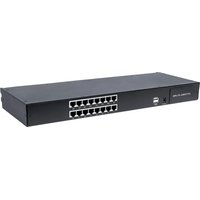


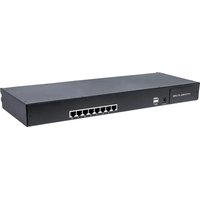
- Console Reference Guide
- INTELLINET
- Contents
- Access control list configuration command 39
- 2.QOS Configuration Command 50
- COS Configuration Command 59
- ARP Learning configuration command 63
- Anti ARP flood configuration command 76
- Anti Dos attack configuration command 79
- Shutdown-Control Configuration Command 82
- BPDU-CarConfiguration command 83
- CPU-Car Configuration Command 84
- Discard-BPDU Configuration Command 87
- Anti DHCP configuration command 87
- Two level password authentication configuration command 90
- DHCP-Snooping Configuration command 92
- DHCP-Server Configuration Command 94
- DHCP-Relay Configuration Command 101
- DHCP Option82 Configuration Command 103
- DHCPv6-Snoopigng Configuration Command 106
- DHCPv6 Option18 configuration command 110
- DHCPv6 Option37 Configuration command 111
- File download configuration command 112
- 42.GMRP Configuration command. 165
- GMP-Snooping Configuration command 167
- User management configuration command 227
- Auto-Reboot Configuration command 230
- IPv6-Source Configuration Command 294
- 802.1X Configuration command. 296
- 88.PVST/Rapid-PVST configuration manual 371
- Eth-Trunk 配置命令 375
- System time configuration command 389
- 1. Static route configuration commands 391
- 2 IPv6 static route configuration command 392
- 96.802.1Q Configuration command 394
- Access control list configuration command
- access-list
- access-list ip-acl
- no access-list
- access-list mac-acl
- permit any any
- access-list 1000 permit any any
- access-list hybrid-acl
- show access-list config
- show access-list config statistic
- show access-list runtime statistic
- show access-list runtime
- time-range
- absolute
- periodic
- no time-range
- show time-range
- access-group
- no access-group
- QOS Configuration Command
- rate-limit
- Command Function
- Command Format
- two-rate-policer
- traffic-direct
- traffic-copy-to-cpu
- Parameter Declaration
- traffic-priority
- traffic-statistic
- clear traffic-statistic
- mirrored-to
- traffic-rewrite-vlan
- traffic-insert-vlan
- show two-rate-policer
- show qos-info statistic
- show qos-info traffic-copy-to-cpu
- show qos-info all
- show qos-info mirrored-to
- show qos-info traffic-priority
- show qos-info traffic-redirect
- show qos-info traffic-statistic
- show qos-info traffic-insert-vlan
- COS Configuration Command
- queue-scheduler
- queue-scheduler mode
- no queue-scheduler mode
- queue-scheduler cos-map
- queue-scheduler dscp-map
- queue-scheduler dscp-map
- show queue-scheduler
- show queue-scheduler cos-map
- show queue-scheduler dscp-map
- ARP Learning configuration command
- arp
- arp vlan
- arp aging-time
- arp peer
- Parameter Description
- arp bind dynamic
- no arp
- show arp
- arp overwrite
- gratuitous-arp
- arp reply-repeat
- arp reply-repeat [times]
- show arp aging-time
- show arp overwrite
- show arp peer
- show arp reply-repeat
- ARP Proxy configuration command
- arp-proxy
- arp-proxy broadcast
- show arp-proxy
- IPv6ND Configuration command
- ipv6 neighbor
- ipv6 neighbor
- ipv6 neighbors max-learning-num
- show ipv6 neighbors max-learning-num
- ipv6 nd reachable-time
- ipv6 nd dad attempts
- ipv6 nd ns retrans-time
- ipv6 nd ra interval
- No
- ipv6 nd ra halt
- ipv6 nd ra hop-limit
- ipv6 nd ra prefix
- ipv6 nd ra router-l lifetime
- show ipv6 nd dad attemps
- show ipv6 nd reachable-time
- show ipv6 nd ns retrans-time
- show ipv6 nd ra halt
- show ipv6 nd ra hop-limit
- show ipv6 nd ra interval
- show ipv6 nd ra prefix
- show ipv6 nd ra router-l lifetime
- Anti ARP spoofing configuration command
- arp anti-spoofing
- arp anti-spoofing action
- arp anti-spoofing bind
- arp anti-spoofing gateway-disguiser
- arp anti-spoofing source-mac-check
- arp anti-attack trust
- show arp anti-spoofing
- show arp anti-spoofing bind
- show arp anti-attack
- Anti ARP flood configuration command
- arp anti-flood
- arp anti-flood action
- arp anti-flood rate-limit
- arp anti-flood recover-time
- no arp anti-flood recover-time
- arp anti-flood recover
- arp anti-flood bind blackhole
- show arp anti-flood
- show arp anti-flood rate-limit
- Anti Dos attack configuration command
- anti-dos ip ttl
- anti-dos ip fragment
- anti-dos packets class
- show anti-dos
- Shutdown-Control
- Configuration
- Command
- shutdown-control
- shutdown-control-recover mode
- shutdown-control-recover automatic-open-time
- show shutdown-control interface
- BPDU-Car Configuration command
- port-car
- port-car-rate
- show port-car
- CPU-Car Configuration Command
- cpu-car
- no cpu-car
- show cpu-car
- show cpu-statistics
- clear cpu-statistics
- show cpu-classification
- clear cpu-classification
- show cpu-utilization
- Discard-BPDU Configuration Command
- discard-bpdu
- show discard-bpdu
- Anti DHCP configuration command
- dhcp anti-attack
- dhcp anti-attack action
- dhcp anti-attack bind blackhole
- dhcp anti-attack threshold
- dhcp anti-attack recover-time
- dhcp anti-attack recover
- dhcp anti-attack trust
- show dhcp anti-attack
- show dhcp anti-attack interface
- Two level password authentication configuration command
- enable password 0
- enable password 7
- enable password level
- DHCP-Snooping Configuration command
- dhcp-snooping
- dhcp-snooping trust
- dhcp-snooping fast-remove
- dhcp-snooping max-learn-num
- show dhcp-snooping interface
- show dhcp-snooping vlan
- show dhcp-snooping clients
- show dhcp-snooping clients
- DHCP-Server Configuration Command
- dhcp-server
- dhcp-server ip-pool
- gateway
- section
- forbidden-ip
- domain-name
- lease
- option
- unbind-client
- router
- 17.11.dns-list
- nbns-list
- dhcp-client bind
- dhcp-client unbind-assign
- dhcp-server traps
- show dhcp-server
- show dhcp-server interface
- show dhcp-server ip-pool
- show dhcp-server clients
- show dhcp-client bind
- DHCP-Relay Configuration Command
- dhcp-relay
- dhcp-relay hide server-ip
- dhcp-relay max-hops
- dhcp-relay source-ip
- show dhcp-relay
- DHCP Option82 Configuration Command
- dhcp-option82
- dhcp-option82 device-id
- dhcp-option82 format
- dhcp-option82 format verbose
- dhcp-option82 information format
- dhcp-option82 strategy
- dhcp-option82 circuit-id user-defined
- dhcp-option82 remote-id user-defined
- show dhcp-option82
- DHCPv6-Snooping Configuration Command
- dhcpv6-snooping
- dhcpv6-snooping trust
- dhcpv6-snooping port-down-action fast-remove
- dhcpv6-snooping max-clients
- show dhcpv6-snooping clients
- show dhcpv6-snooping interface
- show dhcpv6-snooping vlan
- clear dhcpv6-snooping
- DHCPv6 Option18 configuration command
- show dhcpv6-snooping information
- DHCPv6 Option37 Configuration command
- dhcpv6-snooping information option 37
- dhcpv6-snooping information remote-id
- show dhcpv6-snooping information
- File download configuration command
- load application xmodem
- load application tftp
- load application ftp
- load whole-bootrom xmodem
- load whole-bootrom xmodem
- None
- load whole-bootrom tftp
- load whole-bootrom ftp
- load configuration xmodem
- load configuration tftp
- load configuration ftp
- load keyfile private tftp
- load keyfile private ftp
- load keyfile public tftp
- load keyfile public ftp
- file upload configuration command
- upload application ftp
- upload application tftp
- upload logging ftp
- upload logging tftp
- copy running-config startup-config
- upload configuration ftp
- upload configuration tftp
- Command to use tftp method for configuration files upload
- upload automatically configuration ftp
- upload automatically configuration tftp
- upload keyfile private tftp
- upload keyfile private ftp
- upload keyfile public tftp
- upload keyfile public ftp
- upload keyfile public ftp inlet6 2001::1 public.txt admin admin
- configuration management command
- show running-config
- show startup-config
- copy startup-config running-config
- clear startup-config
- Active and standby file system configuration command
- load secondary application tftp
- load secondary application ftp
- startup secondary application
- Port mirror configuration command
- mirror source
- mirror monitor ethernet
- no mirror
- show mirror
- Remote mirror configuration command
- mirror source
- mirror monitor ethernet
- remote)mirror rspan local vlan
- no remoteMirror rspan local
- remoteMirror rspan middle vlan
- no remoteMirror lifespan midd le vlan
- remote)mirror rspan target vlan
- no remoteMirror rspan target vlan
- remote)mirror rspan parse vlan
- no remoteMirror rspan parse vlan
- show remoteMirror
- Configure flow mirror
- mirrored-to
- no mirrored-to
- show qos-info mirrored-to
- RMON configuration command
- rmon statistics
- no rmon statistics
- rmon history
- no rmon history
- show rmon statistics interface
- show rmon history interface
- rmon event
- no rmon event
- show rmon event
- rmon alarm
- owner string
- no rmon alarm
- show rmon alarm
- Bandwidth-Control configuration command
- bandwidth
- show bandwidth
- MAC-address-management-configuration command
- mac-address-table age-time
- mac-address-table
- no mac-address-table static 2:2:2:2:2 interface ethernet 0/0/1 vlan 2
- mac-address-table blackhole
- mac-address-table learning
- mac-address-table max-mac-count
- no mac-address-table max-mac-count
- show mac-address max-mac-count
- show mac-address-table age-time
- show mac-address-table
- show mac-address learning
- show mac-address cpu
- DLF-Control configuration command
- unknown-discard unicast
- unknown-discard unicast no unknown-discard unicast
- unknown-discard multicast vlan
- unknown-discard multicast vlan 1 no unknown-discard multicast vlan 1
- unknown-discard multicast
- show unknown-discard
- Local-Switch configuration command
- local-switch
- show local-switch
- SLF-Control configuration command
- unknown-discard src-mac
- show unknown-discard src-mac
- Flow-Control configuration command
- flow-control
- show flow-control interface
- Error packet statistics
- show statistics interface ethernet
- IPv4 IF-Vlan Interface configuration command
- interface vlan-interface
- ip address ipv4 address
- Ip address
- ip addres range
- ip icmp host-unreachable send
- ip icmp mask-request receive
- description
- show ip interface
- IPv4 SuperVlanInterface
- configuration command
- interface supervlan-interface
- subvlan
- ip address
- Ip address
- ip addresses range
- ip icmp host-unreachable send
- ip icmp mask-request receive
- description
- show ip interface
- IPv6 IF-VlanInterface configuration
- ipv6 address
- ipv6 neighbors max-learning-num
- ipv6 nd ns retrans-timer
- ipv6 nd dad attempts value
- ipv6 nd reachable-time
- ipv6 pathmtu value
- ipv6 nd ra halt
- ipv6 nd ra hop-limit
- ipv6 nd ra interval
- ipv6 nd ra prefix
- ipv6 nd ra router-l lifetime
- show ipv6 interface
- show ipv6 neighbors
- show ipv6 nd dad atemps
- show ipv6 nd ns retrans-time
- show ipv6 nd reachable-time
- show ipv6 route
- IPv6 SuperVlanInterface
- ipv6 address
- ipv6 neighbors max-learning-num
- ipv6 nd ns retrans-timer
- ipv6 nd dad attempts value
- ipv6 nd reachable-time
- ipv6 pathmtu value
- ipv6 nd ra halt
- ipv6 nd ra hop-limit
- ipv6 nd ra interval
- ipv6 nd ra prefix
- ipv6 nd ra router-l lifetime
- show ipv6 interface
- show ipv6 neighbors
- show ipv6 nd dad attemps
- show ipv6 nd ns retrans-time
- show ipv6 nd reachable-time
- show ipv6 route
- GMRP Configuration command
- gmrp
- garp permit multicast mac-address
- show gmrp
- show gmrp interface
- show garp permit multicast
- show multicast
- GMP-Snooping Configuration command
- igmp-snooping
- no igmp-snooping
- igmp-snooping host-aging-time
- no igmp-snooping host-aging-time
- igmp-snooping max-response-time
- no igmp-snooping max-response-time
- igmp-snooping fast-leave
- no igmp-snooping fast-leave
- igmp-snooping group-limit
- no igmp-snooping group-limit
- igmp-snooping overflow-replace
- igmp-snooping enable-vlan
- igmp-snooping [permit | deny ]
- igmp-snooping querier
- igmp-snooping robust-count
- igmp-snooping last-member-query-interval
- igmp-snooping version
- igmp-snooping querier-vlan
- igmp-snooping query-interval
- igmp-snooping query-source
- igmp-snooping router-port forward
- igmp-snooping router-aging-time
- igmp-snooping router-port vlan
- igmp-snooping multicast vlan
- igmp-snooping proxy
- igmp-snooping proxy-source
- igmp-snooping query-proxy
- igmp-snoopinq query-proxy
- no igmp-snooping query-proxy
- igmp-snooping source-learning
- (no)igmp-snoopingsource-learning
- igmp-snooping source-learning
- igmp-snooping static-group
- igmp-snooping static-group proxy
- igmp-snooping drop
- igmp-snooping preview
- igmp-snooping preview group-ip
- igmp-snooping preview times
- igmp-snooping profile
- profile limit
- 43.36.ip range
- (no)ip range start-ip end-ip [vlan vlan-id]
- mac range
- description
- description string
- no description
- igmp-snooping profile refer
- show igmp-snooping
- showigmp-snooping router-dynamic
- show igmp-snooping router-static
- showigmp-snooping preview
- showigmp-snooping preview status
- show igmp-snooping profile
- show multicast
- show multicast mac-address 01:00:5e:00:01:01
- Static multicast configuration command
- multicast
- multicast proxy
- multicast proxy-interval
- (no)multicast proxy-interval value
- multicast proxy-interval 10 no multicast proxy-interval
- show multicast
- show multicast
- MLD-Snooping Configuration command
- mld-snooping
- mld-snooping host-aging-time time
- mld-snooping max-response-time
- mld-snooping fast-leave
- (no)mld-snooping fast-leave
- mld-snooping group-limit
- (no)mld-snooping group-limit number
- mld-snooping group-limit 1
- mld-snooping [permit | deny ]
- mld-snooping
- mld-snooping querier
- mld-snoopinq query-interval
- mld-snoopig query-max-respond
- mld-snooping router-port forward
- mld-snooping router-port-age
- mld-snooping router-port vlan
- mld-snooping multicast vlan
- show mld-snooping
- show mld-snooping router-dynamic
- show mld-snooping router-static
- show multicast mld-snooping
- I2protocol-tunnel Configuration command
- 12protocol-tunnel drop-threshold
- show l2protocol-tunne interface
- show l2protocol-tunnel drop-threshold
- show l2protocol-tunnel tunnel-mac
- LLDP Configuration Commands
- ldp
- lldprx | tx | rxtx
- lldp hello-time
- lldp hold-times
- lldp trap
- lldp management-address
- show lldp
- UDLD Configuration Command
- udld
- uddl error-down
- udld message-interval
- udld reset
- udld port shutdown
- udld unidirectional-shutdown
- udld work-mode
- udld work-mode aggressive
- show uddl
- show udld ethernet 0/0/1
- Managing IP restricted configuration commands
- login-access-list
- ssh limit
- ssh port
- stop vty
- crypto key zeroize rsa
- crypto key refresh
- crypto key generate rsa
- load keyfile
- upload keyfile
- show keyfile
- Telnet-Client Configuration command
- telnet
- Telnet-Server/Telnetv6-ServerConfiguration Command
- telnet enable
- telnet disable
- telnet limit
- telnet port
- stop telnet client
- show telnet client
- show telnet
- Web Management configuration command
- http enable
- http disable
- http timeout
- show http
- SNMP Management configuration command
- snmp-server enable
- snmp-server disable
- snmp-server contact
- snmp-server location
- snmp-server name
- snmp-server max-packet-length
- snmp-server trap-source
- snmp-server encrypt
- snmp-server view
- snmp-server community encrypt
- snmp-server community md5 encrypt-communityname
- snmp-server community
- snmp-server group
- snmp-server user
- snmp-server enable
- snmp-server host
- show snmp-server community
- show snmp-server contact
- show snmp-server engineid
- show snmp-server group
- show snmp-server host
- show snmp-server location
- show snmp-server max-packet-length
- show snmp-server mib
- show snmp-server name
- show snmp-server notify
- show snmp-server user
- show snmp-server view
- User management configuration command
- username <>
- username change-password
- username failmax
- username online-max
- username silent-time
- stop<>
- show users
- show username silent
- show username
- Auto-Reboot Configuration command
- auto-reboot
- System debug configuration command
- ping
- ping ipv6
- 58.3.tracert
- tracer ipv6
- System information configuration and display command
- show version
- show system
- show memory
- show clock
- hostname
- Bootrom Configuration command
- Ctrl-B
- Telnetv6-Client Configuration command
- telnet6
- EFM Configuration command
- efm
- 62.2.efm mode
- 62.3.efm pdu-timeout
- efm link-timeout
- efm remote-response-timeout
- efm remote-failure
- efm link-monitor
- efm link-monitor errored-symbol-period window
- efm link-monitor errored-symbol-period threshold
- efm link-monitor errored-frame window
- efm link-monitor errored-frame threshold
- efm link-monitor errored-frame-period window
- efm link-monitor errored-frame-period threshold
- efm link-monitor errored-frame-seconds window
- efm link-monitor errored-frame-seconds threshold
- efmrtemet-loopback
- efm remote-loopback ignore
- efm remote-loopback process
- efmr remote-loopback start|stop
- efm variable-retrieval
- show efm port
- showefmremote-mib
- show efm status interface
- show efm summary
- show efm discovery interface
- show efm statistics interface
- clear efm statistics interface
- CFM Configuration command
- cfm md
- no cfm md
- cfm md format none level
- cfm md format
- cfm ma
- no cfm ma
- cfm ma format
- cfm MEP direction
- cfm MEP state
- cfm mep priority
- cfm r MEP
- cfm mip
- cfm cc interval
- cfm mep
- cfm loopback MEP
- cfm linktrace mep
- cfm eth-slm mep
- cfm eth-2dm mep
- clear cfm cc
- clear cfm cc database
- show cfm md
- show cfm ma
- show cfm mp local
- show cfm mp remote
- show cfm cc
- show cfm cc database
- show cfm errors
- POE Power supply configuration command
- poe
- poemax-power
- poemax-power
- no poe max-power
- poe standard
- poe priority
- poe status poll
- poetraps
- poe force power on
- show poe
- show poe auto-check
- show poe power-on time-range
- Statistics configuration command
- show statistics interface ethernet
- clear interface
- clear cpu-statistics
- clear cpu-classification
- port-rate-statistics interval
- show statistics interface brief
- show statistics dynamic
- show utilization
- show interface
- show cpu-utilization
- show cpu-statistic
- show cpu-classification
- show statistics eth-trunk
- Port loopback detection configuration command
- loopback
- loopback-detection action
- loopback-detection interface
- loopback-detection interval-time
- loopback-detection recover-time
- loopback-detection address-type
- oopback-detection log
- loopback-detection mode
- loopback-detection mode [port-based|vlan-based]
- loopback-detection mode port-based
- loopback-detection trap
- loopback-detection trap enable
- loopback-detection vlan
- loopback-detection vlan 10
- show loopback-detection
- VCT detection configuration command
- vct run
- Port configuration commands
- interface ethernet
- duplex
- speed
- priority
- shutdown
- description
- switchport
- ingress filtering
- switchport pvid
- ingress acceptable-frame
- switchport trunk allowed vlan
- Command to add or delete the vlan under the trunk port in port mode
- (no) switchport trunk allowed vlan 1
- switchport hybrid untagged vlan
- (no)switchport hybrid untagged vlan 1
- switchport hybrid tagged vlan
- switchport link-type
- show interface ethernet
- show interface brief ethernet
- show interface brief vlan-intf 1
- show description ethernet
- show ingress ethernet
- DDM detection
- show sfp
- Flow control
- flow-control
- show flow-control
- Storm-Control Configuration Command
- storm-suppression
- storm-suppression mode
- no storm-suppression
- show storm-suppression
- isolate-port Configuration command
- no isolate-port uplink
- isolate-port uplink ethernet
- show isolate-port
- Port-security Configuration command
- port-security enable|disable
- port-security permit|deny mac-address
- show port-security mac-address
- port-security permit|deny ip-address
- show port-security ip-address
- port-security maximum
- port-security permit mac-address sticky
- port-security permit mac-address sticky
- show port-security
- no port-security all
- show port-security active-address
- no port-security active-address
- no port-security active-address [ configured | learned | all ]
- port-security aging static
- port-security aging time
- port-security violation
- port-security violation protect
- port-security recovery
- port-security recovery time
- show port-security recovery
- port-security violation log-interval
- PPPoE+ Configuration command
- pppoeplus
- pppoeplus trust
- [no] pppoeplus trust
- show pppoeplus interface
- pppoeplus strategy
- pppoeplus drop
- pppoeplus type
- pppoeplus format
- pppoeplus delimiter
- pppoeplus circuit-id
- IP-Source Configuration command
- ip source
- show ip source
- ip source binding
- show ip source binding
- ip source vlan
- show ip source vlan
- ip source permit-igmp
- show ip source permit-igmp
- IPv6-Source Configuration Command
- ipv6-source-guard
- show ipv6-source-guard
- ipv6-source-guard bind ip
- show ipv6-source-guard bind
- ipv6-source-guard vlan
- show ipv6-source-guard vlan
- 802.1X Configuration command
- dot1x
- dot1x eap-relay enable|disable
- dot1x port-method
- dot1x port-control
- dot1x port-control auto
- dot1x re-authenticate
- dot1x re-authentication
- dot1x timeout re-authperiod
- dot1x timeout re-authperiod 10
- dot1x multicast-trigger
- dot1x multicast-period
- dot1x multicast-period 30
- 77.10.dot1x max-user-num
- 77.11.dot1xusercut
- dot1x keepalive
- dot1x keepalive
- dot1x keepalive period
- dot1x timeout quiet-period
- dot1x timeout server-timeout
- [no]dot1x timeout server-timeout time
- dot1x timeout server-timeout 20
- dot1x timeout supp-timeout
- [no]dot1x timeout supp-timeout time
- dot1x timeout supp-timeout 20
- 77.17.dot1x portbased host-mode
- [no]dot1x portbased host-mode [multi-hosts | single-host]
- dot1x portbased host-mode single-host
- 77.18.dot1x guest-vlan
- 77.19.dot1x guest-acl
- dot1x max-authfail
- 77.21.dot1xd default-active-vlan
- 77.22.dot1x eapol-relay
- 77.23.dot1x eapol-relay uplink
- [no]dot1x eapol-relay uplink
- dot1x eapol-relay uplink
- dot1x max req
- [no]dot1x max-req
- dot1x max req 2
- 77.25.dot1x max-reauth
- [no]dot1x max-reauth
- dot1x max-reauth 2
- dot1x critical-vlan
- dot1x critical-vlan 10
- 77.27.dot1x radius-acl-format
- 77.28.dot1x native-vlan-free
- [no]dot1x native-vlan-free
- dot1x native-vlan-free
- 77.29.dot1xstation-move
- dot1x station-move enable|disable
- dot1x station-move enable
- 77.30.dot1xsyslog
- dot1x syslog enable| disable
- dot1x syslog enable
- show dot1x multicast-trigger
- show dot1x multicast-trigger [interface ethernet port-id]
- show dot1x multicast-trigger interface ethernet 0/0/1
- 77.32.show dot1x interface
- show dot1x interface [interface ethernet port-id]
- show dot1x interface ethernet 0/0/1
- 77.33.show dot1x users
- show dot1x users interface ethernet 0/0/1
- show dot1x eapol-relay
- show dot1x eapol-relay interface ethernet 0/0/1
- 77.35.showdot1xkeepalive
- show dot1x keepalive interface ethernet 0/0/1
- show dot1x config-vlan
- show dot1x port-auth
- 77.38.show dot1x timeout
- 77.39.show dot1x
- show dot1x
- 77.40.showdot1x guest-acl
- show dot1x guest-acl
- show dot1x radius-acl
- show dot1x radius-aci
- Radius Configuration command
- radius host
- primary-auth-ip
- second-auth-ip
- primary-acct-ip
- second-acct-ip
- auth-secret-key
- 78.7.acct-secret-key
- nas-ipaddress
- username-format
- realtime-account
- realtime-account interval
- preemption-time
- local-user username
- default domain-name
- domain
- scheme
- radius host binding
- access-limit
- 78.19.state
- accounting-on
- 78.21.h3c-cams
- radius accounting
- radius server-disconnect drop 1x
- radius 8021p
- radius password-encryption
- radius vlan enable
- radius vlan-format
- radius mac-address-number
- radius mac-address-number enable
- radius config-attribute
- radius attribute
- 78.31.dnrate-value
- uprate-value
- radius bandwidth-limit
- Parameter Description None
- show radius attribute
- show radius config-attribute
- show rate-attribute-value
- show domain
- Pvlan Configuration command
- private-vlan primary
- private-vlan isolated
- private-vlan community
- private-vlan association
- switchport private-vlan
- show private-vlan
- show private-vlan interface
- Muser Configuration command
- muser local
- muser radius
- aaa
- 80.4.使用者 tacacs+
- show muser
- tacacs+ encrypt-key
- tacacs+ authentication-type
- tacacs+ primary server
- tacacs+ secondary server
- tacacs+ preemption-time
- show tacacs+
- Cpu-Alarm Command Manual
- alarm cpu
- alarm cpu threshold
- show alarm cpu
- Port-Alarm configuration manual
- alarm all-packets
- show alarm all-packets
- Sylsog configuration manual
- logging
- show logging
- logging sequence-numbers
- logging timestamps
- logging monitor all | monitor-num
- logging monitor all | monitor-num level-value | none | level-list
- show logging filter monitor
- no logging monitor all | monitor-num filter
- Command to delete the filter rule
- no logging monitor 5 filter
- logging buffered
- logging buffered level-value | none | level-list
- logging buffered level-list 2 3 module rip
- show logging filter buffered
- no logging buffered filter
- show logging buffered
- logging flash
- logging flash level-value | none | level-list
- logging flash level-list 2 3 module rip
- show logging filter flash
- no logging flash filter
- logging flash interval
- logging flash msg-number
- show logging flash
- logging ip-address
- logging host all | ip-address
- logging host all | ip-address level-value | none | level-list
- logging host 1.1.1.1 3 module ospf
- no logging host all | ip-address filter
- logging facility
- logging source
- logging snmp-agent
- logging snmp-agent level-value | none | level-list
- show logging filter snmp-agent
- no logging snmp-agent filter
- debug
- show debug
- STP/RSTP configuration command
- stp
- stp mode
- stp hello-time
- stp forward-time
- stp max-age
- stp priority
- stp root-guard action
- stp tc-protection
- stp tc-protection interval
- stp tc-protection threshold
- stp topo-change-trap
- stp bpdu-guard
- stp bpdu-filter
- stp cost
- stp portfast
- stp link-type
- stp loop-guard
- stp mcheck
- stp port-priority
- stp root-guard
- no stp root-guard
- stp tcn-restricted
- stp transmit-limit
- show stp interface
- MSTP configuration manual
- stp
- stp mode
- MSTP hello-time
- mstp forward-time
- mstp max-age
- rstp instance id priority
- mstp root-guard action
- mstp tc-protection
- mstp tc-protection interval
- mstp tc-protection threshold
- MSTp time-factor
- mstp bpdu-guard
- mstp bpdu-filter
- no mstp bpdu-filter
- mstp instance vlan
- mstp region-name
- mstp enable instance
- mstp disable instance
- mstp revision
- mstp flap-guard
- mstp external cost
- mstp instance cost
- mstp portfast
- mstp link-type
- mstp loop-guard
- 85.26.mstp root-guard
- mstp mcheck
- mstp instance port-priority
- mstp config-digest-snooping
- show mstp instance
- show mstp disabled-instance
- show mstp config-id
- EAPS configuration manual
- 86.1.eaps
- 86.2.eaps domain
- control-vlan
- fail-timer
- hello-timer
- 86.6.preup-timer
- ring
- topo-collect
- 86.9.work-mode
- show eaps
- show eaps control-vlan
- show eaps domain
- show eaps statistics
- show eaps topology
- clear eaps
- ERPS configuration manual
- erps
- no erps
- erps instance
- control-vlan
- guard-timer
- wtr-timer
- mel
- protected-instance
- port0 ethernet
- port1 ethernet
- ring
- show erps
- show erps control-vlan
- show erps instance
- show erps instance statistics
- show erps statistics
- show erps statistics
- PVST/Rapid-PVST configuration manual
- stp
- stp mode
- pvst hello-time
- pvst forward-time
- pvst max-age
- pvst instance vlan
- pvst instance priority
- pvst bpdu-guard
- pvst bpdu-filter
- pvst instance cost
- pvst instance port-priority
- show pvst instance brief
- Eth-Trunk 配置命令
- interface eth-trunk
- link-aggregation load-balance
- link-aggregation mode
- link-aggregation members ethernet
- link-aggregation eth-trunk
- lacp mode
- 89.7.lacp period
- lacp port-priority
- lacp system-priority
- show lacp sys-id
- show lacp neighbor
- FlexLink configuration manual
- flex-link group
- master-port
- slave-port
- preemption mode
- preemption delay
- flex-link flush send
- flex-link flush receive
- show flex-link group
- show flex-link flush
- MonitorLink configuration manual
- monitor-link-group
- uplink interface
- downlink interface
- show monitor-link-group
- Sntp-Client Configuration command
- sntp client
- sntp client mode
- sntp client authenticate
- sntp client authentication-key encrypt
- sntp client authentication-key
- sntp client broadcastdelay
- sntp client poll-interval
- sntp client retransmit
- sntp client retransmit-interval
- sntp client summer-time dayly
- sntp client summer-time weekly
- sntp client valid-server
- sntp trusted-key
- sntp server key
- sntp server backup
- sntp server
- show sntp client
- show sntp client summer-time
- System time configuration command
- clock set
- clocktimezone
- clock summer-time dayly
- clock summer-time weekly
- show clock
- 1. Static route configuration commands
- 1.1 ip route
- 1.2 show ip route
- 2 IPv6 static route configuration command
- 2.1 ipv6 route
- 2.2 show ipv6 route
- 802.1Q Configuration command
- vlan
- switchport
- 96.3.
- switchport pvid
- switchport link-type
- switchport trunk allowed vlan
- switchport trunk tagged pvid
- switchport hybrid untagged vlan
- switchport hybrid tagged vlan
- priority
- ingress acceptable-frame
- ingress filtering
- interface vlan-interface
- description
- show interface vlan brief
- QINQ Configuration
- qinq
- qinq inner-tpid
- qinq mode
- qinq outer-tpid
- vlan pass-through
- no vlan pass-through
- show qinq
- show vlan pass-through
- no vlan insert
- vlan insert
- GVRP Configuration
- gvrp
- garp permit vlan
- garp forbid vlan
- show gvrp
- show gvrp interface
- show gvrp interface ethernet
- Vlan Swap Command
- vlan swap
- show vlan-swap
- Protocol-VLAN Configuration Command
- vlan-protocol
- vlan-protocol profile
- show vlan-protocol interface
- show vlan-protocol profile
- vlan-subnet Configuration command
- vlan-subnet
- no vlan-subnet
- vlan-subnet precede
- show vlan-subnet
- Mac-vlan Configuration
- vlan-mac-table
- no vlan-mac-table
- show vlan-mac-table
- Vlan-trunking Configuration
- Commands
- vlan-trunking
- vlan-trunk mode
- show vlan-trunking
- Voice vlanConfiguration Commands
- voice vlan
- voice vlan aging
- voice vlan oui-mac
- voice vlan security
- voice vlan enable | disable
- voice vlan mode
- voice vlan qos
- show voice vlan
- show voice vlan device
- show voice vlan oui-mac
Brand : Intellinet
Model : 561341
Category : Switch