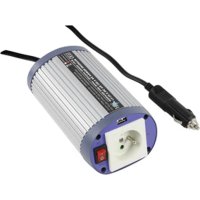
INV150WU12F - Power bank HQ - Free user manual and instructions
Find the device manual for free INV150WU12F HQ in PDF.



| Features | Details |
|---|---|
| Battery capacity | 15000 mAh |
| Battery type | Li-ion |
| Output voltage | 5V |
| Maximum output current | 2.1A |
| Output ports | 2 USB ports |
| Dimensions | 150 x 75 x 15 mm |
| Weight | 300 g |
| Recommended use | Charging smartphones, tablets and other USB devices |
| Charge indicator | LED battery level indicators |
| Protection system | Overcharge and short circuit protection |
| Warranty | 1 year |
Frequently Asked Questions - INV150WU12F HQ
User questions about INV150WU12F HQ
0 question about this device. Answer the ones you know or ask your own.
Ask a new question about this device
Download the instructions for your Power bank in PDF format for free! Find your manual INV150WU12F - HQ and take your electronic device back in hand. On this page are published all the documents necessary for the use of your device. INV150WU12F by HQ.
USER MANUAL INV150WU12F HQ
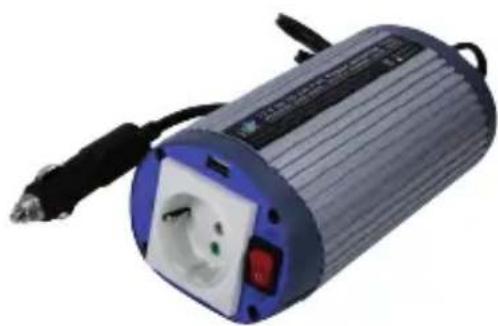
150 WATT DC TO AC MODIFIED SINEWAVE INVERTER WITH USB OUTPUT
natural_image
Exterior view of a cylindrical electronic device with a white socket and red control buttons (no visible text or symbols)MANUAL
MODE D'EMPLOI
MANUALE
HASZNÁLATI ÚTMUTATÓ
BRUKSANVISNING
MANUAL DE UTILIZARE
ANLEITUNG
GEBRUIKSAANWIJZING
MANUAL DE USO
KÄYTTÖOHJE
NÁVOD K POUŽITÍ
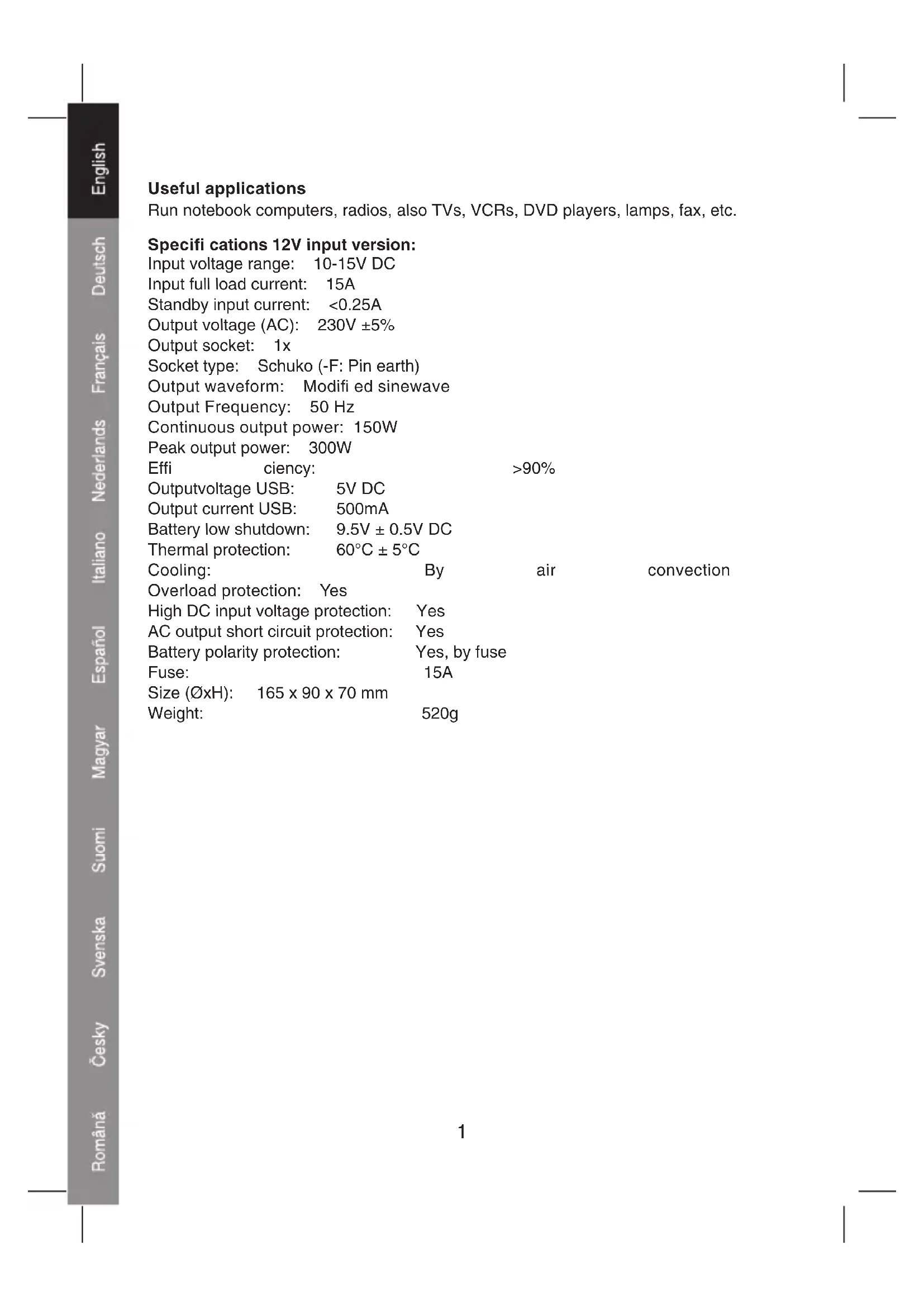
Useful applications
Run notebook computers, radios, also TVs, VCRs, DVD players, lamps, fax, etc.
Specifications 12V input version:
Input voltage range: 10-15V DC
Input full load current: 15A
Standby input current: <0.25A
Output voltage (AC): 230V ±5%
Output socket: 1x
Socket type: Schuko (-F: Pin earth)
Output waveform: Modifi ed sinewave
Output Frequency: 50 Hz
Continuous output power: 150W
Peak output power: 300W
Efficiency: >90%
Output voltage USB: 5V DC
Output current USB: 500mA
Battery low shutdown: 9.5V ± 0.5V DC
Thermal protection: 60^ ± 5^
Cooling: By air convection
Overload protection: Yes
High DC input voltage protection: Yes
AC output short circuit protection: Yes
Battery polarity protection: Yes, by fuse
Fuse: 15A
Size (∅xH): 165 x 90 x 70 mm
Weight: 520g
Specifications 24V input version
Input voltage range: 20-30V DC
Input full load current: 10A
Standby input current: <0.2A
Output voltage (AC): 230V ±5%
Output socket: 1x
Socket type: Schuko (-F: Pin earth)
Output waveform: Pure sinewave
Output Frequency: 50 Hz
Continuous output power: 150W
Peak output power: 300W
Efficiency: >90%
Output voltage USB: 5V DC
Output current USB: 500mA
Battery low shutdown: 19.5V ± 0.8V DC
Thermal protection: 60^ ± 5^
Cooling: By air convection
Overload protection: Yes
High DC input voltage protection: Yes
AC output short circuit protection: Yes
Battery polarity protection: Yes, by fuse
Fuse: 10A
Size (∅xH): 165 x 90 x 70 mm
Weight: 520g
Operating instruction:
1.
text_image
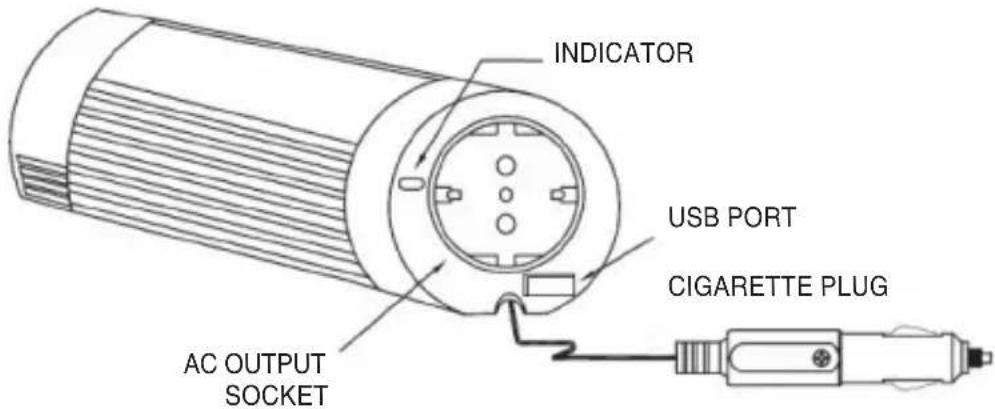
INDICATOR USB PORT CIGARETTE PLUG AC OUTPUT SOCKET2.
natural_image
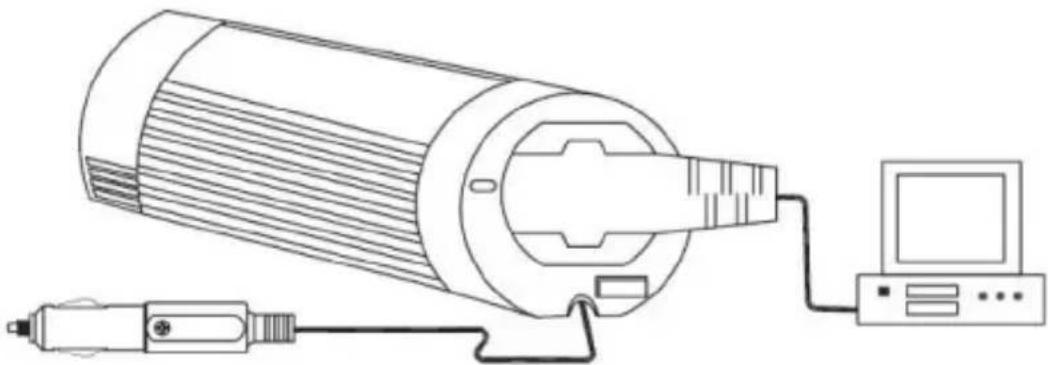
Line drawing of a cylindrical device connected to a computer via cable (no text or symbols)When using for longer periods it is wise to have the engine of the car running, to prevent a fully discharged battery. When the alarm for low battery starts, start the car engine to continue using the inverter and connected appliances.
Make sure that the maximum power demand of the connected apliances does not exceed the output power of this inverter (150W continuously).
text_image
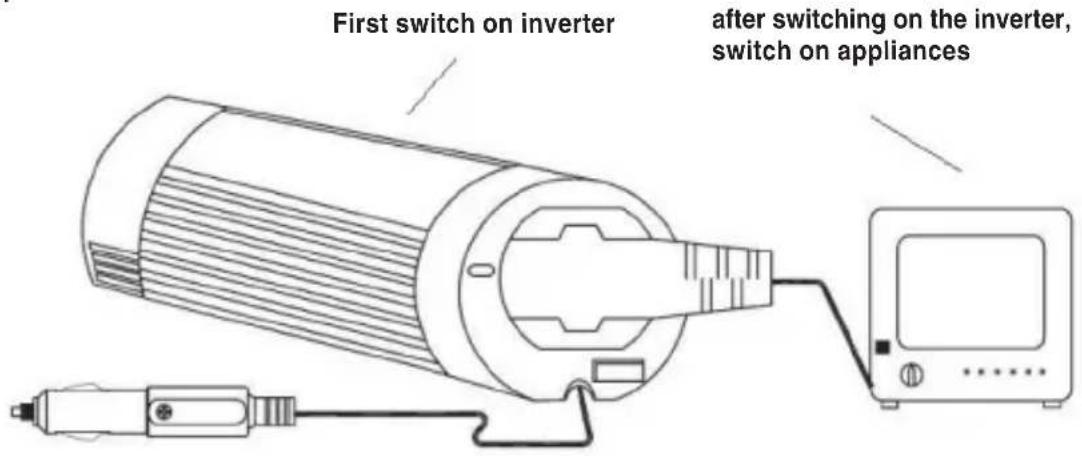
First switch on inverter after switching on the inverter, switch on appliancesAlways make sure to turn on the power of the inverter first, before turning on the power of the connected equipment.
text_image
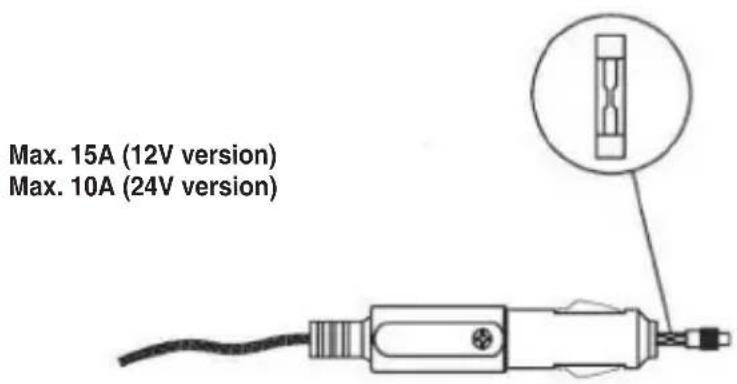
Max. 15A (12V version) Max. 10A (24V version)When the inverter and the power indicator do not work, but the power is on, check the fuse in the cigarette plug. If the fuse is spoilt, use similar fuse for replacement.
5.
text_image
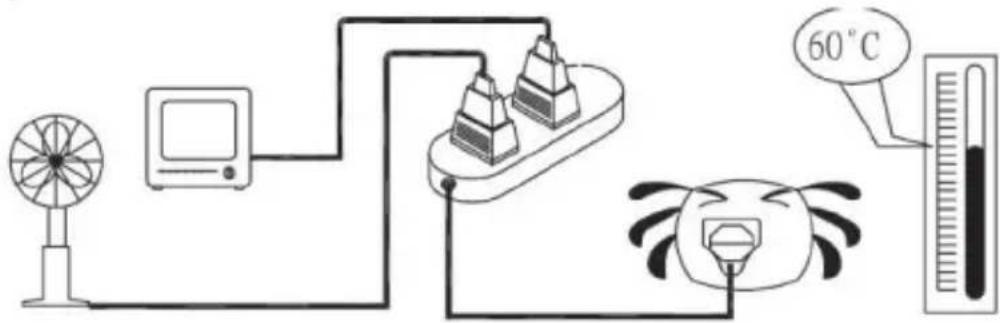
Diagram illustrating a thermal measurement setup with fan, monitor, pyramidal unit, thermometer, and temperature reading of 60°C.When the total watts of the connected appliance(s) exceed(s) the output capacity of the inverter or when the inverter is operating for a long time and the temperature reaches 60^ C, the inverter will be shut down by the protection circuit.
6.
LED indicator:
- With normal use: LED is green
• Overload / overtemperature: LED is red and blinks
7.
natural_image
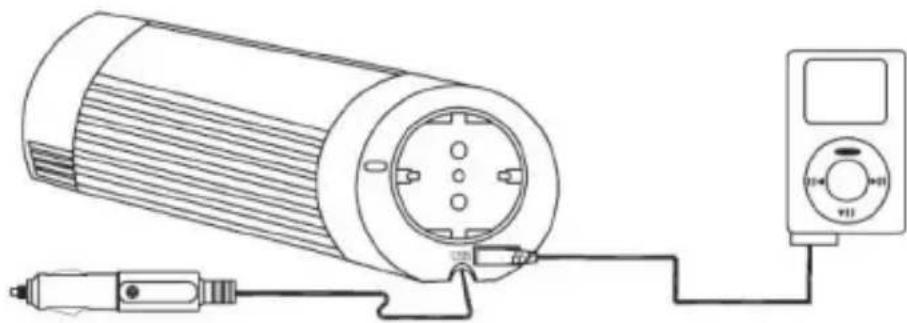
Technical line drawing of a cylindrical device connected to a multimeter (no text or symbols present)Built-in USB port makes this inverter extra versatile, allowing to charge and power USB devices!
Troubleshooting
If the inverter doesn't function properly, there can be several possible reasons for it:
1) Poor contact
- Clean contact parts thoroughly
2) Inverter has no power
- Check car fuse, replace damaged fuse
- Check connection of wires
3) Fuse is blown
- The fuse is located in the DC (cigarette) plug. Replace the fuse with a similar fuse of equivalent value
4) AC output shutdown caused by overload
• Make sure the continuous load of the attached appliances does not exceed 150 Watts
5) AC output shutdown caused by overheating
• Under heavy loads for extended periods of time, the inverter will shutdown the output to prevent damage from excess heat. If this happens, please proceed as below:
(A) Switch off the power switch of the inverter
(B) Decrease load of the machine i.e. disconnect some of the appliances or wait until this inverter cools down.
(C) Switch on the power switch of the inverter.
6) Low-battery shutdown
- Recharge your battery and resume operation.
Caution!
Always place the inverter in an environment that is:
- Well ventilated
- Not exposed to direct sunlight or heat source
- Out of reach from children
- Away from water, moisture, oil or grease
- Away from any infl ammable substances
DECLARATION OF CONFIRMITY
We,
Nedis B.V.
De Tweeling 28
Declare under our responsibility that the product;
Brandname: HQ
Model: HQ-INV150WU12F, HQ-INV150WU24F
Description: 150W DC to AC Modified Sinewave Inverter with USB port
Is in confi rmity with the following standards;
e-Mark (72/245/CEE, 2006/28/CE): e13*72/245*2006/28*3948*00
EMC (89/336/EEC):
EN 61000-6-3:2001 / EN 61000-6-1:2001
LVD (73/23/EEC): + 93/68/EEC
EN 60950-1:2001, EN 61558-1:1997 +A1:1998
Conform this regulation it's allowed to use this product in all European Community & EFTA countries.
Nedis BV is not responsible for the use of this product outside the European Community & EFTA countries.
's-Hertogenbosch, 17-08-2007

Mrs. J. Gilad
Purchase Director
Safety precautions:


To reduce risk of electric shock, this product should ONLY be opened by an authorized technician when service is required. Disconnect the product from mains and other equipment if a problem should occur.
Maintenance:
Clean only with a dry cloth. Do not use cleaning solvents or abrasives.
Warranty:
No guarantee or liability can be accepted for any changes and modifications of the product or damage caused due to incorrect use of this product.
General:
Designs and specifications are subject to change without notice.
All logos brands and product names are trademarks or registered trademarks of their respective holders and are hereby recognized as such.
Attention:
This product is marked with this symbol. It means that used electrical and electronic products should not be mixed with general household waste. There is a separate collection system for these products.
Copyright ©


text_image
HQHQ-INV150WU12F
HQ-INV150WU24F
CONVERTISSEUR DE
TENSION SINUSOIDALE
MODIFIEE DE 150 W CC/CA
AVEC SORTIE USB
natural_image
Close-up of a cylindrical electronic device with a blue and white casing, power socket, and black cables (no visible text or symbols)MANUAL
MODE D'EMPLOI
MANUALE
HASZNÁLATI ÚTMUTATÓ
BRUKSANVISNING
MANUAL DE UTILIZARE
ANLEITUNG
GEBRUIKSAANWIJZING
MANUAL DE USO
KÄYTTÖOHJE
NÁVOD K POUŽITÍ
Applications utiles
natural_image
Line drawing of a cylindrical device connected to a computer via cable (no text or symbols)text_image
Maximum 15A (12V version) Maximum 10A (24V version)text_image
Diagram illustrating a temperature measurement setup with fan, monitor, thermometer, and condenser connected to a 60°C scale.natural_image
Technical line drawing of a cylindrical device connected to a multimeter via cable (no text or symbols)DBT (73/23/CEE) : + 93/68/EEC
EN 60950-1:2001, EN 61558-1:1997 +A1:1998
natural_image
Exterior view of a cylindrical electronic device with a power outlet and black cable (no visible text or symbols)MANUAL
MODE D'EMPLOI
MANUALE
HASZNÁLATI ÚTMUTATÓ
BRUKSANVISNING
MANUAL DE UTILIZARE
ANLEITUNG
GEBRUIKSAANWIJZING
MANUAL DE USO
KÄYTTÖOHJE
NÁVOD K POUŽITÍ
natural_image
Line drawing of a cylindrical device connected to a computer via cable (no text or symbols)text_image
Diagram illustrating a temperature measurement setup with fan, monitor, thermometer, and condenser connected to a 60°C scale.natural_image
Technical line drawing of a cylindrical device connected to a meter via cable (no text or symbols)Model: HQ-INV150WU-12, HQ-INV150WU-24
LVD (73/23/EEC): + 93/68/EEC
EN 60950-1:2001, EN 61558-1:1997 +A1:1998
Model: HQ-INV150WU12F, HQ-INV150WU24F
LVD (73/23/EEC): + 93/68/EEC
EN 60950-1:2001, EN 61558-1:1997 +A1:1998