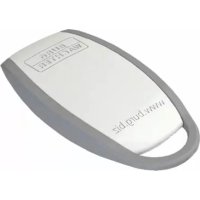
Entry 5710 Transponder - Access security system Burg Wächter - Free user manual and instructions
Find the device manual for free Entry 5710 Transponder Burg Wächter in PDF.



| Product type | Access security system |
| Brand | Burg Wächter |
| Model | Entry 5710 Transponder |
| Opening medium | Transponder |
| Programming | Directly on cylinder or via secuENTRY software |
| Power supply | Batteries (not included) |
| Reading distance | 1 cm maximum |
| LED indicator | Yes (flashes during opening) |
| Administrator code | Required for programming |
| Software compatibility | secuENTRY (QR code required) |
| Assignment function | Assign a transponder to an existing user |
| Cleaning | Soft dry cloth |
| Disposal | Do not dispose of with household waste; recycle |
| EU conformity | info@burg.biz |
| QR code support | Scannable and storable on protected media |
Frequently Asked Questions - Entry 5710 Transponder Burg Wächter
User questions about Entry 5710 Transponder Burg Wächter
0 question about this device. Answer the ones you know or ask your own.
Ask a new question about this device
Download the instructions for your Access security system in PDF format for free! Find your manual Entry 5710 Transponder - Burg Wächter and take your electronic device back in hand. On this page are published all the documents necessary for the use of your device. Entry 5710 Transponder by Burg Wächter.
USER MANUAL Entry 5710 Transponder Burg Wächter
Dear customer,
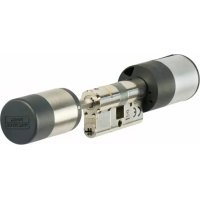
Thank you very much for your decision for the electronic lock system manufactured by BURG-WACHTER. Depending on the system, different opening devices are available. Here, you are receiving the opening device secuENTRY TRANSPONDER
The secuENTRY TRANSPONDER can be registered directly to the cylinder but can also be registered to the system with the optional secuENTRY SOFTWARE. For this you require the enclosed QR-Code.
Attention: In case the QR-Code is lost or damaged, usage with the secuENTRY SOFTWARE will not be possible.
Our hint: The QR code can also be stored in an electronic form as a scanned file or a photograph on a protected data carrier.
The procedure can be found in the user guide of the secuENTRY SOFTWARE
Opening with transponder
- Hold the transponder from the front at no more than 1 cm from the cylinder knob. The LED integrated in the cylinder flashes once when the opening is successful.
- Turn the cylinder knob.
When using the opening procedure with a transponder, please note that the keypad should not be previously activated using the key!
Create User with Transponder submenu
- Activate the keypad using the key
- Then press FUNC, the Code Change menu is displayed
- Scroll using the 2 key till reaching the Administrator menu
- Confirm with. The "Create User" menu item appears
- Confirm with
- Scroll using the 2 key till reaching the "Create User: Transponder" item
- Confirm with
- Enter the administrator code in order to acquire the authorization for programming
- Hold the transponder in front of the knob
- "Data has been saved" is displayed
Registering a transponder via the submenu "Assign transponder"
Using this function, you can subsequently assign a transponder card to an already existing user.
For this purpose, proceed as follows:
- Activate the keypad using the key
- Then press FUNC, the Code Change menu is displayed
- Scroll using the 2 key till reaching the Administrator menu
- Confirm with
- Scroll using the 2 key till reaching the "Assign Transponder" item
- Enter the administrator code in order to acquire the authorization for programming
-
Scroll till reaching the user, to whom you intend to assign a transponder, and confirm 2 × with
-
Hold the transponder directly in front of the knob and use the keypad to confirm it with
- "Data has been saved" is displayed
Disposal
Dear customer,
Please help us avoid unnecessary waste. Should you ever intend to dispose of this device, please bear in mind that many components of the device contain precious materials, which can be recycled.
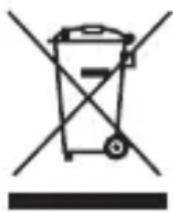
Please be aware that electrical and electronic equipment and batteries shall not be disposed of as household waste, but rather collected separately. Please obtain information on the collecting
points for electrical waste from the responsible authority of you municipality.

If you have any questions concerning the EC declaration of conformity, please use info@burg.biz
Mistakes and changes reserved.

Brand : Burg Wächter
Model : Entry 5710 Transponder
Category : Access security system