ManualGo.com
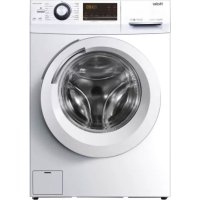
HW90B14959U1 - Washing machine HAIER - Free user manual and instructions
Find the device manual for free HW90B14959U1 HAIER in PDF.



Download the instructions for your Washing machine in PDF format for free! Find your manual HW90B14959U1 - HAIER and take your electronic device back in hand. On this page are published all the documents necessary for the use of your device. HW90B14959U1 by HAIER.
USER MANUAL HW90B14959U1 HAIER
Legend Warning – Important Safety information General information and tips Environmental information Disposal Help pro tect the environment and human health. Put the packaging in applicable containers to recycle it. Help to recycle waste of electrical and electronic ap- pliances. Do not dispose appliances marked with this symbol with the household waste. Return the product to your local recycling facility or contact your municipal Thank you f or purchasing a Haier Product. Please
ead these instructions carefully before using this appliance. The instructions con- tain important information which will help you get the best out of the appliance and ensure safe and proper installation, use and maintenance. Keep this manual in a convenient place so you can always refer to it for the safe and proper use of the appliance. If you sell the appliance, give it away, or leave it behind when you move house, make sure you also pass this manual so that the new owner can become familiar with the appliance and safety warnings. WARNING! of it. R emove the door catch to prevent children and pets to get closed in the appliance.EN Content
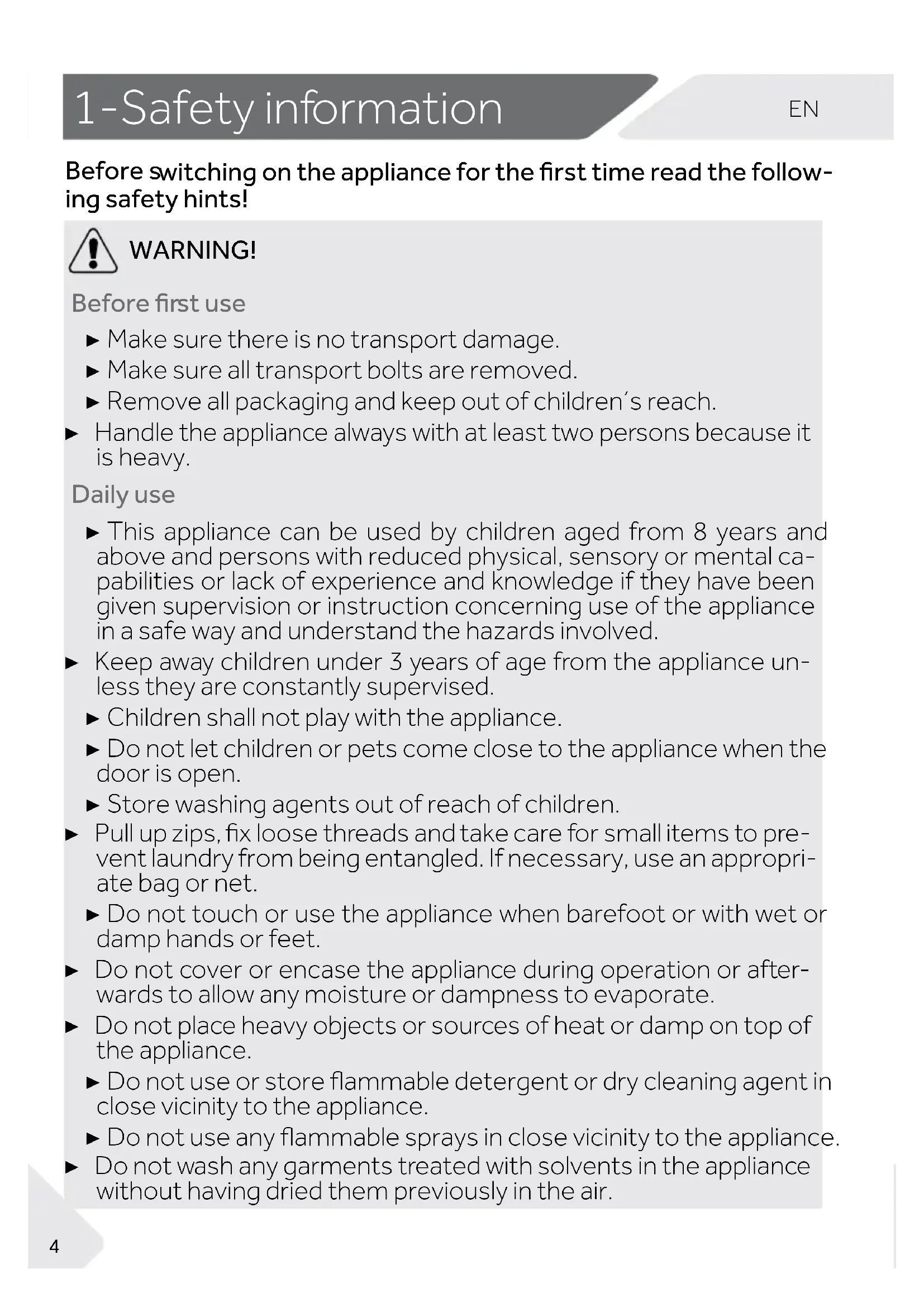
Before s witching on the appliance for the rst time read the follow- ing safety hints! WARNING! Before r st use ▶ Make sure there is no transport damage. ▶ Make sure all transport bolts are removed. ▶ Remove all packaging and keep out of children´s reach. ▶ Handle the appliance always with at least two persons because it is heavy. Daily use ▶ This appliance can be used by children aged from 8 years and above and persons with reduced physical, sensory or mental ca- pabilities or lack of experience and knowledge if they have been given supervision or instruction concerning use of the appliance in a safe way and understand the hazards involved. ▶ Keep away children under 3 years of age from the appliance un- less they are constantly supervised. ▶ Children shall not play with the appliance. ▶ Do not let children or pets come close to the appliance when the door is open. ▶ Store washing agents out of reach of children. ▶ Pull up zips, x loose threads and take care for small items to pre- vent laundry from being entangled. If necessary, use an appropri- ate bag or net. ▶ Do not touch or use the appliance when barefoot or with wet or damp hands or feet. ▶ Do not cover or encase the appliance during operation or after- wards to allow any moisture or dampness to evaporate. ▶ Do not place heavy objects or sources of heat or damp on top of the appliance. ▶ Do not use or store flammable detergent or dry cleaning agent in close vicinity to the appliance. ▶ Do not use any flammable sprays in close vicinity to the appliance. ▶ Do not wash any garments treated with solvents in the appliance without having dried them previously in the air.EN 1-Safet y information
WARNING! Daily use ▶ D o not remove or insert the plug in the presence of flammable gas. ▶ Do not hot wash foam rubber or sponge-like materials. ▶ Do not wash any laundry which is polluted with flour. ▶ Do not open detergent drawer during any wash cycle. ▶ Do not touch the door during the washing process, it gets hot. ▶ Do not open the door if the water level is visibly over the porthole. ▶ Do not force the door to open. The door is tted with a self-lock device and will open shortly after the washing procedure is ended.
undertaking any routine maintenance and disconnect the appli- ance from the electrical supply to save electricity and for safety. ▶ Hold the plug, not the cable, when unplugging the appliance. Maintenance / cleaning ▶ Make sure children are supervised if they carry out cleaning and maintenance. ▶ Disconnect the appliance from the electrical supply before un- dertaking any routine maintenance. ▶ Keep the lower part of the porthole clean and open door and de- tergent drawer if appliance is not in use to prevent odours. ▶ Do not use water spray or steam to clean the appliance. ▶ Replace a damaged supply cord only by the manufacturer, its ser- ▶ Do no t try to repair the appliance by yourself. In case of repair please contact our customer service. Installation ▶ The appliance should be placed in a well-ventilated place. Ensure a location which allows opening the door fully. ▶ Never install the appliance outdoors in a damp place, or in an area which may be prone to water leaks such as under or near a sink unit. In the event of a water leak cut power supply and allow the machine to dry naturally.1-Safety inf ormation
Intended use This appliance is intended f or washing machine-washable laun- dry only. Anytime follow the instructions given on the label of each garment label. It is designed exclusively for domestic use inside the house. It is not intended for commercial or industrial use. Changes or modications to the device are not allowed. Unintended use may cause hazards and loss of of all warranty and liability claims. WARNING! Installation ▶ Install or use the appliance only where the temperature is above 5 °C. ▶ Do not place the appliance directly on a carpet, or close to a wall or furniture. ▶ Do not install the appliance in direct sunlight or in the near of heat sources(e.g. stoves, heaters). ▶ Make sure that the electrical information on the rating plate agrees with the power supply. If it does not, contact an electri- cian. ▶ Do not use multi-plug adapters and extension cables. ▶ Make sure only the delivered electric cable and hose set are used. ▶ Make sure not to damage the electric cable and the plug. If dam- aged have it replaced by an electrician. ▶ Use a separate earthed socket for the power supply which is easy accessible after installation. The appliance must be earthed. Only for UK: The appliance’s power cable is tted with 3-cord (grounding) plug that ts a standard 3-cord (grounded) socket. Never cut o or dismount the third pin (grounding). After the ap- pliance is installed, the plug should be accessible. ▶ Make sure the hose joints and connections are rm and there is no leakage.EN 2-Product description
2.1 Picture of appliance
Front (Fig. 2-1): Rear side (Fig. 2-2):
Check the accessories and literature in accordance with this list (Fig.2-3): Note:
2-3 2-1 2-2 Inlet hose-assembly 5 Blanking plugsDrain hose bracketUser manualWarranty card Noise reduc-tion pads
1 Transportation bolts (T1-T4)
Backcover screws(7EA)
programme. With WIFI connection, the waiting time duration is 24h.EN 3-Control panel
Control panel is locked. Steam. Alarm. Pre-wash. Delay.
3.4 Function buttons
The function buttons (Fig. 3-5) enable additional op- tions in the selected programme before programme starts. The related indicators are displayed.
gramme, all options are disabled. If a button has multiple options, the desired option can be selected by pressing the button sequentially.
Note: Factory settings there is no special requirement default settings are recommended. 3-5 Steam 3-4 Display symbols Speed, Temperature, etc
3.4.1-Function button “ Delay“
Touch this button (Fig . 3-6) to start the programme with a delay. End time delay could be increased in steps of 30 minutes from 0,5 -24h (End time will longer than original programme time). For exa- mple display off 6:30 means end of programme cycle will be in 6 hours and 30 minutes. Touch “Start/Pause” button to activate the time delay. It is not applicable to programme Spin, Refresh, Remote. 3-6 DelayDelay3-Control panel
Touch this button (Fig. 3-9) to change or deselect the spin of the programme. If no value is illuminated the display " " the laundry will not spin.
Touch this button (Fig. 3-12) gently to start or interrupt the currently displayed programme.
3.4.5 Function button “Extra Rinse”
Touch this button (Fig. 3-10) to rinse the laundry more intense with fresh water. This is recommended for people with sensitive skin. By touching the button several times zero to three additional cycles can be selected. They appear in the display with P--0/ P--1/P--2/P--3.Different programme optiones are diffrent.
3.4.2 Function button “ Steam“
Touch this button (Fig. 3-7) the steam programme can be selected. When this programme is selected, the default temperature is the max temperature of this programme. You can select if you require this function when programmes"Smart, Mix, Synthetic, Cotton, All-
rgy Care “ are used. When you select the programme "steam " the icon light up to warn you ,the icon turns off when the programme is canceled . When you select the programme, you cannot change the temper- ature. If you press the temperature button the programme will be canceled. Switch on the washing machine and select this programme If the washing machine is working you can not select this programme . SteamExtra RinseSpeed 3-9 3-10 3-11 3-7 3-8 3-12 Temp.Temp.
3.4.3 Function button “Temp.“
Touch this button (Fig. 3-8) to change the washing temperature of the programme. If no value is illuminated(the display" ") the water will not heated.
Not all programmes can select this function. See P12 for pro- grammes that can select this function. different washing time.
Note: Liquid detergent If using liquid detergent, it is not recommended to activate the end time delay.EN 3-Control panel
Choosing a programme and then start,touch button“ Delay” and ”Steam”( Fig .3-13) for 3 seconds simultaneously to block all panel elements against activation, panel display .For unlo- cking please touch again the two buttons.The child lock indi- cator lights up when the child lock works. Feature is optional when the machine is running.
The display shows CL0 I- (Fig. 3-14) if a button will be pressed, when the child lock is activated. The change is not running. Speed 3-13 3-14 Steam
3.6 Detergent drawer
Open dispenser drawer,the following components can be seen (Fig. 3-15): 1: The main washing compartment,for powder or liquid detergent. 2: Detergent flap selector: lift it up for powder detergent, keep it down for liquid detergent. 3: Compartment for softner. 4: Pre-wash compartment, for a small amount of pow- der detergent. 5: Lock tab, press it down to pull out dispenser drawer. The recommendation on the type of detergents is su- itable for the various washing temperatures, please re- fer to the manual of detergent.
The child lock which is set up manually must be cancelled manually or will be can- celed automatically at the end of the programme. Power off and error information won't canncel child lock. It still works when the applicance is powered on next time.1) Water is not heated up. Choose 90°C wash temperature only for special hygienic requirements.
Reduce detergent amount because programme duration is short. The design and specifications are subject to change without notice for qualityimprovement purposes.
No or a small amount of powder detergent.Max. load Temperature Presetspin speed in rpmFunction in kg in °C
Lightly soiled mixed-laundry of cotton andsynthetic Lightly soiled mixed-laundry of cotton andsynthetic Remote
Machine-washablefabric made of woolor with wool content
//Cotton / SyntheticCotton / Synthetic
Detergent compartment for:
Synthetic or mixedfabricSynthetics * to 60
3Note: Auto Weight The appliance is equipped with a loading recognition. At low loading, energy, water and washing time will be reduced automatically in some progr ammes. The display default time may vary depending on the load weight, involving the “Smart, Mix, Synthetic, Cotton, Co- tton 20°C , Eco 40-60” programme. Scan QR code on energy label for energy consumption information. The actual energy consumption may differ from the declared one according to local conditions.
▶ Sort out clothes according to fabric (cotton, syn- thetics, wool or silk etc.) and how dirty they are --w fo gnillebal erac eht ot noitnetta yaP .)3-6 .giF( ashing labels. ▶ Separate white clothes from coloured ones. they fade or run. ▶ Empty pockets (keys, coins, etc.) and remove harder decorative objects (e.g. brooches).
into a wash bag to care for this delicate laundry (hand or dry cleaning would be better). ▶ Close zippers, velco fastener and hooks, make sure the buttons are sewn on tightly.
hem, delicate underwear and small items such as socks, belts, bras, etc. in a wash bag. ▶ Unfold large pieces of fabric such as bed sheets, bedspreads etc. ▶ Turn jeans and printed, decorated or color-inten- sive textiles inside out; possibly wash separately.
Connect the washing machine to a power supply (220V to 240V~/50Hz; Fig. 6-1). Please refer also to section INSTALLTION (see P29).
6.2 Water connection
▶ Before connecting check the cleanliness and clar- ity of the water inlet. ▶ Turn on the tap (Fig.6-2). Note: Tightness Before use check for leakage in the joints between the tap and the inlet hose by turning on the tap. CAUTION! Non-textile, as well as small, loose or sharp-edged items may cause malfunctions and damage of clothes and appliance. 6-3 6-1 6-2 6-Daily use
ashing Washable up to 95°C normal process Washable up to 60°C normal process Washable up to 60°C mild process Washable up to 40°C normal process Washable up to 40°C mild process Washable up to 40°C very mild process Washable up to 30°C normal process Washable up to 30°C mild process Washable up to 30°C very mild process Wash by hand max. 40°C Do not wash Bleaching Any bleaching allowed Only oxygen/ non-chlorine Do not bleach Drying Tum ble drying possible normal temperature Tumble drying possible lower temperature Do not tumble dry Line drying Flat drying Ironing
ron at a maximum temper ature up to 200 °C
perature up to 150°C
ron at a low temper- ature up to 110 °C; without steam (steam ironing may cause irre- versible damage) Do not iron Professional T extile Care Dry cleaning in tetra
chloroethene Dry cleaning in hy- drocarbons Do not dry clean Professional wet clean Do not professional wet clean
6.4 Loading the appliance
▶ Put in the laundry piece by piece.
thumb for maximum load: Keep six inches bet ween load and drum top. ▶ Close the door carefully. Make sure that no pieces of laundry are pinched.
▶ Use only machine wash approved detergent.
▶ See tips for countertop detergent stickers.
▶ Do not use dry cleaning agents such as trichloroethylene and similar products. Choose the best detergent Programme Kind of detergent Universal Colour Delicate Special Softener Smart L/P L/P - - o Mix L
Cotton 20°C L/P L/P - Remote L/P L/P - L -
= no If using liquid detergent, it is not recommended to activate the time delay. We recomment by using: ▶ Laundry powder: 20°C to 90°C* (best use: 40-60°C) ▶ Color detergent: 20°C to 60°C (best use: 30-60°C) ▶ Wool/delicate detergent: 20°C to 30°C (best use:20-30°C)
- Choose 90 °C wash temperature only for special hygienic requirements. If you choose the water temperature 60°C or above,we would like to advise you to use less detergent. Please kindly use the special disinfectant, which is suitable for cotton or synthetic cloth.
- It is better to use less or free suds detergent powder.
166.7 Switch on the appliance
6.6 Adding detergent
1. Slide out the detergent drawer. 2. Put the required chemicals into corresponding compartments (Fig. 6-4).3. Push back the drawer gently. Note: ▶ Remove detergent residues before next wash cycle from the detergent drawer. ▶ Do not overuse detergent or softener. ▶ Please follow the instruction on the detergent package. ▶▶ Concentrated liquid detergent should be diluted before adding. ▶ Do not use liquid detergent if function “Delay“ is selected. ▶ Carefully choose the programme settings according to the care symbols on all laun- dry labels and according to the programme table.
6.8 Select a programme
To get the best washing results, select a programme type. Turn the programme knob (Fig. 6-6) to select the right programme. Related programme LED lights up andthe default settings are displayed.
6.9 Add individual selections
Select required options and settings (Fig. 6-7); refer toControl Panel. 6-5 6-6 Note: Odour removal amount of detergent in washing agent compartment (2) or special“COTTON+90 °C+600rpm” cleaner to remove possibmachinely corruptive esidues. 6-7 (Fig. 6-5). The LED of the Start/Pause“ button is flas-hing.PowerTouchSteamMix SyntheticAllergy Care Wool SpinRefreshEco 40-60RemoteQuick 15’SmartCottonCotton 20°C 6-Daily use
6-41. At programme cycle end is displayed.
3. Remove laundry as soon as possible to go easy on it and to prevent more wrinkling.
6. Open the door to prevent formation of moisture and odours. Let it open while not used.
6.13 Activate or deactivate the buzzer
The acoustic signal can be selected if necessary:
1. Switch on the appliance.
2. Select the programme.
-ces 3 tuoba rof emit emas eht ta nottub ”deepS“ dna nottub “maetS“ e onds. “ ” will be displayed and the buzzer will be activated. For deactivating the buzzer touch these two buttons at the same time again. “ ” be displayed. To interrupt a running programme press gently “Start/Pause“. The LED above the button is flashing. Press it again to resume operation. To cancel a running programme and all its individual settings:
4. After closing the programm to restart the appliance,select a new programme and
Note: Door lock For safety reasons the door is locked partially during the washing cycle. It is only pos- sible to open the door at the end of the programme or after the programme was can- celled correctly (see description above). In case of high water level, high water temperature and during spinning it is not pos- sible to open the door; is displayed. Note: Standby-mode / energy-saving mode The switched on appliance will go into standby-mode if it will not be activated within 2 This saves energy. To interrupt the standby- mode touch " Power " button.
6.10 Start wash programme
/tratS” eht fo DEL ehT .trats ot )8-6 .giF( nottub “esuaP/tratS“ hcuoT Pause“ button stops flashing and lights up continuously. Appliance operates according to present settings. Changes are only possible by cancelling the programme.
6.11 Interrupt / cancel wash programme
6-8 PowerTouch sthgil deeps( " deepS on " tceles Touch the " Power" button to turn on the appliance, are off) and run programme Spin to drain the water. start it. meme
7. Small clothes are easy to stick to the wall after high-speed swing drying, please do
not omit when opening the door to pick up clothes.EN 7-hOn
WARNING! Please observe the safety precautions in this user manual and make sure that these era uoy e lihw PPA nOh eht aiv ecnailppa eht gnitarepo nehw neve deilpmoc era
One wireless router which supports only the band of of is 1-32 1 and and pas- The App is available for devices running Android, Huawei or iOS, both for tablets and for smartphones. The appliance shall be installed in a position where it can receive a strong Wi-Fi signal. Once the appliance has been correctly associated with the APP, if it's not properly connected to the wireless router, no Wi-Fi icon appears on the display.
7.3 Download and installation of hOn APP:
Download the hOn App on your device Note: Registration closed. For further use, you need to enter user name and password when you log in. or by the link: go.haier-europe.com/download-app7-hOn
control panel. emote
7 7 nd of ycle ith emote ontrol n 1.At the end of the cycle, the door will unlock and the remote control will deactivate. 2.After 2 minutes the appliance will automatically switch off. Once the remote control is activated, if the end user doesn’t start any cycle from app in 10 minutes, the appliance will go to Networked Delay Start Mode, and keeps remote control up to 24 hours, then shut off. Select the “Remote” programme
1.Select the “Remote” programme; ,rotate the knob to select other programme or shut down to exit.Environmentally responsible use
To achieve best use of energy, water, detergent and time you should use the recom- mended maximum load size. ▶ Do not overload (hand width clearance above laundry). ▶ For slightly soiled laundry select the Quick 15’ programme. ▶ Apply exact dosages of each washing agent.
ciently cleaning below 60°C. ▶ Raise default settings only due to heavy staining. ▶ Select max. spinning speed if a domestic dryer is used. gnihsaw yldneirf-ocE- 8 -iffe era stnegreted nredom-erutarepmet gnihsaw etau qeda tsewol eht esoohC
229.1 Cleaning the detergent drawer
Take always care there are no detergent residues. Clean the drawer regularly (Fig. 9-1):
1. Pull out the drawer until it stops.
2. Press the release button and remove the drawer.
9.2 Cleaning the machine
▶ Unplug the machine during cleaning and mainte- nance. ▶ Use a soft cloth with soap liquid to clean the ma- chine case (Fig. 9-2) and rubber components. ▶ Do not use organic chemicals or corrosive sol- vents. To prevent blockage of water supply by solid substan-
supply. ▶ Unscrew the water inlet hose at the back (Fig. 9-3) of the appliance as well as on the tap.
9.4 Cleaning the drum
▶ Use a non-chloride cleaner for removing rust stains. Observe the warning hints of the cleaning agent manufacturer. ▶ Do not use any hard objects or steel wool for clean
ing. 9-2 9-Care and cleaning
Note: Hygiene For regular maintenance, we recommend running the programme “COTTON+90 °C+600 rpm” within 100 cycles to avoid possible corrosive residues. Add a small amount of detergent to the detergent compartment (2) or use a special machine cleaner.
Turn on the tap to see if it leaks.▶ 9-3 9-4 Remove accidentally washed items,especially and the groove of the door gasket (rubber ring) because they cause rust stains and damage.
metal parts such as pins, coins, etc. from the drum After the procedure, open the door, use a towel to clean the stains and foam around the gasket, and keep the inside and outside of the gasket clean (Fig. 9-5). ▶9.5 Long periods of disuse If the appliance is left idle for a longer period:
and odours. Let door open while not used. Before next usage check carefully power cord, water inlet and drain hose. Make sure everything is properly installed and without leackage. 9-6 9-7 9-Care and cleaning
Push and open service flap (Fig. 9-9).
3. Provide a flat container to catch leach water
(Fig. 9-10). There could be bigger amounts!
4. Pull the drainhose out and hold its end above the
container (Fig. 9-10).
5. Take the sealing plug out of the drainhose (Fig.
6. After complete drainage close drainhose (Fig.
9-11). and push it back into the machine.
7. Unscrew and remove counter clockwise the pump
8. Remove contaminants and dirt (Fig. 9-13).
WARNING! hot! Before any action please ensure water has cooled down. for instance if the appliance: ▶ Doesn´t drain the water. ▶ Doesn´t spin. ▶ Cause unusual noise while running.
9-10 9-11 9-12 9-139-8 9-9CAUTION!
(Fig. 9-14). 9-14 9-15 9-Care and cleaning
After cleaning, reinstall the handle and tighten it until it does not move. At this time, the handle is in vertical state(Fig. 9-15).of a problem please check all shown possibilities and follow below instructions before you WARNING! ▶ Before maintenance, deactivate the appliance and disconnect the mains plug from the mains socket.
improper repairs can cause considerable consequential damages. ▶ A damaged power cable should only be replaced by the manufacturer, its service
10.1 Information codes
Following codes are displayed only for information referring to the washing cycle. No measures must be performed. Code Message 1:25 The remaining wash cycle time will be 1 hour and 25 minutes.
The remaining wash cycle time including chosen end-time delay will be 6 hours and 30 minutes. End Loc Door is closed because of high water level, high water temperature or spinning cycle. bEEP oFF The buzzer is deactivated. bEEP
The buzzer is activated.
10.2 Troubleshooting with display code
Problem Cause Solution CLR FLTR
- Drainage error, water is not fully drained within 6 minutes.• • Check drain hose installation.
- Lock error. • Shut the door properly.
- Drain hose is self-syphoning.• Make sure that tap is fully opened and water pressure is normal.• Check drain hose installation.
- Water protective level error. • Contact the After sales service. The function keys is closed.The programme changing is invalid. 10-Troubleshooting
Water level not reached after 12 minutes. Cl0Problem Cause Solution
Temperature sensor error. Contact the After sales service.
Heating error. Contact the After sales service.
Motor error. Contact the After sales service.
Water level sensor error. Contact the After sales service. FC0, FC1 or FC2 Abnormal communication error. Contact the After sales service. Unb Unbalanced load error. Check and balance laundry load in the drum. Reduce the load.
10.3 Troubleshooting without display code
Problem Cause Solution Washing machine fails to operate. Programme is not yet started. Door is not properly closed. Machine has not been switched on. Power failure. Child lock is activated. Check programme and start it. Close the door properly. Switch the machine on. Check power supply. Deactivate child lock. Washing machine water. No water. Inlet hose is kinked. Water pressure is less than 0.03 MPa. Door is not properly closed. Water supply failure. Check water tap. Check inlet hose. Check water pressure. Close the door properly. Ensure the water supply. Machine is draining Height of drain hose is below 80 cm. Drain hose end could reach into water. Make sure that drain hose is properly installed. Make sure the drain hose is not in water. Drainage failure. Drain hose is blocked. Drain hose end is higher than 100 cm above floor level. Unblock drain hose. Make sure that drain hose is properly installed. Strong vibration while spinning. Not all transportation bolts have been removed. Appliance has no solid position. Machine load is not correct. Remove all transportation bolts. Ensure solid ground and a ev- elled position. Check load weight and balance. Operation stops before completing wash cycle. Water or electric failure. Check power and water supply. Operation stops for a period of time. Appliance displays error code. Problem due to load pattern. Programme performs soaking cycle. Consider display codes. Reduce or adjust load. Cancel programme and restart. 10-Troubleshooting
ENProblem Cause SolutionExcessive foam detergent drawer.• Detergent is not a appropriate. • Excessive use of detergent.• Check detergent recommen-dations.• Reduce amount of detergent.Automatic adjust- ment of washing time.• Washing programme duration will be adjusted.• This is normal and doesn‘t af- fect functionality.Spinning fails. • • Check machine load and laun-dry and run a spinning program- me again.washing result.• Degree of pollution does not agree with selected programme• Detergent quantitiy was not suf-ficient.
- Maximum load has been exceeded.
Laundry was unevenly distributedin the drum.
- Select an other programme.
- Choose the detergent acc. to the degree of pollution andaccording to manufacture
Reduce loading. Loose the laundry. ashing powder esidues are on thelaundry.• Insoluble particles of detergent can remain as white spots on the laun- dry.
- Perform extra rinse.• Try to brush the points from the dry laundry.• Choose an other detergent.Laundry has grey patches.• Caused by fats such as oils, creams or ointments.• Pretreat the laundry with a spe-cial cleaner. Note: Foam formation If too much foam is inspected during spin cycle, motor stops and drain pump will be ac- tivated for 90 seconds. If that elimination of foam fails up to 3 times, programme ends without spinning.
ance, disconnect the power supply and contact the customer service.
10.4 In case of power failure
The current programme and its setting will be saved. When power supply is restored operation will be re- sumed. If a power failure cuts an operating wash programme door opening is mechanically blocked. To get out any laundry water level should not be seen in the glassy
parts. 10-1 10-Troubleshooting
When the washing machine in a safe state (under the water level below the window along a certain distance, barrel temperature below 55°C , the inner barrel did not turn), may unlock the doors of the machine operation.specifications. 2811.1 Preparation ▶ Take the appliance out of the packaging.
keep them out of childrens reach. While opening the package, water drops may be seen on plastic bag and porthole. This normal phenomenon results from water tests in the factory. Note: Packaging disposal Keep all packaging materials out of children´s reach and dispose them in an environmen- tally friendly manner.
11.2 OPTIONAL: Install noise reduction pads
11-2 11-3 11-1 1.When opening the shrink package,you will find four noise reduction pads.These are used for reducing noise(Fig. 11-1). (Fig. 11-2). (Fig. 11-3). -trop ,edis sti ot nwod enihcam gnihsaw eht yaL .2 hole pointing upwards, bottom side towards op-
3. Take out the noise reduction pads and remove the
double-sided adhesive protective film; paste around the bottom; the noise reduction pads under the w- ashing machine cabinet as shown in Figure 3(two longer pads in position 1 and 3, two shorter pads in position 2 and 4). Finally set the machine upright again
Warm tip: Noise reduction pad is optional , could help to reduce noise , please assemble it or not according to your own demand.11.5 Aligning the appliance Adjust all feet (Fig. 11-8) to achieve a complete level position. This will minimize vibrations and thus noise during use. It will also reduce wear and tear. We recom- mend to use a spirit level for adjustment. Floor should be as stable and flat as possible.
1. Loose the locknut (1) by using a wrench.
2. Adjust the high by turning the foot (2).
3. Tighten lock ut (1) against the housing.
11.4 Moving the appliance
If the machine is to be moved to a distant location, replace the transportation bolts removed before installation to prevent damage: The assembly takes place in reverse order. Note: Keep in safe place Keep all parts of the transport protection in a safe place for later use. Whenever the ap- 11-8 11-Installation
11.3 Dismantle the transportation bolts
The transportation bolts are designed for clamping anti-vibration components inside the appliance during transportation to prevent inner damage.
Remove all 4 bolts on the rear side and take out plastic spacers (Fig. 11-4)(Fig. 11-5). Fill left holes with blanking plugs (Fig. 11-6)(Fig. 11-7). 11-4 11-5 11-711-6 0 3Following connections are possible:
11.6.1 Drain hose to sink
▶ Hang the drain hose with the U-support over the edge of a sink with adequate size (Fig. 11-9).
11.6.2 Drain hose to waste water connection
(Fig. 11-10). CAUTION! ▶ The drain hose should not be submerged in water and should be securely xed and leak-free. If the drain hose is placed on the ground or if the pipe is at a height of less than 80 cm, the washing machine will continuously drain while being lled (self-si- phoning). ▶ Drain hose is not to be extended. If necessary contact after sales service.
11.6.3 Drain hose to sink connection
▶ The junction must lie above the siphon. ▶ A spigot connection is usually closed by a pad (A). That must be removed to prevent any disfunc- tion (Fig. 11-11). ▶ Secure the drain hose with a clamp.
11.6 Drain Water Connection
Fix the water drain hose properly to the piping. The hose has to reach at one point a height between 80 and 100 cm above the appliance bottom line! If possible keep always drain WARNING! ▶ Use only the supplied hose set for the connection. ▶ Never reuse old hose sets! ▶ Only connect to cold water supply. ▶ Before connection, check whether the water is clean and clear. 11-9 11-1011-11 11-Installation
3111.8 Electrical Connection Before each connection check if: ▶ power supply, socket and fusing are appropriate to the rating plate. ▶ the power socket is earthed and no multi-plug or extension are used. ▶ the power plug and socket are strictly according. ▶ Only UK: The UK plug meets BS1363A standard. Put the plug into the socket (Fig. 11-14). WARNING!
dry and leack free! ▶ Take care these parts are never to be crushed, kinked, or twisted. ▶ If the supply cord is damaged, it must be replaced by the service agent (see warranty card) in order to avoid a hazard. 11-14
11.7 Fresh Water Connection
Make sure that the gaskets are inserted.
1. Connect the water inlet hose with the angled
end to the appliance (Fig. 11-12). Tighten the screw joint by hand.
2. The other end connect to a water tap with a
HW100 HW90 HW80 Voltage in V 220-240 V~/50Hz Current in A 10 Max. power in W 2000 Water pressure in MPa 0.03≤P ≤1 Net weight in kg 65
12.1 Additional technical data
12.3 Standards and Directives
This product meets the requirements of all applicable EC directives with the correspon- ding harmonised standards, which provide for CE marking. Note: The exact height of your washer is dependent on how far the feet are extended from the base of the machine. The space where you install your washer needs to be at least 40mm wider and 20mm deeper than its dimensions.
HW100 HW90 HW80PRODUCT DIMENSIONS
B Overall width of product mm A Overall height of product mm
Overall depth of product Overall depth of product mm (To main control board size) mm Depth of door open mm
Minimum door clearance to adjacent wall mm
3We recommend our Haier Customer Service and the use of original spare parts. ▶ your local dealer.
one numbers and FAQs and where you can activate the service claim. To contact our Service, ensure that you have the following data available.The information can be found on the rating plate. Model ____________________ Serial No. _____________________ Also check the Warranty Card supplied with the product in case of warranty. European Haier addresses Country* Postal address Country* Postal address Italy Haier Europe Trading SRL Via De Cristoforis, 12 21100 Varese ITALY France Haier France SAS53 Boulevard Ornano – Pleyad 393200 Saint Denis France Spain Portugal Haier Iberia SL Pg. Garcia Faria, 49-51 08019 Barcelona SPAIN Belgium-FR Belgium-NL Netherlands Luxembourg Germany Haier Benelux SA 1070 Anderlecht Lenniksebaan 451 BELGIUM Austria Haier Deutschland GmbH Hewlett-Packard-Str. 4 D-61352 Bad Homburg GERMANY Poland Czechia Hungary Greece Romania Russia Haier Poland Sp. zo.o. Al. Jerozolimskie 181B 02-222 Warszawa POLAND United Kingdom Haier Appliances UK Co.Ltd. One Crown Square Church Street East Woking, Surrey, GU21 6HR
*For more information please refer to www.haier.com
Model information is available in the product database at https://eprel.ec.europa.eu/ by searching for the model identifier reported in the field Model of the product label affixed on the product; the link to the model in the product database can be found here below for each model identifier: HW80-B14959U1 HW90-B14959U1 HW100-B14959U1 HW80-B14959S8U1 HW90-B14959S8U1 HW100-B14959S8U1HW80-B14959U1,HW90-B14959U1, HW100-B14959U1. HW80-B14959S8U1, HW90-B14959S8U1, HW100-B14959S8U1 0020509288AT