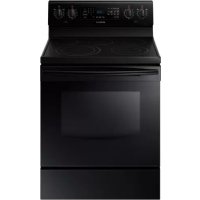
NE59J3420SB - Oven SAMSUNG - Free user manual and instructions
Find the device manual for free NE59J3420SB SAMSUNG in PDF.


| Product Type | Freestanding Electric Range |
| Brand | Samsung |
| Model | NE59J3420SB |
| Oven Capacity | 167 L (5.9 cu ft) |
| Cooktop Type | Ceramic Glass with Radiant Elements |
| Number of Burners | 5 burners (2 dual elements, 2 single elements, 1 warming zone) |
| Warming Zone Power | 3 levels |
| Cooking Functions | Traditional baking, convection baking, convection roasting, broil, timed cooking, delayed cooking, keep warm, proofing (dough), slow cooking, pizza, chicken nuggets |
| Cleaning | Self-cleaning (pyrolysis) and steam cleaning (Steam Quick) |
| Safety | Anti-tip device, control lockout, automatic shutoff after 12 h (baking) or 3 h (broiling) |
| Oven Light | Standard 40 W bulb |
| Number of Racks Provided | 2 metal racks |
| Rack Positions | 7 heights |
| Storage Drawer | Yes, removable |
| Display | Digital, adjustable in °F or °C, 12/24 hour format |
| Timer | Independent, up to 9 h 99 min |
| Custom Cooking | Up to 3 preset recipes |
| Power Supply | 240 V ~ 60 Hz, 40 A |
| Auxiliary Outlets | 2 outlets 120 V / 15 A on the control panel |
| Warranty (Canada) | 1 year parts and labor, 1 year glass and radiant elements |
Frequently Asked Questions - NE59J3420SB SAMSUNG
Do not use chemical cleaners.
User questions about NE59J3420SB SAMSUNG
0 question about this device. Answer the ones you know or ask your own.
Ask a new question about this device
Download the instructions for your Oven in PDF format for free! Find your manual NE59J3420SB - SAMSUNG and take your electronic device back in hand. On this page are published all the documents necessary for the use of your device. NE59J3420SB by SAMSUNG.
USER MANUAL NE59J3420SB SAMSUNG
Electric Range user manual
ENGLISH
imagine the possibilities
Thank you for purchasing this Samsung product.
SAMSUNG
features of your new range
Enhanced convenience. Better cooking. Easy maintenance. Your new electric range has been designed to bring you these benefits and more.
- Steam Quick cleaning
Thanks to Steam Quick™, Samsung's unique technology for light-duty cleaning jobs, keeping your oven spick-and-span is a snap — no hassle, no odor, no chemicals. Steam Quick™ cleans the inside of your range with high-temperature steam in just 20 minutes.
- Bigger is better
With a capacity of 5.9 cubic feet, your new range is equipped with more space than any of its competitors in the U.S. market. This means greater convenience for you when cooking for the holidays or when entertaining.
• A cooktop with 5 burners
- Four main burners with two that dial heat up to different pot sizes.
- A smaller warming burner in the center of the range top.
important safety instructions
Read and follow all instructions before using your oven to prevent the risk of fire, electric shock, personal injury, or damage when using the range. This guide does not cover all possible conditions that may occur. Always contact your service agent or manufacturer about problems that you do not understand.
WHAT YOU NEED TO KNOW ABOUT SAFETY INSTRUCTIONS
Warnings and Important Safety Instructions in this manual do not cover all possible conditions and situations that may occur. It is your responsibility to use common sense, caution, and care when installing, maintaining, and operating your oven.
IMPORTANT SAFETY SYMBOLS AND PRECAUTIONS
What the icons and signs in this user manual mean:
| WARNING | Hazards or unsafe practices that may result insevere personal injury or death. |
| CAUTION | Hazards or unsafe practices that may result in minor personal injury or property damage. |
| CAUTION | To reduce the risk of fire, explosion, electric shock, or personal injury when using your oven, follow these basic safety precautions. |
1\_ features of your new range
| Do NOT attempt. | |
| Do NOT disassemble. | |
| Do NOT touch. | |
| Follow directions explicitly. | |
| Unplug the power plug from the wall socket. | |
| Make sure the machine is grounded to prevent electric shock. | |
| Call the service center for help. | |
| Note |
These warning signs are here to prevent injury to you and others. Please follow them explicitly.
After reading this section, keep it in a safe place for future reference.
ANTI-TIP DEVICE

WARNING - To reduce the risk of tipping the range, the range must be secured by a properly installed Anti-Tip device. AFTER THE RANGE HAS BEEN INSTALLED, CONFIRM THAT THE ANTI-TIP DEVICE HAS BEEN PROPERLY INSTALLED AND VERIFY THAT THE ANTI-TIP DEVICE IS PROPERLY ENGAGED. Refer to the installation manual for instructions.
a) If the anti-tip device is not installed, a child or adult can tip the range and be killed.
b) Verify the anti-tip device has been properly installed and engaged at rear right (or rear left) of the range bottom.
c) If you move the range and then move it back into place, ensure the anti-tip device is re-engaged at the right or left rear of the range bottom.
d) Do not operate the range without the anti-tip device in place and engaged.
e) Failure to do so can result in death or serious burns to children or adults.
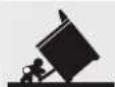

WARNING

Do not step, lean, or sit on the doors of the range. You can cause the range to tip, resulting in burns or serious injuries.
★ Confirm that the Anti-Tip device is installed properly. Then, to verify that the Anti-Tip device is engaged, grasp the top rear edge of the range and carefully attempt to tilt it forward. The Anti-Tip device should prevent the range from tilting forward more than a few inches.
If you pull the range out from the wall for any reason, make sure the anti-tip device is properly engaged when you push the range back against the wall. If it is not, there is a possible risk of the range tipping over and causing injury if you or a child stand, sit or lean on an open door.
FOR YOUR SAFETY
When using electrical appliances, you should follow basic safety precautions, including the following:

Use this appliance only for its intended purpose as described in this Owner's Manual.
Potentially hot surfaces include the cooktop, areas facing the cooktop, oven vent opening, surfaces near the opening, crevices around the oven door.
Be sure your appliance is properly installed and grounded by a qualified technician.
User servicing - Do not repair or replace any part of the appliance unless specifically recommended in the manual. All other servicing should be referred to a qualified technician.
Always disconnect the power to the appliance before servicing by removing the fuse or switching off the circuit breaker.
Do not enter the oven.
Do not store items of interest to children in cabinets above a range or on the back guard of a range. Children climbing on the range to reach items could be seriously injured.
Do not leave children alone. Never leave children alone or unattended in an area where this appliance is in use. They should never be allowed to sit or stand on any part of the appliance.
Never use your appliance for warming or heating the room.
Do not use water on grease fires. Turn off the oven to avoid spreading the flame. Smother the fire or flame by closing the door or use a dry chemical, baking soda, or foam-type extinguisher.
3_ Important safety instructions

Storage in or on appliance. Do not store flammable materials in the oven or near the surface units. Be sure all packing materials are removed from the appliance before operating it. Keep plastics, clothes, and paper away from parts of the appliance that may become hot.
Wear proper apparel. Never wear loose-fitting or hanging garments while using the appliance.
Use only dry potholders. Placing moist or damp potholders on hot surfaces may result in burns from steam. Do not let the potholder touch hot heating elements. Do not use a towel or other bulky cloth.
Teach children not to play with the controls or any other part of the range.
For your safety, do not use high-pressure water cleaners or steam jet cleaners.
If the power cord is damaged, it must be replaced by the manufacturer, its service agent or similarly qualified persons in order to avoid a hazard.
The appliance is not intended for use by persons (including children) with reduced physical, sensory or mental capabilities, or lack of experience and knowledge, unless they have been given supervision or instruction concerning use of the appliance by a person responsible for their safety.
SURFACE COOKING UNITS

Never leave surface units unattended at high heat settings.
Boilovers cause smoking and greasy spillovers that may ignite.
Do not lift the cooktop. Lifting the cooktop can damage the range and cause the range to malfunction.
Do not operate the cooktop without cookware. If the cooktop operates without cookware, the control knobs will become hot.
Never use the glass cooktop surface as a cutting board.

Use care when touching the cooktop. The glass surface of the cooktop will retain heat after the controls have been turned off.
Be careful when placing spoons or other stirring utensils on the glass cooktop surface when it is in use. They may become hot and could cause burns.
Use proper pan sizes. This appliance is equipped with surface units of different size. Select pots and pans that have flat bottoms large enough to cover the surface area of the heating element. Using undersized cookware will expose a portion of the heating element to direct contact and may result in the ignition of clothing. Matching the size of the pot or pan to the burner will also improve efficiency.
Utensil Handles Should Be Turned Inward and Not Extend Over Adjacent Surface Units – To reduce the risk of burns, ignition of flammable materials, and spillage due to unintentional contact with the utensil, the handle of a utensil should be positioned so that it is turned inward, and does not extend over adjacent surface units.
Glazed cooking utensils. Only certain types of glass, glass/ceramic, ceramic, earthenware, or other glazed cookware are suitable for range-top service without breaking due to sudden changes in temperature.
Cookware handles should be turned outward and not extend over adjacent surface units. To reduce the risk of burns, ignition of flammable materials, and spillage due to unintentional contact with cookware, cookware handles should be positioned so that they are turned outward, and do not extend over adjacent surface units.
Cleaning. Read and follow all instructions and warnings on the cleaning cream labels.
Be sure you know which control knob operates each surface unit. Make sure you turned on the correct surface unit.
Always turn the surface units off before removing cookware.
When preparing flaming foods under the hood, turn the fan on.
Keep an eye on foods being fried at high or medium high heat settings.
5\_ Important safety instructions
ELECTRICAL SAFETY
★ Proper Installation- Be sure your appliance is properly installed and grounded by a qualified technician.
The appliance should be serviced only by qualified service personnel. Repairs carried out by unqualified individuals may cause injury or a serious malfunction. If your appliance is in need of repair, contact a Samsung authorized service center. Failure to follow these instructions may result in damage and void the warranty.
Flush - mounted appliances may be operated only after they have been installed in cabinets and workplaces that conform to the relevant standards. This ensures sufficient protection against contact for electrical units as required by the essential safety standards.
If your appliance malfunctions or if fractures, cracks or splits appear:
- switch off all cooking zones
- unplug the range from the AC wall outlet
- contact your local service center.
WARNING-If the surface is cracked, switch off and unplug the appliance to avoid the possibility of electrical shock. Do not use your Induction Cooktop until the glass surface has been replaced.
WARNING- Ensure that the appliance is switched off before replacing the lamp to avoid the possibility of electric shock.
The range should not be placed on a base.
The oven must be switched off before removing the guard and that, after cleaning, the guard must be replaced in accordance with the instructions.
CHILD SAFETY
WARNING-This appliance is not intended for use by young children or infirm persons without the adequate supervision of a responsible adult.
Young children should be supervised to ensure that they do not play with the appliance.
Keep children away from the door when opening or closing it as they may bump themselves on the door or catch their fingers in the door.
The cooking zones will become hot when you cook. Always keep small children away from the appliance.
During cleaning, the surfaces may get hotter than usual and children should be kept away.
OVEN

DO NOT TOUCH THE HEATING ELEMENTS OR INTERIOR
SURFACES OF THE OVEN. Heating elements may be hot even though they are dark in color. Interior surfaces of an oven become hot enough to cause burns. During and after use, do not touch or let clothing or other flammable materials contact the heating elements or interior surfaces of the oven until they have had sufficient time to cool. Other surfaces of the appliance may become hot enough to cause burns. Among these surfaces are oven vent openings and surfaces near these openings, oven doors, and windows of oven doors.
Do not heat unopened food containers. Build-up of pressure may cause the container to burst and result in injury.
Do not use the oven to dry newspapers. If overheated, they can catch on fire.
Do not use the oven for a storage area. Items stored in an oven can ignite.

Use care when opening the door. Let hot air or steam escape before you remove food from or replace food into the oven.
Protective liners. Do not use aluminum foil to line the oven bottoms, except as suggested in the manual. Improper installation of these liners may result in a risk of electric shock or fire.
Keep oven vent ducts unobstructed. The oven vent is located above the right rear surface unit. This area could become hot during oven use. Never block this vent or place plastic or heat-sensitive items on it.
Placement of oven racks. Always place oven racks in the desired location while the oven is cool. If the rack must be moved while the oven is hot, use potholders. Do not let the potholders come in contact with the hot heating element in the oven.

Do not allow aluminum foil or a meat probe to contact the heating elements.
During use the appliance becomes hot.
Care should be taken to avoid touching heating elements inside the oven.
Do not use harsh abrasive cleaners or sharp metal scrapers to clean the oven door glass since they can scratch the surface, which may result in shattering of the glass.
7\_ Important safety instructions
SELF-CLEANING OVENS
Do not clean the door gasket. The door gasket is essential for a good seal. Care should be taken not to rub, damage, or move the gasket.
★ Never keep pet birds in the kitchen. Birds are extremely sensitive to the fumes released during an oven self-clean cycle. Fumes may be harmful or fatal to birds. Move birds to a well-ventilated room.
Clean only the parts listed in this manual in the self-clean cycle.
Before self-cleaning the oven, remove the partition, rack, utensils, and food.
Do not use any commercial oven cleaner or oven liner protective coating of any kind in or on the outside of the oven. Use only a ceramic cooktop cleaner.
Remove the nickel oven shelves from the oven before you begin the self-cleaning cycle, or they may discolor.
If the self-clean mode malfunctions, turn the oven off and disconnect the power supply. Have it serviced by a qualified technician.
Excess spillage must be removed before cleaning and shall specify which utensils can be left in the oven during cleaning.
VENTILATING HOOD
Clean ventilating hoods frequently. Do not let grease accumulate on the hood or filter.
When flaming foods under the hood, turn the fan on.
GLASS/CERAMIC COOKING SURFACES
DO NOT TOUCH SURFACE UNITS OR AREAS NEAR UNITS.
Surface units may be hot even though they are dark in color. Areas near surface units may become hot enough to cause burns. During and after use, do not touch, or let clothing or other flammable materials contact the surface units or areas near the units until they have had sufficient time to cool. Among these areas are the cook-top and the facing of the cook-top.
Do not cook on a broken cooktop. If the cooktop should break, cleaning solutions and spillovers may penetrate the broken cook-top and create a risk of electric shock. Contact a qualified technician immediately.
Clean the cooktop with caution. If a wet sponge or cloth is used to wipe spills on a hot cooking area, be careful to avoid steam burns. Some cleaners can produce noxious fumes if applied to a hot surface.
BEFORE YOU BEGIN
Clean the oven thoroughly before using for the first time. Remove the accessories and operate the oven at the bake setting of 400 °F for 1 hour before using. There will be a distinctive odor. This is normal. Ensure your kitchen is well ventilated during this conditioning period.

CRITICAL INSTALLATION WARNINGS
This appliance must be installed by a qualified technician or service company.
- Failing to have a qualified technician install the range may result in electric shock, fire, an explosion, problems with the product, or injury.
Unpack the oven, remove all packaging material and examine the oven for any damage such as dents on the interior or exterior of the oven, broken door latches, cracks in the door, or a door that is not lined up correctly. If there is any damage, do not operate the oven and notify your dealer immediately.
Plug the power cord into a properly grounded outlet with the proper configuration. Your oven should be the only item connected to this circuit.
Keep all packaging materials out of the reach of children. Children may use them for play and injure themselves.
Install your appliance on a level and hard floor that can support its weight.
- Failing to do so may result in abnormal vibrations, noise, or problems with the product.
This appliance must be properly grounded.
Do not ground the appliance to a gas pipe, plastic water pipe, or telephone line.
- This may result in electric shock, fire, an explosion, or problems with the product
Do not cut or remove the ground prong from the power cord under any circumstances.
Connect the oven to a circuit that provides the correct amperage.
9_ Important safety instructions
Do not install this appliance in a humid, oily or dusty location, or in a location exposed to direct sunlight or water (rain drops).
- This may result in electric shock or fire.
Do not use a damaged power cord or loose wall socket.
- This may result in electric shock or fire.
Do not pull or excessively bend the power cord.
Do not twist or tie the power cord.
Do not hook the power cord over a metal object, place a heavy object on the power cord, or insert the power cord between objects.
- This may result in electric shock or fire.
If the power cord is damaged, contact your nearest service center.

CRITICAL USAGE WARNING
If the appliance is flooded by any liquid, please contact your nearest service center. Failing to do so may result in electric shock or fire.
If the appliance produces a strange noise, a burning smell, or smoke, unplug the power plug immediately and contact your nearest service center.
- Failing to do so may result in electric shock or fire
In the event of a gas leak (such as propane gas, LP gas, etc.), ventilate the area immediately. Do not touch the power cord. Do not touch the appliance.
- A spark may result in an explosion or fire.
Take care not to contact the oven door, heating elements, or any of the other hot parts with your body while cooking or just after cooking.
- Failing to do so may result in burns.
If materials inside the oven should ignite, keep the oven door closed, turn the oven off and disconnect the power cord, or shut off power at the fuse or circuit breaker panel. If the door is opened, the fire may spread.
Always observe safety precautions when using your oven. Never try to repair the oven on your own - there is dangerous voltage inside. If the oven needs to be repaired, contact an authorized service center near you.
If you use the appliance when it is contaminated by foreign substances such as food waste, it may result in a problem with the appliance.
Take care when removing the wrapping from food taken out of the appliance.
- If the food is hot, hot steam may be emitted abruptly when you remove the wrapping and this may result in burns.
Do not attempt to repair, disassemble, or modify the appliance yourself.
- Since a high voltage current enters the product chassis, it may result in electric shock or fire.
- When a repair is needed, contact your nearest service center.
If any foreign substance such as water has entered the appliance, contact your nearest service center.
- Failing to do so may result in electric shock or fire.
Do not touch the power cord with wet hands.
- This may result in electric shock.
Do not turn the appliance off while an operation is in progress.
- This may cause a spark and result in electric shock or fire.
Keep all packaging materials well out of the reach of children, as packaging materials can be dangerous to children.
- If a child places a plastic bag over its head, the child can suffocate.
Do not let children or any person with reduced physical, sensory or mental capabilities use this appliance unsupervised.
Make sure that the appliance's controls and cooking areas are out of the reach of children.
- Failing to do so may result in electric shock, burns or injury.
Do not touch the inside of the appliance immediately after cooking. The inside of the appliance will be hot.
- Failing to do so may result in burns.
Do not use or place flammable sprays or objects near the oven.
- Flammable items or sprays can cause fires or an explosion.
Do not insert fingers, foreign substances, or metal objects such as pins or needles into inlets, outlets, or holes. If foreign substances are inserted into any of these holes, contact your product provider or nearest service center.
Do not tamper with or make any adjustments or repairs to the door. Under no circumstances should you remove the door or outer shell of the oven.
Do not store or use the oven outdoors.
Never use this appliance for purposes other than cooking.
- Using the appliance for any purpose other than cooking may result in fire.
Open the cap or stopper of sealed containers (herb tonic tea bottle, baby bottle, milk bottle and so on) before heating them. Make a hole in food items that have shells (eggs, chestnuts, etc) with a knife before cooking them.
- Failing to do so may result in burns or injury.
Never heat plastic or paper containers and do not use them for cooking.
- Failing to do so may result in fire.
11\_ Important safety instructions

Do not heat food wrapped in paper from magazines, newspapers, etc.
- This may result in fire.
Do not open the door when the food in the oven is burning.
- If you open the door, it causes an inflow of oxygen and may cause the food to ignite.
Do not apply excessive pressure to the door or the inside of the appliance. Do not strike the door or the inside or the appliance.
- Hanging on to the door may result in the product falling and cause serious injury.
- If the door is damaged, do not use the appliance. Contact a service center.
Do not hold food in your bare hands during or immediately after cooking.
- Use cooking gloves. The food may be very hot and you could burn yourself.

USAGE CAUTIONS

If the surface is cracked, turn the appliance off.
- Failing to do so may result in electric shock.
Dishes and containers can become hot. Handle with care.
Hot foods and steam can cause burns. Carefully remove container coverings, directing the steam away your hands and face.
Remove lids from baby food jars before heating. After heating baby food, stir well to distribute the heat evenly. Always test the temperature by tasting before feeding the baby. The glass jar or the surface of the food may appear to be cooler than the interior, which can be hot enough to burn an infant's mouth.
Take care as beverages or food may be very hot after heating.
- Especially when feeding a child. Check that it has cooled sufficiently.
Take care when heating liquids such as water or other beverages.
- Make sure to stir during or after cooking.
- Avoid using a slippery container with a narrow neck.
- Wait at least 30 seconds after heating before removing the heated liquid.
- Failing to do so may result in an abrupt overflow of the contents and cause burns.
Do not stand on top of the appliance or place objects (such as laundry, oven cover, lighted candles, lighted cigarettes, dishes, chemicals, metal objects, etc.) on the appliance.
- Items, such as a cloth, may be caught in the door.
- This may result in electric shock, fire, problems with the product, or injury.
Do not operate the appliance with wet hands.
- This may result in electric shock.
Do not spray volatile substances such as insecticide onto the surface of the appliance.
- As well as being harmful to humans, it may also result in electric shock, fire or problems with the product.
Do not put your face or body close to the appliance while cooking or when opening the door just after cooking.
- Take care that children do not come too close to the appliance.
- Failing to do so may result in children burning themselves.
Do not place food or heavy objects over the edge of the oven door.
- If you open the door, the food or object may fall and this may result in burns or injury.
Do not abruptly cool the door, the inside of the appliance, or a dish by pouring water over it during or just after cooking.
- This may result in damage to the appliance. The steam or water spray may result in burns or injury.
Do not operate while empty except for self-cleaning.
Do not defrost frozen beverages in narrow-necked bottles. The containers can break.
Do not scratch the glass of the oven door with a sharp object.
- This may result in the glass being damaged or broken.
Do not store anything directly on top of the appliance when it is in operation.
Do not use sealed containers. Remove seals and lids before cooking. Sealed containers can explode due to buildup of pressure even after the oven has been turned off.
Take care that food you are cooking in the oven does not come into contact with the heating element.
- This may result in fire.
Do not over-heat food. - Overheating food may result in fire.
13_ Important safety instructions

CRITICAL CLEANING WARNINGS

Do not clean the appliance by spraying water directly on to it.
Do not use benzene, thinner or alcohol to clean the appliance.
- This may result in discoloration, deformation, damage, electric shock or fire.
Take care not to hurt yourself when cleaning the appliance (external/internal).
- You may hurt yourself on the sharp edges of the appliance.
Do not clean the appliance with a steam cleaner.
- This may result in corrosion.
Keep the inside of the oven clean. Food particles or spattered oils stuck to the oven walls or floor can cause paint damage and reduce the efficiency of the oven.

APPLIANCE OUTLETS

The 120V appliance outlets located on the control console may be used to run portable appliances placed on countertops beside the range.
The outlets operate independently and are not affected by range control settings.

Do not place portable appliances on the cooktop. Damage to the portable appliance could result if the cooktop is hot.

Appliance outlet circuit breakers: The circuit breakers for the appliance outlets on your range are located on top of the control console. They are rated for 15 amps, that may trip if the appliance plugged into it exceeds 15 amps. To reset the circuit breaker, press the switch of located on the control console.

If appliance outlet don't operate, test out your small portable appliance by plugging into other outlets.
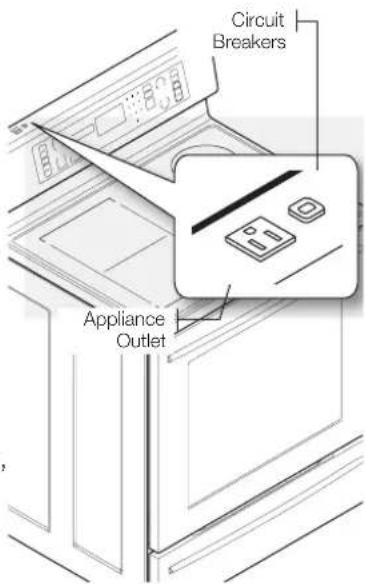
text_image
Circuit Breakers Appliance Outletcontents
INTRODUCING YOUR NEW RANGE
16
SURFACE COOKING
17
OPERATING THE OVEN
23
MAINTAINING YOUR APPLIANCE
44
TROUBLESHOOTING
54
WARRANTY
58
16 Overview
16 What's included with your range
17 About surface cooking
19 How to set the appliance for surface cooking
21 Using the proper cookware
21 Choosing the proper cookware
22 Protecting the smoothtop surface
23 The oven control panel
24 Setting the clock
25 Minimum and maximum settings
25 Setting the kitchen timer
26 Using the oven racks
27 Baking
28 Convection baking
30 Convection roasting
32 Timed cooking
33 Delay timed cooking
34 Broiling
36 Using the custom cook feature
37 Using the easy cook feature
38 Using the keep warm function
39 Extra features
41 Turning the oven light on and off
42 Setting the Sabbath Feature
44 Self-cleaning
46 Steam-cleaning
47 Care and cleaning of the oven
49 Care and cleaning of the glass cooktop
51 Removing and replacing the oven door
52 Removing and replacing the storage drawer
53 Changing the oven light
54 Troubleshooting
58 Warranty
15_ Contents
introducing your new range
OVERVIEW
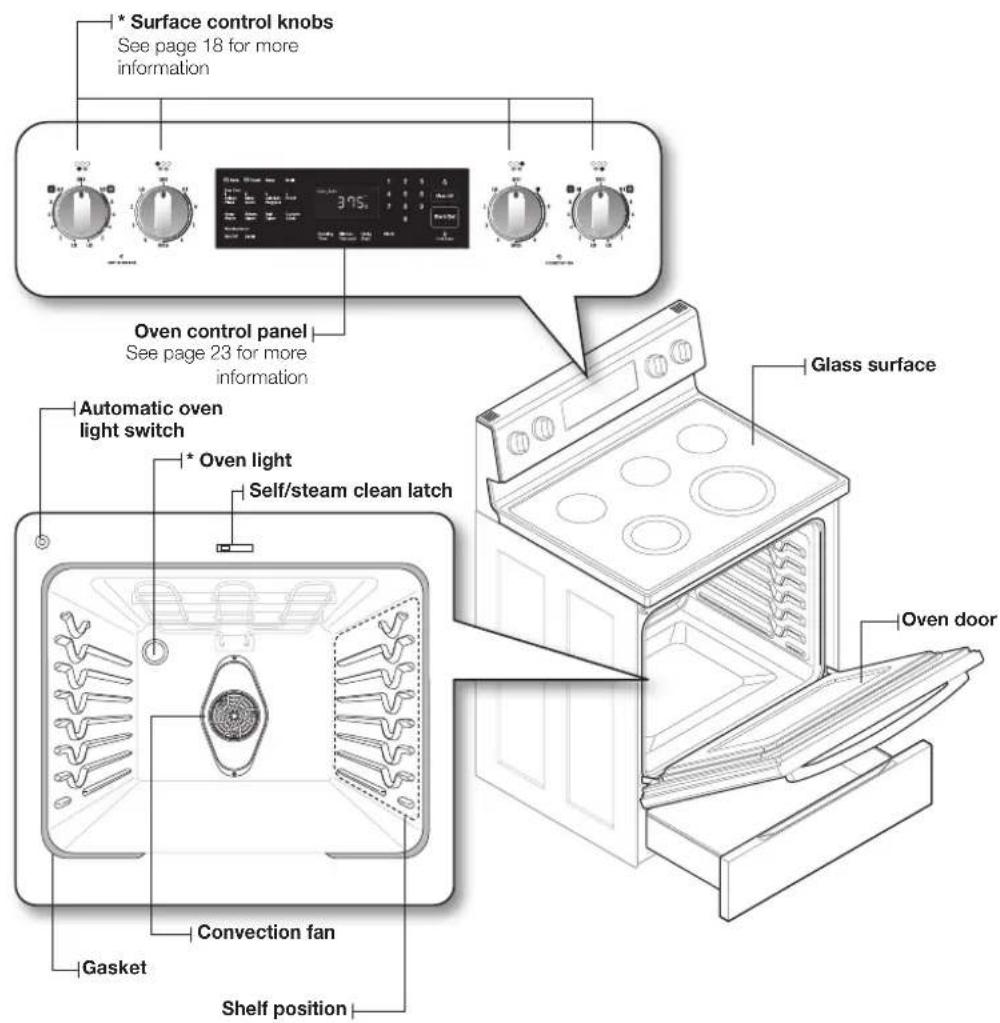
text_image
* Surface control knobs See page 18 for more information Oven control panel See page 23 for more information Automatic oven light switch * Oven light Self/steam clean latch Glass surface Gasket Convection fan Shelf position Oven doorWHAT'S INCLUDED WITH YOUR RANGE
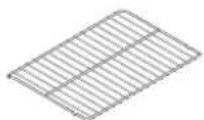
* Wire racks
If you need an accessory marked with a *, you can buy it from the Samsung Contact Center (1-800-726-7864).
Introducing your new range
surface cooking
ABOUT SURFACE COOKING

BEFORE COOKING
- Do not use the glass cooktop surface as a cutting board.
- Do not place or store items that can melt or catch fire on the glass cooktop, even when it is not being used.
- Turn the surface units on only after placing the cookware on them.
- Do not store heavy items above the cooktop surface. They could fall and damage it.

DURING COOKING
- Do not place aluminum foil or plastic items such as salt and pepper shakers, spoon holders, or plastic wrappings on the range when it is in use. The hot air from the vent could melt plastics or ignite flammable items.
• Make sure the correct surface unit is turned on. - Never cook directly on the glass. Always use cookware.
• Always place the pan in the center of the surface unit you are cooking on. - Never leave surface units unattended while using a high heat setting. Boilovers cause smoking and greasy spillovers that may catch on fire.
• Turn the surface units off before removing cookware. - Do not use plastic wrap to cover food. Plastic may melt onto the surface and be very difficult to remove.

AFTER COOKING
- Do not touch the surface units until they have cooled down.
- The surface may be still be hot and burns may occur if the glass surface is touched before it has cooled down sufficiently.
- Immediately clean spills on the cooking area to prevent a tough cleaning chore later.
- If cabinet storage is provided directly above the cooking surface, make sure that the items are infrequently used and can be safely stored in an area subjected to heat. Temperatures may be unsafe for items such as volatile liquids, cleaners or aerosol sprays.
About the radiant surface elements
The temperature rises gradually and evenly. As the temperature rises, the radiant element will glow red. To maintain the selected setting, the element will cycle on and off. The heating element retains enough heat to provide a uniform and consistent heat during the off cycle. For efficient cooking, turn off the element several minutes before cooking is complete. This will allow residual heat to complete the cooking process.

Radiant elements have a limiter that allows the element to cycle ON and OFF, even at the HI setting. This helps to prevent damage to the ceramic cooktop. Cycling at the HI setting is normal and can occur if the cookware is too small for the radiant element or if the cookware bottom is not flat.
17\_ Surface cooking
Location of the radiant surface elements and controls
The radiant control knobs operate the radiant surface elements on the cooktop as shown below.
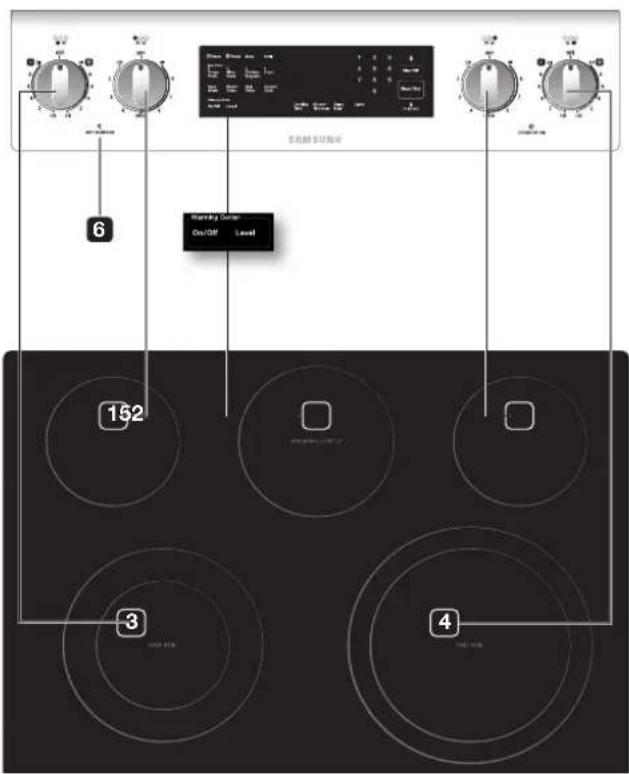
text_image
SAMSUNG 6 Warning Center On/OFF Level 152 3 4- Single element: Left rear
- Single element: Right rear
- Dual element: Left front
- Dual element: Right front
- Warming center: Center rear
- Hot surface indicator
Hot surface indicator
- Comes on when the unit is turned on or hot to the touch.
• Stays on even after the unit is turned off. - Glows until the unit is cooled to approximately 150 °F.
Cooking areas
- The cooking areas on your range are identified by permanent circles on the glass cooking surface. For the most efficient cooking, fit the pan size to the element size.
- Pans should not extend more than 12 " to 1" beyond the cooking area.
- When a control is turned on, a glow can be seen through the glass cooking surface. The element will cycle on and off to maintain the preset heat setting, even at high settings.
- For more information on selecting proper types of cookware, refer to the section "Using the proper cookware" on page 21.
HOW TO SET THE APPLIANCE FOR SURFACE COOKING

- The surface elements may be hot and burns may occur. Do not touch the surface elements until they have cooled down sufficiently.
- At high or medium-high settings, never leave food unattended. Boilovers cause smoking and greasy spillovers may catch on fire.
- Be sure you turn the control knob to OFF when you finish cooking.
Single surface unit control knob (left rear, right rear)
- Push the knob in.
- Turn in either direction to the setting you want.
- At both the off and high settings, the knob clicks into position.
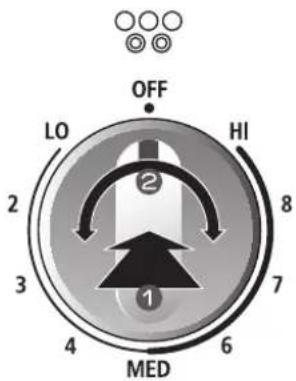
text_image
OFF LO HI 2 8 3 7 4 6 MEDDual surface unit control knob (left front, right front)
The dual surface unit has 2 cooking sizes to select from so you can match the size of the unit to the size of the cookware you are using.
- Push the knob in.
- Turn in either direction to the setting you want.
- To use the small surface unit, turn the control knob to the small burner (A) settings.
- To use the large surface unit, turn the control knob to the large burner (B) settings.
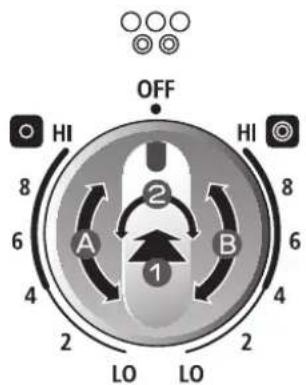
text_image
OFF HI HI 8 2 6 A B 6 4 LO LO 2 2 4 8
The area between the high and off settings is not appropriate for cooking.
Recommended settings
| SETTING TYPE | OF COOKING |
| HIGH Starting most foods, bringing water to a boil, pan broiling | |
| MEDIUM HIGH Continuing a rapid boil, frying, deep fat frying | |
| MEDIUM Maintaining a slow boil, thickening sauces and gravies, steaming vegetables | |
| MEDIUM LOW Keeping foods cooking, poaching, stewing | |
| LOW Keeping food warm, melting, simmering | |
19\_ Surface cooking
Using the warming center
The warming center, located in the back center of the glass surface, will keep hot, cooked food at serving temperature.

- The surface warmer will not glow red like the cooking elements.

- Do not warm food on the warming center for more than two hours.
• Use only cookware and dishes recommended as safe for oven and cooktop use. - Always use potholders or oven mitts when removing food from the warming center as cookware and plates will be hot.
- When warming pastries and breads, the cover should have an opening to allow moisture to escape.
- Do not use plastic wrap to cover foods. Plastic may melt onto the surface and be very difficult to clean.
- Food should be kept in its container and covered with a lid or aluminum foil to maintain food quality.
-
Always start with hot food. Eating uncooked or cold food placed on the warming center could result in illness.
-
Turn the warming center on.
Press the WARMING CENTER ON/OFF pad.
- Select the power setting you want.
Pressing the WARMING CENTER LEVEL pad once will set it to the level 1 setting. Press the pad twice for the level 2 setting, 3 times for level 3.
- Turn the warming center off.
Press the WARMING CENTER ON/OFF pad.

- Pressing the CLEAR/OFF pad does not turn the warming center off.
- For best results, all foods on the warming center should be covered with a lid or aluminum foil. When warming pastries or breads, the cover should be vented to allow moisture to escape.
Recommended settings
| LEVEL TYPE OF FOOD | |
| 1 | Breads/pastries, casseroles, gravies, eggs |
| 2 | Dinner plate with food, soups (cream), vegetables, sauces, stews, meats |
| 3 | Fried foods, soups (liquid), hot beverages |
USING THE PROPER COOKWARE
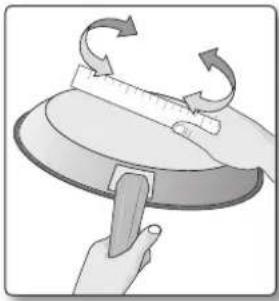
Using the right cookware can prevent many problems, such as uneven cooking or extended cooking times. Using the proper pans will reduce cooking times and cook food more evenly.
natural_image
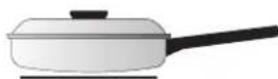
Illustration of hands using a tool to lift a circular object with rotating arrows (no text or symbols)Check for flatness by rotating a ruler across the bottom of the cookware.
CORRECT INCORRECT
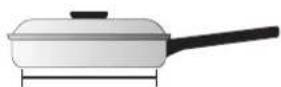
Flat bottom and straight sides.
- Tight fitting lids.
• Weight of handle does not tilt pan. - Pan is well balanced.
- Pan size matches the amount of food to be prepared and the size of the surface element.
• Made of a material that conducts heat well.
• Always match pot diameter to element surface diameter.
Curved and warped pan bottoms.
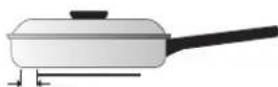
Pan overhangs element by more than one-half inch.
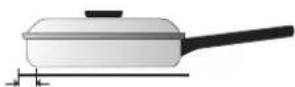
Pan is smaller than element.
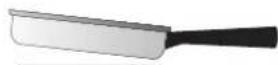
Heavy handle tilts pan.
CHOOSING THE PROPER COOKWARE
What your cookware is made of determines how evenly and quickly heat is transferred from the surface element to the pan bottom.
- ALUMINUM - Excellent heat conductor. Some types of food will cause the aluminum to darken. (Anodized aluminum cookware resists staining & pitting.). If aluminum pans are slid across the ceramic cooktop, they may leave metal marks that resemble scratches. Remove these marks as soon as the cooktop cools down.
- COPPER - Excellent heat conductor but discolors easily. May leave metal marks on ceramic glass (see above).
- STAINLESS STEEL - Slow heat conductor with uneven cooking results. Is durable, easy to clean and resists staining.
- CAST IRON - A poor conductor; retains heat very well. Cooks evenly once cooking temperature is reached. Not recommended for use on ceramic cooktops.
- ENAMELWARE - Heating characteristics will vary depending on base material. Porcelain-enamel coating must be smooth to avoid scratching ceramic cooktops.
- GLASS - Slow heat conductor. Not recommended for ceramic cooktop surfaces because it may scratch the glass.
21\_ Surface cooking
PROTECTING THE SMOOTHTOP SURFACE
Cleaning
- Clean the cooktop before using it for the first time.
- Clean your cooktop daily or after each use. This will keep your cooktop looking good and can prevent damage.
- If a spillover occurs while you are cooking, immediately clean the spill from the cooking area while it is hot to prevent a tough cleaning chore later. Using extreme care, wipe the spill with a clean dry towel.
- Do not allow spills to remain on the cooking area or the cooktop trim for a long period of time.
- Do not use abrasive cleansing powders or scouring pads, which will scratch the cooktop.
- Do not use chlorine bleach, ammonia, or other cleansers not specifically recommended for use on a glass-ceramic surface.
Preventing marks and scratches
- Do not use glass cookware. It may scratch the cooktop.
- Do not place a trivet or wok ring between the cooktop and the pan. These items can mark or scratch the cooktop.
• Make sure the cooktop and the pan bottom are clean. - Do not slide metal pans across the cooktop.
Preventing stains
- Do not use a soiled dish cloth or sponge to clean the cooktop surface. A film will remain, which may cause stains on the cooking surface after the area is heated.
• Continuously cooking on a soiled surface can result in a permanent stain.
Preventing other damage
- Do not allow plastic, sugar, or foods with high sugar content to melt onto the hot cooktop. Should this happen, clean immediately.
- Do not let a pan boil dry as this will damage the cooktop and the pan.
- Do not use the cooktop as a work surface or cutting board.
- Do not cook food directly on the cooktop. Always use the proper cookware.
operating the oven
READ THE INSTRUCTIONS CAREFULLY BEFORE USING THE OVEN. For satisfactory use of your oven, become familiar with the various features and functions of the oven as described below. Detailed instructions for each feature and function follow later in this user manual.
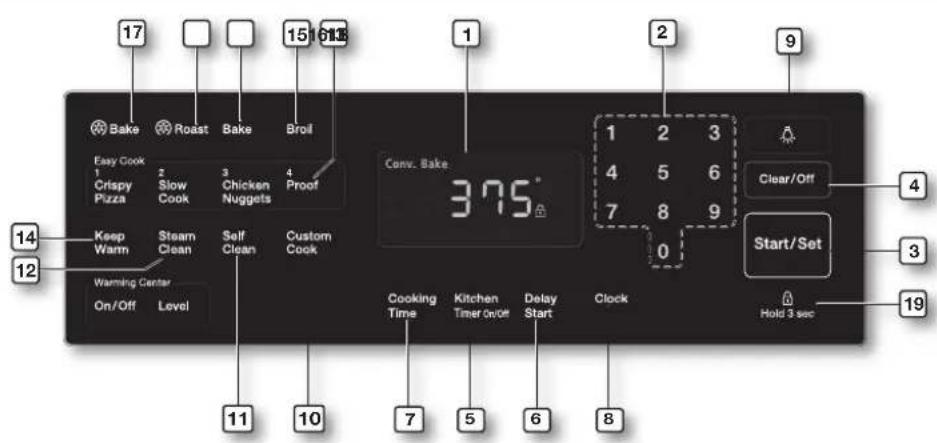
text_image
17 Roast Bake Broil Easy Cook 2 Slow 3 Chicken 4 Proof 1 Crispy Pizza Pack Cook Nuggets Keep Warm Steam Clean Self Clean Custom Cook Warming Center On/Off Level 14 12 15 6138 1 2 9 1 2 3 4 5 6 7 8 9 0 Clear/Off Start/Set 4 3 19 Cooking Time Kitchen Timer On/Off Delay Start Clock 7 5 6 8 Hold 3 sec-
DISPLAY: Shows the time of day, oven temperature, whether the oven is in the bake, broil or self-cleaning mode, and the times set for the timer or automatic oven operations.
-
NUMBER PAD: Use to set any function requiring numbers such as the time of day on the clock, the timer, the oven temperature, the start time and length of operation for timed baking.
-
START/SET: Must be pressed to start any cooking or cleaning function.
-
CLEAR/OFF: Press to cancel all oven operations except the clock and timer.
-
KITCHEN TIMER ON/OFF: Press to select the timer feature.
-
DELAY START: Use along with Bake, Conv. Bake, Conv. Roast, Cooking Time, and Self Clean pads to set the oven to start and stop automatically at a time you set.
-
COOKING TIME: Press and then use the number pad to set the amount of time you want your food to cook. The oven will shut off when the cooking time has run out.
-
CLOCK: Press to set the time of day.
-
OVEN LIGHT: Press to turn the oven light on or off.
-
CUSTOM COOK: Press to record and recall your favorite recipe setting.
-
SELF CLEAN: Press to select the self-cleaning function.
-
STEAM CLEAN: Press to select the steam-cleaning function.
-
PROOF: Press to select a warm environment useful for rising yeast-leavened products.
-
KEEP WARM: Press to keep cooked foods warm.
-
BROIL: Press to select the broil function.
-
BAKE: Press to select the bake function.
-
CONVECTION BAKE: Press to select baking with the convection function.
-
CONVECTION ROAST: Press to select roasting with the convection function.
-
CONTROL LOCKOUT: Press to lock the buttons on the touch pad so they cannot be activated accidentally.
23_Operating the oven
SETTING THE CLOCK
The clock must be set to the correct time of day for the automatic oven timing functions to work properly.
- The time of day cannot be changed during a timed cooking, a delay-timed cooking or a self-cleaning cycle.
- You can choose between a 12-hour or 24-hour display. The default is 12-hour.
How to set the clock
- Start the setup.
Press the CLOCK pad.

- Enter the present time.
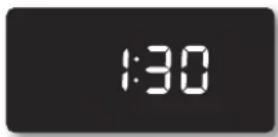
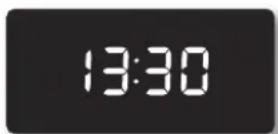
Enter the current time in hours and minutes on the number pad, eg. 1, 3, 0, for 1:30.
this step is skipped in the 24-hour display mode.
- Exit the setup.
Press the START/SET or CLOCK pad.
How to change between a 12-hour and 24-hour display
- Start the setup.
Press CLOCK and 0 on the number pad at the same time for 3 seconds.
The display will show the present mode (eg. 12 hour).
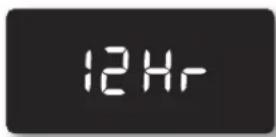
- Select the display mode you want.
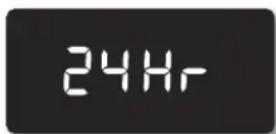
Press 0 on the number pad to select 12 hour or 24 hour.
Pressing 0 on the number pad changes the display from 12 hour to 24 hour and back again.
- Exit the set up.
Press the START/SET pad.
MINIMUM AND MAXIMUM SETTINGS
All of the features listed in the table below have minimum and maximum time or temperature settings. A beep will sound each time a pad on the control panel is pressed and the entry is accepted. An error tone will sound in the form of a long beep if the entered temperature or time is below the minimum or above the maximum setting for the feature.
| FEATURE MINIMUM MAXIMUM | ||
| Bake 150 °F (65 °C) 550 °F (285 °C) | ||
| Broil LO HI | ||
| Self Clean 2 Hr. 4 Hr. | ||
| Convection Bake 150 °F (65 °C) 550 °F (285 °C) | ||
| Convection Roast 150 °F (65 °C) 550 °F (285 °C) | ||
| Keep Warm - 3 Hr. | ||
| Warming Center - 3 Hr. | ||
| Proof - 12 Hr. | ||
| Steam Clean 20 Min. 20 Min. | ||
SETTING THE KITCHEN TIMER
The kitchen timer serves as an extra timer that will beep when the set time has elapsed. It does not start or stop cooking functions. You can use the kitchen timer with any of the other oven functions.
How to set the timer
- Turn the timer on.
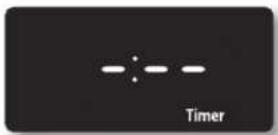
Press the KITCHEN TIMER ON/OFF pad.
- Enter the amount of time you want.
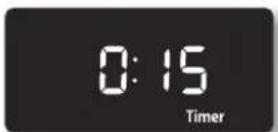
Enter the amount of time you want using the number pad, eg. 1, 5. The timer can be set for any amount of time from 1 minute to 9 hours and 99 minutes. If you make a mistake, press the KITCHEN TIMER ON/OFF pad and start again.
- Start the timer.
Press the KITCHEN TIMER ON/OFF pad.
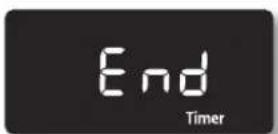
- When the set time has elapsed, the oven will beep and the display will show End until you press the KITCHEN TIMER ON/OFF pad. You can cancel the timer at any time by pressing the KITCHEN TIMER ON/OFF pad.
25_ Operating the oven
USING THE OVEN RACKS
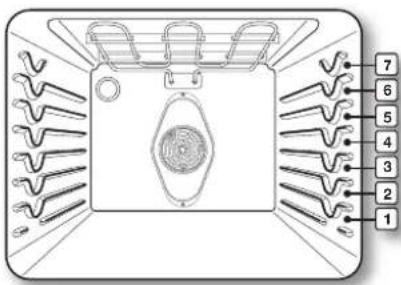
Oven rack positions
text_image
Diagram of a device with numbered parts arranged in a grid, showing internal structure and connections.The oven has 7 rack positions (1\~7).
| TYPE OF FOOD RACK POSITION | |
| Frozen pies 4 | |
| Angel food cake 2 | |
| Bundt or pound cakes 3 | |
| Biscuits, muffins, brownies, cookies, cupcakes, layer cakes, pies | 4 |
| Casseroles 4 | |
| Small roast, ham 2 | |
| Turkey, large roast 1 | |
Baking layer cakes
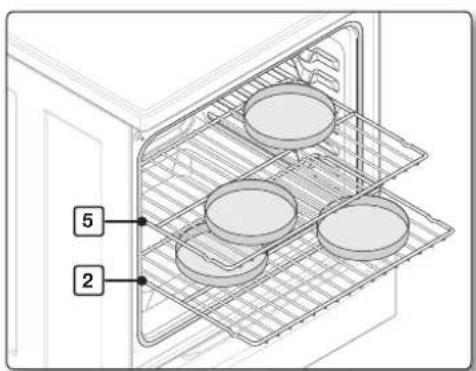
Centering the baking pans in the oven as much as possible will produce better results. If baking with more than one pan, place the pans so each has at least 1" to 1½" of air space around it. If baking two cake layers at the same time, place one oven rack in position 4. If baking four cake layers at the same time, place the oven racks in positions 2 and 5. Place the pans or cookware as shown in Fig. 1 and Fig 2.
text_image
5 2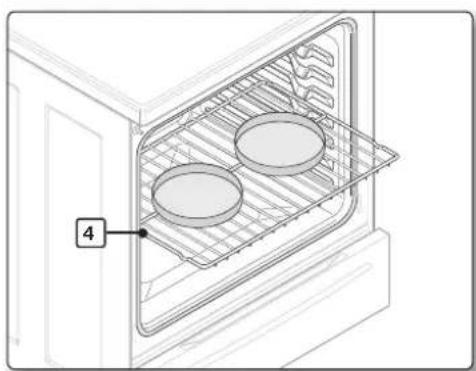
natural_image
Line drawing of an oven with two circular dishes inside a rack, labeled with number 4 (no text or symbols on the dish itself)Fig. 1 Fig. 2
Before using the racks
The oven has two racks.
Each rack has stops that need to be placed correctly on the supports. These stops will keep the rack from coming completely out.
REMOVING THE RACKS REPLACING THE RACKS
| 1. Pull the rack straight out until it stops.2. Lift up the front of the rack and pull it out. | 1. Place the end of the rack on the support.2. Tilt the front end up and push the rack in. |

- Do not cover a rack with aluminum foil or place on the oven bottom. This will disturb the heat circulation, resulting in poor baking, and may damage the oven bottom.
- Arrange the oven racks only when the oven is cool.
BAKING
The oven can be programmed to bake at any temperature from 150 °F to 550 °F .
How to set the thermostat
- Start the set up.
Press the BAKE pad. The default temperature is 350^ F.
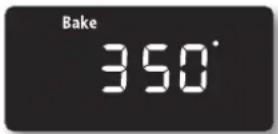
- Enter the temperature you want on the number pad, eg. 3, 7, 5.
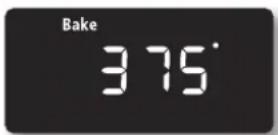
- Start the bake function.
Press the START/SET pad. The temperature display will start to change once the oven temperature reaches 150 °F .
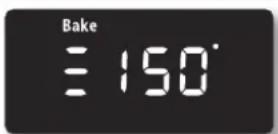
- If you want to cancel baking or if you have finished, press the CLEAR/OFF pad.

Place food in the oven after preheating if the recipe calls for it. Preheating is very important for good results when baking cakes, cookies, pastry, and breads. After the oven has reached the desired temperature, a long beep will sound 6 times.
How to adjust the thermostat while cooking
- Start the setup.
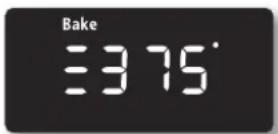
Press the BAKE pad. The display will show the present temperature, eg. 375 °F.
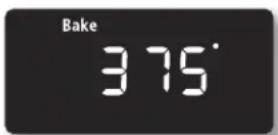
- Enter the temperature you want, eg. 425 °F, using the number pad.
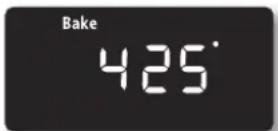
- Complete the entry by pressing the START/SET pad.
CONVECTION BAKING
flowchart
graph TD
    A["Top Left"] --> B["Center Chamber"]
    B --> C["Bottom Left"]
    B --> D["Bottom Right"]
    B --> E["Bottom Left"]
    B --> F["Bottom Right"]
    B --> G["Bottom Left"]
    B --> H["Bottom Right"]
    style B fill:#f9f,stroke:#333,stroke-width:2px
    style C fill:#ccf,stroke:#333,stroke-width:2px
    style D fill:#ccf,stroke:#333,stroke-width:2px
    style E fill:#ccf,stroke:#333,stroke-width:2px
    style F fill:#ccf,stroke:#333,stroke-width:2px
    style G fill:#ccf,stroke:#333,stroke-width:2px
    style H fill:#ccf,stroke:#333,stroke-width:2px
By using the convection bake feature, you will be able to cook faster. You can program the oven for convection baking at any temperature between 150 °F and 550 °F.
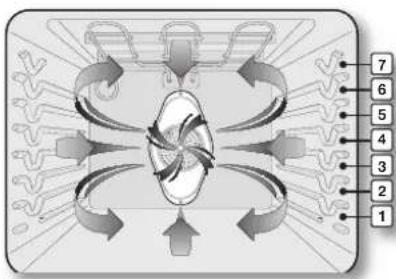
Convection baking uses a fan to circulate the oven's heat evenly and continuously within the oven. This improved heat distribution allows for even cooking and excellent results using multiple racks at the same time. Foods cooked on a single oven rack will generally cook faster and more evenly with convection baking. Multiple oven
rack cooking may slightly increase cook times for some foods, but the overall result is time saved. Breads and pastries brown more evenly.
Tips for convection baking
The amount of time you save will vary depending on the amount and type of food you are cooking. When baking cookies or biscuits, you should use pans with no sides or very low sides to allow the heated air to circulate around the food. Using a pan with a dark finish will allow faster cooking times.
When using convection baking with a single rack, place the oven rack in position 4. If cooking on multiple racks, place the oven racks in positions 2 and 5 or positions 3, 5 and 6.
When baking a cake, using the bake mode will produce better results.
How to set the oven for convection baking
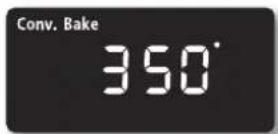
- Start the convection baking mode. Press the CONV. BAKE pad. The default temperature is 350^ F.
- Enter the temperature you want, eg. 400 °F, using the number pad.
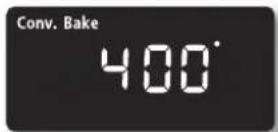
- Press the START/SET pad to begin convection baking. Conv. Bake and the adjusted oven temperature, eg. 400 °F, will appear in the display for 2 seconds.
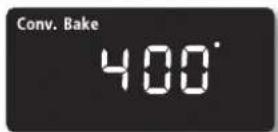
The temperature display will start to change once the oven temperature reaches 150^ F.
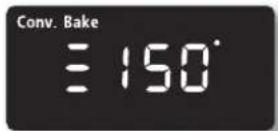
A beep will sound 6 times when the oven reaches the adjusted oven temperature.
- Turn off or cancel convection baking by pressing the CLEAR/OFF pad.

The convection oven fan shuts off when the oven door is opened. DO NOT leave the door open for long periods of time while using convection cooking or you may shorten the life of the convection heating element.
Recommended convection baking guide
| Food Item Rack | Position | Set Temp.* (preheated oven) (°F) | Convection bake time ** (min) |
| Cake | |||
| Cupcakes 4 325 17-19 | |||
| Bundt Cake 3 325 35-43 | |||
| Angel Food 2 325 35-39 | |||
| Pie | |||
| 2 crust, fresh, 9" 3 350-400 45-55 | |||
| 2 crust, frozen fruit, 9" 3 350 68-78 | |||
| Cookies | |||
| Sugar 4 325-350 12-17 | |||
| Chocolate Chip 4 325-350 14-18 | |||
| Brownies 4 325 29-36 | |||
| Breads | |||
| Yeast bread, loaf, 9x5 3 350 18-22 | |||
| Yeast rolls 4 350-375 13-18 | |||
| Quick Bread, loaf, 8x4 | 3 325-350 45-55 | ||
| Biscuits | 4 350-375 | 9-14 | |
| Muffins | 4 400 15-19 | ||
| Pizza | |||
| Frozen | 4 375-425 23-26 | ||
| Fresh | 4 400-425 12-15 |

* Actual times depend on the mixes or recipes baked.
CONVECTION ROASTING
Convection roasting is good for cooking large tender cuts of meat, uncovered.
Heat comes from the top heating element. The convection fan circulates the heated air evenly over and around the food. Meat and poultry are browned on all sides as if they were cooked on a rotisserie. The heated air seals in juices quickly for a moist and tender product while, at the same time, creating a rich golden brown exterior.
How to set the oven for convection roasting
- Start the convection roasting mode.
Press the CONV. ROAST pad. The default temperature is 350 °F.

- Enter the temperature you want, eg. 400 °F, using the number pad.
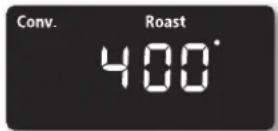
- Press the START/SET pad to begin convection roasting.
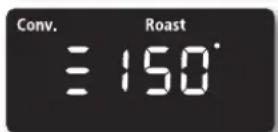
Conv. Roast and the adjusted oven temperature, eg. 400 °F, will appear in the display for 2 seconds.
The temperature display will start to change once the oven temperature reaches 150 °F .
A beep will sound 6 times when the oven reaches the adjusted oven temperature.
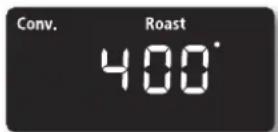
- Turn off or cancel convection roasting by pressing the CLEAR/OFF pad.
The convection oven fan shuts off when the oven door is opened.
DO NOT leave the door open for long periods of time while using convection cooking or you may shorten the life of the convection heating element.
Operating the oven _30
Recommended convection roasting guide
| Meat Weight (lb) Oven temp. (°F) | Roasting time* (min per lb) | Internal temp. (°F) | ||
| Beef | ||||
| Rib Roast 4-6 325 | 25-28 | 145 (med/rare) | ||
| 28-32 | 160 (medium) | |||
| Rib Eye Roast, (boneless) | 4-6 325 | 24-29 | 145 (med/rare) | |
| 29-34 | 160 (medium) | |||
| Rump, Eye, Tip Sirloin (boneless) | 3-6 325 | 25-30 | 145 (med/rare) | |
| 28-35 | 160 (medium) | |||
| Tenderloin Roast | 2-3 325 28-38 | 145 (med/rare) | ||
| Pork | ||||
| Loin Roast (boneless or bone-in) | 5-8 350 | 15-25 170 | ||
| Shoulder 3-6 350 | 20-30 160 | |||
| Poultry | ||||
| Chicken - whole | 3-4 375 | 17-23 180 | ||
| Turkey, unstuffed** | 12-15 325 | 12-16 180 | ||
| Turkey, unstuffed** | 16-20 325 | 11-15 180 | ||
| Turkey, unstuffed** | 21-25 325 | 8-12 180 | ||
| Turkey Breast 3-8 | 325 | 20-25 170 | ||
| Cornish Hen | 1-1 12 | 350 | 45-75 (total time) | 180 |
| Lamb | ||||
| Half Leg | 3-4 325 | 25-30 | 160 (medium) | |
| 30-35 | 170 (well) | |||
| Whole Leg | 6-8 325 | 25-30 | 160 (medium) | |
| 30-35 | 170 (well) | |||

* Roasting times are approximate and may vary depending on the shape of the meat.
** Stuffed turkey requires additional roasting time. The minimum safe temperature for stuffing in poultry is 165°F.
31_Operating the oven
TIMED COOKING
In timed cooking, the oven turns on immediately and cooks for the length of time you select. At the end of the cooking time, the oven turns off automatically.
- You can use the timed cooking feature only with another cooking operation (bake, convection bake, or convection roast).
- You can set the oven for timed cooking before setting other cooking operations.
• The clock must be set to the current time.
How to set the oven for timed cooking
- Enter the setup.
Press the pad for the cooking operation you want, eg. BAKE. The default temperature is 350^ F.
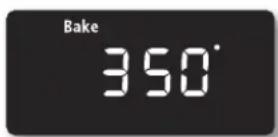
- Enter the temperature you want, eg. 375 °F, using the number pad.
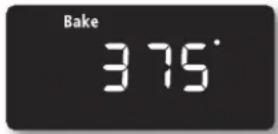
- Press the COOKING TIME pad.
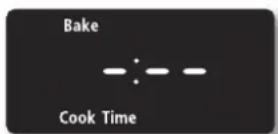
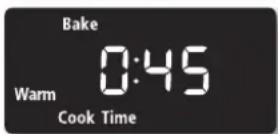
- Enter the cooking time you want, eg. 45 min, using the number pad.
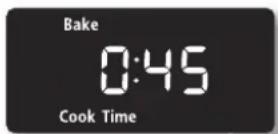
You can set the cooking time for any amount of time from 1 minute to 9 hours and 99 minutes.
- Press the START/SET pad to begin the cooking operation.
The temperature display will start to change once the oven temperature reaches 150 °F .
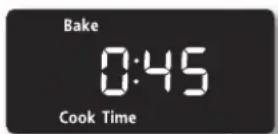
The oven will continue to cook until the set amount of time has elapsed, then turn off automatically unless the keep warm feature was set. (Refer to the section on the keep warm feature on page 38.)
- You can cancel a timed cooking at any time by pressing the CLEAR/OFF pad.

Place food in the oven after preheating if the recipe calls for it. Preheating is important for good results when baking cakes, cookies, pastry, and breads. After the oven has reached the desired temperature, a long beep will sound 6 times.

Use caution with the timed cooking or delay timed cooking features. Use these features when cooking cured or frozen meats and most fruits and vegetables. Foods that can easily spoil, such as milk, eggs, fish, meat or poultry, should be chilled in the refrigerator first. Even when chilled, they should not stand in the oven for more than 1 hour before cooking begins, and should be removed promptly when cooking is completed. Eating spoiled food can result in sickness from food poisoning.
DELAY TIMED COOKING
In a delay timed cooking, the oven's timer turns the oven on and off at times you select in advance.
- You can use the delay timed cooking feature only with another cooking operation (bake, convection bake, or convection roast).
- You can set the oven for a delay timed cooking before setting other cooking operations.
• The clock must be set to the current time.
How to set the oven for delay timed cooking
- Position the oven rack(s) and place the food in the oven.
- Enter the setup.
Press the pad for the cooking operation you want, eg. BAKE. The default temperature is 350^ F. - Use the number pad to enter the temperature you want, eg. 375 °F.
- Press the COOKING TIME pad.
-
Enter the cooking time you want, eg. 45 min, using the number pad.
You can set the cooking time for any amount of time from 1 minute to 9 hours and 99 minutes. -
Press the DELAY START pad.
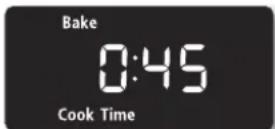
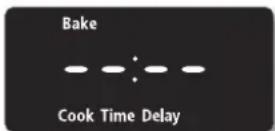
- Enter the time you want the oven to turn on, eg. 4:30, using the number pad.
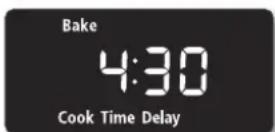
- Press the START/SET pad.
At the set time, a short beep will sound. The oven will begin to bake. When the oven has reached the desired temperature, a long beep will sound 6 times.
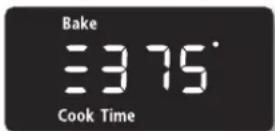
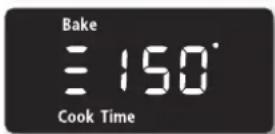

Place food in the oven after preheating if the recipe calls for it. Preheating is important for good results when baking cakes, cookies, pastry, and breads. After the oven has reached the desired temperature, a long beep will sound 6 times.
33\_ Operating the oven
BROILING
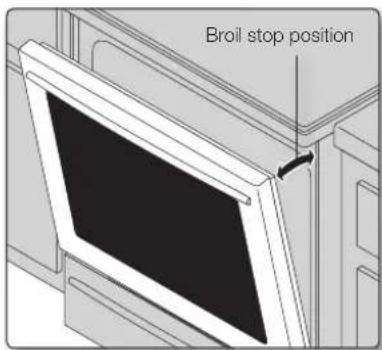
Broil stop position
text_image
Broil stop positionLeave the door open at the broil stop position. The door will stay open by itself, yet the proper temperature is maintained in the oven.

Should an oven fire occur, close the oven door and turn the oven off. If the fire continues, throw baking soda on the fire or use a foam-type fire extinguisher. Do not put water or flour on the fire. Flour can explode and water can cause a grease fire to spread and cause personal injury.
How to set the oven for broiling
- Select the broil setting you want.
Press the BROIL pad once for HI or twice for LO.
Use LO to cook foods such as poultry or thick cuts of meat thoroughly without over-browning them.
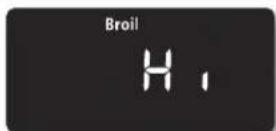
- Start the broiling function.
Press the START/SET pad.
Broil on one side until food is browned; turn and cook on the other side.
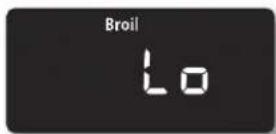
- Press the CLEAR/OFF pad once you have finished cooking or if you want to cancel broiling.
Recommended broiling guide
The size, weight, thickness, starting temperature, and your doneness preference will affect broiling times. This guide is based on meats at refrigerator temperature.
| Food | Quantity and/ or thickness | Shelf position | First side time (min.) | Second side time (min.) | Comments |
| Ground Beef Well Done | 1 lb. (4 patties) 1⁄2 to 3⁄4" thick | 7 8-10 | 4-6 | Space evenly. Up to 8 patties may be broiled at once. | |
| Beef Steaks Rare Medium 7 10 4-6 Well Done 7 12 5-7 Rare Medium 6 16 8-11 Well Done 6 19 | 1" thick 1 to 11⁄2 lbs. 11⁄2"thick 2 to 21⁄2 lbs. 11-13 | 7 8 3-56 14 7-9 | Steaks less than 1" thick. Cook through before browning. Pan frying is recommended. Slash fat. | ||
| Chicken | 1 whole cut up 2 to 21⁄2 lbs., split lengthwise 2 Breasts 5 | 4 23-28 13-18 3-18 5-10 | Broil skin-side-down first. | ||
| Lobster Tails | 2-4 10 to 12 oz. each | 4 14-18 | Do not turn over. | Cut through back of shell. Spread open. Brush with melted butter before broiling and halfway through broiling time. | |
| Fish Fillets 1⁄4 to 1⁄2" thick | 6 | 5-9 3-4 | Handle and turn very carefully. Brush with lemon butter before and during cooking, if desired. | ||
| Ham Slices (precooked) | 1⁄2" thick 6 | 5-7 | 3-5 | Increase time 5 to 10 minutes per side for 11⁄2" thick or home-cured ham. | |
| Pork Chops Well Done | 2 (1⁄2" thick) 6 2 (1" thick) about 1 lb. | 7 6-85 9-10 | 7-9 | Slash fat. | |
| Lamb Chops Medium Well Done 6 8 7-9 Medium Well Done 6 13 | 2 (1" thick) about 10 to 12 oz. 2 (11⁄2" thick) about 1 lb. | 6 6 4-66 11 | 9 | Slash fat. | |
| Salmon Steaks | 2 (1" thick) 4 (1" thick) about 1 lb. | 6 8 3-46 9 4-6 | Grease pan. Brush steaks with melted butter. | ||
35_ Operating the oven
USING THE CUSTOM COOK FEATURE
By using the custom cook feature, you can record up to 3 different recipe settings. The feature may be used for baking, convection baking, or convection roasting. It will not work with any other function, including the delay start feature.
How to record a recipe setting
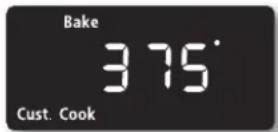
- Press the pad for the cooking operation you want to store, eg. BAKE. The default temperature is 325^ F.
- Use the number pad to enter the temperature you want, eg. 375 °F.
- You can store a recipe setting in one of three Custom Cook positions. Press the CUSTOM COOK pad the number of times that corresponds to the position in which you want to store the setting, e for Custom Cook position 2, press the CUSTOM COOK pad twice.
You can store recipe settings at position 1, 2, or 3.
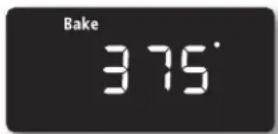

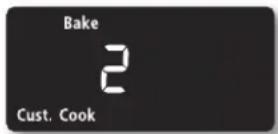
- Press the START/SET pad.
How to recall a setting
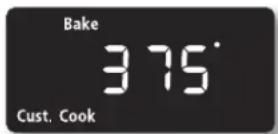
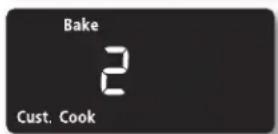
- Press the CUSTOM COOK pad the number of times that corresponds to the position in which the recipe setting is stored, eg. for Custom Cook position 2, press the CUSTOM COOK pad twice.
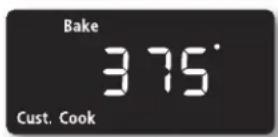
- Start the stored cooking operation.
Press the START/SET pad.
USING THE EASY COOK FEATURE
Slow Cook
The Slow Cook feature cooks food more slowly at lower oven temperatures. The extended cooking times allow better distribution of flavors in many recipes. This feature is ideal for roasting beef, pork & poultry. Slow cooking meats may result on the exterior of meats becoming dark but nor burnt. This is normal.
-
To enter the Slow cook mode, press the Slow Cook pad once for Hi or twice for LO.
-
To start the Slow cook function, press the START/SET pad.

Use only 1 rack and place the rack in position 2 or 3 for the best results. Preheating the oven will not be necessary.
Chicken Nuggets
The Chicken Nuggets feature lets you cook convenience style frozen chicken nuggets easily.
-
To enter the Chicken Nuggets mode, press the Chicken Nuggets pad once for HI or twice for LO.
-
To start the Chicken Nuggets function, press the START/SET pad.

When using this function, place the oven rack in position 5 of 6 for the best result. Preheating the oven is not necessary.
Proof
The proofing feature maintains a warm environment useful for rising yeast-leavened products.
-
To enter the Proof mode, press the Proof pad.
-
To start the proofing function, press the START/SET pad. The proofing feature automatically provides the optimum temperature for the proof process, and therefore does not have a temperature adjustment.
-
Press the CLEAR/OFF pad at any time to turn off the proofing feature.

- If you press the Proof pad when the oven temperature is above 100^ F, Hot will appear in the display. Because these functions produce the best results when started while the oven is cool, we recommend that you wait until the oven has cooled down and Hot disappears from the display.
- To avoid lowering the oven temperature and lengthening proofing time, do not open the oven door unnecessarily.
- Check bread products early to avoid over-proofing.
- Do not use the proofing mode for warming food or keeping food hot. The proofing oven temperature is not hot enough to hold foods at safe temperatures. Use the warm feature. (see next page).
- For best results, cover the dough with a cloth or with plastic wrap. The plastic may need to be anchored underneath the container so the oven fan will not blow it off.
37\_ Operating the oven
Crispy Pizza
This pizza function is designed to give pizzas crisp, browned bottoms while keeping the topping moist.
- Press the Pizza pad.
- Press the START/SET pad to begin pizza cooking.

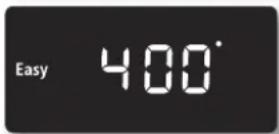
Use only 1 rack and place the rack in position 2 or 3 for the best results when using the pizza feature. The default temperature is 400^ F. You may adjust the oven temperature to fit your needs. Follow the package instructions for preheating and baking times. The pizza setting is not timed. Be sure to monitor the time to finish cooking the pizza.

USING THE KEEP WARM FUNCTION
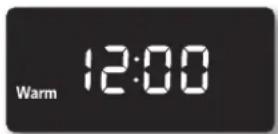
The keep warm feature maintains an oven temperature of 170^ F and will keep cooked food warm for serving up to 3 hours after cooking has finished.
After 3 hours, the feature will shut the oven off automatically. The feature may be used without any other cooking operations or may be set to activate after a timed or delay timed cooking operation.
You should not use this feature to reheat cold foods.
How to use the keep warm feature
- Press the KEEP WARM pad.
-
Press the START/SET pad.
-
Press the CLEAR/OFF pad at any time to turn the feature off.
How to set the oven to activate the keep warm mode after a timed cooking
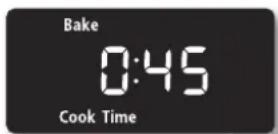
- Set up the oven for TIMED COOKING. (Refer to the section on the timed cooking feature on page 32.)
-
Press the KEEP WARM pad before pressing the START/SET pad to begin the cooking.
-
Press the CLEAR/OFF pad at any time to turn the feature off.
Operating the oven _38
12 hour energy saving
With this feature, should you forget and leave the oven on, the control will automatically turn off the oven after 12 hours during baking functions or after 3 hours during a broil function.
How to turn 12 hour energy saving feature on or off
- Press COOKING TIME and 0 on the number pad at the same time for 3 seconds.
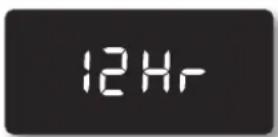
The display will show 12 Hr (12 hour shut-off) or -- Hr (no shut-off).
The default is 12 Hr.
- Press 0 on the number pad to select OFF or ON.
Pressing 0 on the number pad changes the mode between 12 Hr and -- Hr.

- Press the START/SET pad.
Fahrenheit or Celsius temperature selection
The oven control can be programmed to display temperatures in Fahrenheit or Centigrade. The oven has been preset at the factory to display in Fahrenheit.
How to change the display from Fahrenheit to Centigrade or from Centigrade to Fahrenheit
- Press BROIL and the 0 on the number pad at the same time for 3 seconds.
The display shows F (Fahrenheit) or C (Centigrade).

The default is F.
- Press 0 on the number pad to select F or C.
Pressing 0 on the number pad changes the display between F and C.

- Press the START/SET pad.
Convection auto conversion feature
When you use the auto conversion feature, the convection auto conversion feature will automatically convert entered regular baking temperatures to convection baking temperatures.
If this feature is activated, the display will show the actual converted (reduced) temperature. For example, if you enter a regular recipe temperature of 350 °F and press the START/SET pad, the display will show the converted temperature of 325 °F .
How to disable or enable the auto conversion feature
- Press CONV. BAKE and 0 on the number pad at the same time for 3 seconds.
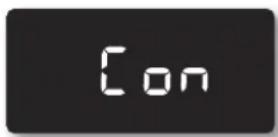
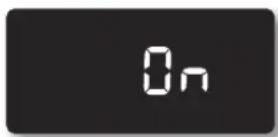
The display will show Con On (enabled) or Con OFF (disabled).
The default setting is Con OFF.
- Press 0 on the number pad to select Con On or Con OFF.
Pressing 0 on the number pad changes the mode between Con On and Con OFF.
- Press the START/SET pad.
Thermostat adjustment
The temperature in the oven has been preset at the factory. When first using the oven, be sure to follow recipe times and temperatures. If you think the oven is too hot or too cool, the temperature in the oven can be adjusted. Before adjusting, test a recipe by using a temperature setting that is higher or lower than the recommended temperature. The baking results should help you to decide how much of an adjustment is needed.
The oven temperature can be adjusted ±35^ ( ±19^ ).
How to adjust the oven temperature
- Press BAKE and 0 on the number pad at the same time for 3 seconds.
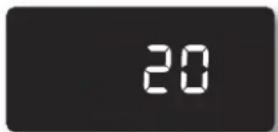
The display will show AdJ 0.

- Enter the adjustment you want, eg. 20^ F, using the number pad.
You can adjust the temperature so that it is lower than the factory setting by pressing the BAKE pad.
- Press the START/SET pad.

This adjustment will not affect the broiling or the self-cleaning temperatures. The adjustment will be retained in memory after a power failure.
Operating the oven _40
Sound on/off
By using this feature, you can set the oven controls to operate silently.
How to turn the sound on or off
- Press Oven Light and 0 on the number pad at the same time for 3 seconds.
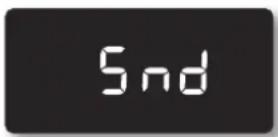
The display will show Snd On (sound on) or Snd OFF (sound off).
The default setting is Snd On.
- Press 0 on the number pad to select OFF or ON.
Pressing 0 on the number pad changes the mode between Snd On and Snd OFF.

- Press the START/SET pad.
Control lockout
This feature will allow you to lock the buttons on the touch pad so they cannot be activated accidentally.
How to activate the control lockout feature
- Press the HOLD 3 SEC pad for 3 seconds.
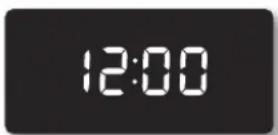
The display will show Loc and a Lock icon continuously, as well as the current time.
All functions must be cancelled before the control lockout is activated.
This function is available when the oven temperature is under 400^ F.

How to unlock the controls
- Press the HOLD 3 SEC pad for 3 seconds.
Loc and the lock icon will disappear from the display.
- The oven light turns on automatically when the door is opened.
• The oven light turns off automatically when the door is closed. - You can turn the oven light on and off manually by pressing the OVEN LIGHT pad.
41\_ Operating the oven
SETTING THE SABBATH FEATURE
(For use on the Jewish Sabbath & Holidays)

For further assistance, guidelines for proper usage, and a complete list of models with the Sabbath feature, please visit the web at http://www.star-k.org.
You can use the Sabbath feature with baking only. The oven temperature may be set higher or lower after setting the Sabbath feature. (The oven temperature adjustment feature should be used only during Jewish holidays.) The display, however, will not change and tones will not sound when a change occurs. Once the oven is properly set for baking with the Sabbath feature active, the oven will remain on continuously until cancelled. This will override the factory preset 12 hour energy saving feature. If you need the oven light on during the Sabbath, press the OVEN LIGHT pad before activating the Sabbath feature. Once the oven light is turned on and the Sabbath feature is active, the oven light will remain on until the Sabbath feature is turned off. If the oven light needs to be off, be sure to turn the oven light off before activating the Sabbath feature.
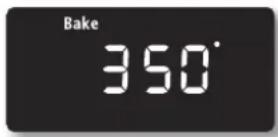
How to use the Sabbath feature
- Press the BAKE pad.
The default temperature is 350^ F.
- Enter the temperature you want, eg. 375 °F, by using the number pad.
- Press the START/SET pad.
The temperature display will start to change once the oven temperature reaches 150 °F .
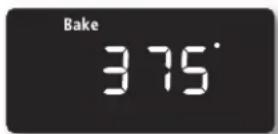
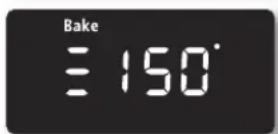
- Press the CLOCK and the KITCHEN TIMER ON/OFF pads at the same time for 3 seconds.
The display will show SAb.
Once SAb appears in the display, the oven will not beep or display any further changes.
You may change the oven temperature once baking has started. Remember that the oven will not beep or display any further changes once the Sabbath feature is engaged.
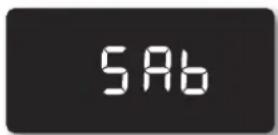
- You can turn the oven off at any time by pressing the CLEAR/OFF pad. This will turn only the oven off. If you want to deactivate the Sabbath feature, hold down the CLOCK and KITCHEN TIMER ON/OFF pads at the same time for 3 seconds. Sab will disappear from the display.
Do not to attempt to activate any other program feature except BAKE while the Sabbath feature is active. ONLY the following key pads will function correctly with the Sabbath feature: NUMBER, BAKE, START/SET and CLEAR/OFF pad. ALL OTHER KEYPADS should not be used once the Sabbath feature is activated.
You can change the oven temperature, but the display will not change and tones will not sound when a change occurs. (The oven temperature adjustment feature should be used only on Jewish holidays.) After changing the temperature while the unit is in Sabbath mode there is a 15 seconds delay before the unit will recognize the change.
Should you experience a power failure or interruption, the oven will shut off. When power is returned, the oven will not turn back on automatically. SAb will be displayed in the oven control display, but the oven will not operate. The food may be safely removed from the oven while it is still in the Sabbath mode, however the oven cannot be turned back on until after the Sabbath/Holidays. After the Sabbath observance, turn OFF the Sabbath mode. Press and hold both CLOCK and TIMER ON/OFF pads for at least 3 seconds simultaneously to turn the Sabbath mode off. The oven may be used with all normal functions.
Do not open the oven door or change the oven temperature for about 30 minutes after you have started Sabbath mode to allow the oven to reach the set temperature. Note that, for best performance, the oven fan operates only when the oven temperature is rising.
maintaining your appliance
SELF-CLEANING
This self-cleaning oven uses high temperatures (well above cooking temperatures) to burn off leftover grease and residue completely or reduce them to a finely powdered ash that you can wipe away with a damp cloth.

- During the self-cleaning cycle, the outside of the range will become very hot to the touch. Do not leave small children unattended near the appliance.
- Some birds are extremely sensitive to the fumes given off during the self-cleaning cycle of any range. Move birds to another well-ventilated room.
- Do not line the oven walls, racks, bottom, or any other part of the range with aluminum foil. Doing so will result in poor heat distribution, poor baking results, and cause permanent damage to the oven interior. Aluminum foil will melt and adhere to the interior surface of the oven.
- Do not force the oven door open. This can damage the automatic door locking system. Use care when opening the oven door after the self-cleaning cycle is complete. Stand to the side of the oven when opening the door to allow hot air or steam to escape. The oven may still be VERY HOT.
Before a self-cleaning cycle
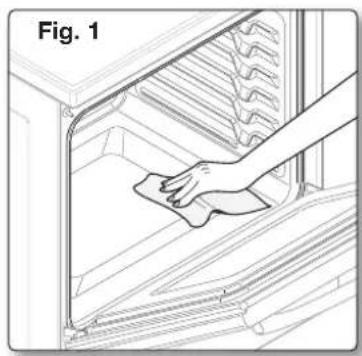
natural_image
Line drawing of a hand cleaning a refrigerator interior (no text or symbols)- We recommend venting your kitchen with an open window or using a ventilation fan or hood during the self-cleaning cycle.
- Remove the wire rack, broil pan, broil pan insert, all cookware, and any aluminum foil from the oven.
- Wipe up debris from the oven bottom. (Fig. 1)
- The silver-colored oven racks can be self-cleaned, but they will darken, lose their luster, and become hard to slide.
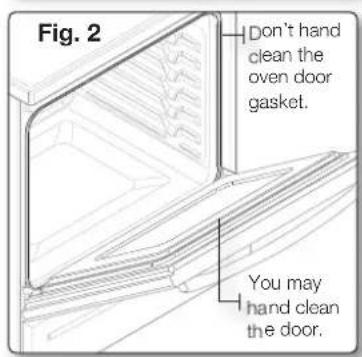
- Residue on the front frame of the range and outside the gasket on the door will need to be cleaned by hand. Clean these areas with hot water, soap-filled steel-wool pads, or cleansers such as Soft Scrub. Rinse well with clean water and dry.
- Do not clean the gasket. The fiberglass material of the oven door gasket cannot withstand abrasion. It is essential for the gasket to remain intact. If you notice it becoming worn or frayed, replace it. (Fig. 2)
- Make sure the oven light bulb cover is in place and the oven light is off.
text_image
Fig. 2 Don't hand clean the oven door gasket. You may hand clean the door.How to set the oven for self-cleaning
- Select the length of time for the self-cleaning operation, eg. 3 hours.
Press the SELF CLEAN pad once for a 3 hour clean time, twice for a 4 hour clean time, or 3 times for a 2 hour clean time.
The default setting is 3 hours.
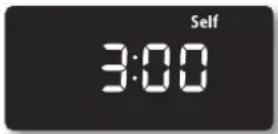
- Start the self-cleaning cycle.
Press the START/SET pad. The motor-driven door lock will engage automatically.
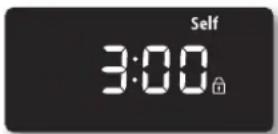

- You will not be able to start a self-cleaning cycle if the control lockout feature is activated or if the oven's temperature is too hot.
- The oven door locks automatically. The display will show the clean time remaining. It is not possible to open the oven door until the temperature drops to a safe/cool temperature.
- The self-cleaning feature will not operate when the warming center is on.
How to delay the start of self-cleaning
- Press the SELF CLEAN pad.
Select the desired self-clean time by pressing the SELF CLEAN pad. - Press the DELAY START pad.
- Using the CLOCK and number pads, enter the time you want the clean cycle to start.
- Press the START/SET pad.
The display will show Delay, Self clean, and the Lock icon. The motor-driven door lock will engage automatically.
- The Self-Cleaning cycle will turn on automatically at the set time.
How to turn off the self-cleaning feature
You may find it necessary to stop or interrupt a self-cleaning cycle due to smoke in the oven. (When the self-cleaning cycle is done, End will show in the display and a beep will sound 6 times.
- Press the CLEAR/OFF pad.
- You will be able to open the oven door once the oven has cooled down for approximately 1 hour.
After a self-cleaning cycle
- You may notice some white ash in the oven. Wipe it up with a damp cloth after the oven cools. (If white spots remain, remove them with a soap-filled steel wool pad and rinse thoroughly with a vinegar and water mixture.)
• If the oven is not clean after one cycle, repeat the cycle.
• You cannot set the oven for cooking until the oven is cool enough for the door to unlock.
45\_ Maintaining your appliance
STEAM-CLEANING
How to set the oven for steam-cleaning
For light cleaning, the Steam-cleaning function saves time and energy. For heavier-duty cleaning grease, use the self-cleaning function.
- Remove all accessories from the oven.
- Pour approximately 10 oz. (300 ml) of water onto the bottom of the empty oven and close the oven door.
Use normal water only, no distilled water.
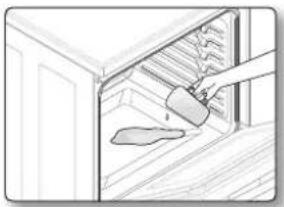
natural_image
Illustration of a hand pouring liquid into a cabinet (no text or symbols visible)- Press the STEAM CLEAN pad.
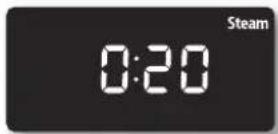
- Press the START/SET pad.
When the operation is complete, the display will blink and a beep will sound.
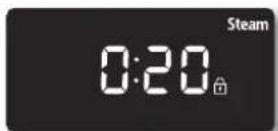
-
Press the CLEAR/OFF pad.
-
Clean the oven's interior.
There will be a significant amount of water remaining on the bottom of the oven after a steam-cleaning cycle. Remove the residual water with a sponge or soft dry cloth.
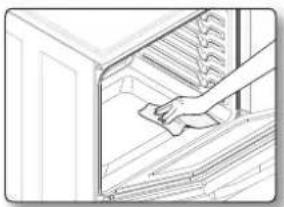
natural_image
Line drawing of a hand cleaning or cleaning a cabinet (no text or symbols)
When steam-cleaning, use exactly 10 oz. of water since this produces the best results.

If you press the STEAM CLEAN pad when the oven temperature is above 100^ F, Hot will appear in the display. Because these functions produce the best results when started while the oven is cool, we recommend that you wait until the oven has cooled down and Hot disappears from the display.
After a steam-cleaning cycle
- Take care when opening the door before a steam-cleaning procedure has ended. The water on the bottom is hot.
- Open the oven door and remove the remaining water with a sponge. Do not leave the residual water in the oven for any length of time. Wipe the oven clean and dry with a soft cloth. Do not forget to wipe under the oven door seal.
- Use a detergent-soaked sponge, a soft brush, or a nylon scrubber to wipe the oven interior. Remove stubborn residue with a nylon scourer. You can remove lime deposits with a cloth soaked in vinegar.
• If the oven remains dirty, you can repeat the procedure once the oven has cooled. - For heavy residue, such as grease left over from roasting, we recommend that you rub detergent into the residue before activating the steam-cleaning function.
- After cleaning, leave the oven door ajar at a 15° angle to allow the interior enamel surface to dry thoroughly.
CARE AND CLEANING OF THE OVEN

- Be sure all controls are OFF and all surfaces are COOL before cleaning any part of the range.
- If your range is removed for cleaning, servicing, or any reason, be sure the Anti-Tip device is re-engaged properly when the range is replaced. If you fail to re-engage the Anti-Tip device, the range could tip and cause serous injury.


Oven vent
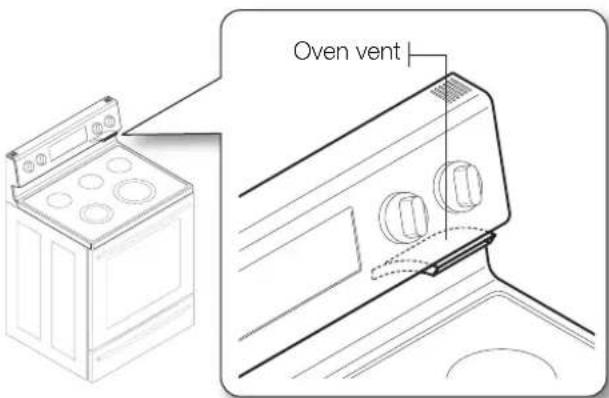
text_image
Oven vent- The oven vent is located above the right rear surface unit.
- This area could become hot during oven use.
- It is normal for steam to come out of the vent.
- The vent is important for proper air circulation. Never block this vent.
Cleaning painted parts and decorative trim
• For general cleaning, use a cloth with hot and soapy water.
- For more difficult residue and built-up grease, apply a liquid detergent directly onto the area and leave for 30 to 60 minutes. Wipe with a damp cloth and dry. Do not use abrasive cleaners on any of these surfaces. They can scratch.
Cleaning stainless steel surfaces
- Shake the bottle of Stainless Steel Appliance Cleaner or polish well.
- Place a small amount of stainless steel appliance cleaner or polish on a damp cloth or damp paper towel.
- Clean a small area, rubbing with the grain of the stainless steel if applicable.
- Dry and buff with a clean, dry paper towel or soft cloth.
- Repeat as necessary.

- Do not use a steel-wool pad. It will scratch the surface.
- If a mineral oil-based stainless steel appliance cleaner has been used before to clean the appliance, wash the surface with dishwashing liquid and water prior to using the Stainless Steel Appliance Cleaner or polish.
47\_ Maintaining your appliance
Oven racks
- If the racks are left in the oven during a self-cleaning cycle, their color will turn slightly blue and the finish will be dull. After the self-cleaning cycle is complete and the oven has cooled, rub the sides of the racks with wax paper or a cloth containing a small amount of oil. This will help the racks glide more easily into their tracks.
Oven door
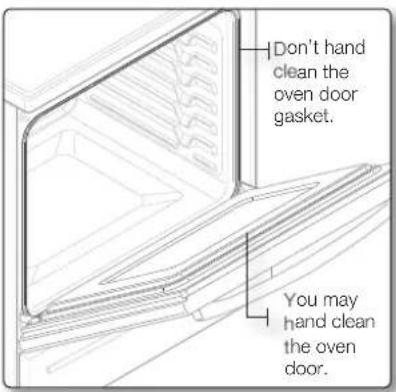
text_image
Don't hand clean the oven door gasket. You may hand clean the oven door.- Use soap & water to thoroughly clean the top, sides, and front of the oven door. Rinse well. You may use a glass cleaner on the outside glass of the oven door. DO NOT immerse the door in water. DO NOT spray or allow water or the glass cleaner to enter the door vents. DO NOT use oven cleaners, cleaning powders, or any harsh abrasive cleaning materials on the outside of the oven door. - DO NOT clean the oven door gasket. The oven door gasket is made of a woven material which is essential for a good seal. Care should be taken not to rub, damage, or remove this gasket.

CARE AND CLEANING OF THE GLASS COOKTOP
Normal daily use cleaning
Use only a ceramic cooktop cleaner. Other creams may not be as effective.
By following these steps, you can maintain and protect the surface of your glass cooktop.
- Before using the cooktop for the first time, clean it with a ceramic cooktop cleaner. This helps protect the top and makes cleanup easier.
- Daily use of a ceramic cooktop cleaner will help keep the cooktop looking new.
- Shake the cleaning cream well. Apply a few drops of cleaner directly to the cooktop.
- Use a paper towel or a cleaning pad for ceramic cooktops to clean the entire cooktop surface.
- Use a dry cloth or paper towel to remove all cleaning residue. No need to rinse.

DAMAGE to your glass surface may occur if you use scrub pads other than those recommended.
Removing burned-on residue
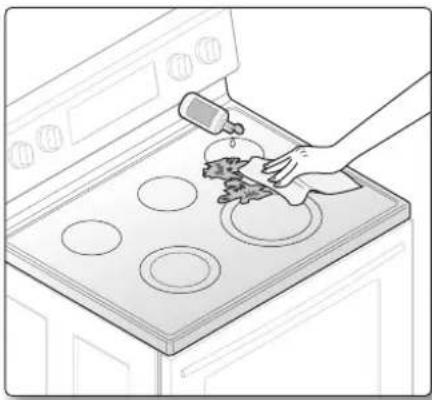
natural_image
Line drawing of a hand cleaning a kitchen appliance with a pipette and circular windows (no text or symbols)- Allow the cooktop to cool.
- Spread a few drops of ceramic cooktop cleaner on the entire burned residue area.
- Using the cleaning pad for ceramic cooktops, rub the residue area, applying pressure as needed.
- If any residue remains, repeat the steps listed above as needed.
- For additional protection, after all residue has been removed, polish the entire surface with ceramic cooktop cleaner and a paper towel.
Removing heavy, burned-on residue
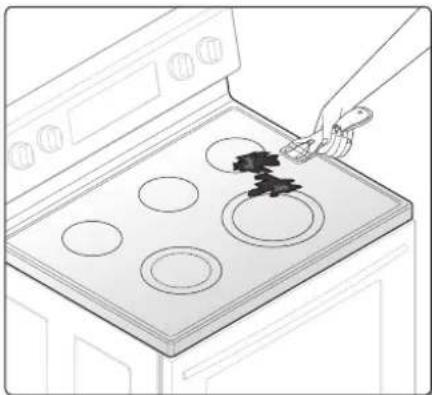
natural_image
Line drawing of a kitchen appliance with a hand holding a tool near a stove with five circular ovens (no text or symbols)- Allow the cooktop to cool.
- Use a single-edge razor-blade scraper at approximately a 45° angle against the glass surface and scrape the soil. It will be necessary to apply pressure in order to remove the residue.
- After scraping with the razor scraper, spread a few drops of ceramic cooktop cleaner on the entire burned residue area. Use the cleaning pad to remove any remaining residue. (Do not scrape the seal.)
- For additional protection, after all residue has been removed, polish the entire surface with the cooktop cleaner and a paper towel.
49_ Maintaining your appliance
Removing metal marks and scratches
- Be careful not to slide pots and pans across your cooktop. It will leave marks on the cooktop surface. You can remove these marks by applying ceramic cooktop cleaner with a cleaning pad for ceramic cooktops.
- If pots with a thin overlay of aluminum or copper are allowed to boil dry, the overlay may leave black discoloration on the cooktop. You should remove this discoloration immediately or it may become permanent.

Carefully check the bottoms of pans for roughness that may scratch the cooktop.
Cleaning the cooktop seal
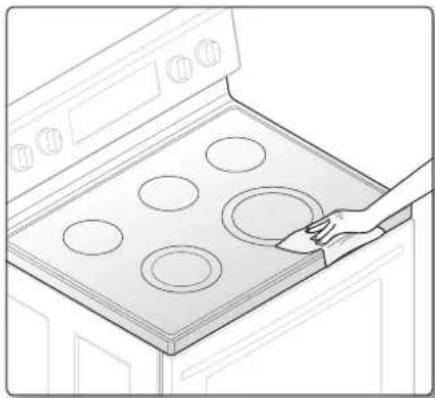
natural_image
Line drawing of a hand placing six circular ovens on an induction cooktop (no text or symbols)To clean the seal around the edges of the glass, lay a wet cloth on it for a few minutes, then wipe clean with a nonabrasive cleaner.
Potential for permanent damage to the glass surface
- Sugary spillovers (such as jellies, fudge, candy, syrups) or melted plastics can cause pitting of the surface of your cooktop. This is not covered under the warranty. You should clean the spill while it is still hot. Take special care when removing hot substances. Refer to the following section.
- When using a scraper, be sure it is new and the razor blade is still sharp. Do not use a dull or nicked blade.
Cleaning sugary spills and melted plastic
- Turn off all surface units. Remove hot pans.
- Wearing an oven mitt, use a single-edge razor-blade scraper to move the spill to a cool area of the cooktop. Remove the spill with paper towels.
- Any remaining spillover should be left until the surface of the cooktop has cooled.
- Don't use the surface units again until all of the residue has been completely removed.

If pitting or indentations in the glass surface have already occurred, the cooktop glass will have to be replaced. In this case, service will be necessary.
REMOVING AND REPLACING THE OVEN DOOR
How to remove the door

-
The door is very heavy. Be careful when removing and lifting the door. Do not lift the door by the handle.
• Turn the power OFF before removing the door. -
Open the door completely.
- Pull the hinge locks down toward the door frame to the unlocked position.
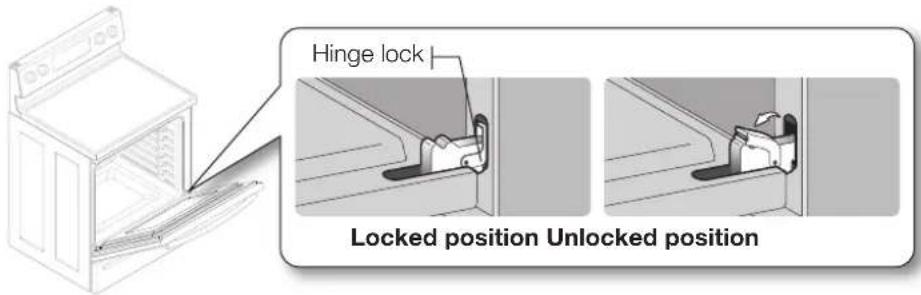
text_image
Hinge lock Locked position Unlocked position- Firmly grasp both sides of the door at the top.
- Close the door to the door removal position, which is approximately 5 degrees from vertical (Fig. 1).
- Lift door up and out until the hinge arm is clear of the slot (Fig. 2).
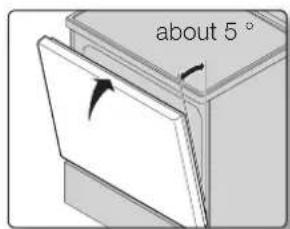
text_image
about 5°Fig. 1 Fig. 2
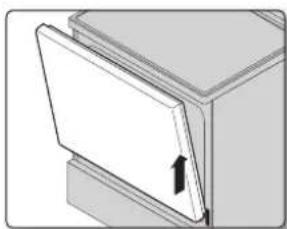
natural_image
Diagram of a door with an arrow indicating direction, no text or symbols presentHow to replace the door
- Firmly grasp both sides of the door at the top.
- With the door at the same angle as the removal position, slide the indentation of the hinge arm into the bottom edge of the hinge slot. The notch in the hinge arm must be fully inserted into the bottom of the slot.
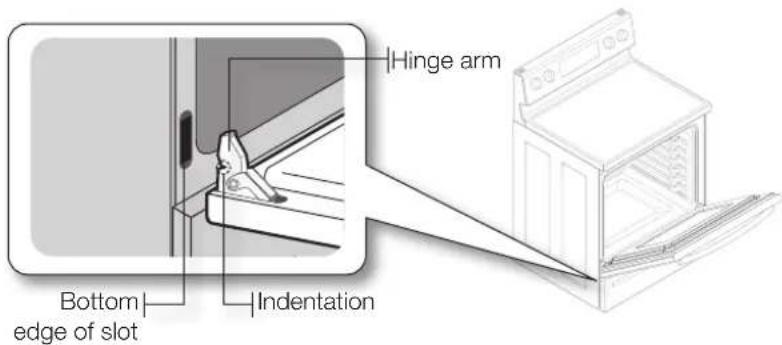
text_image
Hinge arm Bottom edge of slot Indentation51\_ Maintaining your appliance
-
Open the door fully. If the door will not open fully, the indentation is not inserted correctly in the bottom edge of the slot.
-
Push the hinge locks up against the front frame of the oven cavity to the locked position.

text_image
Hinge lock Unlocked position Locked position- Close the oven door.
REMOVING AND REPLACING THE STORAGE DRAWER
How to remove the storage drawer
-
Pull the drawer out until it stops.
-
Tilt the front of the drawer and pull out it until it stops.
3 Lift and pull the drawer out.
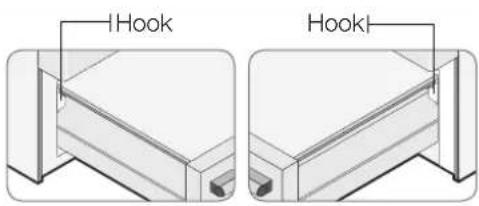
text_image
IHook HookHow to replace the storage drawer
-
Put the left side of the drawer over the left hook and the right side over the right hook.
-
Push the drawer until it stops.
-
Tilt and lift the drawer.
-
Push the drawer in.
The oven light is a standard 40-watt appliance bulb. It will come on when the oven door is open. When the oven door is closed, press the OVEN LIGHT pad to turn it on or off. It will not work during a self-cleaning cycle.
- Make sure the oven and the bulb are cool.
- Unplug the range or disconnect power.
- Turn the glass bulb cover in the back of the oven counterclockwise to remove.
- Turn the bulb counterclockwise to remove it from its socket.
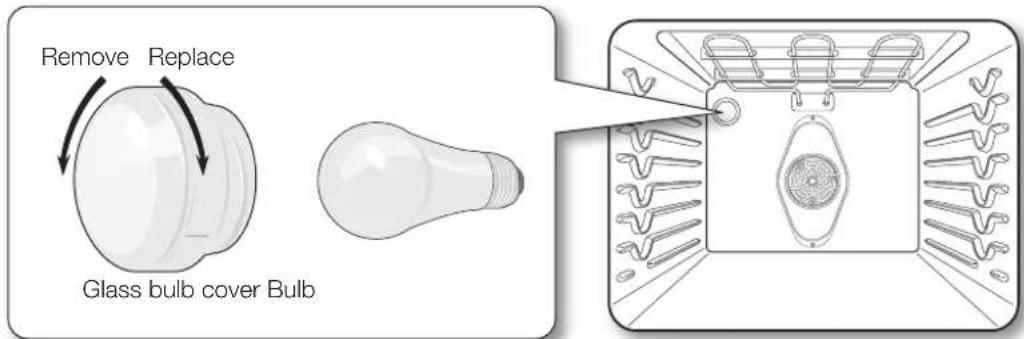
text_image
Remove Replace Glass bulb cover Bulb-
Replace the light bulb and glass bulb cover by turning them clockwise.
-
Plug in the range or reconnect power.

Before changing your oven light bulb, disconnect the electrical power to the range at the main fuse or circuit breaker panel. Make sure the oven and the bulb are cool.
53_ Maintaining your appliance
troubleshooting
TROUBLESHOOTING
Samsung works hard to ensure that you don't have problems with your new electric range. If you run into unexpected trouble, look first for a solution in the table below. If, after trying the suggested solution, you're still having trouble, call Samsung at 1-800-SAMSUNG (1-800-726-7864).
| PROBLEM POSSIBLE CAUSE SOLUTION | ||
| The range is not level. | The appliance has been installed improperly. | Place the oven rack in the center of the oven. Place a level on the oven rack. Adjust the leveling legs at the base of the range until the oven rack is level.Insure the floor is level and strong and stable enough to adequately support the range. |
| The floor is sagging or sloping. | Contact a carpenter to correct the situation. | |
| The kitchen cabinets are not properly aligned and make the range appear to be not level. | Insure the cabinets are square and provide sufficient room for installation. | |
| The appliance must be accessed for servicing and cannot be moved easily. | The kitchen cabinets are not square and built too tightly in to the appliance. | Contact a builder or installer to make the appliance accessible. |
| Carpet is interfering with movement of the range. | Provide sufficient space so the range can be lifted over the carpet. | |
| The oven control beeps and displays an F error code. | You have a function error code. | Press the CLEAR/OFF pad and restart the oven. If the problem persists, disconnect all power to the range for at least 30 seconds and then reconnect the power. If this does not solve the problem, call for service. |
| CODE CAUSE | ||
| -SE- Shorted key | ||
| E-27 Oven sensor opened | ||
| E-28 Oven sensor shorted | ||
| E-08 Oven heating error | ||
| E-0A Oven heating over | ||
| E-0E Door locking error | ||
| The surface units will not maintain a rolling boil or will not cook fast enough. | Improper cookware is being used. | Use pans which are flat and match the diameter of the surface unit selected. |
| In some areas, the power (voltage) may be low. | Cover the pan with a lid until the desired heat is obtained. | |
| The surface units will not turn on. | A fuse in your home may be blown or the circuit breaker tripped. | Replace the fuse or reset the circuit breaker. |
| The cooktop controls are set improperly. | Check to see the correct control is set for the surface unit you are using. | |
| The surface unit stops glowing when changed to a lower setting. | This is normal. The unit is still on and hot. | |
| Areas of discoloration on the cooktop | Food spillover was not cleaned. • | Refer to the section on care and cleaning of the glass cooktop on page 54. |
| The surface is hot and the model features a light-colored cooktop. | • This is normal. The surface may appear discolored when it is hot. This is temporary and will disappear as the glass cools. | |
| The surface unit frequently cycles on and off. | This is normal. • The element will cycle on and off to maintain the heat setting. | |
| The oven will not turn on. | The range is not completely plugged into the electrical outlet. | • Make sure the electrical plug is inserted into a live, properly grounded outlet. |
| A fuse in your home may be blown or the circuit breaker tripped. | • Replace the fuse or reset the circuit breaker. | |
| The oven controls have been set improperly. | • See the chapter on operating the oven. | |
| The oven is too hot. • Allow the oven to cool. | ||
| The appliance will not turn on. | The appliance is not completely plugged into the electrical outlet or a fuse in your home may be blown or the circuit breaker tripped. | • Make sure the power cord is plugged into a live, properly grounded outlet. Check the fuse and circuit breakers. |
| Incomplete service wiring. • Call for service. | ||
| Power outage. • Check to see if the house lights will turn on. If required, call your local electric company for service. | ||
| The oven light will not turn on. | The light bulb is loose or defective. • Tighten or replace the bulb. | |
| The switch operating light is broken. | • Call for service. | |
| Oven smokes excessively during broiling. | The control has not been set properly. | • Refer to the section on setting oven controls.• Make sure the oven door is opened to the broil stop position. |
| The meat has been placed too close to the element. | • Reposition the rack to provide proper clearance between the meat and the element. Preheat the broil element for searing. | |
| The meat has not been properly prepared. | • Remove the excess fat from the meat. Cut away fatty edges that may curl, leaving the lean intact. | |
| Grease has built up on oven surfaces. | • Regular cleaning is necessary when broiling frequently. | |
| Food does not bake or roast properly. | The oven controls have not been set correctly. | • See the chapter on operating the oven. |
| The oven rack has been positioned incorrectly or is not level. | • See the section on using the oven racks on page 52. | |
| Incorrect cookware or cookware of improper size being used. | ||
| The oven sensor needs to be adjusted. | • See the section on adjusting the thermostat on page 46. | |
55\_ Troubleshooting
| PROBLEM POSSIBLE CAUSE SOLUTION | ||
| Food does not broil properly. | The oven controls have been set incorrectly. | Press the BROIL pad. |
| The rack has not been properly positioned. | See the broiling guide on page 41. | |
| Cookware not suited for broiling. | Use suitable cookware. | |
| In some areas the power (voltage) may be low. | Preheat the broil element for 10 minutes.See the broiling guide on page 41. | |
| The oven temperature is too hot or too cold. | The oven sensor needs to be adjusted. | See the section on adjusting the thermostat on page 46. |
| Scratches or abrasions on cooktop surface | The cooktop is being cleaned improperly. | Scratches are not removable. Tiny scratches will become less visible in time as a result of cleaning. |
| Cookware with rough bottoms were used on the cooktop or there were coarse particles (eg. salt or sand) present between the cookware and the surface of the cooktop. | To avoid scratches, use the recommended cleaning procedures. Make sure the bottoms of cookware are clean before use, and use cookware with smooth bottoms. | |
| Cookware has been slid across the cooktop surface. | ||
| Brown streaks or specks | Boilovers have been cooked onto the surface. | Use the blade scraper to remove soil.See the section on care and cleaning of the glass cooktop on page 54. |
| Areas of discoloration with metallic sheen | Mineral deposits from water and food have been left on the surface of the cooktop. | Remove using a ceramic-glass cooktop cleaning cream.Use cookware with clean, dry bottoms. |
| The oven will not self-clean. | The oven temperature is too high to set a self-clean operation. | Allow the range to cool and reset the controls. |
| The oven controls have been set incorrectly. | See the section on self-cleaning on page 47. | |
| A self-cleaning cycle cannot be started if the oven lockout feature has been activated or if a radiant surface element is on. | ||
| “Crackling” or “popping” sound | This is the sound of the metal heating and cooling during both the cooking and cleaning functions. | This is normal. |
| Excessive smoking during a self-cleaning cycle | There is excessive soiling in the oven. | Press the CLEAR/OFF pad. Open the windows to rid the room of smoke. Wait until the self-cleaning cycle is cancelled.Wipe up the excessive soil and reset the oven for self-cleaning. |
| The oven door will not open after a self-cleaning cycle. | The oven is too hot. Allow the oven to cool. | |
| Oven not clean after a self-cleaning cycle | The oven controls were not set correctly. | See the section on self-cleaning on page 49. |
| The oven was heavily soiled. Wipe up heavy spillovers before starting the self-cleaning cycle. Heavily soiled ovens may need to self-clean again or for a longer period of time. | ||
| Steam from the vent | When using the convection feature, it is normal to see steam coming out of the oven vent. | This is normal. |
| As the number of racks or amount of food being cooked increases, the amount of visible steam will increase. | ||
| Burning or oily odor emitting from the vent | This is normal in a new oven and will disappear in time. | To speed the process, set a self-cleaning cycle for a minimum of 3 hours.See the section on self-cleaning on page 49. |
| Strong odor An odor from the insulation around the inside of the oven is normal for the first few times the oven is used. | This is temporary. | |
| Fan noise A convection fan may automatically turn on and off. | This is normal. | |
| Oven racks are difficult to slide. | The shiny, silver-colored racks were cleaned in a self-cleaning cycle. | Apply a small amount of vegetable oil to a paper towel and wipe the edges of the oven racks with the paper towel. |
| Display goes blank. A fuse in your home may be blown or the circuit breaker tripped. | Replace the fuse or reset the circuit breaker. | |
| Display flashes. There was a power failure. Reset the clock. | ||
| Drawer does not slide smoothly or drags. | The drawer is out of alignment. | Fully extend the drawer and push it all the way in. See the page 57. |
| The drawer is over-loaded or the load is unbalanced. | Reduce weight. Redistribute drawer contents. | |
| Excessive condensation in the drawer | There is liquid present in the drawer. | Remove the liquid. |
| Uncovered foods. Cover food with a lid or aluminum foil. | ||
| The temperature is set too high. | Adjust the temperature to a lower setting. | |
57_ Troubleshooting
PLEASE DO NOT DISCARD THIS REPLACES THE WARRANTY PAGE IN THE USE & CARE GUIDE
This SAMSUNG brand product, as supplied and distributed by SAMSUNG ELECTRONICS CANADA, INC. (SAMSUNG) and delivered new, in the original carton to the original consumer purchaser, is warranted by SAMSUNG against manufacturing defects in materials and workmanship for a limited warranty period of:
One (1) Year Parts and Labor, One (1) Year Parts Warranty For Glass Cooktop and Heater Radiant
This limited warranty begins on the original date of purchase, and is valid only on products purchased and used in the Canada. To receive warranty service, the purchaser must contact SAMSUNG for problem determination and service procedures. Warranty service can only be performed by a SAMSUNG authorized service center. The original dated bill of sale must be presented upon request as proof of purchase to SAMSUNG or SAMSUNG's authorized service center. Samsung will provide in-home service during the warranty period at no charge subject to availability within the contiguous Canada. In home service is not available in all areas. To receive in home service product must be unobstructed and accessible to the service agent. If service is not available Samsung may elect to provide transportation of the product to and from an authorized service center.
SAMSUNG will repair or replace this product, at our option and at no charge as stipulated herein, with new or reconditioned parts or products if found to be defective during the limited warranty period specified above. All replaced parts and products become the property of SAMSUNG and must be returned to SAMSUNG. Replacement parts and products assume the remaining original warranty, or ninety (90) days, whichever is longer.
This limited warranty covers manufacturing defects in materials and workmanship encountered in normal, noncommercial use of this product and shall not apply to the following: damage which occurs in shipment; delivery and installation; applications and uses for which this product was not intended; altered product or serial numbers; cosmetic damage or exterior finish; accidents, abuse, neglect, fire, water, lightning or other acts of nature; use of products, equipment, systems, utilities, services, parts, supplies, accessories, applications, installations, repairs, external wiring or connectors not supplied or authorized by SAMSUNG which damage this product or result in service problems; incorrect electrical line voltage, fluctuations and surges; customer adjustments and failure to follow operating instructions, maintenance and environmental instructions that are covered and prescribed in the instruction book; product removal and reinstallation; problems caused by pest infestations, and overheating or overcooking by user. This limited warranty shall not cover cases of incorrect electric current, voltage or supply, light bulbs, house fuses, house wiring, cost of a service call for instructions, or fixing installation errors. Furthermore, damage to the glass cooktop caused by the use of cleaners other than the recommended cleaners and pads, damage to the glass cook top caused by hardened spills of sugary materials or melted plastic that are not cleaned according to the directions in the use and care guide are not covered. SAMSUNG does not warrant uninterrupted or error-free operation of the product.
EXCEPT AS SET FORTH HEREIN THERE ARE NO WARRANTIES ON THIS PRODUCT EITHER EXPRESS OR IMPLIED AND SAMSUNG DISCLAIMS ALL WARRANTIES INCLUDING, BUT NOT LIMITED TO, ANY IMPLIED WARRANTIES OF MERCHANTABILITY, INFRINGEMENT OR FITNESS FOR A PARTICULAR PURPOSE. NO WARRANTY OR GUARANTY GIVEN BY ANY PERSON, FIRM OR CORPORATION WITH RESPECT TO THIS PRODUCT SHALL BE BINDING ON SAMSUNG. SAMSUNG SHALL NOT BE LIABLE FOR LOSS OF REVENUE OR PROFITS, FAILURE TO REALIZE SAVINGS OR OTHER BENEFITS, OR ANY OTHER SPECIAL, INCIDENTAL OR CONSEQUENTIAL DAMAGES CAUSED BY THE USE, MISUSE OR INABILITY TO USE THIS PRODUCT, REGARDLESS OF THE LEGAL THEORY ON WHICH THE CLAIM IS BASED, AND EVEN IF SAMSUNG HAS BEEN ADVISED OF THE POSSIBILITY OF SUCH DAMAGES. NOR SHALL RECOVERY OF ANY KIND AGAINST SAMSUNG BE GREATER IN AMOUNT THAN THE PURCHASE PRICE OF THE PRODUCT SOLD BY SAMSUNG AND CAUSING THE ALLEGED DAMAGE. WITHOUT LIMITING THE FOREGOING, PURCHASER ASSUMES ALL RISK AND LIABILITY FOR LOSS, DAMAGE OR INJURY TO PURCHASER AND PURCHASER'S PROPERTY AND TO OTHERS AND THEIR PROPERTY ARISING OUT OF THE USE, MISUSE OR INABILITY TO USE THIS PRODUCT. THIS LIMITED WARRANTY SHALL NOT EXTEND TO ANYONE OTHER THAN THE ORIGINAL PURCHASER OF THIS PRODUCT, IS NONTRANSFERABLE AND STATES YOUR EXCLUSIVE REMEDY.
Some provinces or territories may or may not allow limitations on how long an implied warranty lasts, or the exclusion or limitation of incidental or consequential damages, so the above limitations or exclusions may not apply to you. This warranty gives you specific legal rights, and you may also have other rights which vary from state to state. User Replaceable Parts may be sent to the customer for unit repair. If necessary, a Service Engineer can be dispatched to perform service.
To obtain warranty service, please contact SAMSUNG at:
Samsung Electronics Canada Inc.
2050 Derry Road West, Mississauga, Ontario L5N 0B9 Canada
1-800-SAMSUNG (726-7864) and www.samsung.com/ca/support, www.samsung.com/ca_fr/support
Warranty _58


text_image
QR code image containing encoded data, no visible human-readable textScan this with your smartphone
Scan the QR code* or visit www.samsung.com/spsn to view our helpful How-to Videos and Live Shows
*Requires reader to be installed on your smartphone
Please be advised that the Samsung warranty does NOT cover service calls to explain product operation, correct improper installation, or perform normal cleaning or maintenance.
QUESTIONS OR COMMENTS
| COUNTRY CALL | OR VISIT US ONLINE AT | |
| CANADA 1-800-SAMSUNG (726-7864) | www.samsung.com/ca/support (English)www.samsung.com/ca_fr/support (French) | |
| U.S.AConsumer Electronics | 1-800-SAMSUNG (726-7864) www.samsung.com/us/support | |
| U.S.AMobile Phones | 1-800-SAMSUNG (726-7864) www.samsung.com/us/support | |
DG68-00425A-05
NE595R0****
NE59J342*****
natural_image
Illustration of hands using a tool to lift a circular object with rotating arrows (no text or symbols)APPROPRIÉ NON APPROPRIÉ
text_image
17 Roast Bake Broil Easy Cook 2 Slow Chicken Proof 1 Crispy Pizza Cook Nuggets Keep Warm Steam Clean Self Clean Custom Cook Warming Center On/Off Level 14 12 11 10 1 2 3 4 5 6 7 8 9 0 1 2 3 Clear/Off Start/Set 3 19 Cooking Time Kitchen Timer On/Off Delay Start Clock Hold 3 sectext_image
Diagram of a device with numbered parts arranged around it, likely for labeling or assembly reference.natural_image
Line drawing of an oven with two circular dishes inside a rack, labeled with number 4 (no text or symbols on the dish itself)Fig. 1 Fig. 2
text_image
Position grillnatural_image
Illustration of a hand cleaning a refrigerator interior (no text or symbols)natural_image
Illustration of a hand pouring liquid into a kitchen appliance (no text or symbols)natural_image
Line drawing of a hand cleaning or cleaning a cabinet interior (no text or symbols)
natural_image
Line drawing of a hand cleaning a kitchen appliance on an induction cooktop (no text or symbols)natural_image
Line drawing of a kitchen appliance with a hand holding a tool near a stove with six ovens (no text or symbols)natural_image
Line drawing of a hand cleaning a large oven with six circular ovens (no text or symbols)natural_image
Diagram of a door or cabinet with an arrow indicating direction (no text or symbols present)Fig. 1 Fig. 2
REEMPLACEMENT DE L'AMPOULE DU FOUR
Samsung Electronics Canada Inc.
2050 Derry Road West, Mississauga, Ontario L5N 0B9 Canada
1-800-SAMSUNG (726-7864) et www.samsung.com/ca/support, www.samsung.com/ca_fr/support
Garantie _58

DES QUESTIONS OU DES COMMENTAIRES?
| PAYS TÉLÉPHONE OU SUR INTERNET | ||
| CANADA 1-800-SAMSUNG (726-7864) | www.samsung.com/ca/support (English)www.samsung.com/ca_fr/support (French) | |
| U.S.AConsumer Electronics | 1-800-SAMSUNG (726-7864) www.samsung.com/us/support | |
| U.S.AMobile Phones | 1-800-SAMSUNG (726-7864) www.samsung.com/us/support | |
DG68-00425A-05