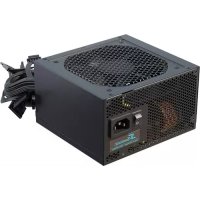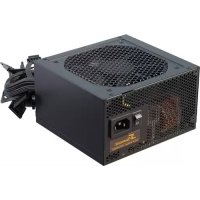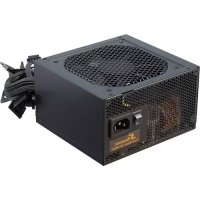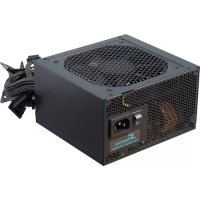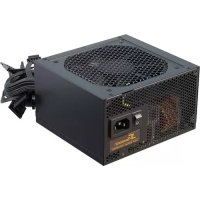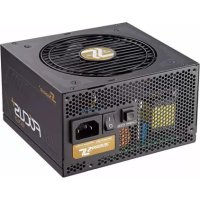
Focus Plus Gold 650 - Power Supply (PC) SEASONIC - Free user manual and instructions
Find the device manual for free Focus Plus Gold 650 SEASONIC in PDF.



| Product type | PC Power Supply |
| Brand | Seasonic |
| Model | Focus Plus Gold 650 |
| Rated power | 650 W |
| Certification | 80 PLUS Gold |
| Modularity | Fully modular (detachable cables) |
| Fan | Integrated silent fan |
| Dimensions (approx.) | 150 x 140 x 86 mm (ATX form factor) |
| Weight (approx.) | 2.7 kg |
| Main connectors | 24-pin ATX, 8-pin EPS, 4+4-pin CPU, PCIe, SATA, Molex |
| Built-in protections | OPP, OVP, UVP, SCP, OTP |
| Compliance | ErP 2013 |
| Compatibility | ATX, micro-ATX, Mini-ITX motherboards |
| Conditions of use | Dry environment, away from moisture |
| Maintenance | Clean with a dry cloth; never open the unit |
| Safety | High internal voltages; use only the supplied Seasonic cables |
| Warranty | Manufacturer's warranty against manufacturing defects (see conditions) |
| Spare parts | Modular cable kit available |
| Repairability | Does not require opening; in case of failure, contact Seasonic support |
| Package contents | Power supply unit, modular cable set, user manual, power cord, accessory bag |
Frequently Asked Questions - Focus Plus Gold 650 SEASONIC
User questions about Focus Plus Gold 650 SEASONIC
0 question about this device. Answer the ones you know or ask your own.
Ask a new question about this device
Download the instructions for your Power Supply (PC) in PDF format for free! Find your manual Focus Plus Gold 650 - SEASONIC and take your electronic device back in hand. On this page are published all the documents necessary for the use of your device. Focus Plus Gold 650 by SEASONIC.
USER MANUAL Focus Plus Gold 650 SEASONIC
Power supply
■ Modular cable pack
■ User manual
- AC power cord
- Accessory bag
II. WARNING! IMPORTANT SAFETY INFORMATION
■ NEVER, under any circumstances, open the power supply unit. High voltage inside. WARRANTY IS VOID once the cover is removed.
■ DO NOT insert any object into the fan grill or the ventilation area of the power supply unit.
- DO NOT place any object in front of the fan or the ventilation area of the power supply unit that may obstruct or restrict airflow.
■ USE ONLY the Seasonic modular cables provided with the power supply unit.
- Keep the power supply unit in a dry environment, away from humidity.
- The power supply unit is for integration into a computer system and not intended for external or outdoor usage.
III. Power Supply Removal
- Please first read Chapter II. Warning! Important Safety Information above.
- Make certain that your system is entirely powered off; set the power supply's AC power switch to the "O" (OFF) position and disconnect the power cord from the AC outlet.
- Open the computer case (please refer to the manufacturer's user manual).
- Carefully disconnect all the power supply's connectors from the mainboard and the peripherals.
- Unscrew the mounting screws securing the power supply unit to the back panel of the case.
- Carefully remove the power supply from the case.
IV. Power Supply Installation
- Place the Seasonic power supply into the space provided within the case and use the four mounting screws provided in the accessory bag to secure it to the back panel of the case. Do not over-tighten the screws.
a. For power supplies with a built-in fan, the fan side top cover should be facing the mainboard. (Depending on the type of computer case, this can mean either upwards or downwards facing fan cover.)
b. For fanless power supplies, Sea Sonic recommends to mount fanless power supplies into the computer case with their ventilation cover facing UPWARDS. However, there are extra mounting-screw holes provided on the back of the power supply to allow for reverse mounting, if necessary
- Mainboard connection:
a. DO NOT force the connectors into place; the connectors are "keyed" so they can only fit one way. Make sure the connectors lock in their place securely.
b. Connect the power supply end of the 24/20-Pin convertible connector to the appropriate receptor on the power supply unit.
c. Connect the mainboard end of the 24/20-Pin convertible connector to the mainboard. Depending on the mainboard, you may need to either attach or detach the 4-Pin module of the 24/20-Pin connector.
d. Connect the + 12 V 4-Pin connector and the EPS + 12 V connector, if applicable.
e. If your system requires dual EPS + 12 V connectors, please connect the 8-Pin end of the second CPU 8-Pin connector into the appropriate 8-Pin receptor on the power supply unit. Then connect the mainboard end of this 8-Pin connector to the mainboard.
- Peripheral components connection:
a. Connect one end of the peripheral cable to the power supply and the other end to the component.
b. DO NOT use excessive force to attach the connectors; the connectors are "keyed" so they can only fit one way.
c. Make sure that the connectors lock in tightly and securely.
-
Close the computer case according to the manufacturer's instructions.
-
Plug in the AC power cord provided in the box and switch the AC On/Off switch on the back panel of the power supply to the "I" (On) position.
-
You are now ready to start your computer powered by Seasonic.
V. Troubleshooting
If the power supply unit fails to function properly, please go through the below checklist.
- Check to make sure the AC power cord is properly connected to the AC source and the power supply unit.
- Check to make sure the AC source is On.
- Check to make sure the AC On/Off switch on the back panel of the power supply unit in the "I" (On) position.
- Check and secure all mainboard and peripheral connectors.
-
The AC on/off switch on the back of the power supply unit can be toggled between "I" and "O" a few times with a 0.5 second delay in between to make sure the power supply unit is reset.
-
If you are still experiencing difficulties to get the power supply unit to function properly, please visit www.seasonic.com for further technical support instructions.
Notes
The operation of power supply is a "pull" technology, which means that the unit only provides the power as demanded by the mainboard and the system components.
■ If there is a mainboard malfunction, the power supply will not turn on.
- If there is a peripheral component malfunction, the power supply will not provide power to that particular component.
This power supply complies with the newest ErP 2013 requirements. For proper system function please update your main-board BIOS to the newest version and configure the BIOS in accordance to ErP 2013 requirements - enable all Energy Savings functions for standby and normal operations and disable audio always-on. Please consult your motherboard manufacturer for further assistance.
VI. Warranty
Seasonic's warranty covers all power supplies beginning from the date of purchase, against defects in materials or workmanship. During the warranty period, Sea Sonic maintains the discretion to either repair units or replace broken components with parts of similar or equal performance, provided that:
■ The product is returned to the point of purchase, postage prepaid.
The product was properly used according to the manufacturer's intended purposes.
The product was not damaged due to acts of nature, such as lightening, flood or fire.
The product's cover was never removed and the warranty sticker was not broken.
For additional details, please visit www.seasonic.com/rma
Notes
- Warranty terms may vary between different geographic regions.
- For consumers in Australia – Our goods come with guarantees that cannot be excluded under the Australian Consumer Law. You are entitled to a replacement or refund for a major failure and compensation for any other reasonably foreseeable loss or damage. You are also entitled to have the goods repaired or replaced if the goods fail to be of acceptable quality and the failure does not amount to a major failure.
Local distributor:
Powerhouse PC Australia
service@powerhousepc.com.au
www.powerhousepc.com.au
PO Box 6139 Silverwater, NSW 2128, Sydney, Australia
Tel: +61 2 9648 6268
Fax: +61 2 9648 6269
VII. Disclaimer
All efforts have been made to ensure accuracy of all information provided herein. Sea Sonic assumes no liability, expressed or implied, for any damage(s) occurring to your system's components or other devices as a result of any mistake or omission during power supply installation or removal, or due to any defect or failure of the product itself.
Please visit our homepage www.seasonic.com for further details.

DEUTSCH
I. Lieferumfang
- Anschlüsse am Mainboard:
Global: support@seasonic.com
America: ssa.support@seasonic.com
Europe: sse.support@seasonic.com
HEADQUARTERS
Sea Sonic Electronics Co., Ltd.
8F, #19, Alley 360, Sec.1,
Neihu Road, Neihu, Taipei,
Taiwan, R.O.C.
EUROPEAN OFFICE
Sea Sonic Europe B.V.
Everdenberg 117,
4902 TT Oosterhout,
The Netherlands
www.seasonic.com
This manual is printed on environmentally friendly material.