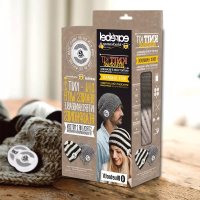
KnitKit Strickset - Bluetooth headphones earebel - Free user manual and instructions
Find the device manual for free KnitKit Strickset earebel in PDF.



| Product type | Bluetooth audio headset |
| Brand | earebel |
| Model | KnitKit Strickset (SF543/BTS) |
| Contents | 1 headphone/headband, 1 pair of earphones, 1 USB cable (USB A to micro-B), 2 spare foam pads |
| Bluetooth version | Bluetooth 4.1 (Vimicro) |
| Sensitivity (microphone) | -35 dB |
| Sensitivity (earphones) | 120 ± 3 dB |
| Frequency range | 20 Hz - 20 kHz |
| Impedance | 16 Ω |
| Max. input power | 0.5 W |
| Battery capacity | 180 mAh (Li-ion, non-replaceable) |
| Battery life (playback) | Approximately 8 hours at full power |
| Battery life (standby) | Approximately 30 hours (without Bluetooth connection) |
| Charging time | Approximately 2 hours |
| Charging cycles | Approximately 500 cycles |
| LED indicator | Red during charging, turns off when charged; flashes blue/red in pairing mode; solid blue when connected |
| Control | Soft-Touch control field (play/pause, volume, navigation, call) |
| Microphone | Integrated for calls |
| Care | Clean earphones with a damp cloth; do not immerse in water; for the headband, follow the label |
| Foam pad replacement | Yes, spare foam pads provided |
| Safety | Minimum distance of 10 cm from pacemakers; set volume to minimum before placing |
| Charging temperature | 10 °C to 40 °C |
Frequently Asked Questions - KnitKit Strickset earebel
User questions about KnitKit Strickset earebel
0 question about this device. Answer the ones you know or ask your own.
Ask a new question about this device
Download the instructions for your Bluetooth headphones in PDF format for free! Find your manual KnitKit Strickset - earebel and take your electronic device back in hand. On this page are published all the documents necessary for the use of your device. KnitKit Strickset by earebel.
USER MANUAL KnitKit Strickset earebel
EN Instruction manual starting on page 12
Bluetooth®-Version: Vimicro 4.1
| AT | ✓ | CZ | ✓ | ES | ✓ | GR | ✓ | IT | ✓ | MT | ✓ | RO | ✓ |
| BE | ✓ | DE | ✓ | FI | ✓ | HU | ✓ | LT | ✓ | NL | ✓ | SE | ✓ |
| BG | ✓ | DK | ✓ | FR | ✓ | HR | ✓ | LU | ✓ | PL | ✓ | SI | ✓ |
| CY | ✓ | EE | ✓ | GB | ✓ | IE | ✓ | LV | ✓ | PT | ✓ | SK | ✓ |
Entsorgung

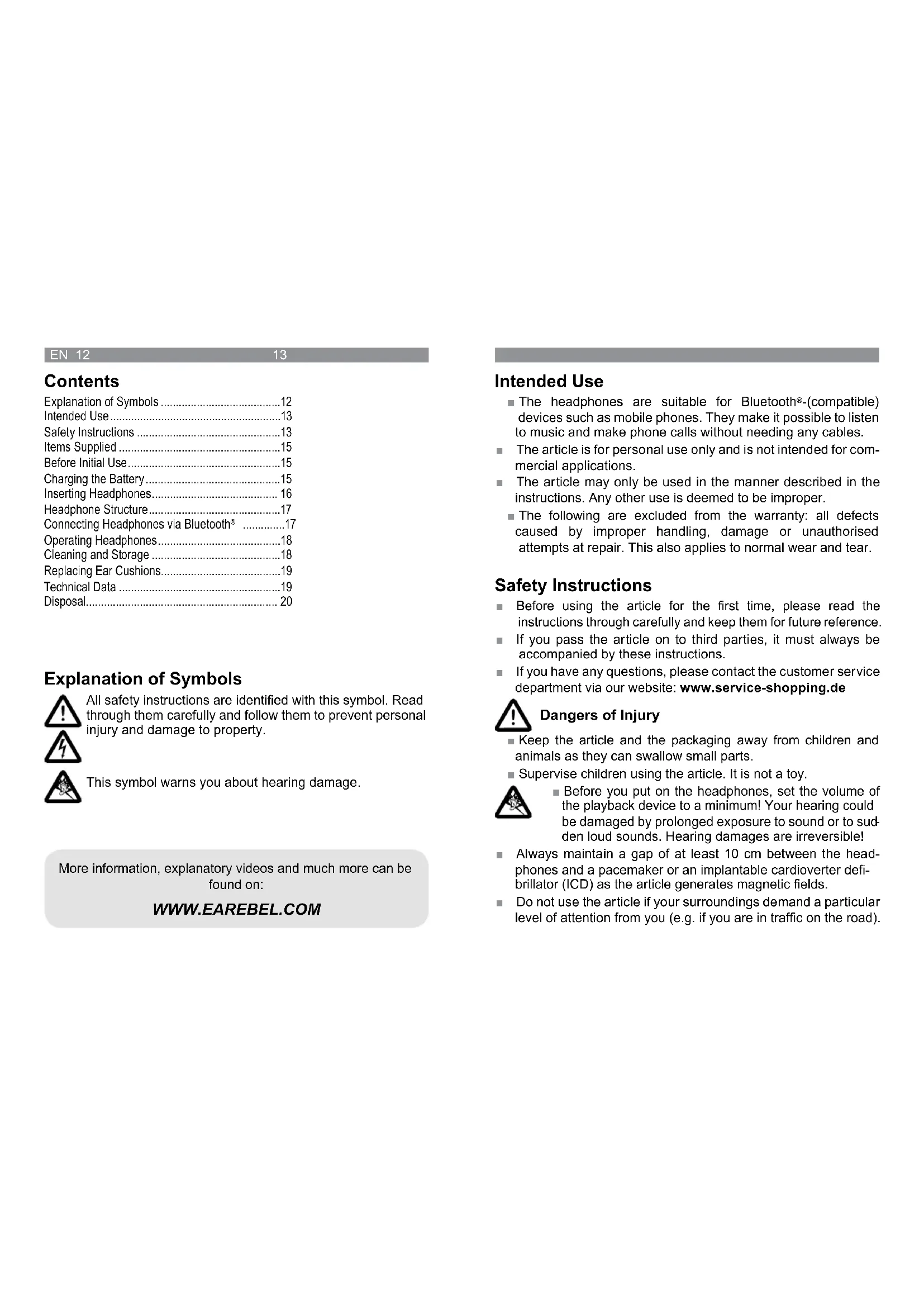
Explanation of Symbols 12
Intended Use 13
Safety Instructions 13
Items Supplied 15
Before Initial Use. 15
Charging the Battery. 15
Inserting Headphones 16
Headphone Structure. 17
Connecting Headphones via Bluetooth 17
Operating Headphones 18
Cleaning and Storage 18
Replacing Ear Cushions. 19
Technical Data 19
Disposal. 20
Explanation of Symbols

All safety instructions are identified with this symbol. Read through them carefully and follow them to prevent personal injury and damage to property.

This symbol warns you about hearing damage.

More information, explanatory videos and much more can be found on:
WWW.EAREBEL.COM
Intended Use
The headphones are suitable for Bluetooth®-(compatible) devices such as mobile phones. They make it possible to listen to music and make phone calls without needing any cables.
The article is for personal use only and is not intended for commercial applications.
The article may only be used in the manner described in the instructions. Any other use is deemed to be improper.
The following are excluded from the warranty: all defects caused by improper handling, damage or unauthorised attempts at repair. This also applies to normal wear and tear.
Safety Instructions
Before using the article for the first time, please read the instructions through carefully and keep them for future reference.
If you pass the article on to third parties, it must always be accompanied by these instructions.
If you have any questions, please contact the customer service department via our website: www.service-shopping.de

Dangers of Injury
- Keep the article and the packaging away from children and animals as they can swallow small parts.
Supervise children using the article. It is not a toy.

Before you put on the headphones, set the volume of the playback device to a minimum! Your hearing could be damaged by prolonged exposure to sound or to sudden loud sounds. Hearing damages are irreversible!
Always maintain a gap of at least 10cm between the headphones and a pacemaker or an implantable cardioverter defibrillator (ICD) as the article generates magnetic fields.
Do not use the article if your surroundings demand a particular level of attention from you (e.g. if you are in traffic on the road).

Danger of Fire and Explosion
- Caution! Do not expose the rechargeable battery or the headphones to any high temperatures (over 70^ C, hair dryer, heating, prolonged sunlight etc.). The battery may overheat and explode as a result.
Only charge up the battery in an ambient temperature of from 10^ to 40^ . - Do not crush or pierce the battery! Do not expose the battery to high pressure, as this may cause an internal short-circuit and overheating.
The headphones and their battery must not be taken apart, thrown into a fire, immersed in liquids or short-circuited.
If the battery is not used for a prolonged period of time, recharge it regularly (roughly every 3 months).
Material and Article Damage
- Keep the headphones dry at all times and do not expose them to any extreme temperatures, electrostatic interference, severe impacts, high pressure or dust.
In the event of damage/faults, switch the article off immediately. Do not use it if it is damaged. - Never repair or modify an electrical article yourself, but instead always visit your nearest customer service department/specialist to guarantee your own safety. In the event of damage, contact the customer service department.
Switch the article off after use to conserve the battery.
Only ever use the article in environments in which the wireless Bluetooth® technology is permitted.
Prolonged storage or use may impair the quality of the ear cushions.
Items Supplied
- 1 hat or headband
1 pair of headphones - 1 USB cable (A connector to Micro B connector)
- 2 spare ear cushions
Before Initial Use
1 Unpack all parts and check the items supplied for completeness and any transport damage. If you find any damage, do not use the article (!), but rather contact the customer service department.
2 Fully charge the battery before you start using it for the first time (see below).
Charging the Battery

Connect the Micro USB cable to the socket on the headache and to a power source (e.g. a computer). The LED light lights up red during the charging process and switches off as soon as the battery has been fully charged.
It takes approx. 2 hours for the battery to be fully charged.
The battery cannot be replaced by the user.
If you have any problems with the battery, please contact the customer service department via our website: www.service-shopping.de
EN 16
17
Inserting Headphones
1 Get the headphones ready with the earebel lettering for the right side and the e logo for the left side.

Only for models with a slot in the inner fleece strip:
Insert the headphone with the ear cushion pointing upwards through the slot in the fleece. Slide it up to the round opening in the hat; it is essential that you note the left and right side here.


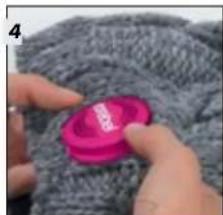
Guide the headphone out from the inside of the hat/headband through the round opening.

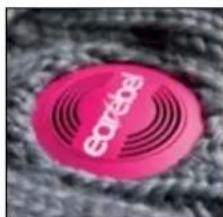

Correct! Wrong!
Check that the headphones fit correctly: The bulge should not be visible.
(Similar to those shown.)
6 Repeat steps 1 to 4 with the second headache on the other side.
Now connect the earebel to your smartphone or player and enjoy perfect sound!
Headphone Structure

1 Micro-USB socket for charging
2 LED
3 Microphone for making phone calls
4 Soft-touch control pad
Connecting Headphones via Bluetooth®

Hold down for 5 sec.
To connect the headphones to a smartphone or other Bluetooth®-enabled device, press the Play/Pause button (on the soft-touch control pad) for 5 seconds until the LED light starts to flash alternately blue and red. The headphones can now be located by the Bluetooth®-enabled device.
2 Switch on Bluetooth ^ 念 on the Bluetooth-enabled device.
3 Search and select "Earebel" and connect the two devices.
4 As soon as the headphones and the Bluetooth enabled device have been connected, only the blue LED is lit.
NOTE: To preserve the battery, the headphones switch off automatically if no Bluetooth® connection exists for 5 minutes.
Operating Headphones
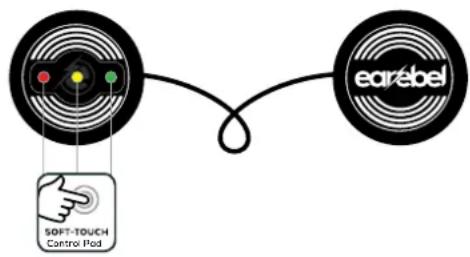
POWER ON: Hold down for around 3 sec.
POWER OFF: Hold down for around 3 sec.
CONNECTING MODE: Hold down for around 5 sec.
PHONE Receive call/hang up: Press once
MUSIC Play/Pause: Press once
PREVIOUS SONG: Press once
QUIETER: Hold down for a long time.
NEXT SONG: Press once
LOUDER: Hold down for a long time.
Cleaning and Storage
- Never immerse the headphones in water or other liquids!
Under no circumstances should you use scratching, abrasive or aggressive cleaning products for cleaning. - Just wipe the headphones with a damp cloth.
- To wash the hat/headband, remove the headphones and follow the care instructions on the label.
Replacing Ear Cushions
If the ear cushions are damaged or worn, they must be replaced.
1 Remove the old ear cushions from the headphones.
2 Peel the new ear cushions from the foil and stick them on the headphones.
Technical Data
Headphone model: SF543/BTS
Sensitivity: -35dB (microphone);
120 +/- 3 dB (headphones)
Frequency range: 20 Hz - 20 kHz
Max. input power: 0.5W
Impedance: 16Ω
Bluetooth version: Vimicro 4.1
Bluetooth® range: 10 metres
Power supply: 3.7 V rechargeable battery (lithium polymer)
Battery lifetime: approx. 500 charge cycles
Battery capacity: 180 mAH
Operating time: approx. 8 hours of operation on full volume; approx. 30 hours on standby (power on, but without Bluetooth connection)
DS Produkte GmbH hereby declares that the radio equipment type "earebel" complies with Directive 2014/53/EU. The complete text of the EU declaration of conformity is available at the following internet address: www.service-shopping.de
Designated for sale in the Member States of the European Union:
| AT | ✓ | CZ | ✓ | ES | ✓ | GR | ✓ | IT | ✓ | MT | ✓ | RO | ✓ |
| BE | ✓ | DE | ✓ | FI | ✓ | HU | ✓ | LT | ✓ | NL | ✓ | SE | ✓ |
| BG | ✓ | DK | ✓ | FR | ✓ | HR | ✓ | LU | ✓ | PL | ✓ | SI | ✓ |
| CY | ✓ | EE | ✓ | GB | ✓ | IE | ✓ | LV | ✓ | PT | ✓ | SK | ✓ |
Disposal

The packaging material is recyclable. Please dispose of it in an environmentally friendly manner and take it to a recycling centre.

Dispose of the article in an environmentally friendly manner. The article should not be disposed of in the normal domestic waste. Please dispose of it at a recycling centre for used electrical and electronic devices. You can obtain more information from your local authorities.
To protect the environment, non-rechargeable and rechargeable batteries may not be disposed of with normal household waste, but must be taken to suitable collection points. Also note the relevant statutory regulations governing the disposal of batteries.
Customer Service / Importer:
DS Produkte GmbH
Am Heisterbusch 1 • 19258 Gallin • Germany
Tel.: +49 38851 314650
(Calls to German landlines are subject to charges. The cost varies depending on the service provider.)
Sommaire
Portee Bluetooth: 10 metres
Alimentation electrique: 3,7 V accu (lithium polymere)
| AT | ✓ | CZ | ✓ | ES | ✓ | GR | ✓ | IT | ✓ | MT | ✓ | RO | ✓ |
| BE | ✓ | DE | ✓ | FI | ✓ | HU | ✓ | LT | ✓ | NL | ✓ | SE | ✓ |
| BG | ✓ | DK | ✓ | FR | ✓ | HR | ✓ | LU | ✓ | PL | ✓ | SI | ✓ |
| CY | ✓ | EE | ✓ | GB | ✓ | IE | ✓ | LV | ✓ | PT | ✓ | SK | ✓ |
Mise au rebut

www.service-shopping.de
NL 34 35
| AT | ✓ | CZ | ✓ | ES | ✓ | GR | ✓ | IT | ✓ | MT | ✓ | RO | ✓ |
| BE | ✓ | DE | ✓ | FI | ✓ | HU | ✓ | LT | ✓ | NL | ✓ | SE | ✓ |
| BG | ✓ | DK | ✓ | FR | ✓ | HR | ✓ | LU | ✓ | PL | ✓ | SI | ✓ |
| CY | ✓ | EE | ✓ | GB | ✓ | IE | ✓ | LV | ✓ | PT | ✓ | SK | ✓ |
NL 38
Afvoeren

- Entsorgung
- Explanation of Symbols
- Intended Use
- Safety Instructions
- Dangers of Injury
- Danger of Fire and Explosion
- Material and Article Damage
- Items Supplied
- Before Initial Use
- Charging the Battery
- Inserting Headphones
- Correct! Wrong!
- Headphone Structure
- Connecting Headphones via Bluetooth®
- Operating Headphones
- Cleaning and Storage
- Replacing Ear Cushions
- Technical Data
- Disposal
- Customer Service / Importer:
- Sommaire
- Mise au rebut
- NL 34 35
- NL 38
- Afvoeren
Brand : earebel
Model : KnitKit Strickset
Category : Bluetooth headphones