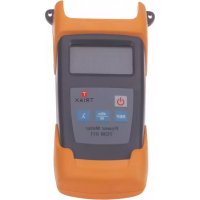
TOM 011 - Measuring equipment TRIAX - Free user manual and instructions
Find the device manual for free TOM 011 TRIAX in PDF.

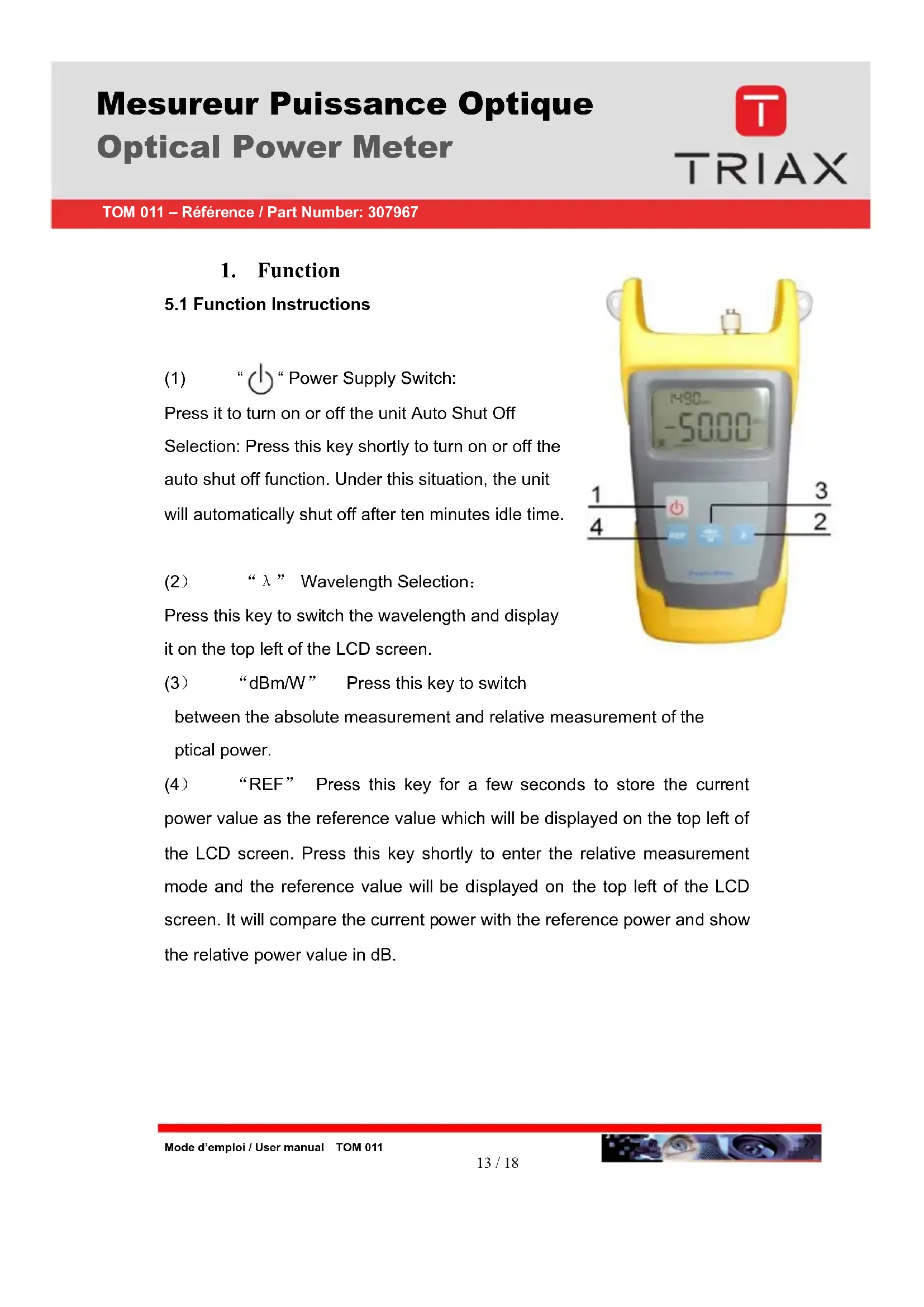

| Product type | Optical power meter |
| Brand | Triax |
| Model | TOM 011 |
| Reference | 307967 |
| Field of use | Control of optical levels in optical networks |
| Wavelength range | 800 to 1700 nm |
| Detector type | InGaAs (size Ø 1.0 mm) |
| Measurement range | -50 to +30 dBm |
| Accuracy | ±5% |
| Calibrated wavelengths | 850, 1300, 1310, 1490, 1550, 1625 nm |
| Resolution | 0.01 dB |
| Optical connectors | FC/PC and SC/APC |
| Power supply | 3 AA 1.5 V batteries or 9 V mains adapter |
| Battery life | 140 hours |
| Auto-off | 10 minutes of inactivity |
| Display | LCD with backlight |
| Dimensions | 190 x 100 x 50 mm |
| Weight | 370 g |
| Operating temperature | -10°C to +60°C |
| Storage temperature | -25°C to +70°C |
| Relative humidity | 0 to 95% (non-condensing) |
| Main functions | Absolute measurement (dBm/W), relative measurement (dB), reference memory, auto-calibration |
| Included accessories | User manual, cleaning swabs, mains adapter, carrying case, FC/PC and SC/APC connectors |
| Maintenance | Regularly clean the optical adapter, protect the sensor after use |
| Safety | Do not look at the optical connector (risk of retinal burn) |
Frequently Asked Questions - TOM 011 TRIAX
User questions about TOM 011 TRIAX
0 question about this device. Answer the ones you know or ask your own.
Ask a new question about this device
Download the instructions for your Measuring equipment in PDF format for free! Find your manual TOM 011 - TRIAX and take your electronic device back in hand. On this page are published all the documents necessary for the use of your device. TOM 011 by TRIAX.
USER MANUAL TOM 011 TRIAX
- Overview 11
- Main Features 11
- Specifications 12
14.Standard Packages 12 - Function 13
- Operation and Notes 14
- Maintenance 15
- Troubleshooting 15
- Notice 16
- Warranty and Service 17
11. Overview
TOM 011 optical power meter is the latest multi-functional power meter designed for the installation, construction and maintenance of optical fiber network.
It features compact size, smooth appearance, user friendly design, optional backlight, auto shut off function, wide measurement range, accurate test, self-calibrating function and universal connector. The stability and reliability of this power meter are greatly improved with the large square (φ1.0mm) detector.
12. Features
- Wide dynamic measurement range (up to 80dB)
- Reference power level storage(Ref Setting)
- User self-calibration function
- Comfortable LCD display and backlight LCD display supports night operation.
- Power measurements in dBm or mw and insertion loss in dB
- Optional 10 minutes Auto-off function
- AA alkaline batteries can last more than 140 hours, AC adaptor also available
- Low battery power indication
- Main unit 1
- Operation Manual 1
- Cleaning Swabs 1
- AC Power Supply Adapter 1
- Soft Carrying Case 1
- FC/PC and SC/APC adaptors 1
1. Function
5.1 Function Instructions
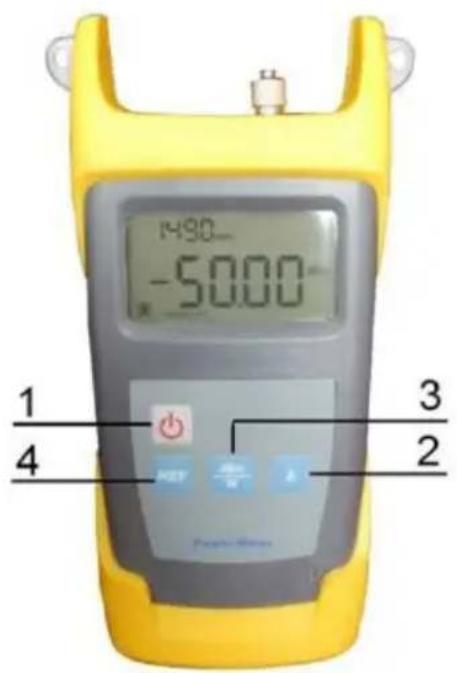
(1) “Power Supply Switch:
Press it to turn on or off the unit Auto Shut Off Selection: Press this key shortly to turn on or off the auto shut off function. Under this situation, the unit will automatically shut off after ten minutes idle time.
(2) “ ” Wavelength Selection:
Press this key to switch the wavelength and display it on the top left of the LCD screen.
(3) “dBm/W” Press this key to switch
between the absolute measurement and relative measurement of the optical power.
(4) “REF” Press this key for a few seconds to store the current power value as the reference value which will be displayed on the top left of the LCD screen. Press this key shortly to enter the relative measurement mode and the reference value will be displayed on the top left of the LCD screen. It will compare the current power with the reference power and show the relative power value in dB.
TOM 011 - Référence / Part Number: 307967
2. Operation and Notes
6.1 Turn on/off the unit
Press key to turn it on, then the LCD screen display the following information.:
(1) When using the AC adapter, the AC adapter's mark will be showed on the central left screen and lighted.
(2) The battery mark is showed on the left bottom screen and will be lighted when using the battery. The capacity in the mark will decrease with battery power. Please replace the battery when the mark is empty.
(3) The "auto-off" mark is showed on the bottom screen. The auto off function is lighted and valid after the unit turned on. The unit will automatically shut off after ten minutes idle time.
(4) The power value is displayed in the middle of the screen, the unit is dBm,W,dB.
(5) The reference power value is displayed on the top right screen, the unit is dBm.
(6) The working wavelength is displayed on the top left screen., the unit is nm Press" "again to turn off TOM 011 power meter.
(7) User self-calibrating function
H. After opening the battery compartment and taking out the batteries, you will find a little red switch with a white button on it and push the white button to "on" position. Then please put the batteries and compartment back and open the unit to re-calibrate it.
I. Press the "REF" key once to increase the current power by 0.05dB which will be displayed on the LCD screen.
J. Press the "dBm/w" key once to decrease the current power by 0.05dB which will be displayed on the LCD screen.
K. Press “ ” key to switch the working wavelength.
L. Press "ON/OFF" key shortly to store the self-calibrating value.
M. Press "ON/OFF" key for 2 seconds to turn off the unit.
N. Take out the battery and push that white button to "OFF" position to exit the self-calibrating mode.
3. Maintenance
- Clean the optical connector and adapter regularly.
- Use the regulated optical connector for the test.
- Shut off the power and cover the dust-proof cap after your test.
- Select the power supply within the required voltage range when using AC adapter.
- Please take out the battery when it is not in operation for a period of time.
4. Troubleshooting
| Problems Possible | le reasons Solution | |
| Faint display on the LCD screen | The battery power is low | Charge or replace the battery. |
| Fail to turn the unit on | Low battery power or the battery is put wrongly | 1. Replace the battery. |
| 2. Re-put the battery | ||
| Optical power is not stable after the unit turned off. | Use it after 15 minutes warm-up. |
5. Notice
9.1 Ensure the connector is clean when test.
9.2 Do not plug in the power supply when install the battery.
9.3 Do not look into the laser beam when test.
9.4 Please charge the battery before using and do not charge it in the unit.
9.5 Please cover the dust-proof cap when it is not in operation.
TOM 011 - Référence / Part Number: 307967
6. Warranty and service
Caution: Repair it in the field is Forbidden.
24 months warranty for Our TOM 011 Power Meter.
10.1 We warrant that TOM 011 power meter will be free from defects in material and workmanship for 24 months. Should the device fail at any time during this warranty period, we will, at its sole discretion, replace, and repair or refund the purchase price of the product. The worth of the repair or replace will not be higher than purchasing price of this unit.
10.2 If the problems occurred can not be solved by the trouble shooting methods, please contact us or the local distributor directly.
10.3 This warranty is limited to defects in our production, workmanship or material; we will repair or replace the unit free of charge. This warranty only applies to the unit under normal operation without any damage or wrong operation.
10.4 The warranty does not include the following problems:
Repair the unit by yourself without our official authorization.
Wrong operation or accident,
10.5 As to the freight cost caused by repair or replaces the unit under warranty; it will be shared by the customer and Triax.
e-mail: sc@triax.fr
Internet: www.triax.com