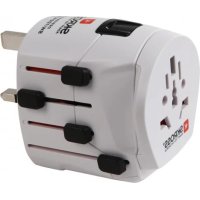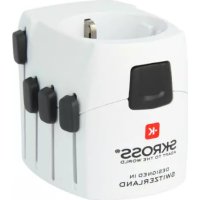
PRO World - Wall socket SKROSS - Free user manual and instructions
Find the device manual for free PRO World SKROSS in PDF.


| Product Type | Universal Travel Adapter |
| Brand | Skross |
| Model | PRO World |
| Country Compatibility | Over 150 countries |
| Integrated Plug Types | USA/Japan, UK, Australia/China, Italy/Switzerland, Europe Schuko |
| Number of Poles | 2 and 3 poles with grounding (Class I and II) |
| USB Port | Yes, removable USB charging module (Pro+ USB models) |
| Voltage Converter | No (device must support local voltage) |
| Unlock Button | Yes, to select the plug |
| Side Slides | Yes, 4 slides for each plug type |
| Compatible Devices | Hair dryer, phone, shaver, laptop, etc. |
| Housing Material | Durable Plastic |
| Approximate Dimensions | 5.0 x 5.0 x 5.0 cm |
| Approximate Weight | 100 g |
| Power Input | 100-240 V, 50/60 Hz (suitable for most networks) |
| Maximum Current | 10 A (standard estimate) |
| Maintenance and Cleaning | Wipe with a dry cloth, avoid liquids and humidity |
| Safety | Stop use if casing is damaged, keep out of reach of children |
| Warranty | 2 years |
| Customer Service | info@skross.com |
| Country of Origin | Switzerland (WorldConnect AG brand) |
Frequently Asked Questions - PRO World SKROSS
User questions about PRO World SKROSS
0 question about this device. Answer the ones you know or ask your own.
Ask a new question about this device
Download the instructions for your Wall socket in PDF format for free! Find your manual PRO World - SKROSS and take your electronic device back in hand. On this page are published all the documents necessary for the use of your device. PRO World by SKROSS.
USER MANUAL PRO World SKROSS
natural_image
Red square icon with a white 'K' symbol in the center (no text or numbers)SKROSS
ADAPT TO THE WORLD
UK - User's Guide 2
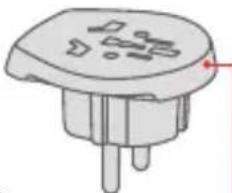
Country Adapter Europe
(Only included in the World Adapter Pro+ version)
natural_image
Illustration of a small electronic component with three pins and a circular top (no text or symbols)FOR TRAVELLERS FROM: all over the world (more than 150 countries) TO: Europe (Schuko for France, Germany and other European countries)
World Adapter Pro
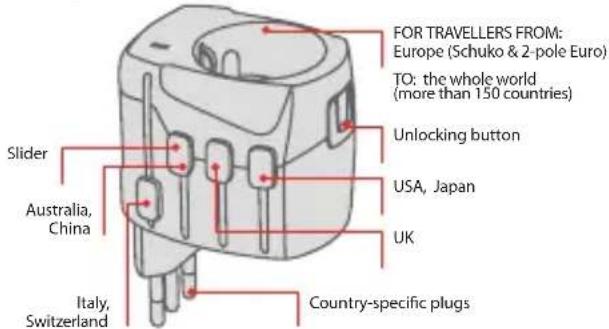
Compatibility (on the socket side)
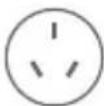
Australia, China

USA, Japan
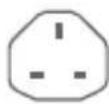
UK Italy
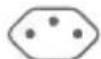
Switzerland
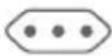
Europe (Schuko)
(Pro+ only)
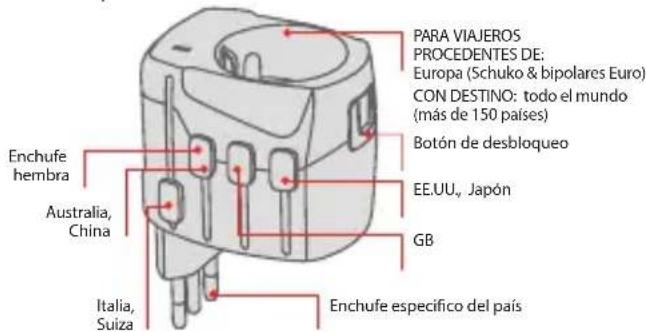
The SKROSS World Adapter Pro/Pro+ is suitable for most 2-pole, 3-pole and earthed plugs of protection classes I and II; this is the safest way of plugging in your portable devices around the world.
It can be used with a range of devices, including: dryer, smart phone, shaver, MP3 player, laptop, camera, game console, GPS, camcorder, etc.

natural_image
Row of grayscale icons representing various devices and devices (no text or symbols)Basic Use
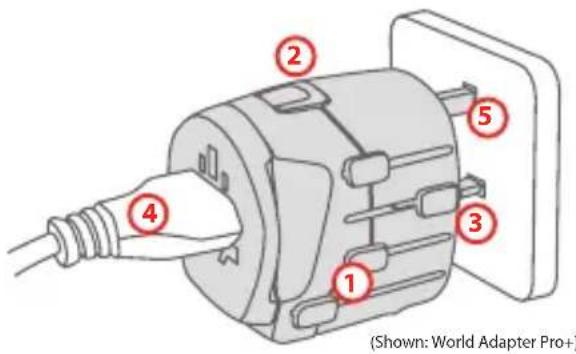
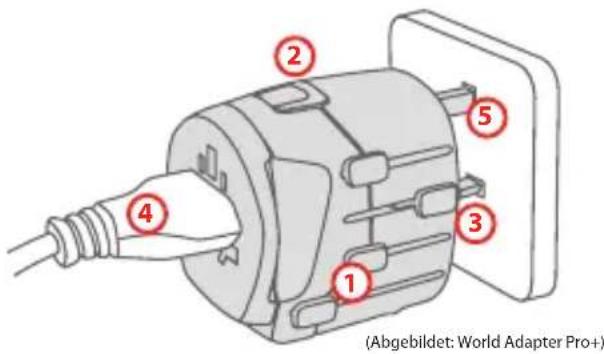
Before use, move all sliders on the sides completely back into their starting positions (1).
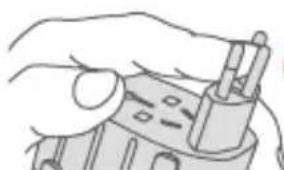
Press the unlocking button (2) and move the slider you have selected forward until it clicks into place (3).
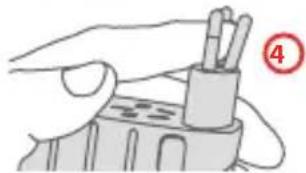
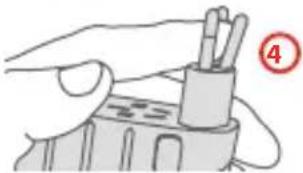
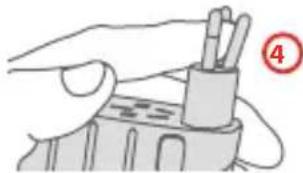
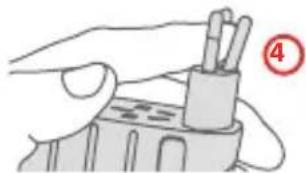
Connect the device plug receptacle of the electrical circuit to the adapter (4).
Connect the adapter to the mains (5).
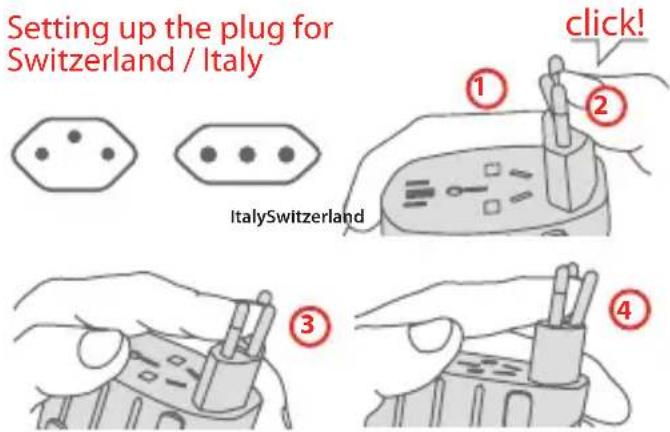
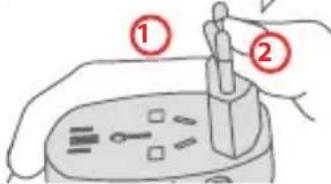
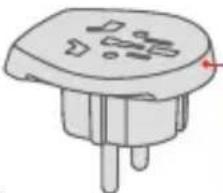
Push out the Switzerland / Italy plug until it locks into place (as described before) (1). Changing from the Italian to the Swiss plug (all three pins must be aligned in a row): Push middle pin to the left with slight force until you hear a distinct "click" (2). Then push the pin on the top to the right (3).
The adapter is not ready for use until all three pins are in the vertical position. To change to the setting for Italy, simply reverse the procedure (4).
Using the Country Adapter Europe
(Only included in the World Adapter Pro+ version)
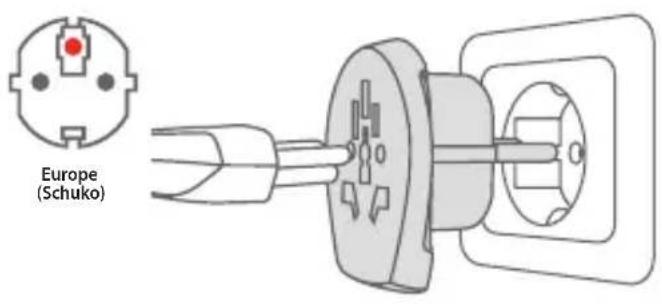
Remove the integrated Country Adapter Europe from the World Adapter Pro and connect it to the receptacle. Connect the device plug or charger to the Country Adapter Europe. You do not need the World Adapter Pro itself.
World Adapter Pro USB World Adapter Pro+USB
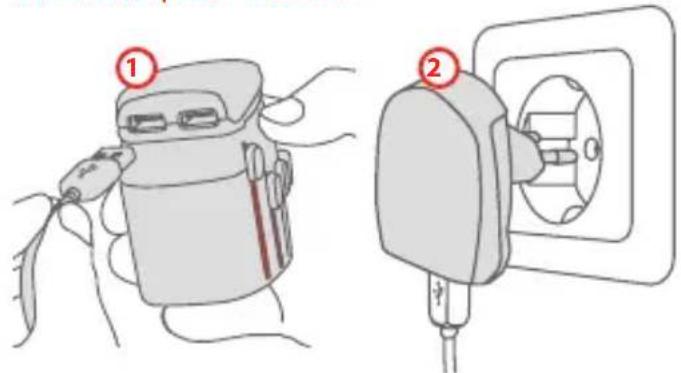
In order to charge USB devices, attach the USB charger to the adapter (1). Plug a device specific USB charging cable into the USB-port.
The USB charger can also be used without the adapter in all countries where the 2-pole Euro plug can be used (2).
The USB charger can also be purchased individually.
Precautionary Measures
- Do not use the adapter if the housing is damaged.
- Do not expose the adapter to any kind of liquid or moisture.
- This adapter is not converting voltage; the input voltage of the device you want to connect must match the local power network voltage.
- Keep away from children.
- Disconnect the adapter from the receptacle of the electrical circuit when you are not using it. Improper use of the adapter automatically voids the manufacturer's warranty. The manufacturer assumes no liability for damages.
- You must keep these instructions for future use.
Customer Service
If you have any problems operating the SKROSS World Adapter Pro/Pro+, please contact us at info@skross.com.
Terms of Warranty
2-years warranty. For the full text of our terms of warranty, refer to our website at: www.skross.com.
All products and software mentioned in this document are registered trademarks and the property of their respective owners. Errors reserved.
©2011 WorldConnect AG. All rights reserved. SKROSS is a registered trademark of WorldConnect AG. All trademarks and registered trademarks are the property of their respective owners. Changes of technical data reserved.
Country Adapter Europe
natural_image
Illustration of a small electronic component with three pins and internal slots (no text or symbols)natural_image
Row of eight grayscale icons representing household appliances and devices (no text or symbols)Basisanwendung
natural_image
Hand holding a mechanical component with a handle and base (no visible text or symbols)③
natural_image
Illustration of a hand holding a pen or tool with two pins inserted, no text or symbols presentCountry Adapter Europe
natural_image
Illustration of a small electronic component with three pins and a top cap (no text or symbols)natural_image
Illustration of a hand holding a mechanical component (no text or symbols visible)3
natural_image
Illustration of a hand holding a pencil holder with a red circle highlighting the number 4 (no text or symbols on the diagram itself)Country Adapter Europe
natural_image
Illustration of a small electronic component with three pins and a red arrow indicating direction (no text or symbols)Country Adapter Europe
natural_image
Illustration of a small electronic component with three pins and a top body (no text or symbols)PARA VIAJEROS
PROCEDENTES DE:
todo el mundo
(mas de 150 países)
CON DESTINO:
Europa (Schuko para Francia,
Alemania y otros
paises europeos)
World Adapter Pro
natural_image
Hand holding a mechanical component with a handle (no visible text or symbols)3
natural_image
Illustration of a hand holding a tool with a pen inserted into a container (no text or symbols visible)Country Adapter Europe
natural_image
Illustration of a small electronic component with three pins and a red arrow pointing to one (no text or symbols)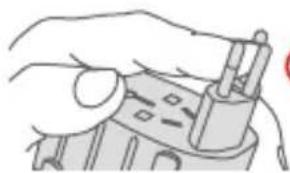
natural_image
Line drawing of a hand holding a small electronic device with a handle (no text or symbols visible)3
natural_image
Hand holding a pen holder with two test tubes, no text or symbols visibleCountry Adapter Europe
(Alleen inbegrepen in de versie World Adapter Pro+)
natural_image
Illustration of a small electronic component with pins and a red arrow indicating direction (no text or symbols)Country Adapter Europe
natural_image
Illustration of a small electronic component with three pins and a red arrow pointing to one (no text or symbols)| Congo (Republic of the) |
| Cook Islands |
| Costa Rica |
| Côte d'lvoire |
| Croatia |
| Cuba |
| Cyprus |
| Czech Republic |
| D | Djibouti |
| Dominica | |
| Dominican | |
| Republic | |
| E | East Timor |
| Ecuador | |
| El Salvador | |
| Equatorial Guinea | |
| Estonia | |
| Ethiopia | |
| F | Falkland Islands |
| Fiji | |
| Finland |
| G | France |
| French Guiana | |
| Gambia (Republic of the) | |
| Georgia | |
| Germany | |
| Ghana | |
| Gibraltar | |
| Greece | |
| Greenland | |
| Grenada | |
| Guadeloupe | |
| Guam | |
| Guatemala | |
| Guinea | |
| Guyana | |
| H | Haiti |
| Honduras | |
| Hong Kong | |
| Hungary | |
| I | Iceland |
| Indonesia |
| Iraq | |
| Ireland | |
| Isle of Man | |
| Italy | |
| J | Jamaica |
| Japan* | |
| Jordan | |
| K | Kenya |
| Kiribati | |
| Korea South | |
| Kuwait | |
| L | Laos |
| Latvia | |
| Lebanon | |
| Liberia | |
| Liechtenstein | |
| Lithuania | |
| Luxembourg | |
| M | Macau |
| Macedonia | |
| Madagascar | |
| Madeira |
| Malawi |
| Malaysia |
| Maldives |
| Mali |
| Malta |
| Martinique |
| Mauritius |
| Mexico |
| Micronesia |
| Moldova |
| Monaco |
| Mongolia |
| Montenegro |
| Montserrat |
| Morocco |
| Mozambique |
| Myanmar (Burma) |
| N|Nauru |
| Netherlands |
| Netherlands Antilles |
| New Caledonia |
| New Zealand |
| Niger | Serbia | Tonga |
| Nigeria | Seychelles | Trinidad & Tobago |
| Norway | Sierra Leone | Tunisia |
| O Okinawa | Singapore | Turkey |
| Oman | Slovakia | Turkmenistan |
| P Panama | Slovenia | U Uganda |
| Papua New Guinea | Spain | Ukraine |
| Peru | St. Kitts-Nevis | United Arab |
| Philippines | St. Lucia | Emirates |
| Poland | St. Vincent and the Grenadines | United Kingdom |
| Portugal | Suriname (Republic of) | United States of America |
| Puerto Rico | Uruguay | |
| Q Qatar | ||
| R Romania | Sweden | Uzbekistan |
| Russia | Switzerland | V Vanuatu |
| Rwanda | Syria | Venezuela |
| S Samoa | T Tahiti | Vietnam |
| Samoa (US American part) | Taiwan | Virgin Islands |
| Saudi Arabia | Tajikistan | Y Yemen |
| Senegal | Thailand | Z Zambia |
| Zimbabwe |
*Use might be restricted in this country.
Exclusion of Liability
This product has been designed and manufactured to meet international safety standards but, like any electrical equipment, care must be taken for safety to be assured. WorldConnect AG shall under no circumstances be liable for any loss and/or damage caused by: fire; earthquake; accidental damage; intentional misuse of the product; use of the product in improper conditions; loss and/or damage caused to the product whilst in the possession of a third party; any damage or loss caused as a result of the owner's failure and/or neglect to follow the instructions set out in the owner's manual; any loss or damage caused directly as a result of misuse or malfunction of the product when used simultaneously with associated equipment.
Furthermore, under no circumstances shall WorldConnect AG be liable for any consequential loss and/or damage including but not limited to the following: loss of profit, interruption of business, the loss of recorded data whether caused during normal operation or misuse of the product.
The information in the operation manual can be changed without prior notice. The manufacturer offers no promise or guarantee, either implicit or explicit, as to the accuracy or completeness of the operation manual.

Deutsch
This symbol (crossed out bin wheelie symbol according to WEEE Directive 2002/96/EC and Battery Directive 2006/66/EC) indicates separate collection of waste electrical and electronic equipment as well as batteries in the EU countries. Please do not throw the equipment respectively the batteries into the domestic refuse. Please use the return and collection systems available in your country for the disposal.
Français