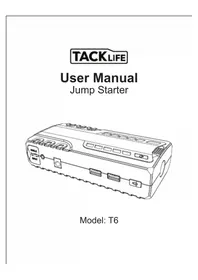
T6 - Battery starter Tacklife - Free user manual and instructions
Find the device manual for free T6 Tacklife in PDF.



| Product Type | Portable Battery Starter |
| Brand | Tacklife |
| Model | T6 |
| Dimensions | 160 x 77 x 39 mm |
| Weight | 525 g |
| Battery Capacity | 16500 mAh (61 Wh) |
| Starting Current | 300 A |
| Peak Current | 600 A |
| Output Voltage | 5 V / 9 V (USB), 12 V (10 A), 12 V (starting) |
| Input Voltage | 15 V, 1 A |
| Full Charge Time | Approximately 5 hours |
| Operating Temperature Range | -20 °C to 60 °C |
| Main Functions | 12V emergency start, USB charging for smartphones/tablets, 12V charging for accessories, LED flashlight (flashing/SOS mode) |
| Safety | Reverse polarity protection, short circuit protection, overload protection, low voltage protection |
| Included Accessories | Smart clamp, AC charger, car charger, USB cable, manual |
| Maintenance | Recharge every 3 months to extend lifespan; clean with a dry cloth |
Frequently Asked Questions - T6 Tacklife
User questions about T6 Tacklife
0 question about this device. Answer the ones you know or ask your own.
Ask a new question about this device
Download the instructions for your Battery starter in PDF format for free! Find your manual T6 - Tacklife and take your electronic device back in hand. On this page are published all the documents necessary for the use of your device. T6 by Tacklife.
USER MANUAL T6 Tacklife
natural_image
Line drawing of a rectangular electronic device with labeled ports (no text or symbols beyond labels)Model: T6
Contents
English 01\~07
Deutsch 08\~15
Français 16\~23
Español 24\~31
Italiano 32\~39
日本語 40\~46
USER MANUAL
Thank you for choosing Tacklife T6 jump starter ! Always follow the basic security instructions. Please carefully keep this manual for further reference.
A. PARTS AND FUNCTIONAL DESCRIPTION :

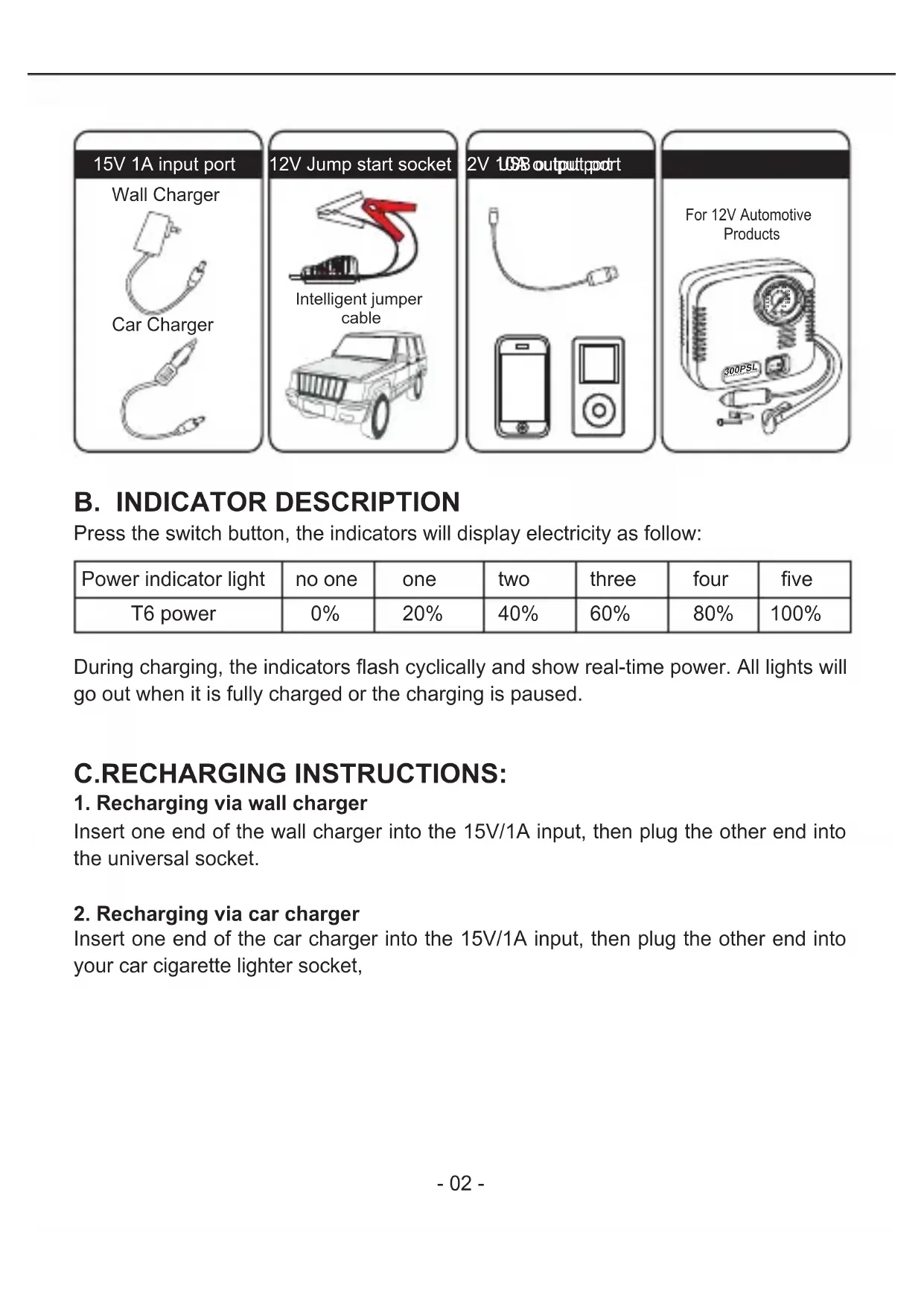
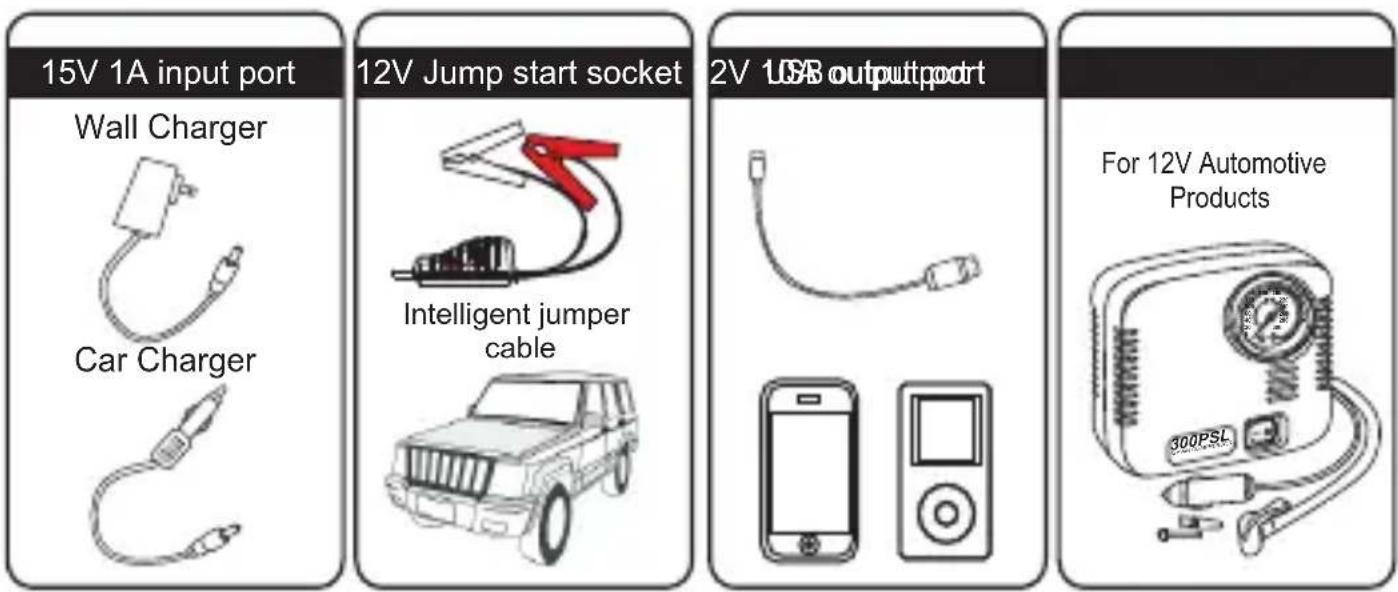
1.12V Jump start socket
2.15V 1A input port
3.12V 10A output port
4. USB 5V 2A output port
5. USB Quickcharge output port
6. LED Switch
7. LED Flash Light(SOS)
8. Indicator
9. Switch
B. INDICATOR DESCRIPTION
Press the switch button, the indicators will display electricity as follow:
| Power indicator light | no one | one | two | three | four | five |
| T6 power | 0% | 20% | 40% | 60% | 80% | 100% |
During charging, the indicators flash cyclically and show real-time power. All lights will go out when it is fully charged or the charging is paused.
C.RECHARGING INSTRUCTIONS:
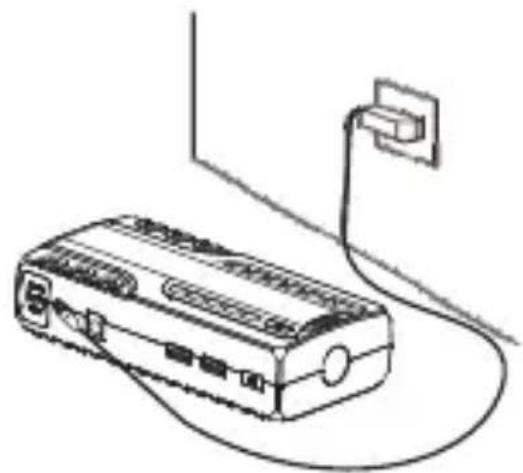
1. Recharging via wall charger
Insert one end of the wall charger into the 15V/1A input, then plug the other end into the universal socket.
2. Recharging via car charger
Insert one end of the car charger into the 15V/1A input, then plug the other end into your car cigarette lighter socket,
natural_image
Line drawing of a portable electronic device connected to a wall-mounted power outlet (no text or symbols)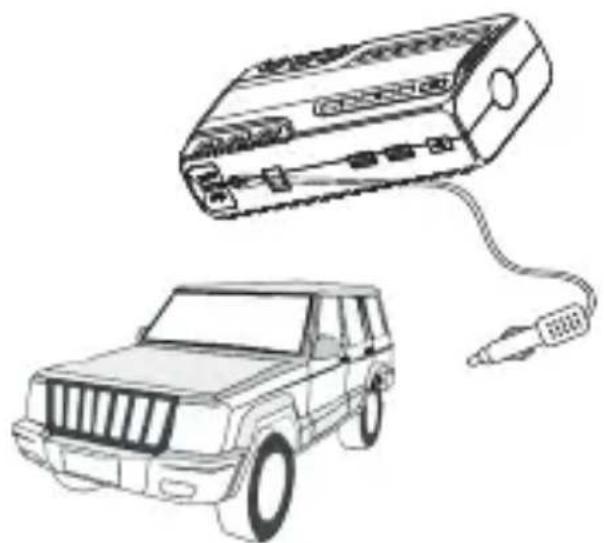
natural_image
Line drawing of a car connected to an electronic device (no text or symbols present)Jump Start 12V Vehicle Instruction:
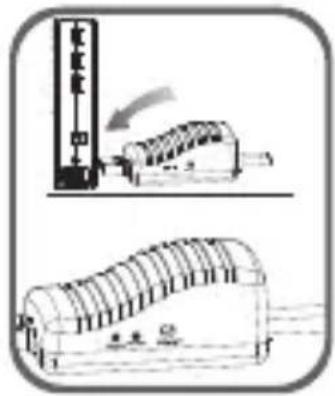
- Connect the blue plug of jumper cable to the host and make sure the Cable Indicator is off.
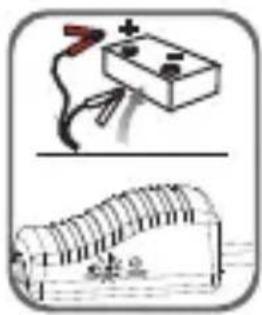
- Connect jumper cable correctly to the vehicle battery: red clamp to the positive (+) battery terminal, black clamp to the negative (-) battery terminal.
- Operate as following instruction of the Cable Indicator:
natural_image
Simple line drawing of a battery connected to a switch above a curved structure (no text or symbols)GREEN LIGHT on: Connection is correct and the circuit is working, can be used as emergency start.

RED LIGHT on with buzzing: Connection is reversed. Please reconnect and wait to start the unit with GREEN light on.
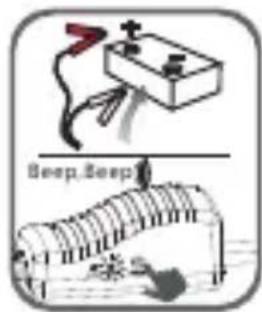
GREEN LIGHT blinking with buzzing: Voltage of vehicle battery is low. Please press the "BOOST" button and start car within 30s after GREEN LIGHT becomes solid.

natural_image
Illustration of a battery connected to a circuit board with wires (no text or symbols)No Lights on, No Buzzing: Vehicle battery might have been completely damaged. Please make sure the connection is right, then press the "BOOST" button and start your vehicle within 30s after the GREEN light becomes solid.
- Turn the vehicle ignition switch to START position.
- Remove the jumper cable after the vehicle being started.
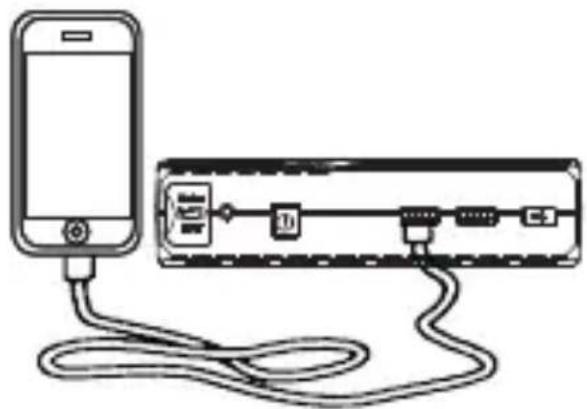
Charging Cell Phone or Tablet Instruction:
- Select appropriate charging cables for your mobile devices.
- Connect one end to your device and the other end to the 5V/2A or Quickcharge port of the unit.
- Press switch button softly to begin your charging.
- Tips: the Quickcharge port has faster charging speed and better adaptability for iPhone/iPad/iPod.
natural_image
Diagram showing a smartphone connected to an electronic device via cable (no text or symbols present)
natural_image
Line drawing of a portable electronic device connected to a rectangular device with labeled ports (no text or symbols present)Supply Power for 12V Automotive Products
- Plug one end of the cigarette lighter adapter into your auto product.
- Plug the other end of the adapter into the 12V/10A output port on the unit.
- Press the switch button to starter power supply.
Switch Instructions:
One click to switch on after correctly connecting jumper cables or charging cables. The unit will automatically shut off after 30s when not using.
LED Flash Light Instructions:
Press the LED switch to light on LED flash light. Then hold the button slightly to appear 3 modes of LED light in order (normal. strobe. SOS. off).
D. PARTS LIST:
| number | Parts Name | Quantity | number | Parts Name | Quantity |
| 1 | Host | 1 | 5 | Intelligent Jumper Cable | 1 |
| 2 | Micro USB Cable | 1 | 6 | Cigarette Lighter Adapter | 1 |
| 3 | Wall Charger | 1 | 7 | User Manual | 1 |
| 4 | Car Charger | 1 |
E.TECHNICAL SPECIFICATIONS :
Size: 6.3 x 3 x 1.6 inches
Weight: 1.16 pounds
Capacity: 16500mAh/61Wh
Output: 5V/2A, 5V/9V, 12V/10A, 12V Jump Starter Socket
Input: 15V/1A
Full Charge Time: 5h
Starting Current: 300A
Peak Current: 600A
Operating Temperature: -20^(-4^) 60^(140^)
F. FAQ:
-
How to turn off this unit? The product has intelligent detecting function, once there is no loading, or electrics charging is end, it will automatically shut off to save power.
-
How long dose it take to recharge it fully?
Approx 5 hours through the 15V/1A input.
-
How many times can this unit charge a cellphone? Take iPhone6 as an example, this unit can recharged it 7 times from no power to full charged.
-
How many times can this unit jump start vehicles after a full charging?
Approx 30 times.
- What's the service time of Tacklife T6 jump starter?
Usually 3-5 years in normal condition.
- How long can this battery keep powerful after a full charging?
This T6 jump starter is scientifically designed to be stored for 6-12 months without using. However, in order to extend the service time, it is recommended to recharge it every three months.
G. TROUBLE SHOOTING:
If the following Remedies can not solve your problem, please stop using T6 and contact the merchant who you bought it from.
| Finding | Cause | Remedies |
| No response when pressing the switch button. | Low voltage protection of T6 cut off the circuit | Recharge the unit to activate it. |
H. COMPOSITIONS AND AMOUNT OF TOXIC AND HARMFUL SUBSTANCES IN T6 JUMP STARTER:
| TOXIC AND HARMFUL SUBSTANCES | |||||
| Pb | Hg | Cd | Cr (Vi) | PBB | PBDE |
| O | O | O | O | O | O |
| O: Indicate all homogeneous materials'hazardous substancescontent are below the MCV limit specified in the Standard 2002/95/EC(RoHs). | |||||
I. Warning:
- Read the user manual carefully before using this unit.
- Jump start 12V vehicles only. DO NOT hazard to use it to aircraft or ship that has overloaded engines.
- DO NOT use this unit if any clamp or cord is damaged.
- DO NOT use it in place of a vehicle battery.
- DO NOT use it as a battery charger.
- Never leave it connected to the vehicle battery after cranking your car successfully.
- Use the jumper cable provided with the unit only.
- Make sure the BLUE plug of the jumper cable is fully inserted into the jumping socket. Otherwise, the BLUE plug would be melted.
- Make sure all the battery connections are clean and well connected before jumping start. If the vehicle battery is too dirty or over corroded, the unit may not work as so powerful.
- DO NOT jump start more than 3 times in a row. It could damage the unit by overheat. Let it cool down for 2 minutes before next round.
-
DO NOT connect the positive and negative pins together when it is power on.
-
Only jump start when at least 3 indicators are lit.
- DO NOT use by young or infirm persons without supervision.
- DO NOT use as a toy.
- DO NOT immerse the product in water.
- DO NOT use the product in explosive atmospheres, such environment with flammable liquid, gas or dust.
- DO NOT disassemble and modify this product. Only a professional technician may repair it.
- DO NOT expose this product to extreme heat or fire.
- In order to avoid a short circuit caused by metals incautiously fall into the hole, please remove your ornaments such as rings, necklace bracelets before using it.
- DO NOT drop the unit. Please have it checked by a technician if it is badly broken.
- DO NOT store in locations where the temperature may exceed 70°C.
- Charge at ambient temperature between 0^ C and 60^ C.
- Only charge it with the provided charger in the package.
- DO NOT use the unit to jump start a vehicle while charging the internal battery.
- Please immediately put it to recycle if this unit start to leak liquid.
- Battery leakage can occur under extreme conditions. Please do not directly touch it by hands when this condition happens. If there is direct skin contact, please immediately wash your hands with soap. If it comes to your eyes, you must wash your eyes with running cold water for 10 minutes and go to hospital immediately.
- This unit contains lithium battery, at the end of the product life, please dispose it according to your local regulation.
natural_image
Simple line drawing of a battery and a circuit board (no text or symbols)GREEN LIGHT on:
natural_image
Illustration of a battery connected to a switch and a curved battery with a mouse (no text or symbols)natural_image
Line drawing of a smartphone connected to an electronic device via cable (no text or symbols)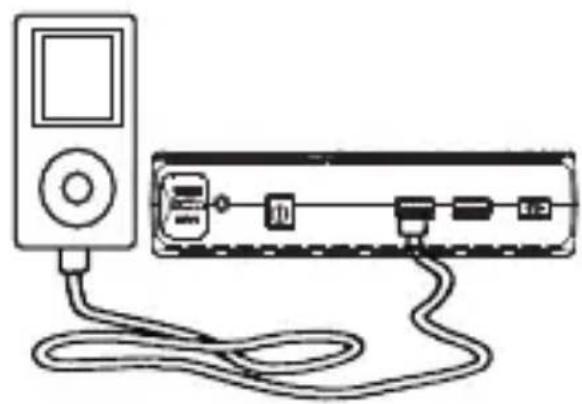
natural_image
Line drawing of a portable electronic device connected to a rectangular network device via cables (no text or symbols)natural_image
Line drawing of a portable electronic device connected to a power outlet (no text or symbols)
natural_image
Line drawing of a car connected to a device with cable (no text or symbols)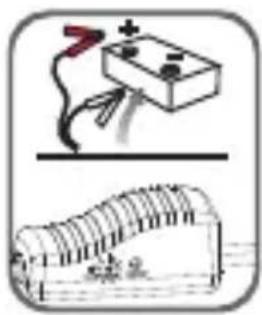
natural_image
Simple line drawing of a battery connected to a switch and a curved surface (no text or symbols)natural_image
Illustration of a battery connected to a wire and a rolled-up electrical socket (no text or symbols)natural_image
Simple line drawing of a smartphone connected to an electronic device via cable (no text or symbols)
natural_image
Line drawing of a portable electronic device connected to a rectangular device with ports and cables (no text or symbols)natural_image
Two technical diagrams showing a device with a vertical scale and an open lid, both without any text or symbols.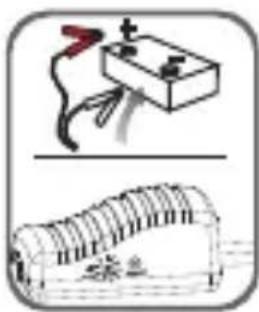
natural_image
Illustration of a battery connected to a coiled cable and a rolled-up electrical component (no text or symbols)natural_image
Illustration of a battery connected to a wire and a curved surface, with no visible text or symbols.natural_image
Simple line drawing of a smartphone connected to a network device via cable (no text or symbols)
natural_image
Line drawing of a portable electronic device connected to a rectangular network device via cables (no text or symbols)natural_image
Diagram showing a device with an arrow indicating motion, and a schematic of a mechanical component (no text or symbols present)
natural_image
Illustration of a battery connected to a coil and a wrapped cylindrical object (no text or symbols)natural_image
Illustration of a battery connected to a wire and a curved structure with a person, both without any text or symbols.natural_image
Simple line drawing of a smartphone connected to a device via cable (no text or symbols)
natural_image
Line drawing of a portable electronic device connected to a rectangular device via cables (no text or symbols)- Q: How many times does T6 charge phones?
natural_image
Line drawing of a device connected to a power outlet cable (no text or symbols)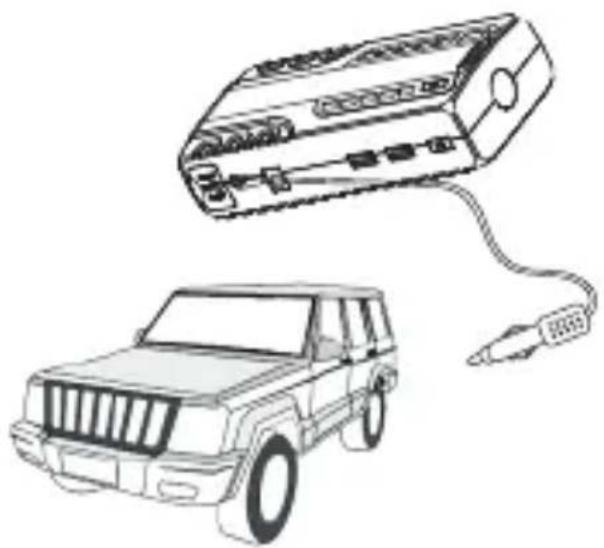
natural_image
Line drawing of a vehicle connected to a device with cable (no text or symbols)ジャンプスタート
natural_image
Illustration of a battery connected to a switch and a rolled-up electrical circuit board (no text or symbols)natural_image
Illustration of a battery connected to a wire and a curved surface, with no visible text or symbols.natural_image
Simple line drawing of a smartphone connected to a network device via cable (no text or symbols)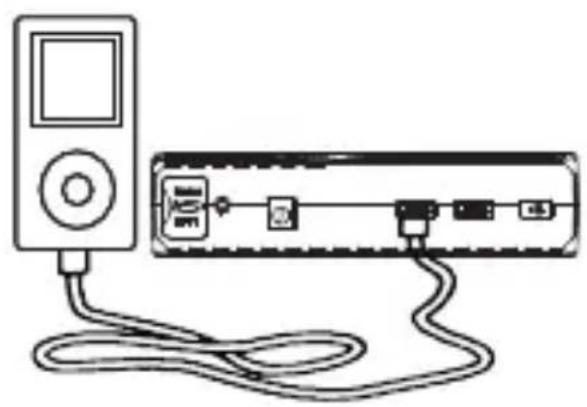
natural_image
Line drawing of a portable electronic device connected to a cable via a connector (no text or symbols visible)直流機器のサブ電源
ADD: No.B714, Niulanqian Building, Minzhi Road,
Longhua District, Shenzhen, Guangdong, China 518000
Made in China
CEFC RoHS

深センテイ クツール 株式会社





- Contents
- USER MANUAL
- PARTS AND FUNCTIONAL DESCRIPTION :
- INDICATOR DESCRIPTION
- C.RECHARGING INSTRUCTIONS:
- Recharging via wall charger
- Recharging via car charger
- Jump Start 12V Vehicle Instruction:
- Charging Cell Phone or Tablet Instruction:
- Supply Power for 12V Automotive Products
- Switch Instructions:
- LED Flash Light Instructions:
- PARTS LIST:
- E.TECHNICAL SPECIFICATIONS :
- FAQ:
- TROUBLE SHOOTING:
- COMPOSITIONS AND AMOUNT OF TOXIC AND HARMFUL SUBSTANCES IN T6 JUMP STARTER:
- Warning:
- ジャンプスタート
- 直流機器のサブ電源
- Made in China
Brand : Tacklife
Model : T6
Category : Battery starter