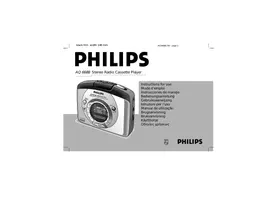
AQ6688 - Mp3 player PHILIPS - Free user manual and instructions
Find the device manual for free AQ6688 PHILIPS in PDF.


| Brand | Philips |
| Model | AQ6688 |
| Product type | Portable cassette player with AM/FM radio |
| Power supply | 3V DC power adapter (center negative pin, 3.5mm plug) or 2 R6/UM3/AA alkaline batteries (optional) |
| Radio functions | AM (MW) and stereo FM, manual and automatic tuning, 20 presets (10 per band), Direct Access Tuning |
| Cassette playback | Auto reverse, fast forward/rewind, automatic stop at tape end |
| Display | 12/24h clock, analog segments for seconds, frequency display, stereo indicator |
| Settings | Volume, DBB (Dynamic Bass Boost), lock (LOCK), reset |
| Memory protection | Retains time, presets, and last station for about 2 minutes when changing batteries or connecting to mains |
| Included accessories | Stereo headphones (AY 3660), belt clip |
| Maintenance | Clean the magnetic head every 50 hours of use or once a month with a cleaning cassette |
| Safety | Use a standard 3V DC adapter; do not expose to rain, humidity, sand, excessive heat; moderate volume to protect hearing |
| Recycling | Device can be recycled through a specialized company; dispose of batteries according to local regulations |
Frequently Asked Questions - AQ6688 PHILIPS
User questions about AQ6688 PHILIPS
0 question about this device. Answer the ones you know or ask your own.
Ask a new question about this device
Download the instructions for your Mp3 player in PDF format for free! Find your manual AQ6688 - PHILIPS and take your electronic device back in hand. On this page are published all the documents necessary for the use of your device. AQ6688 by PHILIPS.
USER MANUAL AQ6688 PHILIPS
Instructions for use
Mode d'emploi
The voltage of the 3V adapter must match with the local voltage. The 3.5 mm adapter plug's 1.3 mm centre pin must also be connected to the minus pole ⊙.
- Connect the mains adapter to the set's DC 3V socket.
• Always disconnect the mains adapter if you are not using it.
Battery (optional)
- Open battery door and insert two alkaline batteries, type R6, UM3 or AA as indicated. Use of Philips POWER LIFE batteries gives up to 18 hours of cassette playback.
- Remove the batteries from the set if they are exhausted or not to be used for a long time.
→ When the batteries are running low, ☑ will flash briefly in the display and you should insert new batteries. If the radio is on, it will automatically switch off.
→ It may be necessary to reprogramme your preset stations.
MEMORY PROTECTION
The memory protection acts as a backup should there be a power failure or interruption. When changing batteries or power supply, the time setting, presets and the last station listened to are retained for approximately 2 minutes. This allows you to change batteries or power supply without having to set your stored data all over again.
GENERAL FEATURES
SETTING THE CLOCK
Reset button
Should you receive external interference e.g. static electricity from carpets, thunderstorms, etc. which affects the display and electronic functions of your set, the reset button allows you to clear all data (e.g. tuning step, presets) from your set and to start up again.
- Use a ball point pen to press the RESET button, found on the back of the cassette door.
Locking
This button helps you to prevent any of the other front panel controls from being accidentally pressed when you are listening to the radio or when you are not using the radio.
1 Press the LOCK button
→ ● appears in the display when LOCK is activated.
2 To deactivate the LOCK function, press LOCK again.
→ ● disappears from the display.
CLOCK DISPLAY
The time is displayed using either the 12 or 24-hour clock system. The seconds are synchronized with the flashing colon
‘’ second by second, and also by the 12-segment analogue clock display, where each segment ▼ represents 5 seconds.
1 In the time mode, press ENTER.
→ The clock digits will flash for 5 seconds.
2 To set the hour/ minutes for the clock time, press HR or MIN while the display is still flashing.
→ With your finger held down on HR, the hour will increase steadily as a number from 1-12 or 0-23. Release HR when you reach the approximate time setting.
→ With your finger held down on MIN, the minutes will increase rapidly and continuously. Press briefly and repeatedly if you need to adjust the minutes slowly.
3 Press the ENTER button a second time to confirm the time setting.
→ The clock digits will stop flashing.
SETTING THE CLOCK
RADIO RECEPTION
English
CHANGING THE TUNING STEPS AND 12/24-HR CLOCK
In North and South America the frequency step between adjacent channels in the AM (MW) band is 10 KHz. In the rest of the world this step is 9 KHz. Usually the frequency step has been preset in the factory for your area.
The tuning step on this set is also combined with the hour clock display where:
10 KHz uses the 12-hr clock
9 KHz uses the 24-hr clock
All preset stations will be lost and need to be programmed again when you change the tuning step.
1 In the radio mode, press and hold ENTER.
→ The radio station frequency will disappear from the display.
2 Without releasing ENTER, press and also hold down:
- TUNING + (up) 5 seconds or more to select a tuning step of 10 KHz and the 12-hr clock.
→ The display shows 'U' briefly.
- TUNING – (down) 5 seconds or more to select a tuning step of 9 KHz and the 24-hr clock.
→ The display shows 'E' briefly.
1 Connect the headphones to the ⏻ socket.
2 To switch on the radio and select your waveband:
- press RADIO ON-OFF once for AM (MW)
- press RADIO ON-OFF twice to select FM
→ STEREO appears on the display when you are receiving a FM stereo transmission.
3 Select your station by one of the following:
→ by using the – TUNING + control (down or up);
→ pressing one of the Preset memory buttons 0-9 for a preset station;
→ Direct Access Tuning, by entering the known band frequency.
4 Adjust the sound with VOLUME and DBB (Dynamic Bass Boost) controls.
5 To turn off the radio, press RADIO ON-OFF once or until the display shows OFF and reverts to the clock mode.
To improve reception:
FM: The headphone cord functions as the FM-aerial. Extend it fully and position the cord.
AM: Uses the built-in aerial. Turn the set to find the best position.
RADIO RECEPTION
TUNING
Direct Access tuning
The frequency of the station you wish to tune to must be known. You can find these frequencies in station tables or radio guides.
1 In the radio mode, press ENTER.
→ The current frequency in the display disappears.
2 Use the Preset memory buttons to enter the digits of your desired frequency within a 5 second period.
3 Press ENTER again to confirm your radio station.
→ The display shows the selected frequency or the nearest frequency.
→ If you have made an incorrect entry, E, r will appear in the display.
Entry examples of bands and frequencies:
e.g.i 98.1 MHz, FM: Press 9,8,1 and ENTER
e.g.ii 603 KHz, AM (MW): Press 6,0,3 and ENTER
Manual tuning
- Press TUNING – or + briefly, once or as often as required until the right frequency is found. In this way, the frequency can be changed step by step.
Automatic tuning
1 Press and hold down the TUNING – or + control until the display frequency starts to run.
2 When a station of sufficient strength has been found, tuning will stop, or you can stop the automatic tuning by pressing the TUNING – or + control again.
3 Repeat until you have found the desired station.
SELECTING & STORING FREQUENCIES: PRESETS
You can store the frequencies of 20 radio stations in the memory, 10 on each waveband. A stored frequency is only erased from the memory by storing another frequency in its place, or if you reset your unit.
1 Select the waveband and tune to your desired station.
2 Select and press one of the Preset memory buttons 0-9 for more than two seconds to store your station.
→ PRESET and your selected number will appear in the display.
RADIO RECEPTION
English
Finding your Preset station
1 Preset RADIO ON-OFF once or more to select the desired waveband.
2 Press the preset number of your desired station.
Erasing the Preset Memory by RESET
Use a ball-point pen to press the RESET button.
→ You will hear a click to indicate that all preset stations stored and the last station tuned to have been cleared. All settings must now be reprogrammed into the memory.
CASSETTE PLAYBACK
CASSETTE PLAYBACK
1 Open the cassette door and insert a tape.
2 Press the cassette door lightly to shut.
3 Connect headphones to the ⏻ socket.
4 To start playback, press ◀ ▶
→ The display shows E APE and the analog clock segments ▼ throughout the tape mode
5 Adjust the sound with the VOLUME and DBB controls.
6 To fast wind, press ◀◀, to rewind press ▶▶. Press ■ to stop fast winding.
7 To reverse the tape direction during playback, adjust the DIRECTION ◀ ▶ control.
8 To stop playback, press ■ and the set is switched off.
→ The display shows OFF before reverting to the clock mode.
AUTO REVERSE
The tape direction will be automatically reversed each time the tape reaches the end. Cassette playback continues in this way unless you press ■ or until batteries are exhausted.
GENERAL INFORMATION
Accessories (included)
1 x AY 3660 stereo headphones, 1 x Belt clip
Using the Belt Clip
1 To attach the belt clip, position the shaped grip on the reverse so that it fits into the belt clip hole.
2 Simultaneously, press and turn the clip to LOCK as indicated on the set.
3 To detach, gently lift the belt clip and turn to RELEASE as indicated on the set.
TAKE CARE WHEN USING HEADPHONES
Hearing Safety:
Listen at a moderate volume. Use at high volume can impair your hearing!
Traffic Safety:
Do not use headphones while driving or cycling as you may cause a traffic accident!
MAINTENANCE
- For quality playback, clean the magnetic head after every 50 hours of operation or, on average once a month by playing through a cleaning tape.
- Do not expose the set and cassettes to rain, moisture, sand, or to excessive heat e.g. heating equipment, cars parked in direct sunlight.
ENVIRONMENTAL NOTE
1 The packaging has been minimized so that it is easy to separate into two mono-materials: cardboard, and polyethylene. Please observe the local regulations regarding the disposal of these packaging materials.
2 Please inquire about local regulations on how to hand in your old set for recycling.
3 Batteries contain chemical substances, so they should be disposed of properly.
TROUBLESHOOTING
English
If a fault occurs, first check the points listed below before taking the set for repair. If you are unable to remedy a problem by following these hints, consult your dealer or service centre.
WARNING: Under no circumstances should you try to repair the set yourself, as this will invalidate your guarantee.
PROBLEM
- POSSIBLE CAUSE
- REMEDY
Hum when using mains adapter
– Adapter used is unsuitable
- Use a Philips SBC6650 or other standard regulated 3V DC adapters
Poor sound/ no sound
- Headphones plug not fully inserted
- Insert plug fully
– Volume is turned down - Turn up volume
- Tape head dirty
- Clean tape head (see MAINTENANCE)
Severe radio hum/ distortion
– FM aerial (headphones cord) not fully extended
- Extend FM aerial fully
- Set too close to TV, computer, etc.
- Move set away from other electrical equipment
- Batteries weak
- Insert new batteries
Front panel controls/ display does not function properly
– Electrostatic discharge
- Use a ball-point pen to press the RESET button and then reprogramme settings
– High friction on tape
- Try fast winding the tape once
Auto reverse occurs before end of tape
The model number is found at the bottom of the set and the production number in the battery compartment.
This set complies with the radio interference requirements of the European Union.
ALIMENTATION
Transformateur
ACCESSOIRES (inclus)
Meet PHILIPS at the internet http://www.philips.com
Printed in Hong Kong
TC text/CT/CL-RB/9816
- BATTERY (OPTIONAL)
- MEMORY PROTECTION
- GENERAL FEATURES
- SETTING THE CLOCK
- RESET BUTTON
- LOCKING
- CLOCK DISPLAY
- RADIO RECEPTION
- CHANGING THE TUNING STEPS AND 12/24-HR CLOCK
- TO IMPROVE RECEPTION
- TUNING
- DIRECT ACCESS TUNING
- ENTRY EXAMPLES OF BANDS AND FREQUENCIES
- MANUAL TUNING
- AUTOMATIC TUNING
- SELECTING & STORING FREQUENCIES: PRESETS
- ENGLISH
- FINDING YOUR PRESET STATION
- ERASING THE PRESET MEMORY BY RESET
- CASSETTE PLAYBACK
- AUTO REVERSE
- GENERAL INFORMATION
- ACCESSORIES (INCLUDED)
- USING THE BELT CLIP
- TAKE CARE WHEN USING HEADPHONES
- HEARING SAFETY
- TRAFFIC SAFETY
- MAINTENANCE
- ENVIRONMENTAL NOTE
- TROUBLESHOOTING
- PROBLEM
- HUM WHEN USING MAINS ADAPTER
- POOR SOUND/ NO SOUND
- SEVERE RADIO HUM/ DISTORTION
- FRONT PANEL CONTROLS/ DISPLAY DOES NOT FUNCTION PROPERLY
- AUTO REVERSE OCCURS BEFORE END OF TAPE
- ALIMENTATION
- TRANSFORMATEUR
- ACCESSOIRES (INCLUS)
Brand : PHILIPS
Model : AQ6688
Category : Mp3 player