
GoGear SA3021C - Mp3 player PHILIPS - Free user manual and instructions
Find the device manual for free GoGear SA3021C PHILIPS in PDF.


Pick your language and provide your email: we'll send you a specifically translated version.
| Brand | Philips |
| Model | GoGear SA3021C |
| Product Type | Portable MP3 Player |
| Storage Capacity | 2 GB internal flash memory |
| Display | 1.5-inch color LCD screen |
| Supported Audio Formats | MP3, WMA, WAV |
| Frequency Response | 20 Hz – 20 kHz |
| FM Radio | Built-in FM tuner with 20 presets |
| Voice Recording | Built-in microphone, records to WAV |
| Battery Type | Built-in rechargeable lithium-ion (3.7 V, 900 mAh) |
| Battery Life | Up to 10 hours of music playback |
| Charging Time | Approximately 3 hours via USB or AC adapter |
| Connectivity | USB 2.0 High Speed |
| Headphone Jack | 3.5 mm stereo mini-jack |
| Dimensions (W × H × D) | 85 × 42 × 15 mm |
| Weight | 52 g |
| Cleaning and Maintenance | Wipe with a soft, dry cloth; do not use solvents or abrasive materials |
| Safety Precautions | Do not expose to moisture or extreme heat; use only approved accessories |
| Repairs and Spare Parts | Requires authorized service center; no user-serviceable parts |
| System Requirements | Windows 2000/XP/Vista, USB port, CD-ROM drive |
| Package Contents | Player, earphones, USB cable, software CD |
Frequently Asked Questions - GoGear SA3021C PHILIPS
How do I transfer music to my Philips GoGear SA3021C?
Connect the player to your computer using the included USB cable. The device appears as a removable drive. You can copy audio files directly, or use Windows Media Player to sync them. Supported formats are MP3, WMA, and WAV.
What audio formats are supported by the GoGear SA3021C?
The GoGear supports MP3, WMA, and WAV files. For best compatibility, use files that are not protected by DRM. High bitrate files (up to 320 kbps) may not be supported; keep to 128–192 kbps for reliable playback.
How do I reset my GoGear if it freezes?
Disconnect the device from power, then use a thin object to press the reset button located on the bottom or back. If there is no reset button, press and hold the Play/Pause button for 10 seconds. Do not reset while files are being transferred.
How long does the battery take to charge?
The built-in lithium-ion battery charges fully in about 3 hours, either through a USB connection or with the optional AC adapter. A full charge provides up to 10 hours of music playback.
Can I record voice memos with the GoGear SA3021C?
Yes, the player has a built-in microphone. Select Voice Recording from the menu, press the record button to start, and press stop to save the recording in WAV format. The recordings are stored in the RECORD folder.
How do I use the FM radio?
Choose FM Radio from the main menu. For automatic tuning, press and hold the Radio/OK button. To switch between saved stations, use the navigation buttons. You can save up to 20 preset stations by long-pressing the preset number.
Is the GoGear SA3021C compatible with Mac OS?
The player is recognized as a USB mass storage device, so it can be used with Mac OS X for drag-and-drop file transfer. However, the provided software for syncing and converting is designed for Windows only, so some advanced features may be unavailable on a Mac.
How should I clean the player?
Always power off and disconnect the device before cleaning. Wipe the exterior with a soft, dry, lint-free cloth. If needed, slightly dampen the cloth with water, but do not allow moisture into any opening. Never use alcohol, solvents, or abrasive materials.
What should I do if the sound is distorted?
Check the volume level; lower it if too high. Also check the equalizer settings and try a different preset. Inspect the earphones for dirt or damage, and try a different pair. If the problem persists, the audio file may be corrupted; try another track.
Where can I get a replacement charger or earphones?
Use only Philips-approved accessories. You can purchase genuine parts from the retailer where you bought the device or from an authorized Philips service center. Using unapproved accessories may damage the player.
User questions about GoGear SA3021C PHILIPS
0 question about this device. Answer the ones you know or ask your own.
Ask a new question about this device
No questions yet. Be the first to ask one.
Download the instructions for your Mp3 player in PDF format for free! Find your manual GoGear SA3021C - PHILIPS and take your electronic device back in hand. On this page are published all the documents necessary for the use of your device. GoGear SA3021C by PHILIPS.
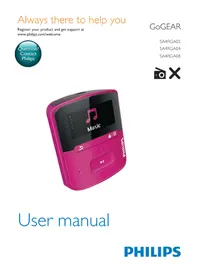
USER MANUAL GoGear SA3021C PHILIPS


Manual assistant
Powered by Anthropic
Waiting for your message
Product information
Brand : PHILIPS
Model : GoGear SA3021C
Category : Mp3 player