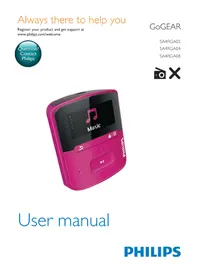
GoGear SA4RGA08 - Mp3 player PHILIPS - Free user manual and instructions
Find the device manual for free GoGear SA4RGA08 PHILIPS in PDF.


Pick your language and provide your email: we'll send you a specifically translated version.
| Product Type | Portable MP3 player |
| Brand | Philips |
| Model | GoGear SA4RGA08 |
| Storage Capacity | 8 GB |
| Display | Compact OLED with backlight |
| Dimensions | 7.1 x 3.0 x 1.2 cm |
| Weight | 45 g |
| Power Supply | Rechargeable lithium-ion battery |
| Battery Life | Up to 20 hours of playback |
| Charging | Via micro USB cable |
| Audio Formats | MP3, WMA, WAV |
| FM Radio | Built-in tuner with presets |
| Voice Recording | Integrated microphone |
| Playback Features | Shuffle, repeat, equalizer presets |
| Connectivity | USB 2.0 micro port and 3.5 mm headphone jack |
| Expandable Storage | microSD card slot (up to 32 GB) |
| Built-in Clip | Integrated clip for easy portability |
| Maintenance | Wipe with dry cloth; clean port with soft brush |
| Safety | Do not expose to moisture or extreme temperatures |
| Spare Parts & Repair | Battery replacement possible by qualified technician; USB port replacement available |
Frequently Asked Questions - GoGear SA4RGA08 PHILIPS
How do I transfer music to my Philips GoGear SA4RGA08?
Connect the player to a computer via the micro USB cable, then drag and drop music files directly into the Music folder on the device. You can also use Windows Media Player to sync your library.
Why is my player not turning on?
First, charge the battery for at least 30 minutes using the micro USB cable. If it still doesn't turn on, try resetting the device by pressing the reset button (with a pin) or holding the power button for 10 seconds.
How can I improve the battery life?
Lower the volume, disable the FM radio and voice recording when not in use, and reduce the backlight timeout in the settings. These measures can extend playback time significantly.
Does this player support external memory?
Yes, the GoGear SA4RGA08 has a microSD card slot that supports cards up to 32 GB, allowing you to expand the 8 GB internal storage.
How do I use the FM radio?
Select the FM Radio mode from the main menu. Automatically scan for stations and then save your favorite frequencies as presets for quick access.
Can I record voice memos?
Yes, activate the Voice Recording feature through the menu, then press the record button to start. The recording will be stored in the device memory.
What file formats are supported?
The player supports widely used audio formats including MP3, WMA, and WAV. Check the encoding parameters in the manual for full compatibility.
How do I clean and maintain the device?
Use a soft, dry cloth to wipe the exterior. Gently clean the micro USB and microSD ports with a soft brush to remove dust. Avoid using any liquids or harsh chemicals.
The sound is distorted – what can I do?
Check the volume level and lower it if it's near maximum. Try a different pair of headphones, and set the equalizer to a Flat preset to ensure no unnecessary amplification.
Is the battery replaceable?
The battery is not user-replaceable. If it no longer holds a charge, contact Philips Customer Service or an authorized repair center. They will replace the battery safely and correctly.
User questions about GoGear SA4RGA08 PHILIPS
0 question about this device. Answer the ones you know or ask your own.
Ask a new question about this device
No questions yet. Be the first to ask one.
Download the instructions for your Mp3 player in PDF format for free! Find your manual GoGear SA4RGA08 - PHILIPS and take your electronic device back in hand. On this page are published all the documents necessary for the use of your device. GoGear SA4RGA08 by PHILIPS.
USER MANUAL GoGear SA4RGA08 PHILIPS


Manual assistant
Powered by Anthropic
Waiting for your message
Product information
Brand : PHILIPS
Model : GoGear SA4RGA08
Category : Mp3 player