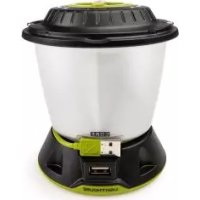
Lighthouse CORE - Camping GOAL ZERO - Free user manual and instructions
Find the device manual for free Lighthouse CORE GOAL ZERO in PDF.



| Product type | Rechargeable LED camping lantern |
| Brand and model | Goal Zero Lighthouse CORE |
| Dimensions | 12.7 × 11.4 cm |
| Weight | 351 g (0.8 lb) |
| Battery type | Lithium-ion NMC |
| Battery capacity | 16.3 Wh (3.7 V, 4400 mAh) |
| Runtime (low power, one side) | Over 350 hours |
| Runtime (high power, one side) | 8 hours |
| Runtime (low power, two sides) | Over 200 hours |
| Runtime (high power, two sides) | 4 hours |
| Maximum brightness | 430 lumens |
| Color temperature | 3500 K (warm white) |
| USB output port | 5 V, up to 1 A (5 W max.) |
| USB input port | 5 V, up to 1 A (5 W max.) |
| Charge time (USB) | 5 hours |
| Charge time (Nomad 7 solar panel) | 5 to 10 hours |
| Lighting modes | Directional (one or two sides), dimmer via dial |
| Lighting technology | Dualite™ |
| Warranty | 12 months |
| Operating temperature | 0 to 40°C |
| Recommended maintenance | Recharge every 3 to 6 months to preserve battery |
| Safety | Integrated charge and low battery protection |
| Spare parts and repairability | Contact Goal Zero support |
Frequently Asked Questions - Lighthouse CORE GOAL ZERO
User questions about Lighthouse CORE GOAL ZERO
0 question about this device. Answer the ones you know or ask your own.
Ask a new question about this device
Download the instructions for your Camping in PDF format for free! Find your manual Lighthouse CORE - GOAL ZERO and take your electronic device back in hand. On this page are published all the documents necessary for the use of your device. Lighthouse CORE by GOAL ZERO.
USER MANUAL Lighthouse CORE GOAL ZERO
Technical Specifications 4-5
François 6-9
Deutsch 10-13
Espanol 14-17

DEMO MODE
Take the Lighthouse CORE out of demo mode by plugging the built-in USB cable into a live USB port.
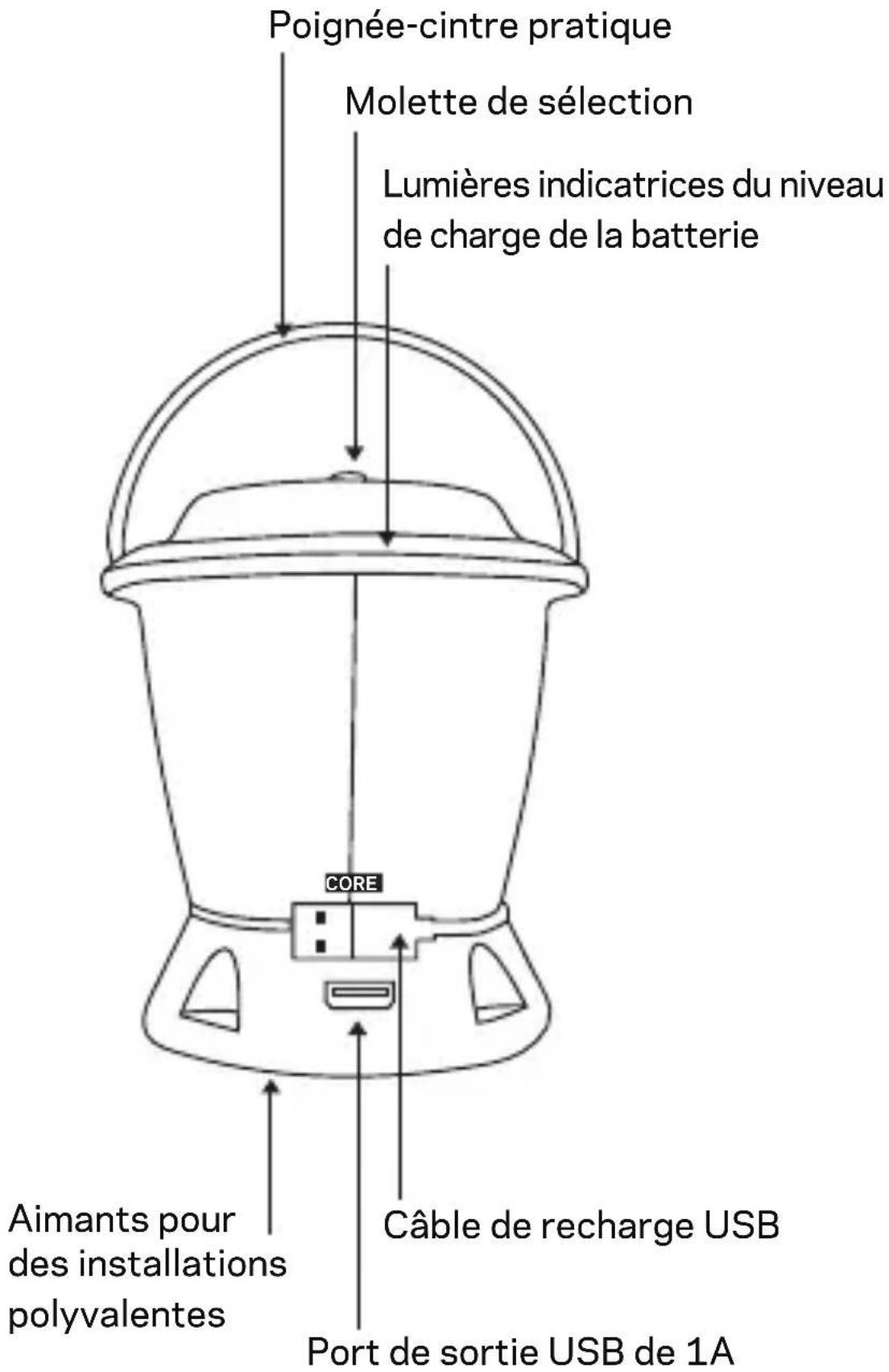
GET TO KNOW YOUR GEAR
HOW IT WORKS
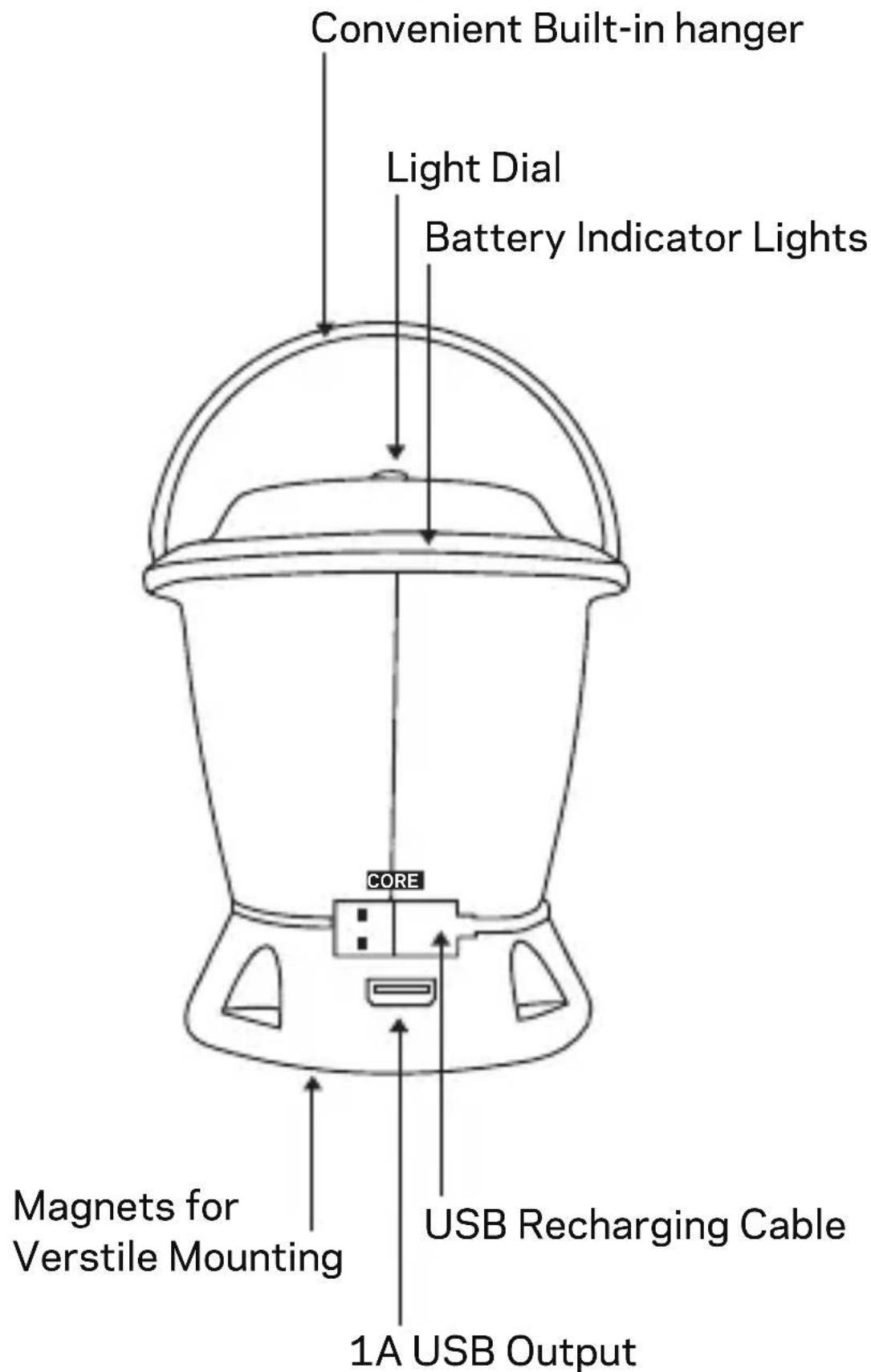
- Take the Lighthouse CORE out of demo mode by plugging it into a live USB port with the built-in recharging cable.
- Turn the dial on top of the Lighthouse CORE left or right for Dualite™ Directional Lighting and brightness options.
- Recharge the Lighthouse CORE by plugging it into a live USB port with the built-in recharging cable.
- Charge phones and boost tablets by plugging into the 1A USB output port.
TECHNICAL SPECIFICATIONS
Charge times:
Nomad 7 5-10 hrs
USB Source 5 hrs
Run time:
One Side Lit (low power) 350+ hrs
One Side Lit (high power) 8 hrs
Both Sides Lit (low power) 200+ hrs
Both Sides Lit (high power) 4 hrs
Battery:
Cell Chemistry Li-ion NMC
Cell Capacity 16.3Wh (3.7V, 4400mAh)
Lifecycles Hundreds of cycles
Shelf-life Charge every 3-6 months
Fuses None
Management System Charging and low-battery protection built-in
Light:
LED (output) Warm white LED 430 Lumens
Color Temperature 3,500 Kelvin
TECHNICAL SPECIFICATIONS
Ports:
USB Port (output) 5V, up to 1A (5W max), regulated
USB Port (input) 5V, up to 1A (5W max)
General:
Chainable No
Weight 0.8 lbs (351 g)
Dimensions 5 × 4.5 in
(12.7 × 11.4 ~cm)
Operating Usage Temp. 32-104 F (0-40 C)
Certs
Warranty 12 months
Be sure to register your product at goalzero.com/support
François
COMMENT CA FONCTIONNE?
Designed in the U.S.A.
Made in China
This equipment has been tested and found to comply with the limits for a Class B digital device, pursuant to part 15 of the FCC Rules. These limits are designed to provide reasonable protection against harmful interference in a residential installation. This equipment generates, uses and can radiate radio frequency energy and, if not installed and used in accordance with the instructions, may cause harmful interference to radio communications.
However, there is no guarantee that interference will not occur in a particular installation. If this equipment does cause harmful interference to radio or television reception, which can be determined by turning the equipment off and on, the user is encouraged to try to correct the interference by one or more of the following measures:
—Reorient or relocate the receiving antenna.
—Increase the separation between the equipment and receiver.
- Connect the equipment into an outlet on a circuit different from that to which the receiver is connected.
Consult the dealer or an experienced radio/TV technician for help.
This device complies with part 15 of the FCC Rules. Operation is subject to the following two conditions: (1) This device may not cause harmful interference, and (2) this device must accept any interference received, including interference that may cause undesired operation.

Brand : GOAL ZERO
Model : Lighthouse CORE
Category : Camping