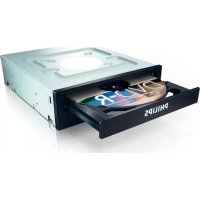
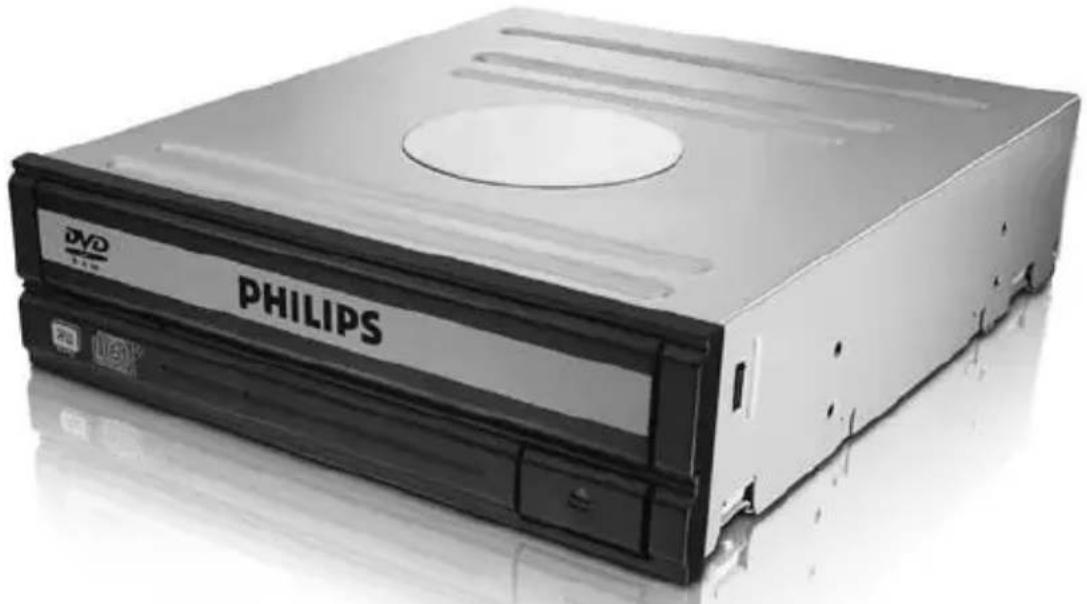
SPD2216BD - CD Player PHILIPS - Free user manual and instructions
Find the device manual for free SPD2216BD PHILIPS in PDF.


| Product type | Internal CD drive |
| Brand | Philips |
| Model | SPD2216BD |
| Dimensions (estimated) | 146 x 42 x 170 mm |
| Weight (estimated) | 0.5 kg |
| Interface | SATA |
| Power supply | Via SATA power connector |
| Main functions | Playback of CD-ROM, CD-R, CD-RW |
| Reading speed (estimated) | Up to 48x |
| Included software | Nero (burning suite) |
| Compatibility | Windows, Mac (via standard drivers) |
| Maintenance and cleaning | Clean with a soft, dry cloth. Do not use solvents. |
| Safety | Keep plastic bags out of reach of children (risk of suffocation). |
| General information | Made with recyclable materials. Complies with WEEE directive (2002/96/EC). Do not dispose of with household waste. |
| Spare parts and repairability | Contact Philips support for any intervention. |
Frequently Asked Questions - SPD2216BD PHILIPS
User questions about SPD2216BD PHILIPS
0 question about this device. Answer the ones you know or ask your own.
Ask a new question about this device
Download the instructions for your CD Player in PDF format for free! Find your manual SPD2216BD - PHILIPS and take your electronic device back in hand. On this page are published all the documents necessary for the use of your device. SPD2216BD by PHILIPS.
USER MANUAL SPD2216BD PHILIPS
How to... for Internal S-ATA Drives
EN Install Guide 3+24
DE Installationsanleitung 3+25
FR Guide d'installation 3+26
IT Guida d'installazione 3+27
NL Installatiegids 3+28
ES Guia de instalacion 11+29
PT Guia de Instalação 11+30
TR Kurulum Kilavuzu 11+31
PL Instrukcja montazu 11+32
SV Installationsguide 11+33
安装指南 17+34
RU INHCTpyKcIy IIO NHCTaAaIcN 17+36
DK Installationsvejledning 17+37
安装指南 17+38
How to install?
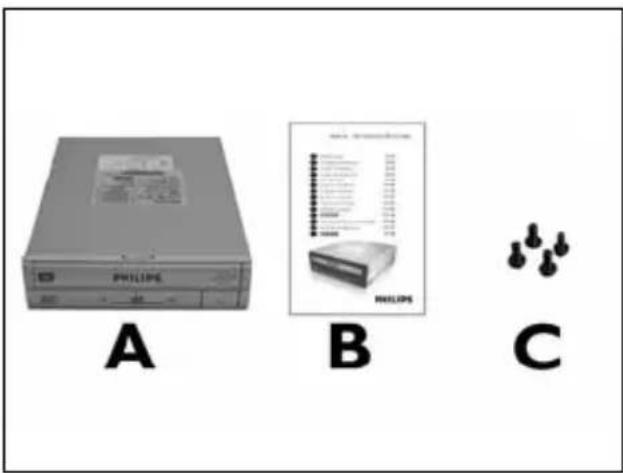
1 EN This can be found in the box:
A: Your new drive
B: This manual
C: 4 screws in a small bag
EN Open your computer. You may have to unleash screws which are mostly located at the back of your computer. See your computer manual for more details.
11 EN Connect the S-ATA data cable to your motherboard.
DE SchlieBen Sie das S-ATA-Datenkabel an ihre Hauptplatine an.
FR Connectez le cable de données S-ATA sur la carte mère.
IT Collegare il cavo dati S-ATA alla propria scheda madre.
NL Sluit de S-ATA-gegevenskabel aan op uw moederbord.
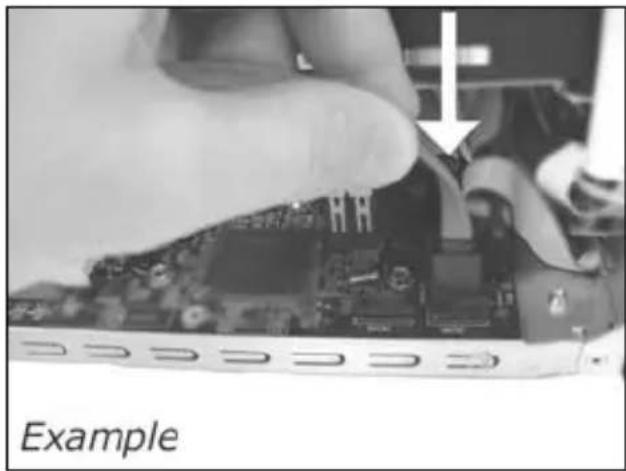
12 EN Secure the drive with the screws (if possible on both sides).
DE Befestigen Sie das Laufwerk mit den Schrauben (wenn möglich an beiden Seiten).
FR Fixez l'appareil à l'aide des vis (si possible des deux côtes).
IT Fissare l'unita con le viti (se possibile su entrambi i lati).
NL Schroef het station vast (zo möglichk aan beiden+zijden).
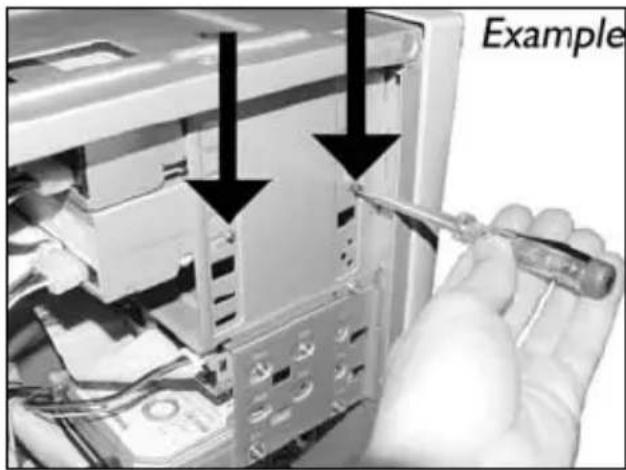
13 EN Put the cover you took off in step 5 back on.
EN Put the screws (if there were any) back in and reconnect the cables.
EN This can be found in the box:
A: Your new drive
B: This manual
C: 4 screws in a small bag
关闭计算机。
2
RU BbIKAOUHTe BAJI KOMNBIOTep.
DK Sluk for din computer.
TC 將您的電腦關機。
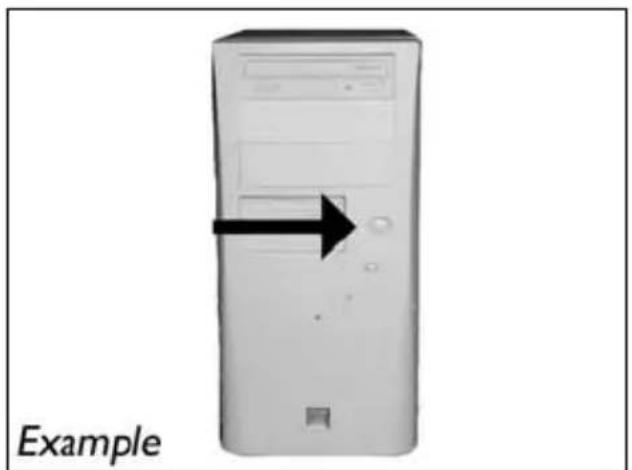
EN Switch your computer off.
觸摸未塗漆的金屬部分(例如,您的電腦外殼發熱或未塗漆的部分)。這可避免靜電釋放而損壞您的電腦。
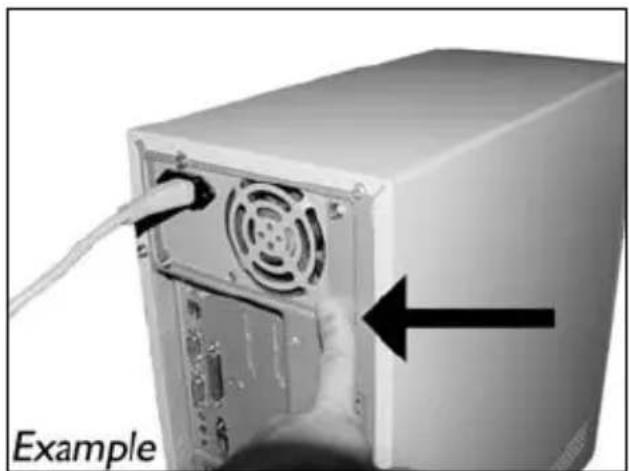
EN Touch an unpainted metal part (eg. your heating or an unpainted part of your computer case). This will avoid any damage to your computer by electrostatic discharge.
4
sc 断开计算机电源。
RU OTcoeAHHTe Ka6eAb NITaHnO T BaIero PC.
DK Tag strəmktablet fra computeren ud.
拔掉電腦電源線
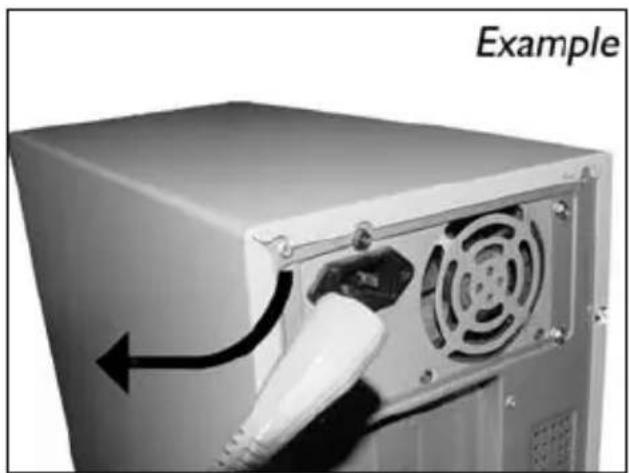
EN Disconnect the power cable from the PC.
5
SC 打开计算机。可能需要松开计算机最后面的螺钉。有关详细信息,请参阅您的计算机手册。
RU OTKpoIte KOMNBIOTep, AAn 3TOrO HxHHO OTTIyCTITb BnHTbl, PaCIOAOXKeHHbIe YaIe BCero Ha 3aAHei CTEHKE KOMNBIOTepa. BoAee IOpDpO6Ho CM. B pyKOBOAdCTBe IIO KOMNBIOTepy.
DK Abn computeren. Du skal muligvis lnsne nogle skruer, der ofte sidder bag pa computeren. Find mere information i manualen til din computer.
TC 拆開您的電腦。您可能需要拆下螺絲,通常位於您電腦的背面。請參閱您的電腦手冊以取得更多資訊。
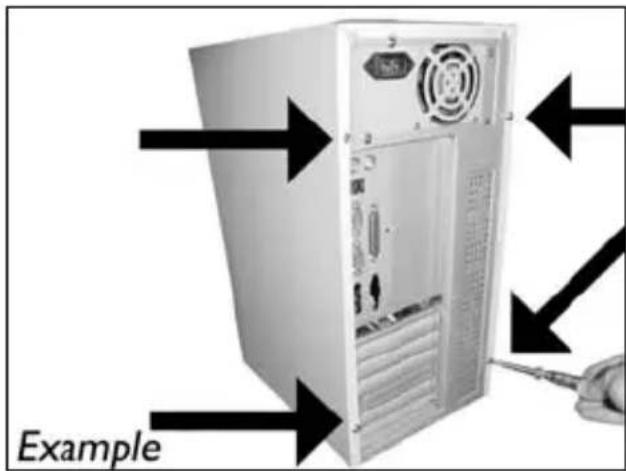
EN Open your computer. You may have to unleash screws which are mostly located at the back of your computer. See your computer manual for more details.
6
More info or help needed
Visit www.philips.com/storageupdates

Troubleshooting
Philips optical disc drives are manufactured with utmost care. In case of problems, it often appears that the drive itself is not defective. You can simply solve most of these problems by using the support tools offered by Philips.
When you're experiencing problems:
1 Please check the information in the "How to..." manual.
2 Check the Philips support websites www.philips.com/storageupdates and www.philips.com/support for interactive support, troubleshooting, and the newest software updates.
Should you encounter any more difficulties during installation or use, please contact
Philips Customer Care via the e-mail address or telephone numbers that can be found at www.philips.com/contact.
Prior to claiming a drive for warranty, you must request a return reference number at www.philips.com/support or contact Philips Customer Care.
Additional warranty information is available in the "Philips Warranty" folder on the Nero software disc.
"The making of unauthorised copies of copy-protected material, including computer programmes, files, broadcasts and sound recordings, may be an infringement of copyrights and constitute a criminal offence. This equipment should not be used for such purposes."
WEEE mark: Disposal of your old product
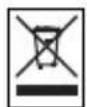
Your product is designed and manufactured with high quality materials and components, which can be recycled and reused. Please inform yourself about the local separate collection system for electrical and electronic products, including those marked by following symbol.
Please act according to your local rules and do not dispose of your old products with your normal household waste.
WARNING
Plastic bags can be dangerous.
To avoid danger of suffocation, keep this bag away from babies and small children.
Be responsible Respect copyrights
Be responsible Respect copyrights
O: Indicates that this toxic or hazardous substance contained in all of the homogeneous materials for this part is below the limit requirement in SJ/T11363 - 2006.
X: Indicates that this toxic or hazardous substance contained in at least one of the homogeneous materials used for this part is above the limit requirement in SJ/T11363 - 2006.

环使用期限 Environmental Protection Use Period
This logo refers to the period (10 years)
This logo refers to the period ( 10 years ) during which the toxic or hazardous substances or elements contained in electronic information products will not leak or mutate so that the use of these substances or elements will not result in any severe environmental pollution, any bodily injury or damage to any assets.
HyЖнаДОПОАнTeьнЯИнФОрMaцяиAN ПOMOць
Посетитewww.philips.com/storageupdates
BbIaehne HencnpabHocTe
AnCKOBoBbONTNHeckNX AnCKOB Philips n3rOtaBnBAIOCTc C Oco6o TuataeHocTbI. PnB03NtKHOBeHHn Ipo6aem Yacto OKa3bIbaeTCyTO AnCKOBoCam No Ce6e NcnpaBeH. BoAUYo YacTB 3THX IpO6aEM Bbl MoKeTe IPOCTo peWHTb C NOMOuHnCTpyMeHTaBhix CpeCTB NOAepKKn, npdaRaembIX hprMoH Philips
EcanyBACBO3HnKnI npo6aembl
IpoHraTae INHphiOpMaLIO, COAepKaUyIOcB COOTBeTCTByIOUeM pa3deIe pyKOBOAcTBa "Kak
2 O6paTnTecb K Be6-caTAM NOAePckn Philips www.philips.com/storageupdates n www.philips.com/support: AHTepaKTINBHOI NOAePckn, BBAEHHN HeNCpPaBHOCTe N PocAEHIX akTyAAH3aU.
3 ECAH BO BPEM INHCTaAaIIN NAM KCIAYaTALBb CTOAKHYNCb C OIOANHTeABHBIMN TpydHOCTaMM, Bam CAeMyET o6paTITbcra B Philips Customer Care no 3eKtpoHHo NOTe HNO TEAEOHy, KOtOpbie MoXHo HaTN B VHTepHete no aDpecy www.philips.com/contact.
PpeKDe, cem npeAdbnB npTeH3n B paMKaX rapaHTn Ha AnCKOBoA, Bbl AOxKnbl 3aIPOcNTb CcbIAOuHbH HOMep BO3BpaTa No aDpecy www.philips.com/support nAn cBraTbcra c Philips Customer Care.
AonoAHTeBHaHnHOpMaunno rapaHTn npeAcTaBAeHa Bnanke "Philips Warranty" kataAora Ha nporpaMMHom Ancke Nero.
"He3aKOHHOe N3ROBAAHHe KOIN MaTePnaAOB, 3aunuEHHbIX OT KOINPOBaHn, BKAIOUaY KOMNbIOTepHbIe IporpaMMbl, faAbl, TeAE-, paAnOTpaHCARUN 3Byko3aNcN MoKeT paccMaTpNaBaTbCak HApUWeHne aBTopCKNX IpaB IN IpeCAeOBA TbCBN OYTOAOBHOMy 3aKoHOdaTeAbCTBy. HactoJIuee obOpyaOBAHHe He DOANKHO ICNOA3OBaTbCBN POAO6hX LaeJ."
ПРЕДОCTEPEЖЕНЕ
IaactIKOBbIe MeUkMOnrT npeCTabAraTb ONaCHOctb AAR KIN3HN..
Bo n36eKaHne ONaCHOCTn ydyuJeHnHe dOnyckaIte HaxOxJcEHn 3Tnx MeUKOB PAdOM C MaAeHcAmn mAeHbKmM, AeTbMn.
www.philips.com/storageupdates
Be responsible Respect copyrights
More info or help needed
Visit www.philips.com/storageupdates

Troubleshooting
Philips optical disc drives are manufactured with utmost care. In case of problems, it often appears that the drive itself is not defective. You can simply solve most of these problems by using the support tools offered by Philips.
When you're experiencing problems:
1 Please check the information in the "How to..." manual.
2 Check the Philips support websites www.philips.com/storageupdates and www.philips.com/support for interactive support, troubleshooting, and the newest software updates.
Should you encounter any more difficulties during installation or use, please contact
Philips Customer Care via the e-mail address or telephone numbers that can be found at www.philips.com/contact.
Prior to claiming a drive for warranty, you must request a return reference number at www.philips.com/support or contact Philips Customer Care.
Additional warranty information is available in the "Philips Warranty" folder on the Nero software disc.
"The making of unauthorised copies of copy-protected material, including computer programmes, files, broadcasts and sound recordings, may be an infringement of copyrights and constitute a criminal offence. This equipment should not be used for such purposes."
WEEE mark: Disposal of your old product
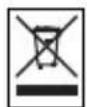
Your product is designed and manufactured with high quality materials and components, which can be recycled and reused. Please inform yourself about the local separate collection system for electrical and electronic products, including those marked by following symbol.
Please act according to your local rules and do not dispose of your old products with your normal household waste.
WARNING
Plastic bags can be dangerous.
To avoid danger of suffocation, keep this bag away from babies and small children.
FCC 15.105 rule:
This equipment has been tested and found to comply with the limits for a Class B digital device, pursuant to Part 15 of the FCC Rules. These limits are designed to provide reasonable protection against harmful interference in a residential installation. This equipment generates, uses and can radiate radio frequency energy and, if not installed and used in accordance with the instructions, may cause harmful interference to radio communications. However, there is no guarantee that interference will not occur in a particular installation. If this equipment does cause harmful interference to radio or television reception, which can be determined by turning the equipment off and on, the user is encouraged to try to correct the interference by one or more of the following measures:
- Reorient or relocate the receiving antenna.
- Increase the separation between the equipment and receiver.
- Connect the equipment into an outlet on a circuit different from that to which the receiver is connected.
- Consult the dealer or an experienced radio/TV technician for help.
Warning: Changes or modifications made to this equipment not expressly approved by Philips may void the FCC authorization to operate this equipment.
FCC 15.19 rule:
This device complies with Part 15 of the FCC Rules and with RSS-210 of Industry Canada. Operation is subject to the following two conditions:
(1) this device my not cause harmful interference, and
(2) this device must accept any interference received, including interference that may cause undesired operation.
CE
Electric-, Magnetic- and Electromagnetic Fields ("EMF")
- Philips Royal Electronics manufactures and sells many products targeted at consumers, which, like any electronic apparatus, in general have the ability to emit and receive electro magnetic signals.
- One of Philips' leading Business Principles is to take all necessary health and safety measures for our products, to comply with all applicable legal requirements and to stay well within the EMF standards applicable at the time of producing the products.
- Philips is committed to develop, produce and market products that cause no adverse health effects.
- Philips confirms that if its products are handled properly for their intended use, they are safe to use according to scientific evidence available today.
- Philips plays an active role in the development of international EMF and safety standards, enabling Philips to anticipate further developments in standardization for early integration in its products.
Safety Precautions
USA/Canada: This player is for use only with IBM compatible UL listed Personal Computers or Macintosh UL listed workstations, weighing less than 18kg .
LASER SAFETY
This unit employs a laser. Do not remove the cover or attempt to service this device when connected due to the possibility of eye damage.
LASER-SICHERHEIT
USE OF CONTROLS OR ADJUSTMENTS OR PERFORMANCE OF PROCEDURES OTHER THAN THOSE SPECIFIED HEREIN MAY RESULT IN HAZARDOUS LASER RADIATION EXPOSURE.
WARNING
Output power (measured above the objective lens)
Read: 1,4 mW - 2,5 mW
Write: 90 mW (CD) - 27 mW (DVD)
Beam divergence 60 degree
Additional information available at our website:
www.philips.com/storageupdates
www.philips.com/storage
Specifications subject to change without notice.
All dimensions shown are approximate.
All rights reserved.
Reproduction, copying, usage, modifying, hiring, renting, public performance, transmission and/or broadcasting in whole or part is prohibited without the written consent of Philips Electronics N.V.


- How to... for Internal S-ATA Drives
- How to install?
- More info or help needed
- Troubleshooting
- WEEE mark: Disposal of your old product
- WARNING
- Be responsible Respect copyrights
- 环使用期限 Environmental Protection Use Period
- HyЖнаДОПОАнTeьнЯИнФОрMaцяиAN ПOMOць
- BbIaehne HencnpabHocTe
- ПРЕДОCTEPEЖЕНЕ
- FCC 15.105 rule:
- FCC 15.19 rule:
- Electric-, Magnetic- and Electromagnetic Fields ("EMF")
- Safety Precautions
- LASER SAFETY
- LASER-SICHERHEIT
Brand : PHILIPS
Model : SPD2216BD
Category : CD Player