ManualGo.com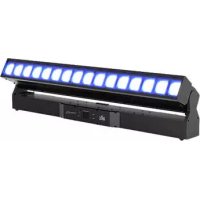
COLORado PXL Bar 16 - Effect machine Chauvet - Free user manual and instructions
Find the device manual for free COLORado PXL Bar 16 Chauvet in PDF.


Download the instructions for your Effect machine in PDF format for free! Find your manual COLORado PXL Bar 16 - Chauvet and take your electronic device back in hand. On this page are published all the documents necessary for the use of your device. COLORado PXL Bar 16 by Chauvet.
USER MANUAL COLORado PXL Bar 16 Chauvet
Model ID: COLORADOPXLBAR16COLORado PXL Bar 16 User Manual Rev. 1 Edition Notes The COLORado PXL Bar 16 User Manual includes a description, safety precautions, installation, programming, operation and maintenance instructions for the COLORado PXL Bar 16 as of the release date of this edition. Trademarks CHAUVET, the Chauvet logo and COLORado PXL Bar 16 are registered trademarks or trademarks of Chauvet & Sons, LLC (d/b/a Chauvet and Chauvet Lighting) in the United States and other countries. Other company and product names and logos referred to herein may be trademarks of their respective companies. Copyright Notice The works of authorship contained in this manual, including, but not limited to, all design, text and images are owned by Chauvet. © Copyright 2021 Chauvet & Sons, LLC. All rights reserved. Electronically published by Chauvet in the United States of America. Manual Use Chauvet authorizes its customers to download and print this manual for professional information purposes only. Chauvet expressly prohibits the usage, copy, storage, distribution, modification, or printing of this manual or its content for any other purpose without written consent from Chauvet. Document Printing For best results, print this document in color, on letter size paper (8.5 x 11 in), double-sided. If using A4 paper (210 x 297 mm), configure the printer to scale the content accordingly. Intended Audience Any person installing, operating, and/or maintaining this product should completely read through the guide that shipped with the product, as well as this manual, before installing, operating, or maintaining this product. Disclaimer Chauvet believes that the information contained in this manual is accurate in all respects. However, Chauvet assumes no responsibility and specifically disclaims any and all liability to any party for any loss, damage or disruption caused by any errors or omissions in this document, whether such errors or omissions result from negligence, accident or any other cause. Chauvet reserves the right to revise the content of this document without any obligation to notify any person or company of such revision, however, Chauvet has no obligation to make, and does not commit to make, any such revisions. Download the latest version from www.chauvetprofessional.com
edition of this document. Go to www.chauvetprofessional.com for the latest version.COLORado PXL Bar 16 User Manual Rev. 1 Table of Contents
What Is Included Claims Carefully unpack the product immediately and check the container to make sure all the parts are in the package and are in good condition. If the box or the contents (the product and included accessories) appear damaged from shipping, or show signs of mishandling, notify the carrier immediately, not Chauvet. Failure to report damage to the carrier immediately may invalidate your claim. In addition, keep the box and contents for inspection. For other issues, such as missing components or parts, damage not related to shipping, or concealed damage, file a claim with Chauvet within 7 days of delivery. Manual Conventions Symbols Expected LED Lifespan Over time, use and heat will gradually reduce LED brightness. Clustered LEDs produce more heat than single LEDs, contributing to shorter lifespans if always used at full intensity. The average LED lifespan is 40,000 to 50,000 hours. To extend LED lifespan, maintain proper ventilation around the product, and limit the overall intensity.
- 2 Omega bracket with mounting hardware
- Quick Reference Guide Convention Meaning 1–512 A range of values 50/60 A set of values of which only one can be chosen <SET> A button on the product’s control panel Settings A product function or a menu option Symbol Meaning Electrical warning. Not following these instructions may cause electrical damage to the product, accessories, or the user. Critical installation, configuration, or operation information. Not following these instructions may make the product not work, cause damage to the product, or cause harm to the operator. Important installation or configuration information. The product may not function correctly if this information is not used. Useful information. Any reference to data or power connections in this manual assumes the use of Seetronic IP-rated cables. The term “DMX” used throughout this manual refers to the USITT DMX512-A digital data transmission protocol.Page 2 of 40 Before You Begin COLORado PXL Bar 16 User Manual Rev. 1 Safety Notes Read all the following safety notes before working with this product. These notes contain important information about the installation, usage, and maintenance of this product. Personal Safety
- Avoid direct eye exposure to the light source while the product is on.
- Always disconnect the product from the power source before cleaning or replacing the fuse.
- Always connect the product to a grounded circuit to avoid the risk of electrocution.
- Do not touch the product’s housing when operating because it may be very hot. Mounting and Rigging
- Do not submerge this product (IP65). Temporary outdoor operation is fine.
- When using this product in an outdoor environment, use IP65 (or higher) rated power and data cables. Secure unused power and data ports with attached IP65 covers.
- CAUTION: When transferring product from extreme temperature environments, (e.g., cold truck to warm, humid ballroom) condensation may form on the internal electronics of the product. To avoid causing a failure, allow product to fully acclimate to the surrounding environment before connecting it to power.
- Not for permanent outdoor installation in locations with extreme environmental conditions. This includes, but is not limited to:
- Exposure to a marine/saline environment (within 3 miles of a saltwater body of water).
- Locations where the normal high or low temperatures exceed the temperature ranges in this manual.
- Locations that are prone to flooding or being buried in snow.
- Areas where the product will be subjected to extreme radiation or caustic substances.
- Mount this product in a location with adequate ventilation, at least 20 in (50 cm) from adjacent surfaces.
- Make sure there are no flammable materials close to the product when operating.
- When hanging this product, always secure to a fastening device using a safety cable. Power and Wiring
- Always make sure you are connecting the product to the proper voltage in accordance with the specifications in this manual or on the product’s specification label.
- Never connect the product to a dimmer pack or rheostat.
- Never disconnect this product by pulling or tugging on the power cable. Operation
- Do not operate this product if there is damage on the housing, lenses, or cables. Have the damaged parts replaced by an authorized technician at once.
- Do not cover the ventilation slots when operating to avoid internal overheating.
- The maximum ambient temperature is 113 °F (45 °C). Do not operate the product at higher temperatures.
- The minimum startup temperature is -4°F (-20°C). Do not start the product at lower temperatures.
- The minimum ambient temperature is -22°F (-30°C). Do not operate the product at lower temperatures.
- In the event of a serious operation problem, stop using this product immediately! FCC Compliance This device complies with Part 15 Part B of the FCC Rules. Operation is subject to the following two conditions:
1. This device may not cause harmful interference, and
2. This device must accept any interference received, including interference that may cause
undesired operation. Any changes or modifications not expressly approved by the party responsible for compliance could void the user’s authority to operate the equipment. RF Exposure Warning for North America, and Australia Warning! This equipment complies with FCC radiation exposure limits set forth for an uncontrolled environment. This equipment should be installed and operated with a minimum distance of 20cm between the radiator and your body. This transmitter must not be co-located or operating in conjunction with any other antenna or transmitter. This product contains no user-serviceable parts. Any reference to servicing in this User Manual will only apply to properly trained, certified technicians. Do not open the housing or attempt any repairs. All applicable local codes and regulations apply to proper installation of this product. If your Chauvet product requires service, contact Chauvet Technical Support.Page 3 of 40 COLORado PXL Bar 16 User Manual Rev. 1 Introduction
- IP65-rated motorized tilting batten with (16) 45W RGBW LEDs with a 5.8° to 48.8° zoom range maintains pixel pitch between fixtures
- Quiet and quick operation of 200° tilt and two-section zoom
- Fully pixel mappable
- Several built-in effects, including virtual gobos and movement macros with foreground and background color control for easy pixel animation effects
- DMX, sACN, Art-Net, and Kling-Net control for full flexibility
- RDM enabled for remote addressing and troubleshooting
- 5.8° to 48.8° zoom range for variable beam sizes
- TRUE1-compatible power input/output ports
- IP65-rated 5-pin DMX and TCP/IP input/output ports
- IP65-rated USBc software upload port
AC Power Each COLORado PXL Bar 16 has an auto-ranging power supply that works with an input voltage range of 100 to 240 VAC, 50/60 Hz. To determine the power requirements for each COLORado PXL Bar 16, refer to the label affixed to the product. You can also refer to the Technical Specifications chart in this manual. The listed current rating indicates the maximum current draw during normal operation. For more information, download Sizing Circuit Breakers from the Chauvet website: www.chauvetprofessional.com
AC Plug The COLORado PXL Bar 16 comes with a power input cord terminated with a Seetronic Powerkon A connector on one end and an Edison plug on the other end (U.S. market). If the power input cord that came with your product has no plug, or if you need the change the plug, use the table below to wire the new plug. Power Linking The product supports power linking. You can power link up to 3 products at 208 V, 230 V, and 240 V. This product comes with a power input cord. Power-linking cables are available from Chauvet for purchase. DMX Linking You can link the COLORado PXL Bar 16 to a DMX controller using a 5-pin DMX connection. If using other DMX-compatible products with this product, you can control each individually with a single DMX controller. DMX Personalities The COLORado PXL Bar 16 uses DMX, Art-Net™, sACN, and Kling-Net for its control personalities: Remote Device Management (RDM) Remote Device Management, or RDM, is a standard for allowing DMX-enabled devices to communicate bi-directionally along existing DMX cabling. Check the DMX controller’s User Manual or with the manufacturer as not all DMX controllers have this capability. The COLORado PXL Bar 16 supports RDM protocol that allows feedback to make changes to menu map options.
- Always connect the product to a protected circuit (a circuit breaker or fuse). Make sure the product has an appropriate electrical ground to avoid the risk of electrocution or fire.
- To eliminate unnecessary wear and improve its lifespan, during periods of non-use completely disconnect the product from power via breaker or by unplugging it. Never connect the product to a rheostat (variable resistor) or dimmer circuit, even if the rheostat or dimmer channel serves only as a 0 to 100% switch. Connection Wire (U.S.) Wire (Europe) Screw Color AC Live Black Brown Yellow or Brass AC Neutral White Blue Silver AC Ground Green/Yellow Green/Yellow Green
- To preserve the IP65 rating and the warranty of this product, Seetronic Powerkon cables must be used.
- Insert the attached IP65-rated plugs into the corresponding power/data connections when not in use. Single Mode Dual Mode Movement Dual Mode Pixels Basic (20 channels) Basic (8 channels) Basic (48 channels) Standard (84 channels) Standard (20 channels) Standard (64 channels) Advanced (154 channels) Advanced (26 channels) Advanced (128 channels) Tour (186 channels) Basic2 (7 channels) Uses DMX, Art-Net™, sACN, or Kling-Net Basic2 (19 channels) Uses DMX, Art-Net™, or sACN Uses DMX, Art-Net™, or sACN If you are not familiar with or need more information about DMX standards, Master/Slave connectivity, or the DMX cables needed to link this product to a DMX controller, download the DMX Primer from the Chauvet website: www.chauvetprofessional.com .Page 6 of 40 Setup COLORado PXL Bar 16 User Manual Rev. 1 Master/Slave Connectivity The Master/Slave mode allows an COLORado PXL Bar 16 (the master) to control one or more COLORado PXL Bar 16 products (the slaves) without a DMX controller. One COLORado PXL Bar 16 becomes the master when running an auto program, or by being in Static mode. You must configure each slave’s control panel to operate in Slave mode. During Master/Slave operation, the slaves will operate in unison with the master. Mounting Before mounting the product, read and follow the safety recommendations indicated in the Safety Notes. For our CHAUVET Professional line of mounting clamps, go to http://trusst.com/products/
Orientation Always mount this product in a safe position, making sure there is adequate room for ventilation, configuration, and maintenance. Rigging Chauvet recommends using the following general guidelines when mounting this product.
- Before deciding on a location for the product, make sure there is easy access to the product for maintenance and programming purposes.
- Make sure that the structure onto which you are mounting the product can support the product’s weight. See the Technical Specifications for weight information.
- When mounting the product overhead, always use a safety cable. Mount the product securely to a rigging point, whether an elevated platform or a truss.
- When rigging the product onto a truss, use a mounting clamp of appropriate weight capacity.
- When power linking multiple products, mount the products close enough for power linking cables to reach.
- The bracket adjustment knobs allow for directional adjustment when aiming the product to the desired angle. Only loosen or tighten the bracket knobs manually. Using tools could damage the knobs. Procedure The COLORado PXL Bar 16 comes with a bracket to which you can attach a mounting clamp directly. Mounting clamps are sold separately. Make sure the clamps are capable of supporting the weight of this product. Use at least one mounting point per product. For the CHAUVET Professional line of mounting clamps, go to http://www.trusst.com/products
Mounting Diagram DO NOT connect a DMX controller to products operating in Master/Slave mode. The DMX controller signals may interfere with the signals from the master.
- The Operation section of this manual provides detailed instructions on how to configure the master and slaves.
- If you are not familiar with or need more information about DMX standards, or the DMX cables needed to link this product to a DMX controller, download the DMX Primer from the Chauvet website: www.chauvetprofessional.com
Omega bracket Mounting clamp Safety cablePage 7 of 40 COLORado PXL Bar 16 User Manual Rev. 1 Operation
Control Panel Operation Protocol Configuration The COLORado PXL Bar 16 can be set to respond to DMX, Art-Net™, sACN, Kling-Net, or a combination of these protocols. The protocol configuration must be set for the product to respond correctly to the controller(s). Control Personalities The following control personalities are available on the COLORado PXL Bar 16: Single Control In Single Control mode, the COLORado PXL Bar 16 is controlled by a single protocol input. Choose from DMX, Art-Net™, or sACN. In this mode, the four personalities available are: Basic (20 channels), Standard (84 channels), Advanced (154 channels), Tour (186 channels), and Basic2 (19 channels). Single Control Protocol To select the Single Control protocol, follow the instructions below:
1. Go to the Address main level.
2. Select Single Control.
3. Choose from the following: DMX, ArtNet, or sACN.
Single Control Personality To select the Single Control personality, do the following:
2. Select Personality.
3. Choose from the following:
Basic (20 channels), Standard (84 channels), Advanced (154 channels), Tour (186 channels), or Basic2 (19 channels). Single Control Start Address To set the starting address of the Single Control mode, follow the instructions below:
2. Select Start Address.
3. Set the desired starting address, from 0 to 512.
Single Control Universe To set the universe address of the Single Control mode when using Art-Net™ or sACN, do the following:
3. Set the desired universe address, from 0 to 255.
Button Function <MENU> Exits from the current menu or function <ENTER> Enables the currently displayed menu or sets the currently selected value in to the current function <UP> Navigates upward through the menu list or increases the numeric value when in a function <DOWN> Navigates downward through the menu list or decreases the numeric value when in a function Single Control Mode Dual Control Mode Movement Dual Control Mode Pixels Basic (20 channels) Basic (8 channels) Basic (48 channels) Standard (84 channels) Standard (20 channels) Standard (64 channels) Advanced (154 channels) Advanced (26 channels) Advanced (128 channels) Tour (186 channels) Basic2 (7 channels) Uses DMX, Art-Net™, sACN, or Kling-Net Basic2 (19 channels) Uses DMX, Art-Net™, or sACN Uses DMX, Art-Net™, or sACNPage 8 of 40 Operation COLORado PXL Bar 16 User Manual Rev. 1 Dual Control In Dual Control mode, the COLORado PXL Bar 16 is controlled by two protocol inputs: one controls the movement, zoom, dimmers, and shutters, whereas the other one controls the individual LED output. Dual Control Movement The Movement protocol controls the movement of the bar and zoom, and the dimmers and shutters. Choose from DMX, Art-Net™, or sACN. In this mode, the three personalities available are: Basic (8 channels), Standard (20 channels), Advanced (26 channels), and Basic2 (7 channels). Dual control movement protocol To select the Dual Control Movement protocol, follow the instructions below:
1. Go to the Address main level.
4. Choose from the following: DMX, ArtNet, or sACN.
Dual control movement personality To select the Dual Control Movement personality, do the following:
2. Select Personality.
3. Choose from the following:
Basic (8 channels), Standard (20 channels), Advanced (26 channels), or Basic2 (7 channels). Dual control movement start address To set the starting address of the Dual Control Movement mode, follow the instructions below:
2. Select Start Address.
3. Set the desired starting address, from 0 to 512.
Dual control movement universe To set the universe address of the Dual Control Movement mode when using Art-Net™ or sACN, do the following:
3. Set the desired universe address, from 0 to 255.
Dual Control Pixels The Pixels protocol controls the individual output of the LEDs. Choose from DMX, Art-Net™, sACN, or Kling- Net. In this mode, the three personalities available are: Basic (48 channels), Standard (64 channels), and Advanced (128 channels). Dual control pixels protocol To select the Dual Control Pixels protocol, follow the instructions below:
1. Go to the Address main level.
4. Choose from the following: DMX, ArtNet, sACN, or Kling-Net.
Dual control pixels personality To select the Dual Control Pixels personality, do the following:
2. Select Personality.
3. Choose from the following:
Basic (48 channels), Standard (64 channels), or Advanced (128 channels). Dual control movement start address To set the starting address of the Dual Control Pixels mode, follow the instructions below:
2. Select Start Address.
3. Set the desired starting address, from 0 to 512.
Dual control movement universe To set the universe address of the Dual Control Pixels mode when using Art-Net™ or sACN, do the following:
3. Set the desired universe address, from 0 to 255.Page 9 of 40
Standard Advanced Tour Basic2 Start Address 0–512 Sets the DMX starting address ArtNet Personality Basic Sets the Art-Net™ personality (see Control Personalities
Standard Advanced Tour Basic2 Start Address 0–512 Sets the Art-Net™ starting address Universe 0–255 Sets the Art-Net™ universe sACN Personality Basic Sets the sACN personality (see Control Personalities
Standard Advanced Tour Basic2 Start Address 0–512 Sets the sACN starting address Universe 0–255 Sets the sACN universe Dual Control Movement DMX Personality Basic Sets the DMX personality (see Control Personalities
Standard Advanced Basic2 Start Address 0–512 Sets the DMX starting address ArtNet Personality Basic Sets the Art-Net™ personality (see Control Personalities
Standard Advanced Basic2 Start Address 0–512 Sets the Art-Net™ starting address Universe 0–255 Sets the Art-Net™ universe sACN Personality Basic Sets the sACN personality (see Control Personalities
Standard Advanced Basic2 Start Address 0–512 Sets the sACN starting address Universe 0–255 Sets the sACN universe Pixels DMX Personality Basic Sets the DMX personality (see Control Personalities
Standard Advanced Start Address 0–512 Sets the DMX starting address ArtNet Personality Basic Sets the Art-Net™ personality (see Control Personalities
Standard Advanced Start Address 0–512 Sets the Art-Net™ starting address Universe 0–255 Sets the Art-Net™ universe sACN Personality Basic Sets the sACN personality (see Control Personalities
Standard Advanced Start Address 0–512 Sets the sACN starting address Universe 0–255 Sets the sACN universe KlingNet Personality Basic Sets the Kling-Net personality (see Control Personalities
StandardPage 10 of 40 Operation COLORado PXL Bar 16 User Manual Rev. 1 Main Level Programming Levels Description Run Mode Auto Test Auto test all functions Manual Test Tilt 000–255 Manually control and test all settings through the control panel P/T Speed Red Green Blue White CTC Color Pattern LED Macro LED Ma. Speed LED Ma. Fade Background Background Dim. Dimmer Shutter Function Zoom1 Zoom2 Setup Network Settings IP Mode Manual Manually sets IP address DHCP Network sets IP address Static Product sets IP address
IP Byte 1–4 000–255 Sets IP address in manual mode SMK SubMask 1–4 000–255 Sets Subnet Mask in manual mode Tilt Reverse NO Normal tilt YES Reversed tilt Zoom Reverse NO Normal zoom YES Reversed zoom Screen Reverse NO Normal display YES Inverted display AUTO Automatic display orientation Tilt Angle 200 200° tilt range 180 180° tilt range 60 60° tilt range BL. O. T Move NO Do not blackout while tilt YES Blackout while tilt Backlight Timer 30S Display turns off after 30 seconds 1M Display turns off after 1 minute 5M Display turns off after 5 minutes ON Display stays on Loss of Data Hold Holds last signal received Close Blacks out fixture Fans Auto Fan speed according to product temperature Full Fan speed set on high ECO Quiet mode Defrost Fan OFF Activate defrost fan ON Deactivate defrost fan C Mixing Mode RGBW RGBW mode (additive) CMY CMY mode (subtractive) Dimmer Curve Linear Set the dimmer curve Square I Squa SCurvePage 11 of 40 COLORado PXL Bar 16 User Manual Rev. 1 Operation Setup Dimmer Speed Smooth Set the dimmer speed Fast PWM Option 600Hz Sets the Pulse Width Modulation frequency 1200Hz 2000Hz 4000Hz 6000Hz 15000Hz Cell Order 1–16 Light activates from left to right 16–1 Light activates from right to left Calibrated White
Allows recorded preset menu options to be transferred to other COLORado PXL Bar 16 in the DMX daisy chain YES USB Update
Enables/disables updating by USB YES Reset Function Tilt
YES Factory Settings
Reset to factory default settings YES Information Firmware Version V_ Shows firmware version Running Mode _ _ _ Shows current running mode Address _ _ _ Shows current starting address Temperature _ _ _ Shows current product temperature in °C Fixture Time _ _ _ _ _ Shows number of hours product has been powered on LED Hours _ _ _ _ _ Shows total hours the LED has been powered on ArtNet Info Ip _ _ _._ _ _._ _ _._ _ _ Shows current IP address SubMask _ _ _._ _ _._ _ _._ _ _ Shows current Subnet Mask MAC _ _._ _._ _._ _._ _._ _ Shows current MAC address Device UID _ _ _ _ _ Shows product UID Fan Information Head Fan 1–10 _ _ _ _ Shows speed of head fans 1–10 in rpm Defrost Fan 1–2
Red 000 255 RGBW Mode: 0–100% / CMY Mode: 100–0%
Green 000 255 RGBW Mode: 0–100% / CMY Mode: 100–0%
Blue 000 255 RGBW Mode: 0–100% / CMY Mode: 100–0%
Zoom in to zoom out (Zone 1)Page 13 of 40 COLORado PXL Bar 16 User Manual Rev. 1 Operation Single Control: Standard Mode (84CH)
Zoom in to zoom out (Zone 2) 16 Control 000 255 see Control Settings
Red 000 255 RGBW Mode: 0–100% / CMY Mode: 100–0%
Green 000 255 RGBW Mode: 0–100% / CMY Mode: 100–0%
Blue 000 255 RGBW Mode: 0–100% / CMY Mode: 100–0%
White 000 255 RGBW Mode: 0–100% / CMY Mode: 100–0% Channel Function Value Percent/Setting 1Tilt 000 255 0–100% 2 Fine tilt 000 255 0–100% 3Tilt speed 000 255 0–100% 4CTC 000 No function 001 255 Color temperature, 1900–2700 K 5 Color 000 255 see Color Chart 6Patterns (see Patterns) 000 No function 001 255 Pattern 1–255 7LED macro 000 255 see LED Macro 8 LED macro speed 000 127 Auto speed, fast to slow clockwise 128 Stop 129 255 Auto speed, slow to fast counterclockwise 9 LED macro delay 000 255 Fast to slow 10 Background color 000 255 see Color Chart 11 Background color dimmer 000 255 0–100% 12 Dimmer 000 255 0–100% 13 Strobe 000 255 see Strobe Settings 14 Zoom 1 (see Zoom Zones)000 255 Zoom in to zoom out (Zone 1) 15 Zoom 2 (see Zoom Zones )000 255 Zoom in to zoom out (Zone 2) 16 Control 000 255 see Control Settings 17 Main red 000 255 RGBW Mode: 0–100% / CMY Mode: 100–0% 18 Main green 000 255 RGBW Mode: 0–100% / CMY Mode: 100–0% 19 Main blue 000 255 RGBW Mode: 0–100% / CMY Mode: 100–0% 20 Main white 000 255 RGBW Mode: 0–100% / CMY Mode: 100–0% 21 Red 1 Cyan 1 000 255 RGBW Mode: 0–100% / CMY Mode: 100–0% 22 Green 1 Magenta 1 000 255 RGBW Mode: 0–100% / CMY Mode: 100–0% 23 Blue 1 Yellow 1 000 255 RGBW Mode: 0–100% / CMY Mode: 100–0% 24 White 1 000 255 RGBW Mode: 0–100% / CMY Mode: 100–0% 25 Red 2 Cyan 2 000 255 RGBW Mode: 0–100% / CMY Mode: 100–0% 26 Green 2 Magenta 2 000 255 RGBW Mode: 0–100% / CMY Mode: 100–0% 27 Blue 2 Yellow 2 000 255 RGBW Mode: 0–100% / CMY Mode: 100–0% 28 White 2 000 255 RGBW Mode: 0–100% / CMY Mode: 100–0% 29 Red 3 Cyan 3 000 255 RGBW Mode: 0–100% / CMY Mode: 100–0% 30 Green 3 Magenta 3 000 255 RGBW Mode: 0–100% / CMY Mode: 100–0% 31 Blue 3 Yellow 3 000 255 RGBW Mode: 0–100% / CMY Mode: 100–0% 32 White 3 000 255 RGBW Mode: 0–100% / CMY Mode: 100–0% 33 Red 4 Cyan 4 000 255 RGBW Mode: 0–100% / CMY Mode: 100–0% 34 Green 4 Magenta 4 000 255 RGBW Mode: 0–100% / CMY Mode: 100–0% 35 Blue 4 Yellow 4 000 255 RGBW Mode: 0–100% / CMY Mode: 100–0% Channel Function Value Percent/SettingPage 14 of 40 Operation COLORado PXL Bar 16 User Manual Rev. 1 36 White 4 000 255 RGBW Mode: 0–100% / CMY Mode: 100–0% 37 Red 5 Cyan 5 000 255 RGBW Mode: 0–100% / CMY Mode: 100–0% 38 Green 5 Magenta 5 000 255 RGBW Mode: 0–100% / CMY Mode: 100–0% 39 Blue 5 Yellow 5 000 255 RGBW Mode: 0–100% / CMY Mode: 100–0% 40 White 5 000 255 RGBW Mode: 0–100% / CMY Mode: 100–0% 41 Red 6 Cyan 6 000 255 RGBW Mode: 0–100% / CMY Mode: 100–0% 42 Green 6 Magenta 6 000 255 RGBW Mode: 0–100% / CMY Mode: 100–0% 43 Blue 6 Yellow 6 000 255 RGBW Mode: 0–100% / CMY Mode: 100–0% 44 White 6 000 255 RGBW Mode: 0–100% / CMY Mode: 100–0% 45 Red 7 Cyan 7 000 255 RGBW Mode: 0–100% / CMY Mode: 100–0% 46 Green 7 Magenta 7 000 255 RGBW Mode: 0–100% / CMY Mode: 100–0% 47 Blue 7 Yellow 7 000 255 RGBW Mode: 0–100% / CMY Mode: 100–0% 48 White 7 000 255 RGBW Mode: 0–100% / CMY Mode: 100–0% 49 Red 8 Cyan 8 000 255 RGBW Mode: 0–100% / CMY Mode: 100–0% 50 Green 8 Magenta 8 000 255 RGBW Mode: 0–100% / CMY Mode: 100–0% 51 Blue 8 Yellow 8 000 255 RGBW Mode: 0–100% / CMY Mode: 100–0% 52 White 8 000 255 RGBW Mode: 0–100% / CMY Mode: 100–0% 53 Red 9 Cyan 9 000 255 RGBW Mode: 0–100% / CMY Mode: 100–0% 54 Green 9 Magenta 9 000 255 RGBW Mode: 0–100% / CMY Mode: 100–0% 55 Blue 9 Yellow 9 000 255 RGBW Mode: 0–100% / CMY Mode: 100–0% 56 White 9 000 255 RGBW Mode: 0–100% / CMY Mode: 100–0% 57 Red 10 Cyan 10 000 255 RGBW Mode: 0–100% / CMY Mode: 100–0% 58 Green 10 Magenta 10 000 255 RGBW Mode: 0–100% / CMY Mode: 100–0% 59 Blue 10 Yellow 10 000 255 RGBW Mode: 0–100% / CMY Mode: 100–0% 60 White 10 000 255 RGBW Mode: 0–100% / CMY Mode: 100–0% 61 Red 11 Cyan 11 000 255 RGBW Mode: 0–100% / CMY Mode: 100–0% 62 Green 11 Magenta 11 000 255 RGBW Mode: 0–100% / CMY Mode: 100–0% 63 Blue 11 Yellow 11 000 255 RGBW Mode: 0–100% / CMY Mode: 100–0% 64 White 11 000 255 RGBW Mode: 0–100% / CMY Mode: 100–0% 65 Red 12 Cyan 12 000 255 RGBW Mode: 0–100% / CMY Mode: 100–0% 66 Green 12 Magenta 12 000 255 RGBW Mode: 0–100% / CMY Mode: 100–0% 67 Blue 12 Yellow 12 000 255 RGBW Mode: 0–100% / CMY Mode: 100–0% 68 White 12 000 255 RGBW Mode: 0–100% / CMY Mode: 100–0% 69 Red 13 Cyan 13 000 255 RGBW Mode: 0–100% / CMY Mode: 100–0% 70 Green 13 Magenta 13 000 255 RGBW Mode: 0–100% / CMY Mode: 100–0% 71 Blue 13 Yellow 13 000 255 RGBW Mode: 0–100% / CMY Mode: 100–0% 72 White 13 000 255 RGBW Mode: 0–100% / CMY Mode: 100–0% 73 Red 14 Cyan 14 000 255 RGBW Mode: 0–100% / CMY Mode: 100–0% 74 Green 14 Magenta 14 000 255 RGBW Mode: 0–100% / CMY Mode: 100–0% 75 Blue 14 Yellow 14 000 255 RGBW Mode: 0–100% / CMY Mode: 100–0% 76 White 14 000 255 RGBW Mode: 0–100% / CMY Mode: 100–0% 77 Red 15 Cyan 15 000 255 RGBW Mode: 0–100% / CMY Mode: 100–0% 78 Green 15 Magenta 15 000 255 RGBW Mode: 0–100% / CMY Mode: 100–0% 79 Blue 15 Yellow 15 000 255 RGBW Mode: 0–100% / CMY Mode: 100–0% 80 White 15 000 255 RGBW Mode: 0–100% / CMY Mode: 100–0% 81 Red 16 Cyan 16 000 255 RGBW Mode: 0–100% / CMY Mode: 100–0% 82 Green 16 Magenta 16 000 255 RGBW Mode: 0–100% / CMY Mode: 100–0% 83 Blue 16 Yellow 16 000 255 RGBW Mode: 0–100% / CMY Mode: 100–0% 84 White 16 000 255 RGBW Mode: 0–100% / CMY Mode: 100–0% Channel Function Value Percent/SettingPage 15 of 40 COLORado PXL Bar 16 User Manual Rev. 1 Operation Single Control: Advanced Mode (154CH) Channel Function Value Percent/Setting 1Tilt 000 255 0–100% 2 Fine tilt 000 255 0–100% 3Tilt speed 000 255 0–100% 4CTC 000 No function 001 255 Color temperature, 1900–2700 K 5Color 000 255 see Color Chart 6Patterns (see Patterns) 000 No function 001 255 Pattern 1–255 7LED macro 000 255 see LED Macro 8 LED macro speed 000 127 Auto speed, fast to slow clockwise 128 Stop 129 255 Auto speed, slow to fast counterclockwise 9 LED macro delay 000 255 Fast to slow 10 Background color 000 255 see Color Chart 11 Background color dimmer 000 255 0–100% 12 Background color fine dimmer 000 255 0–100% 13 Dimmer 000 255 0–100% 14 Fine dimmer 000 255 0–100% 15 Strobe 000 255 see Strobe Settings 16 Zoom 1 (see Zoom Zones) 000 255 Zoom in to zoom out (Zone 1) 17 Zoom 2 (see Zoom Zones ) 000 255 Zoom in to zoom out (Zone 2) 18 Control 000 255 see Control Settings 19 Main red 000 255 RGBW Mode: 0–100% / CMY Mode: 100–0% 20 Main fine red 000 255 RGBW Mode: 0–100% / CMY Mode: 100–0% 21 Main green 000 255 RGBW Mode: 0–100% / CMY Mode: 100–0% 22 Main fine green 000 255 RGBW Mode: 0–100% / CMY Mode: 100–0% 23 Main blue 000 255 RGBW Mode: 0–100% / CMY Mode: 100–0% 24 Main fine blue 000 255 RGBW Mode: 0–100% / CMY Mode: 100–0% 25 Main white 000 255 RGBW Mode: 0–100% / CMY Mode: 100–0% 26 Main fine white 000 255 RGBW Mode: 0–100% / CMY Mode: 100–0% 27 Red 1 Cyan 1 000 255 RGBW Mode: 0–100% / CMY Mode: 100–0% 28 Fine red 1 Fine cyan 1 000 255 RGBW Mode: 0–100% / CMY Mode: 100–0% 29 Green 1 Magenta 1 000 255 RGBW Mode: 0–100% / CMY Mode: 100–0% 30 Fine green 1 Fine magenta 1 000 255 RGBW Mode: 0–100% / CMY Mode: 100–0% 31 Blue 1 Yellow 1 000 255 RGBW Mode: 0–100% / CMY Mode: 100–0% 32 Fine blue 1 Fine yellow 1 000 255 RGBW Mode: 0–100% / CMY Mode: 100–0% 33 White 1 000 255 RGBW Mode: 0–100% / CMY Mode: 100–0% 34 Fine white 1 000 255 RGBW Mode: 0–100% / CMY Mode: 100–0% 35 Red 2 Cyan 2 000 255 RGBW Mode: 0–100% / CMY Mode: 100–0% 36 Fine red 2 Fine cyan 2 000 255 RGBW Mode: 0–100% / CMY Mode: 100–0% 37 Green 2 Magenta 2 000 255 RGBW Mode: 0–100% / CMY Mode: 100–0% 38 Fine green 2 Fine magenta 2 000 255 RGBW Mode: 0–100% / CMY Mode: 100–0% 39 Blue 2 Yellow 2 000 255 RGBW Mode: 0–100% / CMY Mode: 100–0% 40 Fine blue 2 Fine yellow 2 000 255 RGBW Mode: 0–100% / CMY Mode: 100–0% 41 White 2 000 255 RGBW Mode: 0–100% / CMY Mode: 100–0% 42 Fine white 2 000 255 RGBW Mode: 0–100% / CMY Mode: 100–0% 43 Red 3 Cyan 3 000 255 RGBW Mode: 0–100% / CMY Mode: 100–0% 44 Fine red 3 Fine cyan 3 000 255 RGBW Mode: 0–100% / CMY Mode: 100–0%Page 16 of 40 Operation COLORado PXL Bar 16 User Manual Rev. 1 45 Green 3 Magenta 3 000 255 RGBW Mode: 0–100% / CMY Mode: 100–0% 46 Fine green 3 Fine magenta 3 000 255 RGBW Mode: 0–100% / CMY Mode: 100–0% 47 Blue 3 Yellow 3 000 255 RGBW Mode: 0–100% / CMY Mode: 100–0% 48 Fine blue 3 Fine yellow 3 000 255 RGBW Mode: 0–100% / CMY Mode: 100–0% 49 White 3 000 255 RGBW Mode: 0–100% / CMY Mode: 100–0% 50 Fine white 3 000 255 RGBW Mode: 0–100% / CMY Mode: 100–0% 51 Red 4 Cyan 4 000 255 RGBW Mode: 0–100% / CMY Mode: 100–0% 52 Fine red 4 Fine cyan 4 000 255 RGBW Mode: 0–100% / CMY Mode: 100–0% 53 Green 4 Magenta 4 000 255 RGBW Mode: 0–100% / CMY Mode: 100–0% 54 Fine green 4 Fine magenta 4 000 255 RGBW Mode: 0–100% / CMY Mode: 100–0% 55 Blue 4 Yellow 4 000 255 RGBW Mode: 0–100% / CMY Mode: 100–0% 56 Fine blue 4 Fine yellow 4 000 255 RGBW Mode: 0–100% / CMY Mode: 100–0% 57 White 4 000 255 RGBW Mode: 0–100% / CMY Mode: 100–0% 58 Fine white 4 000 255 RGBW Mode: 0–100% / CMY Mode: 100–0% 59 Red 5 Cyan 5 000 255 RGBW Mode: 0–100% / CMY Mode: 100–0% 60 Fine red 5 Fine cyan 5 000 255 RGBW Mode: 0–100% / CMY Mode: 100–0% 61 Green 5 Magenta 5 000 255 RGBW Mode: 0–100% / CMY Mode: 100–0% 62 Fine green 5 Fine magenta 5 000 255 RGBW Mode: 0–100% / CMY Mode: 100–0% 63 Blue 5 Yellow 5 000 255 RGBW Mode: 0–100% / CMY Mode: 100–0% 64 Fine blue 5 Fine yellow 5 000 255 RGBW Mode: 0–100% / CMY Mode: 100–0% 65 White 5 000 255 RGBW Mode: 0–100% / CMY Mode: 100–0% 66 Fine white 5 000 255 RGBW Mode: 0–100% / CMY Mode: 100–0% 67 Red 6 Cyan 6 000 255 RGBW Mode: 0–100% / CMY Mode: 100–0% 68 Fine red 6 Fine cyan 6 000 255 RGBW Mode: 0–100% / CMY Mode: 100–0% 69 Green 6 Magenta 6 000 255 RGBW Mode: 0–100% / CMY Mode: 100–0% 70 Fine green 6 Fine magenta 6 000 255 RGBW Mode: 0–100% / CMY Mode: 100–0% 71 Blue 6 Yellow 6 000 255 RGBW Mode: 0–100% / CMY Mode: 100–0% 72 Fine blue 6 Fine yellow 6 000 255 RGBW Mode: 0–100% / CMY Mode: 100–0% 73 White 6 000 255 RGBW Mode: 0–100% / CMY Mode: 100–0% 74 Fine white 6 000 255 RGBW Mode: 0–100% / CMY Mode: 100–0% 75 Red 7 Cyan 7 000 255 RGBW Mode: 0–100% / CMY Mode: 100–0% 76 Fine red 7 Fine cyan 7 000 255 RGBW Mode: 0–100% / CMY Mode: 100–0% 77 Green 7 Magenta 7 000 255 RGBW Mode: 0–100% / CMY Mode: 100–0% 78 Fine green 7 Fine magenta 7 000 255 RGBW Mode: 0–100% / CMY Mode: 100–0% 79 Blue 7 Yellow 7 000 255 RGBW Mode: 0–100% / CMY Mode: 100–0% 80 Fine blue 7 Fine yellow 7 000 255 RGBW Mode: 0–100% / CMY Mode: 100–0% 81 White 7 000 255 RGBW Mode: 0–100% / CMY Mode: 100–0% 82 Fine white 7 000 255 RGBW Mode: 0–100% / CMY Mode: 100–0% 83 Red 8 Cyan 8 000 255 RGBW Mode: 0–100% / CMY Mode: 100–0% 84 Fine red 8 Fine cyan 8 000 255 RGBW Mode: 0–100% / CMY Mode: 100–0% 85 Green 8 Magenta 8 000 255 RGBW Mode: 0–100% / CMY Mode: 100–0% 86 Fine green 8 Fine magenta 8 000 255 RGBW Mode: 0–100% / CMY Mode: 100–0% 87 Blue 8 Yellow 8 000 255 RGBW Mode: 0–100% / CMY Mode: 100–0% 88 Fine blue 8 Fine yellow 8 000 255 RGBW Mode: 0–100% / CMY Mode: 100–0% 89 White 8 000 255 RGBW Mode: 0–100% / CMY Mode: 100–0% 90 Fine white 8 000 255 RGBW Mode: 0–100% / CMY Mode: 100–0% 91 Red 9 Cyan 9 000 255 RGBW Mode: 0–100% / CMY Mode: 100–0% 92 Fine red 9 Fine cyan 9 000 255 RGBW Mode: 0–100% / CMY Mode: 100–0% 93 Green 9 Magenta 9 000 255 RGBW Mode: 0–100% / CMY Mode: 100–0% Channel Function Value Percent/SettingPage 17 of 40 COLORado PXL Bar 16 User Manual Rev. 1 Operation 94 Fine green 9 Fine magenta 9 000 255 RGBW Mode: 0–100% / CMY Mode: 100–0% 95 Blue 9 Yellow 9 000 255 RGBW Mode: 0–100% / CMY Mode: 100–0% 96 Fine blue 9 Fine yellow 9 000 255 RGBW Mode: 0–100% / CMY Mode: 100–0% 97 White 9 000 255 RGBW Mode: 0–100% / CMY Mode: 100–0% 98 Fine white 9 000 255 RGBW Mode: 0–100% / CMY Mode: 100–0% 99 Red 10 Cyan 10 000 255 RGBW Mode: 0–100% / CMY Mode: 100–0% 100 Fine red 10 Fine cyan 10 000 255 RGBW Mode: 0–100% / CMY Mode: 100–0% 101 Green 10 Magenta 10 000 255 RGBW Mode: 0–100% / CMY Mode: 100–0% 102 Fine green 10 Fine magenta 10 000 255 RGBW Mode: 0–100% / CMY Mode: 100–0% 103 Blue 10 Yellow 10 000 255 RGBW Mode: 0–100% / CMY Mode: 100–0% 104 Fine blue 10 Fine yellow 10 000 255 RGBW Mode: 0–100% / CMY Mode: 100–0% 105 White 10 000 255 RGBW Mode: 0–100% / CMY Mode: 100–0% 106 Fine white 10 000 255 RGBW Mode: 0–100% / CMY Mode: 100–0% 107 Red 11 Cyan 11 000 255 RGBW Mode: 0–100% / CMY Mode: 100–0% 108 Fine red 11 Fine cyan 11 000 255 RGBW Mode: 0–100% / CMY Mode: 100–0% 109 Green 11 Magenta 11 000 255 RGBW Mode: 0–100% / CMY Mode: 100–0% 110 Fine green 11 Fine magenta 11 000 255 RGBW Mode: 0–100% / CMY Mode: 100–0% 111 Blue 11 Yellow 11 000 255 RGBW Mode: 0–100% / CMY Mode: 100–0% 112 Fine blue 11 Fine yellow 11 000 255 RGBW Mode: 0–100% / CMY Mode: 100–0% 113 White 11 000 255 RGBW Mode: 0–100% / CMY Mode: 100–0% 114 Fine white 11 000 255 RGBW Mode: 0–100% / CMY Mode: 100–0% 115 Red 12 Cyan 12 000 255 RGBW Mode: 0–100% / CMY Mode: 100–0% 116 Fine red 12 Fine cyan 12 000 255 RGBW Mode: 0–100% / CMY Mode: 100–0% 117 Green 12 Magenta 12 000 255 RGBW Mode: 0–100% / CMY Mode: 100–0% 118 Fine green 12 Fine magenta 12 000 255 RGBW Mode: 0–100% / CMY Mode: 100–0% 119 Blue 12 Yellow 12 000 255 RGBW Mode: 0–100% / CMY Mode: 100–0% 120 Fine blue 12 Fine yellow 12 000 255 RGBW Mode: 0–100% / CMY Mode: 100–0% 121 White 12 000 255 RGBW Mode: 0–100% / CMY Mode: 100–0% 122 Fine white 12 000 255 RGBW Mode: 0–100% / CMY Mode: 100–0% 123 Red 13 Cyan 13 000 255 RGBW Mode: 0–100% / CMY Mode: 100–0% 124 Fine red 13 Fine cyan 13 000 255 RGBW Mode: 0–100% / CMY Mode: 100–0% 125 Green 13 Magenta 13 000 255 RGBW Mode: 0–100% / CMY Mode: 100–0% 126 Fine green 13 Fine magenta 13 000 255 RGBW Mode: 0–100% / CMY Mode: 100–0% 127 Blue 13 Yellow 13 000 255 RGBW Mode: 0–100% / CMY Mode: 100–0% 128 Fine blue 13 Fine yellow 13 000 255 RGBW Mode: 0–100% / CMY Mode: 100–0% 129 White 13 000 255 RGBW Mode: 0–100% / CMY Mode: 100–0% 130 Fine white 13 000 255 RGBW Mode: 0–100% / CMY Mode: 100–0% 131 Red 14 Cyan 14 000 255 RGBW Mode: 0–100% / CMY Mode: 100–0% 132 Fine red 14 Fine cyan 14 000 255 RGBW Mode: 0–100% / CMY Mode: 100–0% 133 Green 14 Magenta 14 000 255 RGBW Mode: 0–100% / CMY Mode: 100–0% 134 Fine green 14 Fine magenta 14 000 255 RGBW Mode: 0–100% / CMY Mode: 100–0% 135 Blue 14 Yellow 14 000 255 RGBW Mode: 0–100% / CMY Mode: 100–0% 136 Fine blue 14 Fine yellow 14 000 255 RGBW Mode: 0–100% / CMY Mode: 100–0% 137 White 14 000 255 RGBW Mode: 0–100% / CMY Mode: 100–0% 138 Fine white 14 000 255 RGBW Mode: 0–100% / CMY Mode: 100–0% 139 Red 15 Cyan 15 000 255 RGBW Mode: 0–100% / CMY Mode: 100–0% 140 Fine red 15 Fine cyan 15 000 255 RGBW Mode: 0–100% / CMY Mode: 100–0% 141 Green 15 Magenta 15 000 255 RGBW Mode: 0–100% / CMY Mode: 100–0% 142 Fine green 15 Fine magenta 15 000 255 RGBW Mode: 0–100% / CMY Mode: 100–0% Channel Function Value Percent/SettingPage 18 of 40 Operation COLORado PXL Bar 16 User Manual Rev. 1 Single Control: Tour Mode (186CH) 143 Blue 15 Yellow 15 000 255 RGBW Mode: 0–100% / CMY Mode: 100–0% 144 Fine blue 15 Fine yellow 15 000 255 RGBW Mode: 0–100% / CMY Mode: 100–0% 145 White 15 000 255 RGBW Mode: 0–100% / CMY Mode: 100–0% 146 Fine white 15 000 255 RGBW Mode: 0–100% / CMY Mode: 100–0% 147 Red 16 Cyan 16 000 255 RGBW Mode: 0–100% / CMY Mode: 100–0% 148 Fine red 16 Fine cyan 16 000 255 RGBW Mode: 0–100% / CMY Mode: 100–0% 149 Green 16 Magenta 16 000 255 RGBW Mode: 0–100% / CMY Mode: 100–0% 150 Fine green 16 Fine magenta 16 000 255 RGBW Mode: 0–100% / CMY Mode: 100–0% 151 Blue 16 Yellow 16 000 255 RGBW Mode: 0–100% / CMY Mode: 100–0% 152 Fine blue 16 Fine yellow 16 000 255 RGBW Mode: 0–100% / CMY Mode: 100–0% 153 White 16 000 255 RGBW Mode: 0–100% / CMY Mode: 100–0% 154 Fine white 16 000 255 RGBW Mode: 0–100% / CMY Mode: 100–0% Channel Function Value Percent/Setting 1Tilt 000 255 0–100% 2 Fine tilt 000 255 0–100% 3Tilt speed 000 255 0–100% 4CTC 000 No function 001 255 Color temperature, 1900–2700 K 5 Color 000 255 see Color Chart 6Patterns (see Patterns) 000 No function 001 255 Pattern 1–255 7LED macro 000 255 see LED Macro 8 LED macro speed 000 127 Auto speed, fast to slow clockwise 128 Stop 129 255 Auto speed, slow to fast counterclockwise 9 LED macro delay 000 255 Fast to slow 10 Background color 000 255 see Color Chart 11 Background color dimmer 000 255 0–100% 12 Background color fine dimmer 000 255 0–100% 13 Dimmer 000 255 0–100% 14 Fine dimmer 000 255 0–100% 15 Strobe 000 255 see Strobe Settings 16 Zoom 1 (see Zoom Zones) 000 255 Zoom in to zoom out (Zone 1) 17 Zoom 2 (see Zoom Zones ) 000 255 Zoom in to zoom out (Zone 2) 18 Control 000 255 see Control Settings 19 Main red 000 255 RGBW Mode: 0–100% / CMY Mode: 100–0% 20 Main fine red 000 255 RGBW Mode: 0–100% / CMY Mode: 100–0% 21 Main green 000 255 RGBW Mode: 0–100% / CMY Mode: 100–0% 22 Main fine green 000 255 RGBW Mode: 0–100% / CMY Mode: 100–0% 23 Main blue 000 255 RGBW Mode: 0–100% / CMY Mode: 100–0% 24 Main fine blue 000 255 RGBW Mode: 0–100% / CMY Mode: 100–0% 25 Main white 000 255 RGBW Mode: 0–100% / CMY Mode: 100–0% 26 Main fine white 000 255 RGBW Mode: 0–100% / CMY Mode: 100–0% 27 Dimmer 1 000 255 0–100% 28 Fine dimmer 1 000 255 0–100% Channel Function Value Percent/SettingPage 19 of 40 COLORado PXL Bar 16 User Manual Rev. 1 Operation 29 Red 1 Cyan 1 000 255 RGBW Mode: 0–100% / CMY Mode: 100–0% 30 Fine red 1 Fine cyan 1 000 255 RGBW Mode: 0–100% / CMY Mode: 100–0% 31 Green 1 Magenta 1 000 255 RGBW Mode: 0–100% / CMY Mode: 100–0% 32 Fine green 1 Fine magenta 1 000 255 RGBW Mode: 0–100% / CMY Mode: 100–0% 33 Blue 1 Yellow 1 000 255 RGBW Mode: 0–100% / CMY Mode: 100–0% 34 Fine blue 1 Fine yellow 1 000 255 RGBW Mode: 0–100% / CMY Mode: 100–0% 35 White 1 000 255 RGBW Mode: 0–100% / CMY Mode: 100–0% 36 Fine white 1 000 255 RGBW Mode: 0–100% / CMY Mode: 100–0% 37 Dimmer 2 000 255 0–100% 38 Fine dimmer 2 000 255 0–100% 39 Red 2 Cyan 2 000 255 RGBW Mode: 0–100% / CMY Mode: 100–0% 40 Fine red 2 Fine cyan 2 000 255 RGBW Mode: 0–100% / CMY Mode: 100–0% 41 Green 2 Magenta 2 000 255 RGBW Mode: 0–100% / CMY Mode: 100–0% 42 Fine green 2 Fine magenta 2 000 255 RGBW Mode: 0–100% / CMY Mode: 100–0% 43 Blue 2 Yellow 2 000 255 RGBW Mode: 0–100% / CMY Mode: 100–0% 44 Fine blue 2 Fine yellow 2 000 255 RGBW Mode: 0–100% / CMY Mode: 100–0% 45 White 2 000 255 RGBW Mode: 0–100% / CMY Mode: 100–0% 46 Fine white 2 000 255 RGBW Mode: 0–100% / CMY Mode: 100–0% 47 Dimmer 3 000 255 0–100% 48 Fine dimmer 3 000 255 0–100% 49 Red 3 Cyan 3 000 255 RGBW Mode: 0–100% / CMY Mode: 100–0% 50 Fine red 3 Fine cyan 3 000 255 RGBW Mode: 0–100% / CMY Mode: 100–0% 51 Green 3 Magenta 3 000 255 RGBW Mode: 0–100% / CMY Mode: 100–0% 52 Fine green 3 Fine magenta 3 000 255 RGBW Mode: 0–100% / CMY Mode: 100–0% 53 Blue 3 Yellow 3 000 255 RGBW Mode: 0–100% / CMY Mode: 100–0% 54 Fine blue 3 Fine yellow 3 000 255 RGBW Mode: 0–100% / CMY Mode: 100–0% 55 White 3 000 255 RGBW Mode: 0–100% / CMY Mode: 100–0% 56 Fine white 3 000 255 RGBW Mode: 0–100% / CMY Mode: 100–0% 57 Dimmer 4 000 255 0–100% 58 Fine dimmer 4 000 255 0–100% 59 Red 4 Cyan 4 000 255 RGBW Mode: 0–100% / CMY Mode: 100–0% 60 Fine red 4 Fine cyan 4 000 255 RGBW Mode: 0–100% / CMY Mode: 100–0% 61 Green 4 Magenta 4 000 255 RGBW Mode: 0–100% / CMY Mode: 100–0% 62 Fine green 4 Fine magenta 4 000 255 RGBW Mode: 0–100% / CMY Mode: 100–0% 63 Blue 4 Yellow 4 000 255 RGBW Mode: 0–100% / CMY Mode: 100–0% 64 Fine blue 4 Fine yellow 4 000 255 RGBW Mode: 0–100% / CMY Mode: 100–0% 65 White 4 000 255 RGBW Mode: 0–100% / CMY Mode: 100–0% 66 Fine white 4 000 255 RGBW Mode: 0–100% / CMY Mode: 100–0% 67 Dimmer 5 000 255 0–100% 68 Fine dimmer 5 000 255 0–100% 69 Red 5 Cyan 5 000 255 RGBW Mode: 0–100% / CMY Mode: 100–0% 70 Fine red 5 Fine cyan 5 000 255 RGBW Mode: 0–100% / CMY Mode: 100–0% 71 Green 5 Magenta 5 000 255 RGBW Mode: 0–100% / CMY Mode: 100–0% 72 Fine green 5 Fine magenta 5 000 255 RGBW Mode: 0–100% / CMY Mode: 100–0% 73 Blue 5 Yellow 5 000 255 RGBW Mode: 0–100% / CMY Mode: 100–0% 74 Fine blue 5 Fine yellow 5 000 255 RGBW Mode: 0–100% / CMY Mode: 100–0% 75 White 5 000 255 RGBW Mode: 0–100% / CMY Mode: 100–0% 76 Fine white 5 000 255 RGBW Mode: 0–100% / CMY Mode: 100–0% Channel Function Value Percent/SettingPage 20 of 40 Operation COLORado PXL Bar 16 User Manual Rev. 1 77 Dimmer 6 000 255 0–100% 78 Fine dimmer 6 000 255 0–100% 79 Red 6 Cyan 6 000 255 RGBW Mode: 0–100% / CMY Mode: 100–0% 80 Fine red 6 Fine cyan 6 000 255 RGBW Mode: 0–100% / CMY Mode: 100–0% 81 Green 6 Magenta 6 000 255 RGBW Mode: 0–100% / CMY Mode: 100–0% 82 Fine green 6 Fine magenta 6 000 255 RGBW Mode: 0–100% / CMY Mode: 100–0% 83 Blue 6 Yellow 6 000 255 RGBW Mode: 0–100% / CMY Mode: 100–0% 84 Fine blue 6 Fine yellow 6 000 255 RGBW Mode: 0–100% / CMY Mode: 100–0% 85 White 6 000 255 RGBW Mode: 0–100% / CMY Mode: 100–0% 86 Fine white 6 000 255 RGBW Mode: 0–100% / CMY Mode: 100–0% 87 Dimmer 7 000 255 0–100% 88 Fine dimmer 7 000 255 0–100% 89 Red 7 Cyan 7 000 255 RGBW Mode: 0–100% / CMY Mode: 100–0% 90 Fine red 7 Fine cyan 7 000 255 RGBW Mode: 0–100% / CMY Mode: 100–0% 91 Green 7 Magenta 7 000 255 RGBW Mode: 0–100% / CMY Mode: 100–0% 92 Fine green 7 Fine magenta 7 000 255 RGBW Mode: 0–100% / CMY Mode: 100–0% 93 Blue 7 Yellow 7 000 255 RGBW Mode: 0–100% / CMY Mode: 100–0% 94 Fine blue 7 Fine yellow 7 000 255 RGBW Mode: 0–100% / CMY Mode: 100–0% 95 White 7 000 255 RGBW Mode: 0–100% / CMY Mode: 100–0% 96 Fine white 7 000 255 RGBW Mode: 0–100% / CMY Mode: 100–0% 97 Dimmer 8 000 255 0–100% 98 Fine dimmer 8 000 255 0–100% 99 Red 8 Cyan 8 000 255 RGBW Mode: 0–100% / CMY Mode: 100–0% 100 Fine red 8 Fine cyan 8 000 255 RGBW Mode: 0–100% / CMY Mode: 100–0% 101 Green 8 Magenta 8 000 255 RGBW Mode: 0–100% / CMY Mode: 100–0% 102 Fine green 8 Fine magenta 8 000 255 RGBW Mode: 0–100% / CMY Mode: 100–0% 103 Blue 8 Yellow 8 000 255 RGBW Mode: 0–100% / CMY Mode: 100–0% 104 Fine blue 8 Fine yellow 8 000 255 RGBW Mode: 0–100% / CMY Mode: 100–0% 105 White 8 000 255 RGBW Mode: 0–100% / CMY Mode: 100–0% 106 Fine white 8 000 255 RGBW Mode: 0–100% / CMY Mode: 100–0% 107 Dimmer 9 000 255 0–100% 108 Fine dimmer 9 000 255 0–100% 109 Red 9 Cyan 9 000 255 RGBW Mode: 0–100% / CMY Mode: 100–0% 110 Fine red 9 Fine cyan 9 000 255 RGBW Mode: 0–100% / CMY Mode: 100–0% 111 Green 9 Magenta 9 000 255 RGBW Mode: 0–100% / CMY Mode: 100–0% 112 Fine green 9 Fine magenta 9 000 255 RGBW Mode: 0–100% / CMY Mode: 100–0% 113 Blue 9 Yellow 9 000 255 RGBW Mode: 0–100% / CMY Mode: 100–0% 114 Fine blue 9 Fine yellow 9 000 255 RGBW Mode: 0–100% / CMY Mode: 100–0% 115 White 9 000 255 RGBW Mode: 0–100% / CMY Mode: 100–0% 116 Fine white 9 000 255 RGBW Mode: 0–100% / CMY Mode: 100–0% 117 Dimmer 10 000 255 0–100% 118 Fine dimmer 10 000 255 0–100% 119 Red 10 Cyan 10 000 255 RGBW Mode: 0–100% / CMY Mode: 100–0% 120 Fine red 10 Fine cyan 10 000 255 RGBW Mode: 0–100% / CMY Mode: 100–0% 121 Green 10 Magenta 10 000 255 RGBW Mode: 0–100% / CMY Mode: 100–0% 122 Fine green 10 Fine magenta 10 000 255 RGBW Mode: 0–100% / CMY Mode: 100–0% 123 Blue 10 Yellow 10 000 255 RGBW Mode: 0–100% / CMY Mode: 100–0% 124 Fine blue 10 Fine yellow 10 000 255 RGBW Mode: 0–100% / CMY Mode: 100–0% 125 White 10 000 255 RGBW Mode: 0–100% / CMY Mode: 100–0% Channel Function Value Percent/SettingPage 21 of 40 COLORado PXL Bar 16 User Manual Rev. 1 Operation 126 Fine white 10 000 255 RGBW Mode: 0–100% / CMY Mode: 100–0% 127 Dimmer 11 000 255 0–100% 128 Fine dimmer 11 000 255 0–100% 129 Red 11 Cyan 11 000 255 RGBW Mode: 0–100% / CMY Mode: 100–0% 130 Fine red 11 Fine cyan 11 000 255 RGBW Mode: 0–100% / CMY Mode: 100–0% 131 Green 11 Magenta 11 000 255 RGBW Mode: 0–100% / CMY Mode: 100–0% 132 Fine green 11 Fine magenta 11 000 255 RGBW Mode: 0–100% / CMY Mode: 100–0% 133 Blue 11 Yellow 11 000 255 RGBW Mode: 0–100% / CMY Mode: 100–0% 134 Fine blue 11 Fine yellow 11 000 255 RGBW Mode: 0–100% / CMY Mode: 100–0% 135 White 11 000 255 RGBW Mode: 0–100% / CMY Mode: 100–0% 136 Fine white 11 000 255 RGBW Mode: 0–100% / CMY Mode: 100–0% 137 Dimmer 12 000 255 0–100% 138 Fine dimmer 12 000 255 0–100% 139 Red 12 Cyan 12 000 255 RGBW Mode: 0–100% / CMY Mode: 100–0% 140 Fine red 12 Fine cyan 12 000 255 RGBW Mode: 0–100% / CMY Mode: 100–0% 141 Green 12 Magenta 12 000 255 RGBW Mode: 0–100% / CMY Mode: 100–0% 142 Fine green 12 Fine magenta 12 000 255 RGBW Mode: 0–100% / CMY Mode: 100–0% 143 Blue 12 Yellow 12 000 255 RGBW Mode: 0–100% / CMY Mode: 100–0% 144 Fine blue 12 Fine yellow 12 000 255 RGBW Mode: 0–100% / CMY Mode: 100–0% 145 White 12 000 255 RGBW Mode: 0–100% / CMY Mode: 100–0% 146 Fine white 12 000 255 RGBW Mode: 0–100% / CMY Mode: 100–0% 147 Dimmer 13 000 255 0–100% 148 Fine dimmer 13 000 255 0–100% 149 Red 13 Cyan 13 000 255 RGBW Mode: 0–100% / CMY Mode: 100–0% 150 Fine red 13 Fine cyan 13 000 255 RGBW Mode: 0–100% / CMY Mode: 100–0% 151 Green 13 Magenta 13 000 255 RGBW Mode: 0–100% / CMY Mode: 100–0% 152 Fine green 13 Fine magenta 13 000 255 RGBW Mode: 0–100% / CMY Mode: 100–0% 153 Blue 13 Yellow 13 000 255 RGBW Mode: 0–100% / CMY Mode: 100–0% 154 Fine blue 13 Fine yellow 13 000 255 RGBW Mode: 0–100% / CMY Mode: 100–0% 155 White 13 000 255 RGBW Mode: 0–100% / CMY Mode: 100–0% 156 Fine white 13 000 255 RGBW Mode: 0–100% / CMY Mode: 100–0% 157 Dimmer 14 000 255 0–100% 158 Fine dimmer 14 000 255 0–100% 159 Red 14 Cyan 14 000 255 RGBW Mode: 0–100% / CMY Mode: 100–0% 160 Fine red 14 Fine cyan 14 000 255 RGBW Mode: 0–100% / CMY Mode: 100–0% 161 Green 14 Magenta 14 000 255 RGBW Mode: 0–100% / CMY Mode: 100–0% 162 Fine green 14 Fine magenta 14 000 255 RGBW Mode: 0–100% / CMY Mode: 100–0% 163 Blue 14 Yellow 14 000 255 RGBW Mode: 0–100% / CMY Mode: 100–0% 164 Fine blue 14 Fine yellow 14 000 255 RGBW Mode: 0–100% / CMY Mode: 100–0% 165 White 14 000 255 RGBW Mode: 0–100% / CMY Mode: 100–0% 166 Fine white 14 000 255 RGBW Mode: 0–100% / CMY Mode: 100–0% 167 Dimmer 15 000 255 0–100% 168 Fine dimmer 15 000 255 0–100% 169 Red 15 Cyan 15 000 255 RGBW Mode: 0–100% / CMY Mode: 100–0% 170 Fine red 15 Fine cyan 15 000 255 RGBW Mode: 0–100% / CMY Mode: 100–0% 171 Green 15 Magenta 15 000 255 RGBW Mode: 0–100% / CMY Mode: 100–0% 172 Fine green 15 Fine magenta 15 000 255 RGBW Mode: 0–100% / CMY Mode: 100–0% 173 Blue 15 Yellow 15 000 255 RGBW Mode: 0–100% / CMY Mode: 100–0% 174 Fine blue 15 Fine yellow 15 000 255 RGBW Mode: 0–100% / CMY Mode: 100–0% Channel Function Value Percent/SettingPage 22 of 40 Operation COLORado PXL Bar 16 User Manual Rev. 1 Dual Control Movement: Basic2 (7CH) Dual Control Movement: Basic (8CH) Dual Control Movement: Standard (20CH) 175 White 15 000 255 RGBW Mode: 0–100% / CMY Mode: 100–0% 176 Fine white 15 000 255 RGBW Mode: 0–100% / CMY Mode: 100–0% 177 Dimmer 16 000 255 0–100% 178 Fine dimmer 16 000 255 0–100% 179 Red 16 Cyan 16 000 255 RGBW Mode: 0–100% / CMY Mode: 100–0% 180 Fine red 16 Fine cyan 16 000 255 RGBW Mode: 0–100% / CMY Mode: 100–0% 181 Green 16 Magenta 16 000 255 RGBW Mode: 0–100% / CMY Mode: 100–0% 182 Fine green 16 Fine magenta 16 000 255 RGBW Mode: 0–100% / CMY Mode: 100–0% 183 Blue 16 Yellow 16 000 255 RGBW Mode: 0–100% / CMY Mode: 100–0% 184 Fine blue 16 Fine yellow 16 000 255 RGBW Mode: 0–100% / CMY Mode: 100–0% 185 White 16 000 255 RGBW Mode: 0–100% / CMY Mode: 100–0% 186 Fine white 16 000 255 RGBW Mode: 0–100% / CMY Mode: 100–0% Channel Function Value Percent/Setting 1Tilt 000 255 0–100% 2 Fine tilt 000 255 0–100% 3Tilt speed 000 255 0–100% 4 Dimmer 000 255 0–100% 5Strobe 000 255 see Strobe Settings 6 Zoom 000 255 Zoom in to zoom out 7 Control 000 255 see Control Settings The “Dual Control Movement: Basic2” personality of the COLORado PXL Bar 16 exactly matches the “Dual Control Movement: Basic” personality of the COLORado PXL Bar 8. Channel Function Value Percent/Setting 1Tilt 000 255 0–100% 2 Fine tilt 000 255 0–100% 3Tilt speed 000 255 0–100% 4 Dimmer 000 255 0–100% 5Strobe 000 255 see Strobe Settings 6 Zoom 1 (see Zoom Zones) 000 255 Zoom in to zoom out (Zone 1) 7 Zoom 2 (see Zoom Zones ) 000 255 Zoom in to zoom out (Zone 2) 8 Control 000 255 see Control Settings Channel Function Value Percent/Setting 1Tilt 000 255 0–100% 2 Fine tilt 000 255 0–100% 3Tilt speed 000 255 0–100% 4CTC 000 No function 001 255 Color temperature, 1900–2700 K 5 Color 000 255 see Color Chart 6 Patterns (see Patterns) 000 No function 001 255 Pattern 1–255 7LED macro 000 255 see LED Macro Channel Function Value Percent/SettingPage 23 of 40 COLORado PXL Bar 16 User Manual Rev. 1 Operation Dual Control Movement: Advanced (26CH) 8 LED macro speed 000 127 Auto speed, fast to slow clockwise 128 Stop 129 255 Auto speed, slow to fast counterclockwise 9 LED macro delay 000 255 Fast to slow 10 Background color 000 255 see Color Chart 11 Background color dimmer 000 255 0–100% 12 Dimmer 000 255 0–100% 13 Strobe 000 255 see Strobe Settings 14 Zoom 1 (see Zoom Zones) 000 255 Zoom in to zoom out (Zone 1) 15 Zoom 2 (see Zoom Zones ) 000 255 Zoom in to zoom out (Zone 2) 16 Control 000 255 see Control Settings 17 Red 000 255 RGBW Mode: 0–100% / CMY Mode: 100–0% 18 Green 000 255 RGBW Mode: 0–100% / CMY Mode: 100–0% 19 Blue 000 255 RGBW Mode: 0–100% / CMY Mode: 100–0% 20 White 000 255 RGBW Mode: 0–100% / CMY Mode: 100–0% Channel Function Value Percent/Setting 1Tilt 000 255 0–100% 2 Fine tilt 000 255 0–100% 3Tilt speed 000 255 0–100% 4CTC 000 No function 001 255 Color temperature, 1900–2700 K 5Color 000 255 see Color Chart 6 Patterns (see Patterns) 000 No function 001 255 Pattern 1–255 7LED macro 000 255 see LED Macro 8 LED macro speed 000 127 Auto speed, fast to slow clockwise 128 Stop 129 255 Auto speed, slow to fast counterclockwise 9 LED macro delay 000 255 Fast to slow 10 Background color 000 255 see Color Chart
Red 000 255 RGBW Mode: 0–100% / CMY Mode: 100–0%
Fine red 000 255 RGBW Mode: 0–100% / CMY Mode: 100–0%
Green 000 255 RGBW Mode: 0–100% / CMY Mode: 100–0%
Fine green 000 255 RGBW Mode: 0–100% / CMY Mode: 100–0%
Blue 000 255 RGBW Mode: 0–100% / CMY Mode: 100–0%
Fine blue 000 255 RGBW Mode: 0–100% / CMY Mode: 100–0%
White 000 255 RGBW Mode: 0–100% / CMY Mode: 100–0%
Fine white 000 255 RGBW Mode: 0–100% / CMY Mode: 100–0% Channel Function Value Percent/SettingPage 24 of 40 Operation COLORado PXL Bar 16 User Manual Rev. 1 Dual Control Pixels: Basic (48CH) Channel Function Value Percent/Setting 1 Red 1 Cyan 1 000 255 RGBW Mode: 0–100% / CMY Mode: 100–0% 2 Green 1 Magenta 1 000 255 RGBW Mode: 0–100% / CMY Mode: 100–0% 3 Blue 1 Yellow 1 000 255 RGBW Mode: 0–100% / CMY Mode: 100–0% 4 Red 2 Cyan 2 000 255 RGBW Mode: 0–100% / CMY Mode: 100–0% 5 Green 2 Magenta 2 000 255 RGBW Mode: 0–100% / CMY Mode: 100–0% 6 Blue 2 Yellow 2 000 255 RGBW Mode: 0–100% / CMY Mode: 100–0% 7 Red 3 Cyan 3 000 255 RGBW Mode: 0–100% / CMY Mode: 100–0% 8 Green 3 Magenta 3 000 255 RGBW Mode: 0–100% / CMY Mode: 100–0% 9 Blue 3 Yellow 3 000 255 RGBW Mode: 0–100% / CMY Mode: 100–0% 10 Red 4 Cyan 4 000 255 RGBW Mode: 0–100% / CMY Mode: 100–0% 11 Green 4 Magenta 4 000 255 RGBW Mode: 0–100% / CMY Mode: 100–0% 12 Blue 4 Yellow 4 000 255 RGBW Mode: 0–100% / CMY Mode: 100–0% 13 Red 5 Cyan 5 000 255 RGBW Mode: 0–100% / CMY Mode: 100–0% 14 Green 5 Magenta 5 000 255 RGBW Mode: 0–100% / CMY Mode: 100–0% 15 Blue 5 Yellow 5 000 255 RGBW Mode: 0–100% / CMY Mode: 100–0% 16 Red 6 Cyan 6 000 255 RGBW Mode: 0–100% / CMY Mode: 100–0% 17 Green 6 Magenta 6 000 255 RGBW Mode: 0–100% / CMY Mode: 100–0% 18 Blue 6 Yellow 6 000 255 RGBW Mode: 0–100% / CMY Mode: 100–0% 19 Red 7 Cyan 7 000 255 RGBW Mode: 0–100% / CMY Mode: 100–0% 20 Green 7 Magenta 7 000 255 RGBW Mode: 0–100% / CMY Mode: 100–0% 21 Blue 7 Yellow 7 000 255 RGBW Mode: 0–100% / CMY Mode: 100–0% 22 Red 8 Cyan 8 000 255 RGBW Mode: 0–100% / CMY Mode: 100–0% 23 Green 8 Magenta 8 000 255 RGBW Mode: 0–100% / CMY Mode: 100–0% 24 Blue 8 Yellow 8 000 255 RGBW Mode: 0–100% / CMY Mode: 100–0% 25 Red 9 Cyan 9 000 255 RGBW Mode: 0–100% / CMY Mode: 100–0% 26 Green 9 Magenta 9 000 255 RGBW Mode: 0–100% / CMY Mode: 100–0% 27 Blue 9 Yellow 9 000 255 RGBW Mode: 0–100% / CMY Mode: 100–0% 28 Red 10 Cyan 10 000 255 RGBW Mode: 0–100% / CMY Mode: 100–0% 29 Green 10 Magenta 10 000 255 RGBW Mode: 0–100% / CMY Mode: 100–0% 30 Blue 10 Yellow 10 000 255 RGBW Mode: 0–100% / CMY Mode: 100–0% 31 Red 11 Cyan 11 000 255 RGBW Mode: 0–100% / CMY Mode: 100–0% 32 Green 11 Magenta 11 000 255 RGBW Mode: 0–100% / CMY Mode: 100–0% 33 Blue 11 Yellow 11 000 255 RGBW Mode: 0–100% / CMY Mode: 100–0% 34 Red 12 Cyan 12 000 255 RGBW Mode: 0–100% / CMY Mode: 100–0% 35 Green 12 Magenta 12 000 255 RGBW Mode: 0–100% / CMY Mode: 100–0% 36 Blue 12 Yellow 12 000 255 RGBW Mode: 0–100% / CMY Mode: 100–0% 37 Red 13 Cyan 13 000 255 RGBW Mode: 0–100% / CMY Mode: 100–0% 38 Green 13 Magenta 13 000 255 RGBW Mode: 0–100% / CMY Mode: 100–0% 39 Blue 13 Yellow 13 000 255 RGBW Mode: 0–100% / CMY Mode: 100–0% 40 Red 14 Cyan 14 000 255 RGBW Mode: 0–100% / CMY Mode: 100–0% 41 Green 14 Magenta 14 000 255 RGBW Mode: 0–100% / CMY Mode: 100–0% 42 Blue 14 Yellow 14 000 255 RGBW Mode: 0–100% / CMY Mode: 100–0% 43 Red 15 Cyan 15 000 255 RGBW Mode: 0–100% / CMY Mode: 100–0% 44 Green 15 Magenta 15 000 255 RGBW Mode: 0–100% / CMY Mode: 100–0% 45 Blue 15 Yellow 15 000 255 RGBW Mode: 0–100% / CMY Mode: 100–0% 46 Red 16 Cyan 16 000 255 RGBW Mode: 0–100% / CMY Mode: 100–0% 47 Green 16 Magenta 16 000 255 RGBW Mode: 0–100% / CMY Mode: 100–0% 48 Blue 16 Yellow 16 000 255 RGBW Mode: 0–100% / CMY Mode: 100–0%Page 25 of 40 COLORado PXL Bar 16 User Manual Rev. 1 Operation Dual Control Pixels: Standard (64CH) Channel Function Value Percent/Setting 1 Red 1 Cyan 1 000 255 RGBW Mode: 0–100% / CMY Mode: 100–0% 2 Green 1 Magenta 1 000 255 RGBW Mode: 0–100% / CMY Mode: 100–0% 3 Blue 1 Yellow 1 000 255 RGBW Mode: 0–100% / CMY Mode: 100–0% 4White 1 000 255 RGBW Mode: 0–100% / CMY Mode: 100–0% 5 Red 2 Cyan 2 000 255 RGBW Mode: 0–100% / CMY Mode: 100–0% 6 Green 2 Magenta 2 000 255 RGBW Mode: 0–100% / CMY Mode: 100–0% 7 Blue 2 Yellow 2 000 255 RGBW Mode: 0–100% / CMY Mode: 100–0% 8White 2 000 255 RGBW Mode: 0–100% / CMY Mode: 100–0% 9 Red 3 Cyan 3 000 255 RGBW Mode: 0–100% / CMY Mode: 100–0% 10 Green 3 Magenta 3 000 255 RGBW Mode: 0–100% / CMY Mode: 100–0% 11 Blue 3 Yellow 3 000 255 RGBW Mode: 0–100% / CMY Mode: 100–0% 12 White 3 000 255 RGBW Mode: 0–100% / CMY Mode: 100–0% 13 Red 4 Cyan 4 000 255 RGBW Mode: 0–100% / CMY Mode: 100–0% 14 Green 4 Magenta 4 000 255 RGBW Mode: 0–100% / CMY Mode: 100–0% 15 Blue 4 Yellow 4 000 255 RGBW Mode: 0–100% / CMY Mode: 100–0% 16 White 4 000 255 RGBW Mode: 0–100% / CMY Mode: 100–0% 17 Red 5 Cyan 5 000 255 RGBW Mode: 0–100% / CMY Mode: 100–0% 18 Green 5 Magenta 5 000 255 RGBW Mode: 0–100% / CMY Mode: 100–0% 19 Blue 5 Yellow 5 000 255 RGBW Mode: 0–100% / CMY Mode: 100–0% 20 White 5 000 255 RGBW Mode: 0–100% / CMY Mode: 100–0% 21 Red 6 Cyan 6 000 255 RGBW Mode: 0–100% / CMY Mode: 100–0% 22 Green 6 Magenta 6 000 255 RGBW Mode: 0–100% / CMY Mode: 100–0% 23 Blue 6 Yellow 6 000 255 RGBW Mode: 0–100% / CMY Mode: 100–0% 24 White 6 000 255 RGBW Mode: 0–100% / CMY Mode: 100–0% 25 Red 7 Cyan 7 000 255 RGBW Mode: 0–100% / CMY Mode: 100–0% 26 Green 7 Magenta 7 000 255 RGBW Mode: 0–100% / CMY Mode: 100–0% 27 Blue 7 Yellow 7 000 255 RGBW Mode: 0–100% / CMY Mode: 100–0% 28 White 7 000 255 RGBW Mode: 0–100% / CMY Mode: 100–0% 29 Red 8 Cyan 8 000 255 RGBW Mode: 0–100% / CMY Mode: 100–0% 30 Green 8 Magenta 8 000 255 RGBW Mode: 0–100% / CMY Mode: 100–0% 31 Blue 8 Yellow 8 000 255 RGBW Mode: 0–100% / CMY Mode: 100–0% 32 White 8 000 255 RGBW Mode: 0–100% / CMY Mode: 100–0% 33 Red 9 Cyan 9 000 255 RGBW Mode: 0–100% / CMY Mode: 100–0% 34 Green 9 Magenta 9 000 255 RGBW Mode: 0–100% / CMY Mode: 100–0% 35 Blue 9 Yellow 9 000 255 RGBW Mode: 0–100% / CMY Mode: 100–0% 36 White 9 000 255 RGBW Mode: 0–100% / CMY Mode: 100–0% 37 Red 10 Cyan 10 000 255 RGBW Mode: 0–100% / CMY Mode: 100–0% 38 Green 10 Magenta 10 000 255 RGBW Mode: 0–100% / CMY Mode: 100–0% 39 Blue 10 Yellow 10 000 255 RGBW Mode: 0–100% / CMY Mode: 100–0% 40 White 10 000 255 RGBW Mode: 0–100% / CMY Mode: 100–0% 41 Red 11 Cyan 11 000 255 RGBW Mode: 0–100% / CMY Mode: 100–0% 42 Green 11 Magenta 11 000 255 RGBW Mode: 0–100% / CMY Mode: 100–0% 43 Blue 11 Yellow 11 000 255 RGBW Mode: 0–100% / CMY Mode: 100–0% 44 White 11 000 255 RGBW Mode: 0–100% / CMY Mode: 100–0% 45 Red 12 Cyan 12 000 255 RGBW Mode: 0–100% / CMY Mode: 100–0% 46 Green 12 Magenta 12 000 255 RGBW Mode: 0–100% / CMY Mode: 100–0% 47 Blue 12 Yellow 12 000 255 RGBW Mode: 0–100% / CMY Mode: 100–0% 48 White 12 000 255 RGBW Mode: 0–100% / CMY Mode: 100–0%Page 26 of 40 Operation COLORado PXL Bar 16 User Manual Rev. 1 Dual Control Pixels: Advanced (128CH) 49 Red 13 Cyan 13 000 255 RGBW Mode: 0–100% / CMY Mode: 100–0% 50 Green 13 Magenta 13 000 255 RGBW Mode: 0–100% / CMY Mode: 100–0% 51 Blue 13 Yellow 13 000 255 RGBW Mode: 0–100% / CMY Mode: 100–0% 52 White 13 000 255 RGBW Mode: 0–100% / CMY Mode: 100–0% 53 Red 14 Cyan 14 000 255 RGBW Mode: 0–100% / CMY Mode: 100–0% 54 Green 14 Magenta 14 000 255 RGBW Mode: 0–100% / CMY Mode: 100–0% 55 Blue 14 Yellow 14 000 255 RGBW Mode: 0–100% / CMY Mode: 100–0% 56 White 14 000 255 RGBW Mode: 0–100% / CMY Mode: 100–0% 57 Red 15 Cyan 15 000 255 RGBW Mode: 0–100% / CMY Mode: 100–0% 58 Green 15 Magenta 15 000 255 RGBW Mode: 0–100% / CMY Mode: 100–0% 59 Blue 15 Yellow 15 000 255 RGBW Mode: 0–100% / CMY Mode: 100–0% 60 White 15 000 255 RGBW Mode: 0–100% / CMY Mode: 100–0% 61 Red 16 Cyan 16 000 255 RGBW Mode: 0–100% / CMY Mode: 100–0% 62 Green 16 Magenta 16 000 255 RGBW Mode: 0–100% / CMY Mode: 100–0% 63 Blue 16 Yellow 16 000 255 RGBW Mode: 0–100% / CMY Mode: 100–0% 64 White 16 000 255 RGBW Mode: 0–100% / CMY Mode: 100–0% Channel Function Value Percent/Setting 1 Red 1 Cyan 1 000 255 RGBW Mode: 0–100% / CMY Mode: 100–0% 2 Fine red 1 Fine cyan 1 000 255 RGBW Mode: 0–100% / CMY Mode: 100–0% 3 Green 1 Magenta 1 000 255 RGBW Mode: 0–100% / CMY Mode: 100–0% 4 Fine green 1 Fine magenta 1 000 255 RGBW Mode: 0–100% / CMY Mode: 100–0% 5 Blue 1 Yellow 1 000 255 RGBW Mode: 0–100% / CMY Mode: 100–0% 6 Fine blue 1 Fine yellow 1 000 255 RGBW Mode: 0–100% / CMY Mode: 100–0% 7White 1 000 255 RGBW Mode: 0–100% / CMY Mode: 100–0% 8 Fine white 1 000 255 RGBW Mode: 0–100% / CMY Mode: 100–0% 9 Red 2 Cyan 2 000 255 RGBW Mode: 0–100% / CMY Mode: 100–0% 10 Fine red 2 Fine cyan 2 000 255 RGBW Mode: 0–100% / CMY Mode: 100–0% 11 Green 2 Magenta 2 000 255 RGBW Mode: 0–100% / CMY Mode: 100–0% 12 Fine green 2 Fine magenta 2 000 255 RGBW Mode: 0–100% / CMY Mode: 100–0% 13 Blue 2 Yellow 2 000 255 RGBW Mode: 0–100% / CMY Mode: 100–0% 14 Fine blue 2 Fine yellow 2 000 255 RGBW Mode: 0–100% / CMY Mode: 100–0% 15 White 2 000 255 RGBW Mode: 0–100% / CMY Mode: 100–0% 16 Fine white 2 000 255 RGBW Mode: 0–100% / CMY Mode: 100–0% 17 Red 3 Cyan 3 000 255 RGBW Mode: 0–100% / CMY Mode: 100–0% 18 Fine red 3 Fine cyan 3 000 255 RGBW Mode: 0–100% / CMY Mode: 100–0% 19 Green 3 Magenta 3 000 255 RGBW Mode: 0–100% / CMY Mode: 100–0% 20 Fine green 3 Fine magenta 3 000 255 RGBW Mode: 0–100% / CMY Mode: 100–0% 21 Blue 3 Yellow 3 000 255 RGBW Mode: 0–100% / CMY Mode: 100–0% 22 Fine blue 3 Fine yellow 3 000 255 RGBW Mode: 0–100% / CMY Mode: 100–0% 23 White 3 000 255 RGBW Mode: 0–100% / CMY Mode: 100–0% 24 Fine white 3 000 255 RGBW Mode: 0–100% / CMY Mode: 100–0% 25 Red 4 Cyan 4 000 255 RGBW Mode: 0–100% / CMY Mode: 100–0% 26 Fine red 4 Fine cyan 4 000 255 RGBW Mode: 0–100% / CMY Mode: 100–0% 27 Green 4 Magenta 4 000 255 RGBW Mode: 0–100% / CMY Mode: 100–0% 28 Fine green 4 Fine magenta 4 000 255 RGBW Mode: 0–100% / CMY Mode: 100–0% 29 Blue 4 Yellow 4 000 255 RGBW Mode: 0–100% / CMY Mode: 100–0% 30 Fine blue 4 Fine yellow 4 000 255 RGBW Mode: 0–100% / CMY Mode: 100–0% Channel Function Value Percent/SettingPage 27 of 40 COLORado PXL Bar 16 User Manual Rev. 1 Operation 31 White 4 000 255 RGBW Mode: 0–100% / CMY Mode: 100–0% 32 Fine white 4 000 255 RGBW Mode: 0–100% / CMY Mode: 100–0% 33 Red 5 Cyan 5 000 255 RGBW Mode: 0–100% / CMY Mode: 100–0% 34 Fine red 5 Fine cyan 5 000 255 RGBW Mode: 0–100% / CMY Mode: 100–0% 35 Green 5 Magenta 5 000 255 RGBW Mode: 0–100% / CMY Mode: 100–0% 36 Fine green 5 Fine magenta 5 000 255 RGBW Mode: 0–100% / CMY Mode: 100–0% 37 Blue 5 Yellow 5 000 255 RGBW Mode: 0–100% / CMY Mode: 100–0% 38 Fine blue 5 Fine yellow 5 000 255 RGBW Mode: 0–100% / CMY Mode: 100–0% 39 White 5 000 255 RGBW Mode: 0–100% / CMY Mode: 100–0% 40 Fine white 5 000 255 RGBW Mode: 0–100% / CMY Mode: 100–0% 41 Red 6 Cyan 6 000 255 RGBW Mode: 0–100% / CMY Mode: 100–0% 42 Fine red 6 Fine cyan 6 000 255 RGBW Mode: 0–100% / CMY Mode: 100–0% 43 Green 6 Magenta 6 000 255 RGBW Mode: 0–100% / CMY Mode: 100–0% 44 Fine green 6 Fine magenta 6 000 255 RGBW Mode: 0–100% / CMY Mode: 100–0% 45 Blue 6 Yellow 6 000 255 RGBW Mode: 0–100% / CMY Mode: 100–0% 46 Fine blue 6 Fine yellow 6 000 255 RGBW Mode: 0–100% / CMY Mode: 100–0% 47 White 6 000 255 RGBW Mode: 0–100% / CMY Mode: 100–0% 48 Fine white 6 000 255 RGBW Mode: 0–100% / CMY Mode: 100–0% 49 Red 7 Cyan 7 000 255 RGBW Mode: 0–100% / CMY Mode: 100–0% 50 Fine red 7 Fine cyan 7 000 255 RGBW Mode: 0–100% / CMY Mode: 100–0% 51 Green 7 Magenta 7 000 255 RGBW Mode: 0–100% / CMY Mode: 100–0% 52 Fine green 7 Fine magenta 7 000 255 RGBW Mode: 0–100% / CMY Mode: 100–0% 53 Blue 7 Yellow 7 000 255 RGBW Mode: 0–100% / CMY Mode: 100–0% 54 Fine blue 7 Fine yellow 7 000 255 RGBW Mode: 0–100% / CMY Mode: 100–0% 55 White 7 000 255 RGBW Mode: 0–100% / CMY Mode: 100–0% 56 Fine white 7 000 255 RGBW Mode: 0–100% / CMY Mode: 100–0% 57 Red 8 Cyan 8 000 255 RGBW Mode: 0–100% / CMY Mode: 100–0% 58 Fine red 8 Fine cyan 8 000 255 RGBW Mode: 0–100% / CMY Mode: 100–0% 59 Green 8 Magenta 8 000 255 RGBW Mode: 0–100% / CMY Mode: 100–0% 60 Fine green 8 Fine magenta 8 000 255 RGBW Mode: 0–100% / CMY Mode: 100–0% 61 Blue 8 Yellow 8 000 255 RGBW Mode: 0–100% / CMY Mode: 100–0% 62 Fine blue 8 Fine yellow 8 000 255 RGBW Mode: 0–100% / CMY Mode: 100–0% 63 White 8 000 255 RGBW Mode: 0–100% / CMY Mode: 100–0% 64 Fine white 8 000 255 RGBW Mode: 0–100% / CMY Mode: 100–0% 65 Red 9 Cyan 9 000 255 RGBW Mode: 0–100% / CMY Mode: 100–0% 66 Fine red 9 Fine cyan 9 000 255 RGBW Mode: 0–100% / CMY Mode: 100–0% 67 Green 9 Magenta 9 000 255 RGBW Mode: 0–100% / CMY Mode: 100–0% 68 Fine green 9 Fine magenta 9 000 255 RGBW Mode: 0–100% / CMY Mode: 100–0% 69 Blue 9 Yellow 9 000 255 RGBW Mode: 0–100% / CMY Mode: 100–0% 70 Fine blue 9 Fine yellow 9 000 255 RGBW Mode: 0–100% / CMY Mode: 100–0% 71 White 9 000 255 RGBW Mode: 0–100% / CMY Mode: 100–0% 72 Fine white 9 000 255 RGBW Mode: 0–100% / CMY Mode: 100–0% 73 Red 10 Cyan 10 000 255 RGBW Mode: 0–100% / CMY Mode: 100–0% 74 Fine red 10 Fine cyan 10 000 255 RGBW Mode: 0–100% / CMY Mode: 100–0% 75 Green 10 Magenta 10 000 255 RGBW Mode: 0–100% / CMY Mode: 100–0% 76 Fine green 10 Fine magenta 10 000 255 RGBW Mode: 0–100% / CMY Mode: 100–0% 77 Blue 10 Yellow 10 000 255 RGBW Mode: 0–100% / CMY Mode: 100–0% 78 Fine blue 10 Fine yellow 10 000 255 RGBW Mode: 0–100% / CMY Mode: 100–0% 79 White 10 000 255 RGBW Mode: 0–100% / CMY Mode: 100–0% Channel Function Value Percent/SettingPage 28 of 40 Operation COLORado PXL Bar 16 User Manual Rev. 1 80 Fine white 10 000 255 RGBW Mode: 0–100% / CMY Mode: 100–0% 81 Red 11 Cyan 11 000 255 RGBW Mode: 0–100% / CMY Mode: 100–0% 82 Fine red 11 Fine cyan 11 000 255 RGBW Mode: 0–100% / CMY Mode: 100–0% 83 Green 11 Magenta 11 000 255 RGBW Mode: 0–100% / CMY Mode: 100–0% 84 Fine green 11 Fine magenta 11 000 255 RGBW Mode: 0–100% / CMY Mode: 100–0% 85 Blue 11 Yellow 11 000 255 RGBW Mode: 0–100% / CMY Mode: 100–0% 86 Fine blue 11 Fine yellow 11 000 255 RGBW Mode: 0–100% / CMY Mode: 100–0% 87 White 11 000 255 RGBW Mode: 0–100% / CMY Mode: 100–0% 88 Fine white 11 000 255 RGBW Mode: 0–100% / CMY Mode: 100–0% 89 Red 12 Cyan 12 000 255 RGBW Mode: 0–100% / CMY Mode: 100–0% 90 Fine red 12 Fine cyan 12 000 255 RGBW Mode: 0–100% / CMY Mode: 100–0% 91 Green 12 Magenta 12 000 255 RGBW Mode: 0–100% / CMY Mode: 100–0% 92 Fine green 12 Fine magenta 12 000 255 RGBW Mode: 0–100% / CMY Mode: 100–0% 93 Blue 12 Yellow 12 000 255 RGBW Mode: 0–100% / CMY Mode: 100–0% 94 Fine blue 12 Fine yellow 12 000 255 RGBW Mode: 0–100% / CMY Mode: 100–0% 95 White 12 000 255 RGBW Mode: 0–100% / CMY Mode: 100–0% 96 Fine white 12 000 255 RGBW Mode: 0–100% / CMY Mode: 100–0% 97 Red 13 Cyan 13 000 255 RGBW Mode: 0–100% / CMY Mode: 100–0% 98 Fine red 13 Fine cyan 13 000 255 RGBW Mode: 0–100% / CMY Mode: 100–0% 99 Green 13 Magenta 13 000 255 RGBW Mode: 0–100% / CMY Mode: 100–0% 100 Fine green 13 Fine magenta 13 000 255 RGBW Mode: 0–100% / CMY Mode: 100–0% 101 Blue 13 Yellow 13 000 255 RGBW Mode: 0–100% / CMY Mode: 100–0% 102 Fine blue 13 Fine yellow 13 000 255 RGBW Mode: 0–100% / CMY Mode: 100–0% 103 White 13 000 255 RGBW Mode: 0–100% / CMY Mode: 100–0% 104 Fine white 13 000 255 RGBW Mode: 0–100% / CMY Mode: 100–0% 105 Red 14 Cyan 14 000 255 RGBW Mode: 0–100% / CMY Mode: 100–0% 106 Fine red 14 Fine cyan 14 000 255 RGBW Mode: 0–100% / CMY Mode: 100–0% 107 Green 14 Magenta 14 000 255 RGBW Mode: 0–100% / CMY Mode: 100–0% 108 Fine green 14 Fine magenta 14 000 255 RGBW Mode: 0–100% / CMY Mode: 100–0% 109 Blue 14 Yellow 14 000 255 RGBW Mode: 0–100% / CMY Mode: 100–0% 110 Fine blue 14 Fine yellow 14 000 255 RGBW Mode: 0–100% / CMY Mode: 100–0% 111 White 14 000 255 RGBW Mode: 0–100% / CMY Mode: 100–0% 112 Fine white 14 000 255 RGBW Mode: 0–100% / CMY Mode: 100–0% 113 Red 15 Cyan 15 000 255 RGBW Mode: 0–100% / CMY Mode: 100–0% 114 Fine red 15 Fine cyan 15 000 255 RGBW Mode: 0–100% / CMY Mode: 100–0% 115 Green 15 Magenta 15 000 255 RGBW Mode: 0–100% / CMY Mode: 100–0% 116 Fine green 15 Fine magenta 15 000 255 RGBW Mode: 0–100% / CMY Mode: 100–0% 117 Blue 15 Yellow 15 000 255 RGBW Mode: 0–100% / CMY Mode: 100–0% 118 Fine blue 15 Fine yellow 15 000 255 RGBW Mode: 0–100% / CMY Mode: 100–0% 119 White 15 000 255 RGBW Mode: 0–100% / CMY Mode: 100–0% 120 Fine white 15 000 255 RGBW Mode: 0–100% / CMY Mode: 100–0% 121 Red 16 Cyan 16 000 255 RGBW Mode: 0–100% / CMY Mode: 100–0% 122 Fine red 16 Fine cyan 16 000 255 RGBW Mode: 0–100% / CMY Mode: 100–0% 123 Green 16 Magenta 16 000 255 RGBW Mode: 0–100% / CMY Mode: 100–0% 124 Fine green 16 Fine magenta 16 000 255 RGBW Mode: 0–100% / CMY Mode: 100–0% 125 Blue 16 Yellow 16 000 255 RGBW Mode: 0–100% / CMY Mode: 100–0% 126 Fine blue 16 Fine yellow 16 000 255 RGBW Mode: 0–100% / CMY Mode: 100–0% 127 White 16 000 255 RGBW Mode: 0–100% / CMY Mode: 100–0% 128 Fine white 16 000 255 RGBW Mode: 0–100% / CMY Mode: 100–0% Channel Function Value Percent/SettingPage 29 of 40 COLORado PXL Bar 16 User Manual Rev. 1 Operation Color Chart Strobe Settings Control Settings Value Percent/Setting 000 No function 001 002 White 2700K R = 156 G = 118 B = 0 W = 63 003 004 White 3200K R = 156 G = 141 B = 5 W = 89 005 006 White 4200K R = 156 G = 141 B = 14 W = 255 007 008 White 5600K R = 156 G = 207 B = 54 W = 255 009 010 White 8000K R = 130 G = 255 B = 96 W = 255 011 Blue R = 0 G = 0 B = 255 W = 0 012 048 + Green R = 0 G = 0–255 B = 255 W = 0 049 Cyan R = 0 G = 255 B = 255 W = 0 050 086 - Blue R = 0 G = 255 B = 255–0 W = 0 087 Green R = 0 G = 255 B = 0 W = 0 088 124 + Red R = 0–255 G = 255 B = 0 W = 0 125 Yellow R = 255 G = 255 B = 0 W = 0 126 162 - Green R = 255 G = 255–0 B = 0 W = 0 163 Red R = 255 G = 0 B = 0 W = 0 164 200 + Blue R = 255 G = 0 B = 0–255 W = 0 201 Magenta R = 255 G = 0 B = 255 W = 0 202 238 - Red R = 255–0 G = 0 B = 255 W = 0 239 Blue R = 0 G = 0 B = 255 W = 0 240 247 Color fade, fast to slow 248 255 Color snap, fast to slow Value Percent/Setting Value Percent/Setting 000 019 Off 145 149 On 020 024 On 150 164 Random strobe 0–100%, fast to slow 025 064 Strobe, fast to slow 165 169 On 065 069 On 170 184 Pulse strobe, fast to slow 070 084 Strobe 100–0%, fast to slow 185 189 On 085 089 On 190 204 Random pulse strobe, fast to slow 090 104 Strobe 0–100%, fast to slow 205 209 On 105 109 On 210 224 Strobe 0–100–0%, fast to slow 110 124 Random strobe, fast to slow 225 229 On 125 129 On 230 244 Random pulse strobe, fast to slow
1. Go to the Run Mode main level.
2. Select Auto Test.
Manual Test To test the functions of the COLORado PXL Bar 16 manually, do the following:
1. Go to the Run Mode main level.
2. Select Manual Test.
3. Select the function (Tilt, P/T Speed, Red, Green, Blue, White, CTC, Color, Pattern, LED Macro,
LED Ma. Speed, LED Ma. Fade, Background, Background Dim., Dimmer, Shutter, Function, Zoom1, and Zoom2) to test.
4. Change the value of the tested function, 000–255.
Setup Network Settings To adjust the IP Mode, IP Byte, and SubMask settings, follow the instructions below:
1. Go to the Setup main level.
2. Select Network Settings.
IP mode The IP address of the COLORado PXL Bar 16 can be set manually, by the network, or to a preset static address specific to each product. To set the IP Mode, do the following:
1. Navigate to Network Settings.
- Manual – set the IP address with the control panel
- DHCP – the network sets the IP address
- Static – a preset address specific to each product IP byte In Manual IP Mode, the IP address must be assigned using the product menu. To set the IP address in Manual IP Mode, follow the instructions below:
1. Navigate to Network Settings.
3. Select from IP Byte 1 to 4.
4. Change the value of each IP Byte, 000–255.
Subnet mask In Manual IP Mode, the Subnet Mask must be assigned using the product menu. To set the Subnet Mask in Manual IP mode, do the following:
1. Navigate to Network Settings.
3. Select from SubMask 1 to 4.
4. Change the value of each SubMask, 000–255.
Tilt Orientation To set whether the tilt orientation is normal or inverted, follow the instructions below:
1. Go to the Setup main level.
Zoom Orientation To set whether the zoom goes from wide to narrow or from narrow to wide, do the following:
1. Go to the Setup main level.
2. Select Zoom Reverse.
3. Select NO (wide to narrow) or YES (narrow to wide).Page 33 of 40
COLORado PXL Bar 16 User Manual Rev. 1 Operation Display Orientation To set which way the display faces, follow the instructions below:
1. Go to the Setup main level.
detects which way the product is facing and orients itself accordingly). Tilt Angle Range To set the range of motion the tilt is permitted, do the following:
1. Go to the Setup main level.
Blackout on Tilt Movement To set whether the product will black out during tilt movement, follow the instructions below:
1. Go to the Setup main level.
2. Select BL. O. T Move.
3. Select NO (do not black out) or YES (black out during movement).
Backlight Timer To set the amount of time after inactivity before the display backlight turns off, do the following:
1. Go to the Setup main level.
2. Select Backlight Timer.
3. Select 30S (after 30 seconds of inactivity), 1M (after 1 minute of inactivity), 5M (after 5 minutes of
inactivity), or ON (does not turn off). Loss of Data In case of any loss of input signal, the COLORado PXL Bar 16 will respond in one of two ways: The product will either hold the last signal received, or black out all LED output. To set how the product responds, follow the instructions below:
1. Go to the Setup main level.
2. Select Loss of Data.
3. Select Hold (hold last signal received) or Close (black out all LED output).
Fan Speed To set the speed of the fans, do the following:
1. Go to the Setup main level.
3. Select Auto (fan speed set according to product temperature), Full (maximum speed), or ECO
(quiet fan mode). Defrost Fan To activate or deactivate the defrost fan, follow the instructions below:
1. Go to the Setup main level.
Color-Mixing Mode The COLORado PXL Bar 16 has a mode that emulates CMY (cyan, magenta, and yellow) color mixing. In this mode, the dimming is reversed (000 = 100%, 255 = 0%), and the red, green, and blue channels control cyan, magenta, and yellow, respectively. To set the color-mixing mode, do the following:
1. Go to the Setup main level.
2. Select C Mixing Mode.
3. Select RGBW (additive mode: 0–100%) or CMY (subtractive mode: 100–0%).
Dimmer Curve To set the dimmer curve, follow the instructions below:
1. Go to the Setup main level.
2. Select Dimmer Curve.
Linear (increase in light intensity is linear), Square (light intensity control is finer at low levels and coarser at high levels), I Squa (light intensity control is coarser at low levels and finer at high levels), or SCurve (light intensity is finer at low and high levels, and coarser at medium levels).Page 34 of 40 Operation COLORado PXL Bar 16 User Manual Rev. 1 Dimmer Speed To set the dimmer speed, do the following:
1. Go to the Setup main level.
2. Select Dimmer Speed.
3. Select Smooth or Fast.
LED Frequency This option changes the Pulse Width Modulation (PWM) frequency of the LEDs on the COLORado PXL Bar 16.
1. Go to the Setup main level.
2. Go to the PWM Option main level.
3. Select PWM frequency (600Hz, 1200Hz, 2000Hz, 4000Hz, 6000Hz, or 25Khz).
Cell Order To set how the light is activated, follow the instructions below:
1. Go to the Setup main level.
2. Select Cell Order.
3. Choose 1–16 (light activates from left to right) or 16–1 (light activates from right to left).
Calibrated White When activated, calibrated white sets the light output temperature to 7500K. To set the calibrated white setting, do the following:
1. Go to the Setup main level.
2. Select Calibrated White.
3. Select ON (activates calibrated white), OFF (deactivates calibrated white), or Custom (adjust light
output temperature using the White Balance setting). White Balance To set the maximum values of a given LED color to create a white light output, follow the instructions below:
1. Go to the Setup main level.
2. Select White Balance.
3. Select the color value to be changed (Red, Green, Blue, or White).
4. Set the color value, 000–255.
Preset Functions The COLORado PXL Bar 16 has three presets. Every time a settings is changed in the fixture, the current preset is updated to include that change. To load a preset, do the following:
1. Go to the Setup main level.
4. The selected preset will load, and all changes made to the settings will save to that preset.
Presets can be uploaded to other COLORado PXL Bar 16 using a DMX connection. To do so:
1. Connect the DMX Out of the product that has the desired presets to the DMX In of the product to
2. Power on both products.
3. On the product with the desired presets, go to the Setup main level.
4. Select Preset Sync.
5. Select NO (do not upload settings) or YES (upload settings).
Reset Functions To reset the tilt, zoom, or all functions as if from startup, follow the instructions below:
1. Go to the Setup main level.
1. Go to the Setup main level.
2. Select Factory Settings.
3. Select NO (do not reset) or YES (reset to factory default settings).Page 35 of 40
COLORado PXL Bar 16 User Manual Rev. 1 Operation USB Update The COLORado PXL Bar 16 allows for software update through USB using the built-in USB port. To enable or disable this function, follow the instructions below:
1. Go to the Setup main level.
2. Select USB Update.
3. Select NO (disables updating by USB) or YES (enables updating by USB).
To update the software using USB flash drive, do the following:
1. Power on the fixture and plug the flash drive into the USB port.
2. Once the flash drive has been detected, the message “Upgrade Firmware” will be displayed.
- If a different message appears on the display, search for the updated software in the Menu (Updated Firmware). A list of the updated software files will be displayed.
3. Select the file that needs to be uploaded. The message “Are you sure?” will be displayed.
4. If the selected file is correct, the upgrade will be completed. Restart the fixture.
- If the selected file is incorrect, the upgrade will fail, and the display will go back to the main interface. Repeat steps 1–3 using the correct file. System Information All the information about the current status of the COLORado PXL Bar 16 is available through the product’s Information menu. To view this information, follow the instructions below:
1. Go to the Information main level.
2. Choose the desired information from the following:
- Address – displays the current starting address
- Temperature – displays the current product temperature in °C
- Fixture Time – displays the number of hours the fixture has been powered on
- LED Hours – displays the total hours the LED has been powered on
- ArtNet Info – displays the current IP address, Subnet Mask, and MAC address
- Device UID – displays the product UID
- Fan Information – displays the speed of head fans, defrost fans, and base fans Offset Mode The offset mode provides fine adjustments for the home position of all the moving parts in the optical path and the tilt movements. This ensures that the moving parts do not show any border or reduce the light output when in their home position.
1. Starting from the Main Level screen, press and hold <MENU> until the passcode screen appears.
2. Enter the passcode 2323.
3. This direct the user to the Zero Adjust menu screen.
Tilt To adjust the starting point of the tilt motor, do the following:
2. Increase or decrease the starting value, from 000 to 255.
Zoom To adjust the starting point of the zoom motor, follow the instructions below:
1. Select ZOOM1 or ZOOM2.
2. Increase or decrease the starting value, from 000 to 255.
MAC Address To adjust the fourth, fifth, and sixth digit of the MAC address, do the following:
1. Select MAC4, MAC5, or MAC6.
2. Increase or decrease the starting value, from 000 to 255.
The .chl format file needs to be placed in the COLORADO folder in the USB flash drive.Page 36 of 40 Operation COLORado PXL Bar 16 User Manual Rev. 1 Web Server The COLORado PXL Bar 16 Web Server can be accessed by any computer on the same network as the product. It allows network access to system information and settings (e.g., control setup, manual testing of all functions, firmware updates, and the ability to change the Web Server password).
1. Connect the product to power, and set the Control Protocol to Art-Net and the IP mode
2. Connect the product to a Windows
computer with a network cable.
3. On the computer, set the IP address of the new network to have the same first 3 digits as the IP
address of the product (see IP byte
4. Enter the IP address of the product into the URL bar of a Web browser on the computer.
5. Enter both the User Name and Password as admin to log in.
Information The Information page on the Web Server displays the current settings and the system information of the COLORado PXL Bar 16. Setup The Setup page on the Web Server provides options for control, similar to the Setup menu on the product. Click Save Settings to send the new configuration to the product. Manual Test The Manual Test page on the Web Server allows all output functions of the product to be controlled through the browser. To set all functions back to default, click Reset. Firmware Update The Upgrade page on the Web Server allows the product to be updated with the latest firmware. Go to https://www.chauvetprofessional.com/products/colorado-pxl-bar-16 to download firmware updates. Security The Security page on the Web Server gives the option to change the password to the connected product’s Web server. Enter the old password (admin, by default) and the new password twice, then click Save Settings to change the password.Page 37 of 40 COLORado PXL Bar 16 User Manual Rev. 1 Technical Information
5. Technical Information
Product Maintenance To maintain optimum performance and minimize wear, clean this product frequently. Usage and environment are contributing factors in determining the cleaning frequency. Clean this product at least twice a month. Dust build-up reduces light output performance and can cause overheating. This can lead to reduced light source life and increased mechanical wear. To clean the product:
1. Unplug the product from power.
2. Wait until the product is at room temperature.
3. Use a vacuum (or dry compressed air) and a soft brush to remove dust collected on the external
4. Clean all transparent surfaces with a mild soap solution, ammonia-free glass cleaner, or isopropyl
5. Apply the solution directly to a soft, lint free cotton cloth or a lens cleaning tissue.
6. Softly drag any dirt or grime to the outside of the transparent surface.
7. Gently polish the transparent surfaces until they are free of haze and lint.
Always dry the transparent surfaces carefully after cleaning them. Avoid spinning the cooling fans using compressed air to prevent damage.Page 38 of 40 Technical Specifications COLORado PXL Bar 16 User Manual Rev. 1
6. Technical Specifications
Dimensions and Weight Note: Dimensions in inches rounded to the nearest decimal digit. Power Light Source Photometrics Thermal DMX Ordering Length Width Height Weight
39.37 in (1,000 mm) 5.47 in (139 mm) 10.75 in (273 mm) 45.6 lb (20.7 kg)
Power Supply Type Range Voltage Selection Switching (internal) 100 to 240 VAC, 50/60 Hz Auto-ranging Parameter 100 V, 60 Hz 120 V, 60 Hz 208 V, 60 Hz 230 V, 50 Hz 240 V, 50 Hz Consumption 835 W 790 W 771 W 768 W 840 W Operating current 8.35 A 6.60 A 3.82 A 3.49 A 3.50 A Power-linking current (products) T/F 8 A, 250 V (1 product) T/F 8 A, 250 V (1 product) T/F 8 A, 250 V (3 products) T/F 8 A, 250 V (3 products) T/F 8 A, 250 V (3 products) Power I/O U.S./Worldwide UK/Europe Power input connector Seetronic Powerkon IP65 Seetronic Powerkon IP65 Power output connector Seetronic Powerkon IP65 Seetronic Powerkon IP65 Power cord plug Edison (U.S.) Local plug Type Color Quantity Power Current Lifespan LED Quad-color RGBW 16 45 W 3.0 A 50,000 hours Parameter Total Value Single Cell Value Beam angle 5.8° to 30.4° 4° to 29.9° Field angle 8.9° to 42.2° 5.4° to 42.3° Cutoff angle 10° to 47.9° 6.1° to 45.5° Zoom range 5.8° to 47.9° 4° to 45.5° Illuminance (3.6°) 27,415 lux @ 5m Illuminance (47.3°) 1,294 lux @ 5m Maximum External Temperature Cooling System 113 °F (45 °C) Fan-assisted convection I/O Connector Channel Range 5-pin IP-rated XLR Single Mode: 19, 20, 84, 154, or 186 channels Dual Mode Movement: 7, 8, 20, or 26 channels Dual Mode LED: 48, 64, or 128 channels Product Name Item Name Item Code UPC Number COLORado PXL Bar 16 COLORADOPXLBAR16 08011855 781462222031Page 39 of 40 COLORado PXL Bar 16 User Manual Rev. 1 Returns Returns Send the product prepaid, in the original box, and with the original packing and accessories. Chauvet will not issue call tags. Call Chauvet and request a Return Merchandise Authorization (RMA) number before shipping the product. Be prepared to provide the model number, serial number, and a brief description of the cause(s) for the return. To submit a service request online, go to www.chauvetprofessional.com/service-request
Clearly label the package with an RMA number. Chauvet will refuse any product returned without an RMA number. Once you have the RMA number, provide the following information on a piece of paper and place it inside the box: