
GV36MER - Fireplace FABER - Free user manual and instructions
Find the device manual for free GV36MER FABER in PDF.
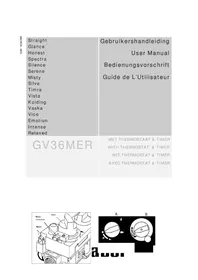


| Product type | Gas fireplace |
| Brand | Faber |
| Model | GV36MER |
| Main power supply | Gas (type to be checked with installer) |
| Secondary power supply | Alkaline batteries: 4 x 1.5V AA (receiver), 1 x 9V (remote control) |
| Main functions | Built-in thermostat, 24h timer, infrared remote control (optional) |
| Flame adjustment | Manual (button B) or via remote control |
| Ignition | Manual pilot light (button A) |
| Safety device | Pilot light thermocouple |
| Minimum safety distance | 100 cm from flammable materials |
| Fireguard | Recommended if children, elderly or disabled persons are present |
| Installation | Must be carried out by a certified installer |
| Glass cleaning | Soft cloth, possibly ceramic hob cleaner |
| Annual maintenance | Inspection and cleaning by certified installer |
| Battery replacement | Receiver: 4xAA, remote control: 1x9V, lifespan about 1 year |
| Disposal | Recyclable packaging, batteries as chemical waste, appliance according to local regulations |
| Surface temperature | May exceed 100°C (glass included) |
| Burner | Main and pilot |
| Timer | Programmable 2 heating periods |
| Display | Temperature in °C or °F, timer 12h or 24h |
| User manual | 32 pages, multilingual (FR, DE, EN, NL) |
| Use | Supplementary heating |
Frequently Asked Questions - GV36MER FABER
User questions about GV36MER FABER
0 question about this device. Answer the ones you know or ask your own.
Ask a new question about this device
Download the instructions for your Fireplace in PDF format for free! Find your manual GV36MER - FABER and take your electronic device back in hand. On this page are published all the documents necessary for the use of your device. GV36MER by FABER.
USER MANUAL GV36MER FABER
3.1 Safety instructions for the user 15 3.2 Controlling the appliance 16 3.3 Remote control (optional) 17 3.4 Cleaning and service instructions 21 3.5 Disposal of packaging and appliance 21
3.1 Safety instructions for the user
- If a gas leak is found or suspected, turn off the gas supply at the meter and contact your installer or gas emergency service. These instructions should be read carefully and retained for future reference.
- Do not use the fire with a broken or damaged glass.
- The fire has a safety device which turns off the gas supply if there is a build up from flue gasses in the combustion room or a temporary gas cut-off. Wait at least 5 minutes before turning the appliance on again. Contact a qualified installer when the appliance goes off regularly.
- Since the appliance has been designed for heating purposes all surfaces, including the glass, can become very warm (over 100°C). An exception to this is the lower side of the door and the control buttons.
- Due to the newness of materials, they may give off a slight smell for a period after initial lighting. This is normal, odours will disperse after a few hours use.
- Do not place curtains, clothing, laundry, furniture or other flammable materials near the appliance. The required minimum distance is 100 cm.
IMPORTANT
A suitable Fireguard conforming to BS6539 and BS6778 should be used with this appliance to protect children, the elderly or infirm. Care should also be taken with pets. In your own interest and that of safety, all gas appliances must be installed by competent persons. Installation must be in accordance with National Regulations. CORGI registered installers are required to work to recognised standards.
Note:
Since the appliance is a source of heat, circulation of air occurs. Therefore it is of importance that you do not use the appliance shortly after a renovation of the home. Due to the natural circulation of air, moist and volatile components from paint, building materials, carpet etc. will be attracted to the lit fire. These components can settle onto cold surfaces in the form of soot. As on all heat producing appliances, soft furnishings such as blown vinyl wallpaper placed too near to the appliance may become scorched or discoloured. This should be born in mind when installing the appliance.
3.2 Controlling the appliance
Depending on the model, the gas control block is positioned either:
behind a stainless steel door on the underside of the appliance - mounted in the middle of the floor plate of the appliance behind the frame (accessible by tilting the frame upwards)
These appliances are fitted with a manual GV36 gas control (see fig. 1 and 2) that optionally can be adjusted with a G30 remote control.
3.2.1 Manual control
The pilot light always has to be lit before the main burner can be used. Rotary knob A functions as a main valve and has to be used to light the pilot light. Use rotary knob B to adjust the height of the flames.
Warning! When the pilot extinguishes, for whatever reason, you should wait at least 5 minutes before trying again.
Possible causes of pilot extinguish are:
- operation error
- interference of the safety device
- failure in the pilot flame system
Contact a qualified installer when the appliance extinguishes regularly.
3.2.1.1 Pilot ignition
To ignite the pilot light:
simultaneously press and turn rotary knob A anti-clockwise to the (small flame) position - at the (spark) position a click will be heard and the piezo-electric element starts to ignite - hold the knob in this position for some seconds to clear the air from the pipe and allow gas to reach the pilot burner - if the pilot light does not light return to the ● (stop) position and restart - hold the knob for about ten seconds after the pilot light ignites - turn the knob anti clockwise to the (large flame) position to allow the main burner to be ignited (see main burner ignition)
3.2.1.2 Pilot extinguish
To extinguish the pilot light:
- first turn rotary knob B clockwise till the (off) position
- Turn rotary knob A clockwise to the (small flame) position, then simultaneously press and turn rotary knob A clockwise to the (off) position.
3.2.1.3 Main burner adjustment
To adjust the flame height, turn rotary knob B between the (off) position and (large flame) position.
3.3 Remote control (optional)
This version of the remote control is only meant to adjust the height of the flames. It only functions when the pilot burner is ignited and knob A is in the (large flame) position.
Therefore, it isn't possible to ignite the pilot flame with the remote control or to extinguish the pilot flame.
Besides manual operation, the appliance can operate automatically with the use of a thermostat and timer.
3.3.1 General
Always leave the handset of the remote control in the same room as the appliance.
Preferably within one or two meters from the appliance to gain the most constant temperature.
Be sure that there is enough free space around the handset to let the thermostatic controller react more accurately. It is recommended to use the wall bracket and mount it on the wall within 4 meters from the appliance.
3.3.2 Change Temperature Indication
Setting the display from °C / 24 hours to °F / 12 hours and vice versa:
- Press simultaneously the AUTO button and the TIMER button (figure 3).
- The display flashes.
- Press the auto button, the display will change to °C or °F.
- The display will automatically change to normal display after a while or press the TIMER button.
3.3.3 Change Time Indication
Setting the time
Press simultaneously the AUTO button and the TIMER-button (figure 3). The display flashes. Press the ▲-button to set hours. Press the ▼-button to set minutes. Press the AUTO-button to return to manual mode.
3.3.4 Operation modes
At the display four different marks can be seen. Every mark compares with a different operation mode:
MAN
Manual Flame Height Adjustment
In manual mode (MAN) the flame height can be adjusted by the consumer.
AUTO
Thermostat temperature control
If the AUTO sign is indicated the thermostatic function controls the temperature.
TIMER
Timer Controlled Day and Night Temperature
In TIMER-mode the start and the end of the heating period can be set. This feature allows to pre-heat the room at morning before wake up or at evening before leaving work.
This setting can be done for a maximum of two periods in a day.
3.3.5 Manual Flame Height Adjustment
- Press the -button or the -button.
- The sign MAN appears in the display.
- The flame height can be adjusted by pressing the -button or the -button.
- The led light on the receiver will flash to indicate that knob B has reached one of the final settings.
3.3.6 Setting the Thermostat temperature
- Press the AUTO-button, till the temperature flashes.
- Set the desired temperature by pressing the -button to increase and the -button to decrease
- The display will automatically change to normal display after a while or press the AUTO button.
3.3.7 Setting the Timer
The TIMER is capable to control two burner cycles:

Setting the start and stop times (set both the start and stop times equal to each other to achieve one burner cycle):
- Press the TIMER-button, till the P1 * mark flashes.
- Set the hours by pressing the triangle button and set the minutes by pressing the nabla button.
- Press the TIMER button until the P1 mark flashes.
- Set the hours by pressing the triangle button and set the minutes by pressing the nabla button.
- Press the TIMER button until the P2* mark flashes.
- Set the hours by pressing the triangle button and set the minutes by pressing the nabla button.
- Press the TIMER button until the P2) mark flashes.
- Set the hours by pressing the triangle button and set the minutes by pressing the nabla button.
- Save the settings by pressing the TIMER button.
- During the start and stop time in the TIMER mode, the appliance is controlled by the thermostat temperature.
- When the timer reaches the stop time (P1 or P2), the main burner turns off and the pilot flame will stay on.
- The thermostat temperature can be changed during the TIMER mode as described in 3.2.6. Press the TIMER button to return to the TIMER mode.
3.3.8 Life cycle battery
To save battery power, set the transmitter to MANUAL by pressing the nabla button until the main burner extinguishes.
Be aware not to have the handset in the TIMER or AUTO modes with the appliance extinguished. Because the temperature control will continuously try to adjust the room temperature until the batteries are exhausted.
3.3.9 Battery replacement
- The batteries need to be exchanged when the BATT mark can be seen on the transmitter's screen or if the LED light on the receiver is burning. The handset is no longer powerful enough to transmit the signals to the receiver.
- In case of malfunction, the remote control can always be extinguished with the use of rotational knob B at the gas control valve.
3.3.9.1 Battery replacement handset
- Remove the cover on the back of the remote control to access the battery compartment (figure 4).
- Carefully remove the batteries.
- Replace with a 9 Volt MN1604/6LR61 Alkaline long-life battery.
- Replace the cover.
3.3.9.2 Battery replacement receiver
- Remove the receiver (figure 5) from the appliance.
- Remove the cover of the battery compartment.
- Replace with 4 pieces AA/LR6 Alkaline long-life batteries.
- Replace the cover.
3.3.10 Transmission code
The transmission code of the remote control is already set at the factory and cannot be adjusted by the customer.
3.4 Cleaning and service instructions
- Turn off the appliance and allow it to cool down before commencing cleaning.
- It is recommended that the fire is inspected/serviced by a competent person at least once a year. In case of a B1 appliance, always sweep the flue at least once a year.
- To maintain the finish on the trim, wipe with a soft damp cloth only. Do not use abrasive cleaners, polish, or solvents as these can damage the surface finish.
3.5 Disposal of packaging and appliance
The appliance packaging is recyclable and should be disposed of responsibly.
Batteries are considered chemical waste and should be disposed of responsibly and in conformity with government regulations.

- SAFETY INSTRUCTIONS FOR THE USER
- IMPORTANT
- NOTE
- CONTROLLING THE APPLIANCE
- MANUAL CONTROL
- PILOT IGNITION
- PILOT EXTINGUISH
- MAIN BURNER ADJUSTMENT
- REMOTE CONTROL (OPTIONAL)
- GENERAL
- CHANGE TEMPERATURE INDICATION
- CHANGE TIME INDICATION
- OPERATION MODES
- MAN
- AUTO
- TIMER
- MANUAL FLAME HEIGHT ADJUSTMENT
- SETTING THE THERMOSTAT TEMPERATURE
- SETTING THE TIMER
- LIFE CYCLE BATTERY
- BATTERY REPLACEMENT
- BATTERY REPLACEMENT HANDSET
- BATTERY REPLACEMENT RECEIVER
- TRANSMISSION CODE
- CLEANING AND SERVICE INSTRUCTIONS
- DISPOSAL OF PACKAGING AND APPLIANCE
Brand : FABER
Model : GV36MER
Category : Fireplace