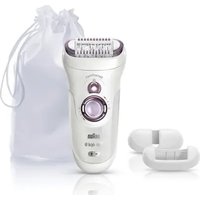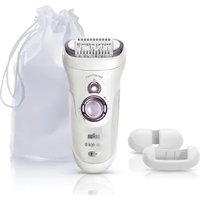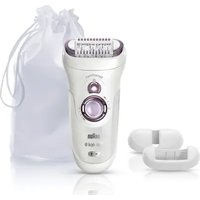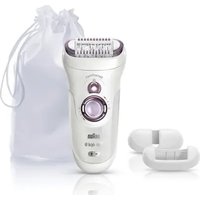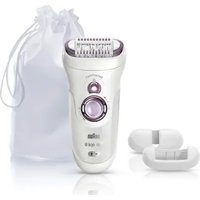
Gillette Naked Skin 6028 - Epilator BRAUN - Free user manual and instructions
Find the device manual for free Gillette Naked Skin 6028 BRAUN in PDF.



Frequently Asked Questions - Gillette Naked Skin 6028 BRAUN
User questions about Gillette Naked Skin 6028 BRAUN
0 question about this device. Answer the ones you know or ask your own.
Ask a new question about this device
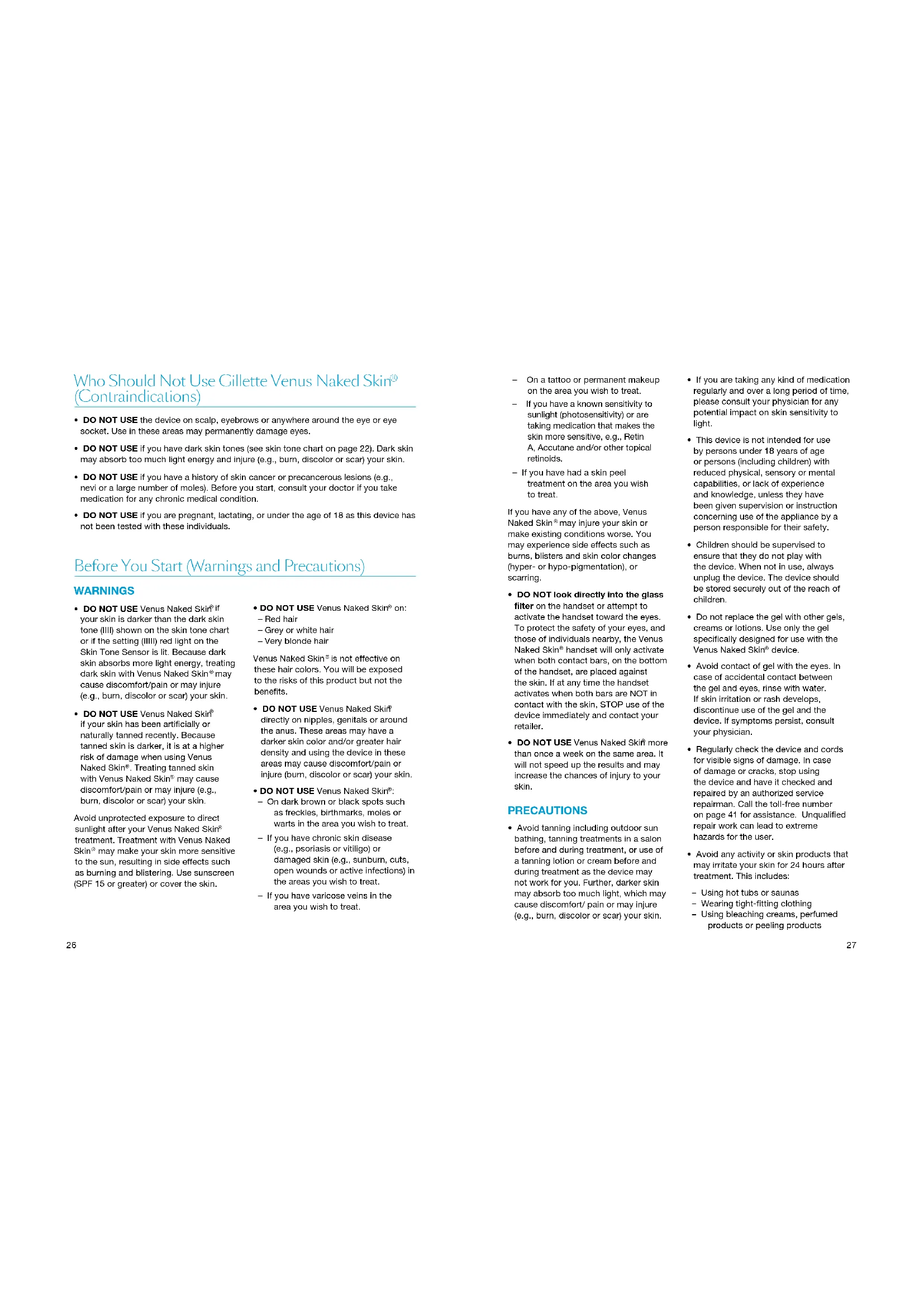
Download the instructions for your Epilator in PDF format for free! Find your manual Gillette Naked Skin 6028 - BRAUN and take your electronic device back in hand. On this page are published all the documents necessary for the use of your device. Gillette Naked Skin 6028 by BRAUN.
USER MANUAL Gillette Naked Skin 6028 BRAUN
Let your skin see the light
V-Aktivierungsgel
Please read this entire user guide, including all warnings and safety information, before using the Venus Naked Skin Intense Pulsed Light Hair Removal System.
The Venus Naked Skin Intense
Pulsed Light Hair Removal System
Is not suitable for everyone. It works
effectively on light to medium skin
tones and dark hair colors. Venus
Naked Skin is not effective on
treatment areas with red, very blonde,
grey or white hair.
Compare the skin tone of the area to be treated to the chart (on the left) to see if Venus Naked Skin is suitable for you. If you are unsure if the device is appropriate for you to use, please call the toll-free number located on page 41 of this user guide or consult your physician.
WARNING -DO NOT USE:
If the skin to be treated is darker than skin tone (III) shown on the Skin Tone Chart. Darker skin tones absorb too much light energy during treatment, which may injure (e.g. burn, discolor or scar) your skin.
As the face can be more sensitive, use the device on other body areas before treating upper lip area, chin or jaw. For specific facial usage Instructions, see chapter "Facial Treatment".
Welcome to Gillette Venus Naked Skin
Welcome to a premium beauty experience with your new Venus Naked Skin Intense Pulsed Light Hair Removal System.
With Venus Naked Skin, you can achieve smooth skin every day, so that every season can be bikini season. So get started... you'll love the look and feel of your continuously smooth skin. And that's a beautiful thing!
For more information and to download the free Naked Skin® mobile application, please visit www.braun.com

Contents
Who Should Not Use Gillette Venus Naked Skin (Contraindications) 24
Before You Start (Warnings and Precautions) 24
Warnings 24
Precautions 25
Electrical and fire safety 26
Possible Side Effects 27
Possible side effects include: 27
What to do if you have a side effect. 27
Introduction to Gillette Venus Naked Skin 28
How It Works. 28
What to Expect 29
How to Use 29
Getting Started 29
Setup 29
Check Your Skin Tone 29
Treatment. 31
Facial Treatment (women only) 33
Patch Test. 35
Treatment Schedule 36
Start-up Phase 36
Maintenance Phase. 36
Troubleshooting 37
Technical Specifications 38
Customer Support 39
Warranty 39
Who Should Not Use Gilletuc Venus Naked Skin (Contraindications)
- DO NOT USE the device on scalp, eyebrows or anywhere around the eye or eye socket. Use in these areas may permanently damage eyes.
- DO NOT USE if you have dark skin tones (see skin tone chart on page 22). Dark skin may absorb too much light energy and injure (e.g., burn, discolor or scar) your skin.
- DO NOT USE if you have a history of skin cancer or precancerous lesions (e.g., nevi or a large number of moles). Before you start, consult your doctor if you take medication for any chronic medical condition.
- DO NOT USE If you are pregnant, lactating, or under the age of 18 as this device has not been tested with these individuals.
Before You Start (Warnings and Precautions)
WARNING
DO NOT USE Venus Naked Skin if your skin is darker than the dark skin tone (III) shown on the skin tone chart or if the setting (Iill) red light on the Skin Tone Sensor is lit. Because dark skin absorbs more light energy, treating dark skin with Venus Naked Skin may cause discomfort/pain or may injure (e.g., burn, discolor or scar) your skin.
- DO NOT USE Venus Naked Skin if your skin has been artificially or naturally tanned recently. Because tanned skin is darker, it is at a higher risk of damage when using Venus Naked Skin. Treating tanned skin with Venus Naked Skin may cause discomfort/pain or may injure (e.g., burn, discolor or scar) your skin.
Avoid unprotected exposure to direct sunlight after your Venus Naked Skin treatment. Treatment with Venus Naked Skin may make your skin more sensitive to the sun, resulting in side effects such as burning and blistering. Use sunscreen (SPF 15 or greater) or cover the skin.
DO NOT USE Venus Naked Skin on:
Red hair
Grey or white hair
- Very blonde hair
Venus Naked Skin is not effective on these hair colors. You will be exposed to the risks of this product but not the benefits.
DO NOT USE Venus Naked Skin directly on nipples, genitals or around the anus. These areas may have a darker skin color and/or greater hair density and using the device in these areas may cause discomfort/pain or injure (burn, discolor or scar) your skin.
DO NOT USE Venus Naked Skin:
-
On dark brown or black spots such as freckles, birthmarks, moles or warts in the area you wish to treat.
If you have chronic skin disease (e.g., psoriasis or vitiligo) or damaged skin (e.g., sunburn, cuts, open wounds or active infections) In the areas you wish to treat.
If you have varicose veins in the area you wish to treat. -
On a tattoo or permanent makeup on the area you wish to treat.
If you have a known sensitivity to sunlight (photosensitivity) or are taking medication that makes the skin more sensitive, e.g., Retin A, Accutane and/or other topical retinoids.
If you have had a skin pool treatment on the area you wish to treat.
If you have any of the above, Venus Naked Skin* may injure your skin or make existing conditions worse. You may experience side effects such as burns, blisters and skin color changes (hyper- or hypo-pigmentation), or scarring.
DO NOT look directly into the glass filter on the handset or attempt to activate the handset toward the eyes. To protect the safety of your eyes, and those of Individuals nearby, the Venus Naked Skinhandset will only activate when both contact bars, on the bottom of the handset, are placed against the skin. If at any time the handset activates when both bars are NOT in contact with the skin, STOP use of the device immediately and contact your retailer.
DO NOT USE Venus Naked Skin more than once a week on the same area. It will not speed up the results and may Increase the chances of injury to your skin.
PRECAUTIONS
- Avoid tanning including outdoor sun bathing, tanning treatments in a salon before and during treatment, or use of a tanning lotion or cream before and during treatment as the device may not work for you. Further, darker skin may absorb too much light, which may cause discomfort/ pain or may injure (e.g., burn, discolor or scar) your skin.
If you are taking any kind of medication regularly and over a long period of time, please consult your physician for any potential impact on skin sensitivity to light.
This device is not intended for use by persons under 18 years of age or persons (including children) with reduced physical, sensory or mental capabilities, or lack of experience and knowledge, unless they have been given supervision or instruction concerning use of the appliance by a person responsible for their safety.
Children should be supervised to ensure that they do not play with the device. When not in use, always unplug the device. The device should be stored securely out of the reach of children.
- Do not replace the gel with other gels, creams or lotions. Use only the gel specifically designed for use with the Venus Naked Skin device.
- Avoid contact of gel with the eyes. In case of accidental contact between the gel and eyes, rinse with water. If skin irritation or rash develops, discontinue use of the gel and the device. If symptoms persist, consult your physician.
Regularly check the device and cords for visible signs of damage. In case of damage or cracks, stop using the device and have it checked and repaired by an authorized service repairman. Call the toll-free number on page 41 for assistance. Unqualified repair work can lead to extreme hazards for the user.
- Avoid any activity or skin products that may irritate your skin for 24 hours after treatment. This includes:
Using hot tubs or saunas
Wearing tight-fitting clothing
- Using bleaching creams, perfumed products or peeling products
The above may cause irritation, such as itching and redness, in the treated areas.
ELECTRICAL AND FIRE SAFETY
As with any electrical device, certain precautions must be taken in order to ensure your safety.
DANGER:
Never open the Venus Naked Skin device, as this may expose you to dangerous electrical components and to pulsed light energy, either of which may cause serious bodily damage and/or permanent eye injury.
-
DO NOT use if device is damaged; for example, cracked base, handset cable damage (internal wires visible), cracked or broken glass on the handset, etc. Internal parts contain electric charges that are hazardous. Electric shock may result from using a damaged device.
DO NOT use Venus Naked Skin near bathtubs, showers, basins or other vessels containing water. If Venus Naked Skin becomes wet, it should not be used. Electric shock may result from using a wet device. -
DO NOT use if either the base unit or handset becomes uncomfortably hot to touch. The device may overheat and pose an electric shock risk or fire hazard.
DO NOT use a power supply other than provided Cyden Type 6027... supply for use with Venus Naked Skin Type 6028.... This may damage the unit and pose an electric shock risk or fire hazard
DO NOT use petroleum-based or flammable cleaning agents as these pose a fire risk. - DO NOT use abrasive cleaning agents. These may damage the device or scratch the glass window on the handset. Damaged devices must not be used. Electric shock may result from using a damaged device.
- DO NOT block the cooling vents on the handset. The device may overheat and pose an electric shock risk or fire hazard.
NOTICE:
- Venus Naked Skin is designed for use where the main supply voltage is 100 V to 240 V AC, 50/60 Hz. Check that the actual supply voltage is within this range.
Always unplug Venus Naked Skiff when not in use.
POSSIBLE SIDE EFFECTS
Venus Naked Skin is a powerful device. Some people will experience slight discomfort (e.g., heat or redness of the skin) when using Venus Naked Skin - this is normal. You may feel heat and tingling when activating the light pulse, followed by redness in the skin. This type of reaction usually disappears within 24 hours. Adverse reactions are usually immediate or appear within 24 hours. In rare cases, they may take up to 72 hours to appear.
POSSIBLE SIDE EFFECTS INCLUDE:
- Discomfort/pain in the area being treated
- Itching of the treated area
- Heat and redness of the skin that continues after the first 24 hours
In rare cases:
- Blistering or burning of the skin
- Swelling and/or bruising
Changes to the pigmentation (color) of the skin in the area treated
WHAT TO DO IF YOU HAVE A SIDE EFFECT
| Side Effect How to Assess and React | |
| Warm feeling or tingling sensations during treatment which typically disappear after a few seconds to a minute and decrease with continued use. | This is expected and is normal for all IPL (Intense Pulsed Light) hair removal device treatments. You can keep on using the device as instructed. |
| Discomfort or pain is intense during treatment or persists after a treatment. | Stop using the device and consult your physician before using it again. |
| Skin redness during or after treatment which disappears within minutes to several hours. | This is expected and is normal for all IPL (Intense Pulsed Light) hair removal device treatments. You can keep on using the device as instructed once skin redness has disappeared. |
| Skin redness which does not go away within 24-48 hours after treatment. | Stop using the device and consult your physician before using it again. |
| In Very Rare Cases: | |
| Swelling and redness around the hair follicle that disappears within two or three days. | You can keep on using the device as instructed once swelling and redness around the hair follicle has disappeared. |
| Swelling and redness around the hair follicle that does not disappear within two to three days. | Stop using the device and consult your physician before using it again. |
| Temporary changes in skin color (lightening or darkening). | If your skin color changes, stop using the device and consult your physician. |
| Increase in hair growth in areas of treatment (more likely to be seen with subjects of Mediterranean descent). | If this increase persists over several treatments, stop using the device and consult your physician. |
Introduction to Gillette Vcnus Nakcd Skin
The Venus Naked Skin device is powered by Intense Pulsed Light (IPL), derived from professional light technology that is used by dermatologists/professionals worldwide for the treatment of unwanted hair.
The Venus Naked Skin System includes:
1. Base unit
2. Handset (connected to base unit)
3. Detachable Skin Tone Sensor
(see page 31 for details on the Skin Tone Sensor)
4. Activationbutton
5.Powersupply
6. Treatment window in the front of handset
7. Vw Activating Gel
8.UserGuide

How It Works
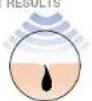
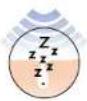
The Venus Naked Skin Intense Pulsed Light (IPL) system is derived from professional IPL technology and helps break the cycle of hair regrowth. The light energy is transferred through the V® Activating Gel to target the melanin in dark hair, helping to put the hair to sleep.
BEFORE TR

ipulse
Let your skin see the light
VmActivating Gel
Venus Naked Skinf comes with ^m Activating Gel. This is a clear, water-based gel that enables the light to transfer to the hair during treatment to optimize effectiveness.
Do not use Venus Naked Skin if you do not have Activating Gel. The gel is available for purchase at your retailer.
What to Expect
You could experience noticeable hair reduction after 6 treatments and long lasting hair removal after 6-12 treatments. Continue to treat once every two months to maintain results and to enjoy continuously smooth, beautiful skin.
How to Use
Getting Started
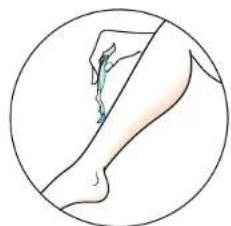
The treatment area should be clean, hair-free and dry.
- Remove any visible hair before using Venus Naked Skin. Removal of hair ensures the light reaches the hair follicle during treatment.
- Cleanse the treatment area and pat dry.
Setup
To power on the device:
- Place the device unit on a firm surface. The handset should be securely placed in its cradle on the base unit.
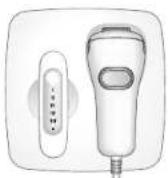
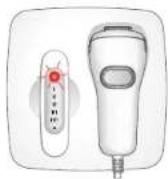
- Plug the power supply into an electrical outlet. The Skin Tone Sensor button will illuminate RED to indicate STANDBY mode. A skin tone reading is required to begin.
Check Your Skin Tone
USING THE SKIN TONE SENSOR
Venus Naked Skin has an integrated Skin Tone Sensor designed to assist you in choosing the appropriate skin tone setting for your skin.
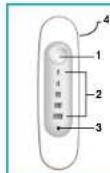
Skin Tone Sensor
1. Sensor Button
2.Setting Lights
3. Bulb Life Indicator
4. Sensor Window on the back side
To measure your skin:
- Remove the Skin Tone Sensor from the base unit. The RED Skin Tone Sensor light will go out to indicate it is ready.
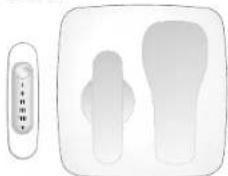
- Place the sensor window of the Skin Tone Sensor to the clean, dry area of skin you wish to treat.
For comfort and safety, always choose the darkest skin, e.g., for leg, test the outside of the lower leg; for arms, use the back of the hand. For the face, test the cheek or upper lip area.
- Press the Skin Tone Sensor button to receive a skin tone reading:
If an illuminated WHITE light (settings I, II, III, III) appears, the skin tone in this area is suitable for treatment.
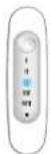
If an illuminated RED light appears, this indicates the skin tone in this area is not suitable for treatment.
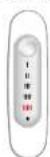
- IMPORTANT: Before treating another body part, you must perform a new measurement.
NOTE: If all lights illuminate, this indicates that the measurement taken is not valid, e.g., Skin Tone Sensor does not have good contact.
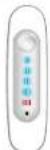
-
Replace the Skin Tone Sensor in the base unit. The Skin Tone Sensor button will illuminate WHITE which indicates that the unit is ready for use. The device setting will automatically adjust to the Skin Tone Sensor reading. The white setting light indicates the power setting.
-
Double check the result by comparing the skin tone of the treated area to the Skin Tone Chart.
IMPORTANT: If there is a difference between the skin tone identified by the Skin Tone Sensor and the Skin Tone Chart, you should always use the higher number/darker tone setting (emits less light energy). For example: if the Skin Tone Sensor indicates (III) and the Skin Tone Chart indicates (III), you should use (III).
- Press the Skin Tone Sensor button repeatedly until the correct skin tone setting appears.
I -III on the Skin Tone Sensor.
- Setting I is the HIGHEST power setting and is for people with fair skin as shown on the Skin Tone Chart—Skin Tone 1.
- Setting II is the MEDIUM power setting and is for people with medium skin tone as shown on the Skin Tone Chart—Skin Tone 2.
- Setting III is a LOWER power setting and is for people with darker skin as shown on the skin tone chart—Skin Tone 3.
SettingIII is the LOWEST power setting and is for people with darker skin as shown on the Skin Tone Chart—Skin Tone 4.
NOTE: You can choose a higher number/darker tone setting (emits less light energy) than your Skin Tone Sensor measurement result, but a lower number/lighter skin tone setting cannot be selected.
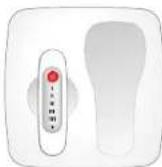
STANDBY Mode
When the Skin Tone Sensor is placed in the base unit, after 10 minutes of inactivity, the handset will revert to STANDBY mode (indicated by a RED light). A new skin tone reading is required to re-activate the unit.
Treatment
Before your first treatment, we advise you to perform a patch test on a small area of skin on a body part you plan to treat. Please refer to page 37 for Patch Test details.
Once you have established the correct skin tone setting and prepared the treatment area, you are ready to begin your treatment.
- Apply a thick layer of Activating Gel to the area. DO NOT RUB IN. The gel should remain in a thick layer on the skin to ensure proper contact with the Handset.
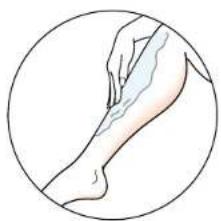
IMPORTANT:
Only use the Activating Gel specifically designed for use with this device. In order to prevent gel from drying, larger areas should be treated in sections.
- Wipe excess gel from your hands.
- Select a spot on the edge of the treatment area. Place the handset firmly on the skin so that both contact bars on the outer corners of the treatment window are placed in the Activating Gel that is on the skin surface. A WHITE light signals you have the proper contact. If the white light does not appear, be sure to adjust the handset so that both bars remain in contact with the skin.
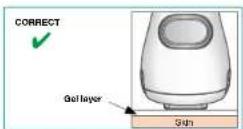
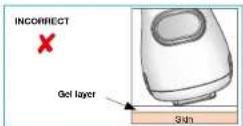
- Press the Activation button once. Look away from the handset to avoid the bright light. You will hear a click and may feel a warm sensation.
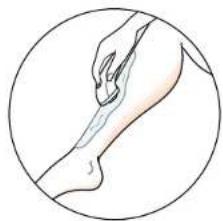
- Remove the handset from your skin. The two contact bars and treatment window will leave marks in the Activating Go to help track your treatment progress.
- Venus Naked Skin should be used on the skin in continuous rows. Your next selected treatment spot should be adjacent to the previous. There should be no gaps between treatment areas. When placing the handset onto the gel on your skin, the edge of the treatment window and the two contact bars should line up with the marks from the previous treatment area.
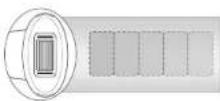
WARNING:
DO NOT discharge the device on the same site more than once to avoid possible adverse skin effect. If your skin blisters or burns, STOP IMMEDIATELY. Soothe the area with cooling gel packs. Seek medical advice immediately.
7. You will need to wait approximately 4-6 seconds for the unit to recharge before it is ready to activate again. The Skin Tone Sensor button flashes to show the unit is recharging. When the light glows WHITE constantly, it's ready for use again. Repeat the process above until you are finished treating the treatment area. Periodically wipe the treatment window to ensure it is clean and free of any debris.
- When you have finished treating an area, wipe away any excess Activating Gel from the handset and the area you have treated. Place the handset back on the base unit.
- Check the treated area to see if you develop any skin reactions. If you experience a side effect, refer to page 29 in this user guide.
SLEEP Mode Timeout
- When the unit is left "inactive" (i.e., no buttons are pushed or the Skin Tone Sensor is not removed/ replaced) for 55 minutes, then the unit will enter a low power SLEEP mode.
- In SLEEP mode, all the lights are off except for the RED Skin Tone Sensor button which will make a single flash once every 3 seconds. You must take a skin tone reading to get out of SLEEP mode.
Facial Treatment (women only)
Using Venus Naked Skin to remove unwanted facial hair requires care and special guidance to prevent any possible adverse reaction. It is recommended that before treating the face, other body areas are treated first.
Avoid tanning including outdoor sun bathing, tanning treatments in a salon before and during treatment, or use of a tanning lotion or cream before and during treatment as the device may not work for you. Further, darker skin may absorb too much light energy, which may cause discomfort/pain.
IMPORTANT:
- Do not treat the eyebrows or areas around the eyes, the scalp, the nostrils, the ears.
- Do not use on moles or any dark (pigmented) areas.
Before Treatment
- Determine if the face may be treated, by using the skin color chart and the skin tone sensor. Because the face is unavoidably exposed to sunlight, it may be darker than other body areas.
- Perform a patch test: test your skin for reaction in a hair-free area below the ear (see chapter titled "Patch Test").
- After this patch test, wait 48 hours, examine the treated area and if it appears normal, begin treating the upper lip, chin or jaw.
Getting started
- Remove all cosmetics, lotions and creams (including self tanning) from the area you wish to treat.
-
Remove any visible hair.
-
Use the skin tone sensor to confirm suitability for treatment. Do NOT use if the skin tone sensor indicates red (III). Always start with the lowest setting when using on the face, regardless of the skin tone sensor reading. This may require you to manually reduce the energy level to the lowest setting (III) if you are a lighter skin tone (I-III). Do this by pressing the white button on the skin tone sensor until the lowest setting is lit (III).
Treating the face, cheek and Jaw
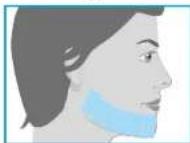
- Apply a thick layer of Activating Gel to the area to be treated (see illustration below).
- Wipe excess gel from your hands.
- You may choose to use a mirror to help position the handset for treating facial areas.
- Select a spot on the edge of the treatment zone. Place handset firmly on the skin so that both contact bars on the outer corners of the treatment window are placed in the Activation Gel that is on the skin surface. The white light of the Activation button signals you have the proper contact. If the white light does not appear, be sure to adjust the handset so that both bars remain in contact with the skin.
IMPORTANT:
Before pressing the activation button, close your eyes or look away as the light is very bright.
5. Press the Activation button. You may feel a warm sensation.
- Remove the handset from the skin.
- Place the handset on the next adjacent untreated spot (do not overlap) and press the activation button. Continue until you have completed the entire area you wish to treat.
IMPORTANT:
Avoid treating the same area twice as this may cause adverse reactions.
8. Wipe any excess Activating Gel from the handset and the area you have treated.
Treating the upper lip area
IMPORTANT:
- Avoid contact with the lips and the nostrils. The central area below the nostrils is often sensitive.
-
Do not use on permanent / semi permanent lip liner on the lip margin.
-
Apply a thick layer of Activating Gel to the area to be treated (see illustration below).
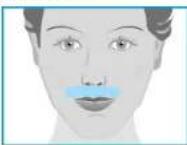
Tip: You can press your lips together to ensure that the light does not activate on the upper lip itself.
2. Repeat steps 2-8 as presented for treating face, cheek and jaw.
Treating the neck and chin
Hair growth under the chin can be denser and more coarse in nature and this can sometimes lead to slight reddening in the
skin following a treatment. This redness is temporary and should completely disappear after 24 hours.
- Apply a thick layer of Activating Gel to the area to be treated (see Illustration below).
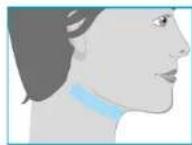
- Repeat steps 2-8 as presented for treating face, cheek and jaw.
NOTE:
If redness or a burning sensation occurs and lasts for several minutes, apply a cool cloth/pad to soothe the area.
If any pigmentary changes in the skin, e.g., lightening or darkening, are observed, stop using the device. Seek medical advice to determine the cause which may be due to an underlying medical condition.
After Treatment
- Avoid using bleaching creams, or peeling products in the treated area for 24 hours after treatment as they may cause irritation.
- Avoid direct sunlight exposure for 24 hours after treatment. To protect the skin, use a facial moisturizer with SPF 15 or greater broad spectrum sunscreen.
Patch Test
Before your first treatment, we recommend you test your skin for reaction to Venus Naked Skin device and Activating Gel.
NOTE: Test the area you are planning to treat. The patch test area should be about 2.5 × 5 cm in size (equivalent to size of two flashes, side by side).
- First check your skin tone, (refer to page 31).
- Prepare the area to be treated by cleansing and removing visible hair. Pat dry with a towel.
- Apply a thick layer of Activating Gel to the area. DO NOT RUB IN. The gel should remain in a thick layer on the skin to ensure proper contact with the applicator.
- Place the handset firmly on the skin so that both contact bars on the outer corners of the treatment window are placed in the Activating Gel that is on the skin surface. The Activation button will illuminate WHITE to signal you have the proper contact. If the white light does not appear, be sure to adjust the handset so that both bars remain in contact with the skin.
- Press the Activation button once. Look away from the handset to avoid the bright light. You will hear a click and may feel a warm sensation.
IMPORTANT: Adjustment of Treatment Level
The treatment sensation may vary depending on the person and treatment area. For best results, conduct the treatment at the highest level you are comfortable using.
Level I-Highest power setting Level III-Lowest power setting To adjust the treatment level, refer to step 7 on page 32.
- Remove the handset from your skin.
- Place the handset on the area adjacent to the area you already treated (see NOTE to the left). Repeat steps 4-6.
- Wait 48 hours and then examine the test area. If the skin appears normal, begin your first treatment at the highest level you are comfortable using. If a skin reaction develops, discontinue use of Venus Naked Skin® and consult your physician. DO NOT treat the patch tested area for at least one week after the test.
Maintenance and Storage
- Once you have completed your treatment, unplug the power supply from the electrical outlet to turn off the Venus Naked Skin® system.
- After use, wipe down the handset, treatment window and the base unit with a tissue or cloth to remove any excess gel remaining on the device. Do not rinse or immerse the unit or handset in water or any other liquid.
- Store the Venus Naked Skin device and V'Activating Gel In a cool, dry place.
Treatment Schedule
Start-up Phase
For optimal results, Venus Naked Skinf should be used once every 2 weeks for 6-12 treatments.
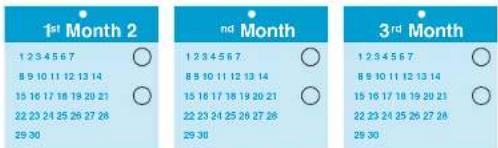
Maintenance Phase
After your start-up phase, to maintain continuously smooth skin, use Venus Naked Skin once every two months.
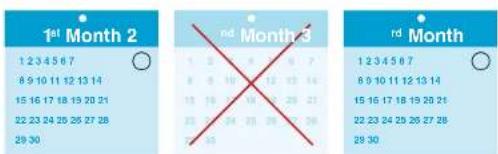

Troubleshooting
The following troubleshooting guide should be used initially to try to solve any problems you may experience with Venus Naked Skin9.
| Problem Solution | |
| The lights on the Venus Naked Skin® control panel are not lit up. | Make sure the power supply is plugged in. |
| Ensure that the power cord to the Venus Naked Skin® base unit is plugged in correctly. | |
| Venus Naked Skin® doesn't work on small areas. | For safety reasons, both contact bars on the handset must make positive contact with the skin. If the area of the skin to be treated is too small for this, Venus Naked Skin® will not emit a pulse of light. |
| Try to reposition the handset to ensure both bars make contact with the gel in the treatment area. | |
| The Venus Naked Skin® base unit or handset is broken, cracked or appears defective. | DO NOT USE if the base unit, handset, connecting cable or power supply is damaged. If you are in any doubt about the safety of Venus Naked Skin® or suspect it is damaged in any way, you must not use it. |
| The red light on the Skin Tone Sensor has come on or is flashing and Venus Naked Skin® won't respond. | Venus Naked Skin® has gone into STANDBY or SLEEP mode. To reactivate, take another valid skin tone reading as described on page 31-32 of this user guide. |
| The lights on the Venus Naked Skin® control panel are on or flashing in an unfamiliar pattern. | Venus Naked Skin® will display any error messages through combinations of lights on the control panel. The table below explains what these light combinations mean. |
| There is a noticeable change in treatment light intensity. | Call Customer Support number (page 41). |
| Power Setting Lights Explanation | |
| All lights flash ON & OFF in a random sequence and unit is not working. | The device is damaged and should be returned for repair. Refer to your retailer for further information. |
| All lights OFF. The power supply connection is incorrectly made. | |
| Activator button illuminated constantly. | The bulb will provide 50,000 flashes. This Indicator light means 45,000 or 90% of bulb flashes have been used. |
| Activator button light flashing. | The bulb life has expired. |
Technical Specifications
Venus Naked Skin is a filtered broadband intense pulsed light system with the following technical specification:
Repetition Rate: Manually pulsed every 4-6 seconds on average, depending on operating temperature
Power Line Input: 100 V - 240 V -, 1.3 - 0.55 A
Operating Temperature: between 15^ and 30^
Operating Humidity: up to 85% Relative Humidity, non-condensing
Treatment Area (spot size): 3cm^2 (12 mm x 25 mm)
The system includes a safety system and needs contact with skin covered in a layer of Activating Gel in order to operate correctly. Use only gels specifically designed for use with Venus Naked Skin®. Other gels or creams should not be used.
The device is intended for a single user.
Conformance:
C
CE marking certifies that this appliance conforms to the following EEC directives:
Low Voltage Directive 2006/95/EC
Electromagnetic Compatibility Directive 2004/108/EC
Energy Using Product Directive 2009/125/EC
Disposal (end of life):
In order to minimize hazards to health and the environment and ensure that materials can be recycled, this product should be disposed of at a separate collection facility for waste electrical and electronic equipment.
X
The Wheelie Bin symbol marked on the product is there to remind you.
The Installed battery in the Skin Tone Sensor will be removed by a professional recycling facility.
Customer Support
For questions or comments, please contact our customer support team at: 08007833670
Warranty
We grant a 2 year warranty on the product commencing on the date of purchase. Within the warranty period, we will eliminate any defects in the appliance resulting from faults in materials or workmanship free of charge either by repairing or replacing the complete appliance at our discretion.
This warranty extends to every country where this appliance is supplied by Braun or its appointed distributor.
This warranty does not cover: damage due to improper use, normal wear or use as well as defects that have a negligible effect on the value or operation of the appliance. The flash bulb is considered a wearable part of the device and is therefore not covered under the warranty. The warranty becomes void if repairs are undertaken by unauthorized persons and if original Braun parts are not used.
To obtain service within the warranty period, visit www.braun.com for details.
EFFETS SECONDAIRES POSSIBLES:
LES EFFETS SECONDAIRES POSSIBLES INCLUENT:
II systema Venus Naked Skir® include:
Let your skin see the light