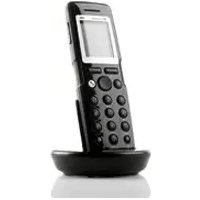
POLYCOM KIRK 5020 - Phone

KIRK 5020 - Phone POLYCOM - Free user manual and instructions

Find the device manual for free KIRK 5020 POLYCOM in PDF.

English EN Download 💬 AI Question 10 questions ⚙️ Specs
📄

Document temporarily unavailable

The manual is currently being transferred to our new server. It will be accessible again in a few hours. Thank you for your patience.

View the manual : Français FR Deutsch DE English EN Español ES Italiano IT
Pick your language and provide your email: we'll send you a specifically translated version.
Product Type DECT Phone
Brand Polycom
Model KIRK 5020
Dimensions 146 × 48 × 19 mm
Weight 110 g (with battery)
Talk time 20 hours
Standby time 200 hours
Power Rechargeable Li-Ion battery
First charge 14 to 16 hours
Display Backlit display
Keypad Alphanumeric with navigation keys
Speakerphone Built-in, can be activated during a call
Vibrator Yes, can be enabled/disabled
Mute function Yes, microphone cut-off
Phonebook Up to 24 digits per contact
Call log Yes, viewable
Keypad lock Yes, via menu or shortcut
Customizable shortcuts Yes, assigned to the right programmable key
Operating temperature 0 to 40 °C
Certification CE, Class B (EMC)
Bluetooth No (model 5020)

Frequently Asked Questions - KIRK 5020 POLYCOM

How to turn the KIRK 5020 handset on and off?
To turn on, press the programmable key. To turn off, press the left programmable key until 'Turn off?' appears, then confirm with 'Yes'.
How to charge the handset for the first time?
It is recommended to charge it for 14 to 16 hours before first use for optimal performance.
How to adjust the speakerphone volume?
Use the key located on the upper right side of the handset to adjust the volume.
How to lock the keypad?
Press Menu, then the navigation key to lock. To unlock, press Unlock then *.
How to make a call?
You can dial directly by lifting the handset or by pre-dialing. For a speed dial, hold a key (0-9) for 3 seconds if a number is assigned to it.
How to answer an incoming call?
Press the answer key to answer. You can also silence or reject the call.
How to activate the speakerphone during a call?
Press Spkr on to activate the speakerphone, and Spkr off to deactivate it.
How to mute the microphone during a call?
Press Mic mute to mute the sound, and Mic on to reactivate it.
How to add a contact to the phonebook?
Go to Menu > Phonebook > Add name/number. Enter the name (keys 2-9) and the number (max 24 digits), then press Save.
How to adjust the ring volume?
Go to Menu > Settings > Ring volume, use the left/right keys to adjust, then press Change.

User questions about KIRK 5020 POLYCOM

0 question about this device. Answer the ones you know or ask your own.

Ask a new question about this device

The email remains private: it is only used to notify you if someone responds to your question.

No questions yet. Be the first to ask one.

Download the instructions for your Phone in PDF format for free! Find your manual KIRK 5020 - POLYCOM and take your electronic device back in hand. On this page are published all the documents necessary for the use of your device. KIRK 5020 by POLYCOM.
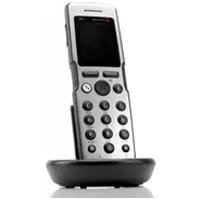
USER MANUAL KIRK 5020 POLYCOM

Manual assistant
Powered by Anthropic
Waiting for your message
Product information

Brand : POLYCOM

Model : KIRK 5020

Category : Phone