Afro Samurai (PS3) - Game SONY - Free user manual and instructions
Find the device manual for free Afro Samurai (PS3) SONY in PDF.


| Product type | Video game on Blu-ray disc for PlayStation 3 |
| Brand | Sony (published by Namco Bandai Games) |
| Model | Afro Samurai (PS3) |
| Genre | Action / Hack and slash |
| Manual language | French |
| Disc dimensions | 12 cm diameter (standard Blu-ray disc) |
| Disc weight | Approximately 15 g |
| Power supply | None (the game runs on PS3 console power) |
| Main features | Sword fighting, focus, deadly cuts, combos, overfocus mode, anatomical poker, exploration, souvenir collection |
| Main controls | Left stick: movement; Right stick: camera; ✗: jump; ⎔: light attack; ⎕: heavy attack; ○: kick; L1: focus; L2: overfocus; R1: parry; R2/R3: sprint; START: pause; SELECT: skills menu |
| Save | Automatic at checkpoints; requires more than 700 KB free space |
| Number of players | 1 player |
| PEGI rating | 18+ (intense violence, blood) |
| Disc maintenance and cleaning | Wipe with a soft lint-free cloth from center to edge; do not use solvents |
| Safety | Follow warnings about photosensitive epilepsy; take breaks; do not play if tired |
| Usage precautions | Do not bend, crush, or expose disc to heat or humidity; hold controller firmly when using motion function |
| Spare parts and repairability | Not applicable (game on disc) |
| Customer service | Namco Bandai Games America: support@namcobandaigames.com, phone (408) 235-2222 |
| Warranty | 90 days against defects in materials or workmanship |
Frequently Asked Questions - Afro Samurai (PS3) SONY
User questions about Afro Samurai (PS3) SONY
0 question about this device. Answer the ones you know or ask your own.
Ask a new question about this device
Download the instructions for your Game in PDF format for free! Find your manual Afro Samurai (PS3) - SONY and take your electronic device back in hand. On this page are published all the documents necessary for the use of your device. Afro Samurai (PS3) by SONY.
USER MANUAL Afro Samurai (PS3) SONY
natural_image
Illustration of two fantasy characters in dynamic poses with ornate background (no text or symbols)AFROSAMURAIGAME.COM

AFTO
SAMURAI®


WARNING: PHOTOSENSITIVITY/EPILEPSY/SEIZURES
A very small percentage of individuals may experience epileptic seizures or blackouts when exposed to certain light patterns or flashing lights. Exposure to certain patterns or backgrounds on a television screen or when playing video games may trigger epileptic seizures or blackouts in these individuals. These conditions may trigger previously undetected epileptic symptoms or seizures in persons who have no history of prior seizures or epilepsy. If you, or anyone in your family, has an epileptic condition or has had seizures of any kind, consult your physician before playing. IMMEDIATELY DISCONTINUE use and consult your physician before resuming gameplay if you or your child experience any of the following health problems or symptoms:
• dizziness
- eye or muscle twitches
- disorientation
• any involuntary movement
- altered vision
- loss of awareness
- seizures
or convulsion.
RESUME GAMEPLAY ONLY ON APPROVAL OF YOUR PHYSICIAN.
Use and handling of video games to reduce the likelihood of a seizure
- Use in a well-lit area and keep as far away as possible from the television screen.
- Avoid large screen televisions. Use the smallest television screen available.
- Avoid prolonged use of the PLAYSTATION®3 system. Take a 15-minute break during each hour of play.
- Avoid playing when you are tired or need sleep.
Stop using the system immediately if you experience any of the following symptoms: lightheadedness, nausea, or a sensation similar to motion sickness; discomfort or pain in the eyes, ears, hands, arms, or any other part of the body. If the condition persists, consult a doctor.
NOTICE:
Use caution when using the SIXAXISTM wireless controller motion sensor function. When using the SIXAXISTM wireless controller motion sensor function, be cautious of the following points. If the controller hits a person or object, this may cause accidental injury or damage. Before using, check that there is plenty of space around you. When using the controller, grip it firmly to make sure it cannot slip out of your hand. If using a controller that is connected to the PS3TM system with a USB cable, make sure there is enough space for the cable so that the cable will not hit a person or object. Also, take care to avoid pulling the cable out of the PS3TM system while using the controller.
WARNING TO OWNERS OF PROJECTION TELEVISIONS:
Do not connect your PLAYSTATION®3 system to a projection TV without first consulting the user manual for your projection TV, unless it is of the LCD type. Otherwise, it may permanently damage your TV screen.
HANDLING YOUR PLAYSTATION 3 FORMAT DISC:
- Do not bend it, crush it or submerge it in liquids. - Do not leave it in direct sunlight or near a radiator or other source of heat. - Be sure to take an occasional rest break during extended play. - Keep this disc clean. Always hold the disc by the edges and keep it in its protective case when not in use. Clean the disc with a lint-free, soft, dry cloth, wiping in straight lines from center to outer edge. Never use solvents or abrasive cleaners.
TABLE OF CONTENTS
Previously on Afro sAmurAi® 01
GettinG stArted....02
BASIC controls 04
mAin menu 05
PAuse And skills menu 06
controllingG Afro 07
Become the numBer one.... 08
increAse your miGht 11
chArActers 12
credits 31
PREVIOUSLY, ON AFRO SAMURAL
SIT DOWN, CHILDREN, NINJA NINJA HAS A STORY TO TELL...
The Number One headband; symbol of the greatest fighter alive, whose form and skill transcends all to become a work of art, a prayer; he who wears it shall rule mankind as a god. Only the warrior who wears the Number Two headband has the right to challenge the Number One for the sacred powers he possesses, or so the legend goes.
But Afro Samurai wears the Number Two not for glory, but with vengeance in mind, for the greatest fighter in the world is also the killer of Afro's father.
Pursued by all men who desire the power of the Number One headband and haunted by memories of those he betrayed and killed to become Number Two, Afro can never rest. If the Number One is closest to heaven, the Number Two is surely closest to hell.
His mind confused, fragmented Afro must focus on his memories, relive the events of his life and reconcile his past before he can finally face Justice. It begs the question; is Afro Samurai in hell, or is hell inside of him?
GETTING STARTED
PLAYSTATION®3 system front
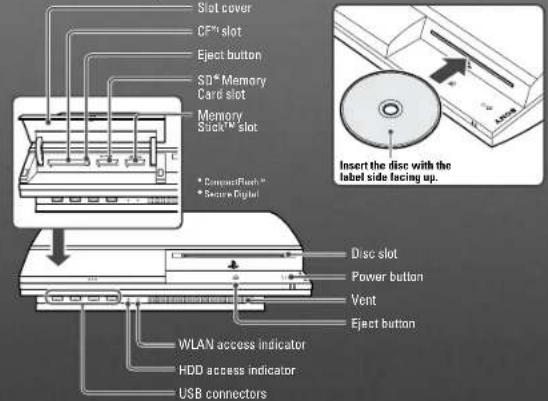
NOTE: Some models of the PLAYSTATION®3 system do not include media slots. For specific features included, refer to the instructions for use of your model of the PLAYSTATION®3 system.
STARTING A GAME: Before use, carefully read the instructions supplied with the PLAYSTATION®3 computer entertainment system. The documentation contains information on setting up and using your system as well as important safety information.
Check that the MAIN POWER switch (located on the system rear) is turned on. Insert the Afro Samurai disc with the label facing up into the disc slot. Select the icon for Afro Samurai under [Game] in the PLAYSTATION3 system's home menu, and the press ✗ Refer to this manual for information on using the software.
Quitting A GAME: During gameplay, press and hold down the PS button on the wireless controller for at least 2 seconds. Then select "Quit Game" from the screen that is displayed.
Hint To remove a disc, touch the eject button after quitting the game.
Using the SIXAXISTM wireless controller (for PLAYSTATION®3)
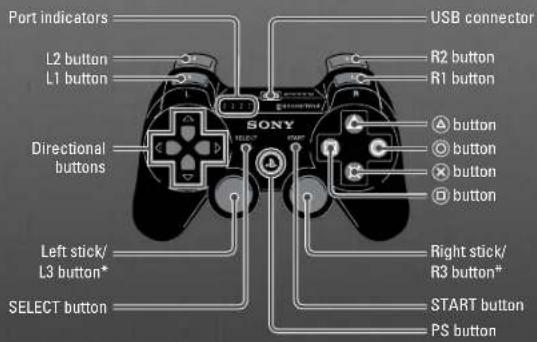
* The L3 and R3 buttons function when the sticks are pressed.
Note: To use the controller, you must first register or "pair" the controller with the PLAYSTATION3 system and assign a number to the controller. For details, refer to the Instructions supplied with the system.
Saved data for PLAYSTATION®3 format software
Saved data for PLAYSTATION®3 format software is saved on the system's hard disk. The data is displayed under "Saved Game Utility" in the Game menu.
AuTOSAVE: This title uses an autosave feature. Game data is saved automatically at certain points. Do not switch off the power when the HDD access indicator is flashing, which are referenced by an icon of two gears grinding. Do not quit the game or power down your console while this icon is on screen.
BASIC CONTROLS
Afro Movement....Left stick
Control Camera Right stick
Center Camera R3
Ninja Ninja Compass Directional Pad down
Light Attack
Heavy Attack
Kick
Jump....
Dash....R3 / R2
Overfocus....L2 (with a full Focus meter)
Focus L1 (hold)
Guard....R1
Pause START
Skill Menu SELECT
MAIN MENU
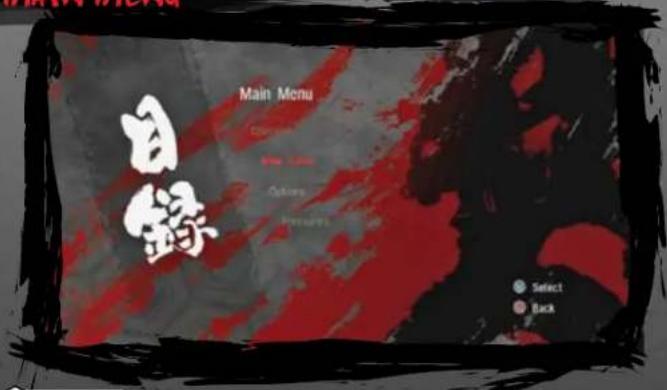

CONTINUE
Continue a previously saved game by reloading your latest Checkpoint or selecting a completed level.

NEW GAME
Begin a new game. After beating the game, you may select Hard mode.
NOTE: You must have over 700 KB of free space in order to create a game save file.

OPTIONS
Adjust the sound, brightness, camera inversion, or view your statistics.

TREASURES
After completing Afro Samurai, you may view the Treasures you have earned, such as movies, music, and art.
NOTE: Progression through Afro Samurai is handled via checkpoints. When you reach a new checkpoint, the game will auto-save. A red circle icon will appear in the upper right-hand corner of the screen to signify the passage and saving of checkpoints.
PAUSE & SKILLS MENUS

You can resume your paused game, quit to the main menu (losing any unsaved progress), or view the number of Mementos you have collected while progressing through the stage. The pause menu also displays the current stage.

SKILLS MENU
The Skills menu is separated into five separate lists, according to the function of the skill. There are In-Focus Techniques, A Little Bit of Other Stuff, Chaotic Brutality, Frenzied Awesomeness, and Father's Legacy. In-Focus Techniques are maneuvers that can only be performed while in Focus. A Little Bit of Other Stuff involves kick-centric attacks, Chaotic Brutality is based around Heavy Attack-centric combos, Frenzied Awesomeness features Light Attack-centric combos, and Father's Legacy are special attacks that are earned by collecting five Mementos in a level.
Moves that you have available will display the command below them, as well as an example video on the right-hand side of the screen. Locked moves have a white slash of paint, indicating that they may not be used yet. To unlock these moves you must battle enemies to gain levels, progress through the game, or collect Mementos.
CONTROLLING AFRO

STAYING ALIVE
There is not a traditional HUD in Afro Samurai. Rather than life bars, combo counters, meters, and other elements placed around the screen, everything you need to know is displayed on the bodies of Afro and his enemies. As Afro takes damage, his outline will take on a red tint. The redder Afro becomes, the closer he is to death. When Afro nears death, retreat from your enemies. Afro will heal after killing an enemy or hitting a bear.

EVERYONE DIES
Even the Number Two can be bested by his opponents if they are skilled or numerous enough. When Afro's health is completely depleted, he dies. After he dies, the screen will fade and you will reappear at the last checkpoint you passed so that you can try the segment again.

MAKING MANEUVERS
Afro is on a quest for revenge, so the bulk of your experience is going to be in combat. Afro is going to move from area to area, and annihilating all enemies is foremost on his mind. Use the left stick to maneuver around the screen, and the right stick to adjust the camera. Press the right stick button to re-center the camera behind Afro.
Pressing × makes Afro jump. Jumping near overhangs allows Afro to grab onto the ledge and pull himself up. Afro can also sprint by pressing R3 / R2. Sprinting increases Afro's movement speed, allowing him to escape his enemies when necessary.
natural_image
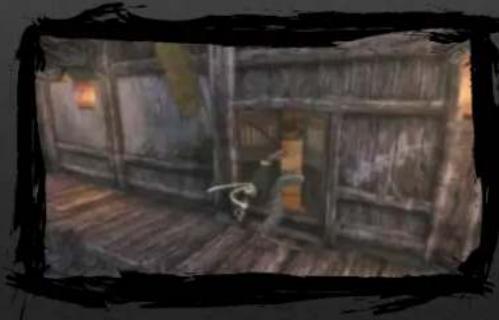
Interior view of a dimly lit wooden room with a person standing near the doorway (no visible text or symbols)When Afro comes across a door that needs to be opened, there will be a glowing spark in the center of it. Press 🔒 to kick the door and open it. When Afro finds switches high on a wall, jumping up and grabbing the switch will activate it. Switches on the ground can be kicked to activate them.

ADVANCED MOVES
Afro can also wall-run when near compatible walls. To perform a wall-run, press ✗ to jump towards the wall. Afro will latch onto the wall and sprint for a short period of time. Afro can also crisscross jump from wall to wall by pressing ✗ when wall-running, allowing him to reach higher areas or areas that are farther away. Jumping onto a hanging pole can give Afro access to new areas, as well.

NINJA NINJA COMPASS
natural_image
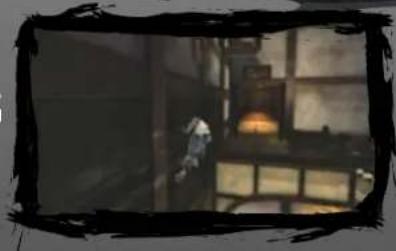
Interior scene with a person standing near a window and illuminated equipment (no visible text or symbols)If you find yourself lost during the course of the game, press down on the Directional Pad. Ninja Ninja will appear in the stage in a cloud of smoke to guide Afro to his objective. Once Afro arrives at Ninja Ninja's position, Ninja Ninja will disappear.
BECOME THE NUMBER ONE

SWING BLADES
Afro is a consummate warrior and a master swordsman. Press ☐ to perform a Light Attack, ⚠ to perform a Heavy Attack, or ⭕ to kick. Combining these attacks in specific orders lead to combo attacks, which can deliver greater damage to enemies.
The higher your combos go, the more blood appears on the screen. Lengthy combos will bathe the screen in blood and result in Focus Points for Afro. Once your combo has expired, the blood will fade away.
natural_image
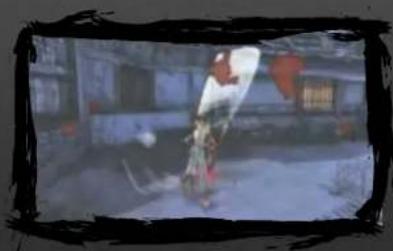
Street scene with a person in motion near a building (no visible text or symbols)Press SELECT to view Afro's Skills menu. Study his combos and moves to become a skilled player. The moves are sorted into a few different sections, so scroll left or right to turn to the other sections.
Afro's enemies turn red as they take damage. Use this indicator to keep an eye on how close to death your enemies are. Focus your attacks on small groups of enemies at once in order to deplete their health as much as possible.

STAY FOCUSED
Battling is not as simple as swinging a sword willy-nilly. Afro can focus his thoughts to the point that everyone around him appears to move in slow motion, which opens them up to Afro's punishing sword strikes. Pressing ☐ makes Afro perform a Horizontal Perfect Slice, ☑ results in a Vertical Perfect Slice, ☑ makes Afro sweep an enemy's leg, and ✗ makes Afro hop. Successfully using the Perfect Slices adds a bonus to the experience Afro earns when fighting enemies, as well as restoring half the Focus points he spent utilizing the attack.
Afro is more maneuverable when in Focus. Moving the left stick while pressing ✗ in Focus mode makes Afro perform a flip. He can flip over an enemy's head, gaining access to the enemy's backside, or to the side or back, dodging certain attacks. Holding R1 and moving the left stick while in Focus makes Afro roll.
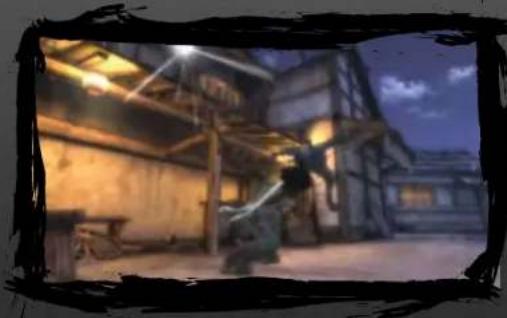
The Horizontal and Vertical Perfect Slices can be instant kills if performed properly. Hold the button when performing the attack and Afro will swing the sword out wide. A white spark will travel down the length of the sword. When it reaches the end of the sword, release the button. Afro will swing
natural_image
Nighttime street scene with illuminated buildings and a person in motion (no visible text or symbols)the sword and kill the enemy.
Afro can aim the Horizontal and Vertical Perfect Slices when in Focus. Move the left stick up or down to adjust the vertical angle, or left and right to adjust the horizontal angle. By doing this, you can select which part of the body you are going to attack.
Beware, however- certain enemies will step to the side, avoiding a Vertical Perfect Slice, or hop into the air, dodging a Horizontal Perfect Slice. Large enemies may require multiple slices to take down. These enemies must be finished another way, through a leg sweep or other attacks, before they become vulnerable to Perfect Slices. Experiment with creating combos involving Perfect Slices to open your enemies up to your blade. You can also aim your Perfect Slice with the left stick to counteract their dodge.

BULLET SLICE/BULLET REFLECT
Afro goes up against enemies who have all kinds of weapons, from swords to scythes to rifles. Afro has two special attacks that he can use to defend against bullet attacks. When a bullet is fired, activate Focus. Time will slow down and give Afro the opportunity to perform one of two attacks.
Afro can perform a Bullet Reflect by hitting the bullet with a Horizontal Perfect Slice. When the shimmer reaches the end of the sword, release ☐. Bullet Reflects fires the bullet back at the gunman, killing him instantly. Perform Bullet Slices by hitting the bullet with a Vertical Perfect Slice. Press ⚠ when the bullet begins coming your way, and release it when the shimmer reaches the end of your sword. The Bullet Slice will shatter the bullet into many pieces, any of which will cause damage to nearby enemies.

OVERFOCUS
Overfocus is the next level of Focus. Pressing L2 activates Overfocus which is an enhanced version of Focus. Afro will no longer have to charge attacks to dismember, bisect, and decapitate his foes. Now, simple sword strikes with or will immediately kill an enemy. To earn Overfocus, you must have a fully-charged Focus meter.
The pendant on Afro's sword will shine brightly when he has the chance to activate Overfocus. Keep an eye on Afro's pendant so that you know when you can unleash your abilities. Use combos and Perfect Slices to build up your Focus points.

POUNCING
Afro can pounce on vulnerable enemies when the opportunity strikes. Successfully blocking an enemy's sword strike with proper timing or stunning an enemy leaves them open to pouncing. Oftentimes, Ninja Ninja will shout out when you are able to pounce. Press and hold ✗ to leap toward them and land on their chest. From there, Afro can pound them with Light or Heavy attacks, or throw them into the distance by pushing the left stick in a direction and pressing ✗ again. In Focus mode, Afro can pounce on enemies without stunning or deflecting their attacks first.
natural_image
Black-and-white illustration of a battle scene with soldiers and smoke (no visible text or symbols)
BODY-PART POKER
Body-part Poker is an in-game event that, after you win, rewards you with extra health, Focus points, and experience points. Body-part Poker can be found throughout Afro Samurai. When Ninja Ninja appears on the field of battle during an engagement, run up to him. He will disappear and Body-part Poker will begin.
Body-part Poker is a game played with three cards per hand and a time limit. You have a specific amount of time to cut off a leg, arm, or head from the enemies you are going up against. Each leg, arm, or head is a card. Chopping off the body parts from enemies in certain patterns, which are ours to winning poker hands, results in a win. Missing a body part gives you no cards.
Precision is important in Body-part Poker, as chopping an enemy in half, or taking his shoulder with his arm, gives you no points. Focus on cutting your enemies apart cleanly and accurately in order to win. INCREASING YOUR MIGHT

LEVELLING UP
As you fight, Afro will gain experience from defeating his enemies. After receiving a certain amount of experience, Afro will gain a level. Gaining levels increases Afro's life, Focus, and can add new skills to his repertoire. Performing certain actions when slicing your enemy can give you bonus experience points, making the quest for a new level that much shorter. Pay attention to the Skills Menu in order to keep up-to-date on your abilities. Press SELECT to check Afro's move list and see what is new.
Afro's pendant will sparkle red when experience has been received. Watch for the sign.

MEMENTOS
There are five murders of crows spread throughout each level. Walking past these crows makes them glow and fly away, giving Afro a Memento. Collecting all five Mementos in a level will unlock one to three new moves in Father's Legacy. These moves are skills that Afro's father displayed before he died.
The crows may be found in out-of-the-way spots, on alternate paths, or even right in your usual route through a level. Make sure to explore each level thoroughly to find all five so that you can complete Afro's arsenal of moves.

OTSURU'S BEARS
Otsuru's Bears are located all over each stage. When you find a bear, slice it. Afro's health and Focus will refill. Use these when you get low on health or need some extra Focus.
natural_image
Animated scene showing a person walking on a wooden bridge with birds flying nearby (no text or symbols visible)CHARACTERS
AFRO
"Where is Number One?"
Only the warrior who wears the Number Two headband has the right to challenge the Number One, and only with the Number One headband in his possession may a man become a god, so the legend goes. But Afro Samurai seeks the Number One simply with vengeance in mind, for the greatest fighter in the world is also the killer of Afro's Father.
Pursued by all men who desire the power of the Number One headband, haunted by memories of those he betrayed and killed to become Number Two Afro can never rest. If the Number One is closest to heaven, the Number Two is surely closest to hell.
natural_image
Illustration of a cartoon character with white hair and glasses, holding hands (no text or symbols)NIN3A NIN3A
"Thinking about your pops huh?"
Which part – the head or the body?"
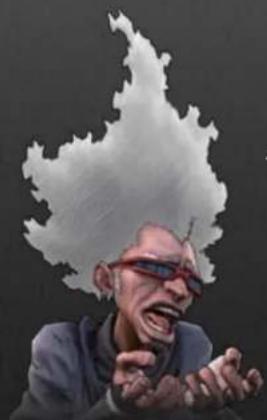
Afro's herald, hype-man and a real shit-talker; Ninja Ninja bears witness to Afro Samurai's search for Justice. Ninja Ninja is a force of nature - mischievous, highly-strung and dangerously irresponsible. When shit goes down he'll split as fast as his thin veneer of cool. It's sometimes hard to tell if Ninja Ninja is an ally or an enemy.
AFRO'S FATHER
"Wait here son; it'll soon be over..."
The former Number One, we can see in Afro's Father the good man Afro would have become if Justice had not intervened.
JUSTICE
"Challenge me, when
you're ready to duel a god!"
The killer of Afro's Father and now ranked as Number One – a god on Earth. Monstrous, yet somehow beguiling and charismatic, Justice is the catalyst for Afro's odyssey of killing and revenge. With a single act of violence Justice has wrought sorrow, pain and death on the world he presides over as a god.
SWORD MASTER
"This is the world you have made – is it everything you hoped it would be?"
Following the death of his Father, Afro is found and taken in by the master of a Sword School. As he comes to understand Afro's dark past, Sword Master attempts to dissuade the boy from pursuing his Father's killer and to live a normal life, creating a conflict that only serves to push Afro further along the path to vengeance.
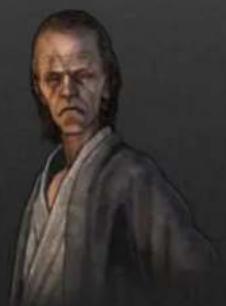
natural_image
Portrait painting of a man with long hair and a neutral expression (no text or symbols)31NNO
"Afro... What did you do?"
The senior student at the Sword School, it's Jinno the other children look up to, and with good reason. He is fiercely loyal to his friends, and Jinno considers Afro a brother. That loyalty is ultimately Jinno's greatest failing: as Afro secretly pursues the Number Two headband, Jinno covers for him, risking the lives of all at the Sword School.
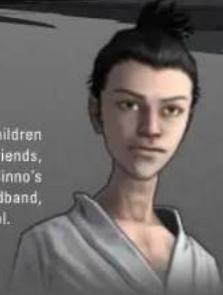
natural_image
Illustration of a person in traditional attire with no visible text or symbols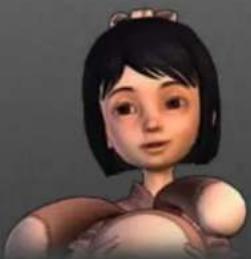
natural_image
Illustration of a cartoon girl with short black hair and a headband, wearing a traditional-style outfit (no text or symbols visible)OTSURU
"Afro, I got something for you..."
Like all the children in Sword Master's care, Otsuru is an orphan. She clings to Jinno as tightly as she clings to her teddy bear, but perhaps it is Afro she truly idolizes.
THE DALMYO
"What are you looking for, Afro Samurai...?"
Administrator for the region in which the Sword School stands, the Daimyo is wealthy and ruthless enough to do whatever he wants, without question. His advisors pander to his demands while covering up the consequences of his actions. The Daimyo's sense of what could be considered 'normal' is severely compromised. Above all, he is a pragmatist who believes that action matters over intent.
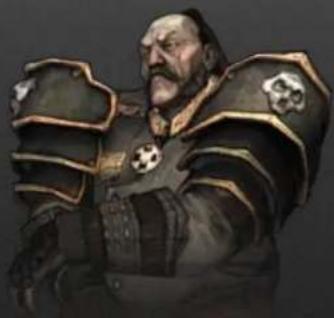
natural_image
Illustration of a bearded warrior in armor with decorative bandages (no text or symbols)oK1KU
"Your dreams are so sad..."
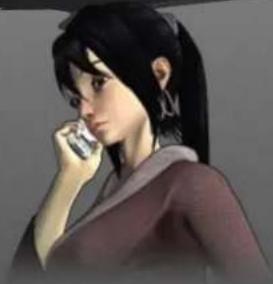
A mysterious silk-maker with a troubled past, Okiku lives in exile on the edge of a bamboo grove in a remote valley. As she nurses Afro back to health, she finds in him a kindred spirit, and perhaps a chance for redemption. Okiku; beautiful as an autumn sunset and just as full of sadness. And like the sunset, darkness follows close behind.
natural_image
Illustration of a female character with long dark hair and a thought bubble, wearing a dark top (no text or symbols visible)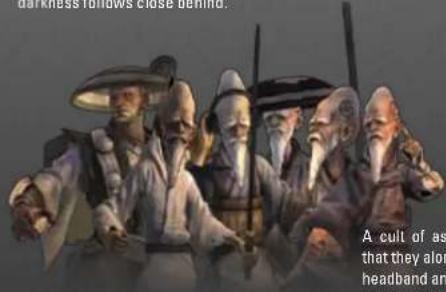
THE EMPTY SEVEN
"Afro Samurai! You have something we need..."
A cult of assassin monks, the Empty Seven believe that they alone are qualified to take the Number One headband and rule as gods. They bring the full weight of their vast resources to bear in their mission to kill Afro and claim the Number Two headband.
KUMA
"Who... am... I?"
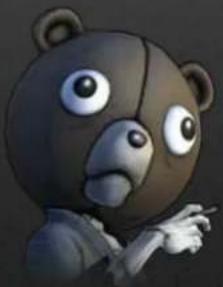
Travelers tell stories of the mythical bear-man said to haunt the great red gate that sits high on Mt. Shumi. Kuma, whose weeping and walling makes the wind itself howl with sorrow. All who wish to pass through the great gate must first face him and answer the riddle of the bear man; "Who... am... I?"
Kuma doesn't remember what he once was, and he doesn't question what he has become. His only memory, buried deep, is a single image of a child and her toy bear.
natural_image
Cartoon bear character pointing with one finger (no text or symbols visible)AVERTISSEMENT : PHOTOSENSIBILITÉ/ÉPILEPSIE/CONVULSIONS
natural_image
Interior view of a dimly lit wooden room with large windows and a small structure, no visible text or symbolsnatural_image
Dark, low-resolution photo of a person in a lab coat near a glowing bench (no visible text or symbols)
natural_image
Street scene with a person holding a large umbrella in an urban setting (no visible text or symbols)natural_image
Nighttime street scene with a person walking through a rustic building at dusk (no visible text or symbols)natural_image
Illustration of a person with curly hair wearing a headband and a silver jacket, holding a cigarette (no text or symbols visible)JUSTICE
natural_image
Portrait of a man with long hair and a neutral expression (no text or symbols visible)LE MAITRE DE SABRE
natural_image
Illustration of a person in traditional attire with short hair (no text or symbols visible)
natural_image
Illustration of a cartoon character with short dark hair and a headband (no text or symbols)OT SURU
natural_image
Cartoon bear character with large eyes and a pointing hand (no text or symbols)CREDITS
AFRO SAMURAI DEVELOPMENT TEAM
Senior Producer Dave Robinson
Associate Producer Chester Vergara
Lead Programmer Daniel Chan
Gameplay Lead Programmer Masaki Nomura
Programmers Adrian Longland David Bennett Gregg Tavares Justin Pease Mellin Wong Min-Chuan Tsai Sean Chu Steven Woo
Central Technology Group Hiroyuki Kobota Amit Bakshi Kartik Saranathan Todd Growney
NBGI Programmer Shinobu Nimura Takashi Koshigoe Ken Shinoda Sangbae Nam
Release Engineer Andrew Reynolds Jeffrey Crenshaw
Art Director Hoang Nguyen Art Lead Bryan Johnston
Initial Concept/Art Direction Duke Mighten, Mighten Ink
Game Director/Story & Script Paul Gardner
Concept Artists Khari Evans
Juhan Lee Daeyong Oh Paul Sullivan
Calligraphy Ichiro Kumiji
Character Artists Damlan Kim Kyoon Lee Josh Tiefer
Animation Lead Alexander Omlansky
Animators Atsushi Saito Bill Van Ness Hisato Tokumaru James Clark Jason Han Seung Yeo
Additional Animations Jimmy Eu Seung Hoo Sonny Santa Maria
Level Lead Tim Tao
Level Artists Hiroshi Nishiyama Junghyun Kim Nathan Choi Soosha Kim Sungjoo Yong
Technical Art Leads Russell Campbell Tyrone Depts
Special FX Lead Hyung Kim
Lighting Artist Hakjoon Lee Design Lead
Asahiko Kikuchi
Combat Lead Paul Guirao
Designers Alan Hopkins Cory Cartwright
Daryle Tumacder Gene Bang Patrick Santiago Robert Cogburn
Additional Designers Keith Parker Mark Sau Monty Oum
Lead Audio Designer Cole Harris
Audio Designer Alex Vaughn
Voice Cast Samuel L. Jackson - Afro Samurai / Ninja Ninja
Kelly Hu - Okiku / Osachi Ron Perlman - Ju S. Scott Bullock
Daruman/Assassin Terrence 'T.C.' Carson - Sword Master/Assassin
John Di Maggio - Brother #2 / Giant Greg Eagles - Afro's Father / Assassin
John Kassir - Soshur / Bunraku Narrator / Hanjiro
Phil LaMarr - Brother 1 / Brother 3 / Teen Afro Samurai Yuri Lowenthal - Jinno / Kuma
Lexi Jourden - Otsuru Morgan Sheppard -
Daimyo / Assassin Khari Wahlgren - Young Afro Samurai / Beautiful Assassin
Mary Elizabeth McGlynn - The Polecats
Music Supervisor The RZA
Sound / Music Howard Drossin
Technicolor Studiopolis Justin Moses/
Fouchemuzik
Yo Eleven Productions
NAMCO BANDAI Games America Inc.
President & CEO Genichi Ito
Executive VP & COO Makoto Iwai
Senior VP & CFO Shuji Nakata
VP of Development Roger Hector
Executive Producer Mike Morishita
Technical Director Russell Shifter
Executive VP Sales & Marketing
Andrew Leichuk
Director of Marketing & PR
Todd Thorson
Senior Product Marketing Manager Dennis Lee
Senior Brand Manager Alain Mazer
Marketing Coordinator Scott Hartz
Senior Public Relations Manager
Arne Cual-Pedroso
Creative Services Manager
Michi Wang
Senior Graphic Designer Corey Vy Tran
Video Editor Keisuke Kumiji
Marketing Translator Chiemi Kuroyangi
Director of Sales Chris Lee
| Senior Manager,Web ServicesRyan GrissomNational SalesManagerTerry CarlsonLegal CounselJanna SmithSr. Directorof BusinessDevelopmentZack KarlssonSenior OperationsManagerJennifer TersigniSenior OAManagerTad HirabayashiOA SupervisorMike PetersonProjectCoordinatorJosse MojiaQA LeadJhune De La CruzStephen ChinOA Assistant LeadsDamon BernalDavid MoyaDevelopment QAShaun WooQA TestersBernard DoriaJohn PojeJohnny MoyaJosh AguiarPhil FarkalyRoss NiceThomson TanTyler KnootAaron LordAbelina VillegasAdam De AndaAl MegasAlan NguyenAlex KatchenAlex WagnerBen EdwardsBilly BuaronBreanna Chaparro | Brian HarrisCameo WiningerCharles CallandCharles WhiteChase CrowsonChristopherBosquezClayton CrymasColby MillerDaniela AguirreDavid JasperDavid StevensDominic PorzioJared BrooksJerome BolusanJesse AuldJewel MagtotoJohn RoquemoreJon Stoner HolkJordan StewartJoseph LeonJosh DailyJosh GravesJustin SmithKevin ChenMario GonzalezMark KishiMatt WarnerMeys CobosMichael CieriMichael MokPaul HindtRachel TrockiRae CanlasRichard TranRichard YapRicky OrtizRobert HaradaRobert HartRoyce MorenoRyan BergRyan MatsubaRyan BaconSamad KhanSharon MarmitoTaylor BensonWes MootsCQCGreg AndersonSalho KwanArjang TaibyLeticia DuenasBilly Dal PortoJosh MelloyLuis CastilloAndrewSamoranosRyan DagleyGaelle GlickfieldJarrod Fisher | Jared RosmarinAnthony AguilarNikolas CareyGene DuenasMatt PetersonY PhamShin YoungSpecial Thanks:Ken MahLee HsiaoCang TruongRyuhei TanabeMyrna DobronHa PhanKyoko KamimuraMoto AidaCharmaine MorenaMartin NguyenRob ElyNick O'LearyJames HelssenGreg OffOff Base ProductionsBen CuretonGavin JamesDavid ByttowHirokazu YasuharaMark BrownCarly BellSungjae ChoShane RayBrandon TylerJared HedgesKris PierceKolby JukesRon FriedmanSeth CarusBlank Point StudiosIGLOO DIGITAL ARTSChief Executive OfficerAsh ColcloughChief Creative OfficerGlyn WilliamsGeneral ManagerWong Cheng FeiArt ManagerKen Foong Ka KingProject LeadLau Wong YeanLead ArtistsMel Law Sheng LiTeh Gana Erh | ArtistLiaw Kah ChunShawn Van Yee HowYow Han YuanKevin Lal Han WenLow Yuan ChuinGoh Ping WeiSam Tan Yeou ShengEstelle Seow Sio YongJacky Chong Chau WeiKong Yih MingGoh Ee ChiakEng Tzy LingRobert Choon Yin ChinFrankie Lee Chun FeiKevin Wong Kher PingYong WeiJason Woh Yoke LeongLoo Hon GeneYap Wai HoongMark Lee Mun HowPaul Wang KoongChoongTOSE SOFTWAREProducerRegina GaoLeon YueArt DirectorAkan XueLead ArtistZhang Hai NingArtistCassi XuClaus YuCandy WangA.I. SystemsBabelfluxOutsourcingSecret 6, Inc.Ron ShaffnerNoel LimMark RodriguezViktor VillamilJaralyn SalangsangChristine Marie LeeWilma AbadRoule MoranJose de LazaTherine ChanOutsoDownloadable episodeScript & StoryPeter Saji |
NOTES












































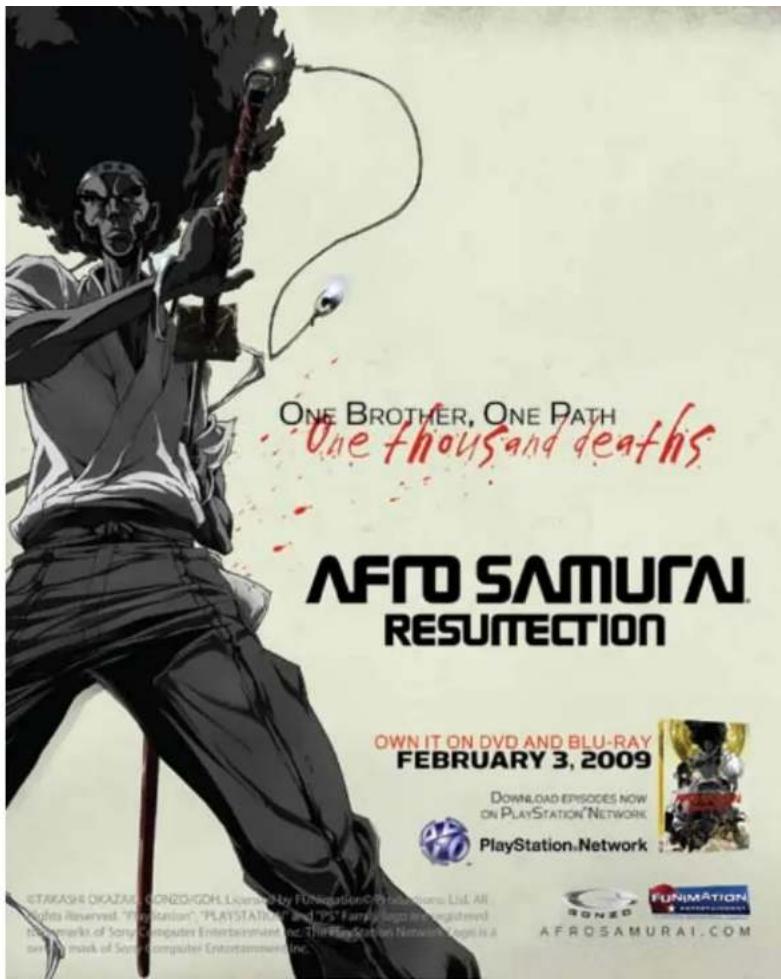
The North American Manga debut by the creator of the hit Spike TV anime!
Afro Samurai, Vol. 1
AVAILABLE NOW • 978-0-7653-2123-7
Afro Samurai, Vol. 2
FEBRUARY 2009 • 978-0-7653-2239-5
Story and art by Takashi Okazaki
"Stylistically this is a slick manga: the fight sequences are smooth flowing, gritty, and over the top. Fans of the anime series will appreciate reading this different version of the same story."
-ICv2.com
Older Teen (16+)
A Tor/Seven Seas® Paperback
www.gomanga.com/manga/
afrosamurai.php
http://us.macmillan.com/afrosamuraivol1
In the futuristic yet feudal world of Afro Samurai, people wield cellphones and katanas, cyborgs battle ninjas, and blood flows freely. However, there is a fixed rule: The Number One warrior has nearly unlimited power and only the Number Two warrior can formally challenge Number One, currently a man named Justice. Many years ago, Justice killed Afro's father to gain that title. Set on a path of revenge, Afro has assumed the title of Number Two. He is ready to become Number One. But so are the many assassins who are out for Afro's blood...
Ever get stuck and just need that extra edge to beat the level? Having problems getting your game to work properly? Now you can get one-on-one help from NAMCO BANDAI Games America Inc. using your web browser! Simply go to livehelp.namco.com for more details. Live Counselors available from 5am-5pm Monday-Friday Pacific Time.
NAMCO BANDAI Games America Inc. ATTN:Customer Service 4555 Great America Parkway Suite 201 Santa Clara, CA 95054
Before returning any defective materials to us, please contact us for a Return Merchandise Authorization (RMA) number. You can reach us at the address above, via e-mail at support@namcobandaigames.com or contact us at (408) 235-2222. Please note that any materials sent to us without an RNA number will be refused and returned. We highly recommend that you use a traceable and/or insured method of shipping the materials to us.
NAMCO BANDAI Games America Inc. Online:www.namcobandaigames.com Visit our Website to get information about our new titles.
LIMITED WARRANTY: NANCO BANDAI Games America Inc. warrants to the original purchaser that this NANCO BANDAI Games America Inc. game pack shall be free from defects in material and workmanship for a period of ninety (90) days from the date of purchase. If a defect covered by this limited warranty occurs during this 90-day limited warranty period, NANCO BANDAI Games America Inc. will repair or replace the defective game pack or component part, at its option, free of change. This limited warranty does not apply if the defects have been caused by negligence, accident, unreasonable use, modification, tampering, or any other cause not related to defective material or workmanship.
LIMITATIONS ON WARRANTY: Any applicable implied warranties of merchantability and fitness for a particular purpose, are hereby limited to ninety (90) days from the date of purchase and are subject to the conditions set forth herein. In no event shall "NAMCO BANDAI Games America Inc. be liable for consequential or incidental damages resulting from the possession or use of this product. The provisions of the limited warranty are valid in the United States only. Some states do not allow limitations on how long an implied warranty lasts, or exclusion of consequential or incidental damages, so the above limitation or exclusion may not apply to you. This limited warranty provides you with specific legal rights. You may have other rights which vary from state to state.
DES CONSEILS MAINTENANT OFFERTS EN LIGNE!
"PLAYSTATION" is a registered trademark and "PS3" is a trademark of Sony Computer Entertainment Inc. The ratings icon is a trademark of the Entertainment Software Association.
NAMCO BANDAI Games America Inc. 4555 Great America Parkway Suite 201 Santa Clara, CA 95054
Aino Samurai & © 2006 TAKASHI OKAZAKI, GONZO / SAMURAI PROJECT. Program © 2006 NANCO BANDAI Games America Inc. SURSE is a trademark of NANCO BANDAI Games America Inc. Uses Bank Video. Copyright © 1997-2008 by RAD Games Tools, Inc. The ratings icon is a registered trademark of the Entertainment Software Association. All other trademarks and trade names are the property of their respective owners.
To register product online go to
WWW.NAMCOREG.COM

- AFTO
- SAMURAI®
- WARNING: PHOTOSENSITIVITY/EPILEPSY/SEIZURES
- Use and handling of video games to reduce the likelihood of a seizure
- NOTICE:
- WARNING TO OWNERS OF PROJECTION TELEVISIONS:
- HANDLING YOUR PLAYSTATION 3 FORMAT DISC:
- TABLE OF CONTENTS
- PREVIOUSLY, ON AFRO SAMURAL
- GETTING STARTED
- Saved data for PLAYSTATION®3 format software
- BASIC CONTROLS
- MAIN MENU
- PAUSE & SKILLS MENUS
- SKILLS MENU
- CONTROLLING AFRO
- STAYING ALIVE
- EVERYONE DIES
- MAKING MANEUVERS
- ADVANCED MOVES
- NINJA NINJA COMPASS
- BECOME THE NUMBER ONE
- SWING BLADES
- STAY FOCUSED
- BULLET SLICE/BULLET REFLECT
- OVERFOCUS
- POUNCING
- BODY-PART POKER
- LEVELLING UP
- MEMENTOS
- OTSURU'S BEARS
- CHARACTERS
- AFRO
- "Where is Number One?"
- NIN3A NIN3A
- "Thinking about your pops huh?"
- AFRO'S FATHER
- "Wait here son; it'll soon be over..."
- JUSTICE
- "Challenge me, when
- you're ready to duel a god!"
- SWORD MASTER
- "This is the world you have made – is it everything you hoped it would be?"
- 31NNO
- OTSURU
- THE DALMYO
- oK1KU
- THE EMPTY SEVEN
- KUMA
- AVERTISSEMENT : PHOTOSENSIBILITÉ/ÉPILEPSIE/CONVULSIONS
- LE MAITRE DE SABRE
- OT SURU
- CREDITS
- NOTES
- The North American Manga debut by the creator of the hit Spike TV anime!
- DES CONSEILS MAINTENANT OFFERTS EN LIGNE!
Brand : SONY
Model : Afro Samurai (PS3)
Category : Game