Enslaved (PS3) - Game SONY - Free user manual and instructions
Find the device manual for free Enslaved (PS3) SONY in PDF.

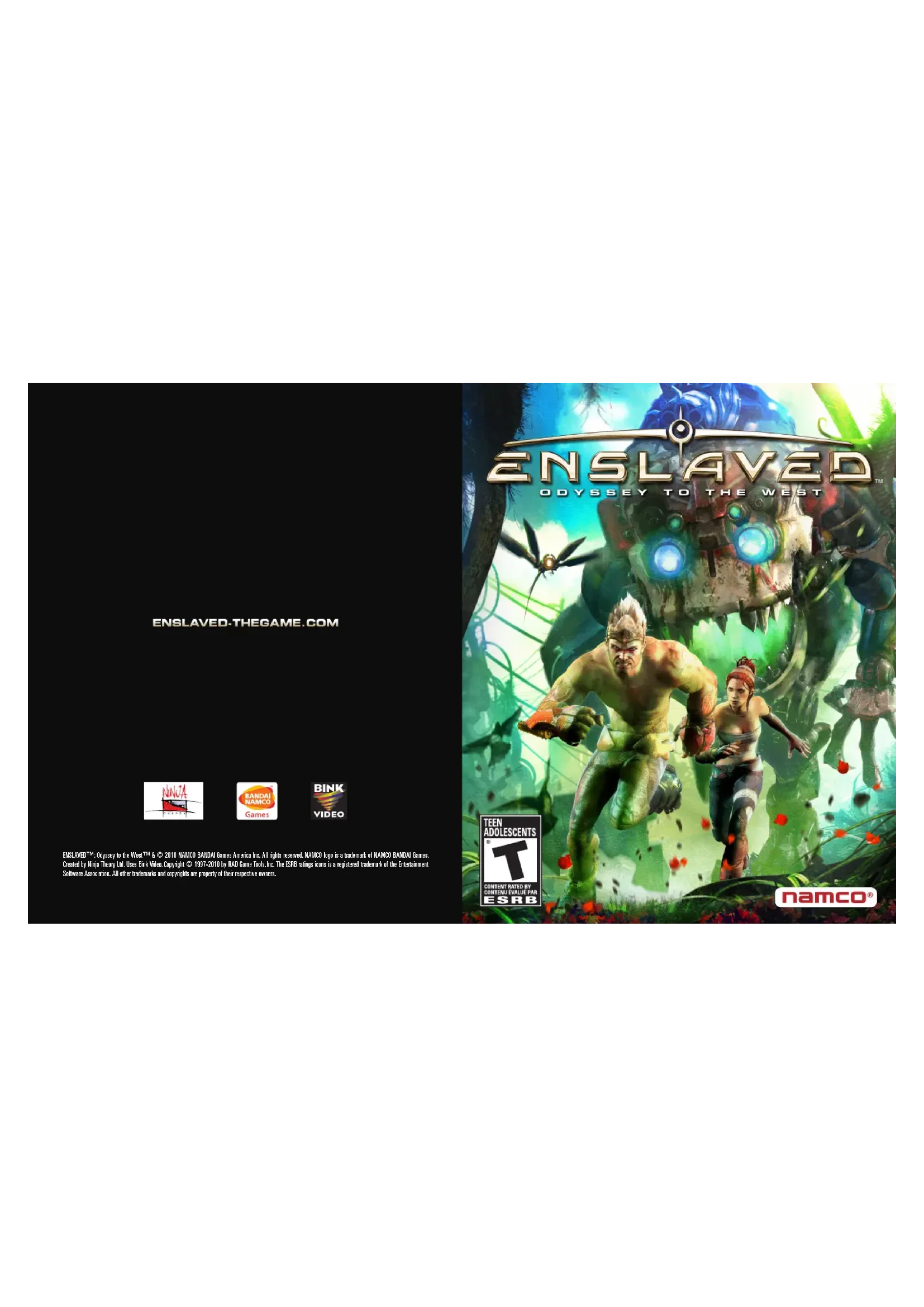

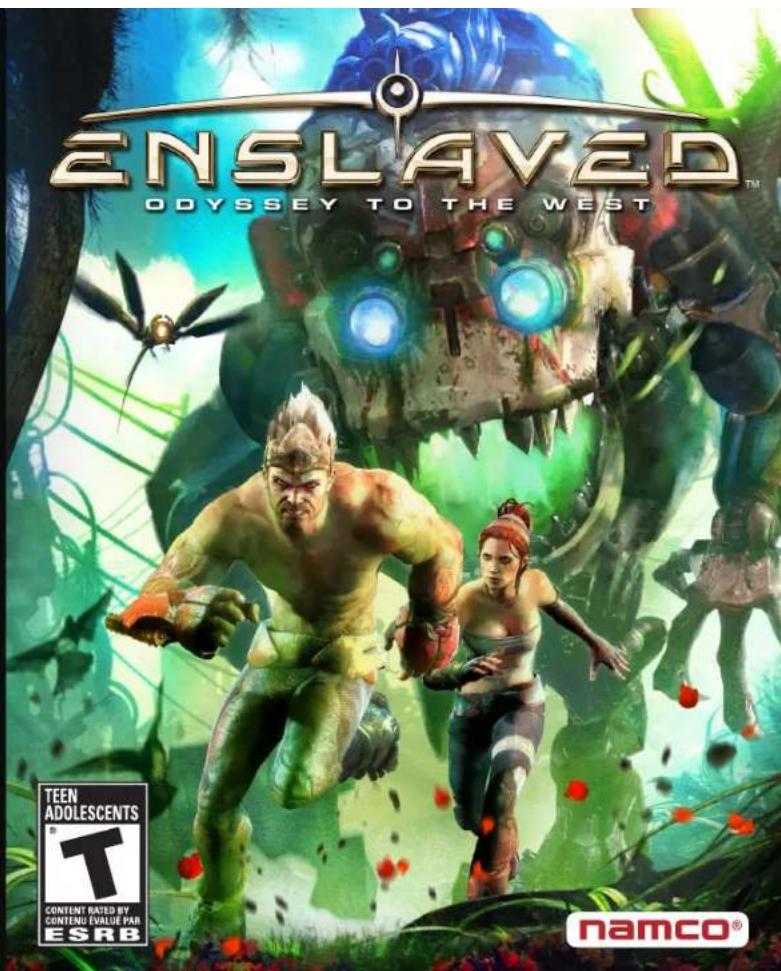
| Product Type | Video game on Blu-ray disc |
| Brand | Sony (compatible with PlayStation 3) |
| Model | Enslaved (PS3) |
| Platform | PlayStation 3 |
| Genre | Action-adventure, platforming |
| Developer | Ninja Theory |
| Publisher | Namco Bandai Games America Inc. |
| Release Date | 2010 |
| ESRB Rating | Teen (T) |
| Manual Languages | French, English |
| Number of Players | 1 player |
| Box Contents | Game disc, instruction manual |
| Box Dimensions | Approx. 13.5 x 17 x 1.5 cm |
| Weight | Approx. 100 g |
| Power Source | None (powered by PS3 console) |
| Key Features | Action-adventure game with combat, platforming, puzzles |
| Care and Cleaning | Clean the disc with a soft, lint-free cloth from the center outward. Do not use solvents. |
| Safety | Precautions for photosensitive epilepsy: take breaks, sit away from the screen, stop if symptoms occur. |
| Spare Parts and Repairability | Not applicable (sealed product). In case of defects, contact Namco Bandai customer service. |
| General Information | Story of Monkey and Trip. Controls: movement, combat, shield, cloud. Upgrades available via Trip's shop. |
Frequently Asked Questions - Enslaved (PS3) SONY
User questions about Enslaved (PS3) SONY
0 question about this device. Answer the ones you know or ask your own.
Ask a new question about this device
Download the instructions for your Game in PDF format for free! Find your manual Enslaved (PS3) - SONY and take your electronic device back in hand. On this page are published all the documents necessary for the use of your device. Enslaved (PS3) by SONY.
USER MANUAL Enslaved (PS3) SONY
ENSLAVED-THEGAME.COM


EASUVED-Depuyto the West 18402010 NAMCO BANDAI Game Americas Inc. All rights reserved. NAMCO logs in a trademark of NAMCO BANDAI Games. Created by Ilijo Theory Ltd. Uses Bank Vices Copyright 1937-2010 by RAD Game Tools, Inc. The ESRB licenses are a registered trademark of the Entertainment Software Association. All other trademarks and copyrights are property of their respective owners.
WARNING:PHOTOSENSITIVITY/EPILEPSY/SEIZURES
A very small percentage of individuals may experience epileptic seizures or blackouts when exposed to certain light patterns or flashing lights. Exposure to certain patterns or backgrounds on a television screen or when playing video games may trigger epileptic seizures or blackouts in these Individuals. These conditions may trigger previously undetected epileptic symptoms or seizures in persons who have no history of prior seizures or epilepsy. If you, or anyone in your family, has an epileptic condition or has had seizures of any kind, consult your physician before playing. IMMEDIATELY DISCONTINUE use and consult your physician before resuming gameplay if you or your child experience any of the following health problems or symptoms:
- dizziness - eye or muscle twitches - disorientation - any involuntary movement
- altered vision - loss of awareness - seizures or convulsion.
RESUME GAMEPLAY ONLY ON APPROVAL OF YOUR PHYSICIAN.
Use and handling of video games to reduce the likelihood of a seizure
- Use in a well-lit area and keep as far away as possible from the television screen.
- Avoid large screen televisions. Use the smallest television screen available.
- Avoid prolonged use of the PlayStation ^ 3 system. Take a 15-minute break during each hour of play.
- Avoid playing when you are tired or need sleep.
Stop using the system immediately if you experience any of the following symptoms: lightheadedness, nausea, or a sensation similar to motion sickness; discomfort or pain in the eyes, ears, hands, arms, or any other part of the body. If the condition persists, consult a doctor.
NOTICE:
Use caution when using the DUALSHOCK ^3 wireless controller motion sensor function. When using the DUALSHOCK ^3 wireless controller motion sensor function, be cautious of the following points. If the controller hits a person or object, this may cause accidental injury or damage. Before using, check that there is plenty of space around you. When using the controller, grip it firmly to make sure it cannot slip out of your hand. If using a controller that is connected to the PS3™ system with a USB cable, make sure there is enough space for the cable so that the cable will not hit a person or object. Also, take care to avoid pulling the cable out of the PS3™ system while using the controller.
WARNING TO OWNERS OF PROJECTION TELEVISIONS:
Do not connect your PS3™ system to a projection TV without first consulting the user manual for your projection TV, unless it is of the LCD type. Otherwise, it may permanently damage your TV screen.
HANDLING YOUR PS3TM FORMAT DISC:
- Do not bend it, crush it or submerge it in liquids. - Do not leave it in direct sunlight or near a radiator or other source of heat. - Be sure to take an occasional rest break during extended play. - Keep this disc clean. Always hold the disc by the edges and keep it in its protective case when not in use. Clean the disc with a lint-free, soft, dry cloth, wiping in straight lines from center to outer edge. Never use solvents or abrasive cleaners.
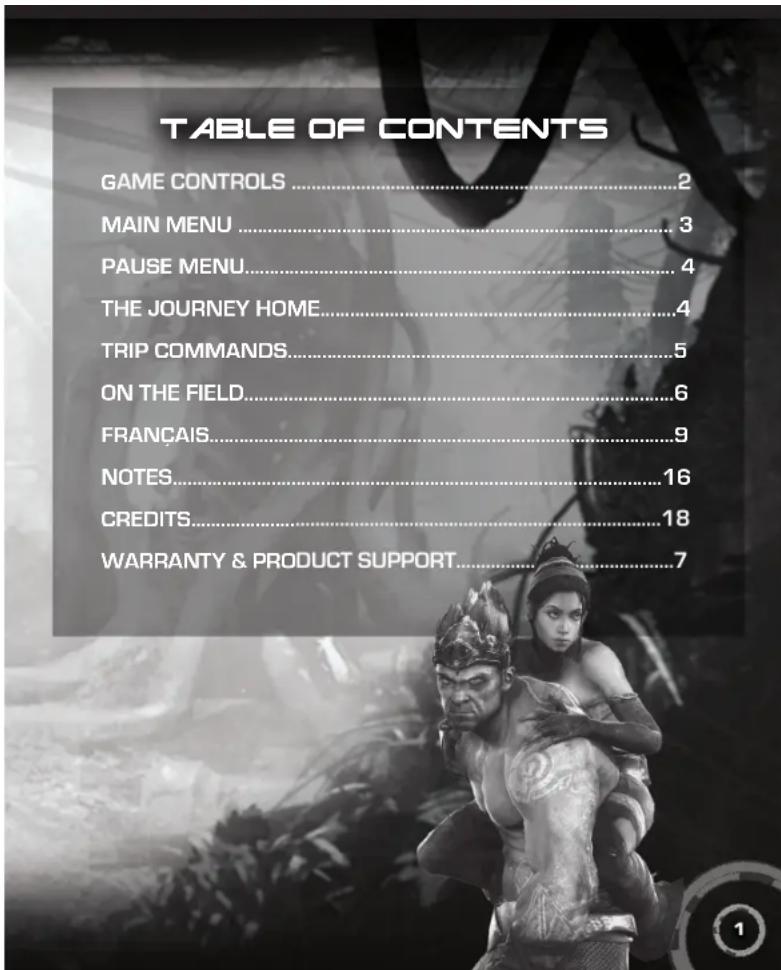
GAME CONTROLS /
MAIN MENU
GETTING STARTED
PLA5STATION3 SYSTEM
Starting a game Before use, carefully read the instructions supplied with the PS3™ computer entertainment system. The documentation contains information on setting up and using your system as well as important safety information.
Check that the MAIN POWER switch [located on the system rear] is turned on. Insert the Enslavedisc with the label facing up into the disc slot. Select the icon for the software title under [Game] in the PS3™ system's home menu, and then press the button. Refer to this manual for information on using the software.
Quitting a game: During gameplay, press and hold down the PS button on the wireless controller for at least 2 seconds. Then select "Quit Game" from the screen that is displayed.
HINT To remove a disc, touch the eject button after quitting the game.
Saved data for PS3™ format software: Saved data for PS3™ format software is saved on the system's hard disk. The data is displayed under "Saved Game Utility" in the Game menu.
MENUCONTRALS
Highlight option left stick
Select option Go back to the previous menu
GAME CONTROLS
Jump/climb
Normal strike 1
Heavy strike .
Scn sck Hld @ w chg Clearing Attack
Focus Attack (Purchased)
Evade left stick and
Shield
Create a distraction. 81
Aim staff 12
Fire staff 62
Select staff ammo . or directional buttons
TIP commands
CLOUD CONTROLS
Equip cloud/Store cloud button
Steer cloud left stick
Jump
MAIN MENU
NEW JOURNEY
Embark on a new journey with Monkey and Trip.
CONTINUE JOURNEY
Return to your tale. You are taken to your last save point.
CHAPTER SELECT
Select any of the chapters you have completed thus far.
DOWNLOADABLE CONTENT
Access the PlayStation Store to download additional content for Enslaved.
OPTIONS
Adjust control and audio settings.
AUDIO OPTIONS: Adjust Subtitles, Music Volume, and Effects Volume.
CREDITS
View the credits for Enslaved.
PAUSE MENU / THE JOURNEY
HOME / TRIP COMMANDS
PAUSE MENU
Press the button during the game to open the pause menu.
RESUME GAME
Exit the pause menu and return to your game.
OPTIONS
Access the Options menu. There, you can find the same options as those in the main menu.
RESTART FROM LAST CHECKPOINT
Restart your game from the last checkpoint. This position is often just before the last cinema.
EXIT TO MAIN MENU
Exit your game and return to the main menu. All unsaved gameplay will be lost.
THE JOURNEY HOME
SHIELD
This flickering gauge displays the strength left in Monkey's shield. The shield deploys automatically to deflect bullets, but only lasts until the gauge is empty. The shield is also reduced while Monkey blocks melee attacks. Monkey's shield regenerates automatically when it is not taking damage.
HEALTH
The health gauge is directly below the shield gauge. As Monkey takes damage, this gauge empties. Once Monkey's health is completely gone, it's game over. To regain health, collect a health pack from the field or use Trip's command menu to ask for assistance healing. Monkey can also recover health gradually if he has the correct health upgrades.
TRIP INDICATOR
Monkey needs to stay close to Trip in order to protect her—and himself. When Trip is in danger, red electric lines appear around the indicator. The gauge above the indicator displays Trip's decoy ability. When this gauge is full, Monkey can select the decoy icon from the Trip command menu. The EMP meter found below the Trip indicator lets Monkey know when Trip can set off her EMP.
STAFF AMMO
View the ammo count for Monkey's Staff Blast Ammo. The Plasma Blast Ammo is located on the left and the Stun Blast Ammo is located on the right.
DAMAGE
As Monkey takes damage, red flashes on the screen. The darker the red, the more powerful the damage.
TRIP COMMANDS
By holding the 1 button, Monkey can lock-on to Trip's location and open the Trip command menu. There are often four options available in the menu. However, the four options may not always be the same. The four listed below are the default commands.
RUN
Indicate for Trip to run toward her destination.
decoy
Command Trip to activate a decoy that draws the attention of all mech in the area.
TRIP COMMANDS / ON THE FIELD
TRIP SHOP
Upgrade four features using points collected on the field.
SHIELD: Increase the shield's recharge time and strength.
COMBAT: Upgrade various combat and defensive attacks.
HEALTH: Increase the health gauge and add health regeneration.
STAFF: Increase the strength, speed, and ammo count of the Plasma and
Stun B
HEAL
Use any of Trip's collected health vials to heal Monkey.
ON THE FIELD
There are a number of items on the field that can be collected.
TECH ORBS
These red glowing orbs are found throughout the land and are also released by fallen mech. Collect as many as possible then use them to pay for any upgrades purchased in the Trip Shop.
HEALTH PACKS
The glowing green health packs restore a large amount of Monkey's depleted health. If Monkey has full health, then he cannot pick up any health packs.
STAFF
The glowing orange and blue cylinders represent ammunition supplies for Monkey's staff. The orange cylinders are Plasma Blast Ammo, while the blue cylinders are Stun Blast Ammo.
CLOUD BOOSTS
While riding on the cloud, Monkey can gain large boosts of speed by passing through the blue glowing orbs found in the environment.
LIMITED WARRANTY
Ever get stuck and just need that extra edge to beat the level?
Having problems getting your game to work properly?
Now you can get one-on-one help from NAMCO BANDAI Games America Inc.
using your web browser!
Simply go to livehelp.namco.com for more details
Live Counselors available from 9am-5pm Monday-Friday Pacific Time.
CO BANDAI Games America
ATTN: Customer Service
4555 Great America Parkway, Suite 201
Santa Clara, CA 95054
Before returning any defective materials to us, please contact us for a Return Merchandise Authorization (RMA) number. You can reach us at the address above, via e-mail at support@ namcobandaigames.com or contact us at (408) 235-2222. Please note that any materials sent to us without an RMA number will be refused and returned. We highly recommend that you use a traceable and / or insured method of shipping the materials to us.
Namco Bandal Games America Inc. Online:
www.namcobandaigames.com
Visit our Website to get information about our new titles.
LIMITED WARRANTY
NAMCO BANDAI Games America Inc. warrants to the original purchaser that this NAMCO BANDAI Games America Inc. game pack shall be free from defects in material and workmanship for a period of ninety (90) days from the date of purchase. If a defect covered by this limited warranty occurs during this 90-day limited warranty period, NAMCO BANDAI Games America Inc. will repair or replace the defective game pack or component part, at its option, free of charge.
This limited warranty does not apply if the defects have been caused by negligence, accident, unreasonable use, modification, tampering, or any other cause not related to defective material or workmanship.
LIMITATIONS ON WARRANTY
Any applicable implied warranties of merchantability and fitness for a particular purpose, are hereby limited to ninety (90) days from the date of purchase and are subject to the conditions set forth herein. In no event shall NAMCO BANDAI Games Amorica Inc. be liable for consequential or incidental damages resulting from the possession or use of this product.
The provisions of the limited warranty are valid in the United States only. Some states do not allow limitations on how long an implied warranty lasts, or exclusion of consequential or incidental damages, so the above limitation or exclusion may not apply to you. This limited warranty provides you with specific legal rights. You may have other rights which vary from state to state.
"PlayStation", "DUALSHOCK" and "SIXAXIS" are registered trademarks and "PS3" is a trademark of Sony Computer Entertainment Inc. The ESRB rating icons are registered trademarks of the Entertainment Software Association.
To register product online go to www.NAMCOREG.COM
AVERTISSEMENT:PHOTOSENSIBILITE/EPILEPSIE/CONVULSIONS
m = 311 ;
Nitin Sawhney
BAMATH
DIRECTION
Andy Serkins
Tameem Antoniades
CBSAT2021
CAGCATBD
T
□□
Development Director
Nina Kristensen
Technical Director
Mike Ball
Mike Ball
Coating Diagnostics
Creative Director
Terry A. Atkinson
Iameem Antoniades
Head of Production
Mat Hart
Art Directors
Stuart Adcock
Alessandro "Talea"
Taini
P
Production
Rupert Brooker
Laura Kippax
Giles Hammor
Simon Belton
Chris Rowe
Design
Mark Davies
SaTongMen
Samling Mar Stephen Stawpan
Stephen Star
Toby Wealy
Toby Voolby
Rogerio Silva
Pettor Field
Giles Coope
Alex Garland
Technical Rating
Technical Design
Robert Ueh
Robert Han
Neil Irving
Phil Busutti
Game Programming
John Lusty
Marc Fasci
Binger Bennett
Tom McKewm
Alison Shaw
Liang Wei
Long-Wen Bing
Joan Mertz
Seep Wolf Hugsein Ela
Robert Mil
Robert Millar
Dustin Chen
Danielle Cheah
Core Technology
Will Driver
Andrew Vidler
Harvey Cotton
Gavin Costello
Henry Falconer
Craig Powell
Martin Bunker
Fabio Polimeni
Tools Programming
Vincent van Marques
Diver Wennell
A
Ammadon
Guy Midgely
Almudena Soria
Ricky Wood
Kirill Spiridonov
James Stevenson
Tom Bailey
James Marijeanne
Siowaw Liew
Francesco Steg
Alex Antoniado
Alex Antcllbert Chris Goodall
CHIS Goodall
Character Art
Benjamin Flynn
Claire Blustin
Jean-Baptiste I
Patrick Harbourn
Environmental 1
Environmental Art Jim Waters
om Wates
Dan Atwell
Chair, D.C. Hall
Chris Rundel
Aaron McEligot
Jonathan Whicher
Martin Majzel
Jon Millidge
Carolina Jesus
Robin Hansson
Technical Art
Kieran Reed
Matt Strook
Wolfe Schoneman
Xavier Hsuingen
Mialllo Dua
Mickell Ruckert
Fenon Farm
Espen Sogn
Peter Whiting
Audio
Tom Colvin
Darren Lambourne
Matthew McCa
Jomo Kangethe
B
Bct
Abel der Berkert Michael Bunning
Wichicel Barning David Thompson
Davil Maclenn
David Pajak
Mikael Boateng
Rebecca McCarthy
Sam Mills
IT Support
Chris Belton
Simon Bailey
Studio Support
Elise Fielder
Donna Day.
Kelly-Ann Hogger
Burt Taylor
Rut Taylor
Special: Tha
Alex Dawson
Alexis Musgrave
Andre Auguste
Chris Challis
Christopher Pedersen
Christopher P. Anderson
Damien Bird
Bam What's
Barn Vellin
Dave Sullivan
DVA
DDM
Dean James
Geoff Scott
Giuliano Maciocci
Guy DeWoolldfsor
Hokk
Hakka Hake
Helen Mason
IIIA Nadyrbayev
James Gibb:
Jamie Grant
Jez San OBE
Joc Bardwell
Jorgen Kristensen
Malcolm Davis
Marta Segurja Ljeng
Mary Goedden
Matthew Eidel
Matthew Pidder
Omar Qureshi
Peter Andic
Rachel Senior
Richard Drury
Sam Obasa
Thomas Crawford
Time Adcock
Zoe O'Shea
Finally, we
mianly, our extra
special thanks to
all our friends and
families that
have supported
us throughout
to an sign this project
this project
PUBCISABO
B9 NAMCo
BANDAI GAMES
INC.
NAMCO BANDAI
GAMES
AMBERIA INC.
President S.CEO
President & CEO Ganichi Ito
General No. 5.1
Executive VP & COO
Makoto Iw
Executive VP & CFO
Shuji Nakata
SVP. Product
Development
Development Roger Electron
General Man
General Manager:
Product Development
Graeme Bayless
Executive Prodi
Matthew Guenda
Fonji Production
Senior Producer Pick White
HICK VHTB
Associate Producer
Ryan Adze
Sr. Technical Director
Russell Shiffe
Sr. Art Director
Huang Nuyen
Development
Development Director Gordon Engg
VOL. 15
VP, Online Development
Robert Stevenson
SVP, Marketing &
Sales
Catherine Fowler
Director of Marketing
& Public Relations
Todd Thors
Brand Manager
Lalita Bayma
Callus
Sr. Public Relations
Manager
Arne Cual-Pedroso
Public Relations
Manager
Alicia Kim
V/R of Sales
Sue Tagen
National Sales
M
Manager
Terry Carlson
NBGR SALES
TEAM
Legal Counsel
Janna Smit
Associate Attorney
Martin Nguyen
Sr. Director of Finance
Mysna Dohringa
Diameter of S
Director of operations Tedi Minhuyani
Tad Hirdayashi
Sr. Operations
Manager
Jennifer Tersigni
QA Manager
Mike Peterson
CQC Supervisor
Damon Bernal
CAG Lead
David Mow
David Moyer
Dylan J. O'Connell
Project Coordinator
Jesse Meija
Department
Coordinator
Teraza "T" Siegel
LIMITED WARRANTY
DES CONSEILS MAINTENANT OFFERTS EN LIGNE!
4555 Great America Parkway, Suite 201 Santa Clara, CA 95054
To register product online go to
WWW.NAMCOREG.COM

- WARNING:PHOTOSENSITIVITY/EPILEPSY/SEIZURES
- Use and handling of video games to reduce the likelihood of a seizure
- NOTICE:
- WARNING TO OWNERS OF PROJECTION TELEVISIONS:
- HANDLING YOUR PS3TM FORMAT DISC:
- GAME CONTROLS /
- MAIN MENU
- GETTING STARTED
- PLA5STATION3 SYSTEM
- MENUCONTRALS
- GAME CONTROLS
- CLOUD CONTROLS
- NEW JOURNEY
- CONTINUE JOURNEY
- CHAPTER SELECT
- DOWNLOADABLE CONTENT
- OPTIONS
- CREDITS
- PAUSE MENU / THE JOURNEY
- HOME / TRIP COMMANDS
- PAUSE MENU
- RESUME GAME
- RESTART FROM LAST CHECKPOINT
- EXIT TO MAIN MENU
- THE JOURNEY HOME
- SHIELD
- HEALTH
- TRIP INDICATOR
- STAFF AMMO
- DAMAGE
- TRIP COMMANDS
- RUN
- decoy
- TRIP COMMANDS / ON THE FIELD
- TRIP SHOP
- HEAL
- ON THE FIELD
- TECH ORBS
- HEALTH PACKS
- STAFF
- CLOUD BOOSTS
- LIMITED WARRANTY
- ATTN: Customer Service
- Great America Parkway, Suite 201
- Santa Clara, CA 95054
- Namco Bandal Games America Inc. Online:
- www.namcobandaigames.com
- LIMITATIONS ON WARRANTY
- AVERTISSEMENT:PHOTOSENSIBILITE/EPILEPSIE/CONVULSIONS
- Design
- DES CONSEILS MAINTENANT OFFERTS EN LIGNE!
- Great America Parkway, Suite 201 Santa Clara, CA 95054
- To register product online go to
- WWW.NAMCOREG.COM
Brand : SONY
Model : Enslaved (PS3)
Category : Game