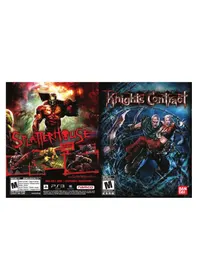
Knights Contract (PS3) - Game SONY - Free user manual and instructions
Find the device manual for free Knights Contract (PS3) SONY in PDF.


| Product Type | Video game for PlayStation 3 console |
| Platform | PlayStation 3 (PS3) |
| Genre | Action-adventure, combat |
| Developer | Game Republic, Inc. |
| Publisher | Namco Bandai Games America Inc. |
| Manual Language | French |
| Number of Pages | 12 |
| Disc Format | Blu-ray Disc |
| ESRB Rating | M (Mature 17+) – Adult content |
| Main Features | Sword fighting, sorcery use, cooperation between Heinrich and Gretchen, hard drive save |
| Number of Players | 1 player |
| Compatible Controller | DUALSHOCK 3 (wireless) |
| Safety Warning | Risk of photosensitive seizures – stop playing if symptoms occur |
| Disc Care | Clean with a soft lint-free cloth, from center to edge. Do not use solvents. |
| Storage | Away from direct light, heat, and humidity |
| Limited Warranty | 90 days from date of purchase |
| Customer Service | Email support (support@namcobandaigames.com) or phone (408-235-2222) |
| Website | www.namcobandaigames.com |
| Case Dimensions | Approximately 17 x 13.5 x 1.5 cm |
| Approximate Weight | 100 g (with case and manual) |
Frequently Asked Questions - Knights Contract (PS3) SONY
User questions about Knights Contract (PS3) SONY
0 question about this device. Answer the ones you know or ask your own.
Ask a new question about this device
Download the instructions for your Game in PDF format for free! Find your manual Knights Contract (PS3) - SONY and take your electronic device back in hand. On this page are published all the documents necessary for the use of your device. Knights Contract (PS3) by SONY.
USER MANUAL Knights Contract (PS3) SONY
JEUNES ADULTES 17+ TM
Blood and Gore / Sang et carnage
Intense Violence / Violence intense
Nudity / Nudite
Sexual Themes / Themes sexuals Strong Language / Language orders
www.esrb.org
AVAILABLE NOW! / DISABLE MAINTENANT!


namco
Schedeck & S. 2015 ABDOM MARCHIS Genes Inc. 2015 MARCHIS, Amarca Inc. All rights reserved.
© 2015 Published by Elsevier Ltd. This is an open access article distributed under the Creative Commons Attribution License (http://creativecommons.org/licenses/by/4.0/), which permits unrestricted use, distribution, and reproduction in any medium, provided the original work is properly cited.
Knights Contract

CONTENTSATED BY CONTINUED VALUE PART ESBB
BAN DAI
WARNING:PHOTOSENSITIVITY/EPILEPSY/SEIZURES
A very small percentage of individuals may experience epileptic seizures or blackouts when exposed to certain light patterns or flashing lights. Exposure to certain patterns or backgrounds on a television screen or when playing video games may trigger epileptic seizures or blackouts in these individuals. These conditions may trigger previously undetected epileptic symptoms or seizures in persons who have no history of prior seizures or epilepsy. If you, or anyone in your family, has an epileptic condition or has had seizures of any kind, consult your physician before playing. IMMEDIATELY DISCONTINUE use and consult your physician before resuming gameplay if you or your child experience any of the following health problems or symptoms:
- dizziness - eye or muscle twitches - disorientation - any involuntary movement
- altered vision - loss of awareness - seizures or convulsion.
RESUME GAMEPLAY ONLY ON APPROVAL OF YOUR PHYSICIAN.
Use and handling of video games to reduce the likelihood of a seizure
- Use in a well-lit area and keep as far away as possible from the television screen.
- Avoid large screen televisions. Use the smallest television screen available.
- Avoid prolonged use of the PlayStation 3 system. Take a 15-minute break during each hour of play.
- Avoid playing when you are tired or need sleep.
Stop using the system immediately if you experience any of the following symptoms: lightheadedness, nausea, or a sensation similar to motion sickness; discomfort or pain in the eyes, ears, hands, arms, or any other part of the body. If the condition persists, consult a doctor.
NOTICE:
Use caution when using the DUALSHOCK 3 wireless controller motion sensor function. When using the DUALSHOCK 3 wireless controller motion sensor function, be cautious of the following points. If the controller hits a person or object, this may cause accidental injury or damage. Before using, check that there is plenty of space around you. When using the controller, grip it firmly to make sure it cannot slip out of your hand. If using a controller that is connected to the PS3™ system with a USB cable, make sure there is enough space for the cable so that the cable will not hit a person or object. Also, take care to avoid pulling the cable out of the PS3™ system while using the controller.
WARNING TO OWNERS OF PROJECTION TELEVISIONS:
Do not connect your PS3™ system to a projection TV without first consulting the user manual for your projection TV, unless it is of the LCD type. Otherwise, it may permanently damage your TV screen.
HANDLING YOUR PS3™ FORMAT DISC:
- Do not bend it, crush it or submerge it in liquids. - Do not leave it in direct sunlight or near a radiator or other source of heat. - Be sure to take an occasional rest break during extended play. - Keep this disc clean. Always hold the disc by the edges and keep it in its protective case when not in use. Clean the disc with a lint-free, soft, dry cloth, wiping in straight lines from center to outer edge. Never use solvents or abrasive cleaners.
GETTING STARTED
NOTICSE:
Video output in HD requires cables and an HD-compatible display, both sold separately.
GETTING STARTED
PLAYSTATION3 SYSTEM
Starting a game: Before use, carefully read the Instructions supplied with the PS3™ computer entertainment system. The documentation contains information on setting up and using your system as well as important safety information.
Check that the MAIN POWER switch (located on the system rear) is turned on. Insert the Knights Contract disc with the label facing up into the disc slot. Select the icon for the software title under [Game] in the PS3™ system's home menu, and then press the × button. Refer to this manual for Information on using the software.
Quitting a game: During gameplay, press and hold down the PS button on the wireless controller for at least 2 seconds. Then select "Quit Game" from the screen that is displayed.
Hint
To remove a disc, touch the eject button after quitting the game.

Trophies: Earn, compare and share trophies that you earn by making specific in-game accomplishments. Trophies access requires a PlayStation®Network account.
Saved data for PS3™ format software
Saved data for PS3^TM format software is saved on the system's hard disk. The data is displayed under "Saved Game Utility" in the Game menu.
GAMECNTRLS
GAME CONTROLS
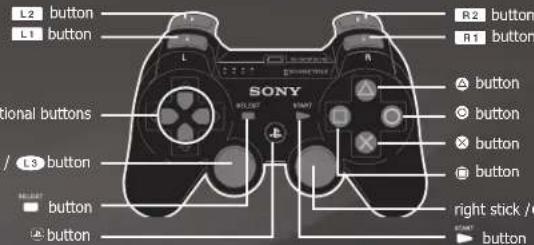
Controls for the DUALSHOCK3
MENUCONTRS
Navigate Menu Options. left stick/directional buttons
Confirm
Back ①
Close
GAME CONTROLS
Move Character .L1
Strong Attack Ready Witchcraft
Weak Attack Ready Special Move L2
Grab Open Informational Menus
Evade/Action Open Combat Menus
Call/Hold R1
NOTE: These controls are based on the default setting, Type A. To change the control layout access Controller Setting in the Options menu.
MAIN MENU/
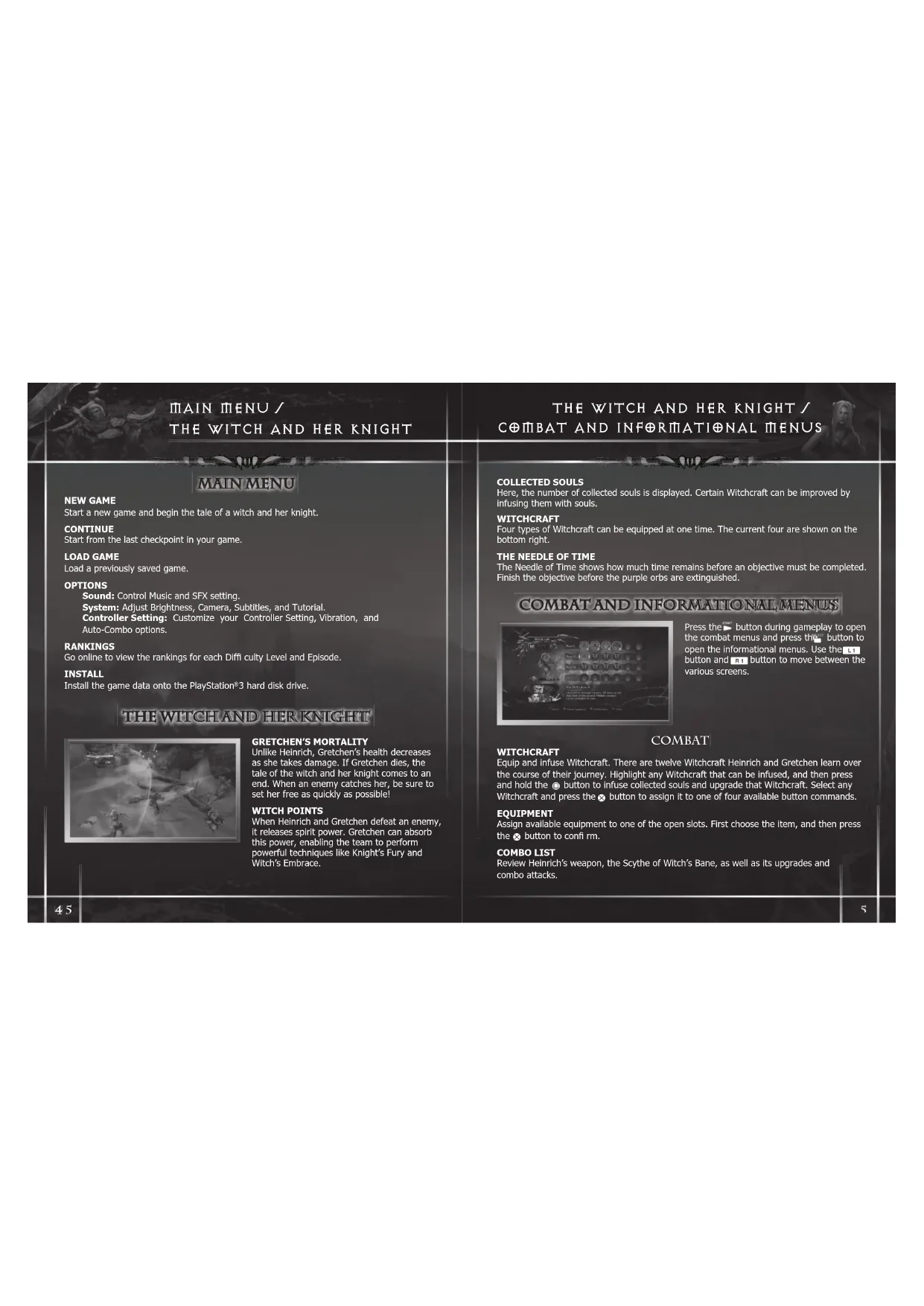
THE WITCH AND HER KNIGHT
MAIN MENU
NEW GAME
Start a new game and begin the tale of a witch and her knight.
CONTINUE
Start from the last checkpoint in your game.
LOAD GAME
Load a previously saved game.
OPTIONS
Sound: Control Music and SFX setting.
System: Adjust Brightness, Camera, Subtitles, and Tutorial.
Controller Setting: Customize your Controller Setting, Vibration, and
Auto-Combo options.
RANKINGS
Go online to view the rankings for each Diff culty Level and Episode.
INSTALL
Install the game data onto the PlayStation®3 hard disk drive.
THE WITCH AND HER KNIGHT
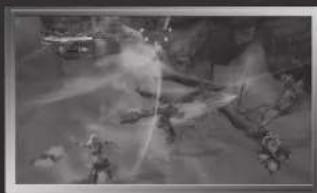
GRETCHEN'S MORTALITY
Unlike Heinrich, Gretchen's health decreases as she takes damage. If Gretchen dies, the tale of the witch and her knight comes to an end. When an enemy catches her, be sure to set her free as quickly as possible!
WITCH POINTS
When Heinrich and Gretchen defeat an enemy, it releases spirit power, Gretchen can absorb this power, enabling the team to perform powerful techniques like Knight's Fury and Witch's Embrace.
THE WITCH AND HER KNIGHT/
C#MBAT AND INF#RNIATI ONAL MENUS
COLLECTED SOULS
Here, the number of collected souls is displayed. Certain Witchcraft can be improved by infusing them with souls.
WITCHCRAFT
Four types of Witchcraft can be equipped at one time. The current four are shown on the bottom right.
THE NEEDLE OF TIME
The Needle of Time shows how much time remains before an objective must be completed. Finish the objective before the purple orbs are extinguished.
COMBAT AND INFORMATIONAL MENUS
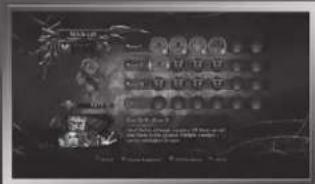
Press the button during gameplay to open the combat menus and press the button to open the informational menus. Use the button and R1 button to move between the various screens.
COMBAT
WITCHCRAFT
Equip and infuse Witchcraft. There are twelve Witchcraft Heinrich and Gretchen learn over the course of their journey. Highlight any Witchcraft that can be infused, and then press and hold the button to infuse collected souls and upgrade that Witchcraft. Select any Witchcraft and press the button to assign it to one of four available button commands.
EQUIPMENT
Assign available equipment to one of the open slots. First choose the item, and then press the button to confirm.
COMBO LIST
Review Heinrich's weapon, the Scythe of Witch's Bane, as well as its upgrades and combo attacks.
C#BAT AND INF#RMAI#NAL MENUS LAY THEIR S#ULS T#REST
INFORMATIONAL
MAP
View the map of the explored area. Heinrich is labeled with a blue icon, Gretchen with a purple icon, Minukelsus with a green icon, and items with a gold icon. Press the button to zoom in and the button to zoom out.
DATA
View the various tips that appear in the game, as well as the stats given at the end of each episode.
SYSTEM
Choose to Quit to Episode Select or Quit to Title Screen. All unsaved data will be lost.
LAYTHEIRSOULSTOREST
There are important skills Gretchen and Heinrich should know before cleansing the land of impure souls.
BA1*TLE
Heinrich's skills on the battlefield are unmatched. Use the following techniques to slay his witch's foes.
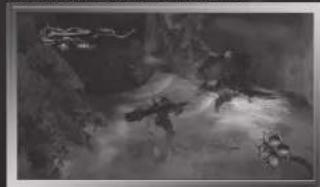
WEAK AND STRONG ATTACKS
Press the button to perform a weak attack and the button to perform a strong attack. These attacks can be repeated to chain together long combs. They can also be combined for even more varied techniques.
GRAB
Press the button to grab an enemy. After grabbing them, press the button again to perform a throw, or the button button to perform additional attacks.
LAY THEIR S ULS T REST
DASH
Press the button while moving the left stick in any direction to perform a dash/roll.
LOCK ON
Press and hold the button to lock on to an enemy target. The lock on gauge also displays the enemy's health.
SPELLS
Gretchen can have up to four Witchcraft assigned during battle.
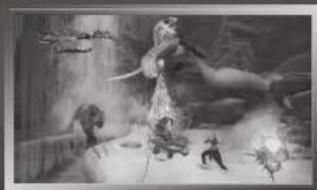
CASTING
Gretchen performs Witchcraft on her own, but can also be directed by Helinrich. Hold the button and press the button that matches the spell to perform that Witchcraft. For example, if Mag Mell's Rose is assigned to the button, hold the button then press the button to perform the Witchcraft.
RECHARGING
After using a Witchcraft, it must recharge before it can be used again.
FINISHERS
When an enemy is near death, cast certain Witchcraft for the chance to perform a Finisher. Press the button at just the right moment and a special Witchcraft attack will finish off the opponent.
KNIGHT'S FURY
Through the Knight's Contract, latent power within Heinrich is awakened, allowing him to use the powerful technique, Knight's Fury. This attack can be used after amassing a certain amount of Witch Points. Hold the L2 button then press the button or A button to unleash this power.
WITCH'S EMBRACE
Through the Knight's Contract, Gretchen has gained the ability to use the secret technique, Witch's Embrace. This technique can be used when the Witch Point gauge is full by holding the L2 button then pressing the × button or button.
LAY THEIR S ULS T REST
HEALING
Gretchen and Heinrich are sure to incur some injuries on their journey. Luckily, both can be healed.
Heinrich cannot be killed by sickness or Injury, but as he continues to take enemy attacks the damage takes its toll on his body and he becomes Incapacitated. Rapidly press the button to revive from this incapacitated state.
MUTUAL RESTORATION
When Heinrich holds Gretchen, both of their injuries are healed. While held, Gretchen regains her health gradually. Heinrich also recovers from damage more quickly than usual. To hold Gretchen, press the a1 button when she is nearby.
If Heinrich is too far away from Gretchen he won't be able to use her powers. While away from Gretchen, the servants of the witch's enemies will close in on her. When they catch her, her life is drained. Always keep Gretchen by Heinrich's side by calling her with the button.
SAVE THE JOURNEY
Magic circles etched in the ground allow Heinrich and Gretchen to save the game. However, if they are in battle with the enemy or Gretchen is far away, the light of these circles fade and it is not possible to save.
LIMITED WARRANTY
Ever get stuck and just need that extra edge to beat the level?
Having problems getting your game to work properly?
Now you can get one-on-one help from NAMCO BANDAI Games America Inc.
using your web browser!
Simply go to livehelp.namco.com for more details.
Live Counselors available from 9am-5pm Monday-Friday Pacific Time.
NAMCO BANDAI Games America Inc.
ATTN: Customer Service
4555 Great America Parkway, Suite 201
Santa Clara, CA 95054
Before returning any defective materials to us, please contact us for a Return Merchandise Authorization (RMA) number. You can reach us at the address above, via e-mail at support@narncobandaigames.com or contact us at [408] 235-2222. Please note that any materials sent to us without an RMA number will be refused and returned. We highly recommend that you use a traceable and /or insured method of shipping the materials to us.
Namco Bandai Games America Inc. Online:
www.namcobandaigames.com
Visit our Website to get information about our new titles.
LIMITED WARRANTY
NAMCO BANDAI Games America Inc. warrants to the original purchaser that this NAMCO BANDAI Games America Inc. game pack shall be free from defects in material and workmanship for a period of ninety (90) days from the date of purchase. If a defect covered by this limited warranty occurs during this 90-day limited warranty period, NAMCO BANDAI Games America Inc. will repair or replace the defective game pack or component part, at its option, free of charge.
This limited warranty does not apply if the defects have been caused by negligence, accident, unreasonable use, modification, tampering, or any other cause not related to defective material or workmanship.
LIMITATIONS ON WARRANTY
Any applicable implied warranties of merchantability and fitness for a particular purpose, are hereby limited to ninety (90) days from the date of purchase and are subject to the conditions set forth herein. In no event shall NAMCO BANDAI Games America Inc. be liable for consequential or incidental damages resulting from the possession or use of this product.
The provisions of the limited warranty are valid in the United States only. Some states do not allow limitations on how long an implied warranty lasts, or exclusion of consequential or incidental damages, so the above limitation or exclusion may not apply to you. This limited warranty provides you with specific legal rights. You may have other rights which vary from state to state.
"PlayStation", "DUALSHOCK" and "SIXAXIS" are registered trademarks and "PS3" and the PlayStation Network logo are trademarks of Sony Computer Entertainment Inc. The ESRB rating icons are registered trademarks of the Entertainment Software Association.
To register product online go to
WWW.NAMCOREG.COM
A VERTISSEMENT:PHOTOSENSIBILITE/EPILEPSIE/CONVULSIONS
QUE REPOSENT LEURS AMIIS
Yoshin Terashita
Yuxi Ueki
- 实验原理
PROGRAM
Aasana Kanda Kaonkutu Tachamaj
Juniy Seghara
F
Yodi Nwaji
Madija Islamoglu
05124556
Maeda Yame
1
Hirota Naga
ART DIRECTOR
Souji Tekamu
ARTDESIGNER
Talk Umemia
Kyo Shi Saito
Yugui Tsuruga
L
CHARACTER DESIGN
DIRECTOR
Kuroi Kna
CHARACTER MODEL
Yoshin Keb
公司代码:002
Hilka K. Toch
Tae 1
Yuri Taiga
University of Sydney
Ann Sartorius
Kemer Bahir
Janszy Oechime
Department of Mathematics, University of Washington
Yueqiu Sun
Kumika Tousi
Akita Tousi
2018年9月3日星期五
ANIMATION DIRECTOR
Rishti kare
ANIMATIO
Hetzah Nisht,Joan Korni Jahnabert
Aksa Muramia
Tash Piko Kumarya Yosuke Kimura
10896k Sug
Yuyu Yen
Shanghai University
Supplementary
LANDSCAPE DIRECTOR TALAN NARAYAN
10.10.10
LANDSCAP
18239 1828
255X 1876
Asuri Kana
X
TakenoAriel
190
Yashnabu Okano
股
Nans Lishik
Hami Kim
Kumari Hara
1
Search We
TBC
TSSF F-55
Tashimi Sabu
Y
VAA
Huesalo Harada
19100
特别提示
Yudirock Kamura
UT
Yanmi Su
2018年1月3日
Kumiko Ha
COMBAT
Tongjiu Kuang
2x1
1
Tea
HETEY2
Bracke Kline
23166549
(2)
SCENARIO WRITER
1
CUT SCENE MOVTE DIRECTOR:
Hrc
CHICK
CUT SCENE MOVIE DESIGNER
CUT SCENE MOVIE ENGINEER
1
MOTION CAPTURE ARTIST
31
COOPERATION OF
F
2
071054640
MOTION CAPTURE ACTORS
New Agency CS, Ltd. Haidan Tokyo 1
Asuka Yoch
Kosukik Yaravaz
Yasunek Kihara
1
SOUND DIRECTOR
KARIA LIXO
SOUND DESIGNER
- 实验原理
SOUND EDITOR
Yuan Wang
m - 1 0 ;
SOUND LIBRARY PROGRAM
Jppn Crish
PROJECT MANAGEMENT
ASSIGN
Rika Yarn
ALL SONG
ARRANGED
Koukeka Yorashita
DIRECTION
OHTICWONE15
Aneke Kato
1
RECORDING ENGINEER
AWDOCREATIVESTUDIOSINC
解得 m = 1
ASSISTANT ENGINEER
WY CREATIVE STUNDS INC.
Xinxiang Xingzhen Road
Selchey Yon
MUSIC
MUSCILLI COORDINATION
Sara Marie
PLAYERS
Maae 1
Sneh Yodha
2.3.5.1.2
KenCKAN
Yuriko Nor
Yukuo Teng@b.com Sanjing, China
Yaozhu Zhiwei Yangxi Shengliang
20001FES 20001FES
T
(egus Sakki)
Munozaki Takahashi
Tosso
Shingo Yagnski
Vikke Swad,
图12.3
M
1
V26
Taeke Toe
Cerom Salaguri
BUN 507
Rasal Rehman
Mister Kripli
Summ 401
A
Mertini HixiABe
OLSingapore,LL
3.70150
Takehiro Yaki
Motojin Takahashi
B
C
1
Shigaki Ircen
Shigaki Ircen@hku.hk
Arau Saita
H2
TOMMYAK ASSAM
FL
Mega Takaoka
图
CC
Saloon Shoy
品
Nakamr
51
100000000000000000000000000000000000000
1
HONOR HONGKONG FINANCE
Kershch Hsuwani
YELSHI KUMAR
1
卫
KoJinmum Wachshun
1
Tae
Simsuke Terzuk
- 两条既约曲线
T
Shims Taqia
PE
示
…
Lennar Corporation, Inc.
Andre Soglio
Gn
LaN Baley
GARANTIE LIMITÉE
DES CONSEILS MAINTENANT OFFERTS EN LIGNE!
4555 Great America Parkway, Suite 201
Santa Clara, CA 95054

- WARNING:PHOTOSENSITIVITY/EPILEPSY/SEIZURES
- NOTICE:
- WARNING TO OWNERS OF PROJECTION TELEVISIONS:
- HANDLING YOUR PS3™ FORMAT DISC:
- GETTING STARTED
- PLAYSTATION3 SYSTEM
- Saved data for PS3™ format software
- GAMECNTRLS
- GAME CONTROLS
- MENUCONTRS
- MAIN MENU/
- THE WITCH AND HER KNIGHT
- MAIN MENU
- NEW GAME
- LOAD GAME
- OPTIONS
- RANKINGS
- INSTALL
- GRETCHEN'S MORTALITY
- WITCH POINTS
- THE WITCH AND HER KNIGHT/
- C#MBAT AND INF#RNIATI ONAL MENUS
- COLLECTED SOULS
- WITCHCRAFT
- THE NEEDLE OF TIME
- COMBAT AND INFORMATIONAL MENUS
- COMBAT
- EQUIPMENT
- COMBO LIST
- C#BAT AND INF#RMAI#NAL MENUS LAY THEIR S#ULS T#REST
- INFORMATIONAL
- MAP
- DATA
- SYSTEM
- LAYTHEIRSOULSTOREST
- BA1*TLE
- GRAB
- LAY THEIR S ULS T REST
- DASH
- LOCK ON
- SPELLS
- RECHARGING
- FINISHERS
- KNIGHT'S FURY
- WITCH'S EMBRACE
- HEALING
- MUTUAL RESTORATION
- SAVE THE JOURNEY
- LIMITED WARRANTY
- LIMITATIONS ON WARRANTY
- A VERTISSEMENT:PHOTOSENSIBILITE/EPILEPSIE/CONVULSIONS
- QUE REPOSENT LEURS AMIIS
- ANIMATION DIRECTOR
- LANDSCAPE DIRECTOR TALAN NARAYAN
- GARANTIE LIMITÉE
- DES CONSEILS MAINTENANT OFFERTS EN LIGNE!
- Great America Parkway, Suite 201
- Santa Clara, CA 95054
Brand : SONY
Model : Knights Contract (PS3)
Category : Game