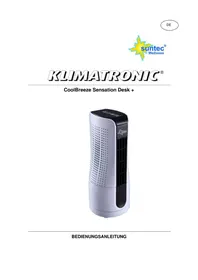
CoolBreeze Sensation Desk+ - Fan SUNTEC - Free user manual and instructions
Find the device manual for free CoolBreeze Sensation Desk+ SUNTEC in PDF.



Frequently Asked Questions - CoolBreeze Sensation Desk+ SUNTEC
User questions about CoolBreeze Sensation Desk+ SUNTEC
0 question about this device. Answer the ones you know or ask your own.
Ask a new question about this device
Download the instructions for your Fan in PDF format for free! Find your manual CoolBreeze Sensation Desk+ - SUNTEC and take your electronic device back in hand. On this page are published all the documents necessary for the use of your device. CoolBreeze Sensation Desk+ by SUNTEC.
USER MANUAL CoolBreeze Sensation Desk+ SUNTEC
CoolBreeze Sensation Desk +
natural_image
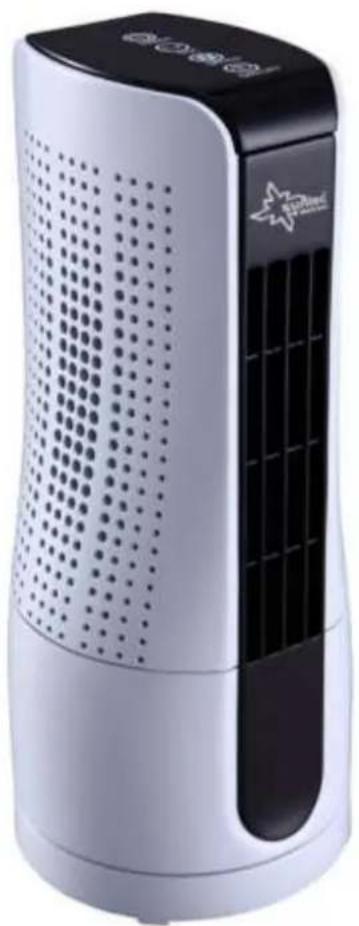
Exterior view of a white and black air purifier with perforated grille and ventilation slots (no visible text or symbols)© 2016 KLIMATRONIC® CoolBreeze
SUNTEC WELLNESS GMBH / HOLZSTRASSE 2 / 40221 DÜSSELDORF / DEUTSCHLAND
VERY IMPORTANT!
Please read the manual carefully before you connecting your CoolBreeze unit to the power source to avoid damage caused by incorrect use. Pay particular attention to the safety instructions. If you pass on your CoolBreeze unit to a third party, this manual must also be handed over. Please keep this user manual for any future reference.
SAFETY INSTRUCTION
This appliance can be used by children aged from 8 years and above and persons with reduced physical, sensory and mental capabilities or lack of experience and knowledge if they have been given supervision or instruction concerning use of the appliance in a safe way and understand the hazards involved.
Cleaning and user maintenance shall not be made by children without supervision.
- Use the unit only for its intended purpose as described in this manual.
-
Insert the power cord only into an grounded 220-240V - 50/60Hz socket
-
Please make sure that the unit stands upright.
- Unplug the unit from the socket when you do not use it. Please do not pull on the cord.
- The unit should have a distance of 30 cm from other objects, otherwise they can strongly influence its operation.
- Make sure there are no objects nearby the fan which can prevent the oscillation.
- Never insert fingers, pencils or other objects into the unit if the power cord is plugged, and especially not during the operation. Warn your children against these dangers.
- Make sure there are no curtains, table cloths, clothing, curtains, hair, etc. located next to the device. They could be sucked into the opening of the fan, which can lead to damage or injury.
- Do not use the fan if the power cord was damaged, if it seems to be defective or if it toppled down.
- Regularly check the power cord. Please contact your dealer in case of damage.
- Do not use the unit outdoor.
- Do not unit the unit where it could be splashed with an
oil or water.
- Do not use the unit near bath, shower or swimming pool.
- Do not expose the unit to direct sunlight.
- Do not use this fan with another semi-conductors speed controller.
- The fan should stand upright during operation and never lying on the side.
- Do not use the unit near flammable or explosive gases.
- Before cleaning the unit, switch it off and unplug the power cord.
- Do not leave the unit unattended during operating. Always unplug the power cable when you don't use it.
- You should never repair your fan by yourself. Please contact your dealer if the unit needs to be repaired.
- In case of a breakdown turn off the unit (only by the ON/OFF button located on the control panel) and contact your dealer.
- In case of power cord damage please turn off the unit and unplug it to avoid fire hazard.
FUNCTIONS
-
Take the unit from the package.
-
Connect the unit to the power outlet (220-240V - 50/60Hz).
-
Press the buttons on the control panel as follows:
-
POWER: Press the button to turn the unit on or off.
- SPEED: Set the desirable fan speed (HI, LOW). The default speed is HI.
- TIMER: Press the button to activate the timer function (1h – 7h). The set time will appear on LED Display. You can increase the set time hourly by pressing this button.
- OSC: Press the button to activate or deactivate the oscillation of the fan.
 OSC OSC | Oscillation |
 TIMER TIMER | Timer, up to 7 hours (1 hour per setting). |
 SPEED SPEED | Fan speed: HI, LOW |
 POWER POWER | On / Off |
CLEANING AND STORAGE
- Before cleaning the unit turn the power off by pressing the POWER button, wait a few minutes and then unplug the power cord from the outlet.
- Clean the unit using a damp cloth, and then wipe it using a dry cloth.
- Do not use chemical solvents (such as gasoline, alcohol). The surface and the entire housing could be damaged.
- Gently remove the cover, than remove the air filter.
- Rinse the filter under running water and dry it with a soft cloth.
• We recommend cleaning the unit once a month. - If you don't use the unit for a longer time period, so please turn it off, unplug the power cord an take the unit to a dry, cool and safe place.
- Do not expose the unit to direct sunlight.
EC-DECLARATION OF CONFORMITY
The unit complies with the essential health and safety requirements of the European Union. The EC declaration of conformity is the basis for the CE marking of this unit.
With the publication of this manual, all previous are not valid. SUNTEC, SUNTEC Wellness, KLIMATRONIC and the Sun logo are registered trademarks. © 2016/01 SUNTEC WELLNESS GMBH
NOTE CONCERNING PROTECTION OF ENVIRONMENT
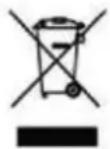
This product must not be disposed of via normal household waste after its service life, but must be taken to a collection station for the recycling of electrical and electronic devices. The symbol on the product, the operating instructions or the packaging indicates such disposal procedures. The materials are recyclable in accordance with their respective symbols. By means of re-use, material recycling or any other form of recycling old appliances you are making an important contribution to the protection of our environment. Please ask your local council where your nearest disposal station is located.
© 2016 KLIMATRONIC® CoolBreeze
SUNTEC WELLNESS GMBH / HOLZSTRASSE 2 / 40 221 DÜSSELDORF / GERMANY
© 2016 KLIMATRONIC® CoolBreeze
SUNTEC WELLNESS GMBH / HOLZSTRASSE 2 / 40221 DÜSSELDORF / DEUTSCHLAND
VEUILLEZ LIRE AVEC ATTENTION CETTE NOTICE AVANT D'UTILISER L'APPAREIL!
© 2016 KLIMATRONIC® CoolBreeze
SUNTEC WELLNESS GMBH / HOLZSTRASSE 2 / 40221 DÜSSELDORF / DEUTSCHLAND
LEES DEZE HANDLEIDING VÓÓR GEBRUIK AANDACHTIG DOOR!
© 2016 KLIMATRONIC® CoolBreeze
SUNTEC WELLNESS GMBH / HOLZSTRASSE 2 / 40221 DÜSSELDORF / DEUTSCHLAND
SI PREGA DI LEGGERE ATTENTAMENTE LE SEGUENTI ISTRUZIONI PRIMA DI UTILIZZARE L'APPARECCHIO!
© 2016 KLIMATRONIC® CoolBreeze
SUNTEC WELLNESS GMBH / HOLZSTRASSE 2 / 40221 DÜSSELDORF / DEUTSCHLAND
PRIJE KORIŠTENJA UREĐAJA PROČITAJTE PAŽLJIVO OVE UPUTE O RUKOVANJU!
© 2016 KLIMATRONIC® CoolBreeze
SUNTEC WELLNESS GMBH / HOLZSTRASSE 2 / 40221 DÜSSELDORF / DEUTSCHLAND
PRIJE KORIŠTENJA APARATA PROČITAJTE PAŽLJIVO OVO UPUTSTVO ZA UPOTREBU!
Pažljivo pročitajte uputstvo za upotrebu i pridržavajte se svih objašnjenja i uputstava prije no što počnete da koristite aparat. Nemojte više upotrebljavati ventilator, ako je neki dio oštećen ili ako nedostaje.
VAŽNE ZAŠTITNE MJERE
© 2016 KLIMATRONIC® CoolBreeze
SUNTEC WELLNESS GMBH / HOLZSTRASSE 2 / 40221 DÜSSELDORF / DEUTSCHLAND
PRED UPORABO NAPRAVE PAZLJIVO PREBERITE NAVODILA!
© 2016 KLIMATRONIC® CoolBreeze
SUNTEC WELLNESS GMBH / HOLZSTRASSE 2 / 40221 DÜSSELDORF / DEUTSCHLAND
PRED POUŽITÍM PRÍSTROJA SI, PROSÍM, STAROSTLIVO PREČÍTAJTE TENTO NÁVOD!
© 2016/01 SUNTEC WELLNESS GMBH
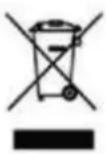
INFORMÁCIE K OCHRANE ŽIVOTNÉHO PROSTREDIA
© 2016 KLIMATRONIC® CoolBreeze
SUNTEC WELLNESS GMBH / HOLZSTRASSE 2 / 40221 DÜSSELDORF / DEUTSCHLAND
PŘED POUŽITÍM PŘÍSTROJE SI, PROSÍM, PEČLIVĚ PROČTĚTE TENTO NÁVOD!
© 2016 KLIMATRONIC® CoolBreeze
SUNTEC WELLNESS GMBH / HOLZSTRASSE 2 / 40221 DÜSSELDORF / DEUTSCHLAND
© 2016 KLIMATRONIC® CoolBreeze
SUNTEC WELLNESS GMBH / HOLZSTRASSE 2 / 40221 DÜSSELDORF / DEUTSCHLAND
VĂ RUGĂM SĂ CITIȚI CU ATENȚIE ACESTE INSTRUCTIUNI DE UTILIZARE!
© 2016 KLIMATRONIC® CoolBreeze
SUNTEC WELLNESS GMBH / HOLZSTRASSE 2 / 40221 DÜSSELDORF / DEUTSCHLAND
VI BER DIG LÄSA IGENOM DEN HÄR BRUKSANVISNINGEN UPPMÄRKSAMT INNAN DU BÖRJAR ANVÄNDA APPARATEN!
SUNTEC WELLNESS GMBH
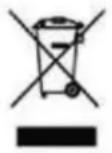
MILJÖSKDDSANVISNINGAR
© 2016 KLIMATRONIC® CoolBreeze
SUNTEC WELLNESS GMBH / HOLZSTRASSE 2 / 40221 DÜSSELDORF / DEUTSCHLAND
KÉRJÜK, FIGYELMESEN OLVASSA EL AZ ÚTMUTATÓT A KÉSZÜLÉK HASZNÁLATA ELŐTT!
© 2016 KLIMATRONIC® CoolBreeze
SUNTEC WELLNESS GMBH / HOLZSTRASSE 2 / 40221 DÜSSELDORF / DEUTSCHLAND
ENNE KASUTAMIST LUGEDA SEE KASUTUSJUHEND TÄHELEPANELIKULT LÄBI!
© 2016 KLIMATRONIC® CoolBreeze
SUNTEC WELLNESS GMBH / HOLZSTRASSE 2 / 40221 DÜSSELDORF / DEUTSCHLAND
TUTUSTU HUOLELLISESTI NÄIHIN OHJEISIIN, ENNEN LAITTEEN KÄYTTÖÄ!
© 2016 KLIMATRONIC® CoolBreeze
SUNTEC WELLNESS GMBH / HOLZSTRASSE 2 / 40221 DÜSSELDORF / DEUTSCHLAND