USER MANUAL Run 1000 Techness
In FAT, after choosing the item, press Speed+/- key can adjust the number.
ERRORMESSAGEANDSOLUTIONS:
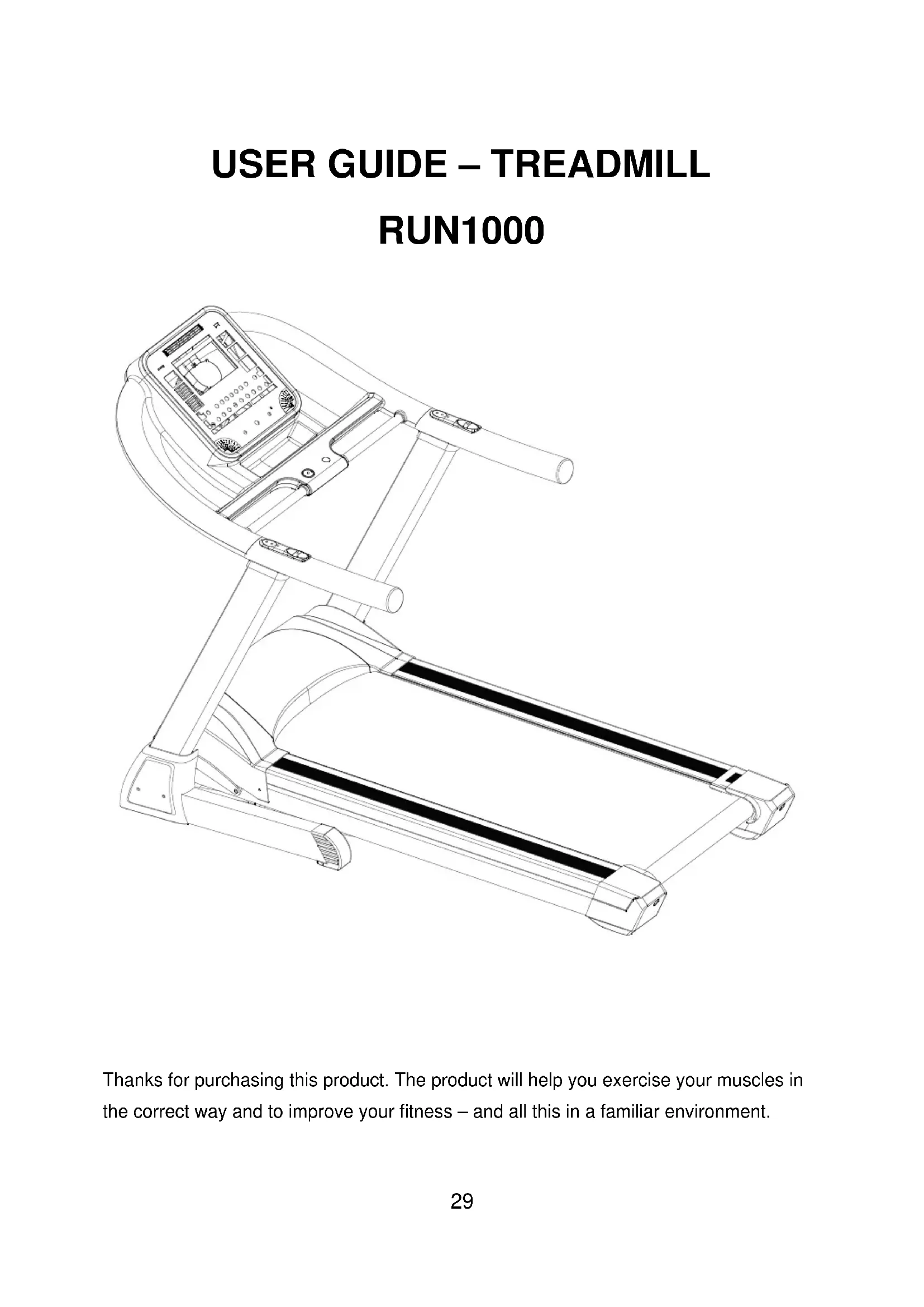
Thanks for purchasing this product. The product will help you exercise your muscles in the correct way and to improve your fitness – and all this in a familiar environment.
Implied Warranty
The importer of this machine assures that this device was manufactured from high quality materials.
Prerequisite for the implied warranty is the proper setup in accordance with the operating instructions. Improper use and /or incorrect transportation can render the warranty void.
The implied warranty is for 1 years, beginning with the date of purchase. If the device you acquired is defective, please contact our Customer Service (Insert page) within the
guarantee period of 12 months as of purchase date. The warranty applies to the following parts (as far as included in the scope of delivery): frame,motor, cable, electronic devices,
running deck and belt. The guarantee does not cover:
1.Damage effected by outer force
2. Intervention by unauthorized parties
3. Incorrect handling of the product
4. Non-compliance of the operating instructions
Wear parts and expendable items are not covered(such as foam and plastic wear).
The device is only intended for private use. The warranty does not apply to professional usage.
Spare parts can be ordered from Customer Services (Insert page) it needed.
Please make sure you have the following information on hand when ordering spare parts.
- Operating instructions
- Model number (located on the cover sheet of these instructions)
- Description of spare part
- Part number
- Proof of purchase with purchase date
Please do not send the device to our firm without being requested to do so by our Service team. The costs of unsolicited shipments will be borne by the sender.
GENERAL SAFETY INSTRUCTIONS
A great deal of emphasis was placed on safety in the design and manufacture of this fitness device. Still, it is very important that you strictly adhere to the following safety instructions. We cannot be held liable for accidents that were caused due to disregard. To ensure your safety and to avoid accidents, please read through the operating instructions thoroughly and attentively before you use the sports device for the first time.
1) Consult your GP before starting to exercise on this device. Should you want to exercise regularly and intensively, the approval of your GP would be advisable. This is especially true for users with health problems.
2) We recommend that handicapped people should only use the device when a qualified care is present.
3) When using the fitness device, wear comfortable clothing and preferably sports or aerobic shoes. Avoid wearing loose clothing which could get caught in the moving parts of the device.
4) Stop exercising immediately should you feel unwell or if you feel pain in your joints or muscles. In particular, keep an eye on how your body is responding to the exercise program. Dizziness is a sign that you are exercising too intensively with the device. At the first signs of dizziness, lay down on the ground until you feel better.
5) Ensure there are no children nearby when you are exercising on the device. In addition, the device should be stowed in a place that children or house pets cannot reach.
6) Ensure that only one person at a time uses the fitness device.
7) After the sports device has been set up according to operating instructions, make sure all screws, bolts and nuts are correctly fitted and tightened. Use only attachments recommended and/or supplied by the importer.
8) Do not use a device that is damaged or unserviceable.
9) Always place the device on a smooth, clean and sturdy surface. Never use near water and make sure there are no pointed objects in the direct vicinity of the fitness device. If necessary, place a protective mat (not included in scope of delivery) to protect your floor underneath the device and keep a free space of at least 0.5m around the device for safety reasons.
10) Take care not to put your arms and legs near moving parts. Do not place any material in openings in the device.
11) Use the device only for the purposes described in these operating instructions. Use only attachments recommended by the manufacturer
12) If the supply cord is damaged, it must be replaced by the manufacturer, its service agent or similarly persons in order to avoid a hazard.
ASSEMBLY
- Before starting with the assembly of this fitness device, carefully read through the set up steps as of page 7 We also recommend that you view the assembly drawing prior to assembly.
- Remove all packaging material and place the individual parts on a free surface. This will provide you with an overview and will simplify assembly.
- Please consider that there is always the risk of injury when using tools and carrying out technical activities. Please proceed with care when assembling the device.
- Make sure you have a hazard-free working environment and do not, for example, leave tools lying around. Deposit the packaging material in such a way that it does not pose a danger. Foil/plastic bags are a potential risk of suffocation for children!
- Take your time when viewing the drawings and then assemble the device according to the series of illustrations.
- The device must be carefully assembled by an adult person. If necessary, request aid from another technically talented person.
UNPACK AND VERIFY THE CONTENTS OF THE BOX:
- Lift up and remove the box that surrounds the Treadmill.
- Check the following items are present. If any of the parts are missing, contact with the dealer.
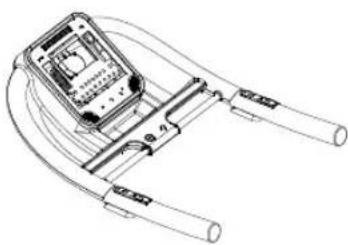
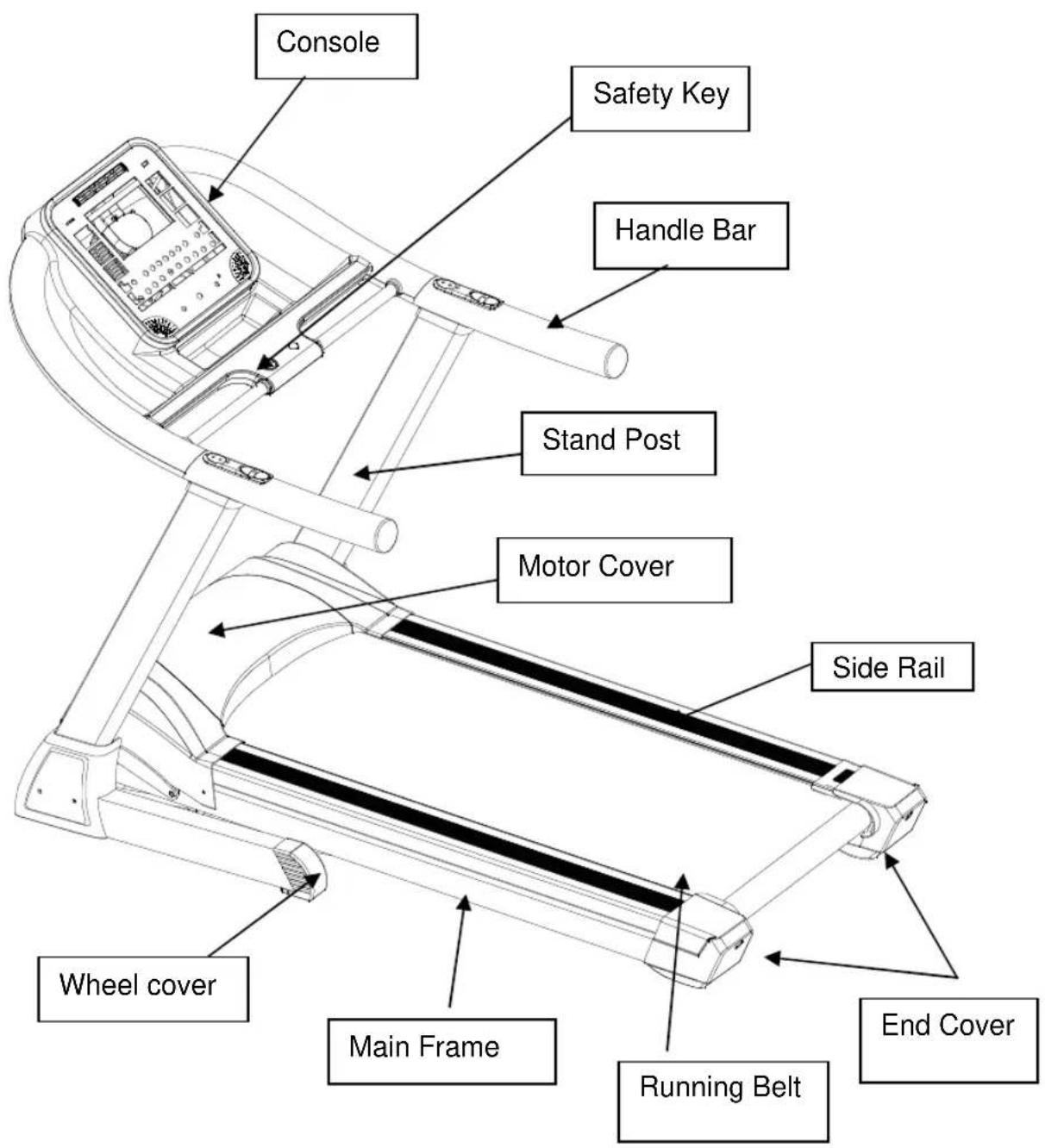
Console
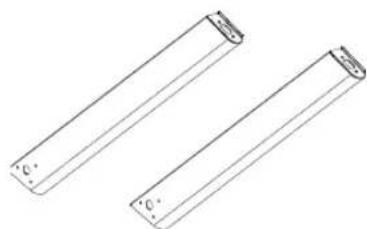
Main frame and base
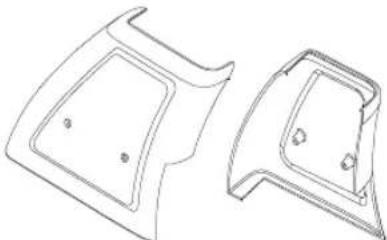
end cover
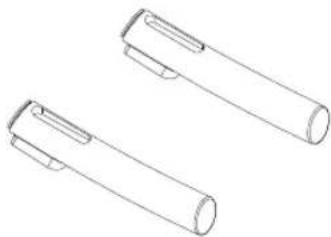
stand post
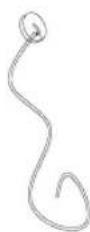
Safety key
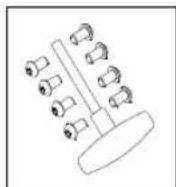
Handle bar
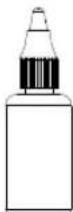
Silicone oil
user's manual
Hardware kit
MAIN PARTS OF THE TREADMILL:
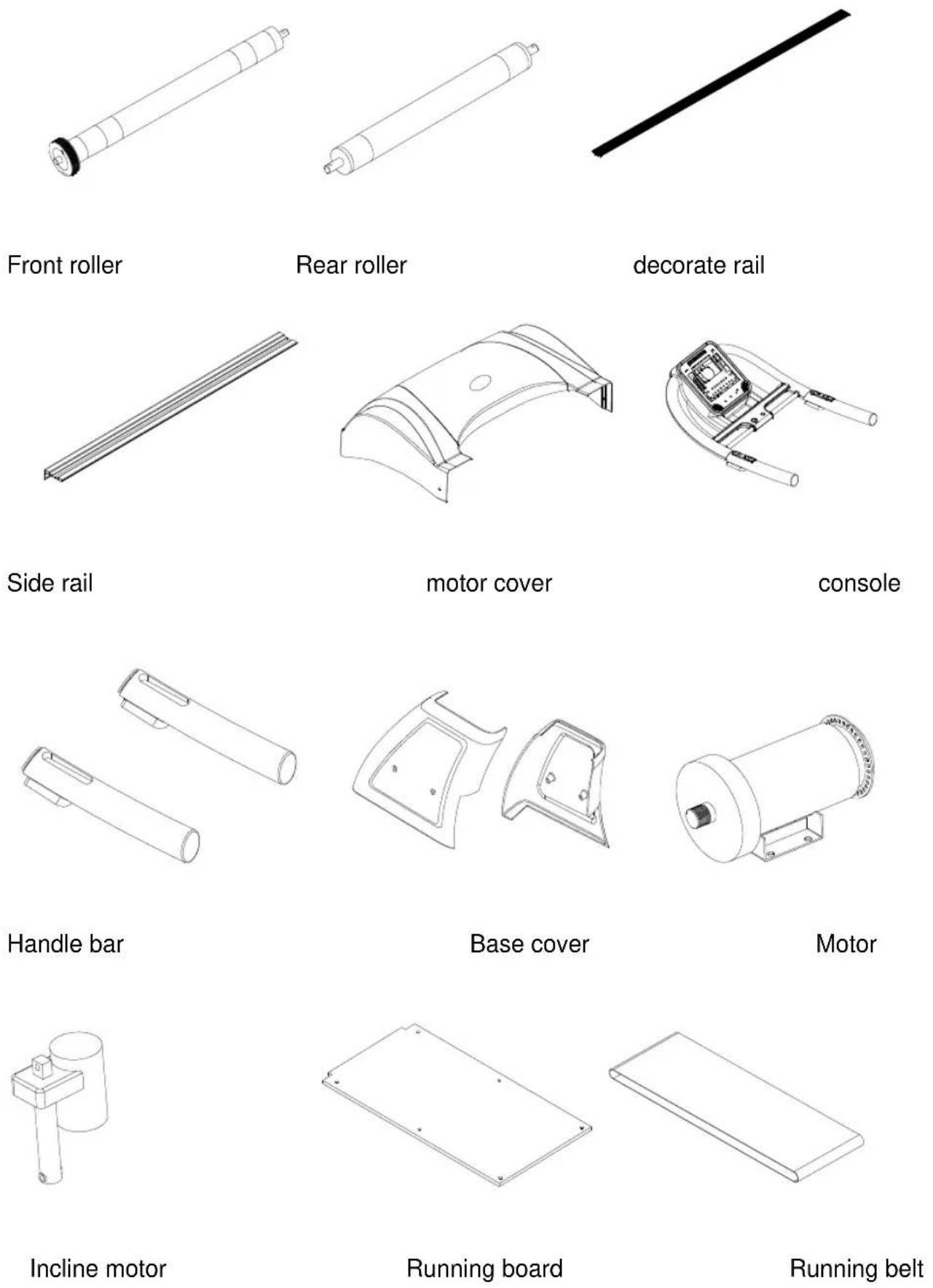

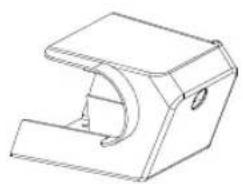
End cover (left)
End cover (right)
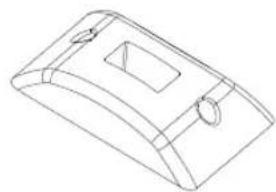
Feet
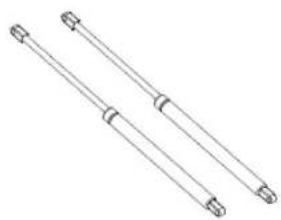
Soft drop
ASSEMBLY INSTRUCTIONS
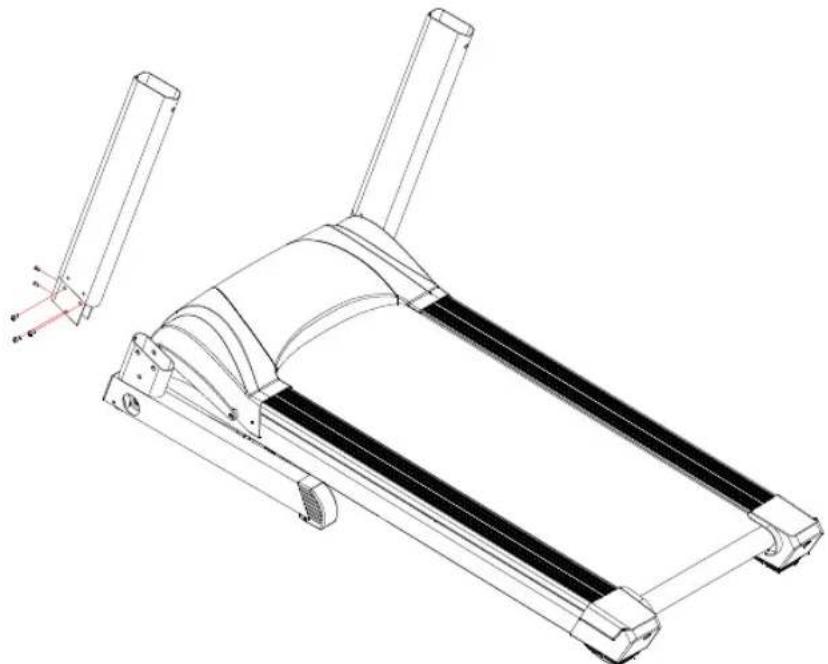
Step 1: Take the machine out of package, put on a flat surface; Use 4pcs M815 and 6pcs M855*20 screws separately to fit the stand post (Left and right) onto the base frame. Please do not tight any bolts now.
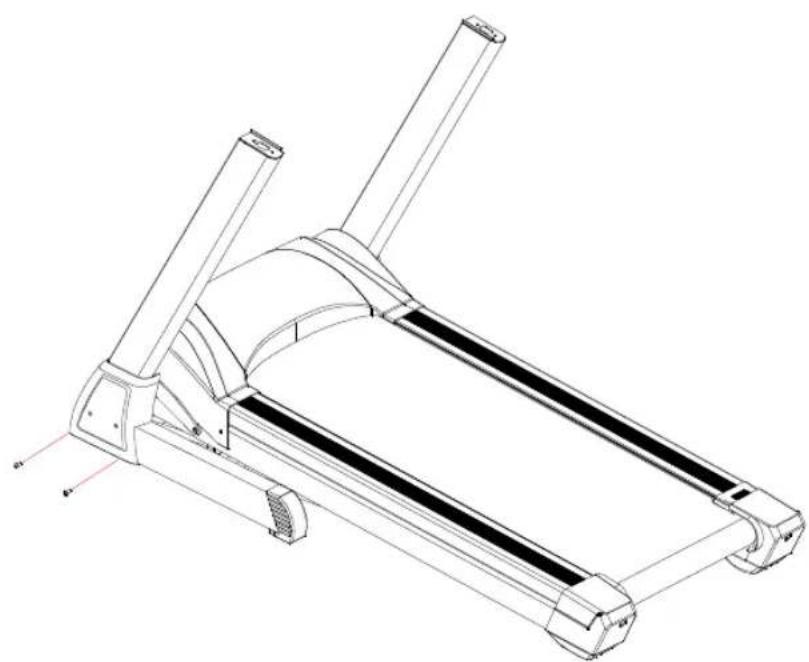
Step 2: Put the stand post cover on left and right stand post, and then use 4pcs M4*20 screw to tight the stand post cover.
Step 3: Use 4pcs M85020 screws fit the console to the stand post and tight the screw.
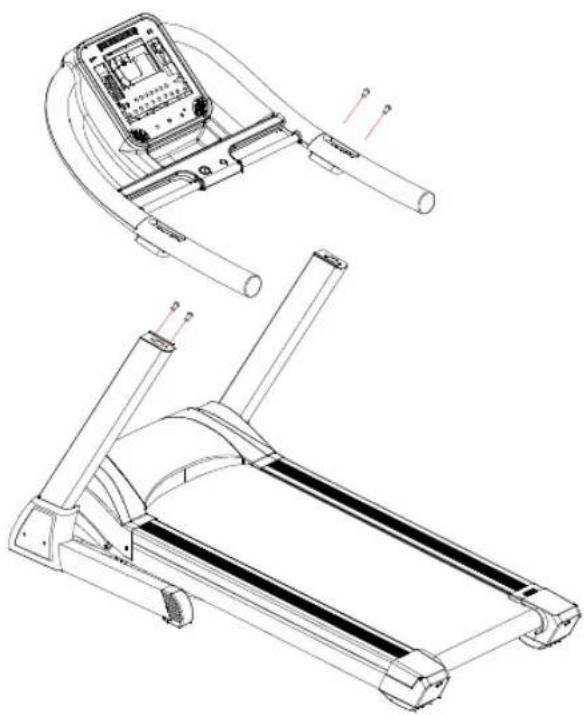
Step 4: Use 4pcs M3*28 screws fit the handle bar cover to the PU handle bar and tight the screw.
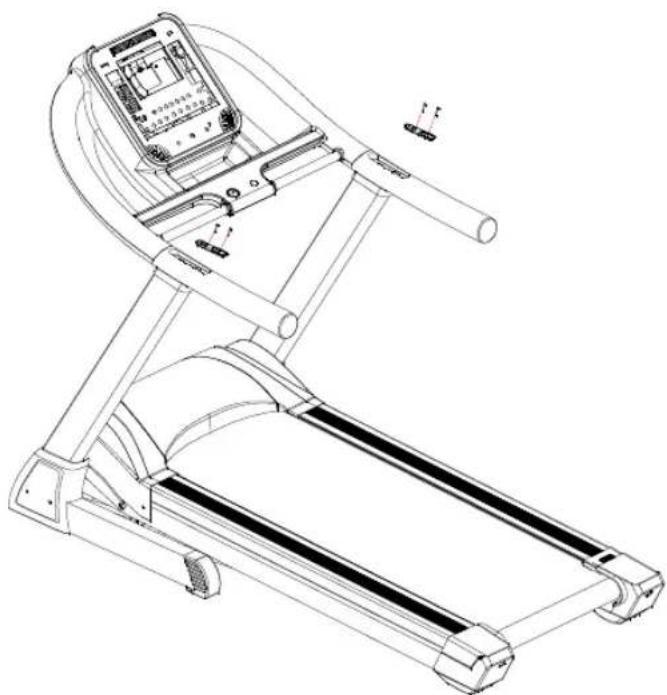
SETTING UP YOUR TREADMILL
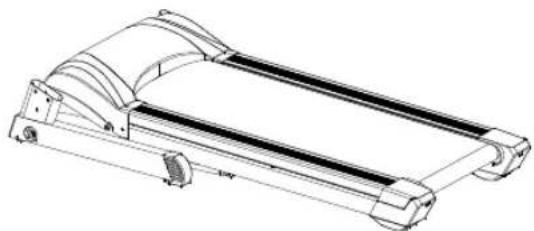
1. FOLDING/UNFOLDING & MOVING THE TREADMILL FOLDING & UNFOLDING THE TREADMILL:
- Unplug from power point before folding
- Lift deck until it's parallel to the upright post
- Check the cylinder locks into right position
- Place two hands on handle bar, and Press one foot on the middle section of the cylinder to dis-engage the locking mechanism. Both hands press down, and the base frame can down slowly. Then take off both hands, the deck can down itself.
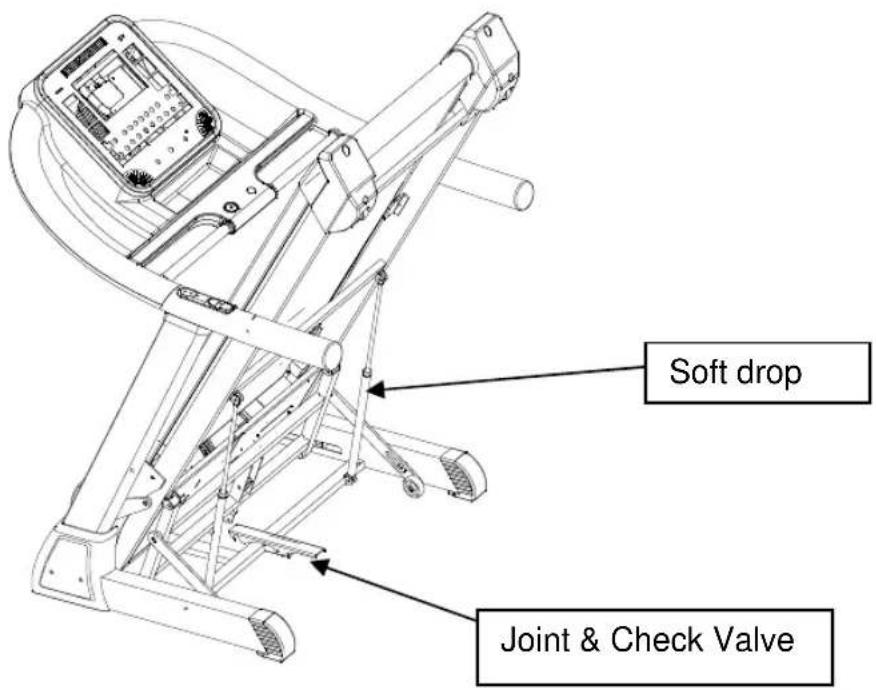
MOVING THE TREADMILL:
- Before moving, make sure the power is off.
- Make sure the plug has pulled off.
- Make sure the running base has been folded
- The treadmill can be moved around in house safely in its fold-up position by using the transport wheels. Firmly hold onto handle bars with both hands, pull the treadmill towards you, incline 30-40 degree until it's portable on wheels, drag or push slowly.
Special Safety Precautions
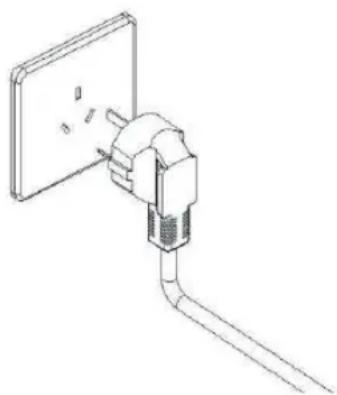
- Power source:
- Choose a place in reach of a socket when placing the treadmill.
- Always connect the appliance to a socket with a grounded circuit and no other appliances connected to it. It is recommended not to use any extension cords.
- A faulty grounding of the appliance can cause the risk of electrical shocks. Ask a qualified electrician to check the socket in case you do not know if the appliance is grounded appropriately. do not modify the plug provided with the appliance if it is not compatible with your socket. ask a qualified electrician to install a suitable socket.
- Sudden voltage fluctuations can seriously damage the treadmill. Weather changes or switching on and off other appliances can cause peak voltages, over-voltage or interference voltage. To limit the danger of damage to the treadmill, it should be equipped with an over-voltage protective device (not included).
- Keep power cord away from the carrying roller. Do not leave the power cord below the striding belt. Do not use the treadmill with a damaged or worn out power cord.
- Unplug before cleaning or engaging in maintenance work. Maintenance should only be done by authorized service technicians, unless otherwise stated by the manufacturer. Ignoring those instructions would automatically void the warranty.
- Inspect the treadmill before every use to make sure that every part is operational.
- Do not use the treadmill outdoors, in a garage or under any kind of canopy. Do not expose the treadmill to high humidity or direct sunlight.
- Never leave the treadmill unattended.
Make sure the striding belt is always tense. Start the striding belt before stepping on it.
General Functionalities
To start any workout phase after the setup, the user has to press the Start key.
If the user presses the Stop key during the workout phase, the workout pulses.
If the user presses the Stop key twice, the workout terminates and the system will return to the initial state.
The Quick keys, Incline adjusting keys, Speed adjusting keys, and Start key only work during the workout period. These keys do not work during the setup stage.
The Direction keys only work during the setup stage. The user may use the direction keys to choose their desired workout program, as well as adjusting value. These keys do not work during the workout phase.
Hand pulse in front of the user will read the user's heart rate when both keypads are held properly.
Pull out the safe key will stop the treadmill immediately.
Use Instruction
Console
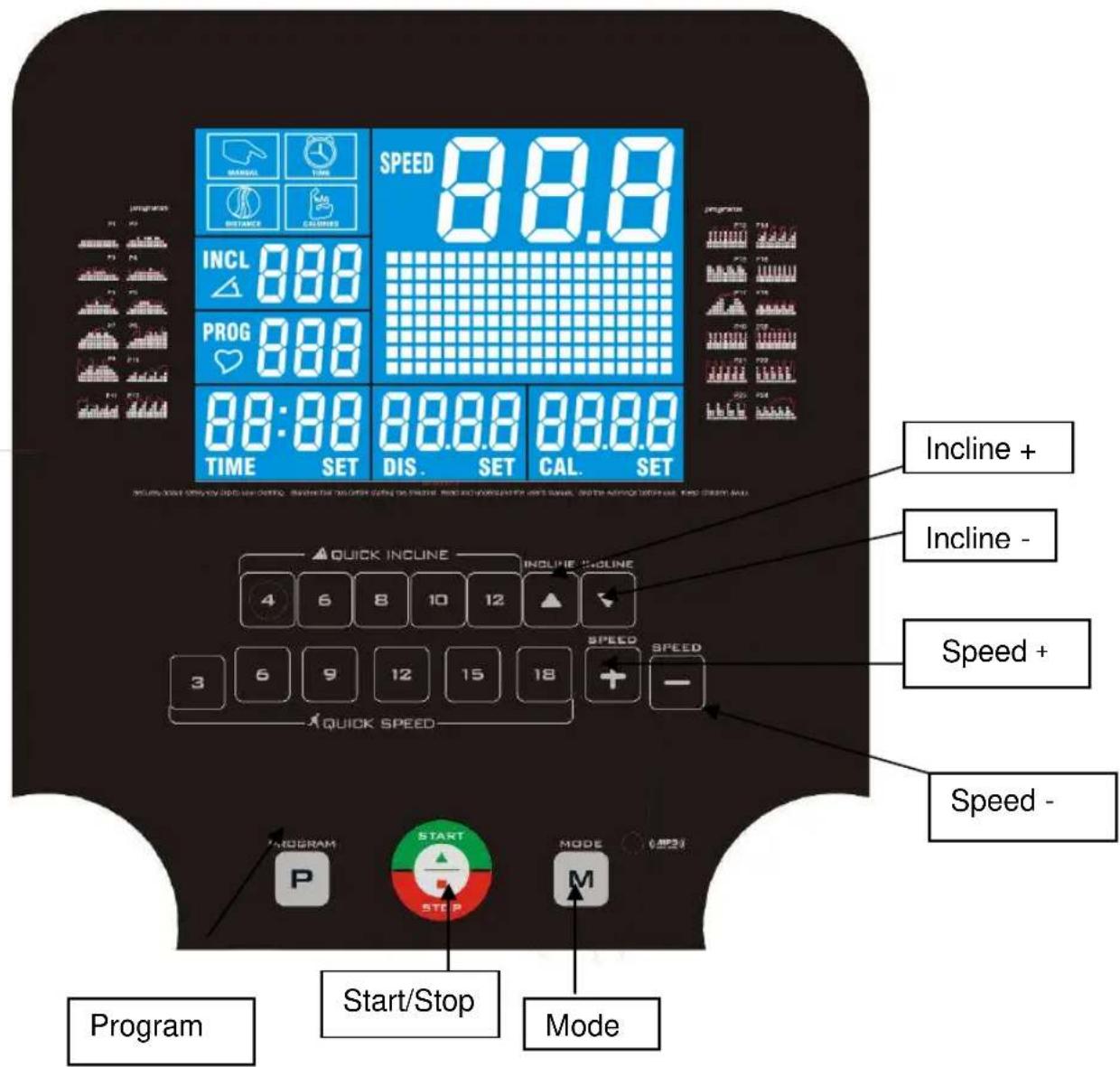
- Start the treadmill:
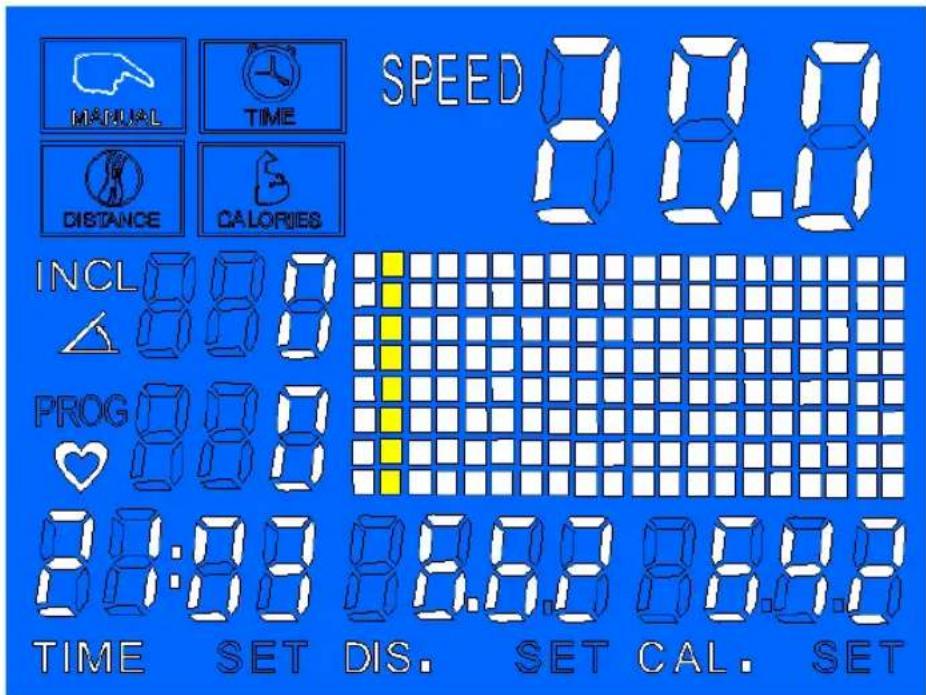
When the treadmill connects to power, the LCD show like the below picture 1:
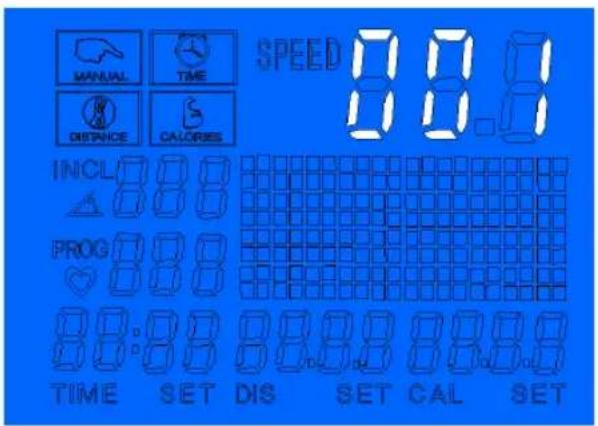
If the treadmill without the safety key, the LCD will show like the below picture2:
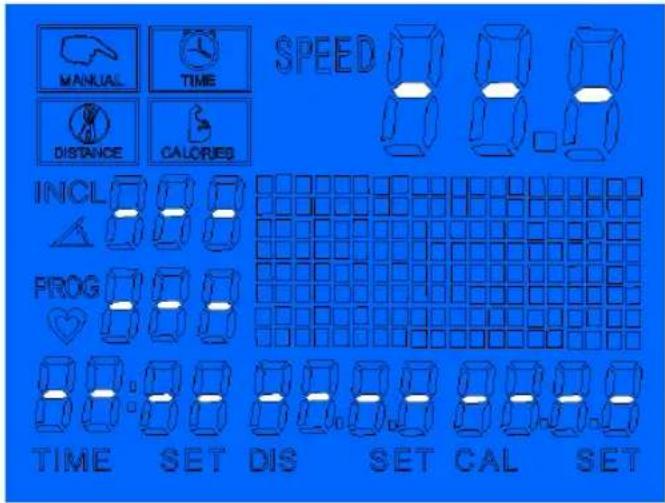
With the safety key, will show like below picture 3:
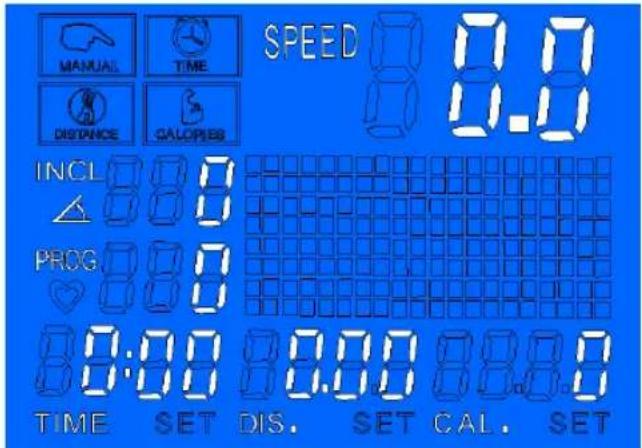
- LCD window display
10" LCD window displays the item and number. Program and Pulse use the same window; if no pulse signal neither in Program, this window shows "PROG", in Program, shows program number, if has pulse, show the pulse number.
In the picture 3: TIME window show time; Cal window shows calorie; INCL shows incline number; PROG is program; DIS is distance; SPEED is speed number; is pulse.
When the treadmill paused, the shows 24 program P0-P24-P0, and the window shows the profile, lasting for 3 seconds.
1. Safety Key
Pull off the safety key, the LCD windows show"----", the buzzer sound "BIBI-BI", the sound last 0.5second every 2second once and the treadmill will stop right now. The sound will stop until put on the safety key. After putting on the safety key, the computer will show 2second, and all the data will be cleared.
2.PROGRAM KEY
Press the P key, program key: it will show:
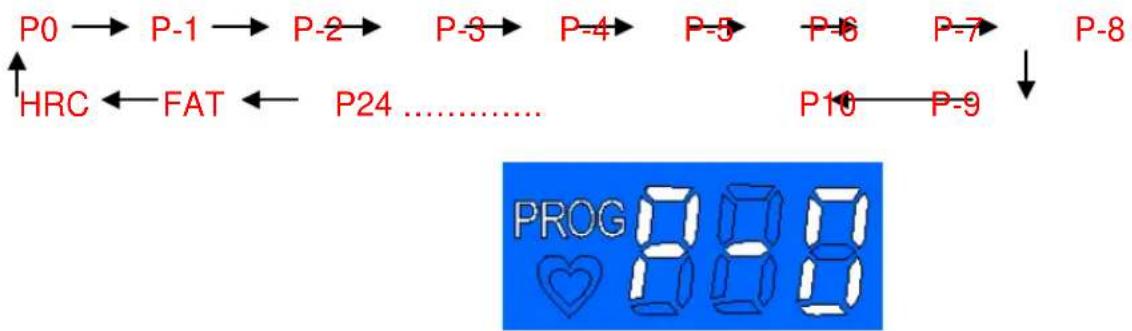
P0 is user's program, in this program, press"MODE" key, you can set three count-down program: TIME COUNT DOWN mode; DISTANCE COUNT DOWN mode; CALORIES COUNT DOWN mode.
Time30:00 Distance1.00 Calories50
3. Speed +/- key:
In the P1-P24 program, press Speed +/- key can adjust the time
4. BODY FAT FUNCTION
Press "PROG", choose "FAT" function, press "SPEED +/-" to adjust the item, press "MODE" to choose the item.
After setting the item, the LCD show "FAT", put two hands on the handle pulse key on the handle bar. After 3 seconds, it will show the result.
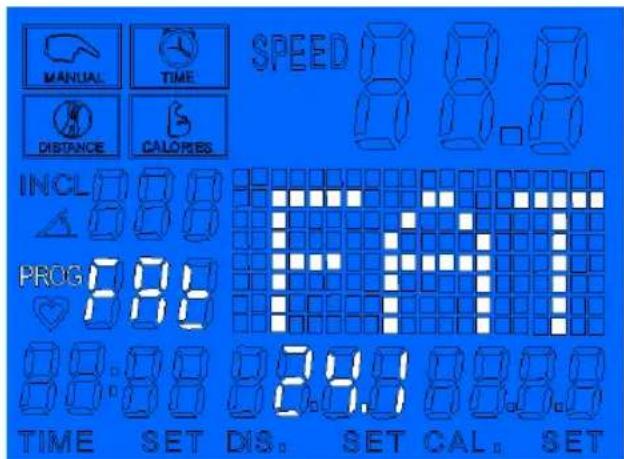
"01"shows the gender is male, "02"shows the gender is female
| item | Designed original number | Designed range |
| age 25 10-99 | | |
| height 170CM 100-220 | | |
| weight 70KG 20-150 | | |
According to the standard of human being, the fat low 19 shows you are tend to be thin, it is perfect when the fat is between 20 to 25. If between 26 to 29 it suggests you are a little fat. If exceeds 30, it means you should lose weight.
5. START/STOP key:
In P0-P24, first time press START/STOP key, the window will show "3, 2,1, Go" and with the buzzer sound "BI, and start the treadmill.
In count down function, after choose press START/STOP key, the item begin the count down function.
After choosing the program, press START/STOP key, then will start this program.
6. Incline+/- key:
Press Incline + / - key can increase and decrease the incline number In FAT function, press Incline + / - key, can adjust the item number.
7、Speed+/- key:
Increase and decrease the speed, 0.1KM once.
In P0-P24, choose time, press Speed+/- key, can adjust the number.
In FAT, after choosing the item, press Speed+/- key can adjust the number.
8. Quick incline keys
9. Quick speed keys
-Program speed diagram
| TIMEPROGRAM | | | |
| 1 | 2 | 3 | 4 | 5 | 6 | 7 | 8 | 9 | 10 | 11 | 12 | 13 | 14 | | | | | | 15 | 16 |
| P1 | SPEED | 2 | 3 | 3 | 4 | 4 | 4 | 4 | 4 | 4 | 4 | 4 | 4 | 3 | 3 | 2 | | | | | | |
| INCLINE | 1 | 1 | 2 | 2 | 2 | 3 | 3 | 2 | 2 | 3 | 2 | 3 | 2 | 1 | | | | | | | |
| P2 | SPEED | 2 | 3 | 4 | 4 | 7 | 4 | 7 | 7 | 7 | 4 | 7 | 7 | 4 | 4 | 3 | 2 | | | | | |
| INCLINE | 2 | 3 | 4 | 3 | 4 | 4 | 5 | 5 | 6 | 7 | 6 | 6 | 5 | 4 | 3 | 2 | | | | | |
| P3 | SPEED | 2 | 3 | 4 | 4 | 7 | 7 | 4 | 7 | 7 | 7 | 7 | 4 | 4 | 3 | 2 | | | | | | |
| INCLINE | 3 | 7 | 4 | 4 | 7 | 4 | 8 | 4 | 3 | 7 | 3 | 7 | 5 | 4 | 7 | 3 | | | | | |
| P4 | SPEED | 2 | 3 | 3 | 5 | 6 | 6 | 6 | 6 | 6 | 6 | 6 | 6 | 3 | 3 | 2 | | | | | | |
| INCLINE | 3 | 7 | 4 | 4 | 7 | 4 | 8 | 4 | 3 | 7 | 3 | 7 | 5 | 4 | 7 | 2 | | | | | |
| P5 | SPEED | 2 | 3 | 4 | 6 | 6 | 6 | 6 | 6 | 6 | 6 | 6 | 6 | 4 | 3 | 2 | | | | | | |
| INCLINE | 2 | 4 | 6 | 8 | 6 | 8 | 5 | 10 | 11 | 8 | 6 | 7 | 6 | 8 | 4 | 2 | | | | | |
| P6 | SPEED | 2 | 4 | 4 | 6 | 6 | 9 | 9 | 9 | 9 | 6 | 6 | 6 | 6 | 4 | 2 | | | | | | |
| INCLINE | 3 | 4 | 5 | 6 | 5 | 6 | 5 | 7 | 6 | 7 | 5 | 7 | 6 | 7 | 3 | | | | | | |
| P7 | SPEED | 4 | 6 | 6 | 9 | 11 | | 11 | 9 | 11 | 11 | 9 | 11 | 11 | 9 | 9 | 6 | 4 | | | | |
| INCLINE | 2 | 4 | 4 | 6 | 7 | 8 | 10 | | 12 | 13 | 13 | 12 | 10 | 8 | 6 | 4 | 2 | | | | |
| P8 | SPEED | 2 | 4 | 4 | 7 | 7 | 7 | 7 | 9 | 9 | 11 | 9 | 11 | 9 | 9 | 11 | 11 | | | | | |
| INCLINE | 2 | 4 | 8 | 10 | 13 | | 2 | 4 | 8 | 10 | 13 | 2 | 4 | 9 | 10 | 13 | 2 | | | | |
| P9 | SPEED | 3 | 6 | 6 | 9 | 11 | | 11 | 7 | 9 | 11 | 11 | 11 | 11 | 9 | 9 | 6 | 3 | | | | |
| INCLINE | 13 | 10 | 8 | 4 | 2 | 13 | | 10 | 8 | 4 | 2 | 13 | 10 | 8 | 4 | 3 | 3 | | | | |
| P10 | SPEED | 2 | 4 | 4 | 6 | 2 | 4 | 4 | 6 | 2 | 4 | 4 | 6 | | | | | | | | | |
| INCLINE | 2 | 2 | 4 | 4 | 3 | 4 | 5 | 6 | 5 | 6 | 8 | 7 | 8 | 9 | 10 | 10 | | | | | |
| P11 | SPEED | 4 | 6 | 6 | 9 | 4 | 6 | 6 | 9 | 4 | 6 | 6 | 9 | | | | | | | | | |
| INCLINE | 10 | 12 | 10 | 12 | | 8 | 8 | 7 | 7 | 5 | 6 | 5 | 6 | 4 | 3 | 4 | 3 | | | | |
| P12 | SPEED | 3 | 6 | 9 | 11 | 3 | 6 | 9 | 11 | 3 | 6 | 9 | 11 | 3 | 6 | 9 | 11 | | | | | |
| INCLINE | 12 | 11 | 9 | 8 | 12 | 11 | 9 | 8 | 12 | 11 | 9 | 8 | 12 | 11 | 9 | 8 | | | | | |
| P13 | SPEED | 4 | 12 | 4 | 12 | 4 | 12 | 4 | 12 | 4 | 12 | 4 | 12 | 4 | 12 | 4 | 12 | | | | | |
| INCLINE | 4 | 8 | 10 | 12 | 4 | 8 | 10 | 12 | 4 | 8 | | 10 | 12 | 4 | 8 | 10 | 12 | | | | |
| P14 | SPEED | 3 | 6 | 9 | 11 | 3 | 6 | 9 | 11 | 3 | 6 | 9 | 11 | 3 | 6 | 9 | 11 | | | | | |
| INCLINE | 4 | 8 | 10 | 12 | 4 | 8 | 10 | 12 | 4 | 8 | | 10 | 12 | 4 | 8 | 10 | 12 | | | | |
| P15 | SPEED | 11 | 11 9 | 6 1 | 11 | 9 6 | 11 11 | 9 6 | 11 | 11 9 | 6 | | | | | | |
| INCLINE | 2 3 | 4 5 | 6 8 | 7 8 | 8 7 | 7 6 | 5 4 3 | 2 | | | | | | | | |
| P16 | SPEED | 4 1 | 2 4 | 12 4 | 12 4 | 12 | 4 12 | 4 12 | 4 12 | 4 12 4 1 | 2 | | | | | | |
| INCLINE | 2 4 | 5 6 | 2 4 | 5 6 | 2 4 | 5 6 | 2 4 5 | 6 | | | | | | | | |
| P17 | SPEED | 2 | 4 6 | 6 9 | 1 1 | 2 4 | 6 6 | 11 1 | 1 9 | 6 2 | | | | | | | |
| INCLINE | 2 4 | 6 8 | 10 | 12 13 | 12 | 13 12 | 13 | 10 8 | 6 4 | 2 | | | | | | |
| P18 | SPEED | 3 | 6 6 | 3 6 | 6 3 | 6 6 | 6 6 | 3 6 | 6 2 | | | | | | | | |
| INCLINE | 2 6 | 8 2 | 6 8 | 2 6 | 8 2 | 6 8 | 2 6 8 | 2 | | | | | | | | |
| P19 | SPEED | 4 | 12 4 | 12 4 | 12 | 4 12 | 4 12 | 4 12 | 2 4 | 12 4 | 12 | | | | | | |
| INCLINE | 10 | 8 6 | 4 10 | 8 6 | 4 10 | 8 6 | 4 10 | 8 6 | 4 | | | | | | | |
| P20 | SPEED | 4 1 | 2 4 | 12 4 | 12 4 | 12 | 4 12 | 4 12 | 4 12 | 4 12 4 1 | 2 | | | | | | |
| INCLINE | 12 | 8 2 | 12 8 | 2 12 | 8 2 | 12 8 | 2 1 | 2 8 | 2 2 | | | | | | | |
| P21 | SPEED | 2 6 | 11 | 2 6 | 1 2 | 6 11 | 2 6 | 11 2 | 6 11 | 2 | | | | | | | |
| INCLINE | 12 | 8 2 | 12 8 | 2 12 | 8 2 | 12 8 | 2 1 | 2 8 | 2 2 | | | | | | | |
| P22 | SPEED | 11 | 6 2 | 11 6 | 2 11 | 6 2 | 11 6 | 2 1 | 1 6 | 2 2 | | | | | | | |
| INCLINE | 2 | 4 10 | 2 4 | 10 2 | 6 1 | 2 6 8 | 12 | 6 8 | 12 2 | | | | | | | |
| P23 | SPEED | 11 | 6 6 | 2 11 | 6 6 | 2 11 | 6 6 | 2 11 | 6 6 | 2 | | | | | | | |
| INCLINE | 2 3 | 4 5 | 6 6 | 7 8 | 10 1 | 1 12 | 12 1 | 12 13 | | | | | | | 10 | 2 |
| P24 | SPEED | 11 | 6 4 | 11 6 | 4 11 | 6 4 | 11 | 6 4 1 | 1 6 | 4 2 | | | | | | | |
| INCLINE | 4 4 | 5 6 | 7 8 | 10 | 0 12 | 13 | 12 13 | 12 | 13 | | | | | | 10 | 2 |
ERRORMESSAGEANDSOLUTIONS:
| SYMPTOM | DESCRIPTION SOLUTION | |
| E01 | Console is bad | Control board is bad, can not start the treadmill. Console show the E01, warning sound 3times.
Solution: console and control board connect not well, check the connection wire set between the console and control board. If connection is bad, change the wire. |
| E02 | The motor wire is bad. | Treadmill can not start, warning sound 9times. Console show the E02. If treadmill can restart, it will be ok.
Solution: check the motor wire, and reconnect. If the control board smells bad, change the control board. |
| E03 | No speed sensor signal: control board has send the signal to motor, but can not receive the signal from motor for 3seconds. | Treadmill can not start, warning sound 9times. Console show the E03. If treadmill can restart in 10 seconds, it will be ok. Solution: No speed sensor signal for 3seconds, then check the sensor plug or change the speed sensor. |
| E04 | Incline motor learn by itself | Check the incline motor wire, and wire connections. Check the AC wire on incline motor and the connection to control board. Change the wire or incline motor. Then press the key to let the incline motor learn by itself. |
| E05 | Over current protection: treadmill is running, control board check the current is over standard current +6A for 3 seconds | Treadmill can not start, warning sound 9times. Console show the E05. If treadmill can restart in 10 seconds, it will be ok. Solution: current is over the standard current, so system take protection. Or some part can not work; causing the motor can not run normally. Recheck the treadmill, and restart the treadmill. Check if the bad smell, change motor, or control board has. Recheck the current is right or not. |
| E06 | Over explosion protection: voltage is not correct or motor not work well, cause motor wire bad. | Treadmill can not start, warning sound 9times. Console show the E06. If treadmill can restart, it will be ok. Solution: check the voltage is lower than 10% standard voltage, using the correct voltage to check again. Check control board smelling, if burnt smell, change control board. Check the motor wire connection, reconnect. |
Proper maintenance is very important to ensure a faultless and operational condition of the treadmill. Improper maintenance can cause damage to the treadmill or shorten the life of the product.
All parts of the treadmill must be checked and tightened regularly. Worn out parts must be replaced immediately.
1. LUBRICATION
The treadmill is factory-lubricated. However, it is recommended to check the lubrication of the treadmill regularly, to ensure an optimal operation of the treadmill. It is usually not necessary to lubricate the treadmill in the first year or the first 500 hours of operation.
After every 3 months of operation, lift the sides of the treadmill and feel the surface of the belt, as far as possible. If traces of silicon spray are found, lubrication is not necessary. In case of a dry surface refer to the following instructions.
Only use oil free silicon spray.
2. Application of lubricant on the belt:
- Position the belt so that the seam is located in the middle of the plate.
- Insert the spray valve in the spray head of the lubricant container.
- Lift the belt at one side and hold the spray valve in a distance to the front end of striding belt and plate. Start at the front end of the belt. Lead the spray valve in direction of the back end. Repeat this process on the other side of the belt. Spray each side for about 4 seconds.
- Wait 1 minute to let the silicon spray spread, before starting the machine.
3. CLEANING:
Regular cleaning of the striding belt ensures a long product life.
- Warning: The treadmill must be turned off to avoid electrical shocks. The power cord must be pulled out of the socket, before starting the cleaning or maintenance.
- After each training: Wipe the console and other surfaces with a clean soft and damp cloth to remove sweat residues.
Caution: Do not use any abrasives or solvents. To avoid damage to the computer, keep any liquids away. Do not expose the computer to direct sunlight.
- Weekly: To make the cleaning easier it is recommended to use a mat for the treadmill. Shoes can leave dirt on the striding belt that can fall beneath the treadmill. Clean the mat under the treadmill once a week.
4. BELT ADJUSTMENT
You may need to adjust the running belt during the first few weeks of use. All running belts are properly set at the factory. It may stretch of be off center after use. Stretching is normal during the break-in period.
ADJUSTING THE BELT TENSION:
If the running belt feels as though it is —slipping or hesitating when you plant you foot during a run, the tension on the running belt may have to be increased.
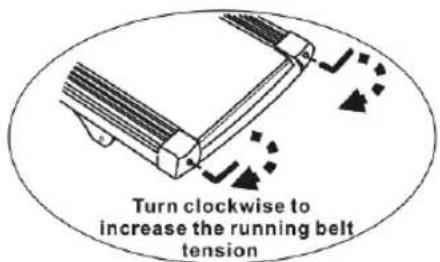
TO INCREASE THE RUNNING BELT TENSION:
A. Place 8mm wrench on the left belt tension bolt. Turn the wrench clockwise 1/4 turn to draw the rear roller and increase the belt tension.
B. Repeat STEP 1 for the right belt tension bolt. You must be sure to turn both bolts the same number of turns, so the rear roller will stay square relative to the frame.
C. Repeat STEP 1 and STEP 2 until the slipping is eliminated.
D Be careful not to tighten the running belt tension too much as you can create excessive pressure on the front and rear roller bearings. An excessively tightened running belt may damage the roller bearings that would result in bearing noise from the front and rear rollers.

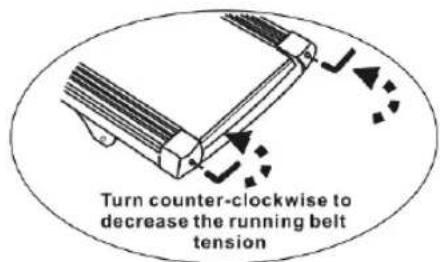
TO DECREASE THE TENSION ON THE RUNNING BELT, TURN BOTH BOLTS COUNTER-CLOCKWISE THE SAME NUMBER OF TRUNS.
CENTRING THE RUNNING BELT
When you run, you may push off harder with one foot than with another. The severity of the deflection depends on the amount of force4 that one foot exerts in the relation to the other. This deflection can cause the belt to move off-centre. This deflection is normal and the running belt will centre when no body is on the running belt. If the running belt remains consistently off-centre, you will need to centre the running belt manually.
Start the treadmill without anyone on the running belt, press FAST-key until speed reached 6kph.
-
Observe whether the running belt is toward the right or left side of the deck.
-
If toward the left side of the deck, using wrench, turn the left adjustment bolt clockwise 1/4 turn and the left adjustment bolt counter clockwise 1/4.
-
If toward the right side of the deck, turn the right adjustment bolt clockwise 1/4 turn and the left adjustment bolt counter clockwise 1/4.
-
If the belt is still not centre, repeat the above step until the running belt is on centre.
-
After the belt is centre, increase the speed to 16kph and verify that it is running smoothly. Repeat the above steps if it is necessary.
If the above procedure is unsuccessful in resolving the off-centre, you may need to increase the belt tension.
5. STORAGE:
Store you treadmill in a clean and dry environment. Ensure the master power switch is off and is un-plugged from the electrical wall outlet.
6. Important notes
- The device corresponds to current safety standards. The device is only suitable for home use. Any other use is impermissible and possibly even dangerous. We cannot be held liable for damages that were caused by improper usage.
- Please consult your GP before starting your exercise session to clarify whether you are in suitable physical health for exercising with this device. The doctor's diagnosis should be the basis for the structure of your exercise programme. Incorrect or excessive training could be harmful to your health.
- Carefully read through the following general fitness tips and the exercise instructions. If you have pain, shortness of breath, feel unwell or have other physical complaints, break off the exercise immediately. Consult a doctor immediately if you have prolonged pain.
- This fitness device is not suitable for professional or medical use, nor may it be used for therapeutic purposes.
- The pulse sensor is not a medical device. it is meant for your information purposes only and is designed to give an average pulse rate. it is not intended to offer medical advice nor will it measure pulse accurately every time, due to differing environmental and human conditioning factors.
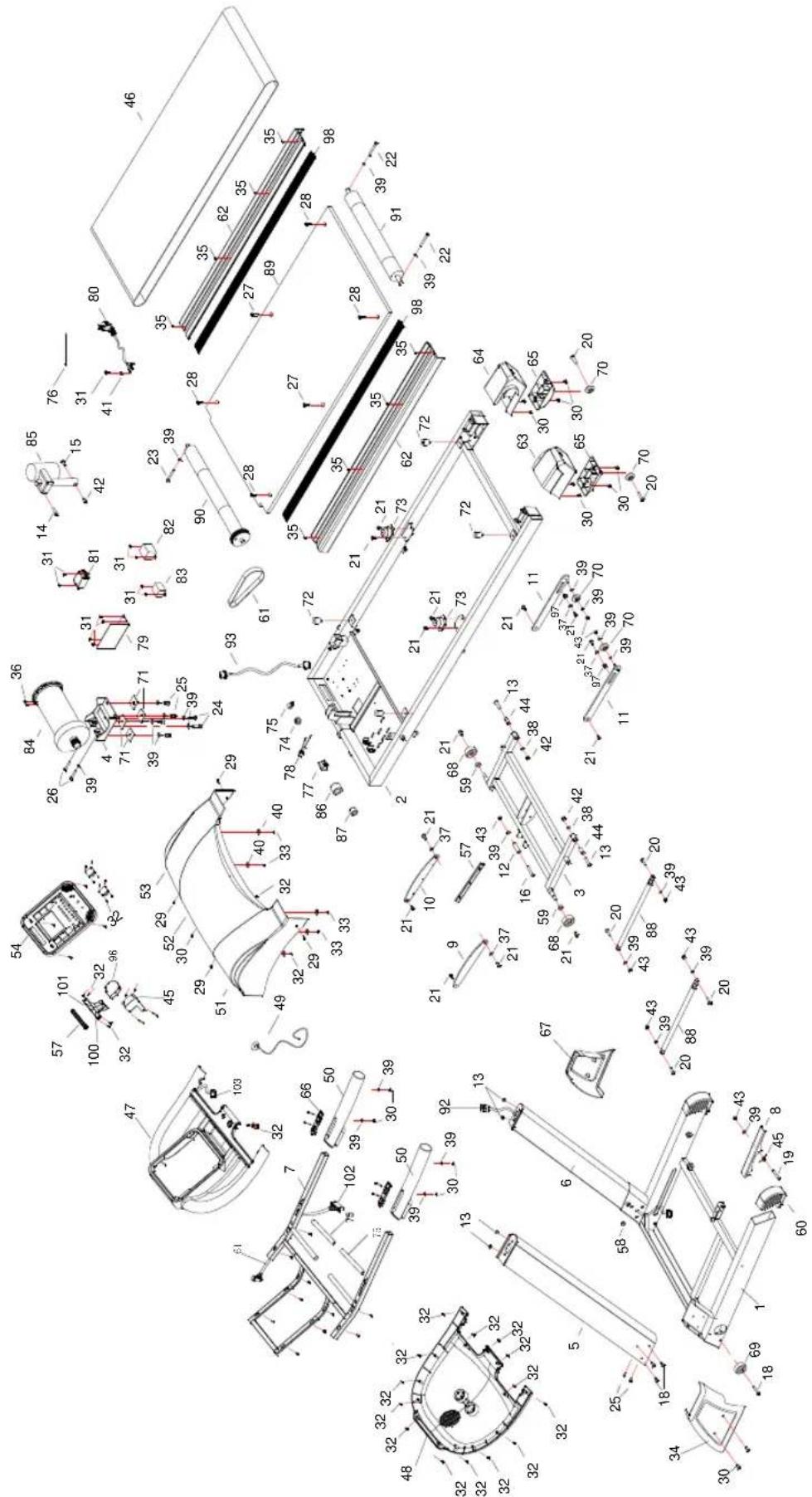
EXPLODING DRAWING
Detail of assembly
| NO | DESCRIPTION | QUAN TITY | NO | DESCRIPTION | QUAN TITY | |
| 1 | Base fame 1 27 Philip full thread screw | M8*25 2 | | | | |
| 2 | Platform frame 1 28 Philip full thread screw | M6*25 4 | | | | |
| 3 | Incline frame 1 29 Cross Allen full thread screw | M5*20 4 | | | | |
| 4 | Motor base frame 1 30 Cross Allen full thread | screw M5*10 15 | | | | |
| 5 | Left Upright frame 1 31 Cross Allen full thread | screw M4*10 11 | | | | |
| 6 | Right Upright frame 1 32 Cross Allen full thread | screw ST4*15 32 | | | | |
| 7 | Computer frame | full thread screw ST4*10 4 | | | | |
| 8 | Ezfit linking parts | 1 34 Base frame cover left | | | 1 | |
| 9 | Connecting sheet left 1 35 Philip full thread screw | M8*25 8 | | | | |
| 10 | Connecting sheet right | 1 | 36 | Philip full thread screw M8*25 | | 2 |
| 11 | Wheel cover frame | 2 | 37 | Washer Φ25*Φ 8.2*2 | | 4 |
| 12 | Limited tube | 1 | 38 | Washer Φ10 | | 2 |
| 13 | Inner hex half thread screw M10*50 | 2 39 | Washer Φ8 | | 24 | |
| 14 | Inner hex half thread screw M10*35 | 1 40 | Washer Φ6*Φ 20 | | 6 | |
| 15 | Inner hex full thread screw M10*60 | 1 41 | Washer Φ5 | | 1 | |
| 16 | Inner hex half thread screw M8*80 | 1 42 | Washer M10 | | 2 | |
| 17 | Cross Allen full thread screwST4*45 | 2 43 | Washer M8 | | 10 | |
| 18 | Inner hex half thread screw M8*60 | 8 | 44 | Metal plug Φ 17*Φ 10Φ 31 | | 2 |
| 19 | Inner hex half thread screw M8*50 | 1 45 | Fan washer | | 1 | |
| 20 | Inner hex half thread screw M8*30 | 6 46 | Running belt | | 1 | |
| 21 | Inner hex full thread screw M8*10 | 14 | 47 | Computer up cover | | 1 |
| 22 | Allen socket full thread screw M8*75 | 2 48 | Computer down cover | | 1 | |
| 23 | Allen socket full thread screw M8*65 | 1 49 | Switch | | 1 | |
| 24 | Allen socket full thread screw M8*30 | 2 50 | Hand | bar cover | | 2 |
| 25 | Allen socket full thread screw M8*20 | 8 51 | Motor cover left | | 1 | |
| 26 | Hex full thread screw
M8*40 | 2 52 | Motor | cover right 1 | |
| NO | DESCRIPTION QUANTITY NO DESCRIPTION QUANTITY |
| 53 | Motor cover right | 1 | 79 | Controller |
| 54 | PCB board | 1 | 80 | Power wire |
| 55 | Speaker cover left | 1 | 81 | Filter |
| 56 | Speaker cover right | 1 | 82 | Speed sensor |
| 57 | Fan | 1 | 83 | Transformer |
| 58 | Wire cover | 1 | 84 | Motor |
| 59 | Washer | 2 | 85 | Incline motor |
| 60 | Feet cover | 2 | 86 | magnet ringΦ33*Φ14*33 |
| 61 | Wire | 1 | 87 | magnet ringΦ20*Φ9*32 |
| 62 | Side rail | 2 | 88 | Cylinder |
| 63 | End cover left | 1 | 89 | Running board |
| 64 | End cover right | 1 | 90 | Front roller |
| 65 | End cover feet | 2 | 91 | Rear roller |
| 66 | Handle pulse | 4 | 92 | Wire in stand post |
| 67 | Base frame cover right | 1 | 93 | Wire to controller |
| 68 | Wheel Φ62 *Φ12.5*t26 | 2 | 94 | Handle bar cover left |
| 69 | Wheel Φ63 *Φ8.2*t26 | 4 | 95 | Handle bar cover right |
| 70 | Wheel Φ45 *Φ8.5*t18 | 4 | 96 | Fan |
| 71 | Motor frame mat | 4 | 97 | Φ19.5*Φ14.2*8.5 |
| 72 | Cushion for running board | 4 | 98 | Decorate rail |
| 73 | Cushion for running board | 2 | 99 | Board |
| 74 | Wire clip | 1 | 100 | air outlet left |
| 75 | Foam | 2 | 101 | air outlet right |
| 76 | Wire | 8 | 102 | Wire |
| 77 | Switch | 1 | 103 | Wire |
| 78 | Fuse | 1 | | |
General fitness tips
Start your exercise program slowly, i.e. one exercise unit every 2 days. Increase your exercise session week by week. Begin with short periods per exercise and then increase these continually. Start slowly with the exercise sessions and don't set yourself impossible targets. In addition to these exercises, do other forms of exercise such as jogging, swimming, dancing and/or cycling.
Always warm up thoroughly before exercising. To do so, carry out at least five minutes of stretching or gymnastic exercises to avoid muscle strains and injuries.
Check your pulse regularly. If you do not have a pulse measuring instrument, ask your GP how you can measure your heart rate effectively. Determine your personal exercise frequency range to achieve optimal training success. Take into account both your age and your level of fitness. The table on page 16 will give you a reference point for determining the optimal exercise pulse.
Make sure you breathe regularly and calmly when exercising.
Take care to drink enough while exercising. This ensures that the liquid requirement of your body is satisfied. Consider that the recommended drinking amount of 2-3 litres per day is strongly increased through physical strain. The fluid you drink should be at room temperature.
When exercising on the device always wear light and comfortable clothing as well as sports shoes. Do not wear any loose clothing that could tear or become caught in the device whilst exercising.
Exercises for your personal work-out
Warm-up / stretching exercises
A successful exercise session begins with warming up exercises and ends with exercises for cooling down and relaxing. These warming up exercises prepare your body for the subsequent demands made upon it. The cooling down / relaxation period after the exercise session ensures that you do not experience any muscular problems. In the following you will find stretching exercise instructions for warming up and cooling down. Please pay attention to the following points:
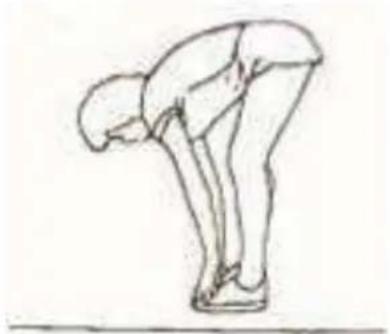
1. TOUCH TOES
Bend your trunk slowly forwards and try to touch your feet with your hands. Reach down as far as possible to your toes. Maintain this position for 20-30 seconds if possible
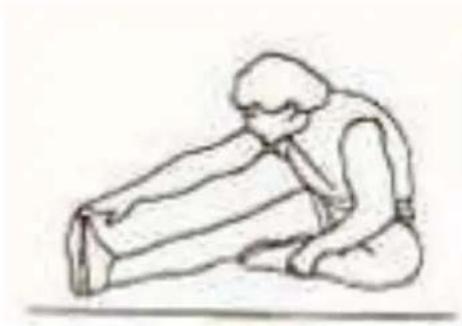
2.EXERCISES FOR THE KNEES
Sit on the floor and stretch out your right leg. Bend your left leg and place your foot on your right upper thigh. Now try to reach your right foot with your right arm. Maintain this position for 30-40 seconds if possible
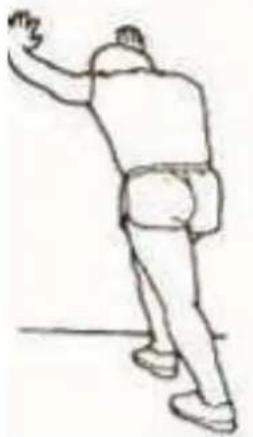
3.EXERCISES FOR THE CALVES/ACHILLES TENDON
Place both hands on the wall and support your full body weight. Then move your left leg backwards and alternate it with your right leg. This stretches the back of the leg. Maintain
this position for 30-40 seconds if possible.
4.EXERCISES FOR THE UPPER THIGH
Support yourself by placing your hand on the wall, then reach down behind you and lift up your right or left foot as close to your buttocks as possible. Feel a comfortable tension in your front upper thigh. Maintain this position for 30 seconds if possible and repeat this exercise 2 times for each leg
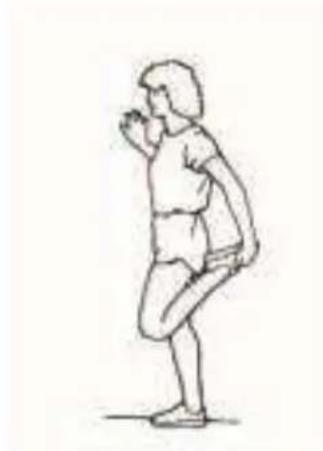
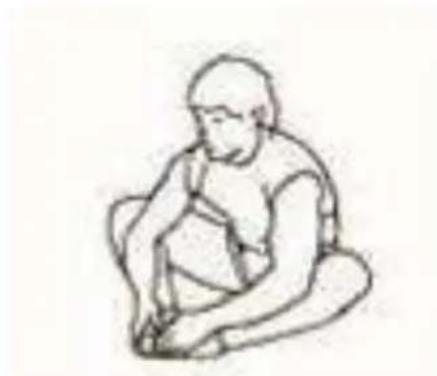
5. INSIDE UPPER THIGH
Sit on the floor and place your feet in such a way that your knees are facing outwards. Pull your feet as close as possible to your groin. Now press your knees carefully downwards. Maintain this position for 30-40 seconds if possible.