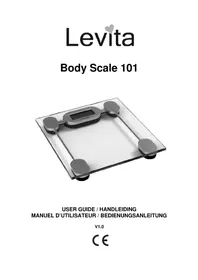
Body Scale 101 - Scale Levita - Free user manual and instructions
Find the device manual for free Body Scale 101 Levita in PDF.



| Brand | Levita |
| Model | Body Scale 101 |
| Product type | Body scale |
| Maximum capacity | 180 kg |
| Minimum capacity | 2 kg |
| Graduation | 0.1 kg |
| Power supply | 1 CR2032 3V Lithium battery |
| Display | Large LCD screen |
| Units of measurement | kg, lb, st |
| Operating temperature | 10 °C to 40 °C |
| Operating humidity | <80 % RH |
| Dimensions (estimated) | 30 x 30 x 2.5 cm |
| Main functions | Simple weighing |
| Cleaning | Slightly damp or antistatic cloth |
| Safety | Flat and stable surface, do not step on the edge, do not disassemble |
| Spare parts and repairability | No user-serviceable parts (battery replaceable) |
| Warranty | 36 months |
| Included accessories | CR2032 battery |
| Error messages | ERR, LO, OL |
| Disposal | WEEE recycling, remove the battery |
Frequently Asked Questions - Body Scale 101 Levita
User questions about Body Scale 101 Levita
0 question about this device. Answer the ones you know or ask your own.
Ask a new question about this device
Download the instructions for your Scale in PDF format for free! Find your manual Body Scale 101 - Levita and take your electronic device back in hand. On this page are published all the documents necessary for the use of your device. Body Scale 101 by Levita.
USER MANUAL Body Scale 101 Levita
1.1 Intended Purpose
This easy to use, large LCD display scale is battery-operated and makes daily weighing very easy.
1.2 Safety advice
- Always read the safety instructions carefully.
- Follow the basic safety precautions for all electronic equipment when using this Scale.
- Keep this User's Manual for future reference.
- This unit is not waterproof. Don't expose this product to rain or moisture.
- Put this equipment on a reliable flat surface before use.
- Don't step on the edge of the scale.
If any of the following situation arises, get the equipment checked by a service technician:
- The equipment has been exposed to moisture.
- The equipment has been dropped and damaged.
- The equipment shows signs of breakage.
-
Do not place the equipment at a distance of less than 1.5 m away from a water source.
-
Don't disassemble this scale. The scale doesn't contain any parts that can be repaired by the user.
- Use the scale only for its intended purpose.
1.3 Technical specifications
Operation temperature: 10^ 40^
Environmental humidity: < 80% R.H.
Max. capacity: 180kg
Min. capacity: 2 kg
Graduation: 0,1 kg
Power supply: 1 x CR2032 - 3V - Lithium (included)
Unit change: kg (kilogram), lb (pound) or st (stone)
2 Installation
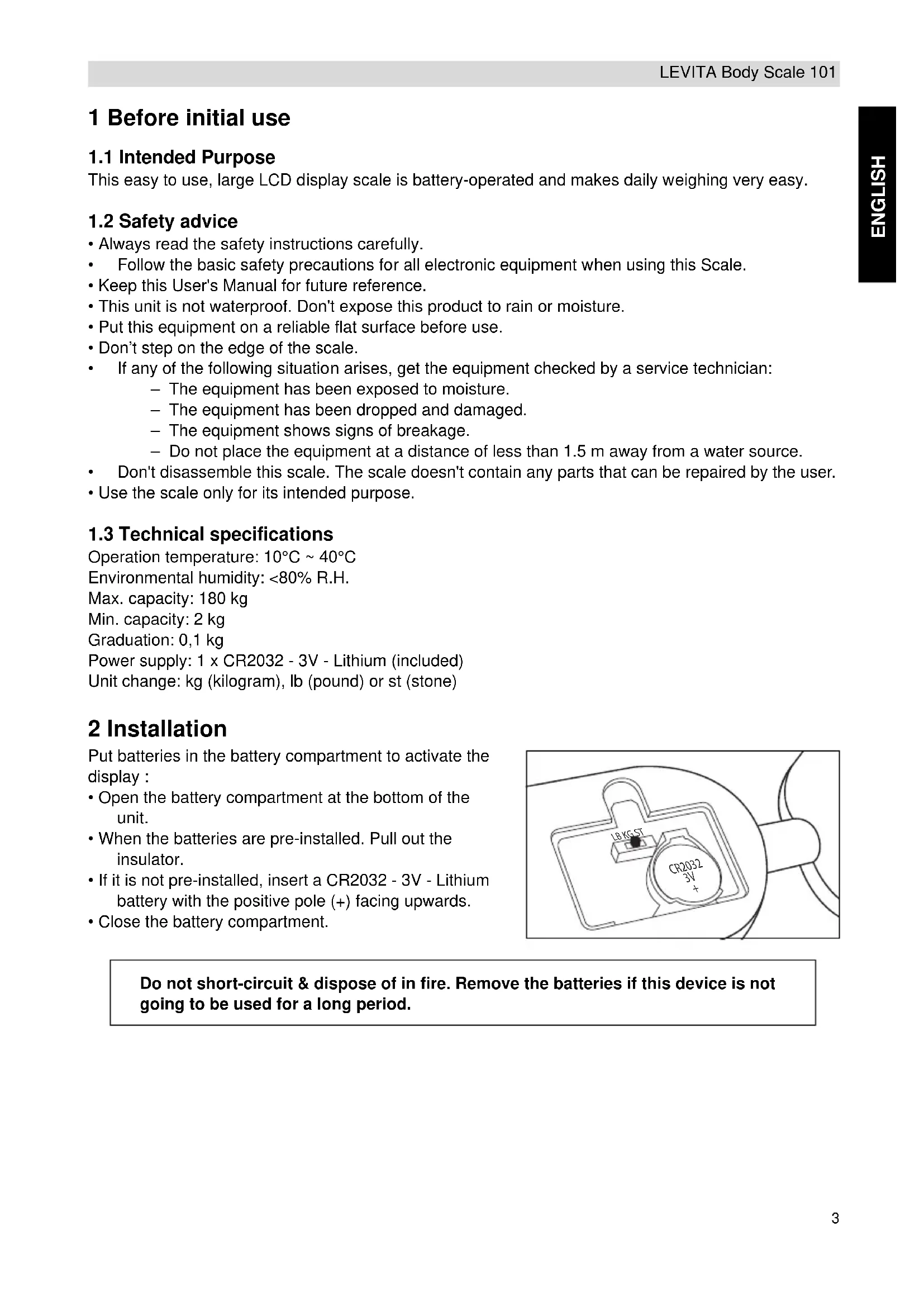
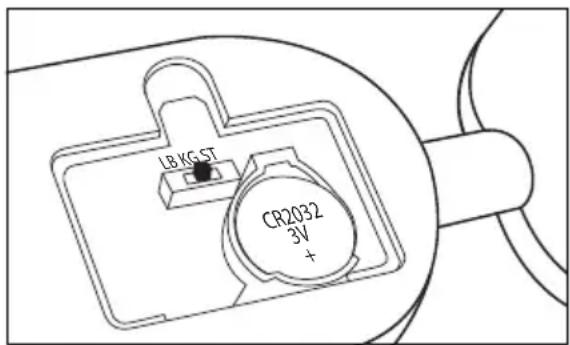
Put batteries in the battery compartment to activate the display :
- Open the battery compartment at the bottom of the unit.
- When the batteries are pre-installed. Pull out the insulator.
- If it is not pre-installed, insert a CR2032 - 3V - Lithium battery with the positive pole (+) facing upwards.
- Close the battery compartment.
Do not short-circuit & dispose of in fire. Remove the batteries if this device is not going to be used for a long period.
3 Operation
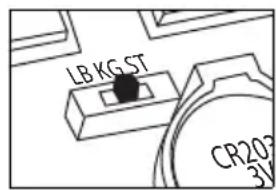
Select the weight unit you want to use by changing the switch inside the battery compartment (lb/kg/st).
- Place the scale on a hard and even floor.
- If there is a number other than 0,0kg displayed, wait for about 10 seconds until the scale turns off automatically.
If there is nothing on the screen, tap the scale with your foot until "8" scrolls over the display.
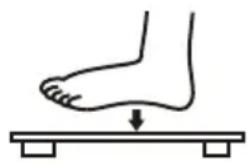
- !!! Wait for "0,0 kg" is displayed before stepping on the scale.
- Step on the scale. Your weight is displayed.
- Step off the scale. When "0,0 kg" is displayed, you can measure again.
If the scale is not used for about 10 seconds, it will automatically turn off.
4 Troubleshoot
If you experience any difficulty in use of the scale:
- Check if the batteries are correctly installed.
- Check that you have selected the correct weight unit (kg/lb or st).
- Check whether the scale is on a flat, level floor and not touching against a wall.
- Ensure whether you do not step on the scale until the display shows "0,0 kg".
Error messages
ERR You stepped on the scale before it initialised and showed 0,0kg
LO Low power - Replace the batteries
OL Overload. The maximum weight has been exceeded.
5 Cleaning
Clean the scale with a slightly damp cloth or with an anti-static cloth. Never use cleaning agents or abrasive solvents.
6 Disposal of the device (environment)
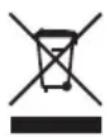
At the end of the product lifecycle, you should not throw this product into the normal household garbage but bring the product to a collection point for the recycling of electrical and electronic equipments. The symbol on the product, user guide and/or box indicate this. Some of the product materials can be re-used if you bring them to a recycling point. By reusing some parts or raw materials from used products you make an important contribution
to the protection of the environment. Please contact your local authorities in case you need more information on the collection points in your area.
Batteries must be removed before disposing of the device.
Dispose of the batteries in an environmental manner according to your country regulations.
7 Levita warranty
7.1 Warranty period
The Levita units have a 36-month warranty period. The warranty period starts on the day the new unit is purchased. Levita does not give any warranty on standard or rechargeable batteries (AA/AAA type).
Consumables or defects causing a negligible effect on operation or value of the equipment are not covered.
The warranty has to be proven by presentation of the original or copy of the purchase receipt, on which the date of purchase and the unit-model are indicated.
7.2 Warranty handling
A faulty unit needs to be returned to a Levita service centre including a valid purchase note. If the unit develops a fault during the warranty period, Levita or its officially appointed service centre will repair any defects caused by material or manufacturing faults free of charge.
Levita Levita will at its discretion fulfill its warranty obligations by either repairing or exchanging the faulty units or parts of the faulty units. In case of replacement, color and model can be different from the original purchased unit.
The initial purchase date shall determine the start of the warranty period. The warranty period is not extended if the unit is exchanged or repaired by Levita or its appointed service centers.
7.3 Warranty exclusions
Damage or defects caused by incorrect treatment or operation and damage resulting from use of nonoriginal parts or accessories not recommended by Levita are not covered by the warranty.
The warranty does not cover damage caused by outside factors, such as lightning, water and fire, nor any damage caused during transportation. No warranty can be claimed if the serial number on the units has been changed, removed or rendered illegible.
Any warranty claims will be invalid if the unit has been repaired, altered or modified by the buyer or by unqualified, non-officially appointed Levita service centers.

This product is in compliance with the essential requirements and other relevant provisions of the directive 89/336/EEC.
The Declaration of conformity can be found on: www.levita-electronics.com
Meeteenheid: kg (kilogram), lb (pound) of st (stone)
2 Installatie
RETURN WITH YOUR DEFECT PRODUCT
(Original Proof of Purchase has to be attached to this return card to be valid for warranty)