BRFD 2652 SS - Fridge BLOMBERG - Free user manual and instructions
Find the device manual for free BRFD 2652 SS BLOMBERG in PDF.



| Product Type | Refrigerator with Freezer |
| Brand | Blomberg |
| Model | BRFD 2652 SS |
| Dimensions (H x W x D) | 185.0 x 90.8 x 86.1 cm |
| Net Weight | 130 kg |
| Gross Weight | 143.5 kg |
| Power Supply | 120 V~, 60 Hz (refer to rating plate) |
| Refrigerant | R600a (flammable) or R134a depending on model |
| Number of Compartments | 3 (refrigerator, freezer, multi zone) |
| Main Functions | Rapid cooling, rapid freezing, holiday mode, energy saving mode |
| Water and Ice Dispenser | Yes (water, crushed ice, cubes) |
| Lighting | LED, blue light in vegetable drawer |
| Water Filter | Yes, internal, replace every 6 months |
| Odor Filter | Yes, integrated in ventilation duct |
| Ionization System | Yes, eliminates bacteria and odors |
| Cooling System | Dual cooling system (three separate systems) |
| Safety | Control lock, open door alarm |
| Maintenance and Cleaning | Clean with sodium carbonate solution, avoid abrasives |
| Spare Parts | Available for 10 years |
| Warranty | 1 year full, 2-5 years on compressor and refrigeration circuit components |
Frequently Asked Questions - BRFD 2652 SS BLOMBERG
User questions about BRFD 2652 SS BLOMBERG
0 question about this device. Answer the ones you know or ask your own.
Ask a new question about this device
Download the instructions for your Fridge in PDF format for free! Find your manual BRFD 2652 SS - BLOMBERG and take your electronic device back in hand. On this page are published all the documents necessary for the use of your device. BRFD 2652 SS by BLOMBERG.
USER MANUAL BRFD 2652 SS BLOMBERG
natural_image
Pure geometric diagram with four vertical lines and a central cross (no text or symbols)BRFD2650SS
BRFD2650SSN
BRFD2652SS

text_image
BRFD2650SSN BRFD2652SSPlease read this user manual first!
Dear Customer,
Thank you for preferring an your product. We hope that you get the best results from your product which has been manufactured with high quality and state-of-the-art technology. Therefore, please read this entire user manual and all other accompanying documents carefully before using the product and keep it as a reference for future use. If you handover the product to someone else, give the user manual as well. Follow all warnings and information in the user manual.
Remember that this user manual is also applicable for several other models. Differences between models will be identified in the manual.
Explanation of symbols
Throughout this user manual the following symbols are used:

Important information or useful hints about usage.

Warning for hazardous situations with regard to life and property.

Warning for electric shock.

Packaging materials of the product are manufactured from recyclable materials in accordance with our National Environment Regulations.
Content
1 Important instructions for safety and environment 3
1.1 General safety ....3
1.1.1 HCA warning .....4
1.1.2 For products with a water dispenser .....4
1.2 Intended use 4
1.3 Children's safety 4
1.4 Compliance with WEEE Directive and Disposing of the Waste Product: 5
1.5 Compliance with RoHS Directive:....5
1.6 Package information.....5
2 Your Refrigerator 6
3 Installation 7
3.1 Appropriate installation location .....7
3.2 Installing the plastic wedges.....7
3.3 Electrical connection .....7
3.4 Adjusting the feet. 8
3.5 Illumination lamp 8
3.6 Door open warning....8
3.7 Water connection.....8
3.8 Connecting the water hose to the refrigerator 9
3.9 Connecting the water line to the water supply .....9
3.10 Water filter .....9
3.10.1 Attaching the internal filter into the refrigerator .....10
3.11 Things to do to have the filter usage time calculated automatically....11
3.12 Before starting to use the water/ice dispenser ....11
3.13 Transportation of the product .....12
4 Preparation 13
4.1 Things to be done for energy saving .....13
4.2 Recommendations for the fresh food compartment....13
4.3 Initial use.....14
5 Operating the product 16
5.1 Indicator panel....16
5.2 Dual cooling system....19
5.3 Freezing fresh food .....19
5.4 Recommendations for preserving the frozen food .....19
5.5 Placing the food.....19
5.6 Deep-freeze information.....19
5.7.1 Using the Icematic .....20
5.7.2Making ice....21
5.8 Removing door shelves .....21
5.9 Glass shelves.....21
5.10 Chiller compartment.....21
5.11 Crisper 22
5.12 Butter & Cheese section .....22
5.13.Egg holder.22
5.14 Movable middle section .....22
5.15 Multi Zone Storage compartment .....23
5.16 Rotating storage container .....23
5.17 Blue light....24
5.18 lon 24
5.19 Odour filter .....24
5.20 Using water dispenser .....24
5.21 Drip tray . . . . . . . . . . . . . . . . . . . . . . . . . . . . . . . . . . . . . . . . . . . . . . . . . . . . . . 25
6. Maintenance and cleaning 26
6.1 Avoiding bad odours.....26
6.2 Protecting the plastic surfaces .....26
7 Troubleshooting 27
1 Important instructions for safety and environment
This section contains safety instructions that will help protect from risk of personal injury or property damage. Failure to follow these instructions shall void any warranty.
1.1 General safety
- This product can be used by children at and above 8 years old and by persons whose physical, sensory or mental capabilities were not fully developed or who lack experience and knowledge provided that they are supervised or trained on the safe usage of the product and the risks it brings out. Children must not play with the product. Cleaning and maintenance works should not be performed by children unless they are supervised by someone.
- Unplug the product if a failure occurs while it is in use.
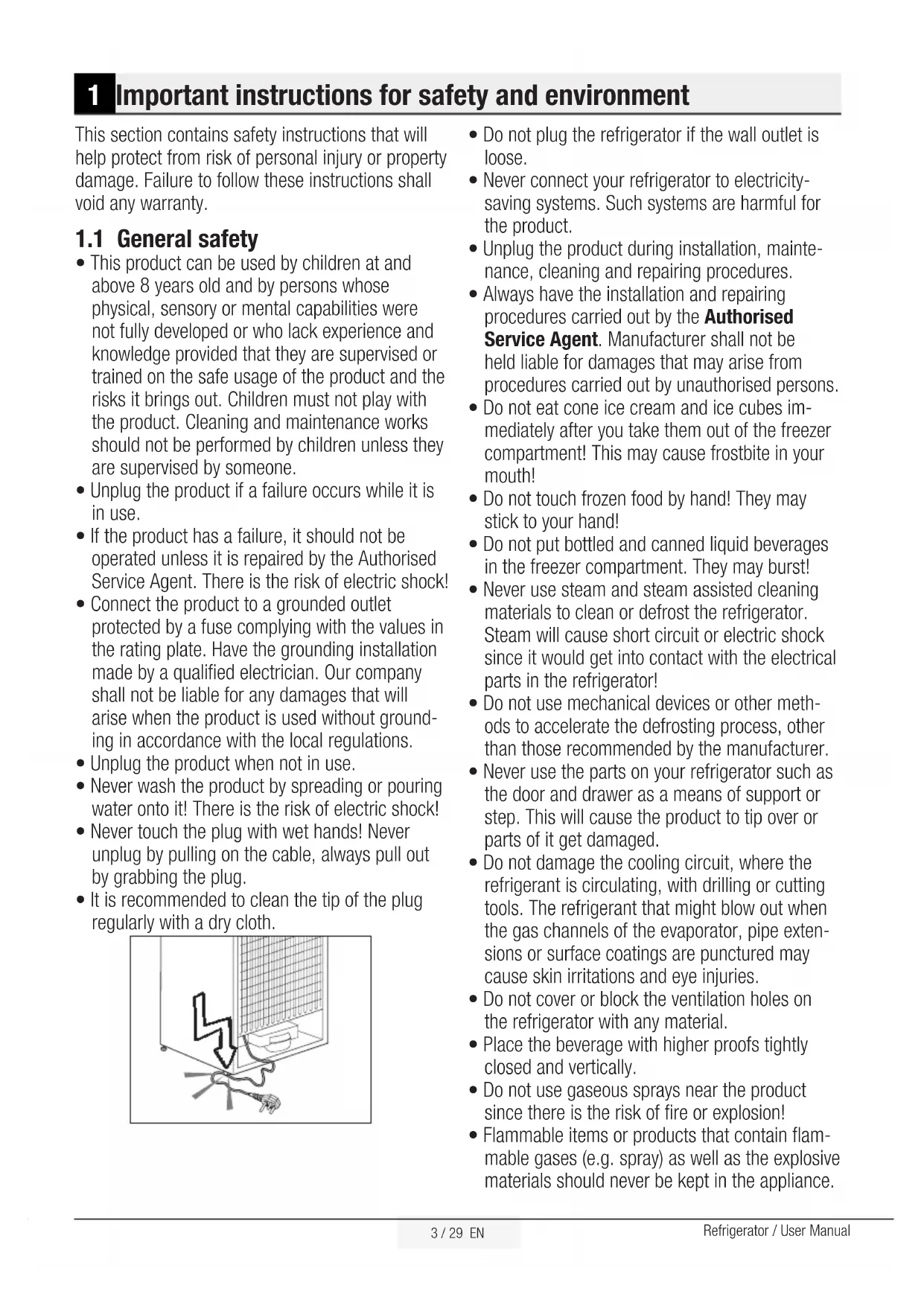
- If the product has a failure, it should not be operated unless it is repaired by the Authorised Service Agent. There is the risk of electric shock!
- Connect the product to a grounded outlet protected by a fuse complying with the values in the rating plate. Have the grounding installation made by a qualified electrician. Our company shall not be liable for any damages that will arise when the product is used without grounding in accordance with the local regulations.
- Unplug the product when not in use.
- Never wash the product by spreading or pouring water onto it! There is the risk of electric shock!
- Never touch the plug with wet hands! Never unplug by pulling on the cable, always pull out by grabbing the plug.
- It is recommended to clean the tip of the plug regularly with a dry cloth.

natural_image
Diagram showing a device with a lightning bolt and cable, no text or symbols present- Do not plug the refrigerator if the wall outlet is loose.
- Never connect your refrigerator to electricity-saving systems. Such systems are harmful for the product.
- Unplug the product during installation, maintenance, cleaning and repairing procedures.
- Always have the installation and repairing procedures carried out by the Authorised Service Agent. Manufacturer shall not be held liable for damages that may arise from procedures carried out by unauthorised persons.
- Do not eat cone ice cream and ice cubes immediately after you take them out of the freezer compartment! This may cause frostbite in your mouth!
- Do not touch frozen food by hand! They may stick to your hand!
- Do not put bottled and canned liquid beverages in the freezer compartment. They may burst!
- Never use steam and steam assisted cleaning materials to clean or defrost the refrigerator. Steam will cause short circuit or electric shock since it would get into contact with the electrical parts in the refrigerator!
- Do not use mechanical devices or other methods to accelerate the defrosting process, other than those recommended by the manufacturer.
- Never use the parts on your refrigerator such as the door and drawer as a means of support or step. This will cause the product to tip over or parts of it get damaged.
- Do not damage the cooling circuit, where the refrigerant is circulating, with drilling or cutting tools. The refrigerant that might blow out when the gas channels of the evaporator, pipe extensions or surface coatings are punctured may cause skin irritations and eye injuries.
- Do not cover or block the ventilation holes on the refrigerator with any material.
- Place the beverage with higher proofs tightly closed and vertically.
- Do not use gaseous sprays near the product since there is the risk of fire or explosion!
- Flammable items or products that contain flammable gases (e.g. spray) as well as the explosive materials should never be kept in the appliance.
Important instructions for safety and environment
- Do not place containers filled with liquid on top of the product. Spilling water on an electrical component may cause electric shocks or risk of fire.
- Do not store products (vaccines, heat-sensitive medicines, scientific materials and etc.) that require a precise temperature control in the refrigerator.
- If you will not operate the product for a long period of time, unplug and unload the food in it.
- If the product is equipped with blue light, do not look at the blue light with optical tools.
- Exposing the product to rain, snow, sun and wind is dangerous with respect to electrical safety.
- In products with mechanical control (thermostat), wait for minimum 5 minutes to plug in the product again after unplugging it.
- Do not overload the product. It may fall when the door is opened, and cause injury or damage. Similar problems may occur in case of putting things on top of the product.
- If the product's door is equipped with a handle, do not pull by the handle when changing the place of the product. Handle may get loose.
- Pay attention not to have your hand or any part of your body get caught by the moving parts inside the product.
1.1.1 HCA warning
- If your product's cooling system contains R600a: This gas is flammable. Therefore, pay attention to not damaging the cooling system and piping during usage and transportation. In the event of damage, keep your product away from potential fire sources that can cause the product catch a fire and ventilate the room in which the unit is placed.
Ignore this warning if your product's cooling system contains R134a.
Type of gas used in the product is stated in the type plate which is on the left wall inside the refrigerator.
Never throw the product in fire for disposal.
| If the product is equipped with a cooling system containing R134a gas, ignore this warning. | |
| You can learn the gas used in production of your product on the rating plate located on the left inner part of it. | |
| WARNING: Never dispose the product in fire. |
1.1.2 For products with a water dispenser
- Pressure for cold water inlet shall be maximum 90 psi (6.2 bar). If your water pressure exceeds 80 psi (5.5 bar), use a pressure limiting valve in your mains system. If you do not know how to check your water pressure, ask for the help of a professional plumber.
- If there is risk of water hammer effect in your installation, always use a water hammer prevention equipment in your installation. Consult Professional plumbers is you are not sure that there is no water hammer effect in your installation.
- Do not install on the hot water inlet. Take precautions against of the risk of freezing of the hoses. Water temperature operating interval shall be 33°F (0.6°C) minimum and 100°F (38°C) maximum.
- Use only potable water.
1.2 Intended use
- This product has been designed for domestic use. It is not suitable for commercial use and it must not be used out of its intended use.
- Product must be used only for storing food.
- The manufacturer waives any responsibility arisen from incorrect usage or transportation.
- The service life of your product is 10 years. During this period, original spare parts will be available to operate the appliance properly.
1.3 Children's safety
- If the door has a lock, the key should be kept away from reach of children.
Important instructions for safety and environment
- Children must be supervised to prevent them from tampering with the product.

DANGER: Risk of child entrapment. Before you throw away your old refrigerator or freezer:
- Take off the doors.
- Leave the shelves in place so that children may not easily climb inside.
1.4 Compliance with WEEE Directive and Disposing of the Waste Product:

natural_image
Pure electrical circuit lines without any symbolsThis product complies with EU WEEE Directive (2012/19/EU). This product bears a classification symbol for waste electrical and electronic equipment (WEEE). This product has been manufactured with high quality parts and materials which can be reused and are suitable for recycling. Do not dispose of the waste product with normal domestic and other wastes at the end of its service life. Take it to the collection center for the recycling of electrical and electronic equipment. Please consult your local authorities to learn about these collection centers.
1.5 Compliance with RoHS Directive:
The product you have purchased complies with EU RoHS Directive (2011/65/EU). It does not contain harmful and prohibited materials specified in the Directive.
1.6 Package information
- Packaging materials of the product are manufactured from recyclable materials in accordance with our National Environment Regulations. Do not dispose of the packaging materials together with the domestic or other wastes. Take them to the packaging material collection points designated by the local authorities.

DANGER: Risk Of Fire or Explosion. Flammable Refrigerant Used. Do Not Use Mechanical Devices To Defrost Refrigerator. Do Not Puncture Refrigerant Tubing".

DANGER: Risk Of Fire Or Explosion. Flammable Refrigerant Used. To Be Repaired Only By Trained Service Personnel. Do Not Puncture Refrigerant Tubing".

CAUTION : Risk Of Fire Or Explosion. Flammable Refrigerant Used. Consult Repair Manual/Owner's Guide Before Attempting To Service This Product. All Safety Precautions Must be Followed.

CAUTION : Risk Of Fire Or Explosion. Dispose Of Property In Accordance With Federal Or Local Regulations. Flammable Refrigerant Used.

CAUTION : Risk Of Fire Or Explosion Due To Puncture Of Refrigerant Tubing; Follow Handling Instructions Carefully. Flammable Refrigerant Used".
2 Your Refrigerator

text_image
Technical diagram of a refrigerator with numbered components and dimension annotations1- Fridge compartment
2- Movable middle section router
3- Butter & Cheese sections
4- Blower
5- Glass shelves
6- Snack tray
7- Egg holder
8- Movable Body Shelf
9- Odour filter
10- Chiller compartments
11- Crispers
12- Fridge compartment door shelves
13- Storage container under the door shelf
14- Blower
15- Multi Zone compartment glass shelves
16- Freezer compartment door shelves
17- Multi Zone / Flexi Zone / Cool Control compartment food storage sections
18- Multi Zone compartment
19- Freezer compartment
20- Frozen food storage sections
21- Ice container
22- Blue light
23- Movable middle section
24- Small door shelf above the Water&Ice Dispenser
25- Ice storage container
26- Ice-making compartment
\*OPTIONAL

Figures in this user manual are schematic and may not match the product exactly. If the subject parts are not included in the product you have purchased, then those parts are valid for other models.
3 Installation
Refer to the nearest Authorised Service Agent for installation of the product. To make the product ready for use, make sure that the electricity installation is appropriate before calling the Authorised Service Agent. If not, call a qualified electrician to have any necessary arrangements carried out.
 | Preparation of the location and electrical installation at the place of installation is under customer's responsibility. |
 | Product must not be plugged in during installation. Otherwise, there is the risk of death or serious injury! |
 | WARNING: Installation and electrical connections of the product must be carried out by the Authorised Service Agent. Manufacturer shall not be held liable for damages that may arise from procedures carried out by unauthorised persons. |
 | WARNING: Prior to installation, visually check if the product has any defects on it. If so, do not have it installed. Damaged products cause risks for your safety. |
 | Make sure that the power cable is not pinched or crushed while pushing the product into its place after installation or cleaning procedures. |
3.1 Appropriate installation location

WARNING: If the door of the room where the product will be placed is too small for the product to pass, then the product's doors must be removed and the product must be turned aside to pass it through.
- Choose a place at where you would use the product comfortably.
- Install the product at least 30 cm away from heat sources such as hobs, ovens, heater cores and stoves and at least 5 cm away from electrical ovens. Product must not be subjected to direct sun light and kept in humid places after installation.
-
Appropriate air ventilation must be provided around your product in order to achieve an efficient operation. If the product is to be placed in a recess in the wall, pay attention to leave at least 5 cm distance with the ceiling and side walls.
-
Do not place the product on the materials such as rugs or carpets.
- Place the product on an even floor surface to prevent jolts.
- Do not install the product in places where the temperature falls below 10^ C /50°F.

If two coolers are to be installed side by side, there should be at least 4 cm distance between them.
3.2 Installing the plastic wedges
Plastic wedges are used to create the distance for the air circulation between the product and the rear wall. Insert the 2 plastic wedges onto the rear ventilation cover as illustrated in the figure. To install the wedges, remove the screws on the product and use the screws given in the same pouch with the wedges.
3.3 Electrical connection
Connect the product to a grounded outlet protected by a fuse complying with the values in the rating plate. Our company shall not be liable for any damages that will arise when the product is used without grounding in accordance with the local regulations.
- Electrical connection must comply with national regulations.
- Power cable plug must be within easy reach after installation.
- The voltage and allowed fuse or breaker protection are specified in the Rating Plate which is affixed to interior of the product. If the current value of the fuse or breaker in the house does not comply with the value in the rating plate, have a qualified electrician install a suitable fuse.
- The specified voltage must be equal to your mains voltage.
- Do not make connections via extension cables or multi-plugs.
Installation
 | WARNING: Damaged power cable must be replaced by the Authorised Service Agents. |
 | WARNING: If the product has a failure, it should not be operated unless it is repaired by the Authorised Service Agent! There is the risk of electric shock! |
3.4 Adjusting the feet
If the product stands unbalanced after installation adjust the feet. Taking help from someone to slightly lift the refrigerator will facilitate this process.
| WARNING: First unplug the product. Product must not be plugged in when adjusting the feet. There is the risk of electric shock! |

natural_image
Line drawing of an open refrigerator with four panes and one door, showing internal compartments and ventilation slots (no text or symbols)Turn the front feet to balance the product. The corner where the foot exists is lowered when you turn in the direction of arrow and raised when you turn it in the opposite direction.

natural_image
Diagram showing bidirectional arrows between two rectangular panels with curved arrows indicating rotation or movement (no text or symbols)3.5 Illumination lamp
Do not attempt to repair yourself but call the Authorised Service Agent if the LED illumination lamps do not go on or are out of order.
The lamp(s) used in this appliance is not suitable for household room illumination. The intended purpose of this lamp is to assist the user to place foodstuffs in the refrigerator/freezer in a safe and comfortable way.

natural_image
Line drawing of an open refrigerator with doors open, showing internal compartments and storage areas (no text or symbols)3.6 Door open warning
(This feature may vary depending on the door of the product and may not exist in some models.)
An audio warning signal will be given when the door of your product is left open for 1 minute. This warning will be muted when the door is closed or any of the display buttons (if any) are pressed.
3.7 Water connection
Depending on the model of the refrigerator, you can connect it either to a demijohn or water mains. First you must connect the water hose to the refrigerator.
 | In cases where a demijohn is used, a separate pump must also be used. |
 | WARNING: Refrigerator and the pump, if any, must be unplugged during connection. |
 | Following parts may not be supplied with your product since they are not required when using a demijohn. |
Installation
Your product comes with an internal water filter for use inside the fridge. Part number of the filter is 4918450200 and you can use this part number when ordering replacement filters.

natural_image
Line drawing of a cylindrical mechanical device with a pointed tip and internal cavities (no text or symbols)3.8 Connecting the water hose to the refrigerator
- Slip the union (b) onto the water hose (a).
- Push the water hose downwards firmly to slip it onto the water inlet valve (c).
- Tighten the union (c) by hand to secure it onto the water inlet valve.

Normally, you are not required to tighten the union with a tool. However, you can use a spanner or pliers to tighten the union if there is a leakage.

text_image
A B C E3.9 Connecting the water line to the water supply
Connect the water line to a water supply valve. If a valve is not present or you are not sure, consult a qualified plumber.
3.10 Water filter
(in some models)
Your refrigerator may be equipped with an external or internal filter depending on its model. To fit the water filter, follow the instructions below referring to the figures supplied:
3.10.1 Attaching the internal filter into the refrigerator

text_image
ECB -83 +83 -83 +83 +83 +83 +83 +83 +83 +83 +83 +83 +83 +83 +83 +83 +83 +83 +83 +83 SET on off- Press "Ice Off" button on the display.
- Remove the crisper and chiller compartments to access the water filter.
- Remove the water filter bypass cover by turning it downwards.

natural_image
Diagram of a mechanical component inside a computer room, showing a magnified view with an arrow pointing to it (no text or symbols present)
natural_image
Diagram of a refrigerator interior with a circular arrow indicating rotation or movement (no text or symbols)
WARNING: Ensure that the Ice Off mode is enabled before removing the by-pass cover.

It is normal that a few drops of water drip after the cover has been removed.
- Seat the water filter cover into the mechanism and push forwards to lock it in place.
- Press "Ice Off" button on the display again to exit this mode.

Water filter must be replaced every 6 months. When replacing the water filter or if you will not use the filter anymore, remove it as illustrated in the figure and install the bypass cover. Make sure that the "Ice Off" mode is enabled before removing the filter.

WARNING: Water filter cleans some foreign particles in the water. It does not purify water from microorganisms.

WARNING: Ice Off button must be pressed before replacing the water filter or installing the by-pass cover.

WARNING: Unplug the product during the replacement of the filter.
3.11 Things to do to have the filter usage time calculated automatically
(in some models)
(For products connected to the mains water line and equipped with filter)
1 - Plug in the refrigerator. Press A (key lock) button simultaneously to enable the key lock.
2- Then press on the following buttons in turn.
1. Vacation button
2. Fridge temperature setting button

text_image
ECO -88 Quick SET Quick SET Mode 3" SET - on off = Disperser Key Lock After time 2" Vacation Display Ice Dispenser Vacation A
text_image
ECO -88 Quick SET Quick SET Mode 3° SET on off Display Ice Dispenser Key Lock Other next 3° Vacation 4 3 2 1- Quick Cool setting button
- Freezer temperature setting button
When the buttons are pressed in the correct order, Key Lock symbol will turn off, buzzer will sound shortly and Filter Change Warning indicator will turn on. When the Filter Replacement Warning button is pressed on, filter usage times are started to be calculated automatically.
 | If the filter usage time is calculated automatically, Filter Change Warning indicator will illuminate continuously in a few seconds after the product is plugged in. |
 | Automatic filter usage time calculation is not enabled ex factory. It must be enabled in products equipped with a filter. |
 | If the same procedure is repeated when the automatic filter usage time calculation is enabled, then the function will be cancelled. |
3.12 Before starting to use the water/ice dispenser
- If the water pressure is below 1 bar or a demijohn will be used, than a separate must be used as well.
- Water system of the refrigerator must be connected to the cold water line. It must not be connected to hot water line.
- No water may be obtained in the initial start-up of the refrigerator. Because there is air in the system. To discharge air from the system, press dispenser latch for 1-2 minutes until water comes from the dispenser. Water flow may be irregular at the beginning. After the air in the system is discharged, water flow will return to normal.
- During initial use, you will have to wait approximately 12 hours for the water to cool down.
- It will take around 1-2 days for the system to produce required amount of ice.
- Water pressure must be between 1-8 bars for the operation of ice/water dispenser smoothly. For this, check that 1 glass of water (100 cc) can be filled in 10 seconds.
- The first 10 glasses of water should not be consumed.
Installation
- You must wait approximately 12 hours to obtain ice from the ice dispenser for the first time. If there is not enough ice in the ice container, ice may not be obtained from ice dispenser.
- Do not consume the first 30 pieces (3-4 Litres) of ice cubes.
- First several glasses of water may be turbid when the filter is used for the first time. Therefore, do not consume the first several glasses of water.
- If the water dispenser is not used for a long period of time, first 1-2 glasses of water can be hot.
- If a power outage or a temporary failure occurs while the refrigerator is operating, ice can melt down a little bit and then get frozen again. In such a case, ice cubes can stick to each other. If the outage or failure prolongs, ice can melt down causing water leakage. If you experience such a problem, empty and clean the ice container.
- Ice cubes can stick to each other if they are left in the container for a long time.
- Water system installation of the refrigerator must be performed by the Authorised Service Agent.
- If the product is to be connected to the water mains, make sure that you use potable water.
- Water system of the product is designed to operate only with water. Do not use beverage such as soft drinks and/or juices in the water system.
- It is recommended that the water is disconnected if you will not be using the refrigerator for a long period of time due to vacation or similar reasons.
- Do not attempt to dismantle the ice container group assembly parts.
- Do not attempt to clean the ice container assembly without removing it from the refrigerator.
- When taking water from the water dispenser, remove the glass from the opening 1 second after releasing the trigger. Thus, water in the system will not drip into the drip tray.
3.13 Transportation of the product
- Unplug the product before transporting it.
- Remove water connections.
- Secure the shelves, accessories, crisper and etc. in the refrigerator by adhesive tape before repackaging it.
 | Packaging must be tied with thick tapes or strong ropes and the rules of transportation printed on the package must be followed. |
 | Original packaging and foam materials should be kept for future transportations. |
 | WARNING: Packaging materials are dangerous for the children. Keep packaging materials in a safe place away from reach of the children. |
4 Preparation
4.1 Things to be done for energy saving

Connecting the product to electric energy saving systems is risky as it may cause damage on the product.
- Do not leave the doors of your refrigerator open for a long time.
- Do not put hot food or drinks in your refrigerator.
- Do not overload the refrigerator. Cooling capacity will fall when the air circulation inside is hindered.
- Do not place the refrigerator in places subject to direct sunlight. Install the product at least 30 cm away from heat sources such as hobs, ovens, heater cores and stoves and at least 5 cm away from electrical ovens.
- Pay attention to store your food in refrigerator in closed containers.
- You can load maximum amount of food to the freezer compartment of the refrigerator by removing the freezer compartment shelf of drawer. Declared energy consumption value of the refrigerator was determined with the freezer compartment shelf or drawer removed and with maximum amount of food loaded. There is no risk in using a shelf or drawer suitable for the shapes and sizes of the foods to be frozen.
- Thawing frozen food in fridge compartment will both provide energy saving and preserve the food quality.

The ambient temperature of the room where you install the refrigerator should at least be 10^ C /50°F. Operating your refrigerator under cooler conditions than this is not recommended.

Inside of your refrigerator must be cleaned thoroughly.

If two coolers are to be installed side by side, there should be at least 4 cm distance between them.
4.2 Recommendations for the fresh food compartment
- Do not allow the food to touch the temperature sensor in fresh food compartment. To allow the fresh food compartment keep its ideal storage temperature, sensor must not be hindered by food.
- Do not put hot food and beverages inside the product.

natural_image
Simple line drawing of a kitchen appliance with a bag and handle, no text or symbols present
natural_image
Simple line drawing of a cabinet or storage unit with a box and an arrow pointing to it (no text or symbols)Preparation
4.3 Initial use
Before starting to use the product, check that all preparations are made in accordance with the instructions in sections "Important instructions for safety and environment" and "Installation".
- Clean the interior of the refrigerator as recommended in the “Maintenance and cleaning” section. Check that inside of it is dry before operating it.
- Plug the refrigerator into the grounded wall outlet. When the door is opened the interior illumination will turn on.
- Run the refrigerator without putting any food for 6 hours and do not open its door unless certainly required.
 | You will hear a noise when the compressor starts up. The liquids and gases sealed within the refrigeration system may also give rise to noise, even if the compressor is not running and this is quite normal. |
 | Front edges of the refrigerator may feel warm. This is normal. These areas are designed to be warm to avoid condensation. |

text_image
35³/⁴" 90.8 cm 86.1 cm 33 7/8" 91.1 cm 35 7/8" 185 cm 72 ³/4"| Height (cm/inch) unpacked | 185 -72 3/4" |
| Width (cm/inch) unpacked | 90.8 -35 3/4" |
| Depth (cm/inch) unpacked | 86.1- 33 7/8" |
| Height (cm/inch)packed | 196.3-77 1/5" |
| Width (cm/inch)packed | 104.9 - 41 1/5" |
| Depth (cm/inch) packed | 95.2-37.4" |
| Gross Weight (Kg) / lbs | 143.5-315.7 |
| Net Weight (Kg) / lbs | 130 -286 |
5 Operating the product
5.1 Indicator panel
Touch-control indicator panel allows you to set the temperature and control the other functions related to the product without opening the door of the refrigerator. Just press the relevant buttons for function settings.

text_image
1 2 3 4 5 ECO -88 Quick SET Quick SET Mode 3" SET 6 *7 17 16 15 14 22 *23 on off Energy Saving Mode Ice Dispenser Key Lock Filter reset 3" Vacation 18 *19 13 *20 21 12 *11 10 8 91- Economy Mode indicator
2- Freezer Compartment Temperature indicator
3- Quick Fridge Function indicator
4- Fridge Compartment Temperature indicator
5- Multi Zone Compartment Temperature indicator
6- Multi Zone Compartment Temperature Setting button
7- Filter Change Warning indicator
8- Vacation Function indicator
9- Key Lock indicator
10- Vacation / °C-°F Toggle button
11- Key Lock / Cancel Filter Change Warning button
12- Fridge Compartment Temperature Setting button
13- Quick Fridge button
14- Error Status indicator
15- Quick Freeze button
16- Freezer Compartment Temperature Setting button
17- Quick Freeze Function indicator
18- Auto Energy Saving Mode
19- Ice making on/off button
20- Water, crashed ice, ice cube selection button
21- Water, crashed ice, ice cube indicator
22- Display on/off indicator
23- Ice making on/off indicator
\*OPTIONAL

Figures in this user manual are schematic and may not match the product exactly. If the subject parts are not included in the product you have purchased, then those parts are valid for other models.
Operating the product
1. Economy Mode indicator
Indicates that the refrigerator is running in energy-efficient mode. This indicator will be active if the Freezer Compartment temperature is set to 10^ F or the energy efficient cooling is being performed due to Eco-Extra function.
2. Freezer Compartment Temperature indicator
Indicates the temperature set for freezer compartment.
3. Quick Fridge Function indicator
Indicates that the Quick Fridge function is enabled. Use this function when you place fresh food into the fridge compartment or when you need to cool your food quickly. When this function is activated, the refrigerator will run for 2 hours. To cancel this function, press Quick Cool button.
4. Fridge Compartment Temperature indicator
Indicates the temperature set for Fridge compartment.
5. Multi Zone Compartment Temperature indicator
Indicates the temperature set for Multi Zone compartment.
6. Multi Zone Compartment Temperature Setting button
You can set the Multi Zone compartment either as a freezer or a fridge.
Press this button for 3 seconds to set the Multi Zone compartment either as a freezer of fridge. This compartment is set as freezer ex factory. Temperatures that can be set when using as freezer, 10, 5, 0,-5, -10, 10...
Temperatures that can be set when using as freshfood, 50, 46, 43, 40, 37, 32, 28, 21...
7. Filter Change Warning indicator
Indicates that the filter usage time has elapsed.
8. Vacation Function indicator
Indicates that the Vacation Function is active. When Vacation Function is active, "-" appears on the Fridge Compartment Temperature indicator and no active cooling is performed in the fridge compartment. In this function, it is not appropriate to keep food in the fridge compartment. Other compartments will be cooled in accordance with the temperature set for them.
To cancel this function, press Vacation button again.
9. Key Lock indicator
Use this function if you want to prevent temperature setting of the refrigerator from being changed. To activate this function, press Key Lock button.
10. Vacation /°C-°F Toggle button
Press this button briefly to activate the Vacation function.
Press and hold this button for 3 sec. to activate °C-°F Toggle function.
Press this button again to deactivate selected function.
11. Key Lock /Cancel Filter Change Warning button
Press this button briefly to activate keylock feature. Press and hold 3 sec to turn off filter Warning Light.
Filter of your refrigerator must be replaced every 6 months. If you apply instructions in the Section 3.12, your refrigerator calculates this time automatically and the Filter Change Waning indicator illuminates when the filter usage time has elapsed.
12. Fridge Compartment Temperature Setting button
Press this button to set the temperature of the fridge compartment to 46,43,40,37,46... respectively. Press this button to set the fridge compartment temperature to the desired value.
13. Quick Fridge button
Press this button to enable the Quick Fridge function. Press the same buttons again to disable the function.
Operating the product
14. Error Status indicator
If the refrigerator does not cool adequately or if a sensor failure occurs, this indicator will be enabled.
When this indicator is enabled, Freezer Compartment Temperature indicator will display "E" and Fridge Compartment Temperature Indicator will display numbers such as "1,2,3...". Numbers on the indicator provide information about the error for the service personnel.
15. Quick Freeze button
Press this button to enable the Quick Freeze function. Press the same button again to disable the function.
16. Freezer compartment Temperature Setting button
Press this button to set the temperature of the freezer compartment to 10,5,0,-5,10... respectively. Press this button to set the freezer compartment temperature to the desired value.
17. Quick Freeze Function indicator
Indicates that the Quick Freeze function is enabled.
18. Auto Energy Saving Mode
This function is automatically activated, by default. The indicator LEDs will be turned off and the product operates in energy saving mode. If you press any key or open the door, it will automatically activated within 5 minutes again.
19. Ice making on/off button
It enables stopping or resuming the ice-making process.
20. Water, crashed ice, ice cube selection button
Press this button to take water, crashed ice or ice cubes. Then take ice or water as you like by pressing the trigger.
21. Water, crashed ice, ice cube indicator
According to your preference, water, crashed ice or ice cube option lights on the display.
22. Display on/off indicator
Display lights up to indicate that the display is on or off.
23. Ice making on/off indicator
Display lights up to indicate whether ice is made or not.
Operating the product
5.2 Dual cooling system
Your refrigerator is equipped with three separate cooling systems to cool the fresh food compartment, frozen food compartment and multi zone compartment. Thus, air and odour in the fresh food compartment and frozen food compartment do not get mixed. Thanks to these two separate cooling systems, cooling speed is much higher then other refrigerators. Also additional power saving is provided since the defrosting is performed individually.
5.3 Freezing fresh food
- Wrap the food or place them in a covered container before putting them in the refrigerator.
- Hot food and beverages must cool down to the room temperature before putting them in the refrigerator.
- The food that you want to freeze must be fresh and in good quality.
- Divided the food into portions according to your family's daily or meal based consumption needs.
- Pack the food in an airtight manner to prevent them from drying even if they are going to be stored for a short time.
- Materials to be used for packaging must be tear-proof and resistant to cold, humidity, odour, oils and acids and they must also be airtight.
5.4 Recommendations for preserving the frozen food
- Frozen food that you have purchased should be stored in accordance with the frozen food manufacturer's instructions for a
( 4 star) frozen food storage compartment.
- Note the following to ensure that the high quality achieved by the frozen food manufacturer and the food retailer is maintained:
-
Put packets in the freezer as quickly as possible after purchase.
-
Make sure that contents of the package are labelled and dated.
-
Check whether the "Use By" and "Best Before" dates on the packaging are exceed or not.
Moreover, they must be well closed and they must be made from easy-to-use materials that are suitable for deep-freezers.
- Frozen food must be used immediately after they are thawed and they should never be re-frozen.
- Do not freeze too large quantities of food at one time. The quality of the food is best preserved when it is frozen right through to the core as quickly as possible.
- Placing warm food into the freezer compartment causes the cooling system to operate continuously until the food is frozen solid.
5.5 Placing the food
| Freezer compartment shelves | Various frozen food such as meat, fish, ice cream, vegetables and etc. |
| Egg holder Egg | |
| Fridge compartment shelves | Food in pans, covered plates and closed containers |
| Fridge compartment door shelves | Small and packaged food or beverage (such as milk, fruit juice, beer and etc.) |
| Crisper Vegetables and fruits | |
| Fresh zone compartment | Delicatessen products (cheese, butter, salami and etc.) |
5.6 Deep-freeze information
Food must be frozen as rapidly as possible when they are put in a refrigerator in order to keep them in good quality.
You can keep the freshness of food for many months (at -15^ / 5^ or lower temperatures in the deep freeze).
 | Divided the food into portions according to your family's daily or meal based consumption needs. |
 | Pack the food in an airtight manner to prevent them from drying even if they are going to be stored for a short time. |
Operating the product
| Freezer Compartment Setting | Fridge Compartment Setting | Explanations |
| -15°C /5°F 4°C/ | 40°F This is the normal recommended setting. | |
| -18°C/ 0°F or -21°C/- 5°F | 4°C/40°F | These settings are recommended when the ambient temperature exceeds 30°C/86°F. |
| Quick Freeze 4°C/ | 40°F | Use when you wish to freeze your food in a short time. Your refrigerator will return to its previous mode when the process is over. |
| -15°C /5°F or colder | 2°C/37°F | Use these settings if you think that your fridge compartment is not cold enough because of the hot ambient conditions or frequent opening and closing of the door. |
| -15°C /5°F or colder | Quick Fridge | Use this function when you place too much into the fridge compartment or when you need to cool your food quickly. It is recommended that you activate Quick Fridge function 4-8 hours before placing the food. |
Recommended Using Temperature: FF: 4°C /40 °F Frz : -15°C/5 °F
- Materials necessary for packaging:
- Cold resistant adhesive tape
- Self adhesive label
- Rubber rings
- Pen
Materials to be used for packaging the foodstuff must be tear-proof and resistant to cold, humidity, odour, oils and acids.
Foods to be frozen should not be allowed to come in contact with the previously frozen items to prevent them from getting thawed partially.

Frozen food must be used immediately after they are thawed and they should never be re-frozen.

natural_image
Line drawing of a hand inserting a device into a cabinet (no text or symbols)5.7.1 Using the Icematic
(in some models)
- To remove the ice container, turn the latch located at the handle and take the container out.
- When placing the container, ensure that the position of the spiral inside the container is appropriate. Do not touch any moving parts. Icematic will not operate if the refrigerator's door is open.
When you switch from ice cubes to crashed ice, crashed iced that have remained from previous operation may be dispensed.
Under normal conditions, you can start to use the Icematic at full capacity after one day.
Icematic allows you to obtain ice from the refrigerator easily.
Operating the product
5.7.2Making ice
(in some models)
Fill the ice container with water and place it into its seat. Your ice will be ready approximately in two hours.
You can easily remove your ice by slightly twisting the ice container.

natural_image
Line drawing of a hand inserting a grid into a rectangular device (no text or symbols)5.8 Removing door shelves
You can remove the door shelves to clean them.
Push the desired shelf up to remove it.
Do not remove the door shelf when there is food in it.
First empty the materials inside in.

natural_image
Line drawing of two hands holding a rectangular object inside a cabinet (no text or symbols)5.9 Glass shelves
You can remove the glass shelves to clean them. Be careful when removing the shelves since they are heavy.

natural_image
Diagram of a kitchen appliance with two shelves and a tray, showing directional arrows indicating movement (no text or symbols)5.10 Chiller compartment (in some models)
Chiller compartments allow you to prepare the food for freezing. You can also use these compartments to store your food at a temperature a few degrees below the fridge compartment.
You can increase the inner volume of your refrigerator by removing any of the chiller compartments:
-
Pull the compartment towards yourself until it stops.
-
Lift the compartment about 1 cm up and pull towards yourself to remove it from its seating.

natural_image
Line drawing of a refrigerator interior showing front and side views (no text or symbols)Operating the product
5.11 Crisper
Crisper of the refrigerator is designed specially to keep the vegetables fresh without loosing their humidity. For this purpose, cool air circulation is intensified around the crisper in general. Remove the door shelves that stand against the crisper before removing the crispers.

natural_image
Line drawing of a cabinet interior with shelves and doors (no text or symbols)5.12 Butter & Cheese section (in some models)
Store food such as butter, cheese and margarine in this section.

natural_image
Line drawing of an open refrigerator with shelves and a front panel (no text or symbols)5.13. Egg holder
You can install the egg holder to the desired door or body shelf.
Never keep the egg holder in the freezer compartment.

natural_image
Line drawing of a kitchen counter inside a circular frame (no text or symbols)5.14 Movable middle section
Movable middle section is intended to prevent the cold air inside the refrigerator from escaping outside. Sealing is provided when the gaskets on the door presses on the surface of the movable middle section while the fridge compartment doors are closed.

Movable middle section is closed when the left door of the fridge compartment is open. Movable middle section moves with the aid of the plastic part on the body while closing the door. Do not try to open by hand.

natural_image
Technical line drawing of a mechanical assembly with two views (top and bottom) showing internal components and alignment, no text or symbols present.Operating the product
5.15 Multi Zone Storage compartment
You can use the Multi Zone compartment in desired mode by setting it to freezer or fridge temperatures.
Selecting fridge mode
Press Multi Zone Compartment Temperature
Setting button to set the temperature between 0°C /32°F and 10°C /50°F.

You can store delicatessen products at 0°C /32°F for a long period of time.
Selecting freezer mode
Press Multi Zone Compartment Temperature
Setting button to set the temperature to -6 °C/21°F.

You can store the meats up to 2 weeks at -6 °C /21°F in an easily cuttable condition.

natural_image
Line drawing of an open refrigerator with doors, drawers, and storage compartments (no text or symbols)
The required temperature is provided by a valve located in the closed section (compressor compartment) at the rear of the refrigerator. During operation of this element, a sound similar to the tick-tuck of an analog clock may be heard. This is normal and not a fault.
5.16 Rotating storage container
(in some models)
This accessory is designed to increase the usable volume of the door shelves.

natural_image
Technical line drawing of a mechanical assembly with two views (top and side), showing internal components and motion arrows (no text or symbols)Operating the product

When the rotating storage container is open, do not close the door of the refrigerator.

Do not overload the rotating storage container by placing a lot of materials in it.
5.17 Blue light
(in some models)
Crispers of the refrigerator are illuminated with blue light. Food stored in the crispers continue their photosynthesis by means of the wavelength effect of blue light and thus, preserve their freshness and increase their vitamin content.

natural_image
Line drawing of an open refrigerator with doors, shelves, and drawers (no text or symbols)5.18 lon
(in some models)
Air is ionized by means of the ionizer system in the fridge compartment air duct. Thanks to this system, air-borne bacteria and odorising molecules are eliminated.
5.19 Odour filter
(in some models)
Odour filter in the air duct of the fridge compartment prevents build-up of unpleasant odours in the refrigerator.
5.20 Using water dispenser
(in some models)

It is normal for the first few glasses of water taken from the dispenser to be warm.

If the water dispenser is not used for a long period of time, dispose of first few glasses of water to obtain fresh water.
During initial use, you will have to wait approximately 12 hours for the water to cool down.
To take water from the display, first select the water option, then obtain the water by pulling the trigger.
Take out the glass a little while after you pull the trigger.
Due to design requirements of the product you have purchased, 5s delay is defined between receiving successive ice blocks. It is normal when you do not receive any ice blocks in first 5s after you release ice-matic trigger.
Operating the product

text_image
Diagram of a hand holding a refrigerator with labeled control panel and indicator lights, showing a test tube setup.
text_image
Style Exposure Ex-Link Exposure
text_image
NO. Quick QTY Quick QTY Quick QTY VR VR Display Air Temperature Key Lock Temperature Temperature5.21 Drip tray (in some models)
Water that drips while using the water dispenser accumulates in the drip tray. Remove the drip tray by pulling it to you or pressing on its edge (depending on the model). Remove the water with a sponge or a soft cloth.

text_image
Diagram of a refrigerator control panel with labeled buttons and a hand pressing a button, showing a black arrow indicating action.6. Maintenance and cleaning
Service life of the product extends and frequently faced problems decrease if cleaned at regular intervals.

WARNING: Unplug the product before cleaning it.
- Never use gasoline, benzene or similar substances for cleaning purposes.
- Never use any sharp and abrasive tools, soap, household cleaners, detergent and wax polish for cleaning.
- Dissolve one teaspoon of carbonate in half litre of water. Soak a cloth with the solution and wrung it thoroughly. Wipe the interior of the refrigerator with this cloth and the dry thoroughly.
- Make sure that no water enters the lamp housing and other electrical items.
- If you will not use the refrigerator for a long period of time, unplug it, remove all food inside, clean it and leave the door ajar.
- Check regularly that the door gaskets are clean. If not, clean them.
- To remove door and body shelves, remove all of its contents.
- Remove the door shelves by pulling them up. After cleaning, slide them from top to bottom to install.
- Never use cleaning agents or water that contain chlorine to clean the outer surfaces and chromium coated parts of the product. Chlorine causes corrosion on such metal surfaces
6.1 Avoiding bad odours
Materials that may cause odour are not used in the production of our refrigerators. However, due to inappropriate food preserving conditions and not cleaning the inner surface of the refrigerator as required can bring forth the problem of odour. Pay attention to following to avoid this problem:
- Keeping the refrigerator clean is important. Food residuals, stains, etc. can cause odour. Therefore, clean the refrigerator with carbonate dissolved in water every 15 days. Never use detergents or soap.
- Keep the food in closed containers. Microorganisms spreading out from uncovered containers can cause unpleasant odours.
- Never keep the food that have expired best before dates and spoiled in the refrigerator.
6.2 Protecting the plastic surfaces
Do not put liquid oils or oil-cooked meals in your refrigerator in unsealed containers as they damage the plastic surfaces of the refrigerator. If oil is spilled or smeared onto the plastic surfaces, clean and rinse the relevant part of the surface at once with warm water.
7 Troubleshooting
Please review this list before calling the service. It will save your time and money. This list includes frequent complaints that are not arising from defective workmanship or material usage. Some of the features described here may not exist in your product.
The refrigerator does not operate.
- The plug is not inserted into the socket correctly. >>> Insert the plug into the socket securely.
- The fuse of the socket which your refrigerator is connected to or the main fuse have blown out. >>> Check the fuse.
Condensation on the side wall of the fridge compartment (MULTIZONE, COOL CONTROL and FLEXI ZONE).
- Ambient is very cold. >>> Do not install the refrigerator in places where the temperature falls below 10 °C.
- Door has been opened frequently. >>> Do not open and close the door of refrigerator frequently.
- Ambient is very humid. >>> Do not install your refrigerator into highly humid places.
- Food containing liquid is stored in open containers. >>> Store food with liquid content in closed containers.
- Door of the refrigerator is left ajar. >>> Do not leave the doors of your refrigerator open for a long time.
- Thermostat is set to a very cold level. >>> Set the thermostat to a suitable level.
Compressor is not running
- Protective thermic of the compressor will blow out during sudden power failures or plug-out plug-ins as the refrigerant pressure in the cooling system of the refrigerator has not been balanced yet. The refrigerator will start running approximately after 6 minutes. Please call the Authorised Service Agent if the refrigerator does not start at the end of this period.
- The fridge is in defrost cycle. >>> This is normal for a full-automatically defrosting refrigerator. Defrosting cycle occurs periodically.
- The refrigerator is not plugged into the socket. >>> Make sure that the plug is fit into the socket.
- Temperature settings are not made correctly. >>> Select the suitable temperature value.
- There is a power outage. >>> Refrigerator returns to normal operation when the power restores.
The operation noise increases when the refrigerator is running.
- The operating performance of the refrigerator may change due to the changes in the ambient temperature. It is normal and not a fault.
The refrigerator is running frequently or for a long time.
Troubleshooting
- New product may be wider than the previous one. Larger refrigerators operate for a longer period of time.
- The room temperature may be high. >>> It is normal that the product operates for longer periods in hot ambient.
- The refrigerator might be plugged in recently or might be loaded with food. >>> When the refrigerator is plugged in or loaded with food recently, it will take longer for it to attain the set temperature. This is normal.
- Large amounts of hot food might be put in the refrigerator recently. >>> Do not put hot food into the refrigerator.
- Doors might be opened frequently or left ajar for a long time. >>> The warm air that has entered into the refrigerator causes the refrigerator to run for longer periods. Do not open the doors frequently.
- Freezer or fridge compartment door might be left ajar. >>> Check if the doors are closed completely.
- The refrigerator is adjusted to a very low temperature. >>>Adjust the refrigerator temperature to a warmer degree and wait until the temperature is achieved.
- Door seal of the fridge or freezer may be soiled, worn out, broken or not properly seated. >>> Clean or replace the seal. Damaged/broken seal causes the refrigerator to run for a longer period of time in order to maintain the current temperature.
Freezer temperature is very low while the fridge temperature is sufficient.
- The freezer temperature is adjusted to a very low value. >>> Adjust the freezer temperature to a warmer degree and check.
Fridge temperature is very low while the freezer temperature is sufficient.
- The fridge temperature is adjusted to a very low value. >>>Adjust the fridge temperature to a warmer degree and check.
Food kept in the fridge compartment drawers is frozen.
- The fridge temperature is adjusted to a very high value. >>> Adjust the fridge temperature to a lower value and check.
Temperature in the fridge or freezer is very high.
- The fridge temperature is adjusted to a very high value. >>> Fridge compartment temperature setting has an effect on the temperature of the freezer. Change the temperatures of the fridge or freezer and wait until the relevant compartments attain a sufficient temperature.
- Doors are opened frequently or left ajar for a long time. >>> Do not open the doors frequently.
• Door is ajar. >>> Close the door completely. - The refrigerator is plugged in or loaded with food recently. >>> This is normal. When the refrigerator is plugged in or loaded with food recently, it will take longer for it to attain the set temperature.
- Large amounts of hot food might be put in the refrigerator recently. >>> Do not put hot food into the refrigerator.
Vibrations or noise.
Troubleshooting
- The floor is not level or stable. >>> If the refrigerator rocks when moved slowly, balance it by adjusting its feet. Also make sure that the floor is strong enough to carry the refrigerator, and level.
- The items put onto the refrigerator may cause noise. >>> Remove the items on top of the refrigerator.
There are noises coming from the refrigerator like liquid flowing, spraying, etc.
- Liquid and gas flows occur in accordance with the operating principles of your refrigerator. >>>It is normal and not a fault.
Whistle comes from the refrigerator.
- Fans are used in order to cool the refrigerator. It is normal and not a fault.
Condensation on the inner walls of refrigerator.
• Hot and humid weather increases icing and condensation. It is normal and not a fault.
- Doors are opened frequently or left ajar for a long time. >>> Do not open the doors frequently. Close them if they are open.
• Door is ajar. >>> Close the door completely.
Humidity occurs on the outside of the refrigerator or between the doors.
- There might be humidity in the air; this is quite normal in humid weather. >>> When the humidity is less, condensation will disappear.
- If moisture forms in the area between the two refrigerator doors, disable the “Energy Saving” mode.
Bad odour inside the refrigerator.
- No regular cleaning is performed. >>> Clean the inside of the refrigerator regularly with a sponge, lukewarm water or carbonate dissolved in water.
- Some containers or package materials may cause the smell. >>> Use a different container or different brand packaging material.
- Food is put into the refrigerator in uncovered containers. >>> Keep the food in closed containers. Microorganisms spreading out from uncovered containers can cause unpleasant odours.
- Remove the foods that have expired best before dates and spoiled from the refrigerator.
The door is not closing.
- Food packages are preventing the door from closing. >>> Replace the packages that are obstructing the door.
- The refrigerator is not completely even on the floor. >>>Adjust the feet to balance the refrigerator.
- The floor is not level or strong. >>> Also make sure that the floor is level and strong enough to carry the refrigerator.
Crispers are stuck.
- The food is touching the ceiling of the drawer. >>> Rearrange food in the drawer.

WARNING: If you cannot eliminate the problem although you follow the instructions in this section, consult your dealer or the Authorised Service Agent. Never try to repair a non-functional product yourself.
WARRANTY STATEMENT FOR THE BLOMBERG REFRIGERATORS
The warranties provided by Blomberg in these statements only apply to Blomberg refrigerators sold to the original purchaser or homeowner in the US and Canada. The warranty is not transferable. To obtain warranty service, please contact our nearest distributor as listed by state and province. You will need your refrigerator model number, serial number, retailer name and address, where purchased and purchase date / installation date. This warranty gives you specific legal rights, and you may also have other rights which vary from state to state. Also, please make sure you register your product for warranty at www.blombergappliances.com.
1 year (\*) full warranty from date of first installation
Blomberg will repair or replace at no cost to the consumer any defective parts of the refrigerator if used under normal household conditions
(warranty is void if the product is used commercially e.g., bed + breakfast, nursing home etc.). Service must also be performed by an authorized Blomberg service agency. (Cosmetic defects must be reported within 10 business days from installation). 1 year warranty on the accessories is for the parts only and does not include labor.
2 year*++ limited warranty from date of first installation (Parts only) Blomberg will repair or replace any parts at no cost to the consumer if material defects or workmanship have caused the damage or failure of these components. Again the refrigerator must have been used under normal household conditions and not commercially as stated above (Labor charges are the responsibility of the consumer).
2-5 year (*, **) limited warranty from date of first installation
(parts only 2-5 years) Blomberg will repair or replace any compressors, evaporators, condensers and dryers at no cost to the consumer if material defects or workmanship have caused the damage or failure of these components.
The refrigerator must have been used under normal household conditions and not commercially (Labor charges are the responsibility of the consumer)
Disclaimers of warranties and exclusions:
Warranty does not cover service costs by an authorized service agent to correct installation, electrical problems or educational instruction on the use of the refrigerator. The warranty also does not cover defects or damage caused by an act of God (such as storms, floods, fires, mudslides, etc.), damage cause by use of the refrigerator for purposes other than those for which it was designed, misuse, abuse, accident, alteration, improper installation, maintenance, travel fees, service calls outside normal service hours, pick up and delivery, any food loss due to product failure, unauthorized service work or work.
This product is fully tested and went through official quality assurance inspections before leaving the original manufacturing site. Warranty terms for this Blomberg household appliance is not valid if the product is altered, tampered, modified, additional parts assembled, fixed and re-packed by an authorized distributor, servicer, a third party retailer, reseller or by any other unauthorized person(s).
TO THE EXTENT PERMITTED BY LAW, THIS WARRANTY IS IN LIEU OF ALL OTHER EXPRESSED AND IMPLIED WARRANTIES, INCLUDING THE IMPLIED WARRANTIES OF MERCHANTABILITY AND FITNESS FOR A PARTICULAR PURPOSE. BLOMBERG UNDERTAKES NO RESPONSIBILITY FOR THE QUALITY OF THIS PRODUCT EXCEPT AS OTHERWISE PROVIDED IN THIS WARRANTY STATEMENT. BLOMBERG ASSUMES NO RESPONSIBILITY THAT THE PRODUCT WILL BE FIT FOR ANY PARTICULAR PURPOSE FOR WHICH YOU MAY BE BUYING THIS PRODUCT, EXCEPT AS OTHERWISE PROVIDED IN THIS WARRANTY STATEMENT.
Blomberg does not assume any responsibility for incidental or consequential damages. Such damages include, but are not limited to, loss of profits, loss of savings or revenue, loss of use of the refrigerator or any associated equipment, cost of capital, cost of any substitute equipment, facilities or services, downtime, the claims of third parties, and injury to property. Some states do not allow the exclusion or limitation of incidental or consequential damages, so the above limitations or exclusion may not apply to you.
(*) Installation date shall refer to either purchase date or 5 business days after delivery of the product to the home, whichever is later.
(**) Parts replaced will assume the identity of the original parts + their original warranty.
No Other Warranties. This Warranty Statement is the complete and exclusive warranty from the manufacturer. No employee of Blomberg or any other party is authorized to make any warranty statements in addition to those made in this Warranty Statement.
Please keep this warranty card, user manual and your sales slip for future reference.
HOW TO GET SERVICE
Please contact the Distributor for your State or Province as listed on the Distributor Contact List, or call our Toll Free Number at 1 800 459 9848 for direction to an Authorized Blomberg Service Agent.
natural_image
Diagram showing a device with a lightning bolt and cable, no text or symbols presenttext_image
Technical diagram of a refrigerator with numbered components and dimension annotationsnatural_image
Technical line drawing of a computer monitor rear panel with mounting holes and ventilation slots (no text or symbols)
natural_image
Illustration of a hand using a screwdriver to adjust a component on a device panel (no text or symbols visible)natural_image
Line drawing of an open refrigerator with four panes and a side door, showing internal compartments and ventilation slots (no text or symbols)natural_image
Diagram showing two rectangular blocks with upward and downward arrows indicating motion or force directions (no text or symbols)3.5 Ampoule
natural_image
Line drawing of an open refrigerator with doors open, showing internal compartments and storage areas (no text or symbols)Installation
natural_image
Illustration of a cylindrical mechanical device with a flanged base and top cap (no text or symbols)text_image
ON OFF SET OFF ON OFF SET SET on offnatural_image
Diagram of a mechanical component with an arrow pointing to a circular inset view (no text or symbols)
natural_image
Diagram of a refrigerator interior showing a door handle and internal compartments, with an arrow indicating rotation (no text or symbols present)
text_image
ECO -88 Quick SET Quick 88 Mode 3" SET on off Display Ice Dispenser Key Lock (Free next 2") Vacation A
text_image
ECO -88 Quick SET Quick SET Mode 3° SET on off Display Ice Dispenser Key Lock Vaccation 4 3 2 1Installation
natural_image
Simple line drawing of a kitchen appliance with a bag and fan, no text or symbols present
natural_image
Simple line drawing of a cabinet with an attached paper case and a label on the cabinet (no text or symbols)Préparation
text_image
1 2 3 4 5 ECO -88 Quick SET Quick SET Mode 3" SET 6 17 16 15 14 22 *23 on off Energy Saving Mode Ice Dispenser Key Lock Filter result 3" Vacation 18 *19 13 *20 21 12 *11 10 *7 8 9natural_image
Line drawing of a hand inserting a grid into a rectangular device (no text or symbols)natural_image
Line drawing of two hands holding a rectangular object with directional arrows indicating movement or force (no text or symbols)natural_image
Technical line drawing of a mechanical assembly with two plates and directional arrows indicating motion (no text or symbols)5.10 Compartiment Zone fraîche
natural_image
Line drawing of a refrigerator interior showing front and side views (no text or symbols)5.11 Bac à légumes
natural_image
Line drawing of a cabinet interior with shelves, doors, and a window (no text or symbols)natural_image
Line drawing of an open refrigerator with shelves and doors (no text or symbols)natural_image
Line drawing of a kitchen counter with shelves and a rack (no text or symbols)5.14 Section centrale modulable
natural_image
Technical line drawing of a door frame with checkmark and cross symbol (no text or labels)5.15 Compartiment de conservation Multi Zone
natural_image
Line drawing of an open refrigerator with doors, drawers, and storage compartments (no text or symbols)
natural_image
Technical line drawing showing two mechanical assembly steps with no visible text or symbols
natural_image
Line drawing of an open refrigerator interior showing doors, drawers, and storage compartments (no text or symbols)5.18 lon
text_image
CO2 Control 30° Quick 30° Slow 10° Stop for to 2 seconds High Lock Sorption
text_image
Diagram showing a hand inserting plastic components into a device with labeled control panels and indicator lights.text_image
Diagram of a refrigerator with labeled control panel and hand pointing to a screen, showing a black arrow indicating action.natural_image
Diagram showing a device with a lightning bolt and plug, no text or symbols presentnatural_image
Pure electrical circuit lines without any symbolstext_image
Technical diagram of a refrigerator with numbered components and dimension annotationsnatural_image
Technical line drawing of a computer monitor rear panel with mounting holes and ventilation slots (no text or symbols)
natural_image
Illustration of a hand using a screwdriver to adjust a component into a device (no text or symbols present)natural_image
Line drawing of an open refrigerator with four panes and a side door, showing internal compartments and ventilation slots (no text or symbols)natural_image
Diagram showing two rectangular blocks with directional arrows indicating movement or force, no text or symbols presentInstalación
natural_image
Line drawing of an open refrigerator with doors open, showing internal compartments and storage areas (no text or symbols)natural_image
Simple line drawing of a cylindrical object with a pointed tip and side port (no text or symbols)Instalación
text_image
Technical diagram showing labeled components of a device with parts A, B, C, and E, including a component inset.text_image
CO -88 COA SET COA SET +50V SET SET on offtext_image
Technical diagram showing mechanical assembly steps with magnified views and directional arrows indicating motion or assembly.
text_image
ECO -88 Quick SET Quick SET Mode 3* SET - on off = Display Ice Dispenser Key Lock Vacation A
text_image
ECO -88 Quick SET Quick SET Mode 3" SET on off Display Ice Dispenser Key Lock (for next 3") Vacation 4 3 2 1natural_image
Simple line drawing of a kitchen appliance with a bag and fan inside (no text or symbols)
natural_image
Simple line drawing of a cabinet or shelf with a handle and label, no text or symbols present4.3 Uso inicial
text_image
1 2 3 4 5 ECO -88 Quick SET Quick SET Mode 3" SET 6 17 16 15 14 22 *23 on off Energy Saving Mode Ice Dispenser Key Lock Filter reset 3* Vacation *7 8 9 18 *19 13 *20 21 12 *11 10natural_image
Line drawing of a hand inserting a grid into a rectangular device (no text or symbols)natural_image
Line drawing of two hands holding a rectangular object with directional arrows indicating movement or force (no text or symbols)natural_image
Line drawing of a kitchen appliance with two shelves and a tray, showing directional arrows indicating motion (no text or symbols)natural_image
Line drawing of a cabinet interior with shelves, doors, and a window (no text or symbols)natural_image
Line drawing of a refrigerator interior showing front and side views (no text or symbols)natural_image
Line drawing of a refrigerator interior showing front and side views (no text or symbols)5.13. Huevera
natural_image
Line drawing of a laboratory bench setup with two shelves and a rack (no text or symbols)natural_image
Technical line drawing of a mechanical assembly with two views (top and bottom), no text or symbols present.natural_image
Line drawing of an open refrigerator with doors open, showing internal compartments and storage areas (no text or symbols)
natural_image
Technical line drawing showing two views of a mechanical component with a curved arrow indicating motion (no text or symbols)
natural_image
Line drawing of an open refrigerator interior showing front, rear, and side views (no text or symbols)5.18 lón
text_image
DCF Balance 10°C Quick 50°C Slow 10°C Display In Pressure Key Lock Position Duration
text_image
DCP Check 10" 10" 20" 30" 40" 50" Disin 0.5" Disin 1.5" Disin 2.5" Disin 3.5" Disin 4.5" Disin 5.5" Disin 6.5" Disin 7.5" Disin 8.5" Disin 9.5" Disin 10.5" Disin 11.5" Disin 12.5" Disin 13.5" Disin 14.5" Disin 15.5" Disin 16.5" Disin 17.5" Disin 18.5" Disin 19.5" Disin 20.5" Disin 21.5" Disin 22.5" Disin 23.5" Disin 24.5" Disin 25.5" Disin 26.5" Disin 27.5" Disin 28.5" Disin 29.5" Disin 30.5" Disin 31.5" Disin 32.5" Disin 33.5" Disin 34.5" Disin 35.5" Disin 36.5" Disin 37.5" Disin 38.5" Disin 39.5" Disin 40.5" Disin 41.5" Disin 42.5" Disin 43.5" Disin 44.5" Disin 45.5" Disin 46.5" Disin 47.5" Disin 48.5" Disin 49.5" Disin 50.5" Disin 51.5" Disin 52.5" Disin 53.5" Disin 54.5" Disin 55.5" Disin 56.5" Disin 57.5" Disin 58.5" Disin 59.5" Disin 60.5" Disin 61.5" Disin 62.5" Disin 63.5" Disin 64.5" Disin 65.5" Disin 66.5" Disin 67.5" Disin 68.5" Disin 69.5" Disin 70.5" Disin 71.5" Disin 72.5" Disin 73.5" Disin 74.5" Disin 75.5" Disin 76.5" Disin 77.5" Disin 78.5" Disin 79.5" Disin 80.5" Disin 81.5" Disin 82.5" Disin 83.5" Disin 84.5" Disin 85.5" Disin 86.5" Disin 87.5" Disin 88.5" Disin 89.5" Disin 90.5" Disin 91.5" Disin 92.5" Disin 93.5" Disin 94.5" Disin 95.5" Disin 96.5" Disin 97.5" Disin 98.5" Disin 99.5" Disin 100.0"