34837 - Surveillance Camera CHACON - Free user manual and instructions
Find the device manual for free 34837 CHACON in PDF.


| Product Type | Indoor/Outdoor Surveillance Camera |
| Resolution | 1080p Full HD (1920 x 1080 pixels) |
| Night Vision | Yes, up to 10 meters with infrared LEDs |
| Viewing Angle | 120° wide angle |
| Connectivity | Wi-Fi 2.4 GHz, Ethernet RJ45 |
| Storage | MicroSD up to 128 GB, cloud storage (optional) |
| Power Supply | 5V/1A power adapter (included) |
| Dimensions | 70 x 70 x 110 mm |
| Weight | 220 g |
| Protection Rating | IP65 (weather-resistant) |
| Audio | Built-in microphone and speaker (two-way audio) |
| Motion Detection | Yes, with push notifications |
| Smart Features | Real-time alerts, night vision, scheduled recording |
| Mounting Support | Wall mount included, magnetic attachment |
| Compatibility | iOS and Android via Chacon app |
| Maintenance and Cleaning | Clean the lens with a soft, dry cloth |
| Security | AES 128-bit encryption, password-protected access |
| Spare Parts and Repairability | Power adapter and USB cable available separately |
| General Information | Brand: Chacon, Model: 34837 |
Frequently Asked Questions - 34837 CHACON
User questions about 34837 CHACON
0 question about this device. Answer the ones you know or ask your own.
Ask a new question about this device
Download the instructions for your Surveillance Camera in PDF format for free! Find your manual 34837 - CHACON and take your electronic device back in hand. On this page are published all the documents necessary for the use of your device. 34837 by CHACON.
USER MANUAL 34837 CHACON
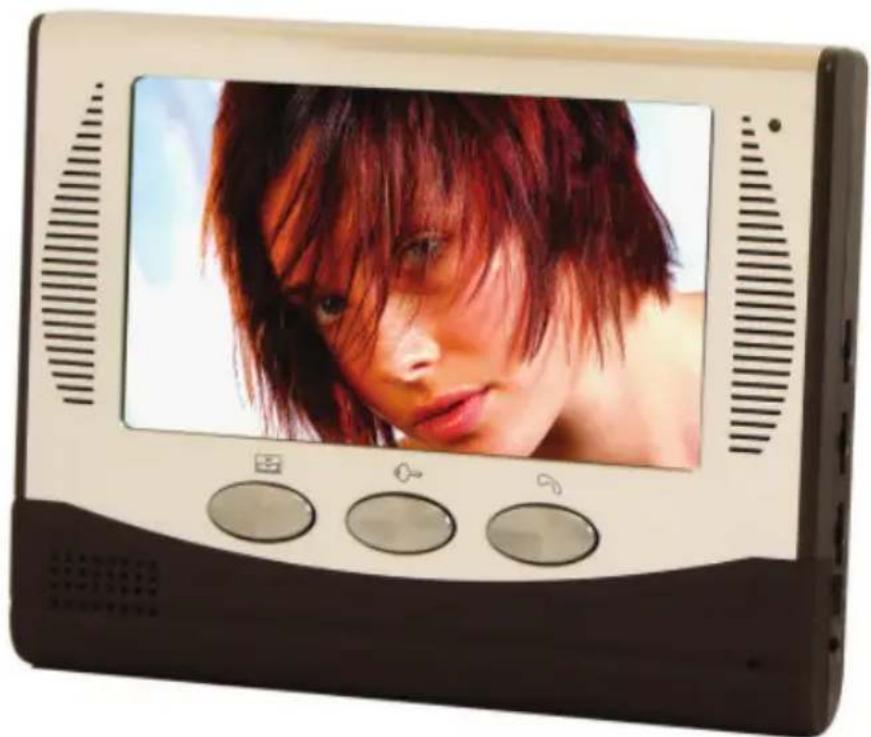
Colour video door phone
Ref.:34837Usermanual
Contents
- Features
- Outdoor unit
- Indoor unit
- Installation
- Wiring diagram
- Operation instruction
- Accessories
- Warning
1. Feature
- Slim fit design aluminium alloy indoor unit to enrich the fashionable and luxury life.
Aluminium alloy outdoor unit : waterproof and wearproof. - 7'' display, High definition, no radiation, low power consumption.
- Camera is adjustable in four directions: up, down, left right for best view.
- Hand-free talk.
Electricity-controlled door release function.
Monitor the outside. - 8 different chord melodies for option.
- Adjustable volume.
- Adjustable color and brightness.
- Enclosed 15m cable and adapter for DIY market.
- Indoor unit can be hung on the wall.
- The indoor unit can be hung on the wall or be put on the table
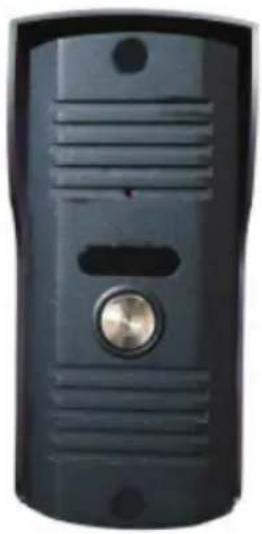
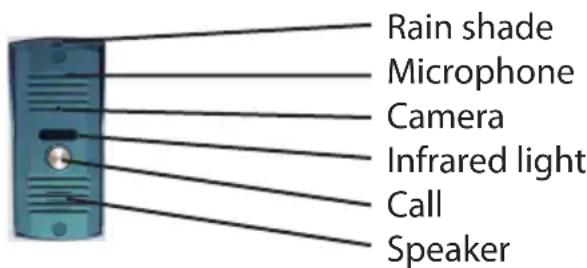
Outdoor unit
| Infrared distance more than 4m | |
| Plus control automatically | y |
| Working temperature -20°C — 50°C | |
| Resolution ratio CMOS camera : +/- 380 TV lines | |
| CCD camera : +/- 420 TV lines | |
| Dimension 64mm (w) x 1 | 44mm (h) x 52mm (d) |
To adjust the sound knob on the back of outdoor unit, for best performance.
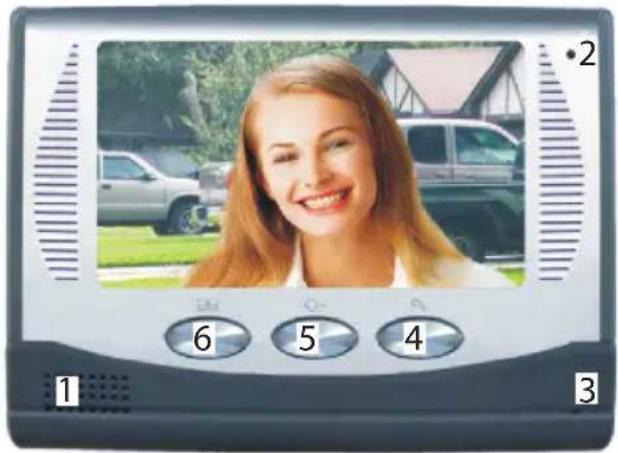
INDOOR UNIT
1 Speaker
2 Power indicating light
3 Microphone
4Talk
5 Unlock
6 Monitor
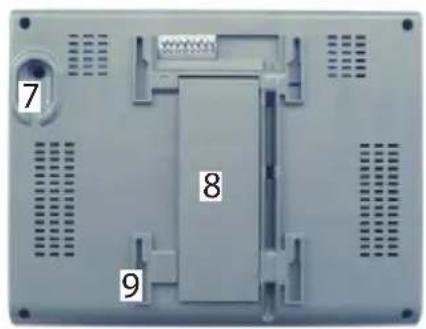
7 Power jack
8 Support frame
9 Bracket slot
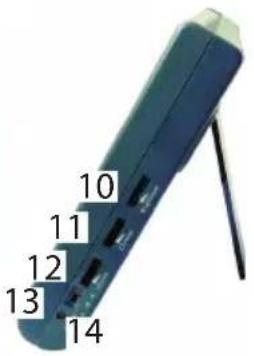
10 Brightness
11 Chroma
12 Volume
13 Melody volume
14 Melody
Performance Data
| Outdoor unit | |
| Adapter input voltage AC AC 220-240V / 50Hz | |
| Adapter output voltage current | AC 15V 1400mA |
| Talk time delay 120S +/- 10% | |
| Monitor time delay 40S +/- 10% | |
| Working distance 50m (4x0,5mm2) | |
| Dissipation stand by < 0,5W — working < 10W | |
| Intensity of illumination 2Lux | |
| Working temperature -10°C - +40°C | |
| Relative humidity 10%-90% (RH) | |
| Size of indoor station 218mm (w) x 168mm (h) x 33mm (d) | |
| Indoor unit | |
| screen size 7" (17,8cm) | |
| Display format 1440 (h) x 234 (v) | |
| Active aera 154,08 x 86,58 mm | |
| Dot pitch | 0,107 (h) x 0,370 (v) mm |
| Outline dimension | 166mm (w) x 100 (h) x 7,2mm (d) |
Installation
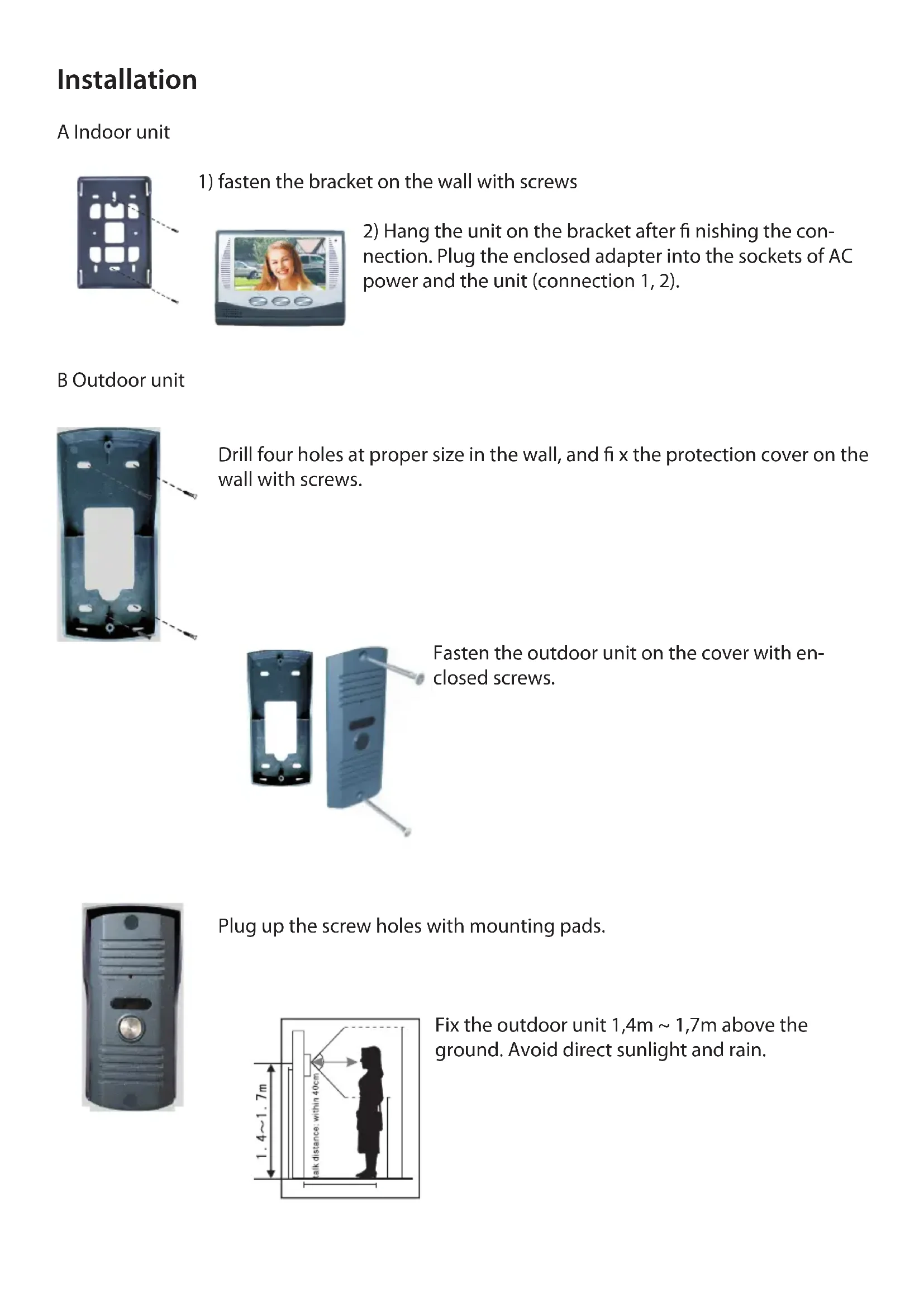
A Indoor unit
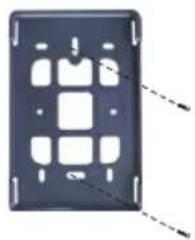
1) fasten the bracket on the wall with screws
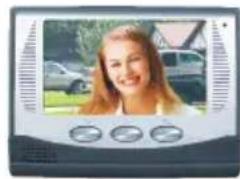
2) Hang the unit on the bracket after fi nishing the connection. Plug the enclosed adapter into the sockets of AC power and the unit (connection 1, 2).
B Outdoor unit
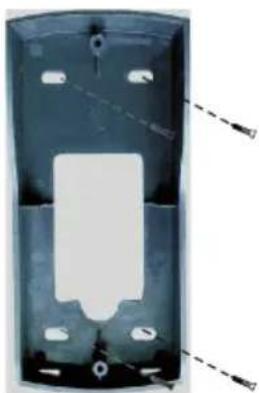
Drill four holes at proper size in the wall, and fix the protection cover on the wall with screws.
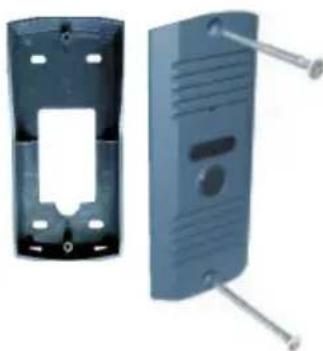
Fasten the outdoor unit on the cover with enclosed screws.
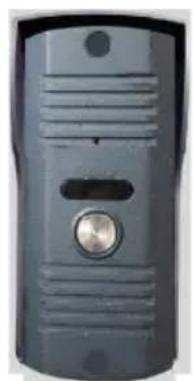
Plug up the screw holes with mounting pads.
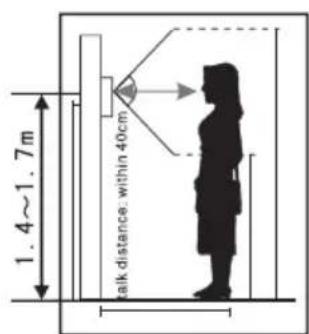
Fix the outdoor unit 1,4m 1,7m above the ground. Avoid direct sunlight and rain.
C LENGTHEN THE CONNECTION CABLE
The enclosed cable is 15m . If you want to lengthen it into 15m 50m , you can choose 6 × 0.5 ~mm^2 signal wire, or If you want to lengthen it into 50m 100m , you can choose 6 × 0.75 ~mm^2 signal wire.
Connect the wiring terminals 1, 2, 3, 4 of the door unit with their revelant wiring terminals of the outdoor unit. The wiring terminals 5 & 6 of indoor unit are connected with electric lock through 2 × 1,0mm^2 connecting wire.
Wiring diagram
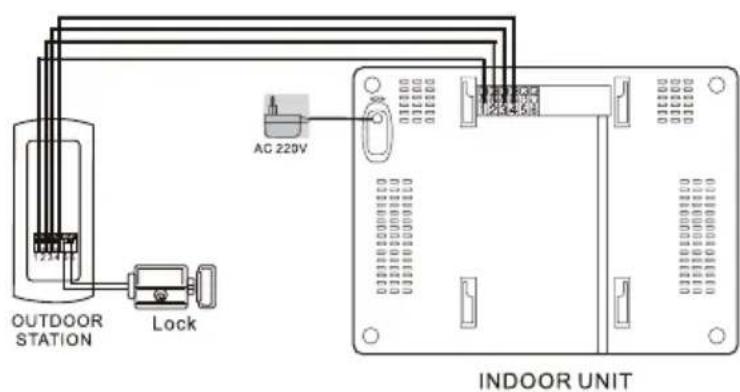
Diagram 1
Wiring instruction
- Audio wire
- Ground wire
- Video wire
- Power wire
5.6.Electric lock
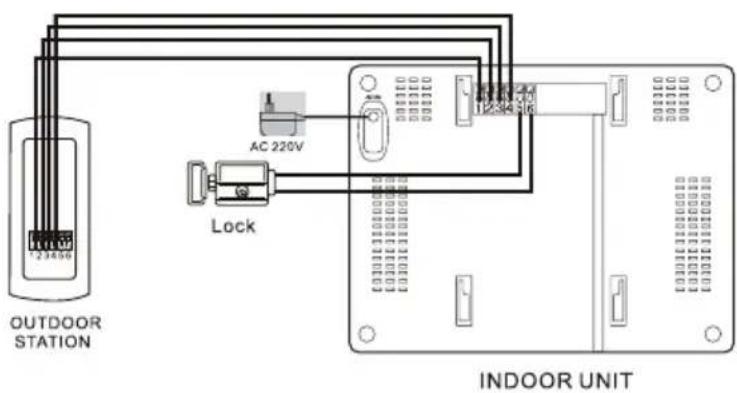
Diagram 1
Wiring instruction
- Audio wire
- Ground wire
- Video wire
- Power wire
5.6.Electric lock
Operation instruction
- For best performance, please take off the safety film. Begin with the red arrow at the top right corner of screen.
- Visitor presses the push button (more than 1 seconde), graceful melodies from indoor unit will be heard and visitor's image will be shown. Press talk button for inter-communication.
- Time delay for talk and image is around 120 sec.
- Press unlock button for door release
- Press monitor button to monitor the outside. Time will last 40 s.
- Press monitor button, if not guest is standing at the gate, just talk to him and let him go.
- Brightness, color and volume are adjustable
- 8 different chord melodies for option
Content
One video indoor unit
One outdoor unit
One adapter
One bracket for indoor unit
One piece of 15m cable
- Screws
- One rain shade
Warning
- Do not install the indoor unit in a place with high temperature and high humidity or near to TV
- Use soft cloth to clean the camera and screen for best view. Corrosive and volatile liquid, detergent and thinner are forbidden
- Do not throw at hit the units
- For best view, strong and direct sunshine for camera is forbidden
Caution
- To prevent damage, the adapter should be fasten on the wall according to instruction
- Keep convenient operation for power plug
Hotline
hotline@chacon.be
BE/FR:090051100
ES/PT:0902367760
FR Recyclage