
EMSBBU - Speaker stands Evermount - Free user manual and instructions
Find the device manual for free EMSBBU Evermount in PDF.


| Product Type | Universal Soundbar Mount |
| Brand | Evermount |
| Model | EM-SBBU |
| Compatibility | Most flat-screen TVs and soundbars |
| Maximum Load | 20 lb (9.07 kg) |
| Hardware Included | 2 screws #10×3/4", 4 small washers, 4 hex nuts #10 |
| Mounting Methods | 3 configurations: keyhole holes, existing wall mount, threaded holes |
| Installation | Requires a second person |
| Maintenance | Check screws once a month and tighten if necessary |
| Safety | Do not exceed 20 lb; do not install if TV is not wall-mounted |
| Warranty | Valid only with original receipt and strict adherence to instructions |
| Spare Parts | Available at everik.com or 1 866 604-6966 |
| Repairability | Repair possible by qualified technician; additional hardware may be required |
| Material | Steel |
| Color | Black |
| Approx. Dimensions | 200 x 100 x 50 mm |
| Approx. Weight | 0.5 kg |
Frequently Asked Questions - EMSBBU Evermount
User questions about EMSBBU Evermount
0 question about this device. Answer the ones you know or ask your own.
Ask a new question about this device
Download the instructions for your Speaker stands in PDF format for free! Find your manual EMSBBU - Evermount and take your electronic device back in hand. On this page are published all the documents necessary for the use of your device. EMSBBU by Evermount.
USER MANUAL EMSBBU Evermount
Instructional videos available at SoundbarBrackets.com
evermount
EM-SBBU
PLEASE READ THESE INSTRUCTIONS CAREFULLY AND KEEP FOR FUTURE REFERENCE! IF YOU DO NOT UNDERSTAND THE INSTRUCTIONS, OR DO NOT FEEL THAT YOU CAN FOLLOW THEM SAFELY, CONTACT A QUALIFIED CONTRACTOR. THE WARRANTY WILL BE HONoured IF ACCOMPANIED BY AN ORIGINAL SALES RECEIPT, AND ONLY IF THE INSTRUCTIONS HAVE BEEN FOLLOWED EXACTLY.
Before beginning, please check to ensure you have all the parts listed below. To acquire missing parts please visit www.everik.com/en-CA/Parts-Request.html or call 1-866-604-6966.
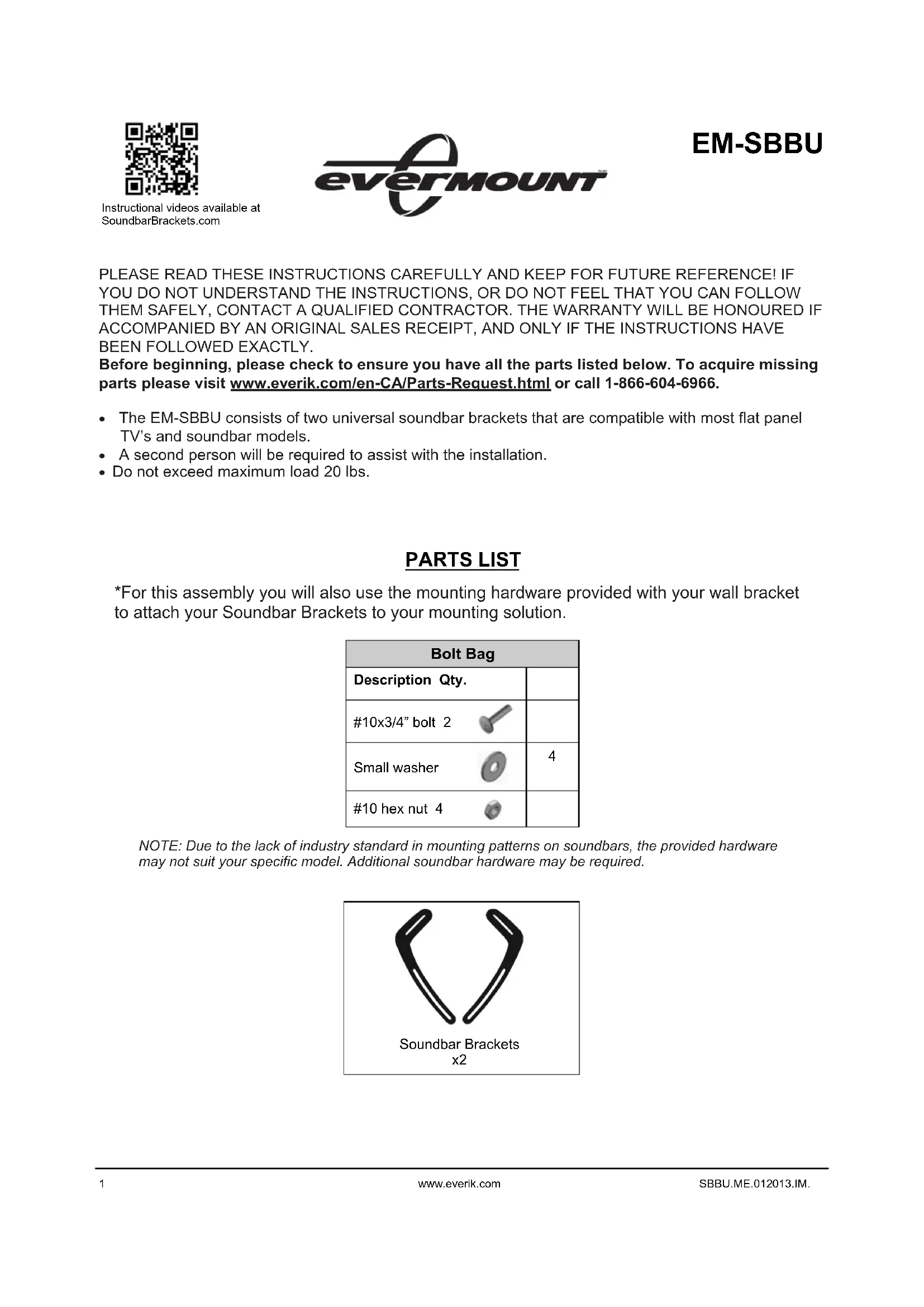
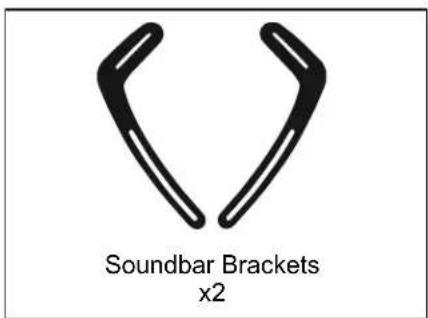
- The EM-SBBU consists of two universal soundbar brackets that are compatible with most flat panel TV's and soundbar models.
- A second person will be required to assist with the installation.
- Do not exceed maximum load 20 lbs.
PARTS LIST
*For this assembly you will also use the mounting hardware provided with your wall bracket to attach your Soundbar Brackets to your mounting solution.
| Bolt Bag | |
| Description Qty. | |
| #10x3/4" bolt 2 | |
| Small washer | 4 |
| #10 hex nut 4 | |
NOTE: Due to the lack of industry standard in mounting patterns on soundbars, the provided hardware may not suit your specific model. Additional soundbar hardware may be required.
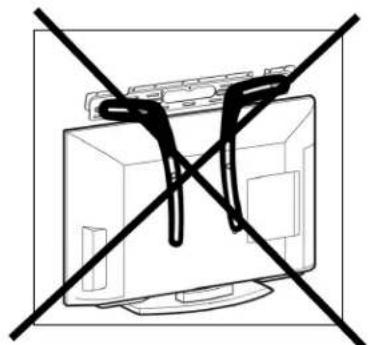
CAUTION! PLEASE DO NOT MOUNT YOUR SOUNDBARS USING SOUNDBAR BRACKETS IF YOUR PANEL IS NOT WALL MOUNTED. MOUNTING TO A TV ON A PEDESTAL IS A TIPPING RISK. THIS COULD CAUSE DAMAGE TO EQUIPMENT AND POSSIBLY LEAD TO PERSONAL INJURY.
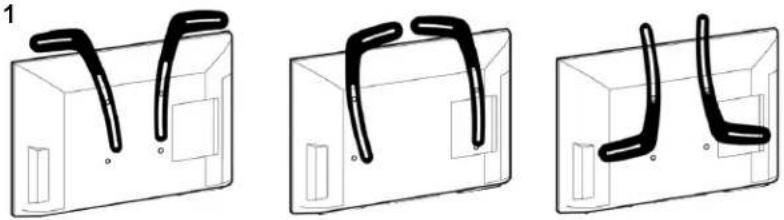
Fig. 1
See Fig. 1 for examples of multiple configurations you can use to adapt the bracket to match your flat panel and soundbar requirements. Use the configuration that works best with your equipment.
Installing Soundbar Brackets to a wall mounted flat panel
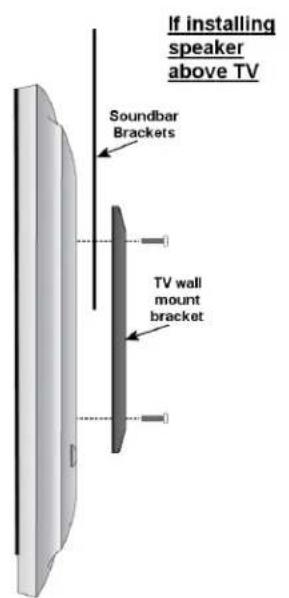
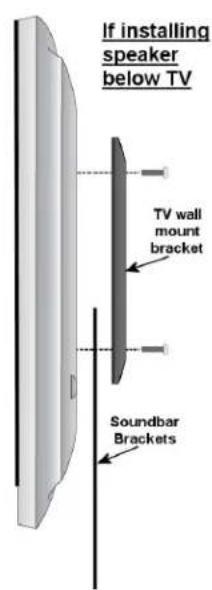
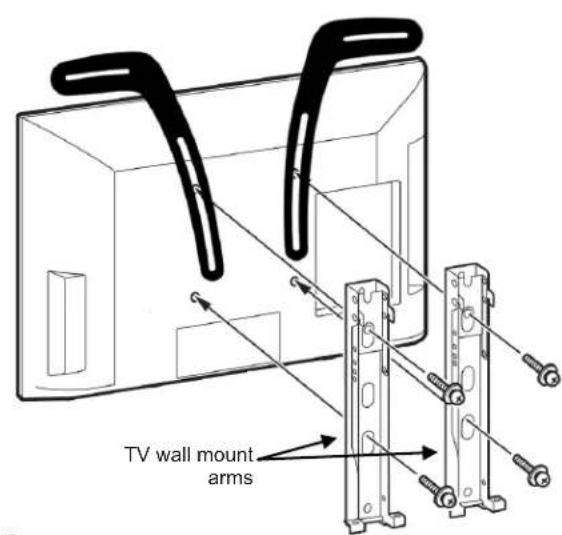
Fig. 2
Insert the Soundbar Brackets in between the back of your flat panel and your wall mount, as shown in Fig. 2. You will be using your wall mount panel screws to affix the Soundbar Brackets to your TV. Secure with one bolt in each bracket as demonstrated in the diagram. Do not screw all the way as final adjustments may be necessary.
Installing the soundbar speaker to your Soundbar Brackets
There are three ways to mount your soundbar to the Soundbar Brackets, depending on the mounting specifications of your soundbar:
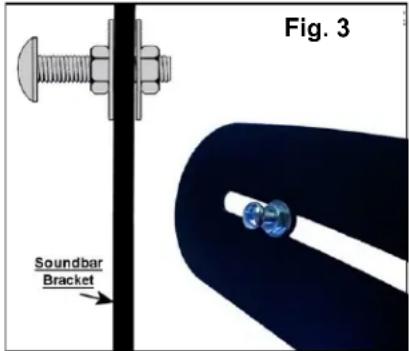
A) If your soundbar has tear drop or keyhole mounting holes
Use all the parts from the bolt bag and attach the bolts as shown in Fig. 3. Hang your soundbar on the bolts, making sure the bolt heads fit properly into the keyholes. Make desired alignment adjustments and tighten all bolts. Do not over tighten.
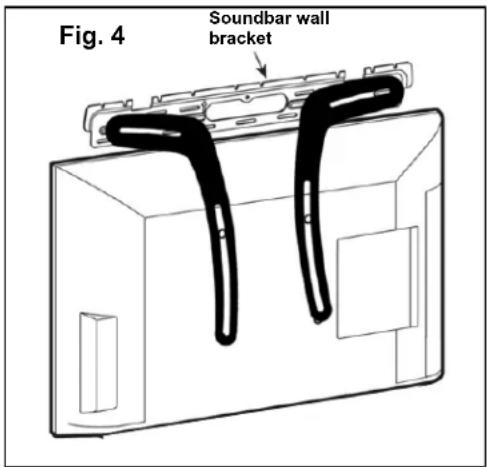
B) If your soundbar is already affixed to a soundbar wall bracket
Using hardware from the bolt bag, attach your soundbar's wall bracket to the Soundbar Brackets as shown in Fig.4.
C) If the back of your soundbar has threaded mounting holes
Using hardware from the bolt bag, screw your soundbar directly into the Soundbar Brackets.
Final adjustments
Make any desired final alignment adjustments and tighten all bolts. Do not over tighten. With the help of a partner, carefully lift your TV (with the Soundbar Brackets now attached) back onto your wall plate. If further assistance is required, please use the instruction manual included with your wall mount.

Maintenance
It is recommended that you check the brackets once a month to ensure all connections are secure. Re-tighten screws when necessary.