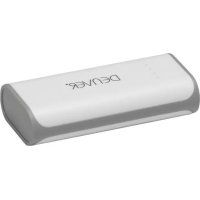
PBA4001 - Power bank DENVER - Free user manual and instructions
Find the device manual for free PBA4001 DENVER in PDF.



| Product type | Portable battery |
| Brand | Denver |
| Model | PBA4001 |
| Dimensions (L x W x H) | 96 x 45 x 22 mm |
| Weight | ~123 g |
| Battery capacity | 4000 mAh / 3.7 V |
| Charge input | DC 5 V, 1 A |
| Charge output | DC 5 V, 1 A max |
| Battery type | Lithium-ion |
| Charge time (with 1A adapter) | ~5 hours |
| Charge time (with 500mA adapter or PC) | ~10 hours |
| Number of charge cycles | > 500 times (80% capacity after 300 cycles) |
| Operating temperature | 0 °C to 45 °C (charge and discharge) |
| Storage temperature | -10 °C to 45 °C |
| Storage humidity | 25% ~ 65% |
| Main functions | Charge smartphones, tablets, MP3/MP4; built-in LED flashlight |
| LED indicators | 4 battery level indicators (0-25%, 25-50%, 50-75%, 75-100%) |
| Maintenance | Recharge fully every 3 months if unused; use original cables |
| Safety | Do not expose to heat, water or fire; do not disassemble; keep out of reach of children |
| Spare parts and repairability | No user-replaceable parts; no repair possible |
| General information | Importer: DENVER ELECTRONICS A/S, Denmark |
Frequently Asked Questions - PBA4001 DENVER
User questions about PBA4001 DENVER
0 question about this device. Answer the ones you know or ask your own.
Ask a new question about this device
Download the instructions for your Power bank in PDF format for free! Find your manual PBA4001 - DENVER and take your electronic device back in hand. On this page are published all the documents necessary for the use of your device. PBA4001 by DENVER.
USER MANUAL PBA4001 DENVER
denver-electronics.com
natural_image
Exterior view of a white cylindrical device labeled 'DENVER' with ports and buttons (no additional text or symbols visible)www.facebook.com/denverelectronics
DENVER PBA-4001
Bærbar Strømbank
A. LED-lommelygte B. Knap
C. LED power-indikatorer
E. MicroUSB indgangsport
G. USB-kabel H. USB-stik
D. USB udgangsport
F. MicroUSB-stik
Indikator for batteriniveau
| LED-indikator | Resterende batterikapacitet | |
| 1 indikator lyser | 0-25% | |
| 2 indikatorer lyser | 25-50% | |
| 3 indikatorer lyser | 50-75% | |
| 4 indikatorer lyser | 75-100% |

natural_image
Simple line drawing of a cylindrical device with attached cable and ports (no text or symbols)natural_image
Simple line drawing of a closed book and a rectangular battery with a cable (no text or symbols)natural_image
Line drawing of a smartphone connected to a battery via cable (no text or symbols)OBS:
denver-electronics.com

natural_image
Exterior view of a white cylindrical device labeled 'DEIVER' (no additional text or symbols visible)www.facebook.dk/denver-electronics
Productoverzicht
A. LED-zaklantaarn
B. Knop
C. LED-aan/uitindicator
natural_image
Simple line drawing of a battery connected to a plug (no text or symbols)natural_image
Simple line drawing of a closed notebook connected to a cylindrical battery (no text or symbols)natural_image
Line drawing of a smartphone connected to a battery via cable (no text or symbols)DENVER PBA-4001
Draagbare externe batterij
natural_image
Exterior view of a cylindrical battery with 'DELMER' branding on its side (no other text or symbols visible)www.facebook.dk/denver-electronics
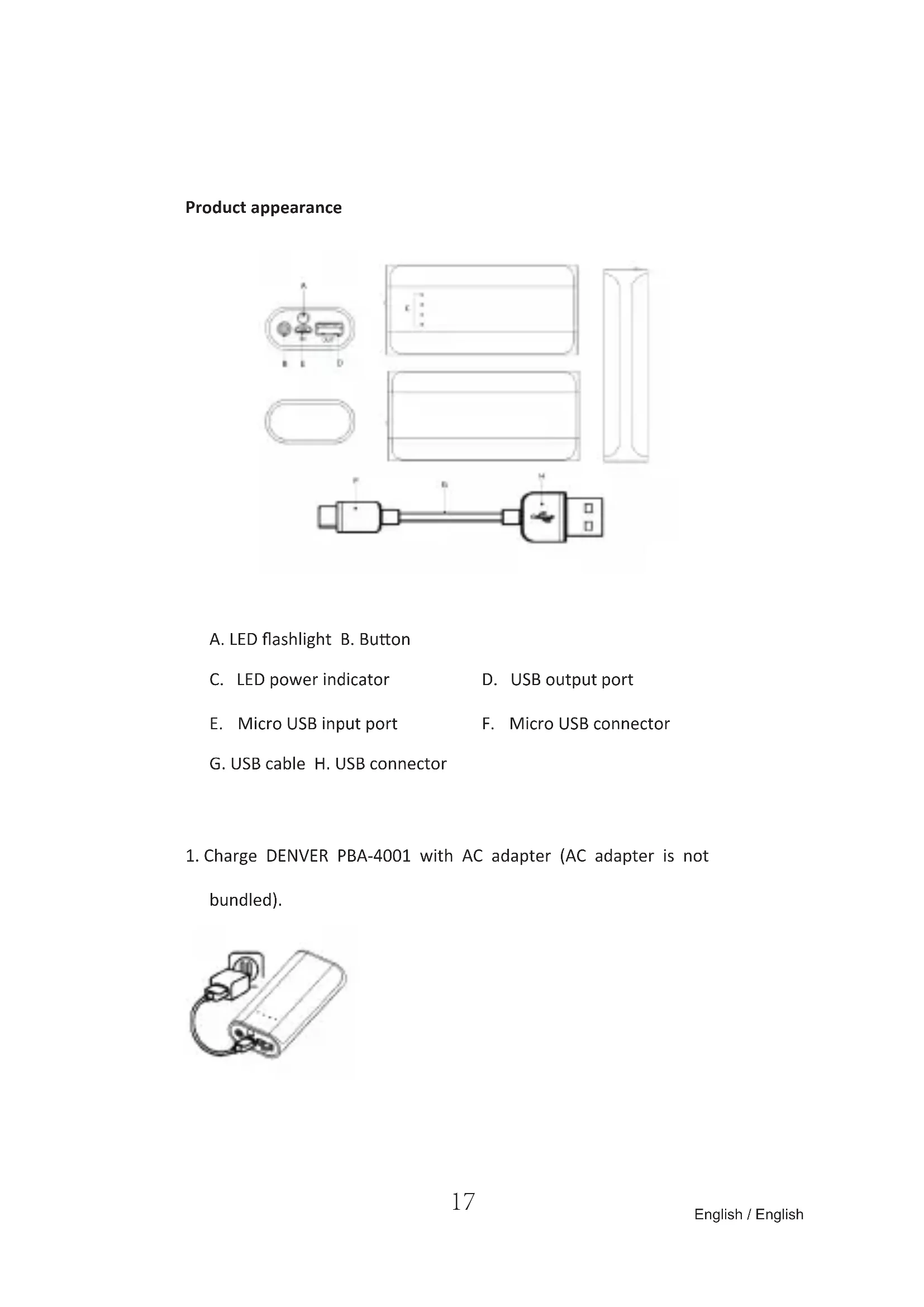
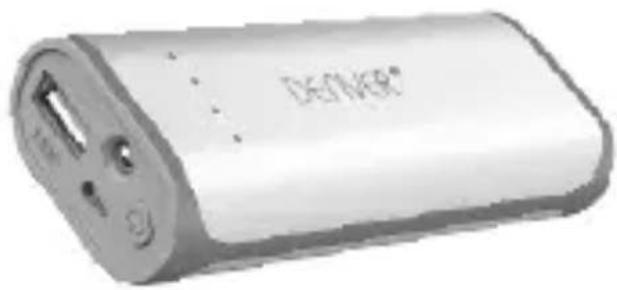
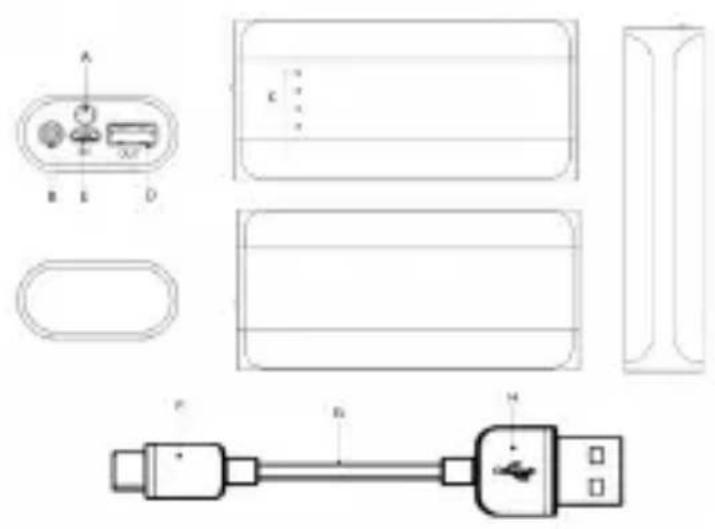
Product appearance
A. LED flashlight B. Button
C. LED power indicator
D. USB output port
E. Micro USB input port
F. Micro USB connector
G. USB cable H. USB connector
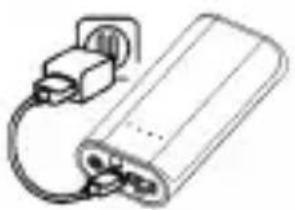
- Charge DENVER PBA-4001 with AC adapter (AC adapter is not bundled).
natural_image
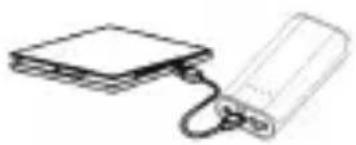
Simple line drawing of a cylindrical device with a cable and connector (no text or symbols)- Charge DENVER PBA-4001 by connecting it to USB port on computer.
natural_image
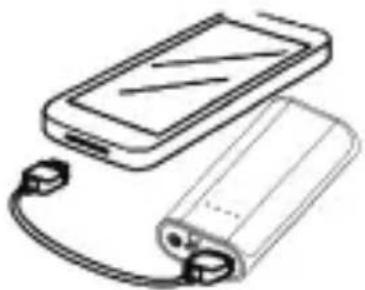
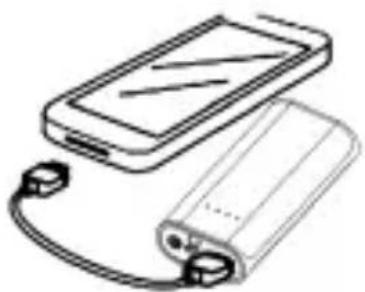
Simple line drawing of a closed book connected to a rectangular battery (no text or symbols)- Charging digital products using DENVER PBA-4001.
natural_image
Line drawing of a smartphone connected to a battery via cable (no text or symbols)DENVER PBA-4001
Portable External Battery
Support most DC5V USB input smartphones, tablets, MP3, MP4 and other digital products charging.

Thank you for using SMLH products.
Please read the instructions carefully before using the product.
Follow the instructions and use it properly.
Instructions
Charging DENVER PBA-4001 (Figure 1/Figure 2)
- Use original USB data cable and connect microUSB to microUSB port on DENVER PBA-4001;
- Connect USB cable to USB port on DC5V USB charger or computer.
If LED signal flickers, it means DENVER PBA-4001 is being charged;
| Please pull out power supply after recharging fully. |
Charging digital product with DENVER PBA-4001 (Figure 3)
- Check if the charging voltage of the digital product is compatible with the DC5V output voltage of DENVER PBA-4001.
- Use the digital product's original cable, and connect one end to the digital product, the other end to DENVER PBA-4001. If battery signal (output signal) lights up, it means the charging process starts. When all signals light up, it means the digital product is fully charged.
Flashlight function
Press the switch twice to turn on the LED flashlight and press twice to turn it off.
LED power indicator:
| LED Signal Battery Percentage | |
| One signal lights up 0~25% |
| Two signals light up 25~50% | ||
| Three signals light up 50~75% | ||
| Four signals light up 75~100% |

- When switching off, LED signal will go out in 5 seconds and the battery will enter sleep mode in about 1 minute. If users want to use the battery to charge digital products, please switch on to wake it up.
- When switching off, the 1st signal (output signal) will flicker if the power is less than 5% to prompt users that the battery itself needs
Specifications
| Name | DENVERPBA-4001 | Input DC | 5V 1A |
| Lithium-ion battery inside 4000 mAh/3.7V Output DC5V 1A MAX | |||
| Capacity | 4000mAh | Weight | ~123g/4.34ozs |
| Size ~L96 x W45 x H22mm | ~L3.78x W1.77 x H0.86inches | ||
| Charging time | ~5 hours (using 1A AC adapter)~10 hours (using 500mA AC adapter or PC USB) | ||
| Environment for Use | indoors | ||
| Ambient Temperature for Use | Charging 0°C ~45°C; discharging 0°C ~45°C | ||
| Environment for Storage | Storage temperature: -10°C ~45°CHumidity: 25%~65% | ||
| The electrical core will have 80% capacity left after 300 cycles. (Recycling times: >500 times) | |||

Cautions:
-
Charge the product itself before using it to charge other products.
-
Do not place or use the product in very hot or humid environment; do not place or use it in direct sunlight, (Standard charge method: under standard atmospheric pressure, ambient temperature 25^ ± 5^ , it can be charged to 4.2V with constant current of 0.5A, and then, charged continuously with constant voltage of 4.2V until the charged current is 0.01A. Standard discharge method: under standard atmospheric pressure, ambient temperature 25^ ± 5^ , it can be discharged to the voltage of 2.75V with constant current of 0.5A.)
-
Do not throw this product into fire or water, so as to avoid possible fire and explosion.
-
Please keep the product out of the reach of children.
-
Do not use it when nobody is around.
-
Do not dismantle or assembly the product yourself; the product does not have any parts that need users to dismantle, assembly or maintain themselves.
-
Do not shake it, tap it or hit it.
-
Do not use it if any liquid leaks out of the product. If the liquid goes into your eyes, do not rub your eyes, but quickly flush your eyes with running water. If necessary, go to see a doctor.
-
It is normal that the product gets hot under proper operations. Please use with care when using or finishing using the product.
-
Original transmission cables and connectors are required for all operations. Use of non-original products may lead to severe or deadly injuries or monetary loss.
-
Do not use paper or other objects to cover or shield the product, which may affect heat dissipation and cooling.
-
Check the voltage before using the product, so as to avoid unnecessary damage to the product caused by improper use under inaccurate voltage or power.
-
Please charge and discharge the product once every three months if it is not used for a long time. This can ensure the life cycle of the product.
- Once discharged, please recharge the product fully so as to prepare for later use, for example, for charging digital products.
- Unplug the power cable when not using the product, so as to avoid injury or property loss.
ALL RIGHTS RESERVED, COPYRIGHT DENVER ELECTRONICS A/S
DENVER®
www.denver-electronics.com

Electric and electronic equipment and included batteries contains materials, components and substances that can be hazardous to your health and the environment, if the waste material (discarded electric and electronic equipment and batteries) is not handled correctly.
Electric and electronic equipment and batteries is marked with the crossed out trash can symbol, seen below. This symbol signifies that electric and electronic equipment and batteries should not be disposed of with other household waste, but should be disposed of separately.
As the end user it is important that you submit your used batteries to the appropriate and designated facility. In this manner you make sure that the batteries are recycled in accordance with legislature and will not harm the environment.
All cities have established collection points, where electric and electronic equipment and batteries can either be submitted free of charge at recycling stations and other collection sites, or be collected from the households. Additional information is available at the technical department of your city.
Imported by:
DENVER ELECTRONICS A/S
Stavneagervej 22
DK-8250 Egaa
Denmark
www.facebook.com/denverelectronics
DENVER®
ELECTRONICS
Käyttöohje
DENVER PBA-4001
natural_image
Exterior view of a cylindrical electronic device with ports and buttons (no visible text or symbols)www.facebook.dk/denver-electronics
Tuotteen osat
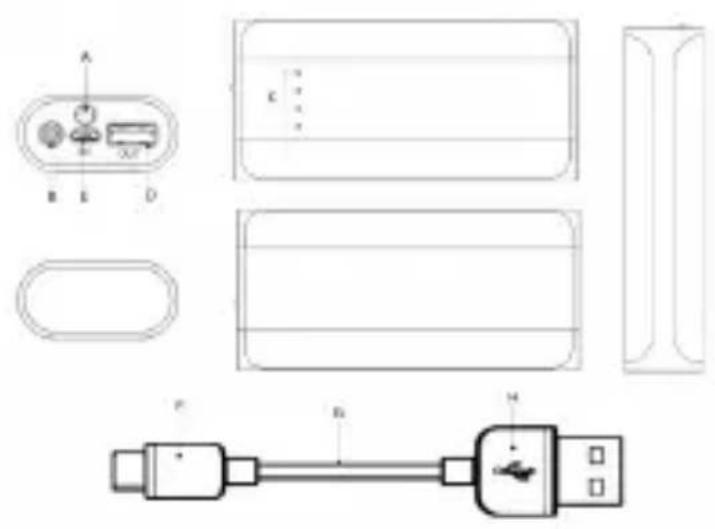
A. LED-taskulamppu
B. Painike
natural_image
Simple line drawing of a cylindrical device with a plug and cable (no text or symbols)natural_image
Simple line drawing of a closed book and a rectangular electronic device (no text or symbols)natural_image
Line drawing of a smartphone connected to a battery via cable (no text or symbols)DENVER PBA-4001
natural_image
Exterior view of a cylindrical battery with two ports and a label 'DSF/VER*' (no other text or symbols visible)www.facebook.dk/denver-electronics
Aspect du produit
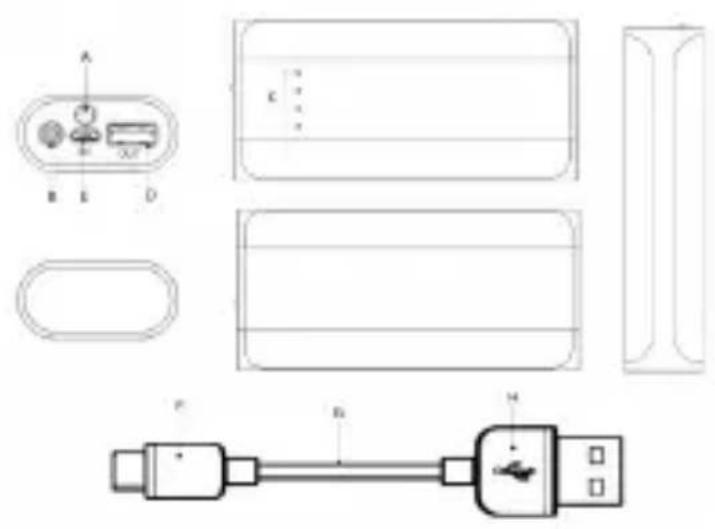
A. TORCHE à LED
B. Touche
natural_image
Simple line drawing of a battery connected to a plug (no text or symbols)natural_image
Simple line drawing of a closed book and a rectangular electronic device (no text or symbols)natural_image
Line drawing of a smartphone connected to a battery via cable (no text or symbols)DENVER PBA-4001
Batterie portable externe
natural_image
Exterior view of a cylindrical battery with a label 'DISHERP' on its side (no other text or symbols visible)www.facebook.dk/denver-electronics
A. LED-Taschenlampe
B. Taste
natural_image
Simple line drawing of a battery connected to a plug (no text or symbols)natural_image
Simple line drawing of a closed book and a rectangular electronic device (no text or symbols)natural_image
Line drawing of a smartphone connected to a battery via cable (no text or symbols)DENVER PBA-4001
Mobiler externer Akku
natural_image
Exterior view of a cylindrical battery with a small internal component and two ports (no visible text or symbols)www.facebook.dk/denver-electronics
A. Torcia a LED
B. Pulsante
natural_image
Simple line drawing of a battery pack connected to a plug (no text or symbols)natural_image
Simple line drawing of a closed book connected to a cylindrical device (no text or symbols)natural_image
Line drawing of a smartphone connected to a battery via cable (no text or symbols)DENVER PBA-4001
natural_image
Exterior view of a white cylindrical electronic device labeled 'DELIVER' (no additional text or symbols visible)www.facebook.dk/denver-electronics
Wygląd produktu
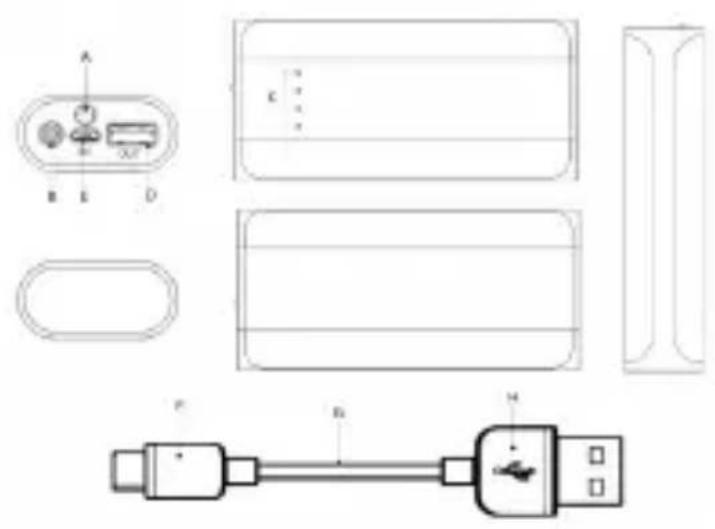
A. Latarka LED
B. Przycisk
natural_image
Simple line drawing of a battery connected to a plug (no text or symbols)natural_image
Simple line drawing of a closed notebook connected to a battery (no text or symbols)natural_image
Line drawing of a smartphone connected to a battery via cable (no text or symbols)DENVER PBA-4001
natural_image
Exterior view of a white cylindrical device labeled 'DEIVER' (no additional text or symbols visible)www.facebook.dk/denver-electronics
Aspeto do produto
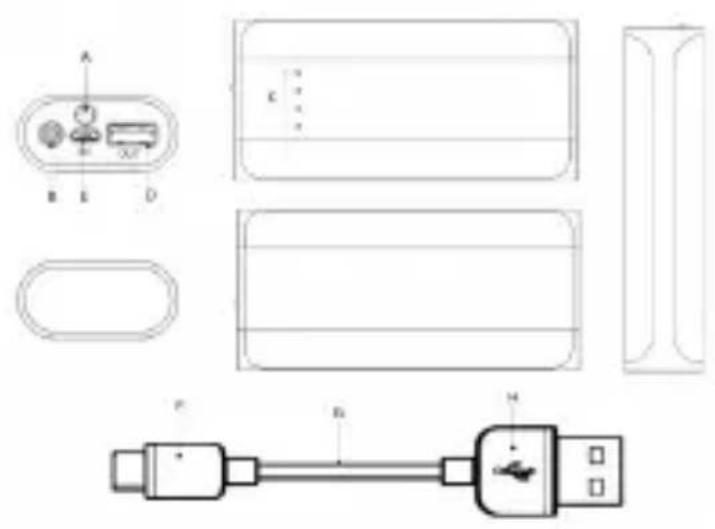
A. Lanterna LED
B. Botão
F. Conector micro USB
G. Cabo USB
H. Conector USB
natural_image
Simple line drawing of a battery connected to a plug (no text or symbols)natural_image
Simple line drawing of a closed notebook connected to a rectangular battery (no text or symbols)natural_image
Line drawing of a smartphone connected to a battery via cable (no text or symbols)DENVER PBA-4001
Bateria Externa Portátil
natural_image
White cylindrical electronic device labeled 'DEIVER' with ports and buttons (no readable text beyond branding)www.facebook.dk/denver-electronics
A. Linterna LED
B. Botón
F. Conector micro USB
G. Cable USB
H. Conector USB
natural_image
Simple line drawing of a battery connected to a plug (no text or symbols)natural_image
Simple line drawing of a closed book connected to a rectangular battery (no text or symbols)- Carga de productos digitales usando DENVER PBA-4001.
natural_image
Line drawing of a smartphone connected to a battery via cable (no text or symbols)DENVER PBA-4001
natural_image
Exterior view of a white cylindrical electronic device labeled 'DEIVER' (no additional text or symbols visible)www.facebook.dk/denver-electronics
Produktens utseende
A. LED-ficklampa
B. Knapp
C. LED-strömindikator
natural_image
Simple line drawing of a battery connected to a plug (no text or symbols)natural_image
Simple line drawing of a closed book and a rectangular electronic device (no text or symbols)natural_image
Line drawing of a smartphone connected to a battery via cable (no text or symbols)DENVER PBA-4001
Externt batteri
denver-electronics.com

- DENVER PBA-4001
- Bærbar Strømbank
- OBS:
- Productoverzicht
- Draagbare externe batterij
- Product appearance
- Portable External Battery
- Instructions
- Charging DENVER PBA-4001 (Figure 1/Figure 2)
- Charging digital product with DENVER PBA-4001 (Figure 3)
- Flashlight function
- LED power indicator:
- Cautions:
- DENVER®
- ELECTRONICS
- Käyttöohje
- Tuotteen osat
- Aspect du produit
- Batterie portable externe
- Mobiler externer Akku
- Wygląd produktu
- Aspeto do produto
- Bateria Externa Portátil
- Produktens utseende
- Externt batteri
Brand : DENVER
Model : PBA4001
Category : Power bank