Joule GPS - Counter Powertap - Free user manual and instructions
Find the device manual for free Joule GPS Powertap in PDF.


| Product type | GPS bike computer |
| Brand | Powertap |
| Model | Joule GPS |
| Power supply | Rechargeable lithium-ion battery, approximately 15 hours battery life |
| Compatible sensors | ANT+: power, speed, cadence, heart rate |
| Main functions | GPS, user profiles, intervals, navigation, customizable dashboards |
| Mounting | On stem or out front with adjustable rings |
| Display | Customizable display with highlighted metrics |
| Storage | Internal memory for ride history |
| Connectivity | ANT+ for sensors, data transfer via PowerAgent (USB) |
| Dimensions (estimated) | 80 x 50 x 20 mm |
| Weight (estimated) | 60 g |
| Care and cleaning | Wipe with a soft, dry cloth; do not use abrasive products |
| Safety | FCC Part 15 compliant; do not expose to water or excessive heat |
| Spare parts and repairability | Manufacturer support via www.powertap.com; parts not specified |
Frequently Asked Questions - Joule GPS Powertap
User questions about Joule GPS Powertap
0 question about this device. Answer the ones you know or ask your own.
Ask a new question about this device
Download the instructions for your Counter in PDF format for free! Find your manual Joule GPS - Powertap and take your electronic device back in hand. On this page are published all the documents necessary for the use of your device. Joule GPS by Powertap.
USER MANUAL Joule GPS Powertap
For a complete user guide, please visit www.powertap.com
STEM MOUNT

O-Rings: Crisscross under stem, latch on hooks
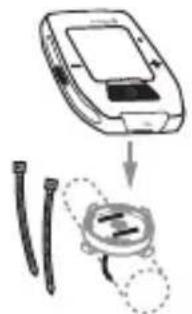
OR Zip tie around stem, through slots
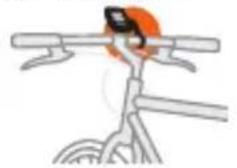
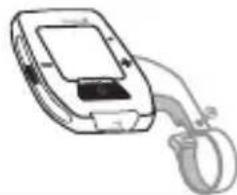
OUT FRONT MOUNT
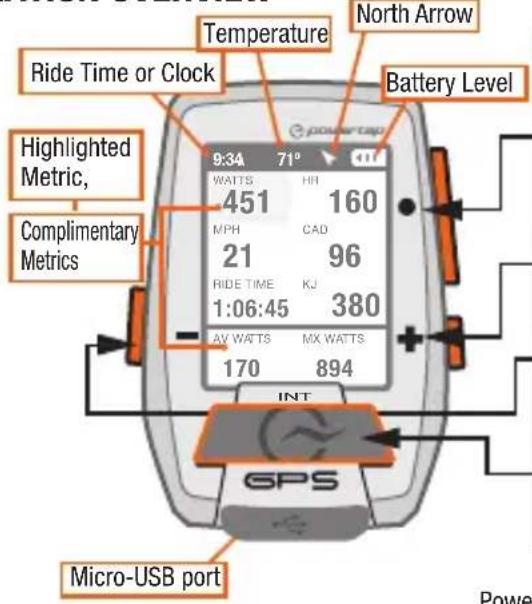
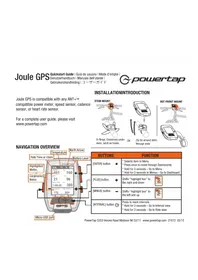
NAVIGATION OVERVIEW
| BUTTONS FUNCTION | |
| [ENTER] button | * Selects item in Menu * Press once to move through Dashboards * Hold for 3 seconds - Go to Menu * Hold for 3 seconds in Menus - Go to Dashboard |
| [PLUS] button | Shifts “highlight box” to the right and down |
| [MINUS] button | Shifts “highlight box” to the left and up |
| [INTERVAL] button | Press to mark intervals * Hold for 3 seconds - Go to Interval view * Hold for 3 seconds - Go to Ride view |
PowerTap 5253 Verona Road Madison WI 53711 www.powertap.com 21615 05/13
DASHBOARDS 1,2 & 3
- Dashboard 1,2 & 3 display various metrics that can be easily customized.
- When a new metric is highlighted, the detailed view changes to show related metrics.
Note: Dashboards below are default setting. All dashboards are fully customizable.
[ENTER]
Press · [ENTER] to advance through Dashboards
![Powertap Joule GPS - [ENTER] - 1](/content/2026/02/383998/images/f9daa4436811a90b9d949d4da1753ee3d9da31d99235b3a117b7a94396f5e2de.jpg)
G [INTERVAL]
Press [INTERVAL] to go back
![Powertap Joule GPS - G [INTERVAL] - 1](/content/2026/02/383998/images/4d2834457cb7a2d8872fae08f6955cdc676127eafd23deac416c6621705fca0e.jpg)
Selected metric
DASHBOARD 1 DASHBOARD 2 DASHBOARD 3
![Powertap Joule GPS - G [INTERVAL] - 2](/content/2026/02/383998/images/564899cbe4af1c232340da4ccc7802ad82f9303252d5c23298a83b13579ea898.jpg)
B AV HR MX HR
C AV MPH MX MPH
MILES KJ
![Powertap Joule GPS - G [INTERVAL] - 3](/content/2026/02/383998/images/e10d2108e2b8519e240af487b6fc68a97e40182a819c2ab6775450855d80dc21.jpg)
B AV MPH
MX MPH
C AV GRADE
FT GAIN
INTERVALS AND NAVIGATION
Intervals contain Interval metrics. Navigation is a GPS map with waypoints.
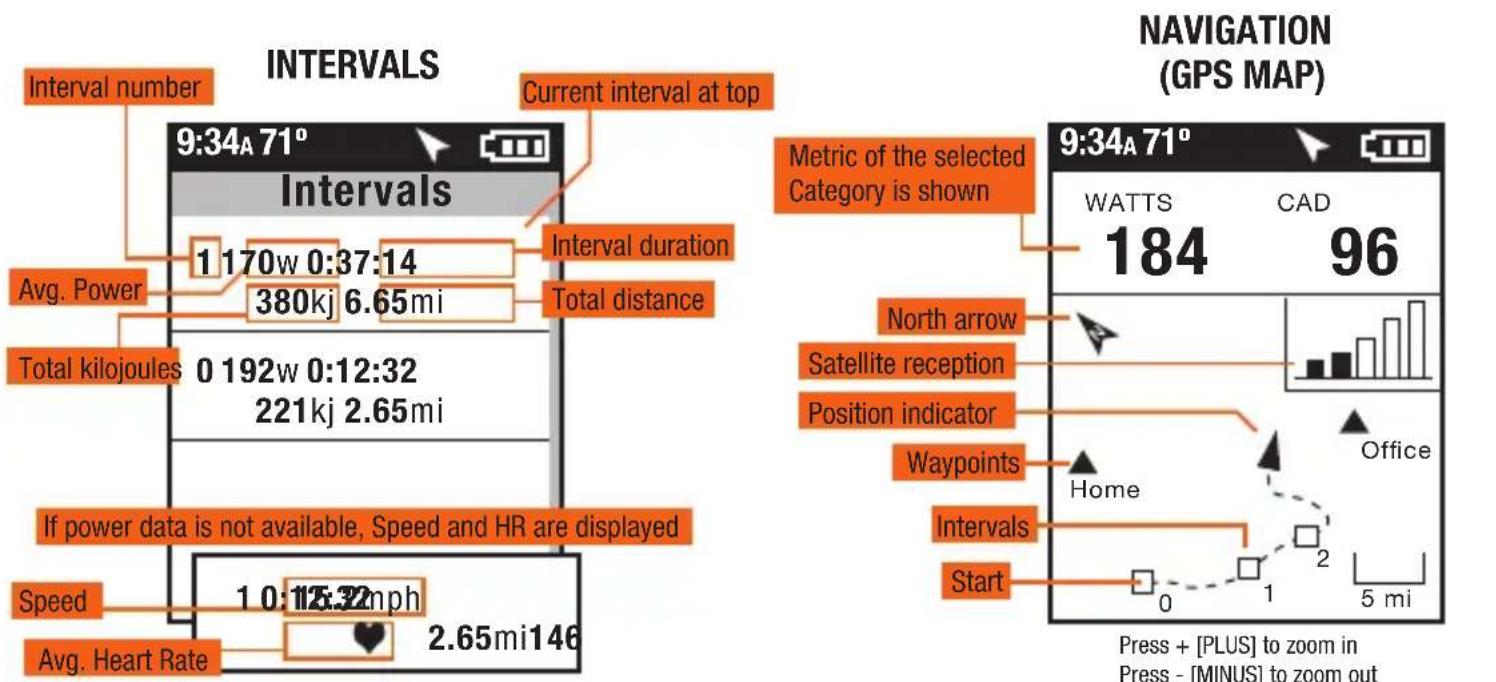
INTERVALS
Intervals are useful for viewing ride data specific to a section of your ride, such as a hill or other period of high intensity riding.
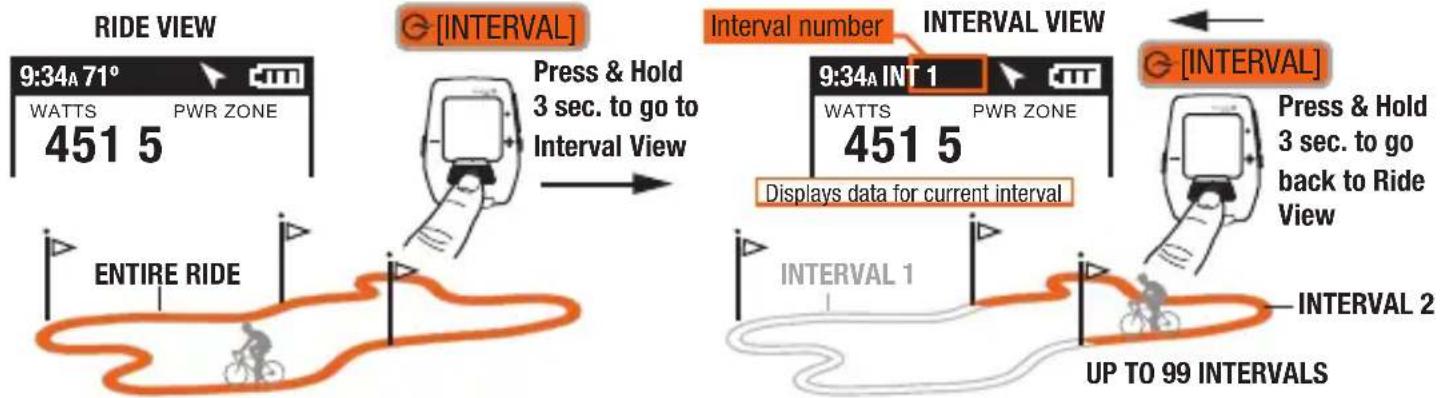
MENU
Enter Menu to review ride history, pair sensors, use the training function, and configure the device.
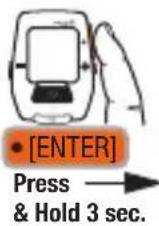
FROM DASHBOARD
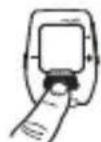
INTerval
Press [INTERVAL] to go back
RIDE
Resume Ride
Stop and Delete
Stop and Save
HISTORY
Last Ride
Report-totals
Select a Ride
Report-max
SENSOR
Select a Bike
New Bike
Edit or Use
Add a Bike

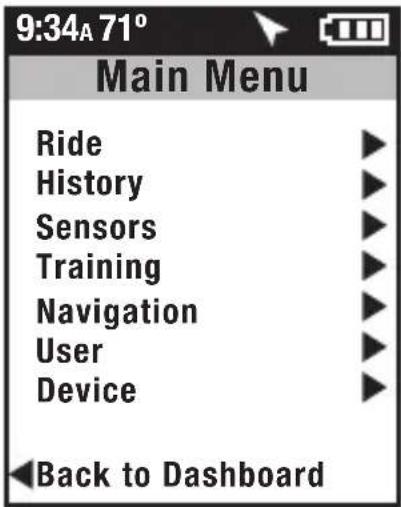
TRAINING
WORKOUTS
COUNTDOWN
AUTOINTERVAL
NAVIGATION
WAYPOINTS
COMPASS
ROUTES
GPS STATUS
USER
SELECT A USER
ADD A USER
Edit or Use
DEVICE
DATE AND TIME
DISPLAY
MEMORY
ALTIMETER
ABOUT JOULE
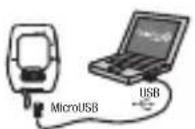
DOWNLOAD
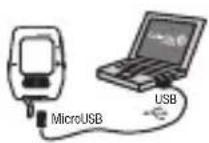
Install PowerAgent software from www.powertap.com/poweragent to download ride data
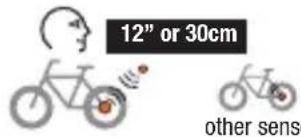
PROXIMITY PAIRING Pairs devices closest to sensor first.
IMPORTANT Hold Joule within 12" of PowerTap hub when in the presence of other sensors.
PAIRING Multype bikes can be paired with unique names. (ie: "Jim's Racing Bike, Jim's Mountain Bike, etc.)
Name Weight, lb
Power Sensor (select)
Cadence Sensor (select)
Speed Sensor (select)
Heart Rate Sensor (select)
RU Sensor (select)
DELETE BIKE
USER Multiple users can be stored on each Joule. (ie. Jim, Bob, Rachel can all share same device with unique information)
Name Weight, Ib
Height, in
Date of Birth
Gender
FTP
Power Zones
Heart Rate Zones
This device complies with Part 15 of the FCC Rules. Operation is subject to the following two conditions: (1) This device may not cause harmful interference, and (2) this device must accept any interference received, including interference that may cause undesired operation.
Joule GPS Quickstart Guide I Guía de usuario I Mode d'emploi I Benutzerhandbuch | Manuale dell'utente I Gebruikershandleiding | ユーサイド

INSTALACIONINTRODUCCION
RESUME RIDE (REANUDAR SESION)
STOP AND SAVE (DETENER GUARDAR)
HISTORY (HISTORIAL)
LAST RIDE (ULTIMA SESION) REPORT-TOTALS (INFORME TOTALES)
SELECT A RIDE (SELECTIONAR UNA SEISION)
REPORT-MAX (INFORME MAXIMOS)
SENSOR
SELECT A BIKE (SELECTIONAR UNA BICICLETA)
NEW BIKE
(BICICLETA NUEUA)
ADD A BIKE (ANADIR UNA BICICLETA)
TRAINING (ENTRENAMIENTO)
WORKOUTS (ENTRENAMIENTOS) COUNTER (CUENTA ATRAS) AUTO INTERVAL (INTERVALO AUTOMÁTICO)
NAVIGATION (NAVEGACION)
UAYPOINTS (PUNTOS DE REFERENCA) COMPASS (BRJULA)
ROUTES (RUTAS)
GPS STATUS (ESTAD GPS)
USER (USUARIO)
SELECT A USER (SELECTIONAR UN USUARIO)
ADD A USER (ANADIR UN USUARIO)
DEVICE (DISPOSITIVO)
DATE AND TIME (FECHA Y HORA)
DISPLAY (PANTALLA)
MEMORY (MEMORIA)
ALTIMETER (ALTIMETRO)
ABOUT JOULE (ACERCA DE JOULE)

IMPORTANT
La PROXIMIDAD