
System Modem - Router ACER - Free user manual and instructions
Find the device manual for free System Modem ACER in PDF.


| Product type | Internal V.90 modem |
| Maximum transmission speed | 56 Kbit/s (download) |
| Data standards | ITU-T V.90, V.34, V.32bis, V.32terbo |
| Fax standards | ITU-T V.17, V.29, V.27ter, V.21 channel 2, TIA/EIA 578 class 1 |
| Error correction | V.42 (LAPM and MNP) |
| Data compression | V.42bis and MNP class 5 |
| Command set | TIA/EIA 602 (AT) |
| Power supply | Via PCI bus (low power) |
| Dimensions (estimated) | Approximately 12 x 6 x 1 cm (PCI card) |
| Weight (estimated) | Approximately 50 g |
| Certification | FCC Part 68, global approvals |
| Software compatibility | Software upgrade to ITU V.92 standard |
| System requirements | Free COM port and IRQ, communication software |
| Maintenance | No special maintenance; keep dry and dust-free |
| Safety | Follow FCC guidelines; disconnect in case of problem |
| Spare parts | Not applicable (integrated card) |
| Repairability | Contact an authorized dealer |
Frequently Asked Questions - System Modem ACER
User questions about System Modem ACER
0 question about this device. Answer the ones you know or ask your own.
Ask a new question about this device
Download the instructions for your Router in PDF format for free! Find your manual System Modem - ACER and take your electronic device back in hand. On this page are published all the documents necessary for the use of your device. System Modem by ACER.
USER MANUAL System Modem ACER
Copyright © 2001 Acer Incorporated. All Rights Reserved.
Modem User's Guide Original Issue: September 2001
Changes may be made periodically to the information in this publication without obligation to notify any person of such revision or changes. Such changes will be incorporated in new editions of this manual or supplementary documents and publications. This company makes no representations or warranties, either expressed or implied, with respect to the contents hereof and specifically disclaims the implied warranties of merchantability or fitness for a particular purpose.
Record the model number, serial number, purchase date, and place of purchase information in the space provided below. The serial number and model number are recorded on the label affixed to your computer. All correspondence concerning your unit should include the serial number, model number, and purchase information.
No part of this publication may be reproduced, stored in a retrieval system, or transmitted, in any form or by any means, electronic, mechanical, photocopy, recording, or otherwise, without the prior written permission of Acer Incorporated.
Model number:
Serial number:
Purchase date:
Place of purchase:
Acer and the Acer logo are registered trademarks of Acer Incorporated. Other brands and product names are trademarks and/or registered trademarks of their respective owners.
Modem User's Guide
Introduction
This V.90 modem provides the highest speed access to the Internet and online services, and especially accelerates downloading of graphics, telegaming, and collaborative computing. It's the highest speed international FAX/modem available. It has worldwide homologation support which allows you to instantly configure the modem for telephone lines, so you don't have to pay additional, up-front, monthly costs for special lines.
Features
- Highest Internet connection rates, downstream speeds to 56kbps, backward compatible with V.34 modems
- Data mode capabilities:
- ITU-T V.90 data rates: 28000bps ~ 56000bps
- Ultrahigh compression throughput due to parallel access directly to the host PC
- ITU-T V.34 extended rates: 33600bps ~ 24000bps V.32terbo, V.32bis TIA/EIA 602 standard for AT command set V.42 error correction (LAPM and MNP) V42bis and MNP Class 5 data compression
- Fax mode capabilities:
ITU-T V.17, V.29, V.27ter, and V.21 Channel 2 standards TIA/EIA 578 Class 1 FAX
- Auto-dial, call progress monitor
- Ring, line break detection
- Low Power consumption ITU standard V.92 software upgradeability Worldwide homologation support
- Software support
Installing and Testing the Modem
Installing and Configuring the Software
Install the communications software according to the software user's manual. Ensure that the modem is connected to the same COM port and IRQ line used by the modem. You may be prompted by the software to configure certain communication parameters. We suggest the following settings:
| Item Suggested Setting |
| Baud rate 115200 bps |
| Data bits 8 |
| Parity none |
| Stop bit 1 |
| Flow control Xon./Xoff |
| initialization string AT&F |
Testing Your Modem
In order to check if the modem is installed properly, make sure that the COM Port and IRQ settings of the modem match the software. Type AT on your terminal screen and press ENTER. The modem should respond by displaying an OK (or 0). If it does not, either the modem may not have been installed properly or the software has not been properly configured.
Using Your Modem
The communications software included with your modem provides a user friendly interface to access the data and fax. The modem may also perform basic communication functions (such as dialing) via the AT commands. Please refer to "AT Commands" on page 4 for detailed
descriptions. Since the communication software is designed to shield the user from the difficult and cumbersome AT commands, we strongly suggest that all modem operations be performed via the software.
Troubleshooting
If you encounter problems while using your modem, please read this chapter. If you cannot resolve your difficulties after reading this chapter, contact your dealer or vendor for assistance.
| Problem Solution | |
| Modem does not respond to commands | 1 Make sure the communications software is configured with the correct COM port and IRQ setting (same COM port and IRQ setting as the modem). Your communications software will not be able to send or receive any data if it is not configured to match the COM and IRQ settings for the modem.2 Make sure that your modem is initialized correctly. Your modem may have been improperly initialized by the software because you have selected an incorrect modem type. You may also be prompted to enter an initialization string by the software.Use AT&F as your initialization string. |
| Modem dials but does not connect. | 1 Make sure the IRQ setting is identical on both the modem and the software.2 Make sure the phone line is working properly. A noisy line will prevent proper modem operation. |
| Modem makes a connection but no data appears on your screen. | 1 Make sure all communication parameters (baud rate, data, stop, and parity bits) are properly configured and are identical on both sides. Be certain software flow control (Xon-Xoff - default) is enabled in both the modem and the communication software.2 Press the ENTER key several times. The remote system may be waiting to receive your data before it begins. |
Problem Solution
Modem experiences errors while on-line with a remote modem.
1. Make sure Call Waiting is turned off. 2. Make sure to use Xon/Xoff software flow control when transferring binary files.
AT Commands
Basic AT Commands
A summary of the commands implemented by the modem is shown in the following table labeled "AT Command Set Summary".
Commands may be executed when the modem is in COMMAND mode. COMMAND mode is entered upon one of the following conditions:
After power up - At the termination of a connection - After the execution of a command other than dial or answer commands (ATO or AT&T) - Upon the receipt of the ESCAPE SEQUENCE (three consecutive characters matching the contents of S register 2) while in online mode - Upon the on-to-off transition of DTR if D1, &D2, or &D3 has been set
AT Commands Set Summary
| Command Description Command Description | |||
| A/ Re-execute command &Dn Data terminal ready (DTR) option | |||
| AT=X Write to Selected S-register | &Fn Restore default configuration | ||
| AT? Read selected S-register | &Gn Select guard tone | ||
| A Answer &Kn Flow control | |||
| Bn CCITT/Bell mode &Mn Mode selection | |||
| Cn Carrier control | |||
| Dn | Dial | &Pn | Pulse dialing control |
| En | Command echo | &Qn | Mode selection |
| Hn | Disconnect and hook control | &Tn | Test and diagnostics |
| In | Modem identification | &Sn Data set ready (DSR) option | |
| Ln | Speaker volume &V | Display current configuration | |
| Mn | Speaker control | &Wn Store current configuration | |
| On | Return to on-line data mode | &Yn Select default reset profile | |
| P | Set pulse dialing as the default | &Zn=x | Store telephone number |
| Qn | Result code control | %En | Auto fallback/fallforward control |
| Sn | Access S-register \An Select maximum MNP block size | ||
| Command Description Command Description | |
| T Set tone dial as the default | \Bn Transmit break to remote |
| Vn Result code form \Un DCE rate adjustment | |
| Wn Connect result code control | \Kn Break control |
| Xn Extended result code control | &Cn Data carrier detect (DCD) control |
| Yn Long-space disconnect Zn Reset | |
FAX Command Table
| Command Function Command Function | |||
| +FCLASS=n Set service class +FTH=98 V.17 9600 bps (short train) | |||
| +FCLASS=0 Select data mode (Default) | +FTH=121 V.17 12000 bps (long train) | ||
| +FCLASS=1 Select FAX Class 1 +FTH=122 V.17 12000 bps (short train) | |||
| +FTS=n Stop transmission and wait | +FTH=145 V.17 14400 bps (long train) | ||
| +FRS=n Receive silence +FTH=146 V.17 14400 bps (short train) | |||
| +FTH=n Transmit data with HDLC framing | +FRH=n Receive data with HDLC framing | ||
| +FTH=3 | V.21 channel 2 300 bps | +FRH=3 | V.21 channel 2 300 bps |
| +FTH=24 | V.27ter 2400 bps | +FRH=24 | V.27ter 2400 bps |
| +FTH=48 | V.27ter 4800 bps | +FRH=48 | V.27ter 4800 bps |
| +FTH=72 | V.29 7200 bps | +FRH=72 | V.29 7200 bps |
| +FTH=96 | V.29 9600 bps | +FRH=96 | V.29 9600 bps |
| +FTH=73 | V.17 7200 bps (long train) | +FRH=73 | V.17 7200 bps (long train) |
| +FTH=74 | V.17 7200 bps (short train) | +FRH=74 | V.17 7200 bps (short train) |
| +FTH=97 | V.17 9600 bps (long train) | +FRH=97 | V.17 9600 bps (long train) |
| +FRH=98 | V.17 9600 bps (short train) | +FTM=145 V.17 14400 bps (long train) | |
| +FRH=121 | V.17 12000 bps (long train) | +FTM=146 V.17 14400 bps (short train) | |
| Command Function Command Function | |
| +FRH=122 V.17 12000 bps (short train) | +FRM=n Receive raw Fax data |
| +FRH=145 V.17 14000 bps (long train) | +FRM=24 V.27ter 2400 bps |
| +FRH=146 V.17 14000 bps (short train) | +FRM=48 V.27ter 4800 bps |
| +FTM=n Transmit raw FAX data | +FRM=72 V.29 7200 bps |
| +FTM=24 V.27ter 2400 bps +FRM=96 V.29 9600 bps | |
| +FTM=48 V.27ter 4800 bps +FRM=73 V.17 7200 bps (long train) | |
| +FTM=72 V.29 7200 bps +FRM=74 V.17 7200 bps (short train) | |
| +FTM=96 V.29 9600 bps +FRM=97 V.17 9600 bps (long train) | |
| +FTM=73 V.17 7200 bps (long train) | +FRM=98 V.17 9600 bps (short train) |
| +FTM=74 V.17 7200 bps (short train) | +FRM=121 V.17 12000 bps (long train) |
| +FTM=97 V.17 9600 bps (long train) | +FRM=122 V.17 12000 bps (short train) |
| +FTM=98 V.17 9600 bps (short train) | +FRM=145 V.17 14400 bps (long train) |
| +FTM=121 V.17 12000 bps (long train) | +FRM=146 V.17 14400 bps (short train) |
| +FTM=122 V.17 12000 bps (short train) | +F34=? FAX V.34 Half Duplex |

Note: +F34=? --- +F34= [,minp], ] will report the current values for the parameters.
| Parameters Function |
| maxp: The maximum allowed primary data rate in multiples of 2400 bps. The valid range is 0 to 14 inclusive, 0 means that the modem will choose the maximal rate possible. |
| minp: The minimum allowed primary data rate in multiples of 2400 bps. The valid range is 0 to 14 inclusive. 0 means that the modem will choose the rate. |
| prefc: The preferred control channel data rate in multiples of 1200 bps. The valid values are 0, 1, and 2, 0 means that the modem will choose the rate. |
S-Registers
| Register Default Description Range/Units | |
| S0 0 Number of rings to auto-answer | 0-255/rings |
| S1 0 Ring counter 0-255/rings | |
| S2 43 Escape character 0-255/ASCII | |
| S3 13 Carriage return character 0-127/ASCII | |
| S4 10 Line feed character 0-127/ASCII | |
| S5 8 Backspace character 0-255/ASCII | |
| S6 3 Wait time for dial tone 3-255/seconds | |
| S7 50 Wait time for carrier 1-255/seconds | |
| S8 2 Pause time for dial delay modifier | 0-255/seconds |
| S9 Reserved | |
| S10 Reserved | |
| S11 95 DTMF tone duration | 50-255/.001 seconds |
| S12 50 Escape guard time | 0-255/.02seconds |
| S14 138 General bit-mapped options status | |
| S20 0 Sync overrun fill character | 0-255 |
| S21 48 V.24/general bit-mapped options status | |
| S22 70 Speaker/results bit-mapped options status | |
| S23 54 General bit-mapped options status | |
| S27 73 General bit-mapped options status | |
| S28 160 General bit-mapped options status | |
| S29 70 Flash Dial Modifier Time 0-255/.01 seconds | |
| S30 0 Inactivity Timer 0-255 | |
| S31 10 General bit-mapped options status | 105 |
| S32 17(11h) XON character 0-255/ASCII | |
| S33 19(13h) XOFF character 0-255/ASCII | |
| S35 0 Unused | |
| S36 7 LAPM failure control | |
| S37 0 Line connection speed | |
| S48 7 V.42 negotiation control | |
| S49 26(1Ah) Link layer capabilities | |
| S53 47 General bit-mapped options | |
| S54 2 Blind dialing delay 2-255 | |
| S91 10 PSTN transmit attenuation level | 6-25/dBm |
| S92 10 FAX transmit attenuation level | 6-25/dBm |
| S93 6 DTMF transmit attenuation level | 5-25/dBm |
| S94 0 DTMF transmit attenuation level for high DTMF group | 0-25/dBm |
Result Code Summary
| Long-Form Code Short-From Code Description | |
| OK 0 Acknowledges the execution of a command line. | |
| CONNECT 1 Sent upon connecting when the line speed is 300 bps and the modem has been instructed to report the line speed upon connecting, or when the range of result code responses is restricted by the X command such that no speed reporting is allowed. | |
| RING 2 Incoming ring is detected on the line as per the interface description. | |
| NO CARRIER 3 When attempting to establish a call, no ringback is detected within the period of time determined by register S7, it is also used when the modem auto-disconnects due to loss of carrier. Under X0, if busy to detection is enforced, this result code is used as a response to the detection of busy or reorder. Under X0, if dial tone detection is enforced or selected, this result code is used to indicate that a dial tone has not been detected. | |
| ERROR 4 Command line contains a syntax | error, or LU97 is unable to execute a command contained in a command line. This code is issued if a command does not exist or if the parameter supplied is outside the permitted range. Under X0, X1, X2, and X3, this result is used instead of DELAYED and BLACKLISTED. |
| CONNECT 1200 5 For X1, X2, X3, and X4, line | speed is 1200 bps, and LU97 has been instructed to report the line speed upon connecting. |
| NOT DIALTONE 6 For X2 and X4, LU97 has been | instructed to wait for a dial tone during dialing, but none is received. |
| BUSY 7 For X3 and X4, busy tone | detection is enforced, but a busy signal is detected when attempting to originate a call. |
| DELAYED 88 For X4 and X5, a call fails to | connect, and the number dialed is considered “delayed” due to country blacklisting requirements. |
| CONNECT 2400 10 Line speed of 2400 bits/s. | |
| CONNECT 4800 11 Line speed of 4800 bits/s. | |
| CONNECT 9600 12 Line speed of 9600 bits/s. | |
| CONNECT 7200 24 Line speed of 7200 bits/s. | |
| CONNECT 12000 25 Line speed of 12000 bits/s. | |
| CONNECT 14400 13 Line speed of 14400 bits/s. | |
| Long-Form Code Short-From Code Description | |
| CONNECT 19200 14 Line speed of 19200 bits/s. | |
| CONNECT 38400 28 Line speed of 38400 bits/s. | |
| CONNECT 57600 18 Line speed of 57600 bits/s. | |
| CONNECT 115200 87 Line speed of 115200 bits/s. | |
| CONNECT 230400 Line speed of 230400 bits/s. | |
| CONNECT 460800 Line speed of 460800 bits/s. | |
| CONNECT 921600 Line speed of 921600 bits/s. | |
| CONNECT 16800 86 Line speed of 16800 bits/s. | |
| CONNECT 21600 55 Line speed of 21600 bits/s. | |
| CONNECT 24000 56 Line speed of 24000 bits/s. | |
| CONNECT 26400 57 Line speed of 26400 bits/s. | |
| CONNECT 28800 58 Line speed of 28800 bits/s. | |
| CONNECT 31200 59 Line speed of 31200 bits/s. | |
| CONNECT 33600 60 Line speed of 33600 bits/s. | |
| CONNECT 28000 100 Line speed of 28000 bits/s. | |
| CONNECT 29333 101 Line speed of 29333 bits/s. | |
| CONNECT 30666 102 Line speed of 30666 bits/s. | |
| CONNECT 32000 70 Line speed of 32000 bits/s. | |
| CONNECT 33333 103 Line speed of 33333 bits/s. | |
| CONNECT 34666 104 Line speed of 34666 bits/s. | |
| CONNECT 36000 72 Line speed of 36000 bits/s. | |
| CONNECT 37333 105 Line speed of 37333 bits/s. | |
| CONNECT 38666 106 Line speed of 38666 bits/s. | |
| CONNECT 40000 74 Line speed of 40000 bits/s. | |
| CONNECT 41333 107 Line speed of 41333 bits/s. | |
| CONNECT 42666 108 Line speed of 42666 bits/s. | |
| CONNECT 44000 76 Line speed of 44000 bits/s. | |
| CONNECT 45333 109 Line speed of 45333 bits/s. | |
| CONNECT 46666 110 Line speed of 46666 bits/s. | |
| CONNECT 48000 78 Line speed of 48000 bits/s. | |
| CONNECT 49333 111 Line speed of 49333 bits/s. | |
| CONNECT 50666 112 Line speed of 50666 bits/s. | |
| CONNECT 52000 80 Line speed of 52000 bits/s. | |
| CONNECT 53333 113 Line speed of 53333 bits/s. | |
| CONNECT 54666 114 Line speed of 54666 bits/s. | |
| CONNECT 56000 82 Line speed of 56000 bits/s. | |

Note: For X1, X2, X3, and X4, codes (short-form) 9-19, 153-155, 59, 61-64, 68, 70, and 98-122, are sent when LU97 has been instructed to report the line speed when connecting, and the line speed is as indicated. These codes are also reported when the API-controlled virtual DTE speed is reported upon connection. For X1, X2, X3, and X4, Soft Mode returns these codes upon establishing a V.23 originate or answer connection when it has been instructed to report the line speed upon connection.
FCC Notice
This equipment complies with Part 68 of the FCC rules. Located on the bottom side of the modem is a label that contains, among other information, the FCC Registration Number and Ringer Equivalence Number (REN) for this equipment. Upon request, you must provide this information to your telephone company.
If your telephone equipment causes harm to the telephone network, the telephone company may discontinue your service temporarily. If possible, they will notify you in advance. But, if advance notice is not practical, you will be notified as soon as possible. You will also be informed of your right to file a complaint with the FCC.
Your telephone company may make changes in its facilities, equipment, operations, or procedures that could affect the proper functioning of your equipment. If they do, you will be notified in advance to give you an opportunity to maintain uninterrupted telephone service.
If this equipment should fail to operate properly, disconnect the equipment from the phone line to determine if it is causing the problem. If the problem is with the equipment, discontinue use and contact your dealer or vendor.
AT Commands Set Summary
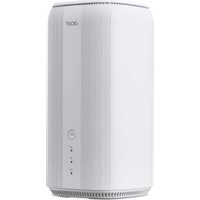

Brand : ACER
Model : System Modem
Category : Router