523 - Monitor LACIE - Free user manual and instructions
Find the device manual for free 523 LACIE in PDF.


| Product type | LCD Monitor |
| Brand | LaCie |
| Model | 523 |
| Screen size | 20 inches (diagonal) |
| Maximum resolution | 1680 x 1050 pixels |
| Connectivity | DVI-D, VGA |
| Power supply | 100-240V AC, 50/60 Hz |
| Power consumption | 50 W (typical) |
| Weight | 6 kg |
| Dimensions (W x H x D) | 480 x 420 x 200 mm |
| Key features | Display adjustments, calibration, holiday switch |
| Included accessories | Hood, video cable, power cable |
| Care and cleaning | Clean with a soft, lint-free cloth |
| Safety | Holiday switch to cut off power |
| Spare parts and repairability | Hood and cables available; repair at authorized service center |
| Warranty | 2 years |
| General information | Registration at www.lacie.com for free technical support |
Frequently Asked Questions - 523 LACIE
User questions about 523 LACIE
0 question about this device. Answer the ones you know or ask your own.
Ask a new question about this device
Download the instructions for your Monitor in PDF format for free! Find your manual 523 - LACIE and take your electronic device back in hand. On this page are published all the documents necessary for the use of your device. 523 by LACIE.
USER MANUAL 523 LACIE
LaCie 500 Series LCD Monitor
natural_image
Line drawing of a computer monitor with a curved screen and base mount (no text or symbols)
Quick Install Guide
PACKAGE CONTENTS
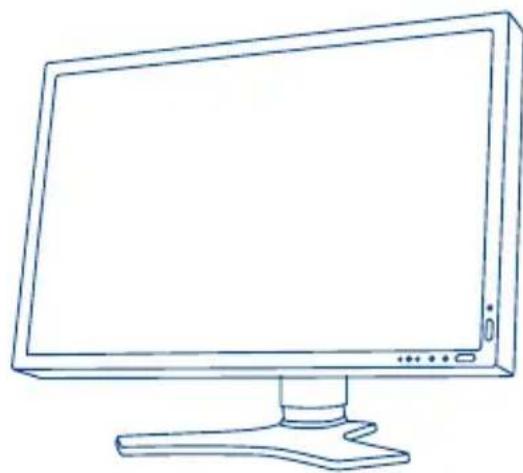
• LaCie 500 Series LCD Monitor
- Power cord
- Screws
• DVI Video cable
• DVI-VGA cable
- Cable cover
• LaCie Monitor easyHood
- LaCie Display Utilities CD-ROM (including LaCie blue eye pro Calibration Software and User Manual)
- Quick Install Guide
• Monitor cleaning cloth
natural_image
Line drawing of a flat-screen computer monitor with a stand (no text or symbols)Protect your investment – register for free technical support: www.lacie.com/register
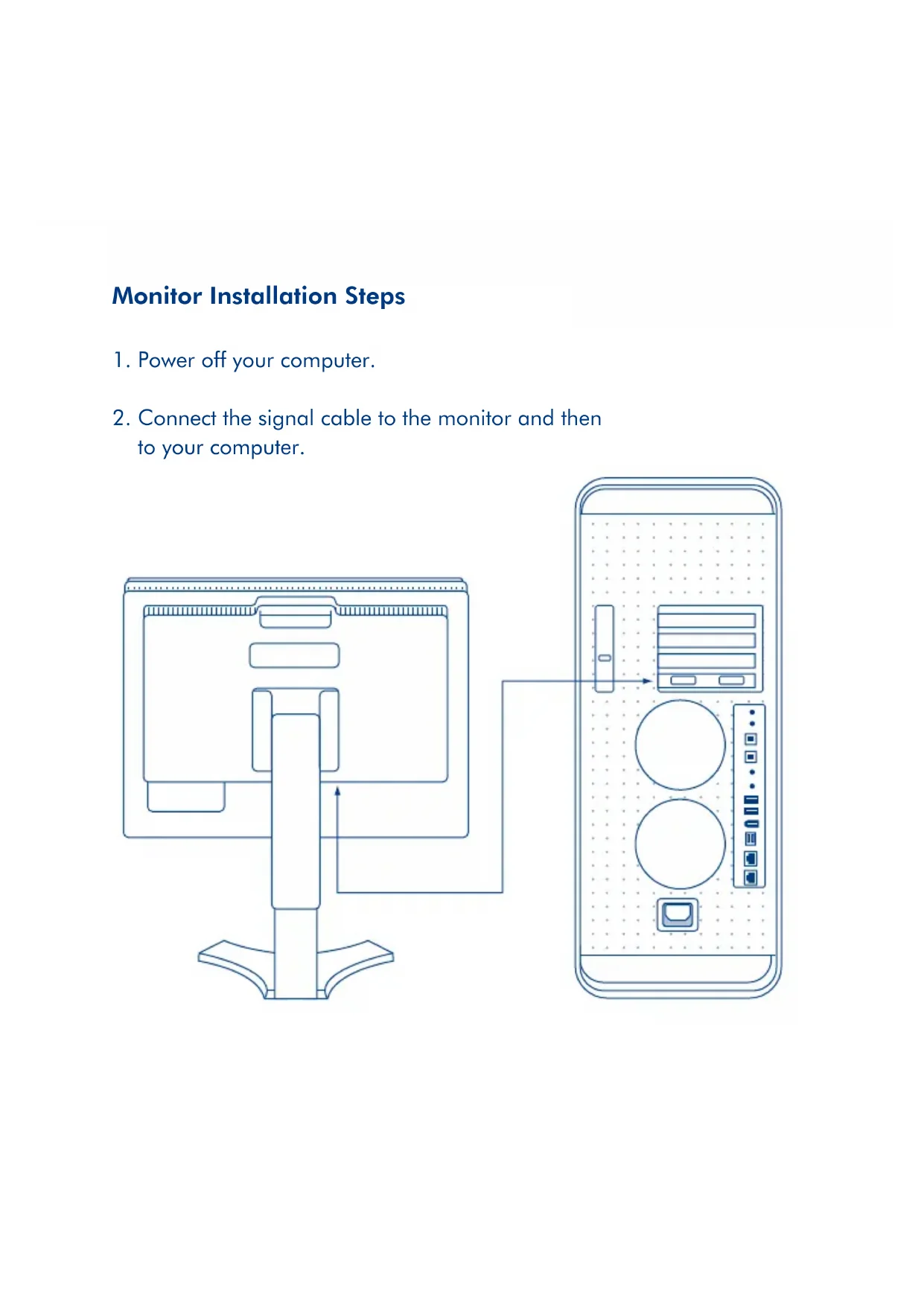
Monitor Installation Steps
- Power off your computer.
- Connect the signal cable to the monitor and then to your computer.
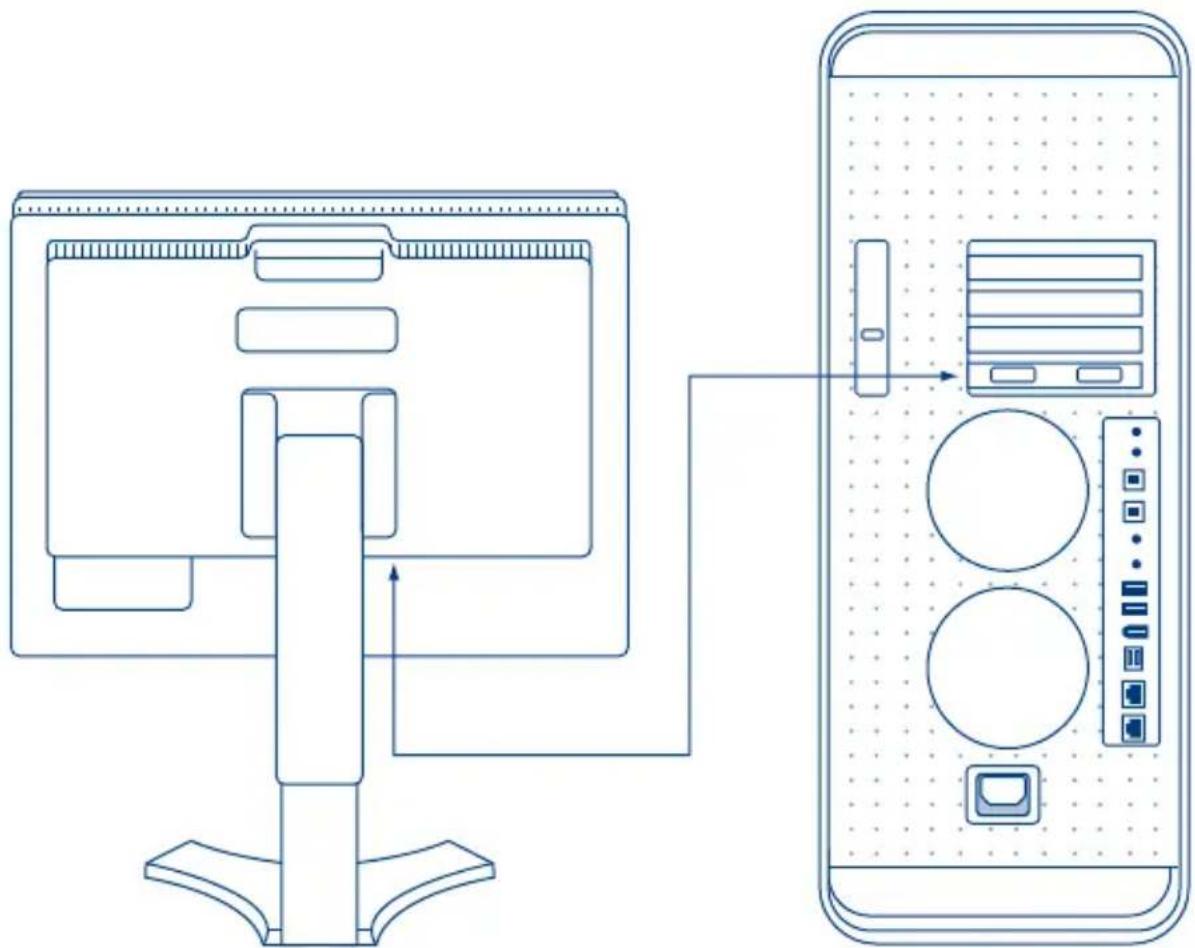
flowchart
graph TD
    A["Computer Monitor"] -->|Data Flow| B["Desktop Device"]
    style A fill:#f9f,stroke:#333
    style B fill:#bbf,stroke:#333
- Connect the power cable to the monitor and to a wall outlet.
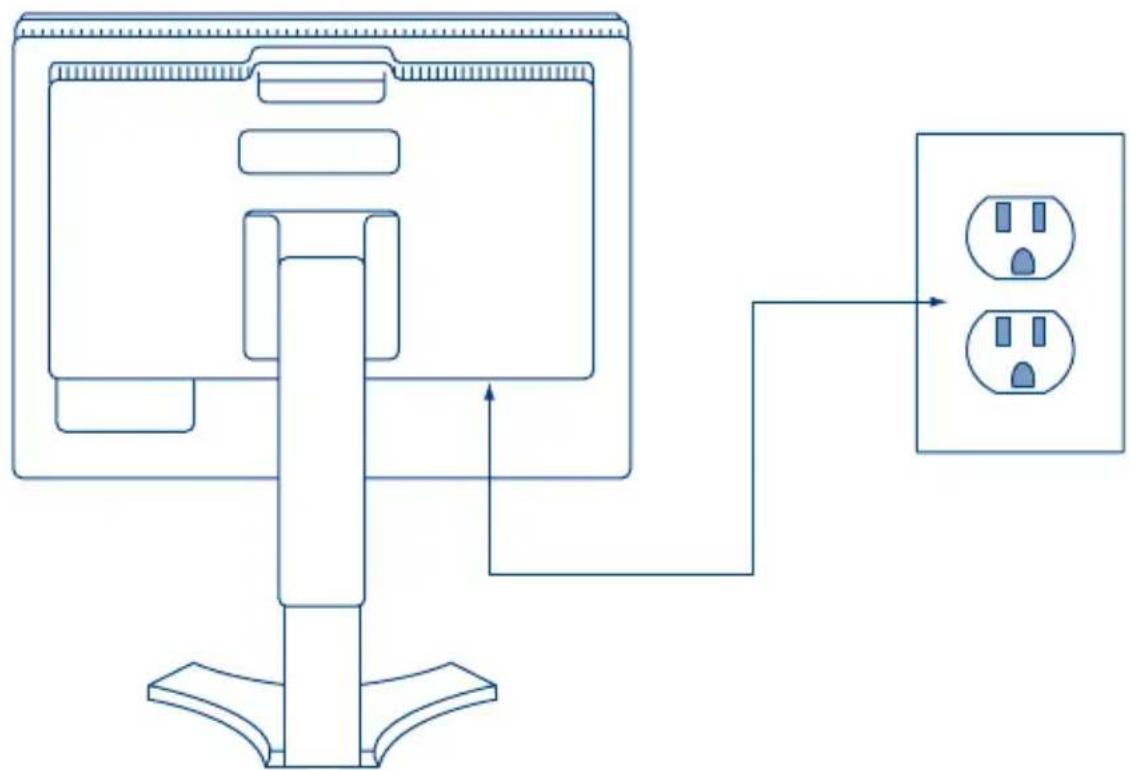
flowchart
graph TD
    A["Computer Monitor"] -->|Signal| B["Electrical Outlet 1"]
    A -->|Signal| C["Electrical Outlet 2"]
    style A fill:#f9f,stroke:#333
    style B fill:#bbf,stroke:#333
    style C fill:#bfb,stroke:#333
- Power on your computer, your monitor, and the "vacation switch" on the left side of the monitor.
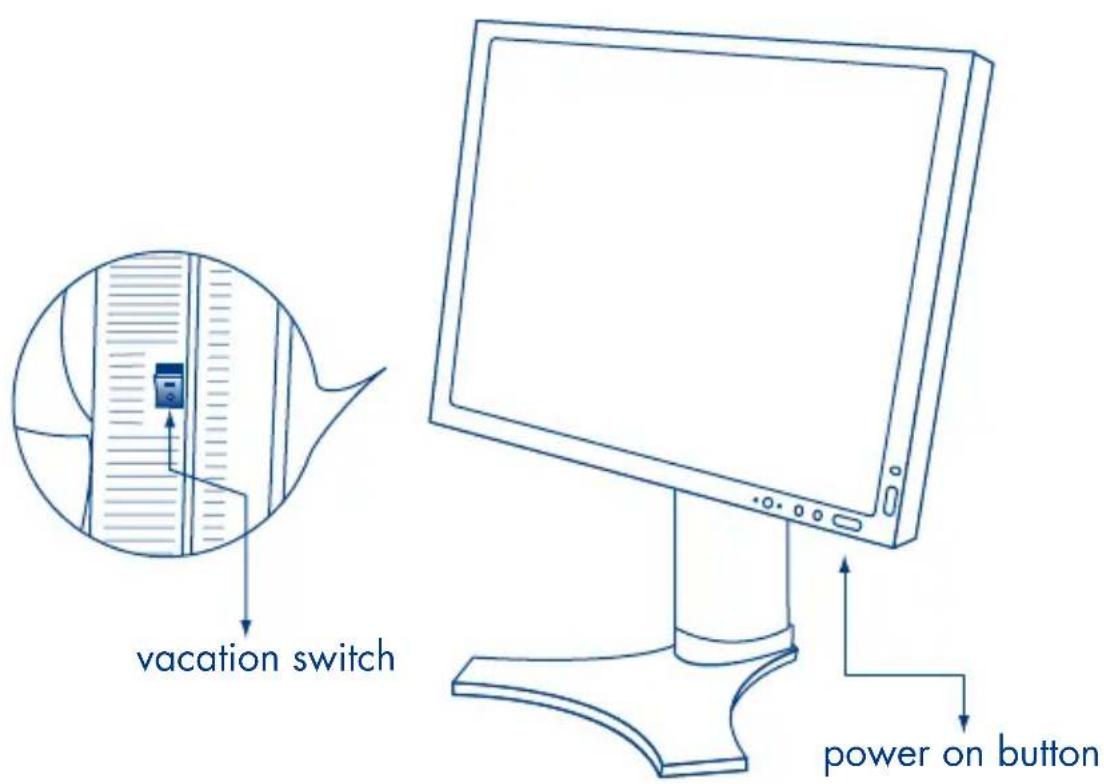
Refer to the User Manual located on the LaCie Display Utilities CD-ROM for complete instructions.
Hood Installation Steps
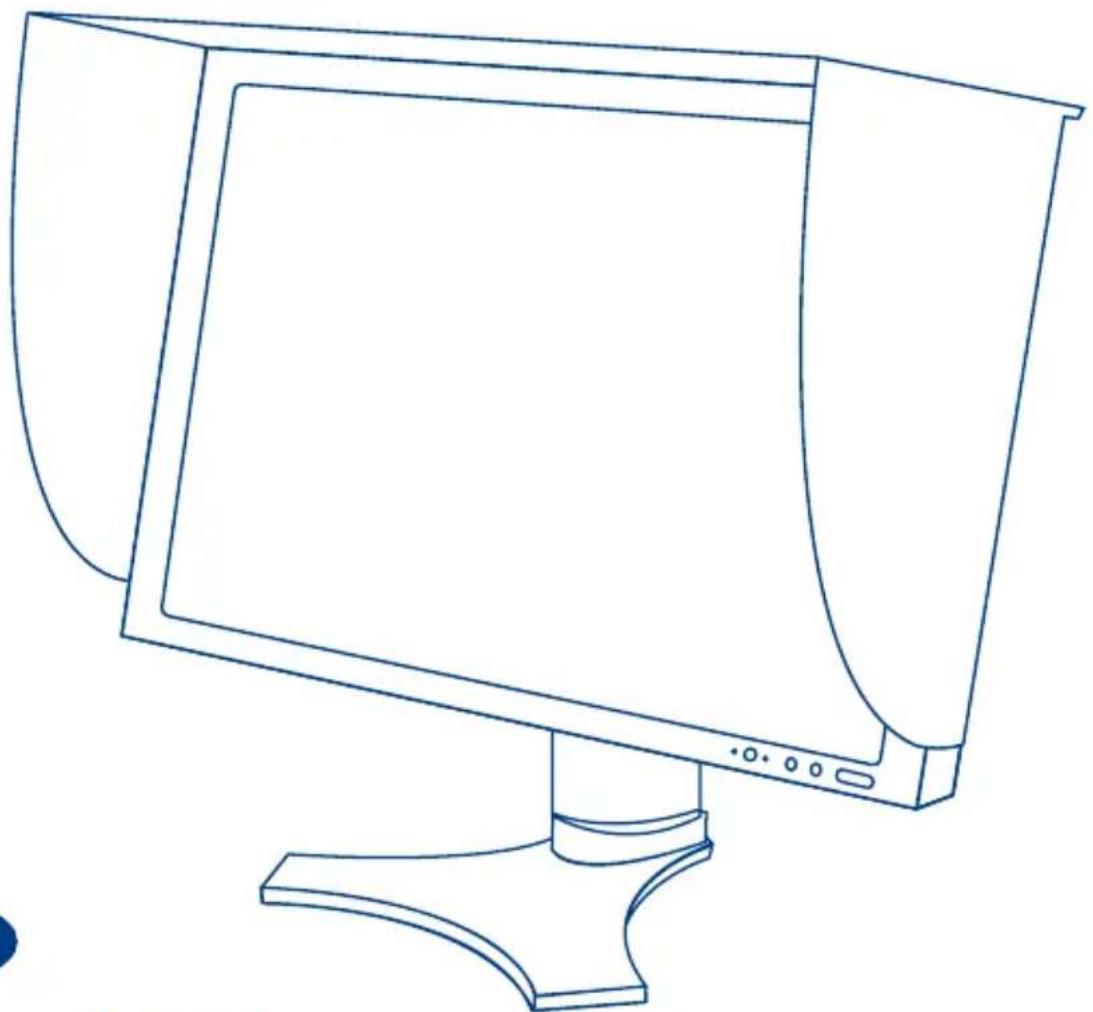
- Lift the hood behind the monitor and insert the clasp over the monitor handle. Once the clasp is secured, lower the middle panel forward and into place.
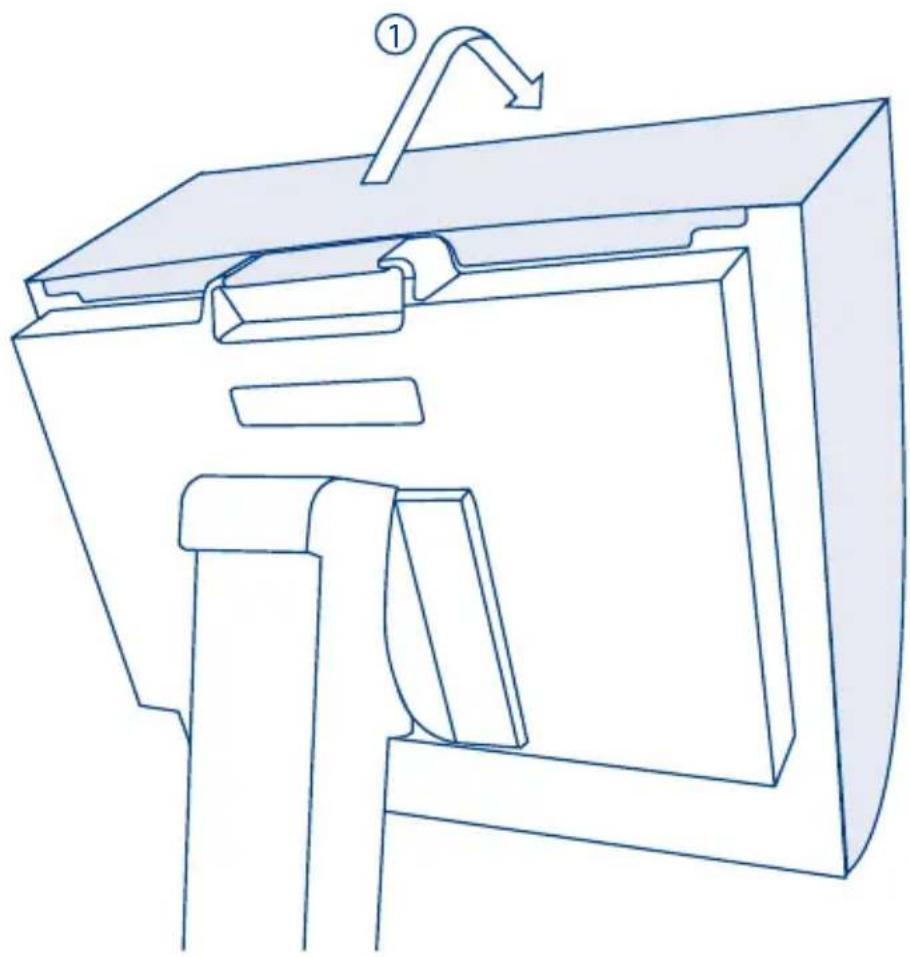
natural_image
Technical line drawing of a mechanical device with a labeled component (①), showing internal components and a curved arrow indicating motion (no text or symbols present)- Lift side panels and attach Velcro stickers to the 500 Series monitor so they line up with the Velcro on the hood.
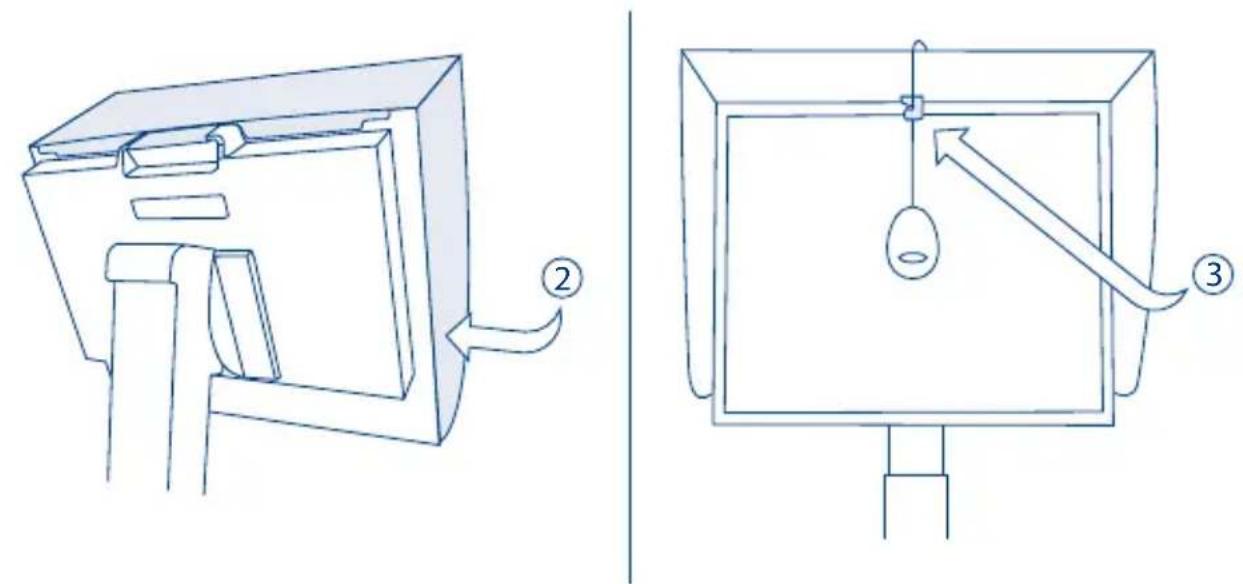
- When calibrating the monitor, simply unfold the hook to attach your calibrator.

LaCie 500 Series LCD Monitor
LaCie 500 Series LCD Monitor
Copyright © 2007, LaCie.

LaCie 500 Series LCD Monitor
LaCie 500 Series LCD Monitor
LaCie 500 Series LCD Monitor
LaCie 500 Series LCD Monitor
LaCie 500 Series LCD Monitor
Snabbin Installationsguide
LaCie 500 Series LCD Monitor
LaCie 500 Series LCD Monitor
Pikaopas
Näytön asennus
Copyright © 2007, LaCie.

LaCie 500 Series LCD Monitor
Copyright © 2007, LaCie.

LaCie 500 Series LCD Monitor
LaCie 500 Series LCD Monitor
LaCie 500 Series LCD Monitor
Centennial Tower, Level 34
3 Temasek Avenue
Singapore 039190
sales.asia@lacie.com
LaCie Australia
458 Gardeners Rd.
Alexandria, NSW 2015
sales.au@lacie.com
LaCie Belgium
Vorstlaan 165/ Bld
du Souverain 165
1160 Brussels
sales.benelux@lacie.com
Copyright 2007, LaCie
711262 070103
LaCie Canada
235 Dufferin St.
Toronto, Ontario M6K 1Z5
sales.ca@lacie.com
LaCie Germany
Am Kesselhaus 5
D-79576 Weil Am Rhein
sales.de@lacie.com
LaCie Italy
Centro Direzionale
Edificio B4
(Sweden, Denmark, Norway, Finland)
Sveavägen 90, 5tr
113 59 Stockholm, Sweden
sales.nordic@lacie.com
LaCie Spain
LaCie United Kingdom and Ireland
46 Gillingham Street
London, England SW1V 1HU
sales.uk@lacie.com
sales.ie@lacie.com
LaCie Worldwide Export
17, rue Ampère
91349 Massy Cedex
France
sales.intl@lacie.com
support.intl@lacie.com
Visit www.lacie.com for more information on LaCie products.

Brand : LACIE
Model : 523
Category : Monitor