
SyncMaster 191N - Monitor SAMSUNG - Free user manual and instructions
Find the device manual for free SyncMaster 191N SAMSUNG in PDF.



| Product Type | LCD Monitor |
| Brand | Samsung |
| Model | SyncMaster 191N |
| Screen Size | 19 inches (diagonal) |
| Optimal Resolution | 1280 x 1024 @ 60 Hz |
| Maximum Resolution | 1280 x 1024 @ 75 Hz |
| Panel Type | a-si TFT active matrix |
| Viewing Angle (L/R/T/B) | 85°/85°/85°/85° |
| Displayable Colors | 16.2 million |
| Video Connectors | D-Sub 15-pin (analog), DVI-D (digital) |
| Power Supply | AC 90-264 V, 50/60 Hz |
| Power Consumption (max) | 40 W |
| Standby Power Consumption | Less than 3 W |
| Dimensions (W x D x H) with stand | 416.3 x 190.3 x 408.5 mm |
| Weight with stand | 5.6 kg |
| VESA compatible wall mount | 100 x 100 mm |
| Power saving features | PowerSaver, ENERGY STAR compliant |
| Plug & Play | VESA DDC |
| Built-in speakers | Optional (multimedia model) |
| Safety | Unplug during storms; do not disassemble the casing |
| Maintenance | Clean with a soft, dry cloth; do not apply pressure to the screen |
Frequently Asked Questions - SyncMaster 191N SAMSUNG
User questions about SyncMaster 191N SAMSUNG
0 question about this device. Answer the ones you know or ask your own.
Ask a new question about this device
Download the instructions for your Monitor in PDF format for free! Find your manual SyncMaster 191N - SAMSUNG and take your electronic device back in hand. On this page are published all the documents necessary for the use of your device. SyncMaster 191N by SAMSUNG.
USER MANUAL SyncMaster 191N SAMSUNG
SyncMaster 181T/191T/171T/171S/171V/191N/170N/172N/192N/173N/193N

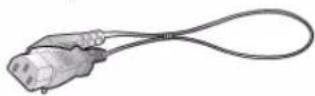
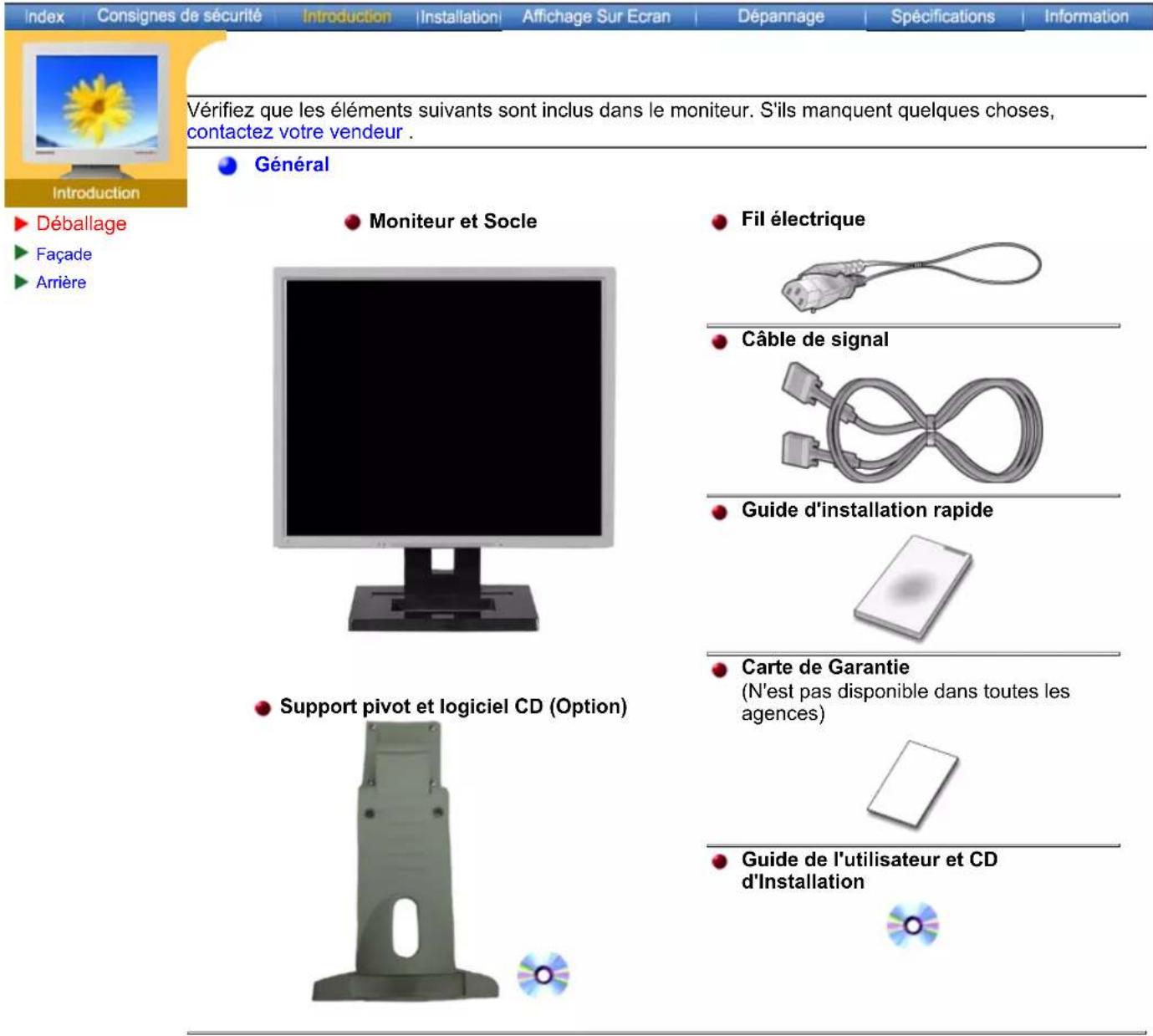
- Power cord
Signal cable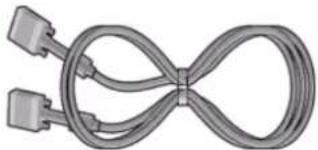
DVI cable (Optional)
Audio cables
- Click the "Install" button in the "Warning!" window.
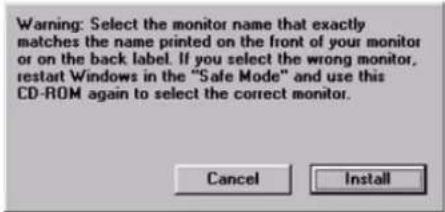
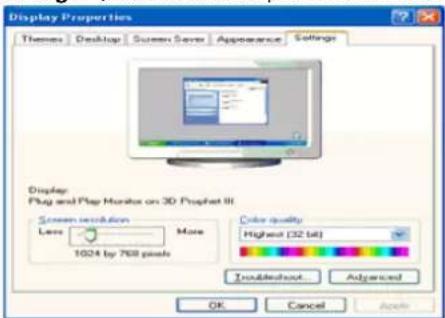
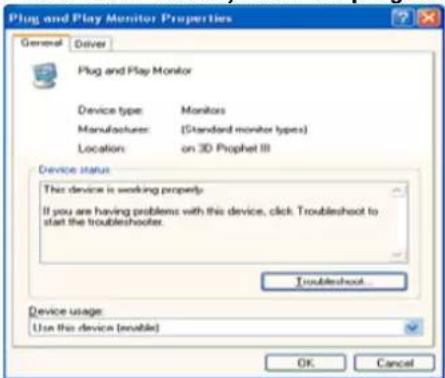
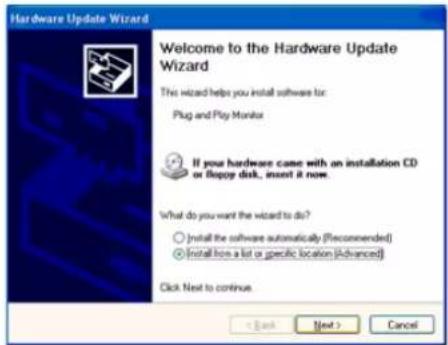
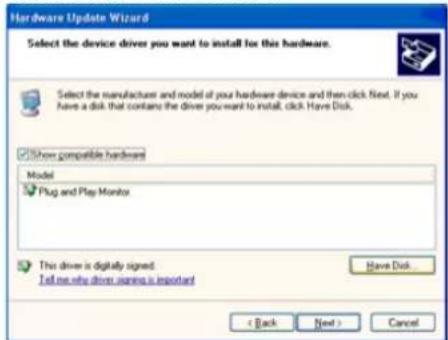
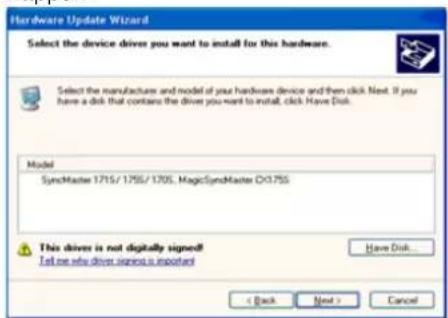
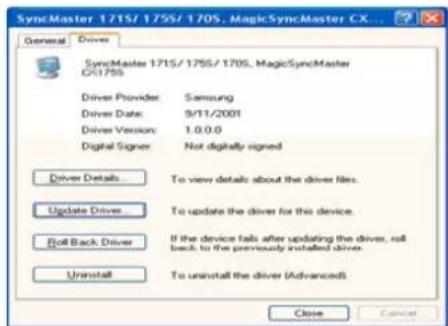
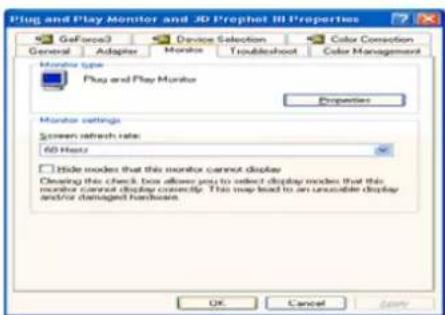
VESA mounting interface
VESA mounting interface
VESA mounting interface
VESA mounting interface
VESA mounting interface
Samsung Computer Products Customer Service 400 Valley Road, Suite 201, Mt. Arlington, NJ 07856
Tel.: (973)601-6000, 1-800-SAMSUNG (1-800-726-7864)
Fax: (973)601-6001
http://www.samsungusa.com/monitor/
CANADA:
Samsung Electronics Canada Inc. 7037 Financial Drive
Mississauga, Ontario L5N 6R3
< European Service Center & National Service >
Stafford Park 12 Telford, Shropshire, TF3 3BJ
Samsung Electronics Australia Pty Ltd. Customer Response Centre 7 Parkview Drive, Homebush Bay NSW 2127
Tel: 1300 362 603
http://www.samsung.com.au/
SPAIN:
Samsung Electronics Comercial Iberica, S.A. Ciencies, 55-65 (Poligono Pedrosa) 08908 Hospitalet de Llobregat (Barcelona)
Tel.: (93) 261 67 00
Fax.: (93) 261 67 50
http://samsung.es/
THAILAND:
HAI SAMSUNG SERVICE CENTER MPA COMPLEX BUILDING, 1st-2nd Floor 175 SOI SUEKSA VIDHAYA SATHON SOI 12 SILOM ROAD, SILOM, BANGRAK BANGKOK 10500 TEL: 0-2635-2567 FAX: 0-2635-2556
Service
SOUTH AFRICA:
Samsung Electronics, 5 Libertas Road, Somerset Office Park, Bryanston Ext 16. PO Box 70006, Bryanston, 2021 South Africa. Tel: 0027-11-549-1621. Fax: 0027-11-549-1629. http://www.samsung.co.za/
SWEDEN/DENMARK/NORWAY/FINLAND:
Samsung Electronics AB, Box 713, S-194 27 UPPLANDS VÄSBY, SWEDEN. Visiting address: Johanneslundsvägen 4. Samsung support Sweden: 020-46 46 46. Samsung support Denmark: 8088-4646. Samsung support Norway: 8001-1800. Samsung support Finland: 0800-118001. Tel +46 8 590 966 00. Fax +46 8 590 966 50. http://www.samsung.se/
FRANCE:
SAMSUNG ELECTRONICS FRANCE Service, Paris Nord 2, 66 rue des Vanesses, BP 50116 Villepinte, 95950 Roissy CDG Cedex. Tel: 08 25 08 65 65. Fax: 01 48 63 06 38. http://www.samsungservices.com/
MEXICO:
Samsung Electronics Mexico S.A. de C.V., Saturno 44 Col. Nueva Industrial Vallejo, Del. Gustavo A. Madero C.P. 07700, Mexico D.F. Tel. 01 57 47 51 00. Fax. 01 57 47 52 02. RFC: SEM950215S98. http://www.samsung.com.mx/
UKRAINE:
SAMSUNG ELECTRONICS REPRESENTATIVE OFFICE IN UKRAINE, 4 Glybochitska str., Kiev, Ukraine. Tel. 8-044-4906878. Fax 8-044-4906887. Toll-free 8-800-502-0000. http://www.samsung.com.ua/
HUNGARY:
Samsung Electronics Magyar Rt., 1039, Budapest, Lehel u. 15-17. Tel: 36 1 453 1100. Fax: 36 1 453 1101. http://www.samsung.hu/
PORTUGAL:
SAMSUNG ELECTRONICA PORTUGUESA S.A., Rua Mário Dioniso, N°2 - 1º Drt. 2795-140 LINDA-A-VELHA. Tel. 214 148 114/100. Fax. 214 148 133/128. Free Line 800 220 120. http://www.samsung.pt/
CHILE:
SONDA S.A. Teatinos 550, Santiago Centro, Santiago, Chile Phone: 56-2-5605000 Fax: 56-2-5605353 56-2-800200211 http://www.sonda.com/ http://www.samsung.cl/
NETHERLANDS/BELGIUM/LUXEMBOURG:
Samsung Electronics Benelux B. V. Fleminglaan 12 2289 CP Rijiswijk, NETHERLANDS Service and information line: Belgium: 0800-95214, http://www.samsung.be/ Netherlands: 0800-2295214, http://www.samsung.nl/
IMPORTED BY: SAMSUNG ELECTRONICS MEXICO S.A. DE C.V. SATURNO 44 COL. NVA. INDUSTRIAL VALLEJO DEL. GUSTAVO A. MADERO C.P. 07700 MEXICO D.F. TEL. 5747-5100 RFC: SEM950215S98
EXPORTED BY: SAMSUNG ELECTRONICS CO.,LTD. JOONG-ANG DAILY NEWS BLDG. 7 SOON-WHA-DONG CHUNG-KU, C.P.O BOX 2775, 1144 SEOUL, KOREA
Information
The Federal Communications Commission Radio Frequency Interference Statement includes the following warning:
Note: This equipment has been tested and found to comply with the limits for a Class B digital device, pursuant to Part 15 of the FCC Rules. These limits are designed to provide reasonable protection against harmful interference in a residential installation. This equipment generates, uses, and can radiate radio frequency energy and, if not installed and used in accordance with the instructions, may cause harmful interference to radio communications. However, there is no guarantee that interference will not occur in a particular installation. If this equipment does cause harmful interference to radio or television reception, which can be determined by turning the equipment off and on, the user is encouraged to try to correct the interference by one or more of the following measures:
• Reorient or relocate the receiving antenna. - Increase the separation between the equipment and receiver. - Connect the equipment into an outlet on a circuit different from that to which the receiver is connected. - Consult the dealer or an experienced radio/TV technician for help.
User Information
Changes or modifications not expressly approved by the party responsible for compliance could void the user's authority to operate the equipment. If necessary, consult your dealer or an experienced radio/television technician for additional suggestions. You may find the booklet called How to Identify and Resolve Radio/TV Interference Problems helpful. This booklet was prepared by the Federal Communications Commission. It is available from the U.S. Government Printing Office, Washington, DC 20402, Stock Number 004-000-00345-4.
The party responsible for product compliance:
SAMSUNG ELECTRONICS CO., LTD
America QA Lab of Samsung
3351 Michelson Drive,
Suite #290, Irvine, CA 92612 USA
Tel) 949-975-7310
Fax) 949-922-8301
Warning
User must use shielded signal interface cables to maintain FCC compliance for the product.
Provided with this monitor is a detachable power supply cord with IEC320 style terminations. It may be suitable for connection to any UL Listed personal computer with similar configuration. Before making the connection, make sure the voltage rating of the computer convenience outlet is the same as the monitor and that the ampere rating of the computer convenience outlet is equal to or exceeds the monitor voltage rating.
For 120 Volt applications, use only UL Listed detachable power cord with NEMA configuration 5-15P type (parallel blades) plug cap. For 240 Volt applications use only UL Listed Detachable power supply cord with NEMA configuration 6-15P type (tandem blades) plug cap.
VCCI
This is a Class B product based on the standard of the Voluntary Control Council for Interference by Information Technology Equipment (VCCI). If this is used near a radio or television receiver in a domestic environment, it may cause radio interference. Install and use the equipment according to the instruction manual.
Products with the CE marking comply with the EMC Directive (89/336/EEC), (92/31/EEC), (93/68/EEC) and the Low Voltage Directive (73/23/EEC) issued by the Commission of the European Community.
Compliance with these directives implies conformity to the following European Norms:
• EN55022:1998+A1:2000 - Radio Frequency Interference • EN55024:1998 - Electromagnetic Immunity of Information Technology Equipment • EN61000-3-2:1995+A1/A2:1998 - Power Line Harmonics • EN61000-3-3:1995 - Voltage Fluctuations
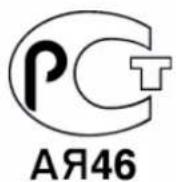
PCT Notice
TCO'95-Ecological requirements for personal computers (TCO applied model only)

AB general requirements
AB2 Written Eco-document accompanying the products
Congratulations! You have just purchased a TCO'95 approved and labelled product! Your choice has provided you with a product developed for professional use. Your purchase has also contributed to reducing the burden on the environment and to the further development of environmentally-adapted electronic products.
Why do we have environmentally-labelled monitors?
In many countries, environmental labelling has become an established method for encouraging the adaptation of goods and services to the environment. The main problem as far as monitors and other electronic equipment are concerned is that environmentally harmful substances are used both in the products and during their manufacture. Since it has not been possible so far for the majority of electronic equipment to be recycled in a satisfactory way, most of these potentially damaging substances sooner or later enter Nature.
There are also other characteristics of a monitor, such as energy consumption levels, that are important from both the working and natural environment viewpoints. Since all types of conventional electricity generation have a negative effect on the environment (acidic and climate-influencing emissions, radioactive waste, etc.) it is vital to conserve energy. Electronic equipment in offices consumes an enormous amount of energy, since it is often routinely left running continuously.
What does labelling involve?
This product meets the requirements for the TCO'95 scheme, which provides for international environmental labelling of monitors. The labelling scheme was developed as a joint effort by the TCO (The Swedish Confederation of Professional Employees), Naturskyddsforeningen (The Swedish Society for Nature Conservation) and NUTEK (The National Board for Industrial and Technical Development in Sweden).
The requirements cover a wide range of issues: environment, ergonomics, usability, emission of electrical and magnetic fields, energy consumption and electrical and fire safety.
The environmental demands concern among other things restrictions on the presence and use of heavy metals, brominated and chlorinated flame retardants, CFCs (freons), and chlorinated solvents. The product must be prepared for recycling and the manufacturer is obliged to have an environmental plan, which must be adhered to in each country where the company conducts its operations policy. The energy requirements include a demand that the monitor after a certain period of inactivity shall reduce its power consumption to a lower level, in one or more stages. The length of time to reactivate the monitor shall be reasonable for the user.
Labelled products must meet strict environmental demands, for example in respect of the reduction of electric and magnetic fields, along with physical and visual ergonomics and good usability.
TCO Development Unit 1996-11-29
On the page in this folder you will find a brief summary of the environmental requirements met by this product.
The complete environmental criteria document may be ordered from:
TCO Development Unit
S-11494 Stockholm
Sweden
Fax: +46 8 782 92 07
E-mail (Internet): development@tco.se
Current information regarding TCO'95-approved and labelled products may also
be obtained via the Internet, using the address:
http://www.tco-info.com/
TCO'95 is a co-operative project between (3 logos)
Environmental Requirements
Brominated flame retardants are present in printed circuit boards, cables, wires, casings and housings. In turn, they delay the spread of fire. Up to thirty percent of the plastic in a computer casing can consist of flame retardant substances. These are related to another group of environmental toxins, PCBs, which are suspected to give rise to similar harm, including reproductive damage in fish eating birds and mammals, due to the bioaccumulative processes. Flame retardants have been found in human blood and researchers fear that disturbances in foetus development may occur.
- TCO'95 demand requires that plastic components weighing more than 25 grams must not contain organically bound chlorine and bromine.
Lead
Lead can be found in picture tubes, display screens, solders and capacitors. Lead damages the nervous system and in higher doses, causes lead poisoning.
- TCO'95 requirement permits the inclusion of lead since no replacement has yet been developed.
Cadmium
Cadmium is present in rechargeable batteries and in the colour generating layers of certain computer displays. Cadmium damages the nervous system and is toxic in high doses.
- TCO'95 requirement states that batteries may not contain more than 25 ppm (parts per million) of cadmium. The colour-generating layers of display screens must not contain any cadmium.
Mercury
Mercury is sometimes found in batteries, relays and switches. Mercury damages the nervous system and is toxic in high doses.
- TCO'95 requirement states that batteries may not contain more than 25 ppm (parts per million).

Congratulations!
You have just purchased a TCO'99 approved and labelled product! Your choice has provided you with a product developed for professional use. Your purchase has also contributed to reducing the burden on the environment and also to the further development of environmentally adapted electronics products.
This product meets the requirements for the TCO'99 scheme which provides for an international environmental and quality labelling of personal computers. The labelling scheme was developed as a joint effort by the TCO (The Swedish Confederation of Professional Employees), Svenska Naturskyddsforeningen (The Swedish Society for Nature Conservation), Statens Energimyndighet (The Swedish National Energy Administration) and SEMKO AB.
The requirements cover a wide range of issues: environment, ergonomics, usability, reduction of electric and magnetic fields, energy consumption and electrical safety.
Why do we have environmentally labelled computers?
In many countries, environmental labelling has become an established method for encouraging the adaptation of goods and services to the environment. The main problem, as far as computers and other electronics equipment are concerned, is that environmentally harmful substances are used both in the products and during their manufacture. Since it is not so far possible to satisfactorily recycle the majority of electronics equipment, most of these potentially damaging substances sooner or later enter nature.
There are also other characteristics of a computer, such as energy consumption levels, that are important from the viewpoints of both the work (internal) and natural (external) environments. Since all methods of electricity generation have a negative effect on the environment (e.g. acidic and climate-influencing emissions, radioactive waste), it is vital to save energy. Electronics equipment in offices is often left running continuously and thereby consumes a lot of energy.
What does labelling involve?
The environmental demands have been developed by Svenska Naturskyddsföreningen (The Swedish Society for Nature Conservation). These demands impose restrictions on the presence and use of heavy metals, brominated and chlorinated flame retardants, CFCs (freons), and chlorinated solvents, among other things. The product must be prepared for recycling, and the manufacturer is obliged to have an environmental policy that must be adhered to in each country where the company implements its operational policy.
The energy requirements include a demand that the computer and/or display, after a certain period of inactivity, shall reduce its power consumption to a lower level in one or more stages. The length of time to reactivate the computer shall be reasonable for the user.
Below you will find a brief summary of the environmental requirements met by this product. The complete environmental criteria document may be ordered from:
TCO Development
SE-114 94 Stockholm, Sweden
Fax: +46 8 782 92 07
Email (Internet): development@tco.se
The relevant TCO'99 demand requires that plastic components weighing more than 25 grams must not contain flame retardants with organically bound bromine or chlorine. Flame retardants are allowed in the printed circuit boards since no substitutes are available.
Cadmium**
Cadmium is present in rechargeable batteries and in the colour-generating layers of certain computer displays. Cadmium damages the nervous system and is toxic in high doses. The relevant TCO'99 requirement states that batteries, the colour-generating layers of display screens, and the electrical or electronics components must not contain any cadmium.
Mercury**
Mercury is sometimes found in batteries, relays, and switches. It damages the nervous system and is toxic in high doses. The relevant TCO'99 requirement states that batteries may not contain any mercury. It also demands that mercury is not present in any of the electrical or electronics components associated with the labelled unit. There is, however, one exception. Mercury is, for the time being, permitted in the back light system of flat panel monitors as today there is no commercially available alternative. TCO aims to remove this exception when a mercury-free alternative is available.
CFCs (freons)
The relevant TCO'99 requirement states that neither CFCs nor HCFCs may be used during the manufacture and assembly of the product. CFCs (freons) are sometimes used for washing printed circuit boards. CFCs break down ozone and thereby damage the ozone layer in the stratosphere, causing increased reception on earth of ultraviolet light with e.g. increased risks of skin cancer (malignant melanoma) as a consequence.
Lead**
Lead can be found in picture tubes, display screens, solders and capacitors. Lead damages the nervous system and in higher doses, causes lead poisoning. The relevant TCO'99 requirement permits the inclusion of lead since no replacement has yet been developed.

In accordance with UL 2601-1/IEC 60601-1, the product is classified as Continuous duty Class I equipment, which is not protected against ingress of liquids. The product is not suitable for use in the presence of a flammable anaesthetic mixture with air or with oxygen or nitrous oxide.
EMC
This equipment has been tested and found to comply with the limits for medical devices to the IEC 601-1-2:1994. These limits are designed to provide reasonable protection against harmful interference in a typical medical installation. This equipment generates, uses and can radiate radio frequency energy and, if not installed and used in accordance with the instructions, may cause harmful interference to other devices in the vicinity. However, there is no guarantee that interference will not occur in a particular installation. If this equipment does cause harmful interference to other devices, which can be determined by turning the equipment off and on, the user is encouraged to try to correct the interference by one or more of the following measures:
• Reorient or relocate the receiving device. - Increase the separation between the equipment. - Connect the equipment into an outlet on a circuit different from that to which the other device(s) are connected. - Consult the manufacturer or field service technician for help.
Video In / RS 232 / Video Out
Accessories equipment connected to the analog and digital interfaces must be certified to the respective IEC standards (i.e. IEC 950 for data processing equipment and IEC 601-1 for medical equipment.) Furthermore all configurations shall comply with the system standard IEC 601-1-1. Everybody who connects additional equipment to the signal input part or signal output part configures a medical system, and is therefore, responsible that the system complies with the requirements of the system standard IEC 601-1-1. If in doubt, consult the technical services department or your local representative.
Transport and Storage Limitations:
Temperature Range of -40°C to +70°C
Relative Humidity of 10 -95%, non-condensing

- VESA MOUNTING INTERFACE
- CANADA
- SPAIN
- THAILAND
- SOUTH AFRICA
- SWEDEN/DENMARK/NORWAY/FINLAND
- FRANCE
- MEXICO
- UKRAINE
- HUNGARY
- PORTUGAL
- CHILE
- NETHERLANDS/BELGIUM/LUXEMBOURG
- USER INFORMATION
- WARNING
- VCCI
- PCT NOTICE
- TCO'95-ECOLOGICAL REQUIREMENTS FOR PERSONAL COMPUTERS (TCO APPLIED MODEL ONLY)
- AB GENERAL REQUIREMENTS
- AB2 WRITTEN ECO-DOCUMENT ACCOMPANYING THE PRODUCTS
- WHY DO WE HAVE ENVIRONMENTALLY-LABELLED MONITORS
- WHAT DOES LABELLING INVOLVE
- ENVIRONMENTAL REQUIREMENTS
- LEAD
- CADMIUM
- MERCURY
- CONGRATULATIONS
- WHY DO WE HAVE ENVIRONMENTALLY LABELLED COMPUTERS
- TCO DEVELOPMENT
- CFCS (FREONS)
- EMC
- VIDEO IN / RS 232 / VIDEO OUT
- TRANSPORT AND STORAGE LIMITATIONS
Brand : SAMSUNG
Model : SyncMaster 191N
Category : Monitor