ManualGo.com
A110 - Mobile Phone LG - Free user manual and instructions
Find the device manual for free A110 LG in PDF.



Download the instructions for your Mobile Phone in PDF format for free! Find your manual A110 - LG and take your electronic device back in hand. On this page are published all the documents necessary for the use of your device. A110 by LG.
USER MANUAL A110 LG
Press to initiate the call.
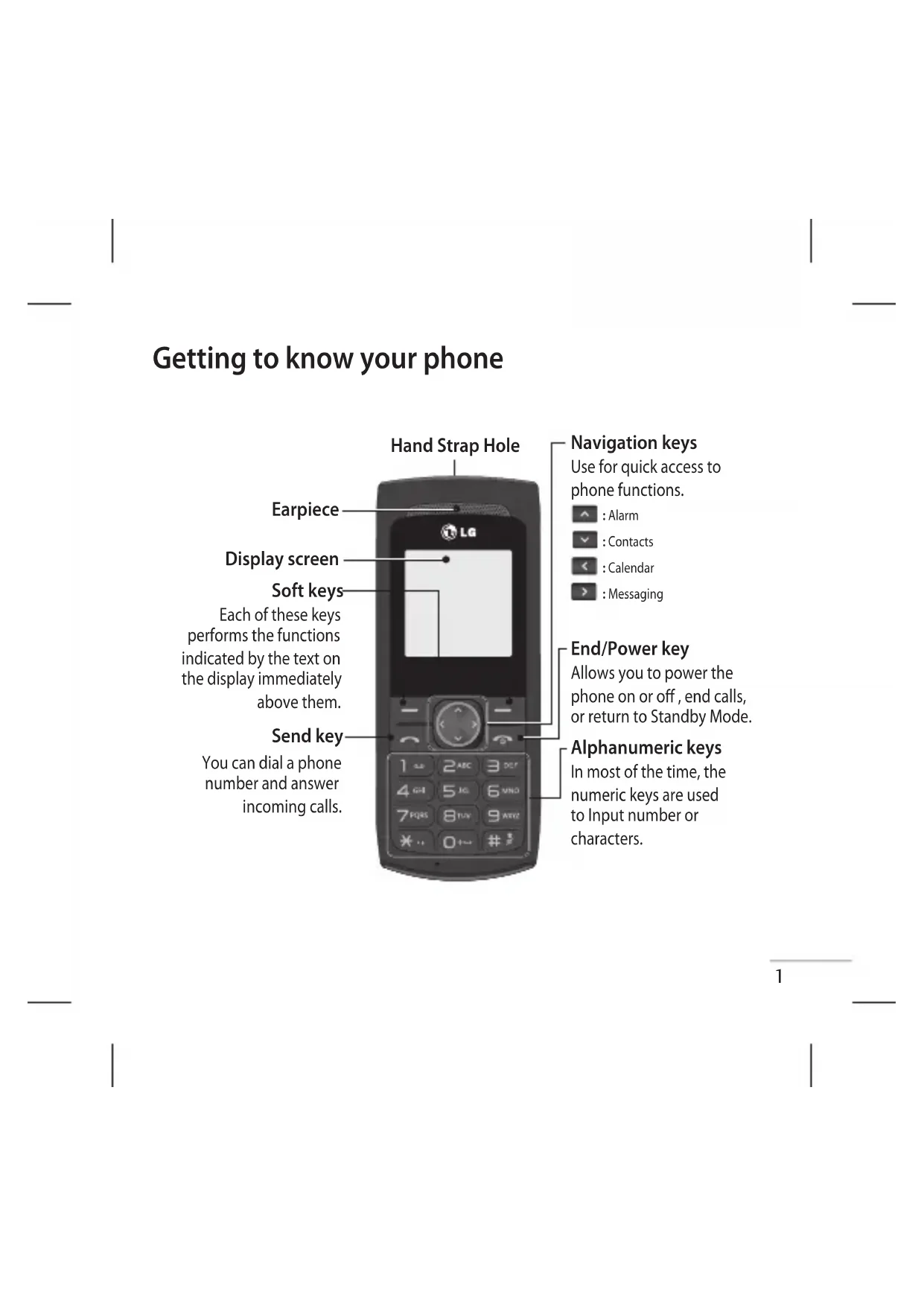
Making a call from your contacts 1 Press to open the address book. 2 Using the keypad, enter the rst letter of the contact you want to call. 3 To scroll through the contacts use up and down navigation keys. And to scroll through their di erent numbers use left and right navigation keys. 4 Press to initiate the call. Answering and rejecting a call When your phone rings, press Accept or press to answer the call. While your phone is ringing, select Silent to mute the ringing. This is great if you have forgotten to change your pro le to Silent for a meeting. Press or Reject to reject the incoming call. TIP! You can change the settings on your phone to answer your calls in di erent ways. Press Menu , select Settings and choose Call . Select Answer mode and choose from Any key
Changing the call settings You can set the menu relevant to a call. Press Menu , select Settings and choose Call.
- Call divert – Select methods of call divert.
Call waiting – Select active or cancel call waiting. Checking your call history You can check the record of all, missed, dialled, received calls and call duration. The number and name (if available) are displayed together with the date and time at which the call was made. You can also view the number of times you have called. Press Menu, select Call history.MEMOMEMOMEMOMEMOMEMOMEMOMEMO